

Phishing hacks can destabilize your entire WordPress environment within hours. One compromised admin account, one vulnerable plugin, or one exposed FTP credential is enough to allow attackers to inject malicious redirects, steal user data, or impersonate your brand.
For businesses, the impact extends far beyond technical damage. Search engines may flag your domain as unsafe, payment gateways can suspend processing, and customers can lose trust, leading to revenue drops. This guide provides a structured, end-to-end recovery and prevention framework.
Whether you are a beginner managing a small blog or an advanced administrator overseeing multiple WordPress installations, the steps below will help you contain the breach, restore clean site functionality, harden your infrastructure, and prevent future phishing compromises.
TL;DR: WordPress Phishing Hack Recovery & Prevention
- Act immediately: document defacement, export logs, and isolate the infected site.
- Enable maintenance mode and contact your host for server-level mitigation.
- Contain access by blocking suspicious IPs and stopping brute force attempts.
- Clean files and database methodically; replace compromised core components.
- Rotate all passwords and regenerate WordPress secret keys.
- Harden hosting, enforce HTTPS, and disable plain FTP.
- Implement continuous backups, monitoring, and staff training.
- Maintain a documented incident response plan for future readiness.
What Are WordPress Phishing Hacks?
A WordPress phishing hack occurs when attackers compromise your site to:
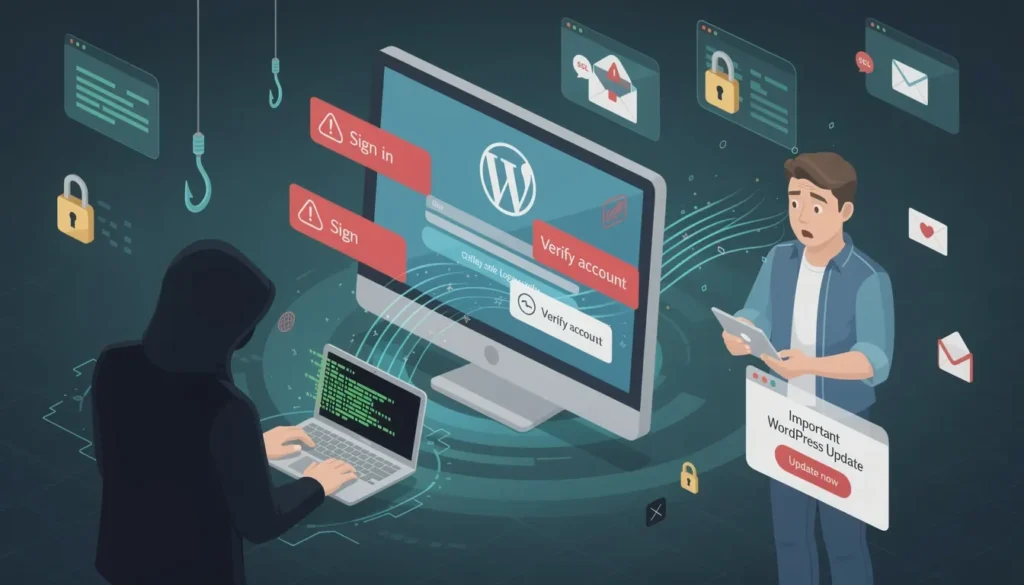
- Create fake login pages that capture user credentials
- Inject malicious redirects to fraudulent domains
- Harvest payment or personal information
- Add hidden admin accounts for persistent access
Unlike basic website defacement attacks, phishing hacks are often stealthy. Attackers may modify:
- Core WordPress files
- Plugin scripts
- .htaccess configurations
- Database records
In many cases, victims discover the breach only after receiving alerts from Google Search Console, hosting providers, or users reporting suspicious redirects.
Understanding that phishing is both a technical and social engineering threat is critical. Recovery requires addressing file integrity, credential hygiene, and operational security.
Role of WordPress Maintenance in Preventing WordPress Phishing Hacks
While emergency recovery is critical, consistent WordPress maintenance is what truly prevents phishing attacks in the first place.

Many compromises occur not because of sophisticated exploits, but due to neglected updates, weak monitoring, and poor access control.
Therefore, proactive maintenance acts as your first and most reliable defense layer against phishing threats.
- First and foremost, ongoing updates close known security vulnerabilities. Since attackers often target outdated plugins and themes, timely patching significantly reduces exposure.
- In addition, real-time malware scanning and login monitoring allow early detection of suspicious activity. This ensures threats are identified and neutralized before they escalate.
- Furthermore, scheduled off-site backups guarantee rapid restoration if a breach occurs, minimizing downtime and data loss
- Finally, routine audits of user roles, file permissions, and authentication settings prevent unauthorized privilege escalation.
If managing updates, monitoring, and security audits feels overwhelming, consider investing in a professional WordPress maintenance plan. A proactive approach today can prevent costly phishing incidents tomorrow.
Secure Your WordPress Site Before the Next Attack
Don’t wait for another phishing incident to disrupt your business. Partner with a trusted WordPress security expert today and ensure your website remains protected, resilient, and performance-ready at all times.
Tips to Secure and Restore Your WordPress Website Post a Phishing Hack
Check out these proven tips that can help you secure and restore your site post a phishing attack.
Tip 1: Quick Triage for WordPress Phishing Hacks
The first few hours after discovering a phishing compromise are critical. At this stage, your objective is not full restoration but rapid containment and evidence preservation.
Acting methodically ensures you prevent further damage while gathering the necessary data for forensic analysis and recovery. Therefore, begin with immediate documentation and isolation measures.
Take Screenshots of Defaced Pages
First and foremost, document the visible impact of the attack. Capture screenshots of:
- Defaced homepage or landing pages
- Fake login forms
- Suspicious redirects
- Browser security warnings
These screenshots serve multiple purposes.
For instance, they help when escalating to your hosting provider, submitting a security review request in Google Search Console, or conducting a post-incident audit.
Moreover, proper documentation ensures you have proof of the compromise before cleanup begins.
Export Server and Application Logs
Next, preserve technical evidence by exporting all relevant logs before they are overwritten or rotated by your server. Specifically, download:
- Web server access logs (Apache or Nginx)
- FTP/SFTP activity logs
- Hosting control panel logs
By analyzing these logs, you can identify suspicious IP addresses, repeated login attempts, unusual POST requests to /wp-login.php, or unauthorized file modifications.
Consequently, this information helps determine the entry point and scope of the breach, which is essential for effective remediation.
Isolate Infected Site From Production Traffic
Contain the incident to prevent further harm. Even if the damage appears minimal, assume attackers may still have access. To isolate the site:
- Temporarily restrict access via firewall rules
- Whitelist only your IP address
- Disable payment gateways and API integrations
- Suspend public access if necessary
By isolating the compromised environment, you stop additional credential harvesting and protect visitors from malicious redirects. In addition, isolation reduces the likelihood of search engines flagging your domain further.
Request Temporary IP-Level Blocks
In addition to isolating the site, request immediate server-level intervention from your hosting provider.
Specifically, ask them to block suspicious IP addresses identified in your access logs, enable Web Application Firewall (WAF) rules, and review recent file modifications for unauthorized changes.
Unlike plugin-based security measures, server-level mitigation operates at the infrastructure layer, stopping malicious traffic before it reaches your WordPress installation.
Consequently, this approach reduces ongoing attack attempts, prevents reinfection during cleanup, and strengthens perimeter defense.
Acting quickly at the hosting level ensures broader, faster, and more reliable containment of phishing-related threats.
Put Site Into Maintenance Mode
After identifying a phishing compromise, immediately place your website into maintenance mode to prevent visitors from accessing infected pages. This step limits user exposure to malicious redirects or fake login forms and protects your brand reputation.
If you still have dashboard access, activate a maintenance mode plugin. Alternatively, implement a server-level rule via your hosting panel or .htaccess file to restrict public traffic.
Keep the maintenance message neutral and professional, avoiding any mention of the breach while remediation is underway.
Contact Your Web Host Immediately
At the same time, escalate the incident to your hosting provider. Open a high-priority security ticket and provide screenshots, suspicious URLs, and relevant logs.
Request server-level malware scans, firewall activation, and temporary IP blocking if necessary.
Managed hosts such as WP Engine or SiteGround often have structured incident response teams that can assist with rapid containment and technical investigation.
Tip 2: Contain Access: Stop Login Attempts and Brute Force Attacks
After initial triage, the next priority is access containment. In many phishing incidents, attackers attempt to maintain persistence through repeated login attempts, backdoor accounts, or automated brute force scripts.
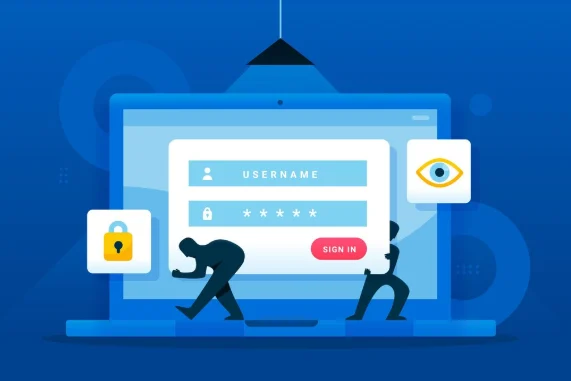
Therefore, you must immediately lock down authentication endpoints and eliminate unauthorized access paths before proceeding with deeper cleanup.
Disable New User Registrations Temporarily
First, prevent further account creation by disabling open user registrations. Navigate to your WordPress settings and uncheck “Anyone can register.”
Since attackers often exploit open registration to create rogue administrator accounts, this simple step reduces the risk of additional privilege escalation during recovery.
Block Suspicious IPs at Firewall or Host
Next, block malicious IP addresses identified in your logs. Ideally, implement these blocks at the hosting firewall or server level rather than relying solely on plugins.
By filtering traffic before it reaches your application layer, you significantly reduce repeated login attempts and automated attack traffic.
Reset All Active Sessions for Admin Accounts
Simultaneously, invalidate all existing administrator sessions. Change admin passwords and regenerate WordPress authentication salts to force logout across devices. This ensures that any attacker who obtained session cookies or credentials immediately loses access.
Harden Against Brute Force Attacks
In addition, reinforce your login security to prevent automated password-guessing attacks. Enable rate limiting to restrict repeated login attempts and implement CAPTCHA on login forms to block bots.
Where feasible, restrict access to /wp-login.php and /wp-admin by IP address. Collectively, these measures create a layered authentication defense, dramatically reducing the likelihood of reinfection.
Tip 3: Clean and Restore WordPress Files and Database
Once access has been contained, the next phase involves systematic cleanup and restoration.

At this stage, your goal is to remove malicious code, eliminate persistence mechanisms, and restore file integrity without disrupting legitimate site functionality.
Therefore, proceed carefully and methodically to avoid accidental data loss or reinfection.
Create a Full Backup of the Current Infected Site
Before making any changes, generate a complete backup of both files and the database, even if the site is compromised.
This backup serves as a forensic reference point and a safeguard in case remediation causes unexpected issues. Store it securely off-site for analysis if needed.
Scan the File System with a Reputable Malware Scanner
Next, run a comprehensive scan using a trusted malware detection tool. These scanners help identify injected scripts, obfuscated PHP code, hidden backdoors, and suspicious cron jobs. However, do not rely solely on automation; manual inspection of recently modified files is equally important.
Compare Core WordPress Files Against Clean Copies
Subsequently, download a fresh version from WordPress.org and compare core directories such as wp-admin and wp-includes. Any unexpected modifications to core files should be treated as compromised and replaced.
Reinstall or Replace Compromised WordPress Files
After verification, delete and replace infected directories with clean copies. Additionally, reinstall themes and plugins exclusively from trusted sources to ensure code integrity.
Clean the Database Safely
Then, audit the database for malicious admin accounts, injected scripts, or suspicious redirect URLs. Remove unauthorized entries carefully to prevent breaking legitimate configurations.
Fix Insecure File Permissions
Furthermore, correct file permissions by setting files to 644 and directories to 755. Restrict access to wp-config.php with stricter permissions where possible.
Inspect and Harden .htaccess Files
Finally, review .htaccess files for unauthorized redirects or hidden rewrite rules. Remove malicious entries and add protective directives to block common attack vectors, thereby strengthening server-level defense moving forward.
Tip 4: Restore Access Securely: Passwords, Keys, and Login Security
After cleaning infected files and database entries, the next priority is credential hardening. Phishing attacks often compromise passwords, session cookies, and authentication tokens.
Therefore, restoring access securely requires a complete reset of all credentials and strengthening your login infrastructure to prevent recurrence.
- Rotate All Passwords: Change every password associated with your WordPress environment. This includes administrator accounts, database credentials, hosting control panel access, and FTP/SFTP logins. By rotating credentials immediately, you eliminate any reused or exposed passwords that attackers may exploit.
- Regenerate WordPress Secret Keys: Regenerate the authentication salts and secret keys in your wp-config.php file. Doing so invalidates all active sessions and forces every user to log in again, effectively cutting off unauthorized access.
- Enforce Unique Passwords: Ensure that all WordPress users make use of unique passwords, especially administrators. Avoid reusing passwords across platforms to reduce the risk of external breaches.
- Strengthen Login Security: Enable two-factor authentication and implement login rate limiting to establish layered, resilient access protection.
Tip 5: Secure Hosting, SSL Certificate, and Server Hardening
Once credentials are secured, shift your focus to infrastructure-level protection. Even the most secure WordPress setup remains vulnerable if the underlying server environment is outdated or misconfigured.
Therefore, strengthening hosting security and enforcing the use of encrypted connections are essential for long-term resilience against phishing and reinfection.
- Confirm Host Applies OS and Server Patches: Verify that your hosting provider regularly updates the operating system, PHP versions, database servers, and web server software. Unpatched vulnerabilities are common entry points for attackers, especially in shared environments.
- Ensure Active SSL Certificate and Force HTTPS: Confirm that an active SSL certificate, such as one issued by Let’s Encrypt, is properly installed and auto-renewing. Additionally, enforce HTTPS sitewide to protect login credentials and user data in transit.
- Move to SFTP and Disable Plain FTP: Replace standard FTP with SFTP or SSH-based access. Since FTP transmits credentials in plaintext, disabling it significantly reduces interception risks.
- Verify Web Host Security Features: Ensure your host provides firewall protection, malware scanning, and account isolation to prevent cross-account contamination.
Tip 6: Ongoing Measures to Prevent Phishing on WordPress Websites
Recovery is only effective if followed by consistent preventive action. Phishing attacks often recur when monitoring and operational discipline weaken over time.
Therefore, implementing ongoing security controls ensures early threat detection and minimizes future risk exposure.
- Schedule Automated Daily Backups Offsite: Configure automated daily backups stored offsite, separate from your hosting environment. This ensures rapid restoration if reinfection occurs and protects against server-level compromise.
- Enable Continuous Malware Scanning and Alerts: Activate real-time malware scanning and file change monitoring. Immediate alerts let you respond to suspicious modifications before attackers escalate their access.
- Run Regular Integrity Checks: Perform routine integrity checks on core WordPress files to detect unauthorized changes.
- User Training and Operational Security: Educate administrators to recognize phishing emails and conduct periodic access audits to remove unused accounts and enforce least-privilege principles.
Tip 7: Post-Recovery Actions and Reputation Repair
Once your website is cleaned and secured, the final step is restoring trust and search visibility.
Phishing attacks can damage both user confidence and search engine reputation. Therefore, proactive communication and formal review requests are essential to complete the recovery cycle.
First, log in to Google Search Console and request a security review after confirming the site is clean. This step helps remove “Deceptive site” warnings and restore organic traffic.
Additionally, inform impacted users transparently. Encourage password resets and provide guidance to prevent further compromise, reinforcing accountability and trust.
Hardening Checklist to Prevent Future WordPress Hacks
After recovery and stabilization, long-term hardening becomes the priority. Security is not a one-time fix but an ongoing operational discipline.
Therefore, implementing structured preventive controls reduces your attack surface and strengthens resilience against phishing and reinfection attempts.
The following checklist outlines essential best practices for maintaining a secure WordPress environment.
- First and foremost, apply updates to WordPress core, themes, and plugins as soon as they are released. Since many exploits target known vulnerabilities, timely patching significantly lowers risk exposure
- Additionally, delete inactive plugins and themes. Even when deactivated, outdated components can still introduce vulnerabilities if left on the server.
- Furthermore, minimize the number of installed plugins and rely exclusively on trusted developers. Fewer components reduce complexity and potential entry points.
- At the same time, implement login monitoring and audit logs. Tracking authentication activity helps detect suspicious patterns early and supports forensic analysis if needed.
- Moreover, deploy a server-level firewall to filter malicious traffic before it reaches WordPress. Enforcing HTTPS across the site ensures encrypted data transmission.
- Finally, schedule structured quarterly security assessments to identify weaknesses, validate configurations, and maintain a proactive security posture.
Emergency Playbook for Future Incidents
Even with strong preventive controls, no system is entirely immune to compromise. Therefore, having a structured emergency playbook in place ensures faster response, clearer decision-making, and reduced operational disruption.
Preparation minimizes confusion and enables your team to act with precision rather than panic during high-pressure situations.
- Document Incident Detection Time: First, record the exact time and method of detection. This establishes a clear starting point for forensic analysis and helps measure response effectiveness.
- Identify the Source of Compromise: Next, determine how the breach occurred, whether through vulnerable plugins, stolen credentials, or server misconfiguration. Understanding the root cause prevents recurrence.
- List Affected Systems: Document all impacted components, including files, databases, user accounts, and third-party integrations.
- Record Remediation Steps: Maintain a detailed log of every corrective action taken. This ensures accountability and supports future audits.
- Establish a Communication Plan: Finally, define internal and external communication protocols. Schedule a third-party security audit within 90 days and maintain a documented incident response workflow for ongoing readiness.
Know more: Ransomware vs Malware
To Sum Up
A WordPress phishing hack is disruptive but manageable when handled methodically. The recovery process follows four phases: Contain, Clean, Restore, and Harden.
Beginners should focus on structured execution and collaboration with hosts. Advanced users should implement server-level hardening, monitoring automation, and zero-trust access controls.
Remember, security is not a one-time fix. It is an operational discipline.
By implementing the structured framework above, you not only recover your website but also build a more resilient WordPress infrastructure that can withstand future phishing attacks.
WordPress Phishing Attacks FAQs
How do WordPress phishing attacks usually happen?
WordPress phishing attacks often occur when attackers exploit outdated software, weak credentials, or vulnerable WordPress plugins to gain access. In many cases, automated bots scan websites for security gaps and inject malicious redirects or fake login pages.
What should I do first if my WordPress site has been hacked?
If you discover a hacked WordPress site, immediately isolate it, restore from a clean backup, and change all credentials. Acting quickly helps prevent further phishing attempts and protects user data.
How can I protect your WordPress site from brute force attacks?
To protect your WordPress site, install a reliable security plugin, enable limit login attempts, enforce strong passwords, and activate two-factor authentication (2FA) for all admin users.
Can phishing sites affect other websites on the same server?
Yes, if account isolation is weak, phishing sites hosted on the same server can increase risk exposure for WordPress site owners.
Can a WordPress site automatically detect phishing attempts?
A properly configured security setup can help your site automatically detect suspicious activity and block phishing attempts before serious damage occurs.


