

Managing one WordPress website is manageable. Managing five, ten, or even dozens is a completely different challenge. Each site needs updates, security checks, backups, performance monitoring, and regular attention. When these tasks are handled inconsistently, small issues quietly turn into major problems.
Many businesses and agencies reach a point where their WordPress setup starts working against them instead of supporting growth. Missed updates, security gaps, slow sites, and emergency fixes become common. This guide explains how to manage multiple WordPress installations the right way using structured systems, smart workflows, and expert support when needed.
What Managing Multiple WordPress Installations Really Means
Managing multiple WordPress installations is not just about logging into different dashboards and clicking update. It is about maintaining stability, security, performance, and consistency across every site you own or manage.
Each WordPress site has its own combination of plugins, themes, hosting environments, users, and integrations. When these are handled without a clear system, complexity increases quickly. True multi site management involves monitoring uptime, applying updates safely, managing backups, reviewing performance, controlling access, and responding to issues before they affect users.
When done properly, multiple WordPress installations can be a strength. When handled poorly, they become a constant source of stress and risk.
Simplify Managing Multiple WordPress Websites
Handling updates, security, and performance across multiple WordPress installations can get complex fast. Seahawk helps you manage every site consistently so nothing gets missed.
Why Managing Multiple WordPress Sites Gets Out of Control Fast
Many site owners underestimate how quickly things can spiral once the number of WordPress sites increases.
Update Fatigue and Missed Patches
Updating WordPress core, themes, and plugins across multiple sites takes time. When updates are delayed, vulnerabilities remain open and compatibility issues increase. One missed update can expose every site using the same plugin.
Inconsistent Plugins and Themes
Without standardization, each site slowly becomes unique in ways that are hard to track. Different plugin versions, abandoned tools, and outdated themes create technical debt that grows silently.
Security Risks Multiply
A single compromised site can lead to malware spreading across related installations, shared servers, or reused credentials. Security gaps rarely stay isolated.
Performance Issues Go Unnoticed
Slow load times, broken caching, or server issues often remain hidden until traffic drops or customers complain. Without monitoring, performance problems linger.
Emergency Driven Maintenance
When management is reactive, teams spend more time fixing problems than improving sites. This leads to burnout, rushed decisions, and long term instability.
Common Mistakes People Make When Managing Multiple WordPress Installations
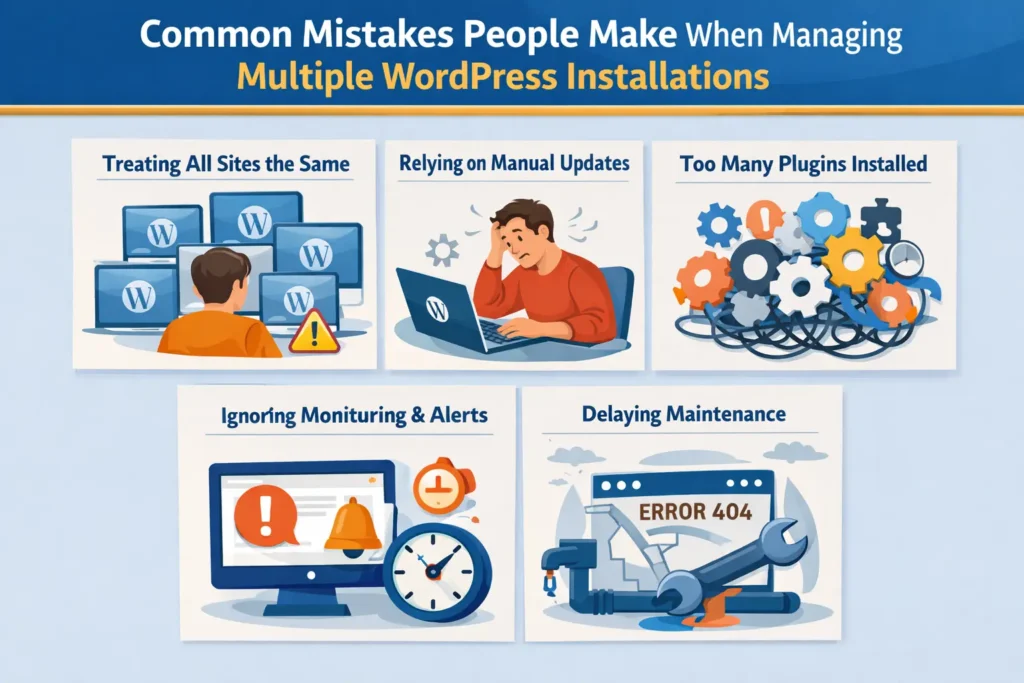
Most problems come from good intentions paired with poor systems.
Treating Every Site the Same
Not all sites have the same traffic, business value, or risk profile. Applying identical maintenance routines across all installations often wastes time or leaves critical sites under protected.
Relying on Manual Workflows
Manually logging into each site to update plugins or check status does not scale. It increases the chance of human error and missed tasks.
Installing Too Many Plugins
Adding plugins to solve every problem creates conflicts, performance issues, and security risks. More plugins also mean more updates and more points of failure.
Ignoring Monitoring and Alerts
Many site owners only notice issues after damage is done. Without uptime and performance alerts, problems remain invisible until users are affected.
Delaying Maintenance Until Something Breaks
Postponing maintenance saves time in the short term but costs significantly more during emergencies. Preventive care is always more efficient than recovery.
The Right Way to Manage Multiple WordPress Installations
Managing multiple WordPress installations properly requires a mindset shift. It is not about tools alone. It is about building repeatable systems.
The right approach includes centralized visibility so all sites can be monitored from one place. It requires standardized update policies, defined maintenance schedules, and clear responsibility for decision making. Automation should handle repetitive tasks, while human oversight ensures quality and context.
Most importantly, management should be proactive. Problems should be identified and resolved before users notice them. This approach protects revenue, reputation, and long term growth.
Centralized Dashboards and Management Tools
One of the biggest improvements in multi site management comes from centralized dashboards. These tools allow site owners and agencies to view multiple WordPress installations from a single interface.
What Centralized Dashboards Actually Do
Centralized management tools connect to individual WordPress sites and display key information in one place. This typically includes update status, plugin versions, uptime, backups, and basic performance metrics.
Instead of logging into each site separately, teams can perform bulk actions and quickly identify issues that need attention.
Tasks that Benefit from Automation
Bulk updates for plugins and themes save significant time. Automated backups ensure data is protected without manual intervention. Scheduled monitoring checks for downtime or unusual behavior continuously.
Automation reduces repetitive work and lowers the risk of missed tasks.
Tasks that Still Require Human Oversight
Not everything should be automated blindly. Updates still need testing. Performance changes require interpretation. Security incidents need investigation. Tools support the process but do not replace expertise.
The most effective setups combine automation with experienced oversight.
Security and Updates Across Multiple WordPress Installations
Security is one of the most critical challenges when managing multiple WordPress sites. Vulnerabilities do not announce themselves until damage is already done.
Why Delayed Updates Are Dangerous
Most WordPress security breaches exploit known vulnerabilities. These vulnerabilities are often patched quickly by plugin and core developers. Delaying updates leaves sites exposed to attacks that could have been prevented easily.
The Risk of Shared Components
When the same plugins or themes are used across many sites, a single vulnerability can affect all installations. This makes consistent updates and monitoring essential.
Monitoring and Alerts Matter
Security monitoring tools can detect unusual behavior, malware injections, or unauthorized changes. Alerts allow teams to respond quickly before damage spreads.
Strong security is not about reacting to hacks. It is about preventing them through consistent care.
Performance Monitoring and Uptime Management at Scale
Performance issues often go unnoticed when managing many WordPress installations. A site may slowly become slower over time without triggering immediate concern.
Why Performance Problems Stay Hidden
When traffic is spread across multiple sites, gradual slowdowns are easy to miss. Teams focus on visible tasks while performance quietly degrades.
Importance of Uptime Monitoring
Uptime monitoring ensures that site outages are detected immediately. Even short periods of downtime can impact SEO, conversions, and customer trust.
Consistency Matters More Than Perfection
A consistently fast and stable site performs better than one that is occasionally optimized but poorly maintained. Regular monitoring ensures performance stays within acceptable ranges.
Backup Strategy for Multiple WordPress Installations
Backups are often misunderstood. Having backups does not guarantee recovery.
Automated Backups Are Essential
Manual backups are unreliable at scale. Automated backups ensure that recent copies of each site exist without relying on memory or discipline.
Restores Must Be Tested
A backup is only valuable if it can be restored successfully. Periodic restore testing ensures backups are not corrupted or incomplete.
Offsite Storage Adds Protection
Storing backups away from the live server protects data during hosting failures, hacks, or accidental deletions.
When Tools Are Not Enough and You Need Expert Management
As site count grows, tools alone often stop being enough. The complexity of decision making increases, dependencies multiply, and small oversights begin to carry larger consequences across multiple sites.
The True Cost of Internal Management
Managing multiple WordPress installations takes time, focus, and technical expertise. For many businesses and agencies, this work distracts from growth activities and pulls teams away from strategy, clients, and revenue generating initiatives.
Human Error Becomes More Likely
As complexity increases, even experienced teams make mistakes. Missed updates, incorrect configurations, or delayed responses can create cascading issues that affect performance, security, and user trust across multiple installations.
Proactive Management vs Emergency Fixes
Expert management focuses on prevention, not just response. This approach reduces emergencies, stabilizes systems, and creates predictable workflows that support long term reliability and sustainable growth.
How Seahawk Helps Manage Multiple WordPress Installations Reliably

Seahawk supports businesses and agencies that need reliable, structured WordPress management without internal strain.
Seahawk provides centralized maintenance, monitoring, updates, and performance optimization across multiple WordPress installations. Sites are managed proactively, not reactively. Updates are handled carefully to avoid conflicts. Security checks run continuously to prevent vulnerabilities. Backups are monitored and recovery is supported when needed.
For agencies, Seahawk helps maintain client trust by ensuring sites remain fast, secure, and stable. For businesses, Seahawk removes the operational burden of WordPress website management so teams can focus on growth.
Who Should Consider Professional WordPress Site Management
Professional WordPress site management is not limited to large enterprises or highly technical teams. It becomes valuable the moment WordPress maintenance starts competing with core business priorities. Anyone responsible for more than a few WordPress sites will eventually feel this shift.
Agencies managing multiple client websites are often the first to reach this point. Each client site comes with its own update cycles, security risks, performance expectations, and support needs. Professional management helps agencies maintain consistency, reduce emergencies, and protect client trust without overloading internal teams.
SaaS companies depend heavily on uptime, speed, and security. Even minor WordPress issues can disrupt user access, affect onboarding, or damage credibility. Professional site management ensures these platforms remain stable and protected as usage grows.
Ecommerce brands cannot afford slow performance, broken functionality, or downtime during peak traffic periods. Revenue, customer experience, and SEO rankings are directly tied to site health. Expert WordPress management minimizes risk and keeps stores running smoothly.
Enterprises with multiple digital properties require structured governance. Consistent updates, access control, and performance standards are difficult to enforce without centralized oversight and experienced support.
Growing businesses without dedicated WordPress teams often struggle to balance site care with expansion efforts. When WordPress management becomes a constant distraction, professional support provides reliability, peace of mind, and room to focus on growth.
Final Thoughts on Managing Multiple WordPress Installations
Managing multiple WordPress installations does not need to feel chaotic or overwhelming. With the right systems in place, it becomes a structured and predictable part of your operations rather than a constant source of stress. The shift begins by moving away from reactive fixes and toward proactive management.
Centralized visibility allows teams to see what is happening across all sites at once. Consistent updates reduce security risks and compatibility issues before they surface. Ongoing security monitoring helps prevent breaches instead of responding after damage occurs. Performance tracking ensures sites remain fast and reliable, while dependable backups protect against data loss and recovery delays.
As the number of sites grows, complexity naturally increases. When that complexity starts to exceed internal capacity, expert WordPress management provides stability without slowing progress. Managed correctly, multiple WordPress sites support growth, scalability, and long term reliability. They become a strategic advantage rather than an operational burden.
Frequently Asked Questions
What is the best way to manage multiple WordPress installations?
The most effective way to manage multiple WordPress installations is by using a centralized management tool that allows you to update themes, plugins, and core files from one dashboard. This approach saves time, reduces manual errors, and ensures consistency across all sites. Pairing the right tools with regular maintenance and monitoring helps keep every installation secure, fast, and stable.
Can managing multiple WordPress sites from one dashboard improve security?
Yes. Managing multiple WordPress sites from a single dashboard improves security by making updates and monitoring easier to maintain consistently. When all sites receive timely updates, backups, and security checks, vulnerabilities are reduced. Centralized oversight also makes it easier to detect issues early and respond quickly before problems spread across installations.
How often should multiple WordPress sites be updated and maintained?
Multiple WordPress sites should be monitored continuously and updated on a regular schedule. Core updates, plugin updates, and security checks should happen consistently rather than occasionally. Ongoing maintenance ensures that performance stays strong, compatibility issues are avoided, and each site continues to function smoothly as traffic and content grow.


