
24/7 WordPress support means technical assistance is available at any time, day or night, weekends, and holidays. It typically requires a multi-timezone team or an on-call rotation to ensure genuine around-the-clock coverage, not just a ticket queue with a 24-hour response window.
Your WordPress site can break at any hour. A crashed checkout, a malware injection, or a plugin conflict doesn’t wait for business hours. That’s why 24/7 WordPress support sounds like an obvious must-have. But the honest answer is more nuanced; it depends on what your site does and what it costs when it goes down.
TL;DR: Honest Answers on Round-the-Clock WordPress Coverage
- “24/7 support” often means automated monitoring, not a live engineer standing by
- eCommerce stores, healthcare sites, and news platforms need real human coverage at all hours
- Low-traffic sites and local business pages can save money with business-hours plans plus monitoring
- Always ask for a documented SLA with a response time guarantee before signing up
What “24/7 WordPress Support” Really Means and What Providers Don’t Tell You
Most providers use “24/7” in their marketing. Few explain what it actually means. The phrase covers everything from live engineer access to an automated bot that logs your ticket until someone reads it on Monday.

Live Support vs Ticket Queues: What Affects Recovery Speed
A live response means a human engineer picks up your issue immediately. A ticket queue means your request enters a backlog and waits.
For standard tickets, you may wait up to 24 hours for a response. Priority queues for emergencies may offer a 1–4 hour SLA. But neither is the same as an engineer who engages with your problem in real time.
The distinction matters most when your site is down, orders are failing, or a breach is actively spreading.
Monitoring vs Human Support: Why They Are Not the Same
Automated uptime monitoring detects when your site goes offline and fires an alert. It does not fix the problem.
Many providers bundle monitoring tools into their “24/7 support” claim. But monitoring and support serve different functions. Monitoring tells you something broke. Support resolves it.
Chatbots vs Experts: Types of WordPress Support Explained
There are three distinct support tiers you’ll encounter: automated chatbots that route tickets, Tier-1 agents who follow scripts, and certified WordPress engineers who diagnose and fix problems directly.
Only the third tier provides genuine emergency resolution. Many providers offering “24/7 support” rely on the first two during overnight hours.
Get Real 24/7 WordPress Support That Actually Responds
Genuine around the clock WordPress support from global teams, not just a ticket queue.
Why WordPress Sites Fail After Hours and What It Costs When They Do?
WordPress problems don’t follow office hours. They surface during high-traffic campaigns, late-night product launches, and weekend flash sales.
The Most Common After-Hours WordPress Failures
Plugin conflicts are the most frequent cause of overnight site breakage. A plugin update that runs automatically at night can trigger a white screen of death before you wake up.
Other common after-hours failures include security breaches, database errors from scheduled tasks, broken WooCommerce checkout flows after payment gateway updates, and server exhaustion from unexpected traffic spikes. Sites also occasionally get stuck in maintenance mode after a failed update, locking out all visitors until someone resolves it manually.
Emergency WordPress troubleshooting follows a structured diagnostic process. Having a team ready to execute it instantly is the difference between minutes and hours of downtime. If you face a security incident, knowing how to fix a hacked WordPress site is equally critical.
Revenue Cost of Overnight Downtime for eCommerce and High-Traffic Sites
Downtime has a direct dollar cost. For an eCommerce store processing $5,000 per day, every hour offline costs over $200 in lost revenue, before factoring in abandoned cart trust damage.
For media sites, ad revenue disappears during downtime. The cost of a single overnight incident almost always exceeds the cost of many months of a quality 24/7 support plan.
Who Genuinely Needs 24/7 WordPress Support and Who is Overpaying for It?
Not every WordPress site carries the same risk. Match your support level to your revenue exposure and traffic patterns.
eCommerce and WooCommerce Stores That Can’t Afford Checkout Downtime
WooCommerce stores are the clearest case for round-the-clock coverage. Checkout failures occur whenever a payment gateway or plugin update disrupts the cart flow, at any time.
Proper WooCommerce maintenance includes testing the checkout after every update cycle, but when something breaks in the middle of the night, live support is essential. Understanding the full WooCommerce cost picture helps store owners realistically budget for support.
High-Traffic Media and News Sites Needing Around-the-Clock Support
News and media sites face unpredictable traffic spikes. A story that goes viral at 2 AM can push server resources to the limit within minutes.
A site that goes offline during a traffic surge loses ad revenue and damages reader loyalty. Around-the-clock support ensures someone is watching when the story breaks at midnight.
Healthcare, Legal, and Service Sites Across Time Zones
Healthcare and legal websites serve patients and clients who may seek help at any hour. International audiences mean your off-hours are someone else’s peak business time. Sites handling appointment bookings or sensitive user data face real consequences from a 3 AM outage.
Healthcare sites, in particular, should factor in HIPAA compliance when implementing eCommerce requirements that demand continuous availability and strict data security standards.
Sites That Can Rely on Business-Hours Support
Local service businesses, personal portfolios, and internal tools typically get little traffic outside business hours. For these sites, a business-hours plan with automated monitoring is usually enough. A WordPress maintenance checklist can help you identify your real risk exposure.
How to Verify a Provider’s 24/7 WordPress Support Claim Before You Sign Up?
Most providers claim around-the-clock availability. Very few can prove it. Here’s how to test before committing.
Test Live Chat Response vs Bot Replies Before Buying
Open the provider’s live chat at 11 PM on a weeknight or early on a Saturday morning. Note whether you get an immediate human response or an automated bot message.
Ask a specific technical question about a plugin conflict or a PHP error. A real engineer gives a direct, detailed answer. A bot or Tier-1 agent gives a scripted response or redirects you to a ticket.
Check SLA for Real 24/7 Support Guarantees
Ask the provider for a Service Level Agreement with a specific response time commitment for emergency tickets. Phrases like “we respond fast” are not SLAs.
A real SLA names a maximum response window, for example, “critical tickets acknowledged within 10 minutes, resolved within 60 minutes.” Without a documented SLA, “24/7 support” is a marketing phrase, not an operational commitment.
What After-Hours Support Actually Covers
Many providers advertise “24/7 monitoring,” but only resolve issues during business hours.
Genuine after-hours support covers application-level fixes, plugin conflicts, broken checkouts, and PHP errors. Confirm whether the provider coordinates with your host during a server outage. Understanding what WordPress emergency support covers helps you ask the right questions.
Red Flags in 24/7 WordPress Support Claims
Watch for these warning signs when evaluating providers:
- No published SLA or specific response time guarantee
- “24/7” refers only to monitoring, not live engineers
- After-hours chat routes to a ticket queue
- First responses are generic regardless of the hour
- No defined escalation process for critical incidents
24/7 vs Business-Hours WordPress Support: Whether It’s Worth It
24/7 coverage costs more. Whether the premium is justified depends on what happens to your business when the site goes down at 2 AM.
What You Pay For in 24/7 WordPress Support
The cost premium covers three things: staffing across time zones, faster SLAs with guaranteed response windows, and an expanded scope that covers WordPress application-level fixes, not just server uptime.
Reviewing what is included in WordPress maintenance across plan tiers helps you compare providers on equal footing.
Price Range Breakdown: Business-Hours Plans vs. 24/7 WordPress Support
Business-hours plans typically start at $29–$59/month and cover scheduled updates, daily backups, security scanning, and standard ticket support during working hours.
24/7 support plans start at around $39–$49 for basic coverage and scale to $299 or more for dedicated engineer access with guaranteed SLAs. Mid-tier plans in the $99–$199 range typically add staging environments, unlimited fixes, and emergency coverage.
Understanding the difference between WordPress maintenance vs managed hosting is also important; managed hosting handles the server, while a support plan handles everything running on top of it.
When 24/7 Support Is Worth the Cost
24/7 support pays for itself when your site generates direct revenue. If one hour of downtime costs more than your monthly support fee, the decision is simple.
It is also worth the premium if you serve international audiences or run paid campaigns that can send traffic at any hour. For sites that earn nothing during off-hours, a business-hours plan with solid monitoring is the smarter spend.
How Seahawk’s 24/7 WordPress Support Works?
Seahawk Media provides true 24/7 WordPress support through a multi-region engineering team, not an automated queue.
How Seahawk’s Timezone Model Delivers 24/7 Support Coverage?
Seahawk engineers operate across three time zones: the US, India, and the UK. Each regional team covers a defined shift window. When one team ends, the next begins, creating seamless coverage with no overnight gap.
This is structurally different from a single-region provider that staffs one time zone and calls it “24/7.” Seahawk’s model keeps a real engineer active at any hour, including weekends.
What Seahawk’s After-Hours Emergency Support Covers?
Seahawk responds to critical emergencies within 60 minutes. Coverage includes site downtime from any cause, hacked site repair and malware cleanup, broken WooCommerce checkout flows, plugin conflicts, database errors, and PHP failures. When a server issue is the root cause, Seahawk contacts your hosting provider directly.
Every emergency closes with a post-resolution report delivered within two hours of the fix. It covers the root cause, what was changed, and steps to prevent recurrence, included at no extra charge.
Seahawk WordPress Support Plans: Pricing & Inclusions
Seahawk’s WordPress support plans start at $39/hour. Every plan includes 24/7 emergency response, daily backups, malware scanning, and uptime monitoring. No long-term contracts required.
For agencies, white-label WordPress maintenance is available under your own brand. High-traffic sites can access dedicated engineer plans where one named engineer is assigned to their site full-time. One-time emergency support is also available without a monthly commitment.
Seahawk vs WP Buffs vs FixRunner: 24/7 WordPress Support Compared
These three providers are the most frequently compared options for round-the-clock WordPress support. Here is what each actually delivers.
Seahawk 24/7 Support: Multi-Time Zone Human Coverage
Seahawk provides genuine multi-timezone coverage with a documented 60-minute emergency response. Plans start at $39/hour with no long-term contracts, the lowest published entry price that includes staging, updates, backups, monitoring, and emergency support.

It is a strong fit for businesses that need verifiable live-human availability, agencies that require white-label support, and WooCommerce stores that can’t afford checkout downtime.
WP Buffs 24/7 Support: Unlimited Edits but Ticket First
WP Buffs is a well-recognized maintenance provider. Plans start at $66/month with 24/7 uptime monitoring, weekly backups, and premium plugins on higher tiers.
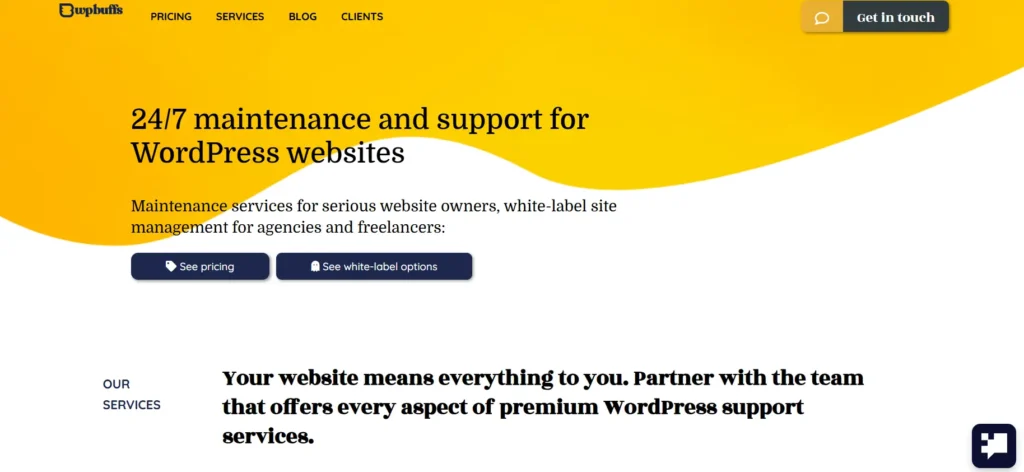
The core limitation is the response model. WP Buffs operates ticket-first. After-hours issues are placed in a queue rather than routed to a live engineer.
Unlimited edits on higher-tier plans suit agencies needing content flexibility alongside maintenance. It appears on many lists of best WordPress maintenance service providers, though its ticket-first approach distinguishes it from true live support.
Read More: Best WP Buffs Alternatives for WordPress Maintenance
FixRunner 24/7 Support: Fast SLA and WooCommerce Focus
FixRunner publishes a one-hour response SLA, a level of transparency that most providers avoid. Plans start at approximately $59/month with speed optimization, uptime monitoring, and security scanning.
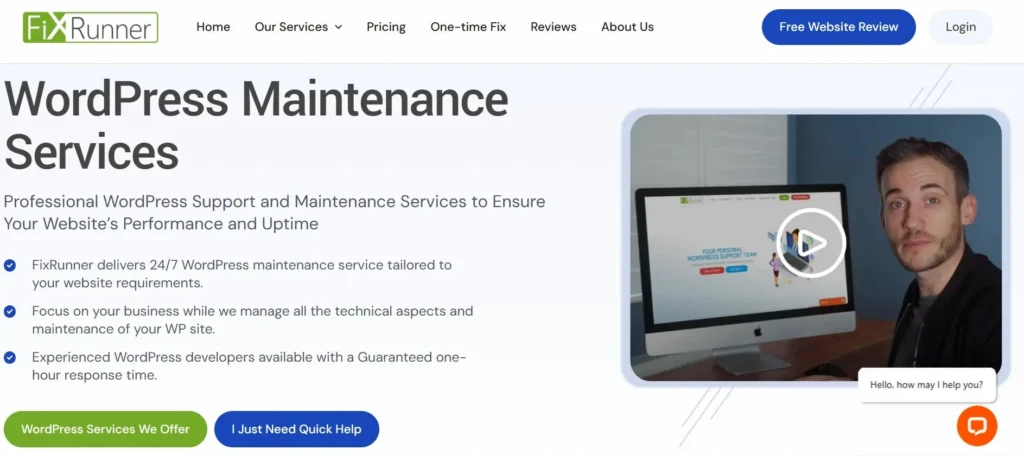
It explicitly covers WooCommerce checkout testing and payment gateway verification. With over 150,000 tickets resolved and a 98.9% satisfaction rate, it suits eCommerce stores well. The main gap is no white-label support option.
Side-by-Side Comparison Table: Seahawk vs WP Buffs vs FixRunner
| Feature | Seahawk | WP Buffs | FixRunner |
|---|---|---|---|
| Starting Price | $39 | $66 | $59 |
| Response Model | Live multi-timezone engineer | Ticket queue | Priority queue |
| Emergency SLA | Under 60 minutes | Not published | 1 hour |
| Time Zone Coverage | US, India, UK | Single region | Single region |
| WooCommerce Support | Yes | Higher tiers only | Yes (explicit) |
| White Label | Yes | Yes | No |
| Long-Term Contract | No | No | No |
Explore Further: Best GoWP Alternatives for WordPress Maintenance
How to Choose the Right WordPress Support Plan for Your Site?
Choosing the right plan means matching the service to your site’s actual risk exposure, not a provider’s marketing claims.
Five Questions to Ask Any WordPress Support Provider
Before committing to any plan, get specific answers to these five questions:
- Who is on-call at 3 AM, a live engineer or a ticket system?
- What is your documented SLA for critical emergency tickets?
- Does your support cover application-level WordPress fixes or only server uptime?
- Do you use a staging environment to test fixes before pushing them live?
- What is your escalation process when the first engineer can’t resolve the issue?
Vague answers to any of these are a signal to look elsewhere.
Business-Hours Support + Proactive Monitoring: The Smart Budget Option
For lower-risk sites, a business-hours plan combined with uptime monitoring services is often the right balance. Monitoring alerts you within minutes of downtime, giving you the option to act during business hours or escalate if critical.
Understanding the distinction between WordPress support and maintenance also helps you buy only what your site actually needs. Hiring a WordPress maintenance agency with experience in your specific site type, eCommerce, media, or services, typically produces better results than a generalist provider.
Clear Signs Your WordPress Site Needs to Upgrade Your Support Plan
Certain events signal that your current plan no longer fits your site’s needs:
- Your WooCommerce store begins processing regular orders
- A security breach or malware removal incident costs you hours of downtime
- You launch paid campaigns that drive traffic outside business hours
- You start serving international audiences across multiple time zones
- Revenue reaches a level where an hour of downtime creates a real financial impact
When any of these apply, upgrading to 24/7 coverage is almost always cheaper than the cost of the next unmanaged incident.
Do You Really Need 24/7 WordPress Support? Final Verdict
The honest answer is: it depends on what happens to your business when the site breaks at midnight.
If you run a WooCommerce store, serve international audiences, or run paid campaigns at any hour, 24/7 WordPress support is worth the premium. A single prevented incident often pays for months of coverage.
If you run a low-traffic brochure site or personal portfolio, a business-hours plan with solid monitoring is enough.
The key isn’t finding the cheapest or most expensive plan. It’s finding a provider whose actual response model, not their marketing, matches what your site needs at 2 AM.
Make sure you understand how to properly set up WordPress monitoring and emergency support. Then evaluate providers based on their SLA, time zone coverage, and the scope of what they fix after hours. The right plan is one you never notice, because your site stays online.
FAQs About 24/7 WordPress Support
What is 24/7 WordPress support?
24/7 WordPress support means your website is monitored and supported at all times. Experts handle issues, fix errors, and respond to emergencies anytime, including nights, weekends, and holidays.
Does 24/7 WordPress support include real-time help?
Not always. Some providers offer instant human response, while others rely on ticket systems. True 24/7 support includes real-time troubleshooting, not delayed replies or automated acknowledgments.
How fast should 24/7 WordPress support respond?
A reliable provider responds to critical issues within minutes. Most offer SLAs promising responses within 5 to 60 minutes, depending on severity and support plan level.
Is 24/7 WordPress support worth it?
It is worth it if your site drives revenue or traffic around the clock. For small or low-traffic sites, the added cost may not justify the benefits.
What is the difference between 24/7 support and after-hours support?
24/7 support provides continuous coverage. After-hours support only handles issues outside business hours, often with slower response times and limited technical scope.
What issues does 24/7 WordPress support fix?
It covers downtime, plugin conflicts, theme errors, malware attacks, performance issues, and server problems. Support teams also help with backups, updates, and urgent fixes.
Do all WordPress maintenance services offer 24/7 support?
No. Many services only operate during business hours. Some claim 24/7 support but depend on ticket queues, which can delay real troubleshooting and resolution.
How do I know if a provider offers real 24/7 support?
Test their support at odd hours. Ask for SLA guarantees and response times. Check if real engineers reply quickly or if you only receive automated responses.
Can I manage my WordPress site without 24/7 support?
Yes, if your site is low risk or not revenue-driven. You can rely on backups, monitoring tools, and business-hours support to handle occasional issues.
What is the cost of 24/7 WordPress support?
Pricing varies based on response time, coverage, and service level. Plans are usually more expensive than standard support due to continuous staffing and faster emergency handling.
Is overnight WordPress help reliable?
It depends on the provider’s team structure. Companies with global teams across time zones deliver more reliable overnight support compared to those relying on limited staff or automation.
Who needs WordPress support around the clock the most?
eCommerce stores, media sites, and global businesses need constant support. Any website that generates revenue or traffic at any time of day benefits from continuous monitoring and fast issue resolution.
Can downtime affect SEO rankings?
Yes. Frequent downtime prevents search engines from crawling your site, increases bounce rates, and harms user experience, all of which can negatively impact your search rankings over time.
What should I check before choosing a 24/7 support provider?
Check response time guarantees, SLA details, support type, and team availability. Review customer feedback and test their support channels to confirm real-time assistance.
Are there alternatives to full 24/7 WordPress support?
Yes. You can combine uptime monitoring, automated backups, and on-demand support services. This approach works well for smaller sites that do not require constant active support.


