
WordPress maintenance services include the regular technical tasks required to keep a WordPress site running securely and efficiently, such as plugin and theme updates, database backups, malware scanning, uptime monitoring, Core Web Vitals optimization, broken link checks, and monthly performance reports, delivered on a recurring monthly basis.
Your WordPress website needs more than a one-time setup. Without consistent upkeep, WordPress maintenance services become the invisible shield that protects your site from security threats, slow speeds, and unexpected downtime.
A proper maintenance plan keeps your site healthy, fast, and fully functional, so you can focus on growing your business rather than troubleshooting technical issues.
TL;DR: What Your Site Actually Gets
- Plugins, themes, and the WordPress core get updated regularly to prevent compatibility issues and vulnerabilities.
- Automated backups and malware scans protect your data and keep your site off search engine blacklists.
- Speed and uptime monitoring ensure fast load times and immediate alerts when issues arise.
- Monthly reports and dedicated support give you clear visibility into your site’s health at all times.
Why WordPress Maintenance Matters for Website Performance and Security?
Regular maintenance keeps your website fast, secure, and fully functional while preventing costly downtime and vulnerabilities.

Importance of Ongoing Website Maintenance for Security and Performance
A neglected WordPress site is an open door for attackers. WordPress powers over 43% of the web, making it the most targeted CMS on the internet. Outdated plugins and themes are among the most common entry points for malware.
Beyond security, performance degrades over time without active care. Databases accumulate junk data. Caches go stale. Unoptimized images slow page loads. When your WordPress site is slow, visitors leave, and Google notices.
Regular maintenance catches these problems early. Proactive action always costs less than emergency recovery. It also protects the trust your visitors place in your brand every time they land on your site.
Difference Between One-Time Fixes and Ongoing Maintenance Services
A one-time fix addresses a specific problem, a broken plugin, a malware infection, or a slow page. It resolves the immediate issue but leaves the site exposed to the next one.
Ongoing maintenance is different. It is continuous and preventive. It includes regular updates, scheduled backups, recurring security scans, and performance monitoring.
Think of it like servicing a car. You don’t wait for the engine to fail; you change the oil and check the brakes on schedule.
If you frequently need WordPress bug fix services, that is a clear sign that ongoing maintenance is long overdue.
What Maintenance Services Are Provided by Seahawk Media?
Seahawk Media offers a full suite of WordPress maintenance services for businesses of all sizes. Over 1,000 brands trust Seahawk for WordPress support, and plans start at just $49 per month.

Core Updates and Managed WordPress Maintenance Services
Seahawk keeps your WordPress core, plugins, and themes consistently up to date. Updates are tested on a staging environment before going live, so nothing breaks unexpectedly. This managed approach removes the guesswork and risk that come with self-managed updates.
Keeping WordPress plugin bloat in check is also part of this process; unused or redundant plugins get flagged and removed to keep the codebase lean and conflict-free.
Security Monitoring and Malware Protection Services
Seahawk provides daily security scanning, proactive remediation of compromised sites, and advanced DDoS protection. Custom login URL configuration, two-factor authentication, CAPTCHA protection, and automatic brute-force attack prevention are all included depending on your plan.
These layered defenses work together to protect your site from AI-powered cyberattacks and other modern threats that are growing in frequency and sophistication.
One common security risk that often goes unnoticed is the use of nulled plugins, which can inject malicious code directly into your site. Professional maintenance keeps your software stack secure and up to date.
Website Performance Optimization and Speed Enhancements
Speed is central to user experience and search rankings. Seahawk handles caching, database cleanup, image compression, next-gen image delivery in WebP and AVIF formats, and global CDN integration. Higher-tier plans include advanced Core Web Vitals optimization and improvements to server response time.
Mobile responsiveness is also part of this work. If your site has rendering issues on phones and tablets, Seahawk addresses the root causes and helps you fix mobile view problems that hurt both rankings and conversions.
Backup Management and Disaster Recovery Solutions
Seahawk runs automated backups at frequencies ranging from every 24 hours to real-time, depending on your plan. Backups are retained for up to 180 days. If something goes wrong, the team can quickly restore your site using a tested disaster recovery workflow.
Dedicated Technical Support and Issue Resolution
Every plan includes defined resolution SLAs and access to Seahawk’s expert support team. Higher plans offer same-day resolution, 24/7 triage, weekend coverage, a dedicated Slack communication channel, and on-demand meetings.
Seahawk also monitors WordPress error logs as part of its technical oversight, catching PHP errors and backend issues before they escalate into visible problems for your visitors.
Custom WordPress Maintenance Plans for Businesses and Agencies
Seahawk’s plans are tiered to match your site’s needs. From the entry-level Essentials plan at $49/month to the enterprise-grade VIP plan at $599/month, each tier scales in features, visit capacity, and support coverage.
Agencies can take advantage of white-label WordPress maintenance to offer these services under their own brand, adding a profitable recurring revenue stream without building an in-house maintenance team from scratch.
Keep Your WordPress Site Secure and High Performing
See the full Seahawk WordPress maintenance inclusions, plans from $49/month include everything on this page.
What is Included in WordPress Maintenance Services?
WordPress maintenance services include essential tasks like updates, backups, security monitoring, performance optimization, and ongoing technical support.
Plugin, Theme, and WordPress Core Updates for Compatibility and Stability
Plugin, theme, and WordPress core updates patch known vulnerabilities and ensure compatibility between all site components. Outdated software is one of the leading causes of site breakdowns and security breaches. Maintenance services run these updates on a consistent schedule and test them on a staging site first to avoid conflicts.
Keeping everything up to date also ensures compatibility with the latest PHP versions and server environments. Using the fastest WordPress themes alongside a well-maintained codebase further reduces load times and compatibility issues.
Website Backups and Restore Options for Data Protection and Recovery
Automated backups are non-negotiable in any maintenance plan. A reliable backup strategy means you can restore your site to a working state after any incident, whether that’s a failed update, a cyberattack, or accidental content deletion.
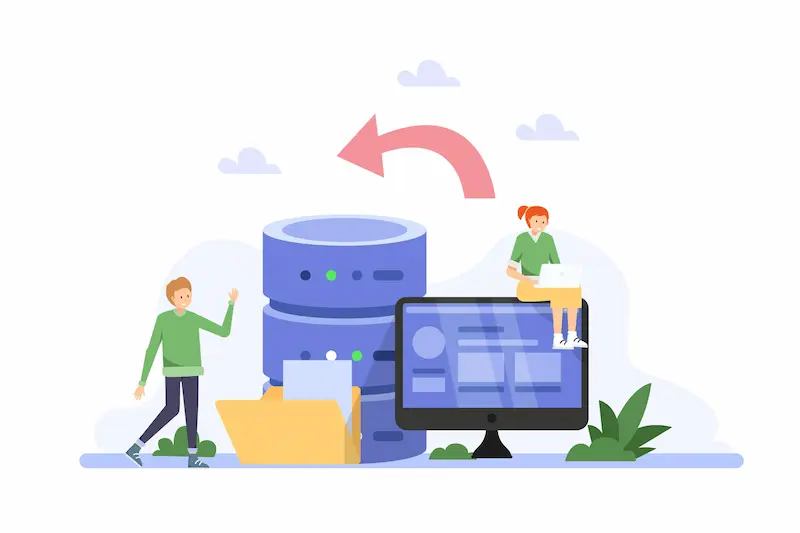
Seahawk’s plans offer backup frequencies ranging from every 24 hours to real-time, with retention periods up to 180 days. Restore procedures are tested and documented, ensuring fast recovery when it matters most.
Malware Scanning and Removal for Enhanced Website Security
Regular malware scanning detects hidden threats before they cause visible damage. Daily scans identify suspicious code, unauthorized file changes, and injected malware. When threats are found, Seahawk removes them and hardens the site against re-infection.
This also includes checking against search engine blacklists to ensure your site stays indexed and trusted by Google. For e-commerce sites, it is especially critical to protect your site from hacking since a breach can compromise customer payment data and destroy trust in an instant.
Uptime Monitoring and Downtime Alerts for Website Availability
Every minute of downtime costs you traffic, conversions, and credibility. Uptime monitoring checks your site at regular intervals, as frequently as every minute on VIP plans, using DNS, ping, and TCP checks.
When a website goes down, you receive an immediate alert, and Seahawk’s team responds quickly. Continuous SSL certificate monitoring and domain expiry tracking are also included to prevent outages that could have been easily avoided with proactive oversight.
Core Web Vitals Optimization and Website Speed Improvements
Core Web Vitals, including Largest Contentful Paint (LCP), Interaction to Next Paint (INP), and Cumulative Layout Shift (CLS), directly affect your Google rankings and user experience.
Maintenance services address these signals by caching, optimizing images, using CDNs, and improving Lighthouse scores.
A comprehensive WordPress site audit forms the baseline for these improvements, identifying exactly where performance gaps exist before any optimization work begins.
Security Hardening Techniques to Prevent Cyber Attacks
Security hardening adds additional layers of protection to your site’s defenses beyond malware removal alone. This includes IP whitelisting, spam IP blocking, CAPTCHA for login and forms, custom login URLs, and two-factor authentication.
Higher-tier plans add Cloudflare Enterprise CDN with advanced DDoS protection. These measures are particularly important for sites handling sensitive user data.
Sites in regulated industries should also incorporate HIPAA compliance standards for WordPress into their overall security framework.
Seahawk also tracks WP activity logs as part of site activity monitoring, providing a full audit trail of every change made to your site for accountability and forensic review.
Broken Link Detection and Fixing for Better SEO Health
Broken links damage your SEO and frustrate visitors. Maintenance services include automated detection of broken links and mixed content. When broken links are found, they are flagged and fixed promptly.
This keeps your internal link structure clean and helps search engines crawl your site efficiently. Maintenance also addresses broken images in WordPress, which harm both user experience and WordPress SEO by creating dead ends for crawlers and visitors alike.
Form Testing and Checkout Functionality Monitoring for Conversions
A contact form that fails to submit or a checkout process that errors out means lost leads and lost revenue. Maintenance plans include scheduled form testing and monitoring of the checkout flow to ensure every conversion pathway works correctly.
WooCommerce and LMS care are included in higher plans, with smoke tests run daily on VIP plans to catch issues before they impact real users. SMTP setup and DMARC monitoring are also included to keep transactional emails reliable and deliverable.
Monthly Maintenance Reports and Performance Insights
Transparency is part of a professional maintenance service. Monthly reports summarize what was done, how your site performed, and what issues were resolved. These reports include performance highlights, security summaries, and key metrics.
On higher plans, visual regression monitoring and synthetic website monitoring data are also included. These reports help you understand the value of your maintenance plan and support data-driven decisions that consistently improve your user experience.
Dedicated WordPress Support and Technical Assistance
When something goes wrong or you have a question, you need fast answers. Every Seahawk plan includes access to dedicated WordPress support with defined resolution timelines.
The Essentials plan provides support during Mon–Fri business hours with a 2-business-day SLA. The VIP plan offers 24/7 triage with same-day resolution where possible.
A dedicated Slack channel and ticket-tracking portal make it easy to stay connected with your support team at all times, with full visibility into every open and resolved issue.
What is NOT Typically Included in WordPress Maintenance Services?
Understanding what is excluded is just as important as knowing what is included. Most standard maintenance plans do not cover the following areas.

- Major redesigns or theme rebuilds. Maintenance services keep existing designs functional; they do not build new ones from scratch.
- New feature development or custom plugin creation. Adding new functionality is a development project, not a maintenance task.
- Content writing and publishing. Some plans include a limited number of content edits per month, but full content management is a separate engagement.
- SEO strategy and link-building campaigns. Maintenance may include basic SEO setup and broken link fixes, but active growth campaigns fall outside standard scope.
- Third-party software subscriptions. Premium plugin and theme licenses are billed separately by their vendors.
- Hosting fees. Maintenance plans manage the site itself; hosting is a separate service. The Seahawk VIP plan is an exception, as it requires migration to Seahawk servers and effectively bundles hosting and maintenance.
Knowing these boundaries helps you set realistic expectations and plan additional services where needed.
How do WordPress Maintenance Inclusions Differ by Plan Tier?
Not every site needs the same level of care. Seahawk’s four-tier structure scales with your site’s complexity and traffic volume.
- Essentials ($49/month) suits sites with up to 1,000 monthly visits. It covers weekly updates, 24-hour backups with 30-day retention, daily security scanning, 15-minute uptime checks, and Mon–Fri support with a 2-business-day SLA. One task per month is included for minor edits.
- Pro ($99/month) scales to 5,000 visits/month. It adds 90-day backup retention, quarterly Core Web Vitals optimization, a monthly health check, and a 1-business-day SLA. Five tasks per month are included.
- Business ($299/month) handles up to 10,000 visits/month. It adds 12-hour backups, 180-day retention, advanced Core Web Vitals work, weekly smoke tests for form and checkout functionality, and 5-minute uptime checks.
- VIP ($599/month) is built for enterprise-level sites with up to 25,000 visits/month. It adds real-time backups, 1-minute uptime monitoring, proactive fixes with quarterly audits, daily smoke tests, visual regression monitoring for up to 10 pages, hosting migration to Seahawk servers, 24/7 triage, and same-day resolution.
For businesses managing multiple sites, the WordPress multisite support options available through Seahawk address the added complexity of managing an entire network under a single maintenance arrangement.
Why WordPress Maintenance Inclusions Matter for Website Performance?
Every item in a maintenance plan directly impacts how your site performs. Security hardening reduces the risk of a breach that could take your site offline for days.
Core Web Vitals optimization directly affects your Google rankings and the organic traffic they drive. Uptime monitoring keeps you informed before small issues compound into major outages.
Backup management ensures that a failed update or a malicious attack does not result in permanent data loss. Broken link detection and form testing protect the user journeys that lead to conversions. Monthly reports give you data to act on rather than guesses to make.
Following a comprehensive SEO checklist alongside your maintenance routine gives you the most complete picture of your site’s technical and search health, covering gaps that maintenance alone may not fully address.
Together, these services create a foundation that lets your site grow reliably. A neglected site slowly loses ground, and the damage is often invisible until it becomes serious. Consistent, professional maintenance keeps that from happening.
How to Choose the Right WordPress Maintenance Plan?
Selecting the right plan comes down to a few key factors.

- Traffic volume. Match your plan to your current visitor count. You can always upgrade as traffic grows.
- Site complexity. An e-commerce site with active checkout flows needs more rigorous testing than a simple blog. WooCommerce and LMS platforms should consider the Business or VIP plan.
- Revenue dependency. If your site generates revenue directly, downtime is costly. Higher-tier plans with faster SLAs and real-time backups are worth the investment.
- Team capacity. If you have internal developers who handle minor updates, a lower-tier plan may work well. If you have no technical staff, a more comprehensive plan is safer and more cost-effective in the long run.
- Compliance requirements. Sites that handle sensitive data must meet specific standards. Ensure your maintenance plan includes the security features required by your regulatory obligations.
- Budget vs. risk. The cost of recovering from a breach or extended downtime typically far exceeds the price of a higher-tier plan. Weigh that risk carefully before choosing solely on price.
If you are still weighing whether to manage maintenance internally or outsource it, a clear comparison of the in-house team vs the WordPress development company model can help clarify which path delivers better outcomes for your specific business size and technical capabilities.
Conclusion
WordPress maintenance services are not a luxury; they are the backbone of a reliable, secure, and high-performing website. From plugin and core updates to malware scanning, uptime monitoring, speed optimization, and dedicated support, a well-structured maintenance plan addresses every dimension of website health.
Seahawk Media’s four-tier plans, Essentials, Pro, Business, and VIP, are designed to match the needs and budgets of different websites. Whether you run a small business blog, a WooCommerce store, or an enterprise platform with tens of thousands of monthly visitors, there is a plan tailored to your situation.
The question is not whether your WordPress site needs maintenance. Every site does. The real question is whether you want to manage it yourself and risk costly downtime, security breaches, and degraded performance, or hand it to experts who keep everything running flawlessly around the clock.
Investing in professional WordPress maintenance is investing in the long-term health and growth of your entire online presence.
FAQs About WordPress Maintenance Services
Does WordPress maintenance include hosting?
No, WordPress maintenance usually does not include hosting. Hosting is a separate service provided by web hosting companies. Maintenance focuses on updates, security, backups, and performance optimization.
Does WordPress maintenance include SEO?
Basic technical SEO support may be included, such as fixing broken links and improving site speed. Full SEO strategy, keyword research, and content optimization are typically not included in maintenance services.
Does WordPress maintenance include content updates?
Most maintenance plans do not include regular content updates. Some providers may offer limited minor changes, but content creation and publishing are generally separate services.
What happens if my website gets hacked?
If your site gets hacked, maintenance services typically remove malware, restore a backup, patch vulnerabilities, and strengthen security to prevent future attacks.
What is included in WordPress maintenance services?
It includes plugin and core updates, backups, malware scanning, uptime monitoring, speed optimization, security checks, broken link fixes, and technical support.
How often is WordPress maintenance performed?
Maintenance is usually performed daily, weekly, or monthly, depending on the plan. Critical tasks such as backups and security scans often run automatically daily.
Why are backups important in WordPress maintenance?
Backups protect your website data from loss due to hacking, errors, or crashes. They allow quick restoration of your website without major downtime or damage.
How much does WordPress maintenance cost?
Cost depends on website size, features, and support level. Basic plans are affordable, while advanced plans with security and performance optimization cost more.


