
WordPress vs Framer is a choice that can shape your entire online presence. One promises sleek design with speed. The other delivers unmatched flexibility and long-term growth. So which one actually wins in 2026?
If you care about performance, scalability, and real control over your website, this comparison will clear the noise. We break down features, ease of use, SEO strength, and cost so you can make informed decisions and avoid costly mistakes.
TL;DR: How to Choose the Best Platform for Your Goals?
- One platform excels in design simplicity and fast setup for modern sites
- The other offers deeper customization, plugins, and full ownership
- SEO and scalability favor the more flexible ecosystem
- Your choice depends on whether you prioritize speed or long-term growth
An Overview of Framer and WordPress
Before we compare the key features of Framer and WordPress, let’s take a brief look at what each platform offers.
Framer: UI and UX Design Tool
Framer is a versatile, free UI/UX design tool that enables the creation of interactive designs for platforms like iOS and Android. It supports real-time collaboration among designers, copywriters, and developers.
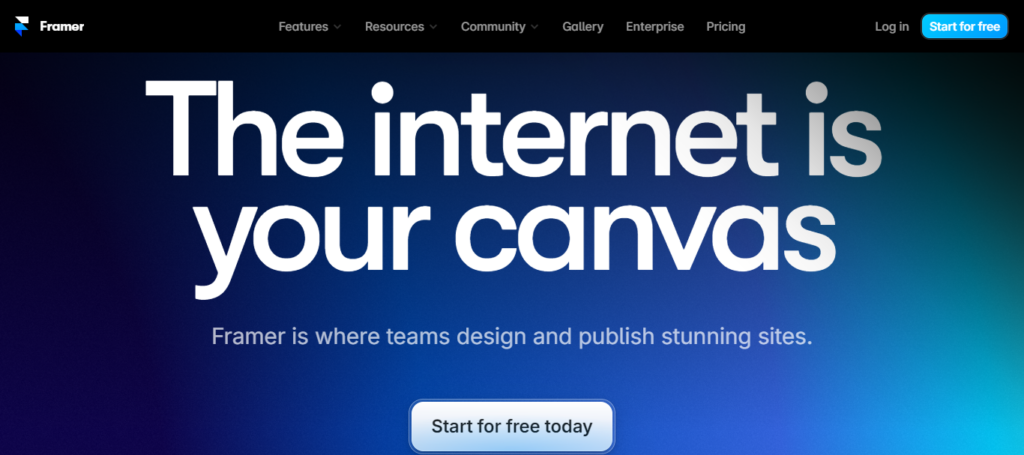
With Framer, users can design websites or app interfaces with a wide range of interactions, making it a comprehensive solution for design projects.
WordPress: #1 Content Management System
WordPress is the leading Content Management System (CMS), offering customizable solutions to create websites for all kinds of businesses. It offers a wide selection of free and premium themes and plugins, enabling users to tailor their sites to specific needs.

There are also specialized hosting options from providers like Hostinger, BlueHost, WP Engine, and more that ensure optimized performance for WordPress-powered websites.
Build an Interactive WordPress Site for Your Business
Our team can help you build a stunning website that captures your audience’s attention and drives conversions.
WordPress vs Framer: Comprehensive Comparison
Below are the key features we will cover in this Framer vs WordPress article. This will provide you with valuable insights into choosing the ideal platform for your needs.
User Interface and Ease of Use
Both Framer and WordPress aim to provide intuitive interfaces, albeit with different focuses and target audiences.
Framer User Interface
Framer prides itself on offering a sleek and user-friendly interface tailored for designers and developers. Its interface is designed to streamline the UI/UX design process, allowing users to create interactive prototypes easily.
Framer’s intuitive drag-and-drop editor and robust design tools empower users to bring their creative visions to life.
Ideal for: Framer is ideal for designers and developers who prioritize flexibility and creativity in UI/UX design. It’s particularly suitable for those seeking to create intricate, interactive prototypes across platforms, including web and mobile applications.
WordPress User Interface
WordPress is a comprehensive website-building platform with a user-friendly interface. Its dashboard provides users with a centralized hub for managing content, themes, plugins, and site settings.
With its intuitive block editor (Gutenberg) and customizable interface, WordPress caters to users of all skill levels, from beginners to experienced developers.
Ideal for: WordPress is ideal for individuals and businesses looking to build websites. Its user-friendly interface makes it appealing to beginners, while its extensive customization options appeal to WordPress developers seeking more advanced functionalities.
Verdict: Framer feels intuitive for quick visual builds, but WordPress offers a smoother long-term experience once you understand its workflow.
Read: Gutenberg vs Elementor
Customization and Flexibility
Customization and flexibility are pivotal aspects of website design and development, enabling users to tailor their projects to their specific requirements.
Both Framer and WordPress excel in providing avenues for customization, albeit through different approaches and functionalities.
Framer Customization and Flexibility
Framer offers a comprehensive tool suite that empowers designers and developers to create customized and interactive UI/UX designs. Its code-based approach enables intricate customization, allowing users to implement complex animations, transitions, and interactions.
With Framer, users have fine-grained control over every aspect of their prototypes, making it an ideal choice for projects that demand precision.
WordPress Customization and Flexibility
WordPress provides users with a wide array of customization options through its extensive themes and plugins. Users can choose from various themes to customize their websites’ appearance, while plugins extend the platform’s functionality.
WordPress’s open-source nature also allows developers to customize and extend the platform further, making it adaptable to a diverse range of projects.
Verdict: Framer keeps things simple, while WordPress gives you deeper control and virtually unlimited customization for evolving needs.
Learn: Best Free WordPress Theme Frameworks For Developers
Performance and Speed
Performance and speed are critical factors in delivering a seamless user experience on the web. Framer and WordPress both prioritize site optimization.

Framer Performance and Speed
Framer is designed to deliver high-performance prototypes that closely mimic real-world interactions. Its focus on code-based design and animation enables users to create lightweight and efficient prototypes.
It ensures that prototypes run smoothly across various devices and screen sizes by leveraging advanced rendering techniques and optimizing resource utilization.
Framer’s real-time collaboration features also facilitate efficient teamwork, enhancing productivity without compromising performance.
WordPress Performance and Speed
WordPress’s performance largely depends on hosting quality, theme optimization, and plugin usage. While WordPress itself is lightweight and efficient, the performance of WordPress websites can vary depending on the chosen hosting provider and configuration.
Users can optimize website performance by selecting a reputable hosting provider, using lightweight themes, and minimizing resource-intensive plugins.
Additionally, caching solutions and content delivery networks (CDNs) can help further enhance WordPress websites’ speed and performance.
Verdict: Framer delivers fast out-of-the-box performance, but WordPress lets you fine-tune speed with caching, optimizations, and hosting choices.
Know more: Typo3 vs WordPress Comparison
SEO and Marketing Capabilities
Search engine optimization (SEO) and marketing are crucial for maximizing online site visibility and reaching target audiences. Here’s what Framer and WordPress offer:

Framer SEO and Marketing Capabilities
Framer primarily focuses on UI/UX design and prototyping. While it may not directly offer SEO and marketing capabilities, its design tools enable users to create prototypes optimized for user engagement and conversion.
Designers can contribute to better user experiences by creating intuitive, user-friendly interfaces, thereby indirectly benefiting SEO.
Furthermore, Framer’s collaborative features facilitate efficient communication and feedback among team members, enhancing project coordination and potentially accelerating marketing campaign timelines.
WordPress SEO and Marketing Capabilities
WordPress offers many built-in features and plugins dedicated to SEO and marketing. Users can optimize their WordPress websites for search engines using plugins that offer features such as keyword optimization, metadata management, and XML sitemap generation.
What’s more, WordPress offers integrations with various marketing tools and platforms, allowing users to implement email marketing campaigns, share on social media, and track key metrics.
Verdict: Framer covers the basics, but WordPress stands out with advanced SEO tools, plugins, and better control over search visibility.
Further reading: Canva vs WordPress Comparison
Security and Updates
Here is an overview of security measures and updates Framer and WordPress provide to mitigate potential vulnerabilities.

Framer Security and Updates
Framer strongly emphasizes security by implementing best practices and industry standards to safeguard user data and projects.
As a cloud-based platform, Framer leverages secure authentication protocols and encryption techniques to protect user accounts and project files. It also regularly updates its platform to address any security vulnerabilities or performance issues.
WordPress Security and Updates
WordPress is vigilant about security and regularly releases updates to address security vulnerabilities and enhance platform stability.
Users can easily update their WordPress installations, themes, and plugins from the admin dashboard with a single click.
Additionally, WordPress offers various security plugins and measures to bolster further website security, such as firewalls, malware scanning, and login protection.
Verdict: Framer handles security as a managed platform, while WordPress offers more control with regular updates and a wide security ecosystem.
Also read: WordPress vs ExpressionEngine
Support and Community
Effective support and a thriving community can significantly enhance the user experience and provide valuable troubleshooting and knowledge-sharing resources.
Framer Support and Community
Framer offers comprehensive support resources, including documentation, tutorials, and community forums, to help users master the platform’s features and functionality.
The Framer team also actively engages with users through various channels, providing timely assistance and addressing queries and concerns.
Additionally, Framer’s vibrant community of designers and developers fosters collaboration and knowledge sharing, allowing users to learn from each other’s experiences and discover innovative techniques and best practices.
WordPress Support and Community
WordPress has a diverse community of users, developers, and contributors, making it one of the most well-supported platforms in the industry.
Users can access extensive documentation, support forums, and online resources to find solutions to common issues and troubleshoot problems.
Furthermore, WordPress hosts numerous local meetups, conferences, and WordCamps worldwide, where users can connect with peers, exchange ideas, and learn from experts in the field.
Verdict: Framer has growing support, but WordPress benefits from a massive global community and extensive resources.
Read: Brizy vs Elementor
Cost and Pricing
Framer and WordPress offer various pricing options for different budgets and project requirements.
Framer Cost and Pricing
Framer’s pricing has been updated to a three-tier paid structure (billed annually). The “Mini” plan is no longer available for new projects.
- Free: Best for learning. Includes 1,000 pages and 10 CMS collections on a Framer subdomain with branding.
- Basic ($10/site/mo): Ideal for simple personal sites. Supports custom domains and 30 pages, but is limited to 1 CMS collection.
- Pro ($30/site/mo): The professional standard. Offers 150 pages, 10 CMS collections, site staging, redirects, and built-in analytics.
- Scale ($100/site/mo): Built for growth. Includes 300+ pages, 20 CMS collections, and site search for high-traffic projects.
- Enterprise: Custom pricing for organizations requiring SSO, advanced security, and dedicated support.
Note: Collaborators (Editors) are billed separately per site, ranging from ~$20–$40/month depending on your plan.
WordPress Cost and Pricing
WordPress is an open-source platform, meaning the software is free. However, users may incur expenses for:
- Hosting: Users need to invest in web hosting services to host their WordPress websites. Hosting costs vary depending on the hosting company and plan selected.
- Themes and plugins: While WordPress offers numerous free themes and plugins, users may choose to invest in premium options to access advanced features and support.
- Professional services: Users may opt for professional WordPress services, such as custom design, development, and maintenance, which incur additional costs.
Verdict: Framer’s pricing is predictable, while WordPress provides more flexibility to scale costs based on your business goals.
Learn: TinaCMS vs Headless WordPress
Summary
In summary, both Framer and WordPress offer distinct advantages and cater to different needs. Framer shines in advanced UI/UX design and prototyping, while WordPress provides extensive customization options for building diverse websites.
While Framer prioritizes collaboration and real-time design features, WordPress’s open-source nature allows for flexible pricing and scalability.
Regardless of the choice, users must consider project requirements, technical expertise, and desired functionalities. By carefully weighing these aspects, individuals and businesses can select the platform best suited to their needs and goals.
WordPress vs Framer FAQs
Is Framer a good website builder for SEO?
Framer is a modern website builder with a clean design workflow and built-in SEO tools. It handles meta tags, responsiveness, and lazy loading well.
However, its SEO capabilities are limited compared to those of advanced SEO plugins. It works best for landing pages, portfolios, and visually appealing sites, but may lack depth for content-heavy blog posts and strong search rankings.
When should I use WordPress instead?
Use WordPress when you need full control, scalability, and strong content management. It suits business websites, e-commerce sites, and blogs.
With plugins like Yoast SEO and Rank Math, you can improve seo optimization, schema markup, and search results. It also supports page builders, WooCommerce, and thousands of add-ons.
Which platform is better for e-commerce?
WordPress leads for e-commerce functionality with WooCommerce. It supports payments, inventory, and scaling. Framer is not a full e-commerce platform. You may need integrations with tools like Shopify or Gumroad, which add complexity and cost.
How do pricing and hosting compare?
Framer uses a subscription model with built-in hosting services. It keeps setup simple. WordPress offers more freedom. You can choose any hosting provider, including WP Engine. Costs vary based on plugins, maintenance, and traffic, but you gain long-term flexibility.
Which is easier for beginners?
Framer offers ease of use with a visual canvas, simple layouts, and fast previews. It suits creatives and startups. WordPress has a learning curve due to plugins, updates, and customization. Still, its ecosystem, community support, and design flexibility make it powerful for long-term growth.


