
Choosing between Umbraco vs WordPress can shape how your website grows, performs, and scales. The right CMS is not just a tool. It drives your content, SEO, and user experience.
Some platforms focus on developer control, while others prioritize speed and ease. This comparison breaks it down simply. You will see how each platform works, where it fits best, and which one aligns with your goals.
TL;DR: Pick the CMS That Matches Your Goals
- Your final choice depends on your team, timeline, and the level of customization you need.
- One platform offers quick setup, simple workflows, and faster time-to-market for most websites.
- The other delivers structured control and works well in enterprise-level environments.
- Flexibility, plugins, and SEO tools make one option easier to scale across use cases.
Understanding Umbraco and WordPress
Explore how Umbraco CMS and WordPress differ in features, flexibility, and how they support modern websites.
Umbraco CMS
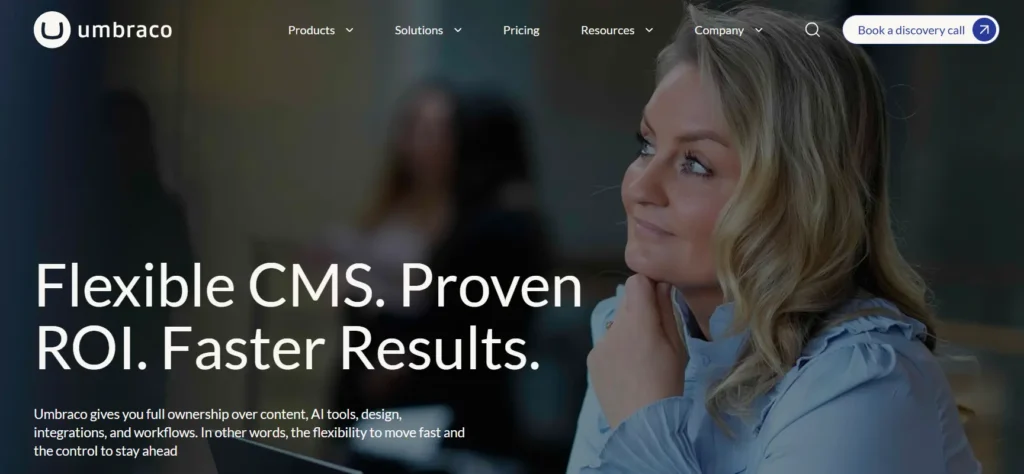
Umbraco is an open-source .NET content management system (CMS) that offers developers high flexibility, security, and scalability while providing users and content editors with an easy-to-use, intuitive editing experience.
Highlights of Umbraco:
- It suits a wide range of projects, from simple blogs to complex responsive websites, webshops, and intranets.
- Has customizable workflows for content creation and approval processes.
- Multilingual site support is available for creating and managing content in multiple languages.
- Extensive documentation and community support for troubleshooting and learning are also available.
- Built-in SEO tools make optimizing content for search engines practicable.
- Responsive design capabilities for creating mobile-friendly websites enhance Umbraco’s usability.
WordPress CMS
Moving on to WordPress, you have a widely used open-source content management system (CMS) known for its versatility and user-friendly interface. It powers a significant portion of websites globally and offers a range of features and customization options.

Highlights of WordPress:
- Offers a vast library of themes and plugins for customization and functionality enhancement.
- Supports staging functionality for testing and pushing new features.
- Known for its ease of use, making it accessible to a wide range of users, including marketers and writers.
- Offers a marketplace of plugins and extensions for added functionality.
- Has a massive developer pool for support and assistance at an affordable cost.
As we compare Umbraco and WordPress, we will uncover the critical distinctions between these versatile content management systems, each tailored to user needs and preferences.
Read Another Comparison: WordPress vs Contentful
Move from Umbraco to WordPress with Confidence
Migrate your site seamlessly with zero downtime, preserved SEO, and expert support starting at $499.
Key Differences: Umbraco vs WordPress
Having the better-suited CMS between Umbraco and WordPress as your trusty co-pilot will equip you to deliver a website that not only looks great but also runs like a well-oiled machine. Let’s find the distinctions:
Core Features and Platform Capabilities
The best choice depends on your project’s specific needs and complexity.
- Baseline Features: WordPress starts with a primary content platform, pages, blog posts, and a media library. Plugins add more functionality. Umbraco aims to cover most common needs right out of the box, so it requires more initial setup but provides a more integrated experience.
- Extensibility: WordPress has a vast ecosystem of plugins, but their quality and support can vary widely. Umbraco has an API for integrating external tools, but focuses on providing core features within the CMS.
- Multisite Support: Umbraco makes it easy for businesses with different brands or regions to manage multiple websites from a single installation. WordPress also offers multisite capabilities, but it’s a more advanced configuration.
- E-commerce: Neither platform includes e-commerce features natively. WordPress requires a plugin like WooCommerce, while Umbraco integrates with external tools.
Verdict: We found WordPress to be more lightweight and plugin-driven, while Umbraco is designed for a more comprehensive, integrated content management experience, though that comes with a steeper learning curve.
Content Editing and Workflow
Umbraco is tailor-made for developers, offering a more customizable experience that requires some upfront setup. But once you’ve got it running, Umbraco’s flexible content editor and intuitive interface make it an excellent tool for content managers.
On the other hand, WordPress is more accessible right out of the gate. It comes loaded with features, such as the Gutenberg block-based editor, making it easier for non-tech users to create content without a steep learning curve.
Both platforms shine in offering flexible content editing capabilities, allowing users to build dynamic pages beyond simple text and images. This empowers marketers, writers, and website owners to bring their creative ideas to life.
Choosing between Umbraco and WordPress for content editing depends on your organization’s needs. If you have a dedicated development team and need a highly customizable CMS, Umbraco might be the better choice. But if ease of use and a more ready-to-go content management experience are your priorities, WordPress could be the way to go.
Regardless of the platform, both Umbraco and WordPress provide robust content editing tools that can help you manage your online presence effortlessly.
Verdict: Both Umbraco and WordPress offer solid, user-friendly experiences, empowering content creators to craft engaging pages without extensive technical know-how. The main difference lies in their approach.
Also Read: How to Improve Google PageSpeed Insights On WordPress
SEO Performance & Optimization Capabilities
When it comes to SEO, WordPress has a clear advantage over Umbraco. Google simply loves the underlying structure of WordPress, making it the go-to option for businesses that rely on solid search engine optimization. The main reasons for WordPress’s SEO superiority are:
- Plugin Support: The AIOSEO plugin for WordPress provides comprehensive SEO features and ensures your content follows SEO best practices.
- Built-in Functionality: WordPress includes built-in features like tags, which aren’t standard in Umbraco. This makes optimizing content for search engines easier.
- Out-of-the-Box Optimization: WordPress provides everything you need for SEO, including mass editing metadata and an optimizable permalink structure. This makes it easier for SEO novices to quickly optimize their websites.
Verdict: WordPress wins this round.
Keep Reading: Common Technical SEO Issues And Best Practices
Scalability and Growth Flexibility
Both Umbraco and WordPress are designed to be flexible and scalable platforms that can grow and expand to meet the evolving needs of organizations.

Both platforms have built-in API layers, making them ready for integration. This allows you to connect with third-party tools and automate tasks like data transfer to CRM or accounting software, saving you a lot of manual effort.
Umbraco is highly scalable, particularly for managing large numbers of pages. It’s also developer-friendly, allowing you to develop custom integrations with third-party tools from scratch.
Umbraco is highly extensible, but achieving a basic level of functionality and integration may require more patience and a larger development budget.
WordPress is equally scalable and offers a wealth of resources. It was built to grow and is the most accessible platform to integrate with, as most popular marketing tools already support WordPress.
There are numerous plugins available that can handle complex functionality with minimal effort. WordPress also allows developers to build their integrations, which can often be a more streamlined approach than popular consumer-facing alternatives.
Umbraco’s barrier to entry is lower, but more work is required to reach a fundamental level. Developing new functionality and integrations can take longer than its competition, which may require increased development budgets.
Verdict: In terms of quick and seamless scalability, WordPress has an edge.
Learn: How to Migrate from Umbraco to WordPress
Security Framework & Protection Measures
WordPress, the world’s largest CMS, is a bigger target for hackers, and poorly implemented code or plugins can introduce security vulnerabilities. However, attacks on WordPress are relatively high compared to its popularity.
Umbraco, built on Microsoft’s .NET platform, is considered more secure out of the box due to its built-in security features, such as Code Access Security (CAS) and identity-based security. However, this can sometimes lead developers to become complacent and fail to follow best practices, resulting in security risks.
Both platforms rely heavily on developers to implement them correctly and follow security best practices.
For WordPress, this means choosing the right hosting platform, using the latest version, and ensuring plugins are safe and up to date. Some hosts offer advanced security solutions, such as Global Edge Security (GES) and a Web Application Firewall (WAF), to keep your WordPress site secure.
In the end, the security of either platform largely depends on the skill and diligence of the developers and agencies implementing it. When properly implemented and maintained, Umbraco and WordPress can be equally secure.
Hiring an expert WordPress development agency like Seahawk can help ensure that your WordPress site uses the latest version and stays secure for the long term.
Verdict: In simple terms, both Umbraco and WordPress can be secure platforms, but it ultimately depends on how they are implemented and maintained by the developers and hosting providers.
Community Support & Ecosystem Strength
Umbraco and WordPress have unique communities of passionate people who build and support these open-source platforms.
Since tech, development, and design work can often be isolating, especially with a lot of remote work, it’s excellent that both platforms have strong communities that help people stay connected.
These communities also offer additional learning and growth opportunities for the platforms and the people who use them. They host regular meetups worldwide, allowing for networking and knowledge sharing.
These vibrant communities are a testament to the popularity and dedication of the people behind these platforms. Being part of such communities can be incredibly beneficial, especially for those working remotely, as it provides a sense of belonging and access to a wealth of knowledge and resources.
Verdict: Both these CMS have a strong community support. However, due to its widespread adoption, professional help is more readily available for WordPress than for Umbraco.
Keep Reading: Best WordPress Support Service Providers in the UK
CMS Architecture & Tech Stack Comparison
When comparing Umbraco vs WordPress, their underlying architecture plays a major role in how each platform performs and scales. Umbraco CMS runs on ASP.NET Core and integrates deeply with the Microsoft ecosystem. This setup appeals to enterprises that already rely on .NET frameworks and need structured, custom-built applications.
WordPress, on the other hand, is built on PHP and MySQL. It offers a flexible, open-source architecture that supports everything from simple blogs to complex WordPress websites. Its modular system allows users to extend functionality through themes and plugins without heavy development.
In terms of customization capabilities, Umbraco gives developers precise control over structure and workflows. WordPress balances flexibility with accessibility. It allows both developers and non-technical users to build and manage websites efficiently.
For businesses that prioritize speed, scalability, and ease of expansion, WordPress provides a more adaptable foundation. Its architecture supports rapid deployment while still allowing custom functionality when needed.
Verdict: Both offer excellent tech stacks, so the choice depends on business needs.
Ease of Setup & Time to Launch
Ease of setup directly impacts how quickly you can launch your website. In this area, WordPress and Umbraco follow very different approaches.
WordPress simplifies the process with a quick installation and a user-friendly dashboard. Many hosting providers offer one-click installs, allowing users to get started within minutes. Pre-built themes and plugins further reduce development time, making it easy to launch fully functional WordPress websites without extensive coding.
Umbraco requires a more technical setup. Since it runs on ASP.NET, it often involves configuring servers, databases, and development environments. This makes it a better fit for teams with technical expertise and structured development workflows.
When it comes to speed, WordPress stands out. Businesses can move from idea to live site faster, which is essential for startups, marketers, and content-driven platforms.
Verdict: If your goal is to reduce time-to-market while maintaining flexibility, WordPress offers a more efficient path to launch.
Headless CMS & API Capabilities
Modern websites often require flexibility beyond traditional content delivery. This is where headless CMS capabilities come into play.
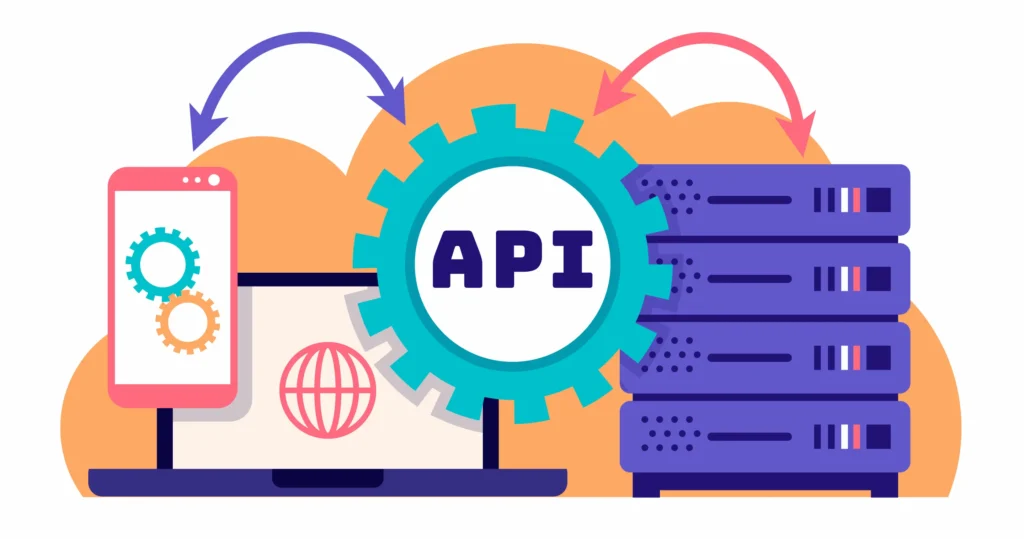
WordPress supports headless architecture through its REST API and tools like WPGraphQL. This allows developers to deliver content across multiple platforms, including mobile and web apps, as well as third-party systems. It makes WordPress a strong choice for omnichannel digital experiences.
Umbraco also offers headless CMS functionality, especially through its API-first approach and cloud offerings. It works well for structured content delivery within enterprise ecosystems.
However, WordPress benefits from a larger ecosystem of integrations, plugins, and developer resources. This makes it easier to implement headless solutions without having to build everything from scratch.
Verdict: For businesses exploring modern digital experiences, WordPress offers a more accessible entry into a headless CMS while still supporting advanced customization when needed.
Developer Experience vs Editor Experience
The difference between Umbraco and WordPress becomes clear when you look at how developers and content editors interact with each platform.
Umbraco focuses heavily on developer experience. It gives developers full control over content structure, workflows, and application logic. This makes it ideal for building highly customized solutions within enterprise environments.
WordPress, however, strikes a balance between developer flexibility and editor usability. Developers can create custom functionality, while content teams can easily manage pages using an intuitive interface. Features like the block editor simplify content creation and reduce dependency on developers.
For non-technical users, WordPress offers a smoother experience. It allows teams to publish, edit, and optimize content without deep technical knowledge.
Verdict: WordPress is a preferred choice for businesses that rely on both developers and marketers to manage their digital presence efficiently.
Performance Optimization & Hosting Flexibility
Performance plays a key role in user experience and SEO. Both platforms can deliver strong performance, but their approaches differ.
Umbraco performs well within structured environments, especially when hosted on Microsoft Azure. It benefits from tight integration with enterprise-grade infrastructure.
WordPress offers broader hosting flexibility. Users can choose from shared hosting, managed WordPress hosting, or cloud environments depending on their needs. This flexibility allows businesses to scale resources as traffic grows.
In terms of optimization, WordPress provides a wide range of caching tools, CDN integrations, and performance plugins. These tools help improve page speed and overall site performance without requiring deep technical intervention.
Verdict: For businesses looking to optimize performance quickly and efficiently, WordPress provides more accessible tools and hosting options that adapt to different growth stages.
Quick Comparison Table: Umbraco vs WordPress
Here’s a quick side-by-side overview to help you compare features, performance, and use cases at a glance.
| Feature | Umbraco | WordPress |
|---|---|---|
| Ease of Use | Developer-focused | Beginner-friendly |
| Setup Time | Moderate to high | Quick and simple |
| Tech Stack | ASP.NET Core | PHP and MySQL |
| Customization | High (developer-led) | High (plugins + custom code) |
| SEO Capabilities | Strong | Strong with plugins |
| Ecosystem | Limited packages | Extensive plugin ecosystem |
| Headless CMS | Supported | Highly flexible with APIs |
| Hosting | Azure-focused | Wide hosting options |
| Community | Niche but active | Large global community |
Final Verdict: What Do We Recommend?
Choosing between Umbraco and WordPress depends on your business goals, technical resources, and long-term vision.
- Umbraco works well for enterprises that rely on the Microsoft ecosystem and require highly structured, developer-driven solutions. It offers strong customization and control for complex applications.
- WordPress stands out for its flexibility, ease of use, and vast ecosystem. It supports a wide range of use cases, from blogs and business websites to large-scale digital platforms. Its ability to combine user-friendly design with powerful customization makes it suitable for both beginners and advanced users.
For most businesses looking to scale quickly, optimize SEO, and manage content efficiently, WordPress provides a more practical and versatile solution.
If your priority is speed, flexibility, and long-term growth, WordPress remains the preferred choice for building and managing modern websites.
FAQs: Umbraco vs WordPress
What are the key differences between Umbraco and WordPress?
The main differences lie in the technology stack, ease of use, and use cases. Umbraco CMS is built on ASP.NET Core and suits enterprise sites that need structured control.
WordPress runs on PHP and MySQL and powers a large share of the internet. It offers a blogging platform, thousands of plugins, and simple content creation. WordPress also provides stronger accessibility for beginners and a faster setup.
Which CMS is better for a small business or startup?
For a startup or small business, WordPress is often more cost-effective. It reduces development costs and speeds up launch. Site owners can use templates, page builders, and SEO tools. Umbraco works well if your business requirements demand custom architecture and developer control.
How do both platforms compare in SEO performance?
Both CMS platforms support strong SEO performance. WordPress stands out for its plugin ecosystem, content analysis, and built-in tools that simplify optimization. Umbraco provides flexibility but often needs developer input for advanced SEO setup.
Is WordPress or Umbraco more secure?
Both platforms include solid security measures. Umbraco benefits from the Microsoft and ASP.NET security framework. WordPress offers frequent updates and a wide ecosystem of security plugins. Proper setup, HTTPS, and strong passwords matter more than the platform itself.
Which platform is easier for content creation and site management?
WordPress is easier for most users. Its block editor, WYSIWYG editor, and visual page layouts simplify posts and pages. Umbraco gives more control over content structures but requires web developers for setup and ongoing site maintenance.


