
Managing a WordPress site involves a surprising number of repetitive tasks. From publishing content and following up with leads to processing WooCommerce orders and syncing data across tools, manual work adds up fast. That is where n8n-style automation in WordPress changes everything.
n8n is an open-source workflow automation tool that connects apps and services through visual, node-based pipelines. Adding this kind of automation to your WordPress site helps you eliminate manual bottlenecks, reduce errors, and scale your operations without hiring extra hands.
This guide walks you through every practical method to build n8n-style automation in WordPress, covering plugins, webhooks, direct integrations, and AI-powered workflows.
n8n style automation in WordPress connects site events, such as form submissions, user registrations, or WooCommerce orders, to automated multi-step workflows without manual intervention.
WordPress users can implement this through native plugins like Uncanny Automator or SureTriggers, webhook tools like WP Webhooks, or by connecting WordPress directly to a self-hosted or cloud-based n8n instance via the REST API. Each method triggers predefined actions across external apps such as Slack, Google Sheets, or CRM platforms when a specified WordPress event occurs.
Why Add n8n Style Automation in WordPress?
Before diving into the methods, it helps to understand the real business impact of WordPress automation. Each section below addresses a specific pain point that automation solves directly.
Eliminate Repetitive Manual Tasks
Every WordPress site has tasks that run on a schedule or in response to user actions. Think about sending a welcome email when someone registers, tagging a user after they complete a form, or updating a spreadsheet when a new post goes live.
These tasks seem small individually, but they accumulate. A site owner who manually handles five such tasks per day loses dozens of hours each month. Automation handles these tasks instantly and consistently, freeing you to focus on strategy and growth.
Improve Content Publishing and Marketing Workflows
Content teams often follow the same process for every post: draft, review, publish, share on social media, and notify subscribers. Without automation, each step requires a manual action.
With n8n-style automation, you can trigger a sequence the moment a post publishes. The system can share the post to connected social platforms, send an email digest to subscribers, and update a content calendar in Notion or Google Sheets, all without human intervention. This is especially valuable for teams managing high-volume blogs or news sites.
Many marketers pair automation with social media publishing tools to distribute content across channels automatically as soon as WordPress triggers the workflow.
Automate Lead Management and Customer Engagement
Lead management is one of the highest-value automation use cases for WordPress. When a visitor fills out a contact form, the default behavior is to receive an email notification. A manual follow-up process then begins.
With automation, that same form submission can trigger multiple actions simultaneously. The lead can be added to your WordPress CRM plugin, assigned to a Customer Success Manager, tagged in your email marketing tool, and receive a personalized welcome sequence, all within seconds of submitting the form.
This level of responsiveness is nearly impossible to replicate manually at scale. Automation ensures no lead falls through the cracks and every customer interaction feels timely and relevant.
Streamline WooCommerce Operations and Order Processing
WooCommerce store owners deal with a constant stream of order-related tasks. Confirming payments, updating inventory, notifying fulfillment teams, generating invoices, and following up post-purchase are all recurring tasks.
n8n style automation in WordPress can handle each of these steps automatically. When a customer places an order, a workflow can notify your warehouse, update a Google Sheet inventory tracker, trigger a fulfillment app, and schedule a follow-up email for three days later, without you touching anything.
You can also automate WooCommerce dashboard views and reporting tasks, so your team always sees the most relevant order data without switching between tools.
Connect WordPress with External Apps and Business Tools
One of the most powerful aspects of n8n-style automation is connecting WordPress to the tools your business already uses. Whether that is Slack, Google Drive, HubSpot, Trello, Airtable, or any other platform, automation bridges the gap between WordPress and your external stack.
For example, when a new user registers on your site, you can automatically create a contact in HubSpot, send a Slack notification to your onboarding team, and add the user to a Google Sheet for tracking. All from a single WordPress event.
This type of integration is central to what MCP for web creators and AI workflows enables, using structured protocols to let WordPress communicate reliably with external services.
Reduce Human Errors and Improve Workflow Efficiency
Manual processes are error-prone by nature. Copy-paste mistakes, missed steps, and inconsistent execution can damage customer trust and internal operations. Automation removes the human element from repetitive tasks and enforces consistent logic every time.
Workflows run the same way whether it is your first order or your ten thousandth. Rules are applied uniformly. Notifications go out on time.
Data lands in the right place. This consistency is one of the core reasons businesses invest in automation infrastructure, and it directly supports outsourcing WordPress work by freeing agency time for higher-value projects.
Automate and Scale Your WordPress Workflows
Our WordPress experts build custom automation solutions that save time, improve efficiency, and streamline business processes.
Key Components Required for n8n Style Automation in WordPress
Before you start building workflows, you need a few foundational elements in place.
- A trigger source. This is the WordPress event that starts a workflow. Common triggers include form submissions, new user registrations, WooCommerce orders, post publishing events, and custom webhook calls.
- An automation layer. This is the plugin or platform that listens for triggers and processes the workflow. It can be a WordPress plugin like Uncanny Automator or SureTriggers, or an external platform like n8n or Make.
- Action destinations. These are the apps and systems the automation writes data to or sends notifications through. Examples include email services, CRMs, Slack, Google Sheets, or payment processors.
- A WordPress REST API or webhook endpoint. Many advanced automations rely on the WordPress REST API or custom webhook URLs to reliably send and receive data in and out of WordPress. Knowing how to integrate a payment gateway in WordPress also matters here, since order-based triggers depend on payment events flowing correctly into your automation.
Having these components aligned before you build will save significant time on troubleshooting.
How to Add n8n Style Automation in WordPress?
There are five practical methods to build n8n-style automation in WordPress. Each method suits different levels of technical comfort and use cases.

Method 1: Create WordPress Automation Using Uncanny Automator
Uncanny Automator is one of the most mature WordPress automation plugins. It works like a visual workflow builder entirely inside your dashboard. You define a trigger, optional conditions, and one or more actions.
- Step 1: Install and activate Uncanny Automator from the WordPress plugin directory.
- Step 2: Go to Automator in your dashboard and click “Add New Recipe.”
- Step 3: Choose whether the recipe runs for logged-in users or everyone.
- Step 4: Select a trigger. For example, “A user submits a specific Gravity Form.”
- Step 5: Add one or more actions. You can send an email, add the user to a Mailchimp list, create a post, or update user meta.
- Step 6: Set the recipe to live and test it with a real submission.
Uncanny Automator supports over 170 integrations natively, including WooCommerce, LearnDash, Slack, Zoom, and more. The free version handles many common use cases, while the Pro plan unlocks advanced triggers, delays, filters, and third-party app connections.
This plugin is the closest native WordPress equivalent to n8n’s visual node builder. It requires no coding and works out of the box for most small to mid-size automation needs.
Method 2: Build WordPress Workflows with OttoKit
OttoKit is a newer automation platform designed specifically for WordPress teams. It combines a plugin installed on your site with a cloud-based workflow builder, giving you both site-level triggers and external app connections.
- Step 1: Install the OttoKit WordPress plugin.
- Step 2: Connect your site to the SureTriggers cloud dashboard using your API key.
- Step 3: Create a new workflow in the dashboard.
- Step 4: Select a WordPress trigger such as “WooCommerce Order Completed” or “User Registers.”
- Step 5: Add one or more actions from the available app library. SureTriggers supports Google Sheets, Slack, HubSpot, Mailchimp, Twilio, and many others.
- Step 6: Enable the workflow and run a test.
OttoKit is particularly well-suited for teams that want a Zapier-style visual builder but with deeper native WordPress integration. The platform handles authentication, retries, and error logging automatically, which reduces maintenance overhead.
Method 3: Add Webhook-Based Automation in WordPress
Webhooks let WordPress send data to any external service the moment a specific event occurs. This method gives you the most flexibility and connects WordPress to virtually any platform that accepts HTTP POST requests.
- Step 1: Install a webhook plugin, such as WP Webhooks.
- Step 2: In your dashboard, navigate to WP Webhooks and open the “Send Data” tab.
- Step 3: Create a new outgoing webhook and configure the trigger event. Options include new posts, form submissions, user registrations, WooCommerce orders, and custom events.
- Step 4: Paste the destination webhook URL from your target platform. This could be n8n, Make, Zapier, or any custom endpoint.
- Step 5: Map the data fields you want to send. For example, send the order ID, customer email, and total amount when a WooCommerce order is created.
- Step 6: Save and test the webhook with a real event.
On the receiving end, your n8n workflow listens for incoming webhook data and routes it into the appropriate actions. This two-part setup gives you maximum control over the data flow between WordPress and external systems.
Webhook-based automation is the backbone of enterprise-level integrations and is widely used by developers who need custom, high-volume workflows beyond what plugin-native tools offer. It pairs naturally with advanced custom fields when you need to pass custom post data in the payload.
Method 4: Connect WordPress Directly with n8n
Connecting WordPress directly to an n8n instance gives you the full power of n8n’s node-based workflow engine applied to real WordPress events.
- Step 1: Set up an n8n instance. You can self-host n8n on a VPS or use n8n Cloud.
- Step 2: In n8n, create a new workflow and add a “Webhook” trigger node. Copy the generated webhook URL.
- Step 3: In WordPress, install WP Webhooks or configure a custom webhook in your form plugin. Paste the n8n webhook URL as the destination.
- Step 4: Back in n8n, add downstream nodes to process the data. You can filter, transform, branch, loop, or send data to any of n8n’s 400+ integrations.
- Step 5: Test the workflow end-to-end using a real WordPress event.
For example, you can build an n8n workflow that receives new WooCommerce order data, checks if the customer is a first-time buyer, sends a Slack message to your team, adds the order to Google Sheets, and creates a follow-up task in Notion, all in a single automated pipeline.
This method requires more technical setup than plugins, but it offers workflow logic that no WordPress plugin can match in terms of complexity or scalability.
It works especially well for development teams building on full site editing architectures or headless WordPress configurations.
Method 5: Create AI-Powered Automation Workflows for WordPress
AI-powered automation takes n8n-style workflows to a new level. Instead of simple if-this-then-that logic, you can incorporate language models to classify content, generate responses, summarize data, and make decisions inside workflows.
- Step 1: Choose a workflow tool that supports AI nodes. n8n has native OpenAI and LangChain nodes. SureTriggers and Uncanny Automator also support AI-connected actions via webhooks.
- Step 2: Define the trigger. For example, a new support ticket is submitted via a WordPress form.
- Step 3: Add an AI node that reads the ticket content and classifies the issue into categories such as billing, technical, or general inquiries.
- Step 4: Based on the classification, automatically route the ticket to the appropriate team members or departments.
- Step 5: Optionally, use AI to draft a suggested reply and send it to the assigned agent in Slack before they respond to the customer.
This kind of workflow combines automation with intelligence. It reduces response time, improves routing accuracy, and helps teams handle high volumes without burning out.
AI-powered automation is particularly powerful for businesses focused on AI customer service for small businesses that demand speed and personalization at scale.
Popular n8n Style Automation Use Cases for WordPress
Understanding what to automate is as important as knowing how. Here are the most impactful use cases businesses implement with n8n-style automation in WordPress.
- New user onboarding sequences. When someone registers on your site, trigger a multi-step welcome email series, add them to your CRM, send a Slack notification to your team, and automatically assign a follow-up task.
- WooCommerce order lifecycle management. Automate order confirmation emails, fulfillment notifications, inventory updates, review request emails, and reorder reminders based on product purchase history. For stores with complex order flows, also consider setting quantity limits for product variations in WooCommerce to ensure inventory rules trigger automation steps accurately.
- Content publishing pipelines. When a new post publishes, automatically share it to LinkedIn and Twitter, send a newsletter to segmented subscribers, and log the post details to a Google Sheet. You can even trigger a heatmap tracking setup for new landing pages via automation workflows.
- Lead scoring and routing. Assign scores to leads based on form answers and behavior. Route high-value leads directly to sales reps via Slack or email, while lower-score leads enter a nurture sequence.
- Abandoned cart recovery. Detect WooCommerce abandoned carts and trigger a time-delayed email sequence with personalized product recommendations to recover lost sales.
- Support ticket automation. Route incoming support requests to the right team member based on issue type, set priority levels, and automatically trigger SLA countdown timers.
- Payment and invoice workflows. When a payment is confirmed, generate a PDF invoice, send it to the customer, update your accounting tool, and archive a copy in Google Drive.
- Membership and access control. When a user upgrades their membership level, grant or revoke access to specific content, update their role in WordPress, and sync the change to your email platform. Automation also helps you enforce two-factor authentication policies by triggering security prompts for newly elevated user roles.
Each of these workflows can be built using the methods described above and combined in layers to create sophisticated automation ecosystems that mirror the flexibility n8n provides natively.
Best Plugins and Tools for Adding n8n Style Automation in WordPress
Choosing the right tool depends on your technical skill level, budget, and the complexity of your automation needs. Here is an honest breakdown of the leading options.
Uncanny Automator
Uncanny Automator is the go-to choice for WordPress-native automation. It lives entirely inside your dashboard, requires no external accounts for basic use, and supports over 170 plugins and services.

The free version supports single-action recipes with triggers from popular plugins such as WooCommerce, Gravity Forms, Elementor, and LearnDash. The Pro plan unlocks delays, filters, tokens, and integrations with external apps, including Slack, Google Sheets, Twilio, and more.
Best for: Non-developers who want powerful automation without leaving WordPress.
OttoKit
OttoKit combines a lightweight WordPress plugin with a hosted automation dashboard. This approach keeps your server load low while giving you access to a growing library of app integrations.
It is particularly good for agencies managing multiple WordPress sites, as the central dashboard makes workflow management across clients much easier. The interface is clean and modern, with a Zapier-like drag-and-drop experience.
Best for: Agencies and teams who want a cloud-based automation dashboard with deep WordPress integration.
WP Webhooks
WP Webhooks is the best choice when you need WordPress to send or receive structured data from external systems.
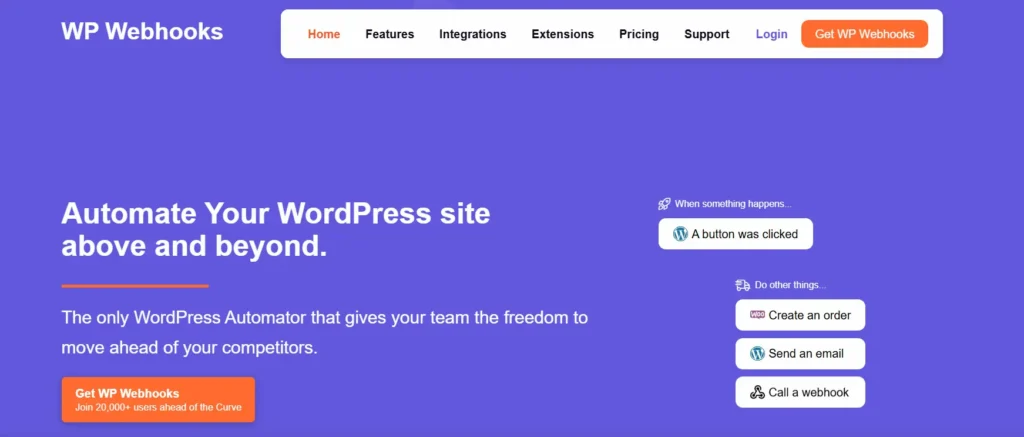
It adds a full webhook infrastructure to WordPress, supporting both outgoing webhooks triggered by WordPress events and incoming webhooks that can create or update WordPress content.
The plugin is developer-friendly, supports advanced data mapping, and works seamlessly with n8n, Make, and any platform that accepts standard HTTP requests.
It is essential for teams building hybrid automation architectures. Understanding WordPress development mistakes, such as skipping webhook validation, is especially important when building production-level automation pipelines.
Best for: Developers connecting WordPress to external automation platforms via webhooks.
Bit Integrations
Bit Integrations is a free WordPress automation plugin that connects popular WordPress plugins with external services. It supports over 100 integrations, including HubSpot, Salesforce, Google Sheets, Mailchimp, Slack, and Airtable.
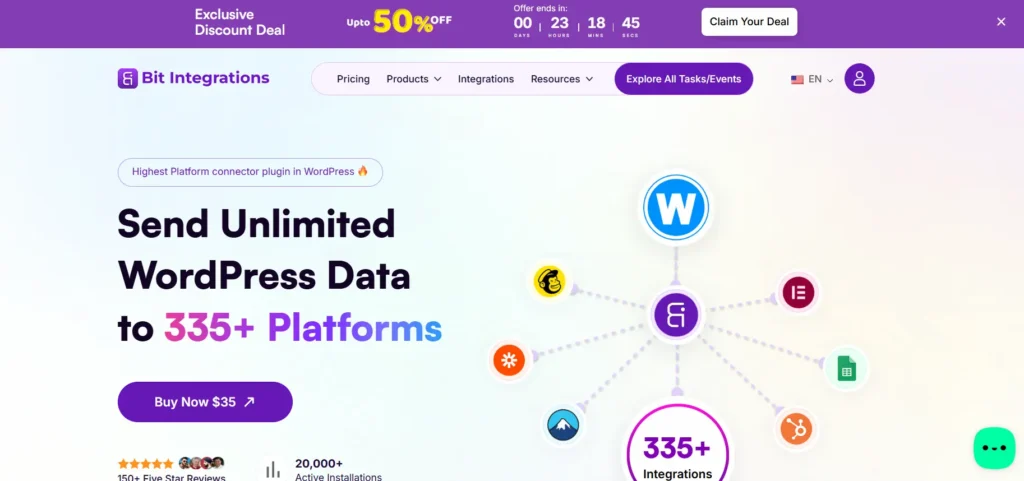
It works by listening for plugin-specific events, such as a Contact Form 7 submission or a WooCommerce purchase, and automatically sending that data to your connected app. The setup is simple, and the free version is remarkably generous.
Best for: Small business owners who need affordable, direct plugin-to-app integrations.
n8n
n8n is the core technology behind this entire guide. It is a self-hostable, open-source workflow automation platform with over 400 integrations and support for custom JavaScript logic inside nodes.
Unlike WordPress plugins, n8n runs as a standalone server application. You can host it on a VPS, a cloud platform, or use n8n Cloud for a managed experience.
Its visual node editor lets you build arbitrarily complex workflows that branch, loop, transform data, call AI models, and respond to external events.
When connected to WordPress via webhooks or the WordPress REST API, n8n becomes an incredibly powerful automation engine for your site. Teams looking to make money using AI at scale often use n8n as the core workflow layer connecting AI APIs to their WordPress properties.
Best for: Developers and technical teams who need maximum flexibility and custom logic.
Zapier and Make Alternatives
Zapier and Make (formerly Integromat) are cloud-based automation platforms that connect WordPress to thousands of external apps. Both offer official WordPress triggers and actions that work without custom development.
Zapier is the most beginner-friendly option. Its two-step Zaps are easy to configure, and its app library is the largest in the industry. However, Zapier can quickly become expensive as your task volume grows.
Make offers a more visual, flowchart-style builder similar to n8n. It supports complex branching logic, data transformation, and multi-step workflows at a significantly lower price point than Zapier. Make is widely considered the better Zapier alternative for teams that need more control without self-hosting.
Both platforms connect seamlessly to WordPress through the official Zapier/Make WordPress app or via webhooks. For teams invested in long-term WordPress maintenance agency partnerships, building automation on a reliable cloud platform reduces the burden of infrastructure ownership and support.
Best for: Non-technical users who want a large app library and no server management.
Final Thoughts on Adding n8n Style Automation in WordPress
Adding n8n-style automation to WordPress is no longer a luxury for large enterprises. It is an accessible, practical upgrade for any site owner who wants to work smarter.
Whether you use a native plugin like Uncanny Automator, a cloud bridge like SureTriggers, a webhook layer with WP Webhooks, or a direct connection to an n8n server, the outcome is the same: your site does more with less manual effort.
Start by identifying the three most repetitive tasks on your site today. Then pick the simplest method from this guide that can handle them. Build those workflows first, test them thoroughly, and expand from there.
As your automation layer matures, you will find new opportunities to connect systems, reduce friction, and deliver faster, more consistent experiences to your users. That is the real power of n8n-style automation in WordPress, and it compounds over time.
For those thinking about becoming a WordPress developer or building more sophisticated site architectures, automation literacy is increasingly a core skill. The WordPress ecosystem has matured to a point where powerful, no-code automation is within reach of almost any site owner willing to spend an afternoon setting it up.
And for teams that want to get their WordPress content cited by AI tools, structured, automated publishing pipelines make content more consistent and machine-readable, improving discoverability across AI-powered search surfaces.
The tools are ready. The integrations are there. The only thing left is to build your first workflow.
FAQs About Adding n8n Style Automation in WordPress
Can I add n8n style automation to WordPress without coding?
Yes. You can use no code automation tools like Uncanny Automator, SureTriggers, and WP Webhooks. These tools let you create workflows using visual interfaces without writing code.
What can I automate in WordPress using n8n style workflows?
You can automate content publishing, form submissions, lead management, email notifications, WooCommerce order processing, CRM updates, and social media sharing. You can also connect WordPress with external apps and AI tools.
Is n8n better than Zapier for WordPress automation?
n8n offers greater flexibility, advanced workflow customization, and self hosting options. Zapier is easier for beginners, while n8n suits users who need complex automations and more control over data and integrations.
Do I need webhooks to create advanced WordPress automations?
Webhooks are not required for every workflow, but they help automate real time actions between WordPress and external platforms. They are especially useful for complex integrations and instant data transfers.
Which WordPress automation plugin is best for n8n style workflows?
The best choice depends on your needs. Uncanny Automator and SureTriggers are ideal for no code automation, while WP Webhooks provides advanced webhook functionality. For maximum flexibility, you can connect WordPress directly with n8n.


