
Most businesses assume their website is enterprise-ready simply because it looks polished and loads reasonably fast. But looking the part and performing at enterprise scale are two entirely different things.
When real pressure hits, whether from a traffic surge, a security incident, or a compliance audit, the gaps become painfully obvious.
This guide breaks down what an enterprise-ready website actually requires, so you can evaluate where your current setup stands and what needs to change.
TL;DR: The Enterprise Website Checklist in 60 Seconds
- A website that looks enterprise-ready and one that actually performs like it are two very different things
- Layered security with SSO, MFA, and role-based access control is non-negotiable at enterprise scale
- Your infrastructure needs to auto-scale during traffic spikes, not rely on manual intervention
- Core Web Vitals scores must hold up under real load, not just on a good day in PageSpeed Insights
- Clean integrations with your CRM, ERP, and marketing tools are what separate a connected business from a siloed one
- Content governance, staging environments, and editorial workflows keep multi-team websites from becoming a liability
- SLA-backed uptime, geographic redundancy, and tested disaster recovery plans are infrastructure basics, not premium extras
- WCAG 2.1 AA accessibility compliance is increasingly a legal requirement, not a design preference
What Does Enterprise-Ready Actually Mean for a Website?
The term gets thrown around a lot, but enterprise-readiness is not about aesthetics or feature count.
At its core, it means your website can handle the demands of a large, complex organization without breaking down under pressure. That includes operating at scale, serving thousands of concurrent users without performance degradation.
It means staying secure against sophisticated threats, integrating cleanly with the tools your business already relies on, and giving multiple teams the ability to manage content without stepping on each other.
An enterprise website is not built once and left alone. It is engineered, maintained, and evolved as your business grows.
How Seahawk Media Builds Websites That Are Actually Enterprise-Ready?
At Seahawk Media, enterprise-readiness is not a tier of service. It is a standard that every complex project is held to.
That means starting with the right architecture, whether that is a traditional WordPress build, a multisite network, or a fully decoupled headless setup depending on what the organization actually needs.
Security is built in from day one, not bolted on after launch. Performance optimization is treated as a continuous commitment, not a pre-launch sprint.
Integrations are designed cleanly so your website and your business tools work together without friction.
If you are evaluating whether your current website is genuinely built for enterprise scale, or if you are starting a new project and want to get the architecture right from the beginning, reaching out to us is a strong starting point.
Build a Truly Enterprise-Ready Website
Scale with confidence using secure architecture, seamless integrations, and performance built for growth. Seahawk Media delivers enterprise WordPress solutions designed for complex teams and high-traffic demands.
What’s Included in an Enterprise Website?
Here are some of the key elements of an enterprise-ready website:
Rock-Solid Security That Goes Well Beyond an SSL Certificate
One of the most common misconceptions is that HTTPS and a security plugin are enough for an enterprise environment. They are a starting point, not a finish line.
Enterprise websites handle sensitive customer data, internal records, authentication flows, and potentially financial transactions. The attack surface is significantly larger than a standard business site, and the consequences of a breach are proportionally more severe.
Multi-Layer Authentication and Access Control
Large organizations have dozens or hundreds of people touching the website at any given time, from developers and editors to marketing managers and regional admins. Relying on a single password layer for all of them is a serious liability.
Enterprise-grade access control means:
- Role-based permissions that limit what each user can see and do
- Single Sign-On (SSO) integration so team members authenticate through your company’s identity provider
- Multi-factor authentication enforced across all admin accounts
- Activity logs that record who did what and when
Without this level of governance, even a well-built website becomes a vulnerability the moment one compromised account gives an attacker unrestricted access.
Compliance, Auditing, and Data Governance
Enterprise websites operating in regulated industries or serving EU customers cannot treat GDPR and data governance as optional. Compliance needs to be baked into the architecture from the start, not retrofitted later.
This means understanding where user data is stored, how long it is retained, who can access it, and how it can be deleted on request.
It also means having audit trails that satisfy a compliance review, not just security logs for your own peace of mind.
If you want to go deeper on this, a solid place to start is understanding how to fully secure a WordPress website from the ground up.
Scalability That Does Not Collapse When Traffic Spikes
A website that performs beautifully at baseline but crashes or slows to a crawl during a product launch or a media mention is not enterprise-ready. Scalability is about infrastructure that adapts to demand automatically, without manual intervention.
Infrastructure Designed to Grow with You
Shared hosting is simply not built for this. Enterprise websites need cloud-based infrastructure with auto-scaling capabilities that spin up additional resources when traffic climbs and scale back down when it normalizes.
Load balancing distributes incoming traffic across multiple servers so no single point of failure takes down the whole site.
Content Delivery Networks play a major role here as well. Distributing static assets across globally positioned edge nodes reduces the load on your origin server and delivers content faster to users regardless of their location.
If you are evaluating whether your site is set up for this, understanding how to add a CDN to your WordPress site is a practical starting point.
Database Performance and Query Optimization
As a website scales, poorly written database queries become the silent killer of performance. What takes 20 milliseconds to execute at 100 users might take 2 seconds at 10,000.
Enterprise sites need database indexing, query caching, and regular performance audits to keep the backend from becoming a bottleneck.
Object caching through Redis or Memcached, combined with a well-structured database schema, is what separates websites that stay fast under load from those that quietly degrade.
Performance Standards That Enterprise Users Expect
Speed is not a luxury feature for enterprise websites. It directly affects search rankings, user retention, conversion rates, and brand perception. Enterprise users, whether they are customers, partners, or internal stakeholders, have zero tolerance for slow experiences.
Core Web Vitals and Why They Are Non-Negotiable
Google’s Core Web Vitals, specifically Largest Contentful Paint (LCP), Interaction to Next Paint (INP), and Cumulative Layout Shift (CLS), are the clearest measurable indicators of how users experience your site.
For enterprise websites, these are not optimization targets. They are baseline requirements. LCP should be under 2.5 seconds. INP should be under 200 milliseconds. CLS should stay below 0.1.
Missing these thresholds does not just hurt your search visibility. It signals to every visitor that something is off, even if they cannot articulate why.
If your scores are in the red, it helps to understand why Core Web Vitals assessments fail and what a proper Core Web Vitals optimization process actually looks like.
Global Performance Through CDN and Edge Delivery
Enterprise organizations often serve audiences across multiple regions. A website hosted on a single server in one data center will always feel slower to users on the other side of the world.
Solving this requires edge delivery, where cached versions of your content are served from nodes closest to the user.
Smart caching strategies, combined with image optimization, lazy loading, and minified assets, are what allow enterprise sites to maintain consistent performance globally.
Going deeper into the core pillars of website performance will help you identify which of these levers has the most impact for your specific setup.
Seamless Integrations Across Your Entire Tech Stack
An enterprise website that cannot talk to your CRM, ERP, or marketing automation platform is not enterprise-ready. It is an island. True enterprise-readiness means the website functions as a connected hub within a broader digital ecosystem.

CRM, ERP, and Marketing Automation Connectivity
Enterprise organizations run on systems like Salesforce, HubSpot, SAP, and Microsoft Dynamics.
When website data, form submissions, lead activity, and customer behavior, does not flow cleanly into these platforms, teams end up doing manual data work that slows everyone down and introduces errors.
Clean, well-maintained integrations through APIs or middleware ensure that the website and the rest of the business stay in sync.
Contact forms feed leads directly into the CRM. E-commerce transactions update the ERP. Campaign data flows into marketing automation without a human having to export and import spreadsheets.
API-First Architecture and Headless Capabilities
Forward-thinking enterprises are increasingly moving toward API-first and headless CMS architectures.
In a headless setup, WordPress handles content management on the backend while a modern JavaScript framework like Next.js or React handles the frontend.
Content is delivered via the REST API or GraphQL, giving development teams enormous flexibility.
This approach allows you to deliver the same content across a website, a mobile app, a kiosk, and a voice interface without duplicating effort.
It also makes it far easier to integrate third-party tools and swap out individual components without rebuilding the entire system.
If you are exploring this direction, it is worth reading up on enterprise headless WordPress development and what it actually means to use WordPress as a headless CMS in a production environment.
Governance, Workflow, and Multi-Team Management
When dozens of people across multiple departments and time zones are editing a website, things break without proper governance.
An enterprise-ready website has systems in place that prevent unauthorized changes, maintain quality control, and give teams autonomy without sacrificing oversight.
Content Governance and Editorial Workflows
Proper content governance means no one can push changes to the live site without going through an approval process.
Staging environments let teams test changes before they go live. Version control means you can roll back to a previous state if something goes wrong.
Role-based publishing permissions ensure that a junior content writer cannot accidentally overwrite a critical product page.
These are not bureaucratic formalities. They are the operational infrastructure that keeps enterprise websites stable when multiple teams are working simultaneously.
Multisite and Multilingual Capabilities
Many enterprise organizations run multiple websites, regional versions, brand sub-sites, or product microsites. Managing these as completely separate WordPress installations creates enormous overhead.
WordPress Multisite architecture lets you manage them from a single dashboard, with centralized user management, shared plugins and themes, and unified reporting.
For global organizations, multilingual support also needs to go deeper than running a translation plugin.
Proper multilingual architecture means regionally appropriate content, localized SEO, hreflang tags configured correctly, and editorial workflows for each language team.
Understanding how enterprise WordPress handles multisite and multilingual at scale gives you a clearer picture of what a well-architected setup looks like.
Uptime, Disaster Recovery, and Business Continuity
For enterprise organizations, website downtime is not just an inconvenience. It translates directly to lost revenue, damaged customer trust, and in some cases, contractual penalties.
Uptime and disaster recovery need to be engineered into the infrastructure, not treated as afterthoughts.
SLA-Backed Uptime and Redundancy Planning
Enterprise-grade hosting comes with Service Level Agreements that guarantee a specific uptime percentage, typically 99.9% or higher.
Achieving this requires geographic redundancy, meaning the website is served from multiple data centers so that if one goes offline, another takes over seamlessly.
Load balancing, failover routing, and health monitoring are all part of this picture. If your hosting provider cannot tell you their uptime SLA or explain their redundancy architecture, that is a red flag.
Backup Strategies and Failover Architecture
Automated daily backups are a minimum. Enterprise websites need point-in-time recovery, the ability to restore to any specific moment, not just the most recent snapshot.
Backups should be stored in geographically separate locations so that a regional outage does not take down both the live site and the backup simultaneously.
A tested disaster recovery plan means your team has gone through the process of restoring from backup before an emergency forces the issue. Knowing it works in theory is not the same as knowing it works in practice.
Accessibility and ADA Compliance at Scale
Accessibility is increasingly a legal requirement, not just a best practice. Enterprise websites serving US audiences are subject to ADA Title III considerations, and WCAG 2.1 AA compliance has become the standard benchmark for demonstrating that a site is usable by people with disabilities.
This means keyboard navigation that works across every page, screen reader compatibility for all meaningful content, sufficient color contrast ratios, properly labeled form fields, and captions on video content.
For enterprise organizations, the reputational and legal risk of an inaccessible website is significant. Accessibility audits should be part of every major release cycle, not a one-time checkbox.
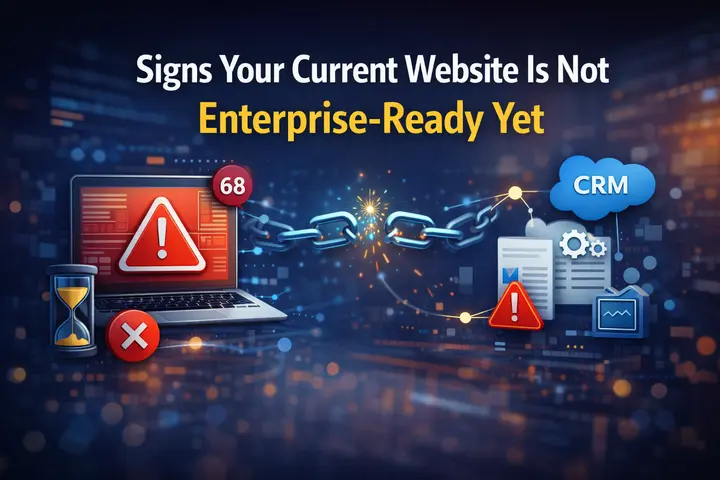
Signs Your Current Website is Not Enterprise-Ready Yet
Before closing, here is a quick way to self-diagnose. If several of these apply, it is time for a more honest conversation about what your website is actually built on.
- Pages load in more than 3 seconds on mobile
- There is no staging environment for testing changes before they go live
- All admin users share the same permission level
- There is no SSO or multi-factor authentication in place
- Backups are manual or infrequent
- The site has never been audited for accessibility
- Integrations with your CRM or ERP require manual data exports
- There is no documented disaster recovery plan
- Your hosting provider cannot give you a written uptime SLA
None of these are catastrophic in isolation. But together, they paint a picture of a website that is carrying more risk than an enterprise organization should be comfortable with.
Wrapping Up
Enterprise-readiness is not a single feature or a checkbox on a deliverable list. It is the sum of security, scalability, performance, governance, integrations, and business continuity working together in a coherent system.
Most websites fall short not because of any one thing but because these layers were never considered together.
If you are serious about building or rebuilding a website that can hold up to enterprise demands, the place to start is an honest audit of where you currently stand.
Seahawk Media works with enterprises, agencies, and high-growth organizations to build WordPress platforms that are built for the long run. Get in touch to start the conversation.
FAQs on Enterprise Websites
How do I know if my current website is enterprise-ready?
A straightforward way to self-assess is to check whether your site has role-based access control, a staging environment, SLA-backed hosting, automated backups with point-in-time recovery, passing Core Web Vitals scores, and documented compliance and accessibility standards. If several of these are missing, your website likely has gaps that grow more costly the larger your organization gets.
Does an enterprise website have to be built on WordPress?
Not necessarily, but WordPress powers a significant share of enterprise websites because of its flexibility, headless capabilities, multisite architecture, and the ecosystem of enterprise-grade tools built around it. The platform matters less than the architecture, security layer, and infrastructure it sits on.
What is the difference between a regular business website and an enterprise-ready website?
A regular business website is built for a relatively small team, predictable traffic, and straightforward content management.
An enterprise-ready website is engineered to handle thousands of concurrent users, multiple teams editing simultaneously, complex third-party integrations, strict security and compliance requirements, and infrastructure that scales automatically without breaking down under pressure.


