

Note: This guide is for educational purposes only and does not constitute legal advice.
Privacy compliance has become one of those topics that instantly feels intimidating. New regulations appear regularly, acronyms stack up quickly, and advice online often sounds like it was written for lawyers rather than website owners.
If you run a WordPress site, it can feel overwhelming to understand what applies to you and what does not. The good news is that privacy compliance is rarely about doing everything perfectly. In most cases, it is about understanding what data your site touches, being transparent with visitors, and putting basic safeguards in place.
This guide breaks WordPress privacy compliance down into clear, practical steps you can actually follow. No legal jargon. No scare tactics. Just real guidance that helps you protect users, reduce risk, and build trust.
TL;DR: WordPress Privacy Compliance
- Most WordPress sites collect personal data through cookies, forms, analytics, or plugins.
- Collect only necessary data and clearly explain how it is used.
- Get user consent before tracking and block third party scripts until permission is given.
- Publish clear privacy and cookie policies and make them easy to access.
- Support user rights like opt out, data access, and data deletion.
What Privacy Compliance Actually Means for a WordPress Website
Privacy compliance means handling personal data responsibly and transparently. Personal data is any information that can identify a person directly or indirectly. This includes names, email addresses, IP addresses, cookies, device identifiers, and browsing behavior.
Many WordPress site owners assume privacy laws only apply if they collect data through forms. That is not true. Even a basic website can collect personal data through analytics tools, embedded videos, comment systems, cookies, and hosting logs.
Privacy compliance ensures visitors understand what data is collected, why it is collected, how long it is stored, and how they can control or remove it. For WordPress websites, this means combining clear communication with proper technical setup.
Keep Your WordPress Site Privacy Compliant
Privacy compliance is easier when your site stays updated, tracked responsibly, and reviewed regularly. Seahawk helps you manage consent, policies, plugins, and ongoing maintenance so privacy gaps do not build over time.
Why Privacy Compliance is Now a Business Requirement Not a Legal Checkbox
Privacy compliance is not only about avoiding fines. It directly impacts how users perceive your brand. Visitors are increasingly aware of how their data is used, and trust plays a major role in whether they engage with a website.
A site that clearly explains its data practices feels safer. A site that hides tracking or ignores consent feels risky. This affects conversions, form submissions, newsletter signups, and even long term brand loyalty.
Search engines and browsers are also reinforcing this shift. Cookie restrictions, tracking limitations, and consent requirements are now built into modern platforms. Ignoring privacy compliance can break analytics, distort data, and damage performance over time.
For businesses, agencies, and growing brands, privacy compliance has become part of professional website management.
A Simple Privacy First Mindset for WordPress Site Owners
Privacy compliance works best when it is treated as a mindset rather than a one time task. The goal is simple. Collect only what you need, explain what you do clearly, and give users control.
When your website collects less data, it reduces the security burden and lowers privacy risk. Clear policies help visitors understand how you handle information and build trust in your site. Respecting user consent makes ongoing compliance easier to manage.
This mindset turns privacy from a burden into a structured system that supports long term growth.
The WordPress Privacy Compliance Checklist That Actually Works
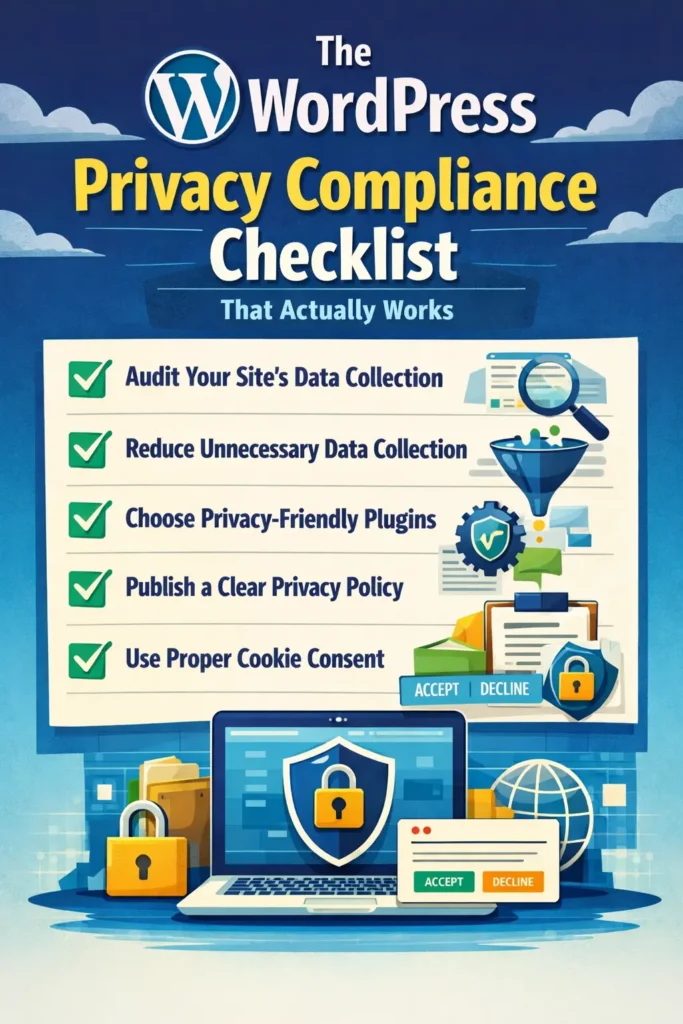
The steps below form a practical checklist for WordPress privacy compliance. You do not need to implement everything at once. Each step strengthens your foundation and reduces risk.
Audit What Your WordPress Site Collects and Why
Before making changes, you need visibility. A privacy audit helps you understand what data your site collects and how that data flows.
Start by reviewing every plugin and service that interacts with visitors. This includes analytics tools, contact forms, marketing plugins, embedded media, comment systems, and third party scripts.
For each tool, ask simple questions. What data does it collect. Why is the data needed. Where is it stored. How long is it kept. Is it shared with anyone else.
Documenting these answers creates clarity and gives you a reference point for future updates or audits.
Reduce Data Collection at the Source
One of the easiest ways to improve privacy compliance is to collect less data. Many forms and plugins collect more information than necessary.
Review contact forms and remove optional fields that are not essential. Avoid collecting phone numbers or addresses unless they serve a clear purpose. Disable unnecessary tracking features in plugins and analytics tools.
This approach follows the principle of data minimization, which appears in many privacy laws. It also improves user trust and often increases form completion rates.
Choose Plugins That Respect Privacy by Design
Not all WordPress plugins are built with privacy in mind. Some collect excessive data or offer limited control over consent and storage.
Privacy friendly plugins allow you to disable unnecessary tracking, manage consent, log permissions, and configure data handling clearly. They respect user choices rather than forcing tracking by default.
When selecting plugins, review their privacy features, documentation, and update history. A plugin that ignores privacy can undermine your entire compliance effort.
Publish a Clear and Honest Privacy Policy
A privacy policy explains how your website handles personal data. Most privacy laws require one, but more importantly, users expect transparency.
Your privacy policy should clearly explain what data you collect, why you collect it, how you store it, and how users can request access to or deletion of their information. Avoid vague language or generic templates that do not reflect your actual setup.
WordPress includes a built in privacy policy tool that helps you get started. This can be customized to match your plugins, services, and data practices.
A clear policy builds confidence and sets expectations from the first visit.
Use Cookie Consent the Right Way
Many privacy laws require user consent before placing non essential cookies. is not just a banner. It is a process.
Visitors should understand which types of cookies you use, why you use them, and how they can accept or reject them. Your site should record consent and respect those choices across sessions.
Proper cookie consent ensures analytics, marketing tools, and third party scripts only run when permission is granted. This protects users and keeps your tracking data compliant.
Create a Dedicated Cookie Policy Page
A cookie banner alone is not enough. Visitors should have access to detailed information about cookies used on your site.
A cookie policy page explains the types of cookies used, what they do, and what data they collect. It should be written in simple language and linked clearly from the cookie banner and footer.
This page gives users confidence and reduces confusion. It also demonstrates transparency during audits or compliance reviews.
Control Third Party Scripts Before Consent
Third party scripts are one of the biggest privacy risks on WordPress websites. Analytics tools, advertising pixels, heatmaps, and social media embeds often start collecting data the moment a page loads.
From a privacy compliance perspective, this is a problem. Many regulations require consent before personal data is processed. If scripts load automatically, consent comes too late.
A privacy compliant setup ensures third party scripts only activate after the visitor has given permission. This protects users and prevents accidental violations. It also keeps your analytics cleaner because your data reflects users who actually agreed to be tracked.
Blocking scripts until consent is one of the most effective privacy improvements you can make.
Log and Store Visitor Consent Properly
Consent is not just about asking permission. It is also about proving that permission was given.
If a user ever questions how their data was handled, or if your site is audited, you need a clear record of when and how consent was collected. This includes the date, the type of consent, and the preferences selected.
Consent logs protect your business. They show that privacy choices were respected and that your site operates transparently. Logging consent turns compliance into a documented process rather than a guess.
Give Users a Clear Opt Out Option
Several privacy laws require websites to give users the ability to opt out of data sharing. This applies even when data is shared indirectly through advertising or analytics tools.
Opt out options should be easy to find and simple to use. Users should not have to send emails or navigate complex forms just to control their data.
A dedicated opt out page creates clarity and trust. It shows visitors that their choices matter and that your website respects them without friction.
Support Data Access and Deletion Requests
Privacy compliance includes respecting user rights. Visitors have the right to know what data you hold about them and to request its deletion.
WordPress includes built in tools that help site owners export and erase personal data. These tools work alongside form submissions, comments, and user profiles.
Supporting these requests does not need to be complicated. What matters is having a clear process and responding within a reasonable time. When handled properly, data requests become routine rather than stressful.
Make Every Form Explicitly Privacy Aware
Forms are one of the most common sources of personal data on WordPress websites. Contact forms, quote requests, surveys, and newsletter signups all collect sensitive information.
Every form should clearly explain how submitted data will be used. Consent checkboxes help make this explicit and ensure users understand what they are agreeing to.
Privacy aware forms build trust. They reduce confusion, lower bounce rates, and protect your site from collecting data without permission.
Protect Comment Data With Explicit Consent
Comment sections often get overlooked in privacy planning. Yet comments typically collect names, email addresses, IP data, and sometimes website URLs.
WordPress includes a comment consent checkbox by default, but some themes or custom setups remove it. If the checkbox is missing, your site may be collecting data without clear permission.
Ensuring comment consent is visible and functional is a small change that has a big compliance impact.
Which Privacy Laws Affect WordPress Websites Globally
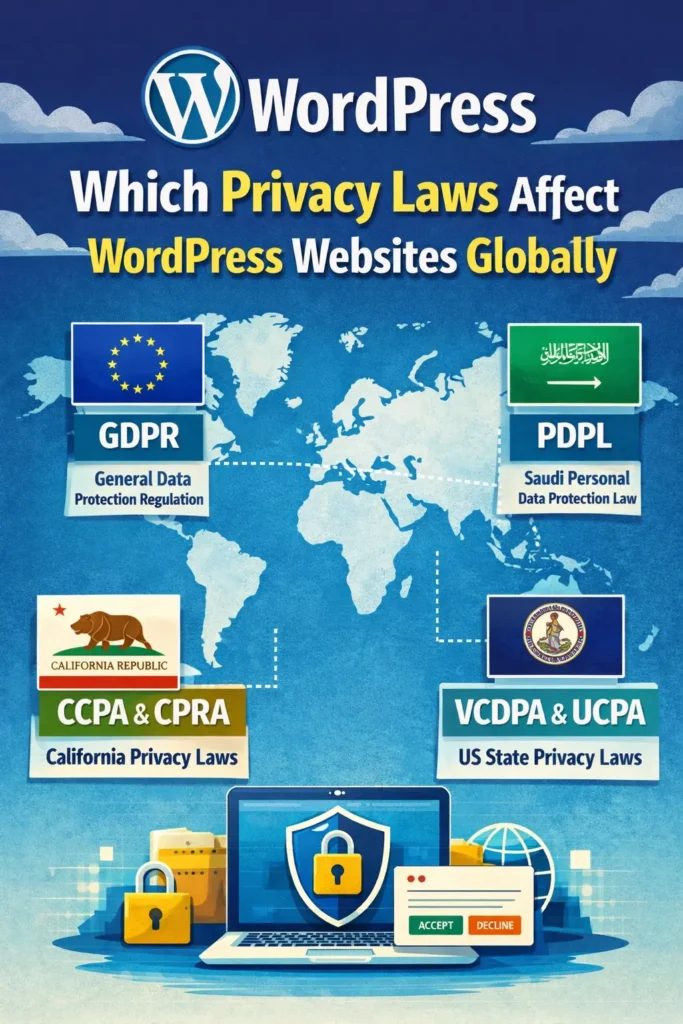
Privacy laws usually apply based on where your visitors are located, not where your business operates. This means a single WordPress site can fall under multiple regulations at once.
Understanding which laws apply helps you prioritize compliance efforts and avoid unnecessary work. While no site needs to master every regulation, awareness is essential.
GDPR and What It Means for WordPress Sites
The GDPR applies to websites that process personal data from users in the European Union. Location does not matter. If EU visitors access your site, the GDPR may apply.
Key requirements include clear consent, transparency, user access rights, and data protection practices. Penalties can be significant, but most compliance issues are avoided by respecting consent and user control.
For WordPress sites, GDPR compliance often focuses on cookies, forms, analytics, and privacy policies.
CCPA and CPRA Requirements for WordPress Websites
The CCPA and its updates apply to qualifying businesses serving California residents. These laws focus heavily on transparency and opt out rights.
Websites must disclose what data is collected, how it is used, and whether it is shared. Users must be able to opt out of data sharing easily.
Even if your business is not based in California, these laws may apply depending on traffic and revenue thresholds.
VCDPA and UCPA What US Site Owners Miss
State level privacy laws like VCDPA and UCPA often go unnoticed. These laws apply primarily to larger businesses but still introduce important obligations.
They emphasize user access rights, consent for sensitive data, and limitations on data use. Many requirements overlap with existing privacy best practices, making compliance manageable if systems are already in place.
PDPL and Compliance for Saudi Based Visitors
The PDPL governs how personal data from Saudi residents is collected and processed. It places strong emphasis on consent, transparency, and data security.
Penalties can be severe, especially for repeated violations. Businesses serving users in Saudi Arabia should ensure privacy controls are properly configured.
Preparation is key. Clear policies and consent management go a long way toward compliance.
Common WordPress Privacy Mistakes That Create Risk
Many privacy issues come from simple oversights. Outdated privacy policies, unused plugins, silent tracking scripts, and unclear consent messages all create unnecessary exposure.
Another common mistake is assuming plugins handle everything automatically. Privacy compliance still requires review, configuration, and ongoing attention.
Avoiding these mistakes is often easier than fixing them after problems arise.
How Ongoing WordPress Maintenance Supports Privacy Compliance
Privacy compliance is not static. Plugins update, laws evolve, and tracking tools change behavior over time.
Regular WordPress maintenance helps ensure privacy settings remain effective. This includes plugin audits, policy reviews, script checks, and consent testing.
For growing websites and agencies, structured maintenance ensures privacy compliance does not slip through the cracks as the site evolves.
Final Thoughts: Building Trust Through Better Privacy Practices
Privacy compliance is not about fear or perfection. It is about respect. When users understand how their data is handled and feel in control, trust grows naturally.
By taking a structured approach, using the right tools, and reviewing your WordPress site regularly, compliance becomes part of good website management rather than a burden.
Start with clarity. Improve steadily. Over time, privacy compliance becomes one of your site strongest trust signals.
Frequently Asked Questions About WordPress Privacy Compliance
How often should privacy policies be reviewed?
At least once a year or whenever plugins, laws, or data practices change.
Can plugins alone guarantee compliance?
No. Plugins support compliance, but proper setup and oversight are still required.
Do small websites need privacy compliance?
Yes. Even small sites collect personal data through cookies, hosting logs, or embedded services.


