

WordPress accounting plugins simplify financial management for business owners, offering features such as billing, bookkeeping, transaction processing, and sales and purchase order tracking. These tools are pivotal in monitoring business growth and efficiently managing accounting aspects.
The versatility of some WordPress accounting plugins extends beyond mere accounting; they also incorporate features for Customer Relationship Management (CRM) and Human Resource Management (HRM), providing a comprehensive suite for managing various business operations.
This blog will cover some of the best WordPress accounting plugins to make accounting more accessible for your business.
TL;DR: Simplify Business Finances with Smart Plugin Choices
- Manage billing, expenses, and transactions in one place with easy tools.
- Some solutions combine CRM and HR features for complete business control.
- Options suit small businesses, eCommerce stores, and growing teams.
- Choose tools that include reports, payments, and multi-currency support to make better decisions.
Top WordPress Accounting Plugins
Here’s a list of some of the best free and paid WordPress accounting plugins that can significantly contribute to your business accounting management:
WP ERP
WP ERP is a comprehensive WordPress plugin designed to cater to business management needs, combining HR, accounting, and CRM functionalities into a single platform.
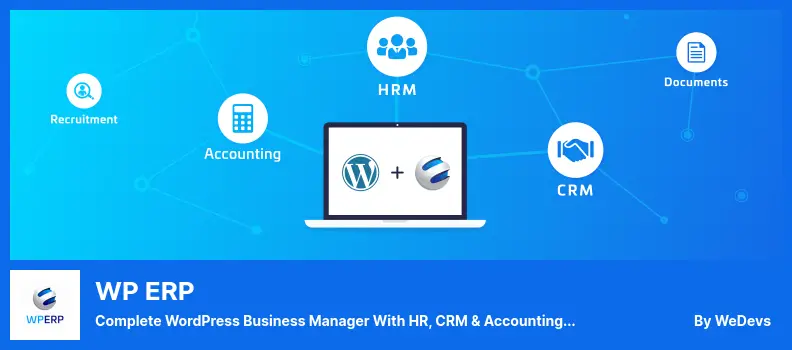
It is a versatile solution, particularly for WordPress-based business owners seeking a comprehensive system to manage their operations. The plugin is beginner-friendly, making it easy for new users to navigate its features without extensive training.
Key Features:
- ERP Modules: Integrates three powerful modules (HRM, CRM, Accounting) to provide a full spectrum of business management tools.
- Operational Control: Offers complete control over various business operations, ensuring seamless management of resources and processes.
- Currency Support: Extensive currency support with compatibility for over 44 currencies, facilitating global business transactions.
- Comprehensive Reporting: Generates detailed reports based on parameters such as employee age, gender, salary, and years of service to support informed decision-making.
- Leave Management: Efficiently manage holidays and process employee leave requests, enhancing the HRM aspect of the business.
Build Smarter Accounting Website for Your Business
Create a tailored finance website with the right tools, and features to manage transactions and invoices with ease.
WP Ever Accounting
WP Ever Accounting is tailored for small businesses, managing earnings and expenses, invoicing, and tracking financial movements in real-time.
This plugin streamlines the accounting process, enabling entrepreneurs to maintain a clear view of their cash flow without requiring an accounting background. Its user-friendly interface and real-time monitoring capabilities make it an invaluable tool for small business owners.
Key Features:
- Self-Hosting: As an open-source project, it can be hosted on your server, giving you complete control over your data.
- Access Controls: Features an integrated permissions system for fine-grained access control, ensuring data security and selective access.
- Data Export: Enables exporting accounting records to Excel, facilitating easy analysis and reporting.
- Billing Tools: Offers a range of tools to create and manage bills efficiently.
- Bulk Import: Enables importing customers, vendors, revenue, payments, and accounts from third-party applications, ensuring seamless integration.
- Submenus: Includes several submenus in the main menu for easy navigation and management of different accounting aspects.
- Multi-Currency: Supports invoicing in multiple currencies, accommodating international transactions.
- Financial Reporting: Generates financial reports to support informed business decision-making, providing valuable insights into the economic health of the organization.
Further reading: Best WordPress Accessibility Plugins
CBX Accounting & Bookkeeping
CBX Accounting & Bookkeeping is designed for small businesses seeking to establish a straightforward accounting or CRM system.
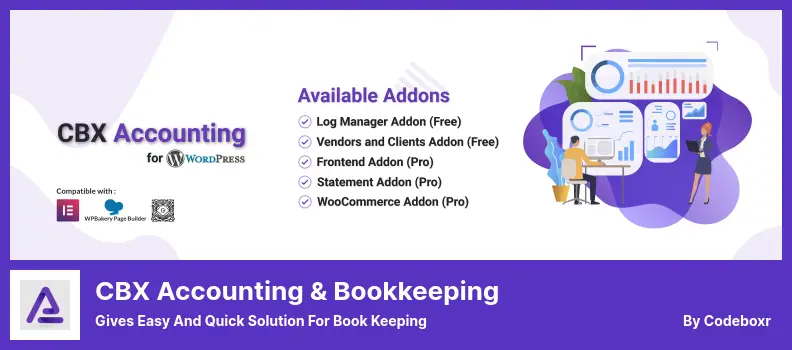
This plugin simplifies income and expense tracking, requiring no prior accounting knowledge.
As desktop accounting software for small businesses, it offers a user-friendly dashboard and a range of settings, making financial management accessible to business owners.
Key Features:
- PDF and Excel Exports: Allows exporting logs in PDF and Excel formats, enabling flexible sharing and analysis of financial data.
- Log Management: Users can add, edit, or delete entries in the logbook to maintain accurate financial records.
- Client and Vendor Management: Enables adding clients and vendors to accounts, facilitating better relationship management.
- WooCommerce Integration (Pro features): Seamlessly integrates with WooCommerce, enabling the management of e-commerce finances.
- Cash and Bank Account Management: Helps manage the organization’s cash and bank accounts, ensuring accurate tracking of financial assets.
- Frontend Access: Provides frontend account access with all backend features, enhancing user experience and accessibility.
Know more: Best WooCommerce Plugins [Free+Paid]
Wave
Wave is a free accounting software primarily designed for small businesses, enabling them to manage their finances by connecting bank and credit card accounts for automatic transaction tracking.

While the core accounting features are free, Wave charges transaction fees for credit card payments and ACH transfers, and its paid payroll software is not included in the free plan.
Key Features:
- Personal Finance Tracking: Enables the tracking of personal finances alongside business accounting, providing a comprehensive financial overview.
- Multiple Businesses: Supports managing various businesses within a single account, streamlining operations for entrepreneurs with diverse ventures.
- Receipt Scanning: Offers unlimited scanning via free iOS and Android apps, with offline capture, ensuring all expenses are accurately recorded.
- Bank Transaction Tracking: Automatically tracks bank transactions, simplifying reconciliation and providing real-time financial insights.
Explore: Top Lead Generation Plugins For WordPress
Finpose
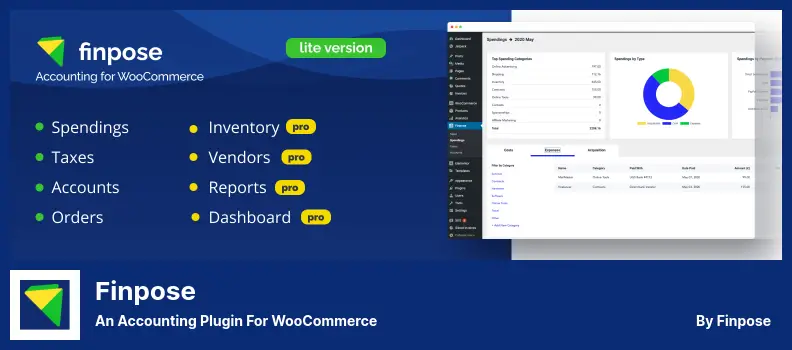
Finpose is a WooCommerce accounting plugin designed to simplify order management, billing, and tax management for WooCommerce store owners.
It automates tax calculations and provides detailed financial insights, saving time and reducing the burden of manual financial tasks.
Key Features:
- Tax Management: Automatically calculates tax receivables on purchases and monthly tax balances, ensuring compliance and accuracy in tax reporting.
- Order Filtering: Allows filtering of orders by payment methods, statuses, and customer information, providing detailed insights into sales trends.
- Expense Tracking: Automatically records transaction fees as expenses and allows custom cost categorization, helping identify major expenditure areas.
- Vendor Management: Manages vendor accounts and tracks vendor costs, facilitating stronger supplier relationships and improved cost control.
- Financial Analysis: Provides immediate profit-and-loss information with monthly breakdowns, aiding financial planning and analysis.
- WooCommerce Integration: Seamlessly integrates with WooCommerce, offering a unified platform for managing e-commerce finances and operations.
Read: Best WordPress Membership Plugins
How to Identify the Best WordPress Accounting Plugin?
When selecting the best WordPress accounting plugin for your needs, it is crucial to focus on specific features that align with your business operations, financial management requirements, and overall user experience.
Here’s how you can evaluate these features to make an informed decision:
User-Friendly Dashboard
A user-friendly dashboard is crucial for efficiently managing your business finances. The ideal accounting plugin should offer a clear and intuitive interface that presents vital financial metrics, such as sales, profits, expenses, and taxes, at a glance.
Customizing this dashboard to highlight the information most relevant to your business can significantly improve productivity and decision-making.
Know: Easy Steps to Set Up a Small Business Website With WordPress
Invoicing and Financial Documents
The capability to generate and manage invoices, estimates, and purchase orders directly within the plugin simplifies the billing process.
Look for plugins that let you easily create professional-looking financial documents, with customization options that align with your brand identity. Features such as automated recurring invoicing can enhance efficiency, particularly for businesses with regular billing cycles.
Online Payments Integration
Integrating popular payment gateways, such as Stripe and PayPal, into your accounting plugin streamlines the transaction process for your clients.
This feature offers convenience and ensures that your financial data is automatically updated with each transaction. It’s essential to ensure the plugin adheres to high security standards for payment processing to protect sensitive financial information.
Read: Best WordPress SEO Agencies
Multi-Currency Support
Multi-currency support is a must-have for businesses operating globally. This enables you to invoice and accept payments in various currencies, catering to the needs of international clients. The plugin should handle currency conversions accurately and automatically update exchange rates to maintain precise financial records.
Explore: Best WordPress Themes For Your Cryptocurrency Business
Robust Reporting and Analytics
Access to comprehensive reporting and analytics tools within your accounting plugin can provide deep insights into your business’s financial health.
These tools enable you to generate detailed reports, including profit-and-loss statements, balance sheets, and tax reports. Customizing these reports to focus on specific data points can be invaluable for strategic planning and analysis.
Seamless Integration with E-commerce Platforms
If your business involves e-commerce, seamless integration with platforms like WooCommerce and Easy Digital Downloads is essential. This ensures that your sales data is automatically synchronized with your accounting records, eliminating the need for manual data entry.
Additionally, features related to inventory management, such as tracking stock levels and managing product costs, can further streamline your e-commerce operations. By carefully evaluating these features, you can select a WordPress accounting plugin that not only meets your immediate needs but also supports the long-term growth and efficiency of your business.
Find: How to Speed Up Your eCommerce Website
Benefits of Using Accounting Tools for Businesses
Using modern accounting tools helps businesses streamline operations and gain better financial insights without heavy manual effort. Here’s how they add value:
- Simplified Financial Tracking: Track financial transactions in real time. Monitor income, expenses, and cash flow with accuracy. This helps small to medium businesses stay organized.
- Automated Invoicing and Billing: Create and send invoices quickly. Generate professional invoices with automated invoicing features. This reduces delays and improves payment cycles.
- Improved Accuracy and Less Manual Work: Reduce errors by automating accounting tasks such as bank reconciliations and transaction reconciliations. Save time and avoid repetitive data entry.
- Better Customer and Inventory Management: Manage customer data and customer management processes in one place. Sync inventory data for online stores and WooCommerce store owners.
- Scalability with Advanced Features: Access advanced tools like multi-user collaboration, user roles, and multi-user access. Support many currencies and integrate with third-party connectors as your business grows.
Related: Best WordPress CRM Plugins
Common Mistakes to Avoid When Choosing Accounting Plugins
Choosing the right accounting software requires careful evaluation. Avoid these common mistakes to ensure long-term efficiency:
- Ignore Essential Features: Do not overlook features such as financial tracking, automated invoicing, and bank reconciliation. Missing these can limit your accounting experience.
- Choosing Without Business Fit: Avoid selecting tools that don’t align with your needs. Freelancing businesses and medium-sized enterprises require different levels of advanced features.
- Overlooking Integration Capabilities: Ensure the plugin supports WooCommerce orders, online stores, and third-party connectors. Lack of integration leads to separate installations and more manual effort.
- Neglecting Multi-User Collaboration: Ignoring multi-user access and user roles can create bottlenecks. Teams need full control and smooth collaboration for daily accounting tasks.
- Focusing Only on Price: Low-cost tools may lack advanced tools and real-time insights. Invest in the best accounting software that delivers value and supports long-term growth.
Wrap Up
Selecting the best WordPress accounting plugin is crucial to streamlining your business’s financial management and ensuring seamless integration with your existing systems.
The plugins discussed in this blog offer unique features tailored to various business needs, from comprehensive ERP solutions to straightforward bookkeeping and e-commerce integrations.
When choosing the right plugin, consider the user-friendly dashboard, the ability to generate and manage financial documents such as invoices and purchase orders, integration with online payment gateways, support for multiple currencies, and the robustness of its reporting and analytics features.
Additionally, seamless integration with e-commerce platforms such as WooCommerce and Easy Digital Downloads can significantly enhance the functionality and efficiency of your online business operations.
By carefully evaluating these aspects and considering user feedback and professional recommendations, you can make an informed decision that aligns with your business objectives and financial management strategies.
The right WordPress accounting plugin can simplify your accounting processes, provide valuable insights into your business’s financial health, and support strategic decision-making, contributing to your business’s growth and success.
FAQs About WordPress Accounting Plugins
What are the essential features to look for in accounting tools?
Look for financial tracking, automated invoicing, and the ability to generate professional invoices. Choose tools that support bank reconciliation, multi-user access, and real-time insights. These features reduce manual effort and improve accuracy.
Which is the right accounting software for small to medium businesses?
The right accounting software depends on your needs. Many small enterprises prefer an all-in-one solution with customer management, financial transactions, and reporting. Tools like QuickBooks Online are also popular for ease of use.
Can these tools help with WooCommerce orders and online stores?
Yes. Many accounting tools integrate with WooCommerce orders and online stores. They sync inventory data, track sales, and help reconcile transactions without separate installations.
Are these tools suitable for freelancing businesses and accounting firms?
Absolutely. They simplify accounting tasks, help send invoices, and manage customer data. Both freelancers and accounting firms benefit from better financial insights and organized workflows.
Do these tools support multi-user collaboration and advanced features?
Most modern tools offer multi-user collaboration with user roles and full control. Advanced tools include third-party connectors, support for many currencies, and features designed for medium-sized enterprises.


