

As we all know, data is the new oil. Therefore, capturing and managing data efficiently is now crucial for businesses. Enter Formidable Forms, a powerful form-building plugin that has been gaining traction in the WordPress community. In this comprehensive Formidable Forms review, we’ll explore the features, benefits, and real-world applications of this form, helping you make an informed decision for your form-building needs
TL;DR: Is Formidable Forms Worth It?
- It is a powerful WordPress form builder that lets you create simple and complex forms without coding.
- Its drag-and-drop builder, conditional logic, and advanced calculations help you create dynamic, interactive forms.
- You can display submitted data on the front end and even build directories or calculators.
- With strong integrations, spam protection, and scalable performance, it suits both small businesses and advanced projects.
Understanding Formidable Forms
Before diving into the specific features and functionalities of Formidable Forms, it’s essential to understand what the plugin is and how it works.
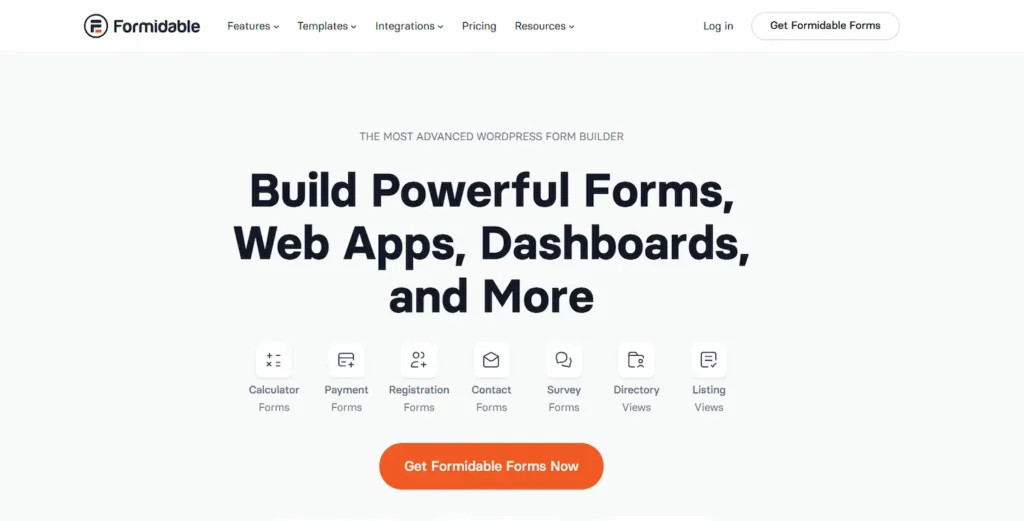
Formidable Forms is a powerful form-building plugin designed for WordPress websites. It provides a comprehensive solution for creating and managing forms of various types, including contact forms, registration forms, surveys, quizzes, application forms, and more.
Whether you’re a small business owner, a blogger, or a WordPress web developer, this form offers the flexibility and versatility to meet your unique form-building needs.
At its core, Formidable simplifies the process of creating and embedding forms on your WordPress site. It eliminates the need for manual coding or hiring a WordPress developer, enabling users of all skill levels to create professional-looking forms effortlessly.
With its intuitive drag-and-drop form builder, you can visually design forms by arranging form fields, customizing layouts, and applying styling options.
The live preview feature ensures that you can see the changes in real-time, providing a seamless form-building experience.
Build Smarter Forms with Formidable Forms?
Discover how this powerful WordPress form builder can transform your data collection and streamline your workflows.
Key Features of Formidable Forms
Formidable Forms boasts a wide array of features that make it a versatile and powerful form-building solution. Let’s explore some of its key features in detail:
Drag-and-Drop Form Builder
It offers an intuitive drag-and-drop form builder that lets users create professional-looking forms with ease. Whether you’re a beginner or an experienced developer, the user-friendly interface makes form creation a breeze.
Simply drag and drop form fields, rearrange them as needed, and customize the form layout effortlessly. The visual editor provides real-time previews, ensuring that you achieve the desired look and functionality for your forms.
Form Templates and Pre-built Fields
To save time and effort, it offers a wide selection of pre-designed form templates and pre-built form fields. These templates cover a range of use cases, including contact forms, registration forms, surveys, and more.
By starting with a template that closely matches your requirements, you can jumpstart your form creation process and customize it to fit your unique needs.
The pre-built form fields cover common form elements, including text fields, checkboxes, radio buttons, dropdown menus, file uploads, and more.
Read More: Best Elementor Landing Page Templates
Conditional Logic
Conditional logic is a standout feature of this form, enabling users to create dynamic, interactive forms that adapt to user input.
With conditional logic, you can show or hide specific form fields or sections based on previous responses or specific conditions. This feature opens endless possibilities for creating personalized, tailored form experiences.
Whether you need to display different questions based on a user’s selection or dynamically adjust form behavior, conditional logic empowers you to build intelligent forms that respond to user inputs.
Advanced Calculations and Math Formulas
This form goes beyond basic form functionality by incorporating advanced calculations and math formulas directly into your forms.
This feature enables complex calculations, making it ideal for applications such as price estimators, order forms, and interactive quizzes.
By using formulas, you can dynamically calculate values from user inputs, delivering accurate, real-time results.
Whether it’s summing up values, calculating percentages, or applying custom formulas, Formidable Forms provides the flexibility to handle a wide range of calculations within your forms.
Multi-page Forms and Progress Bars
Long and overwhelming forms can deter users from completing them. Formidable Forms addresses this issue by offering multi-page form support.
You can easily split lengthy forms into multiple pages, enhancing the user experience by breaking them into manageable sections.
Users can navigate the form step by step, focusing on one section at a time, which improves completion rates.
To further aid user navigation, it includes progress bars that visually indicate the user’s progress through the form, giving them a clear sense of completion and encouraging them to finish.
Integration with Third-Party Services
It seamlessly integrates with a wide range of third-party services, including popular email marketing platforms, CRMs, payment gateways, and more.
This integration eliminates the need for manual data entry and allows for automatic transfer of form submissions to external systems.
You can effortlessly connect your forms to your preferred email marketing tool to grow your subscriber list, integrate with CRM systems to streamline lead management, or connect with payment gateways to accept online payments. Integrating with these services enhances your form’s functionality and improves your overall workflow.
These key features of this form showcase its versatility and power as a form-building solution. Whether you need to create simple contact forms, complex surveys, interactive quizzes, or robust application forms, Formidable Forms equips you with the tools and flexibility to bring your form-building ideas to life.
What Makes Formidable Forms a Powerful Choice?
Like any software solution, Formidable Forms has its own strengths and weaknesses. In this section, we will examine the pros of using this WordPress form to help you make an informed decision.

- User-Friendly Interface: It offers a drag-and-drop form builder that makes form creation intuitive and accessible to users of all skill levels. The visual editor and live preview feature let you see changes in real time, simplifying the form-building process.
- Extensive Template Library: It offers a wide range of pre-designed form templates for various use cases. These templates serve as a great starting point, saving you time and effort in designing forms from scratch. You can choose a template that closely matches your requirements and customize it to fit your specific needs.
- Advanced Conditional Logic: The powerful conditional logic feature of this form enables you to create dynamic and interactive forms that adapt based on user input. With conditional logic, you can show or hide specific form fields or sections based on previous responses, providing a personalized and streamlined form experience for your users.
- Calculations and Math Formulas: It lets you embed advanced calculations and math formulas directly in your forms. This feature is valuable for applications such as price estimators, order forms, or surveys that require real-time calculations. The ability to perform complex calculations enhances the functionality and interactivity of your forms.
Read More: Best HIPAA-Compliant WordPress Forms
Using Formidable Forms as an Application Builder and Data Management Tool
Formidable Forms is more than a typical form plugin. It positions itself as a complete and scalable solution for businesses that need to create complex forms and manage data beyond a single form submission.
While many tools focus only on standard forms, this WordPress form builder allows you to build data-driven applications directly inside your WordPress website.
With its drag-and-drop interface and advanced fields, you can create advanced forms for directories, job boards, and event listings.
One of its most powerful features is the ability to display submitted data on the front end. Instead of storing entries only in the dashboard, you can turn submitted data into searchable listings or dynamic profiles on an existing page.
Here is where it stands out for complex projects:
- Build mortgage calculators and pricing tools using advanced options
- Create smart forms for lead generation and user submissions
- Display and filter submitted data without custom coding
- Connect WooCommerce integration for payments and orders
- Use third-party add-ons to expand functionality
Formidable Pro further enhances these advanced features. While Formidable Form’s free version supports basic plan-level needs and standard forms, the premium version unlocks deeper customization for complex form projects.
Performance, Security, and Compliance Features
Choosing the best form plugin also means evaluating performance and security. Formidable Forms includes built-in spam protection, such as honeypots and reCAPTCHA, which you can easily configure from the settings tab. This ensures your forms collect information without attracting unnecessary spam.

For websites handling advanced forms or large volumes of submitted data, performance becomes critical. The plugin efficiently manages entries, making it a scalable solution for growing businesses.
Whether you use the lite version or upgrade through paid tiers, the system supports both simple and complex projects.
It also offers flexible confirmation message settings, export tools for compliance, and structured entry management.
Many formidable forms user reviews highlight such strong technical support. If needed, you can raise a support ticket under your premium license to receive reliable technical support from the team.
There may be a learning curve when working with advanced features, but the documentation and technical support help you find a solution shortly.
From spam protection to powerful features, Formidable delivers a dependable form solution for modern WordPress websites.
Final Verdict of this Formidable Forms Review
In conclusion, Formidable Forms emerges as a superhero in the realm of WordPress form-building plugins. With its user-friendly interface, extensive template library, advanced conditional logic, calculations and math formulas, multi-page support, and seamless integrations, it equips users with the tools to create powerful, customized forms.
So, why settle for the ordinary when you can be extraordinary?
Unleash the power of this form and conquer the world of form-building with ease. Get ready to create stunning, interactive, and functional forms that captivate your users and supercharge your online presence.
FAQs on Formidable Forms
What is Formidable Forms pricing, and is there a free version available?
The pricing depends on the features you need. The Lite version is free and works well for standard forms within normal scope.
If you need advanced forms, data display, or calculator creation, you will need the premium plan or Formidable Pro. Paid tiers unlock advanced features, including advanced fields and integrations.
How do I download Formidable Forms?
You can download the forms directly from the WordPress plugin directory. Search for the plugin, install it, and activate it on your WordPress website. If you purchase a premium plan, download the form from your account dashboard and upload it manually.
Is Formidable Forms easy to use for beginners?
Yes, it offers a drag-and-drop editor with a simple drag system. The drag-and-drop builder helps you create forms quickly. However, there can be a learning curve when working with advanced forms or complex logic.
How does Formidable Forms compare to Fluent Forms and Ninja Forms?
Compared to Fluent Forms and Ninja Forms, Formidable stands out in data display and in application-style buildouts. Many Formidable forms user reviews highlight its flexibility for advanced forms, making it a strong contender for the best form plugin.
Does Formidable Forms provide technical support?
Yes, the technical support provided depends on your plan. Premium users receive priority support, while free users access documentation and community help.


