

Elementor has been a superstar in the WordPress world, helping countless users build stunning websites with its powerful, drag-and-drop interface. It’s no wonder it’s a favorite among web designers and developers.
But, as great as Elementor is, it’s not always the perfect fit for everyone. Perhaps it’s the cost of the Pro version, performance issues on larger sites, or simply personal preferences nudging you to explore other options.
The page builder scene is buzzing with fantastic alternatives to Elementor. These contenders bring their own unique strengths, making them worth a look. This guide is designed to help you navigate the best Elementor alternatives available, breaking down their key features, pricing, pros, cons, and user reviews.
Whether you’re hunting for a more budget-friendly option, faster performance, or specific features that Elementor might lack, we’ve got you covered.
We’ll walk you through each alternative, making sure you have all the information you need to find the perfect match for your website design needs. By the end, you’ll know exactly which page builder is calling your name. Ready to explore the top Elementor alternatives? Let’s dive in and discover the best options out there for you!
What to Look for in an Elementor Alternative
When you’re on the hunt for an alternative to Elementor, it’s essential to know what features and qualities to look for. Here are some key aspects to consider:
User-Friendliness
A page builder should be easy to use, even for beginners. Look for a drag-and-drop interface that’s intuitive and doesn’t require coding knowledge. Check how easy it is to get up and running. Some builders offer tutorials and extensive documentation to help you get started.
Customization Options
Ensure the alternative offers a high level of customization. You should be able to tweak every element to match your vision. Access to a library of pre-built templates can speed up your web design process and provide inspiration.
Performance and Speed
A good WordPress page builder should not significantly slow down your website. Look for alternatives known for their optimized performance. The builder should allow you to create pages quickly without lag or performance issues.
Compatibility
The alternative should work seamlessly with your existing themes and plugins. Check for compatibility issues, especially if you rely heavily on specific tools. If you’re running an online store, ensure the page builder integrates well with WooCommerce.
Support and Community
Reliable customer WordPress support is crucial. Look for builders that offer multiple support channels, such as live chat, email, and forums. A strong user community can be a great resource for tips, tricks, and troubleshooting.
Pricing
Compare the pricing of different alternatives. Some may offer similar features at a lower cost or provide more value through bundled extras. Check if there’s a free version or trial period available to test the builder before committing to a purchase.
SEO Optimization
Ensure the page builder includes SEO-friendly features to help your website rank better on search engines. It should be compatible with popular SEO plugins to enhance your site’s optimization.
Third-Party Add-ons
Look for builders that support third-party add-ons and integrations. This can expand the functionality of your site and make it more versatile. A builder with a robust marketplace of add-ons can provide you with additional features and customization options.
Read: Best Elementor Landing Page
Discover the Perfect WordPress Page Builder
Enhance your website design and functionality with our expert custom WordPress web design services.
Top Elementor Alternatives
Here are some of the best Elementor alternatives:
SeedProd

SeedProd began as a straightforward plugin for creating “coming soon” pages and has since evolved into a comprehensive website builder for WordPress. It’s designed for users who want to build an entire website or blog without needing to touch a single line of code.
Key Features
- Drag-and-drop builder for easy page creation
- Over 90 content blocks for various page elements
- Theme builder for customizing headers, footers, and other elements
- Integrations with 11 email marketing services, including MailChimp and ConvertKit
- Zapier integration for additional automation and connectivity
Pricing
- Basic: $39.50 first year (renews at $79/year) → One site, basic templates, drag & drop builder, standard support
- Plus: $89.50 first year (renews at $199/year) → Three sites, additional templates, section templates, stock photos
- Pro: $159.60 first year (renews at $399/year) → Five sites, complete website kits, theme builder, priority support
- Elite: $209.65 first year (renews at $599/year) → 100 sites, WooCommerce support, domain mapping, all features of Pro
Pros
- Extensive template selection
- Intuitive drag-and-drop interface
- Strong email marketing integrations
Cons
- Higher-end features are restricted to top-tier plans
- Renewal pricing can be expensive
- Lacks some conversion-focused page options
Reviews/Ratings: 4.9/5 stars
Explore: Elementor Vs SeedProd
Beaver Builder

Beaver Builder is a versatile drag-and-drop website builder for WordPress that supports theme building on premium plans or as an add-on. It’s designed to offer flexibility and ease of use, though some users may find the options panels intrusive while editing.
Key Features
- 70 templates and 33 modules for drag-and-drop page building
- Inline editing for real-time customization
- Theme builder with WordPress theme customizer support
- 25 email marketing and CRM integrations, including MailChimp and ConvertKit
- Step-by-step onboarding wizard
- White labeling option available on premium plans
Pricing
- Standard: $99/year → Includes page builder, unlimited sites, access to premium elements
- Pro: $199/year → Adds WordPress theme and multi-site compatibility
- Agency: $399/year →Adds support for white labeling
- Ultimate: $546/year → Includes Beaver Themer for extensive theme customization
Pros
- Great for designers and developers
- Extensive customization options
- Good email and CRM integrations
- White labeling for premium users
Cons
- Editor can feel clunky
- Limited template selection
- No pre-made page sections
Reviews/Ratings: 4.7/5 stars.
Read Detailed Comparison: Elementor Vs Beaver Builder
Divi Builder

Created by Elegant Themes, Divi Builder is renowned for its visual editing interface. The Divi bundle includes both the Divi theme and the Divi builder plugin, making it a versatile tool for those looking to create and customize websites without any coding skills.
Key Features
- Visual drag-and-drop interface for ease of use
- Includes both the Divi theme and Divi builder plugin
- Various pre-designed layouts and content modules
- Affordable pricing with unlimited usage
- Divi Theme Builder for dynamic content websites
- 20 integrations with services like MailChimp, ConvertKit, and HubSpot
Pricing
- Yearly Access: $89/year → Includes Divi Builder, unlimited website usage, and access to the full templates library
- Lifetime Access: $249/one-time → Includes everything in yearly access but only requires a one-time payment. Ideal for building multiple websites for clients or personal use
Pros
- Affordable pricing with yearly and lifetime plans
- Wide range of website templates
- User-friendly and flexible design options
Cons
- Lacks marketing-specific templates and features
- Pages may not perform well in speed tests
- Learning curve for advanced functionalities
Reviews/Ratings: 4.8/5 stars.
Check Out: Divi Vs. Elementor
WPBakery Page Builder

WPBakery Page Builder is one of the most well-known WordPress page builders, offering both backend and frontend editing capabilities. It’s designed to provide flexibility and control, allowing users to create custom layouts and designs without needing any coding skills.
Key Features
- Drag-and-drop editor for both backend and frontend
- Over 50 content elements and predefined layouts
- Compatibility with any WordPress theme
- Advanced grid builder for unique layout designs
- Extensive template library
- Built-in skin builder for quick design customization
- Supports shortcodes and custom CSS
Pricing
- Single Site: $69/lifetime → For use on a single site, includes free updates, 1 year access to WPBakery AI, 1 year premium support, and 1 year access to the template library.
- 5 Sites: $256/lifetime → For use on up to 5 sites, includes free updates, 1 year access to WPBakery AI, 1 year premium support, and 1 year access to the template library.
- 10 Sites: $499/lifetime → For use on up to 10 sites, includes free updates, 1 year access to WPBakery AI, 1 year premium support, and 1 year access to the template library.
Pros
- Offers both backend and frontend editing
- Extensive content elements
- Compatible with any WordPress theme,
- Large template library
Cons
- The interface can be cluttered
- Performance may suffer on complex pages
- Some users find it less intuitive compared to other builders
Reviews/Ratings: 4.6/5 stars.
Explore: WPBakery Vs. Elementor
Oxygen Builder
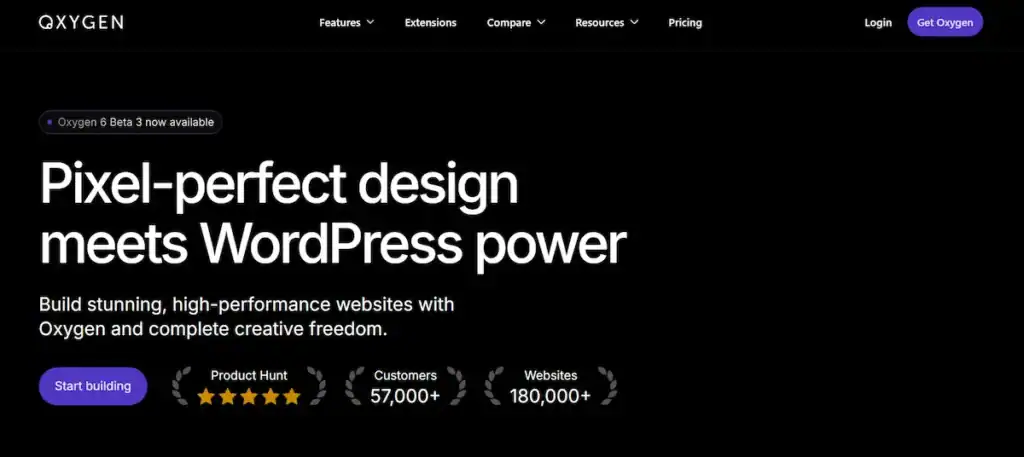
Oxygen Builder is a powerful WordPress website builder designed to give you complete control over your site’s design. It’s particularly well-suited for developers and those working with WooCommerce.
While its feature-rich interface offers extensive customization, it has a steeper learning curve compared to other page builders.
Key Features
- Complete WordPress website builder with a visual, drag-and-drop interface
- Over 20 e-commerce elements for comprehensive WooCommerce integration
- Clean and efficient code, ideal for dynamic content sites
- Global color controls and 27 animation types
- Flexbox and CSS grid support for responsive designs
- Specialized header builder and Gutenberg block builder
- Advanced options like repeater loops and dynamic content support
Pricing
- Basic: $129 one-time payment → Lifetime unlimited license, includes the builder only.
- WooCo: $149 one-time payment → Adds enhanced WooCommerce integration to the Basic plan features.
- Ultimate: $179 one-time payment → Includes all Basic and WooCo features plus a Gutenberg block builder, simplified client UI, and composite elements.
All plans include a 60-day money-back guarantee and can be used on client sites.
Pros
- Affordable one-time pricing plans
- Generates clean code, beneficial for SEO
- Excellent for developers with advanced coding features
Cons:
- Steeper learning curve compared to other builders
- Lacks marketing features and templates
- Requires additional plugins for email marketing integrations
Reviews/Ratings: N/A.
Find: Oxygen Builder Detailed Review
Brizy

Brizy is a user-friendly drag-and-drop page builder that features inline toolbars, making it easy to customize elements directly on the page.
It includes a theme builder similar to Elementor Pro, allowing you to create custom layouts for blog pages and posts. Brizy also supports popular custom fields plugins like ACF and Toolset, catering to advanced users.
Key Features
- Over 180 website templates included
- Full theme building support with custom fields integration
- Easy to add on-page animations
- Intuitive inline editing
- Integrates with 11 email marketing services, including Mailchimp, ConvertKit, and HubSpot
Pricing
- Personal: $60/year for one website
- Freelancer: $108/year for 25 websites
- Agency: $192/year for 50 websites
- White Label: $300/year for 100 websites
Pros
- Quick and intuitive drag-and-drop interface
- Theme builder integrates with custom fields plugins
- Wide selection of templates
Cons
- Lacks marketing-focused landing pages and funnel pages
- Pages may not perform well on Google PageSpeed Insights
Reviews/Ratings: 4.7/5 stars.
Interesting to Read: Brizy Vs Elementor
Thrive Themes
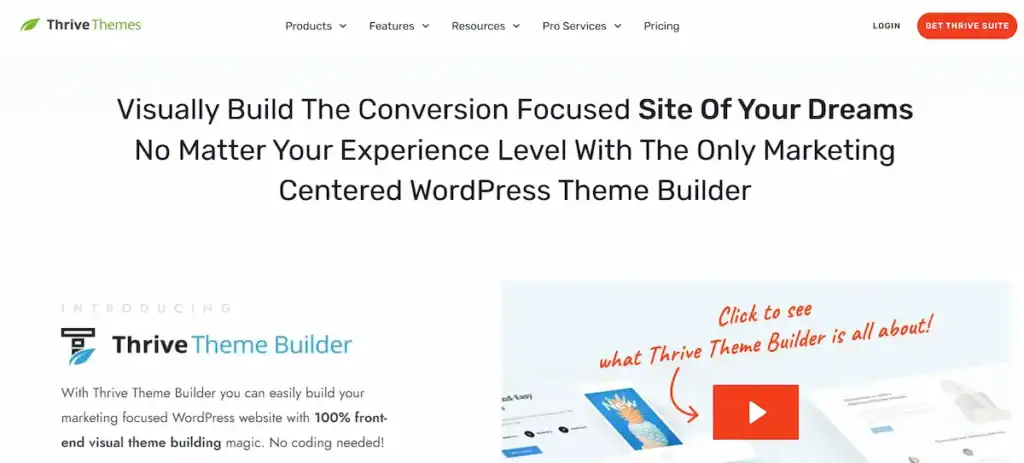
Thrive Themes is tailored for marketers, entrepreneurs, and bloggers who aim to build high-converting websites.
It offers a comprehensive suite of tools designed to enhance both website design and performance, making it a top choice for those focused on marketing effectiveness.
Key Features
- Built-in conversion tools like customizable buttons and testimonials
- Lightweight and optimized for speed
- Extensive customization options for personalized website design
- Customizable headers, footers, sidebars, widgets, and shortcodes
- SEO-friendly design practices
- Seamless integration with Thrive plugins such as Thrive Architect and Thrive Leads.
Pricing
- Thrive Suite Subscription: $299/year → Access to all Thrive Themes products, including themes and plugins.
- Thrive Themes Builder: $99/year → Access to only the Thrive Themes Builder.
Pros
- Comprehensive set of marketing tools integrated into the themes.
- Regular updates keep the themes current and bug-free.
- The user interface is straightforward to navigate.
- High level of customization for personalized site design.
- Excellent customer support with responsive service.
Cons
- The initial learning curve can be steep for new users.
- Fewer pre-built templates compared to competitors like Divi.
- Some features might be excessive for users with simpler site needs.
Reviews/Ratings: 4.3/5 stars.
Comparison of Elementor Alternatives
Features Comparison
| Feature | Elementor | Beaver Builder | Divi Builder | WPBakery Page Builder | Oxygen Builder | Brizy | Thrive Themes |
| User Interface | Intuitive | Intuitive | Visual Drag-and-Drop | Backend and Frontend Editing | Visual Drag-and-Drop | Inline Editing | Conversion Focused |
| Pre-built Templates | Extensive | Moderate | Extensive | Moderate | Limited | Extensive | Extensive |
| Theme Builder | Yes | Yes | Yes | Yes | Yes | Yes | Yes |
| Responsive Design | Yes | Yes | Yes | Yes | Yes | Yes | Yes |
| Inline Editing | Yes | Yes | Yes | Yes | Yes | Yes | Yes |
| Performance | Good | Good | Good | Average | Excellent | Good | Good |
| Customization Options | Extensive | Extensive | Extensive | Extensive | Extensive | Moderate | Extensive |
| SEO Optimization | Good | Good | Good | Good | Good | Good | Excellent |
| Third-Party Integrations | Extensive | Moderate | Extensive | Extensive | Moderate | Moderate | Extensive |
| WooCommerce Integration | Yes | Yes | Yes | Yes | Yes | Yes | Yes |
| Support and Community | Extensive | Extensive | Extensive | Extensive | Moderate | Growing | Extensive |
Performance comparison
| Performance Aspect | Elementor | Beaver Builder | Divi Builder | WPBakery Page Builder | Oxygen Builder | Brizy | Thrive Themes |
| Page Load Time | Good | Good | Good | Average | Excellent | Good | Good |
| Editor Speed | Moderate | Good | Good | Average | Excellent | Good | Good |
| Complex Layout Handling | Moderate | Good | Good | Average | Excellent | Moderate | Good |
| Resource Efficiency | Moderate | Good | Good | Average | Excellent | Moderate | Good |
Pricing comparison
| Pricing Plan | Elementor | Beaver Builder | Divi Builder | WPBakery Page Builder | Oxygen Builder | Brizy | Thrive Themes |
| Free Version | Yes | No | No | No | No | No | No |
| Basic Plan | $49/year for 1 site | $99/year (Standard) | $89/year (Yearly Access) | $69/lifetime (1 site) | $129 one-time | $60/year (Personal) | $99/year (Builder Only) |
| Intermediate Plan | $99/year for 3 sites | $199/year (Pro) | $249 one-time (Lifetime) | $256/lifetime (5 sites) | $149 one-time (WooCo) | $108/year (Freelancer) | – |
| Advanced Plan | $199/year for 25 sites | $399/year (Agency) | – | $499/lifetime (10 sites) | $179 one-time (Ultimate) | $192/year (Agency) | $299/year (Thrive Suite) |
| Enterprise Plan | $399/year for 100 sites | $546/year (Ultimate) | – | – | – | $300/year (White Label) | – |
How to Choose the Right Page Builder for Your Needs
Selecting the perfect page builder for your WordPress site can be daunting, given the numerous options available. Here’s a step-by-step guide to help you make an informed decision:
Assessing Your Requirements
First, outline your specific needs and goals. Consider the following:
- Purpose of the Website: Is it a blog, an e-commerce site, a portfolio, or something else?
- Design Flexibility: Do you need extensive customization options or just basic design capabilities?
Also Read: Responsive WordPress Web Design: The Key to Converting Mobile Visitors
- Ease of Use: Are you a beginner, or do you have some experience with web design?
- Budget: What are you willing to spend on a page builder? Include considerations for long-term costs like renewals or additional plugins.
Trying Out Demos and Free Versions
Most page builders offer demos or free versions. Take advantage of these to get a feel for the interface and features:
- Hands-On Experience: Use the demo versions to test the builder’s ease of use and functionality.
- Feature Exploration: Verify if the free version offers sufficient features or if you’ll need to upgrade to a paid plan.
- Trial and Error: Experiment with creating a few pages to assess the builder’s intuitiveness and flexibility.
Considering Future Scalability and Support
Think about the long-term needs of your website:
- Scalability: Ensure the page builder can grow with your website. Check if it supports advanced features you may need in the future, such as e-commerce, membership sites, or complex layouts.
- Support and Community: Seek builders with robust support systems, including comprehensive tutorials, active forums, and responsive customer service. A strong community can also be a valuable resource for troubleshooting and tips.
Conclusion
Exploring the various WordPress tools can be a bit overwhelming, but finding the right one can truly transform your website design experience.
There are numerous excellent options available, each offering unique features such as user-friendly setups, flexible design options, and powerful visual editing capabilities.
Whether you’re a developer looking for advanced customization, a marketer needing high-converting tools, or someone who appreciates an intuitive drag-and-drop editor, there’s a perfect fit out there for you.
By assessing your needs, trying out demos, and considering future scalability, you can find the ideal tool to help you create a stunning, functional website.
FAQs About Best Elementor Alternatives
What makes a page builder plugin a compelling alternative to Elementor for WordPress users?
A compelling alternative to Elementor offers a user-friendly interface, full website builder capabilities, and seamless integration with the native WordPress block editor. Key features often include extensive styling options, pre-made templates, and the ability to use custom code for more advanced features.
Which Elementor alternatives provide a full suite of tools for creating landing pages and websites?
Many premium page builder plugins, such as Beaver Builder theme, Bricks Builder, and Divi Builder, serve as an all-in-one solution. They include pop-up builders, form builders, custom headers, dynamic data support, and SEO optimized page layouts for WordPress users looking to create a beautiful website with pixel-perfect control.
How important is performance and compatibility when choosing a WordPress editor?
Performance and compatibility are critical. The best alternatives offer image optimization, support for third-party plugins, and complete site editing without slowing down the website. Developer control and creative freedom ensure that new site builds remain responsive and maintain visual appeal.
Can Elementor alternatives match Elementor’s design flexibility and pre-made templates?
Yes. Plugins like Bricks Builder, WPBakery Page Builder, and Thrive Themes provide pre-made templates, extensive styling options, and the ability to implement custom code. These tools give WordPress users creative freedom while maintaining a user-friendly interface.
Are there more affordable Elementor alternatives with conversion-focused features?
Absolutely. Some page builder plugins offer more affordable pricing without sacrificing key features such as contact forms, landing page creation, visual composer functionality, and conversion features. This enables WordPress users to create SEO-optimized, compelling websites within the WordPress ecosystem.


