

Your Content Management System (CMS) is more than just a repository for text and images; it is the operating system of your brand’s digital existence. However, as legacy systems age, they often transform from assets into liabilities, creating performance issues and security vulnerabilities. This reality forces organizations to face a critical choice: stick with the current CMS and risk obsolescence, or embark on a CMS migration.
Historically, CMS migration has referred to a painstaking and high-risk process. It was a manual slog characterized by human error, broken links, and the constant fear of a massive drop in SEO rankings.
Today, the narrative has changed. AI-powered CMS migration has emerged as a game-changer, promising to turn technology-driven turmoil into a smooth transition. But is it truly that simple?
This comprehensive guide examines how Artificial Intelligence is transforming the CMS migration process, providing a strategic roadmap for modern digital businesses seeking to migrate more effectively.
Understanding CMS Migration in the Era of Artificial Intelligence
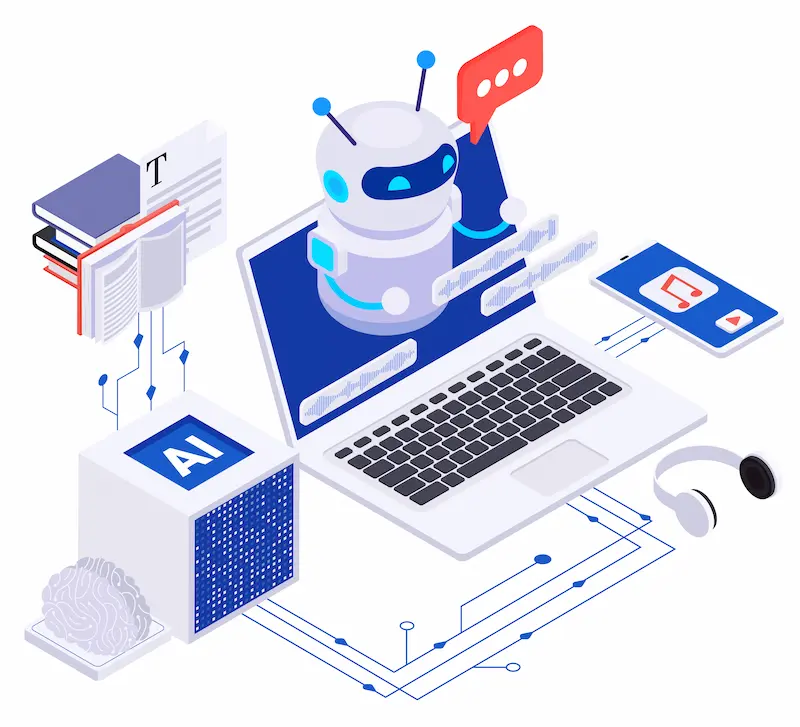
AI-powered CMS migration sits at the intersection of technology modernization and intelligent automation.
It reshapes how organizations approach platform changes by reducing complexity while raising the stakes for accuracy, governance, and long-term scalability.
What CMS Migration Means for Modern Digital Businesses?
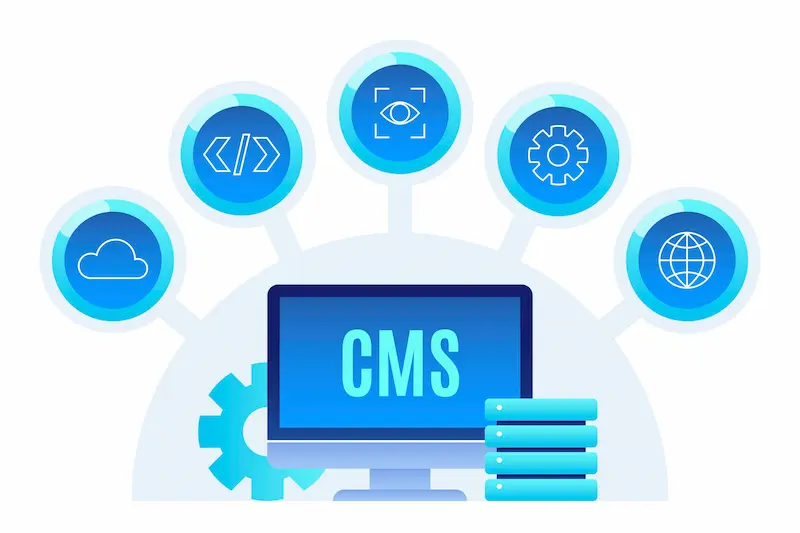
At its core, a CMS migration is the process of moving your website’s content, design, and data from an existing CMS to a new platform.
Whether you are migrating from a monolithic system to a headless CMS or consolidating multiple sites into a single Content Management System, the goal is to enhance your digital experience.
However, this is rarely a simple “copy-paste” operation. It involves untangling complex database relationships, preserving URL structures, and ensuring that every piece of structured content finds its right home in the new environment.
Why CMS Migration Has Become a Strategic SEO and Growth Decision?
Staying on an outdated CMS platform is a silent growth killer. Slow load times, rigid publishing workflows, and poor mobile compatibility directly impact your search rankings and brand reputation.
Migrating to a new system is often the only way to future-proof your tech stack.
A successful CMS migration does more than just update software; it unlocks new features, enhances site performance, and enables your team to publish content more quickly across multiple channels.
How Artificial Intelligence is Transforming the CMS Migration Process?
AI takes the heavy lifting out of the equation. Where manual migration required teams to copy and paste data or write custom scripts for every field, AI agents can now automate content mapping and transfer.
Machine learning algorithms can analyze your old CMS database, understand the relationships between content types, and predict where that data should live in the modern CMS.
This significantly reduces the manual work involved and ensures a higher degree of accuracy.
Key Risks and Rewards of AI-Powered CMS Migration
While AI offers a lower risk of human mistakes, it introduces new variables.
- Rewards: Drastically reduced timeline, fewer errors in data transfer, and cost savings on manual labor.
- Risks: Over-reliance on automation can lead to “hallucinated” data associations if the content model isn’t clearly defined. Additionally, if the AI isn’t trained on your specific business logic, you might face formatting issues or miscategorized media files.
Read More: Ultimate Guide to WordPress Website Migration and its Types
Simplify Your CMS Migration with WordPress
Move from any CMS to WordPress with a secure, SEO safe, and downtime free migration handled by experienced WordPress specialists.
Evaluating Your Current CMS Before Migration
Before writing your CMS migration plan, you must first evaluate your current setup. This is where many projects fail. A successful migration begins with a thorough assessment of your existing CMS.
Ask your leadership team and stakeholders:
- Are third-party integrations breaking due to legacy code?
- Does the current CMS support the multilingual support needed for global expansion?
- Is the content creation workflow hindering your marketing team’s agility?
If the answer to any of these is “yes,” your migration is not just technical, it’s existential.
Strategic Planning for a Successful CMS Migration
Strategic planning outlines how content, data, SEO, and functionality will be transitioned from the existing platform to the new environment without disruption.
A clear CMS migration plan reduces risk, aligns stakeholders, and ensures the migration process supports long-term performance and scalability.
- Define Success Metrics: Are you aiming for a 20% increase in organic traffic or a 50% reduction in build times?
- Assemble the Team: You need a cross-functional squad. Your internal teams should include developers, SEO specialists, and content strategists.
- Audit the Tech Stack: Ensure your next CMS plays nicely with your CRM, marketing automation, and analytics tools.
Pre-Migration Preparation for AI-Powered CMS Migration
The preparation phase is where AI excels, providing more insights than any human audit could ever offer.

Conducting a Comprehensive Content Audit Using AI Insights
An AI-powered content audit goes beyond counting pages. AI tools can crawl your entire website to analyze performance data, identifying which pages drive traffic and which are “zombie” pages.
This helps you decide what to keep, update, or delete, ensuring you don’t waste resources migrating low-value content.
Content Pruning, Consolidation, and Optimization Before Migration
Once the audit is complete, use AI to classify content for pruning and refinement. Instead of moving 10,000 blog posts, you might find that only 2,000 are relevant.
AI can identify duplicate content and suggest consolidation strategies to strengthen your SEO rankings. This “clean house” approach ensures your new site launches with only high-quality material.
Structuring Content Models for the New CMS Architecture
Moving to a modern platform, especially a headless CMS, requires a shift from page-centric to structured content.
AI can analyze your unstructured HTML blobs from the old CMS and suggest a modular content model (e.g., breaking a “blog post” into Title, Summary, Hero Image, Body, Author). This is critical for omnichannel delivery.
Preparing Media Files, Digital Assets, and Document Libraries
Media files are often the heaviest part of a migration. AI tools can automatically tag images, generate alt-text for missing images, and compress files to optimize load times. This ensures your digital assets are SEO-ready from day one.
Evaluating Multilingual and Multisite Requirements in CMS Migration
If you require multilingual support, AI translation engines can provide a first-pass localization of your content structure.
While human review is essential, AI helps map language variants to the correct URL structures, preventing “hreflang” errors that confuse search engines.
Key Phases of an AI-Powered CMS Migration Strategy
A successful CMS migration is rarely a linear path; it is a multi-layered operation that requires precision at every stage.

While AI takes on the heavy lifting of data processing, strategic oversight remains crucial.
By breaking the migration process into these distinct, AI-enhanced phases, organizations can ensure a smooth transition that minimizes manual work and maximizes ROI.
Choosing the Right CMS Platform for AI-Driven Growth
The first step in migrating to a new environment is selecting a CMS platform that aligns with your long-term tech stack.
Don’t just look for a repository for your content; look for an engine that powers your digital experience.
Modern CMS platforms, particularly headless CMS options, are increasingly API-first, allowing them to integrate seamlessly with AI agents and third-party tools.
When evaluating your next CMS, prioritize core features that support AI-powered CMS migration and ongoing operations:
- Native AI Capabilities: Does the platform offer built-in generative AI capabilities for content creation or automated metadata tagging?
- API Robustness: Can the new platform handle high-volume API requests for rapid content transfer without crashing?
- Scalability: Will the architecture support future AI agents that might automate personalization or customer service?
Choosing a system that “embraces” AI means selecting one where data is structured and accessible, ensuring your future-proof strategy is built on solid ground.
Further Reading: Best White Label WordPress Migration Services
Executing CMS Migration Using AI-Powered Tools and Migration Services
This is the operational heart of the project. In the past, this phase involved armies of interns copying and pasting text.
Today, AI-powered CMS migration transforms this into a sophisticated ETL (Extract, Transform, Load) operation.
- Data Extraction: Advanced AI scripts connect to your existing CMS, whether it is a legacy SQL database or a flat-file system, and extract data with high fidelity. The AI identifies relationships between pages, assets, and authors that might be missed during a manual migration.
- Intelligent Transformation: This is where the magic happens. Your old CMS likely stores data in HTML blobs (unstructured big blocks of text). AI tools parse these blobs, separating the “body text” from the “images” and “headers,” and mapping them to the specific fields in your new CMS. This ensures that structured content is populated correctly, transforming a messy blog post into clean, modular content.
- Precision Loading: Finally, the content transfer occurs via API. The AI monitors the ingestion rate to prevent server timeouts and validates that every record sent is received and indexed correctly by the new environment.
SEO Best Practices During and After CMS Migration
A massive drop in SEO rankings is the most feared outcome of any migration.
Search engines dislike confusion; if they cannot find your pages, your traffic will disappear. AI mitigates this risk by automating the complex web of redirects and signals.

- Smart 301 Redirect Mapping: Manual mapping of thousands of URLs is prone to human error. AI algorithms analyze the content mapping between the old CMS and the new site. If a URL changes from /blog/2023/post-name to /insights/post-name, the AI automatically generates the correct 301 redirect. It can even match content based on semantic similarity if the URL structures are completely different.
- Preserving Internal Linking: Broken internal links are a signal of poor site quality. AI crawlers scan the entire website in the staging environment, identifying links that point to old, non-existent pages and automatically updating them to point to the new, live URLs.
- Schema and Metadata Protection: AI tools ensure that critical “invisible” data, like schema markup, canonical tags, and meta descriptions, are not lost. This helps maintain your rich snippets in search results, ensuring a successful migration of your click-through rates, not just your content.
Testing Quality Assurance and Performance Validation
Quality Assurance (QA) is often the bottleneck in the migration process. AI takes this burden off your internal teams by performing automated, high-volume testing.
- Visual Regression Testing: AI-driven tools take screenshots of your current CMS pages and compare them pixel-by-pixel against the staging environment. They instantly flag formatting issues, such as broken CSS, missing images, or font misalignments. This ensures the digital presence remains visually consistent.
- Functional AI Bots: AI bots can simulate real user behavior, such as filling out forms, clicking buttons, and navigating menus, to ensure that all interactive elements are functioning properly.
- Performance Benchmarking: AI monitors load times and Core Web Vitals in real-time. It can pinpoint specific heavy media files or unoptimized scripts that are dragging down site performance before you go live.
Launching the New CMS and Post Migration Monitoring
The “go-live” moment is critical. Launching the new CMS requires a coordinated effort, and AI serves as your 24/7 watchdog.

Immediately upon launch, deploy AI crawlers to sweep the new site. They look for “soft 404s,” server errors, or broken links that may have appeared during the final DNS switch.
These tools provide more insights than standard analytics, alerting you to anomalies in traffic patterns or crawl errors from search engines.
Continuous monitoring ensures that any dip in performance is detected and resolved instantly, securing long-term success.
Explore Further: Post Migration WordPress Website Audit Checklist
Content Strategy and Team Readiness During CMS Migration
Technology is only half the battle; your people are the other half. A modern platform is useless if your team doesn’t know how to use it.
- Workflow Adaptation: When transitioning to a headless CMS, the content creation workflow shifts from “edit and publish” to “create, model, and deploy.” AI-assisted training tools can help internal teams learn new features more quickly.
- Content Governance: Use AI to enforce new style guides. As new content is created, AI tools can check for tone, voice, and keyword usage, ensuring that your content strategy remains consistent.
- Empowering Leadership: Provide your leadership team with AI-generated dashboards that display the ROI of the migration, tracking key metrics such as improved load times, increased publishing velocity, and stable organic traffic.
Common CMS Migration Challenges and How AI Helps Overcome Them
Even the most carefully planned CMS migration can face technical, content, and SEO related challenges.
AI-powered tools help identify risks early, automate error detection, and reduce disruption throughout the migration process.
| Challenge | The Risk | How AI Helps |
| Data Loss | Critical info vanishes during transfer. | AI validates checksums and verifies data loss hasn’t occurred by comparing source and destination counts. |
| Broken Links | Users hit 404 pages; SEO tanks. | AI crawlers identify broken paths and automatically suggest valid 301 redirects. |
| Formatting Issues | Layouts break in the new CMS. | AI-based visual testing spots misalignment that human eyes might miss during a manual review. |
| Unstructured Data | Messy HTML code from legacy sites. | NLP (Natural Language Processing) parses HTML blobs into clean, structured content fields. |
| SEO Rankings | Traffic plummets post-launch. | Predictive AI models analyze the new site structure to flag SEO risks before launch. |
AI-Powered CMS Migration Best Practices for Long-Term Success
To ensure long-term success, AI-powered CMS migration must strike a balance between intelligent automation and a clear strategy, along with human oversight.
Following proven best practices helps reduce risk, protect SEO value, and build a scalable CMS foundation that supports future growth.

- Don’t Migrate Everything: Use the content audit to leave junk behind.
- Run Parallel Systems: Keep the old CMS running (offline or read-only) as a backup until the final review confirms stability.
- Invest in Schema: Utilize AI to enhance your content with schema markup during the migration process, thereby boosting visibility in search engines.
- Continuous Monitoring: Use AI tools to monitor search rankings daily for the first month. Volatility is normal, but a freefall requires immediate action.
- Train for AI: Ensure your team knows how to use the AI tools embedded in your modern CMS for ongoing content creation.
Final Thoughts on AI-Powered CMS Migration
The decision to migrate is rarely easy, but the cost of inaction is far higher. An AI-powered CMS migration transforms a daunting technical hurdle into a strategic opportunity.
By leveraging Artificial Intelligence, you can execute a CMS migration process that is faster, more accurate, and less prone to human error.
While technology-driven turmoil is a risk, a well-executed CMS migration plan mitigates this, paving the way for a successful migration.
You secure your SEO rankings, improve site performance, and empower your team with a modern platform built for the future.
Ultimately, a successful CMS migration depends on striking a balance between human strategy and machine efficiency. Don’t just move your content; migrate smarter.
Embrace the tools that enable you to refine your digital presence, automate manual tasks, and establish a foundation for long-term success.
FAQs About AI-Powered CMS Migration
What does CMS migration refer to in a modern digital environment?
CMS migration refers to the process of transferring content data and functionality from one content management system to another. The goal is to improve performance scalability and content management while ensuring compatibility with modern digital requirements.
Why is a CMS migration checklist important before starting?
A CMS migration checklist helps teams avoid potential pitfalls. It ensures content migration, SEO elements, integrations, and workflows are reviewed before execution. This reduces errors and protects site stability.
How do you create an effective CMS migration plan?
A CMS migration plan defines goals, timelines, tools, and responsibilities. It outlines content mapping processes and technical steps needed to transition to a single Content Management System without disrupting the digital environment.
What role does content mapping play in content migration?
Content mapping connects existing content structures to the new CMS fields. It ensures content migration is accurate, consistent, and compatible with the latest content management framework.
What are the most common CMS migration pitfalls to avoid?
Common pitfalls include poor content mapping, neglected SEO settings, and inadequate testing. Skipping a CMS migration checklist often leads to broken content, data loss, and performance issues after launch.


