

Next.js headless WordPress is reshaping how modern websites are built. By decoupling the content backend from the frontend presentation layer, development teams gain faster load times, stronger security, and full control over the user experience.
This architecture combines the world’s most popular content management system with a powerful frontend framework. The result is a flexible, high-performance stack that delivers content across websites, mobile apps, and digital platforms with ease.
TL;DR: Decoupling Content from Presentation
- WordPress manages content while Next.js handles the frontend via API-based data fetching.
- This stack delivers faster page loads, improved Core Web Vitals, and better search engine visibility.
- Developers fetch data from WordPress using the REST API or GraphQL and render it using SSG, SSR, or ISR.
- The decoupled model improves security, scalability, and long-term flexibility for any website.
What is Headless WordPress and How Does it Work with Next.js?
Understand how decoupling WordPress from the frontend enables faster delivery, flexible development, and modern web experiences.

Understanding Headless CMS vs Traditional WordPress
A traditional WordPress site bundles content management and frontend rendering into one system. The WordPress theme controls what users see.
Every page request triggers real-time database queries against a MySQL database, renders HTML on the server, and delivers it to the browser.
A headless CMS separates these concerns. WordPress still manages your blog posts, custom post types, and pages. But it does not render any HTML to visitors.
Instead, it exposes WordPress data through an API. Any frontend application can then fetch that data and display it independently on the frontend layer.
How Next.js Acts as the Frontend Layer?
Next.js is a popular React framework that supports file-based routing, Server-Side Rendering, Static Site Generation, and Incremental Static Regeneration. It is the frontend framework of choice for many headless WordPress builds.
In a headless WordPress setup, Next.js sends HTTP requests to the WordPress REST API or a GraphQL API. It receives content in JSON format and renders it as fully optimized HTML. This combination provides speed, flexibility, and strong SEO out of the box.
Architecture Overview: Data Flow Between Next.js and WordPress
Here is how data flows through a Next.js headless WordPress architecture:
- WordPress stores content in its MySQL database.
- It exposes that content via the WP REST API or the WPGraphQL plugin.
- Next.js sends API calls to fetch data from WordPress.
- Next.js renders content using Static Site Generation (SSG), Server-Side Rendering (SSR), or Incremental Static Regeneration (ISR).
- The rendered HTML is delivered to the user’s browser.
This decoupled structure is conceptually similar to other approaches explored in serverless architecture in WordPress web development, giving developers far greater flexibility than a traditional WordPress theme setup.
Build High-Performance Headless WordPress Site
Launch a fast, scalable Next.js Headless WordPress site with seamless integration, strong SEO, and future-ready architecture.
Why Use WordPress as a Headless CMS with Next.js?
WordPress’s content management capabilities are mature, widely adopted, and deeply extensible through its plugin ecosystem.
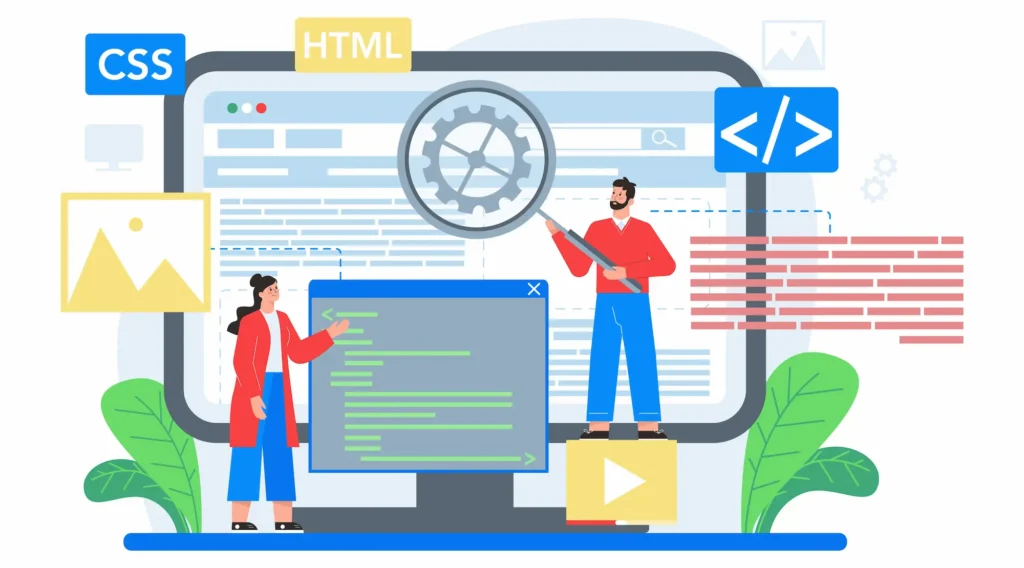
When you use WordPress as a headless CMS, website owners keep everything they already know. The block editor, custom WordPress theme development workflows, plugins, and editorial processes all remain intact. Nobody has to switch to an entirely new system.
At the same time, developers gain full control over the frontend. They are no longer restricted by what a WordPress theme can do. React and Next.js open up unlimited design and functionality possibilities.
This architecture also gives teams a clear separation of concerns. Content editors work inside the WordPress CMS.
Developers build and maintain the Next.js app independently. Both sides can iterate at their own pace, which significantly speeds up the overall development process.
The WPGraphQL plugin transforms WordPress into a powerful GraphQL API endpoint. You can install WordPress on almost any host and start exposing content through structured API endpoints within minutes.
Compared to alternatives discussed in Shopify vs WordPress comparisons, WordPress as a headless CMS stands out for its editorial maturity, plugin ecosystem, and developer flexibility.
Key Benefits of Next.js Headless WordPress for Modern Websites
Explore how this architecture improves speed, scalability, SEO performance, and content delivery across digital platforms.
Improved Website Performance and Core Web Vitals
Static pages generated by Next.js load significantly faster than traditionally rendered WordPress pages.
In a standard WordPress site, every page view triggers multiple database queries. With Static Site Generation, pages are pre-built at compile time and served directly from a CDN. There are no real-time database queries during page delivery.
This leads to lower Time to First Byte (TTFB), better Largest Contentful Paint (LCP), and improved Core Web Vitals scores. All of these metrics directly influence your ranking in search results.
Built-in image optimization in Next.js automatically serves images in the right format and size. Implementing a placeholder image strategy during page load further improves perceived performance by preventing layout shifts while content loads.
Enhanced SEO with Server-Side Rendering and Static Generation
Search engines need to crawl and index content efficiently. Next.js serves fully rendered HTML to web crawlers. This gives search engines clear, complete content to work with, unlike client-side rendering frameworks that return an empty HTML shell.
With Server-Side Rendering, Next.js generates HTML on every request. This suits pages that update frequently. With Static Site Generation, pages are pre-built and instantly available from the nearest CDN node.
Both approaches deliver better SEO than client-side frameworks. Combining this rendering approach with entity-based SEO strategies within your content structure further strengthens visibility across search engines.
Understanding how semantic search works can also help you structure your WordPress content and Next.js page metadata more effectively for modern search engine algorithms.
Better Security with Decoupled Architecture
In a traditional WordPress site, the admin panel, login page, and database are all adjacent to the public-facing website. This creates multiple attack vectors for malicious actors.
A headless WordPress setup fundamentally changes this. Visitors never interact directly with the WordPress site. They only ever see the Next.js frontend.
The WordPress admin panel stays hidden. The database is never directly exposed to the public internet. Forcing HTTPS across all API calls ensures that every HTTP request between the Next.js frontend and WordPress backend is encrypted in transit.
For projects handling sensitive user data, working with a WordPress security consultant provides an additional layer of protection during and after the headless setup process.
Omnichannel Content Delivery Across Platforms
A headless CMS enables developers to deliver content anywhere. The same WordPress content can power a website, a mobile app, a digital kiosk, or any third-party integration.
Next.js API routes make it simple to relay WordPress data to multiple consumers. You write content once in the WordPress dashboard and distribute it across all channels via API endpoints.
This is a significant advantage over traditional WordPress vs website builder setups, which typically lock content into a single display format and limit distribution options.
Scalability and Long-Term Flexibility
Traditional WordPress sites can struggle under high traffic because every page view hits the server and database simultaneously. Next.js with Static Site Generation removes this bottleneck entirely.
Static pages are served from CDN edge nodes and scale to handle millions of concurrent users without additional server load. For teams anticipating growth, load balancing solutions for high-traffic websites can distribute backend API requests efficiently and prevent bottlenecks on the WordPress side.
If the frontend framework changes in the future, the WordPress CMS backend stays fully intact. Content does not need to migrate anywhere. Developers simply connect a new frontend to the same WordPress API endpoints.
Common Use Cases of Next.js Headless WordPress
This architecture suits a wide range of project types.
- Publishing and News Sites: Large content publishers benefit from static pages that load instantly. Blog posts are pre-built and cached globally. Incremental static regeneration ensures pages stay current without triggering full site rebuilds.
- E-Commerce Storefronts: Statically generated product pages deliver fast load times. Inventory data from third-party APIs combines seamlessly with WordPress content to deliver unified shopping experiences.
- Marketing and Campaign Sites: Marketers create and manage dynamic landing pages in WordPress. Developers control the exact design and functionality using Next.js without any theme constraints.
- Corporate and Enterprise Sites: Large organizations use WordPress CMS for content governance across teams. The Next.js frontend enforces a consistent design system independently of the backend.
- Documentation Sites: Developers publish technical content in WordPress. Next.js renders it with custom navigation, syntax highlighting, and search functionality without relying on WordPress page builders.
- Multi-Language Sites: WordPress manages translated content. Next.js handles per-locale routing and rendering, making internationalization straightforward and manageable.
Technical Implementation of Next.js Headless WordPress Architecture
Dive into how data flows, APIs connect, and rendering strategies work together to power a seamless headless setup.
Data Fetching with REST and GraphQL APIs
WordPress exposes content through two main interfaces. The WordPress REST API is available by default on every WordPress installation. It provides REST API endpoints for posts, pages, media, and custom post types, with no additional setup required.
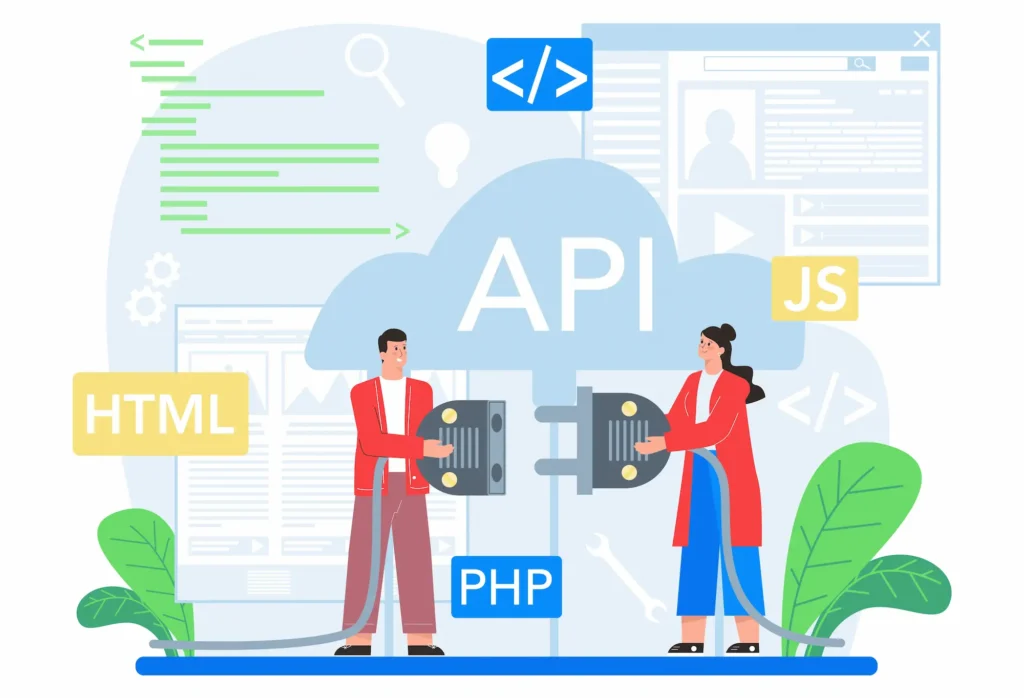
The WPGraphQL plugin adds a GraphQL API layer on top of WordPress. It allows developers to write precise GraphQL queries that fetch only the specific data each page needs.
This reduces the payload size of each HTTP request compared to standard REST API responses, which often return far more data than required.
Both approaches return data in JSON format. Next.js transforms this JSON into rendered HTML using the appropriate rendering strategy for each page type.
Next.js Rendering Strategies: SSG, SSR, and ISR
It supports three core rendering approaches that suit different content types:
- Static Site Generation (SSG): Pages are built at compile time. Running npm run dev starts the local development server. At build time, Next.js pre-renders all static pages and outputs them as static HTML files. This is ideal for blog posts and landing pages that do not change often.
- Server-Side Rendering (SSR): Pages render fresh on every request. This suits personalized content or pages that update frequently throughout the day.
- Incremental Static Regeneration (ISR): Pages are generated statically but revalidated in the background at set time intervals. This delivers static performance with near-real-time content updates, ideal for high-volume publishing sites.
Frontend Development Patterns in Next.js
The Next.js app directory uses the app router, which introduces React Server Components to improve data-fetching performance. Each route lives in a folder inside the app directory, following file-based routing conventions.
This file structure makes the codebase predictable and scalable. Understanding the difference between WordPress page builders and the Next.js component-based approach is essential for teams transitioning from traditional WordPress frontend development.
Rendering Dynamic Pages with WordPress Data
To render dynamic pages from WordPress, developers use Next.js dynamic routing. A file named [slug].js inside the app router handles all individual post pages automatically.
Here is a simplified pattern for fetching blog posts from WordPress:
const posts = await fetch('https://yoursite.com/wp-json/wp/v2/posts');
const data = await posts.json();
The const posts variable holds the full posts array. Each item in the array maps to an individual post page. This same pattern works for blog page listings, single post views, custom post type archives, and category pages.
Before building your Next.js page templates, it helps to export all posts from WordPress to audit your existing content structure and identify all the data fields your frontend will need to display.
Managing Builds, Webhooks, and ISR Workflows
When a content editor publishes or updates a post in WordPress, the Next.js frontend needs to know immediately. Webhooks handle this communication automatically.
WordPress sends a webhook payload to a Next.js API route whenever content changes. The Next.js app then triggers a revalidation or a full rebuild.
With Incremental Static Regeneration, only the affected pages are rebuilt. This keeps build times fast without sacrificing content freshness on the live site.
Storing your WordPress API URL and authentication credentials as environment variables keeps sensitive configuration separate from your codebase and prevents accidental exposure.
Data Fetching Best Practices and Error Handling
Always implement error handling when fetching data from WordPress. Network failures, timeouts, or malformed API responses can break the user experience without proper fallbacks in place.
Use try/catch blocks around every fetch API call. Return meaningful fallback content or clear error states when a request fails. Ignoring error handling leads to bad UX that damages user trust and increases bounce rates.
Cache API responses wherever possible. Next.js has built-in caching for the Fetch API in the app router. Set appropriate cache headers on your WordPress REST API endpoints to reduce redundant HTTP requests and repeated database queries.
Performance, Security, and Project Lifecycle in Headless WordPress
Learn how to optimize speed, strengthen data security, and manage the full lifecycle of a scalable headless WordPress project.

Content Workflows in Headless WordPress CMS
The headless WordPress setup is entirely invisible to content editors. They log into the WordPress admin and publish content exactly as before. Custom post types, taxonomies, and fields all work the same way they always have.
The only difference is on the output side. Instead of a WordPress theme rendering content, the Next.js app consumes it through API endpoints. Editors never need to understand how the frontend Next.js app works.
If your team is also transitioning away from page builder workflows, a block themes migration playbook can help streamline the editorial side of the transition alongside the frontend decoupling process.
API Security and Data Protection
Protect your WordPress REST API endpoints actively. Unauthenticated access can expose content you have not intended to publish publicly. Use application passwords or JWT-based authentication to restrict all sensitive API routes.
Apply rate limiting to all custom API endpoints to prevent abuse and reduce server load during traffic spikes. Building on a clean starter like the Underscores theme for any custom WordPress development ensures a minimal, secure backend codebase.
Performance Optimization and Scaling Strategies
Use a CDN to serve all static pages globally. Combine this with Next.js’s built-in image optimization to significantly reduce page weight across all devices.
On the WordPress backend, choose fast WordPress hosting companies that provide low-latency API responses. Slow WordPress API responses delay the Next.js rendering pipeline and degrade overall performance, even for statically generated sites.
Object caching on the WordPress side reduces the number of database queries. Persistent caching keeps frequently requested API responses in memory so the server does not re-query the MySQL database on every request.
For enterprise-scale deployments, multi-region WordPress hosting distributes the backend across global data centers, significantly reducing API latency for international users.
Testing, Monitoring, and Maintenance
Test all Next.js API routes thoroughly before going live. Verify that dynamic routing resolves all individual post pages correctly. Confirm that the static build completes without errors across all content types.
After launch, monitor API response times from WordPress closely. Use Google Analytics alternatives that support server-side tracking to capture accurate performance and engagement data without impacting the static frontend.
Update WordPress core, the WPGraphQL plugin, and all related plugins regularly. API response shapes can change between plugin versions, which may silently break the Next.js data-fetching logic.
Migration to Headless WordPress: Strategy and Challenges
Migrating an existing WordPress site to a headless architecture is a complex process. It requires rebuilding the entire frontend from scratch in Next.js.
- Start by auditing all existing content types and data structures. Map each custom post type to a Next.js page template. Identify the specific data each page needs, and write the corresponding REST or GraphQL query for each page.
- Preserve all existing URL slugs to protect your SEO rankings. Use Next.js dynamic routing to match the current URL structure exactly. Redirect any changed URLs properly to avoid losing backlinks and organic traffic.
- Teams switching from another CMS should migrate to WordPress first, consolidate all content into a single location, and then begin the headless decoupling process as a separate second phase.
For teams needing professional help, working with WordPress website migration service providers ensures a safe transition without data loss or ranking drops.
Future of Next.js Headless WordPress in 2026 and Beyond
The headless WordPress ecosystem continues to evolve rapidly. The Next.js app router with React Server Components is changing how developers approach data fetching and page rendering at the framework level.
WordPress contributors are actively improving the WP REST API’s performance and expanding WPGraphQL’s capabilities. The WPGraphQL plugin has become a de facto standard for headless WordPress builds across the industry.
AI-powered content generation and personalization features will push more teams toward decoupled architectures. A headless CMS makes it far easier to integrate third-party AI APIs without touching the WordPress core or disrupting existing content workflows.
Edge computing is also gaining mainstream adoption. Next.js already supports edge rendering natively. This means individual post pages can render in milliseconds at CDN locations closest to the visitor, regardless of where the WordPress backend is hosted.
The combination of WordPress’s content management maturity and Next.js’s cutting-edge rendering capabilities positions this stack well for years to come. Enterprise teams, media publishers, SaaS platforms, and global brands are adopting it in increasing numbers every year.
Conclusion: Is Next.js Headless WordPress Right for Your Project?
Next.js headless WordPress is a powerful, proven architecture. It delivers real performance gains, stronger security, and the scalability that modern development teams demand.
It works best for teams comfortable with JavaScript, React, and API-driven data fetching. Projects that prioritize performance, omnichannel delivery, and long-term flexibility will benefit the most from this setup.
However, it is not the right fit for every project. Simpler sites with smaller budgets may not need this level of architectural complexity.
The development process involves more moving parts than a traditional WordPress setup. Building pipelines, managing APIs, and implementing frontend tooling all add real overhead that teams must be prepared to manage.
If your team is considering a headless migration, start small. Test the approach on a single section of your site first. Evaluate the results before committing fully. Measure page speed improvements, check Core Web Vitals, and assess the impact on content workflows.
When the fit is right, Next.js headless WordPress can future-proof your digital presence and give your team the development freedom needed to build outstanding user experiences for years to come.
FAQs About Next.js Headless WordPress
What is Next.js Headless WordPress, and how does it work?
Next.js Headless WordPress uses WordPress as a content management system and Next.js as the frontend. It lets you fetch data from WordPress via APIs and display it in a fast Next app, including blog posts and the home page.
How do you fetch data from WordPress in Next.js?
You can fetch data from WordPress using REST API or GraphQL. These methods help you efficiently pull data from WordPress and render pages with a static site generator or Server-Side Rendering.
What are the key features of a headless content management system?
A headless content management system offers flexibility, scalability, and seamless integration with modern frameworks. It separates content management from frontend delivery, making development faster and more efficient.
Is data security better in a headless WordPress architecture?
Yes. Data security improves because the frontend and backend are separated. You can restrict API access, secure endpoints, and reduce exposure to common WordPress vulnerabilities.
What challenges come with Next.js Headless WordPress?
It involves complex processes such as managing APIs, builds, and deployments. You may need a WordPress plugin setup and technical expertise to handle content workflows and performance optimization.


