
A WordPress virus can quickly damage SEO rankings, website security, search visibility, and customer trust if malware infections are not removed quickly. Infected websites often experience spam pages, malicious redirects, Google security warnings, slow performance, and indexing problems that affect both users and search engines.
Fast malware cleanup helps reduce downtime, restore website stability, recover search visibility, and prevent the infection from spreading further. This guide explains how to safely remove a virus from your WordPress website and protect it from future attacks.
TLDR: WordPress Virus Detection and Removal
- Hackers gain access to WordPress sites through outdated plugins, poor themes, weak passwords, and pirated software.
- If your site is redirecting visitors, showing weird content, or suddenly losing traffic, something is wrong.
- Before doing anything, check Google Search Console or run a free scan on Sucuri SiteCheck to confirm it.
- Back up your site first, then clean out the bad files, reinstall WordPress fresh, and change every password.
- If the problem keeps coming back or your host shuts you down, get a professional to handle it.
- Once it is clean, keep plugins up to date, enable two-factor authentication, and back up your site weekly.
Fast malware removal helps prevent SEO ranking drops, website blacklisting, traffic loss, and customer trust issues before the infection spreads further. Quick cleanup and proactive security fixes also reduce downtime, protect website data, and help restore website stability faster after a virus attack.
How WordPress Viruses Damage SEO, Security, and Website Performance?
A WordPress site virus can quickly become a major SEO, security, and performance problem if malware infections are not removed early. Infected websites often experience spam injections, malicious redirects, slow loading speeds, downtime, and indexing issues that make it harder for search engines to properly crawl and trust website pages.

Website viruses also degrade user experience and customer trust, as visitors may encounter browser security warnings, broken pages, suspicious behavior, or unsafe checkout experiences. If the infection continues to spread, search engines may reduce rankings, blacklist infected pages, or remove parts of the website from search results entirely, leading to significant traffic and visibility loss.
Common Signs Your WordPress Website Has a Virus
A website virus often shows warning signs before the damage becomes more serious. Identifying these symptoms early helps businesses reduce SEO damage, prevent website downtime, and remove malware before it spreads further across website files and search results.
- Unexpected Redirects to Spam Websites: Visitors may get redirected to suspicious or unrelated websites without permission.
- Google Safe Browsing Warnings: Search engines or browsers may warn users that the website is unsafe or potentially harmful.
- Sudden Traffic or Ranking Drops: Malware infections often cause rapid declines in organic traffic and keyword rankings.
- Unknown Admin Accounts or Suspicious Logins: Unauthorized user accounts or unusual login activity may indicate compromised website access.
- Spam Pages Appearing in Google Search Results: Hacked websites sometimes generate spam pages that appear in search engine indexing.
- Slow Website Speed and Unusual Server Activity: Malware scripts can overload servers, slow down websites, and cause unstable performance.
WordPress Virus Found? Get Your Site Cleaned Fast
Remove harmful code, restore your website, and protect your traffic with expert help built for hacked and infected WordPress sites.
What Causes WordPress Virus Infections?
WP virus infections often occur when websites have unresolved security gaps, outdated software, or weak security systems. Attackers often target websites with poor monitoring, vulnerable plugins, weak login credentials, or insecure hosting environments because they are easier to compromise.
Many infections begin with small vulnerabilities that stay unnoticed for long periods. Proactive monitoring, regular updates, and stronger website security practices help reduce malware risks and improve long-term website stability.
Outdated Plugins and Themes
Outdated plugins and themes are one of the biggest causes of WordPress malware infections. Older software versions often contain known vulnerabilities that hackers can exploit to inject malicious scripts, spam pages, or unauthorized code into the website.
Regular updates help patch security flaws and improve compatibility across the website. Businesses should also remove unsupported plugins and themes, as abandoned software significantly increases long-term security risks.
Weak Passwords and Login Security
Weak passwords make it easier for attackers to access WordPress admin panels, hosting accounts, and databases through brute-force attacks or stolen credentials. Shared logins and poor access control also increase the chances of unauthorized access.
Strong passwords, two-factor authentication, restricted login attempts, and role-based access controls help improve website security and reduce account vulnerabilities. Better login protection also helps prevent repeated hacking attempts.
Unsafe Third-Party Plugins or Scripts
Poorly coded plugins and scripts from untrusted sources often contain hidden malware, unsafe code, or security vulnerabilities. Free premium plugin copies and nulled themes are especially risky because they may include malicious backdoors.
Using trusted plugins from reputable developers helps improve website stability and reduce malware risks. Businesses should also regularly audit plugins and remove unnecessary tools that increase security exposure.
Poor Hosting Security
Weak hosting environments can expose websites to server-level attacks, malware infections, and technical vulnerabilities. Poorly configured hosting systems may lack strong firewalls, malware scanning, backup systems, or proper server isolation.
Secure hosting infrastructure plays a major role in website protection and technical stability. Reliable hosting providers usually offer stronger monitoring, better security controls, and improved recovery systems during attacks.
Lack of Malware Monitoring
Without continuous malware monitoring, infections can remain hidden for weeks or months while silently damaging SEO, website performance, and user trust. Many businesses only discover malware after rankings drop or search engines display security warnings.
Regular malware scans help identify suspicious files, hidden scripts, unauthorized changes, and infected pages early. Proactive monitoring also improves response speed and reduces long-term technical damage during attacks.
How to Remove a Virus from Your WordPress Website?
Removing a virus from your WordPress website requires a structured recovery process focused on malware cleanup, security restoration, website stability, and SEO recovery. Simply deleting suspicious files is usually not enough because hidden vulnerabilities and backdoors can allow the infection to return.
A proper cleanup process helps restore search visibility, protect website data, improve security, and reduce the chances of repeated infections. Fast action also helps minimize downtime and customer trust issues.
Put the Website Into Maintenance Mode
Putting the website into maintenance mode helps protect visitors from malware, spam redirects, broken functionality, or unsafe website behavior during cleanup. This also prevents users from interacting with infected pages, forms, or checkout systems while technical recovery is in progress.
Maintenance mode additionally helps reduce further indexing of infected pages by search engines during the cleanup process. Limiting public access makes it easier to stabilize the website safely before recovery begins.
Scan the Website for Malware
A complete malware scan helps identify infected files, hidden scripts, suspicious database changes, spam injections, and unauthorized code across the website. Malware often hides in uploads, plugins, themes, or database tables, where it can continue spreading silently.
Using trusted malware-scanning tools or experienced technical support teams improves cleanup accuracy and reduces the risk of missing hidden backdoors. Proper scanning is one of the most important steps in website recovery.
Remove Infected Files and Scripts
After identifying infected areas, malicious files, injected scripts, spam pages, and suspicious code, they should be carefully removed from the website. Incomplete cleanup can leave hidden vulnerabilities active, allowing attackers to regain access later.
Businesses should compare infected files against clean WordPress core files, plugins, and themes during the cleanup process. Replacing compromised files with verified clean versions improves website stability and security.
Restore a Clean Backup if Needed
If the malware infection is severe, restoring a clean backup may be the safest and fastest recovery option. A verified backup created before the infection started can help quickly restore website functionality without manually rebuilding the entire website.
However, backups should always be scanned before restoration to avoid reintroducing malware. After recovery, all plugins, themes, passwords, and security systems should still be updated immediately.
Reset Passwords and Secure User Accounts
All passwords associated with the website should be reset after malware removal, including WordPress admin accounts, hosting accounts, FTP access, database credentials, and any connected email accounts. Compromised passwords often remain active even after malware cleanup.
Businesses should also remove suspicious user accounts, limit unnecessary admin access, and enable stronger login security systems. Better account protection significantly reduces future unauthorized access risks.
Update Plugins, Themes, and WordPress Core
Updating WordPress core files, plugins, and themes helps close security vulnerabilities that may have originally allowed the infection. Outdated software is one of the most common causes of malware attacks and repeated website compromises.
Unused plugins and unsupported themes should also be removed, as they create unnecessary security risks. Regular updates help improve website stability and long-term security.
Recheck Website Files and Database Integrity
After the cleanup is complete, website files and databases should be rechecked carefully for hidden malware, suspicious code, spam injections, or unauthorized changes. Some malware infections leave hidden backdoors designed to reactivate later.
Integrity checks help confirm the website is fully clean before reopening public access. Thorough verification also improves recovery confidence and reduces the risk of repeated infections after restoration.
Submit the Website for Google Security Review
If Google flagged the website for malware or unsafe content, a security review request should be submitted through Google Search Console after cleanup. All infected pages, redirects, spam content, and vulnerabilities must be removed completely before the request.
Once Google verifies that the website is secure again, security warnings may be removed, and search trust signals can begin to recover gradually. This step is important for restoring SEO visibility and user confidence after a malware attack.
SEO Problems Caused by WordPress Viruses
WP viruses can seriously damage SEO performance by affecting crawlability, indexing, website trust, and overall technical stability. Malware infections often create spam pages, malicious redirects, hidden scripts, and slow-loading pages, making it harder for search engines to properly process website content.
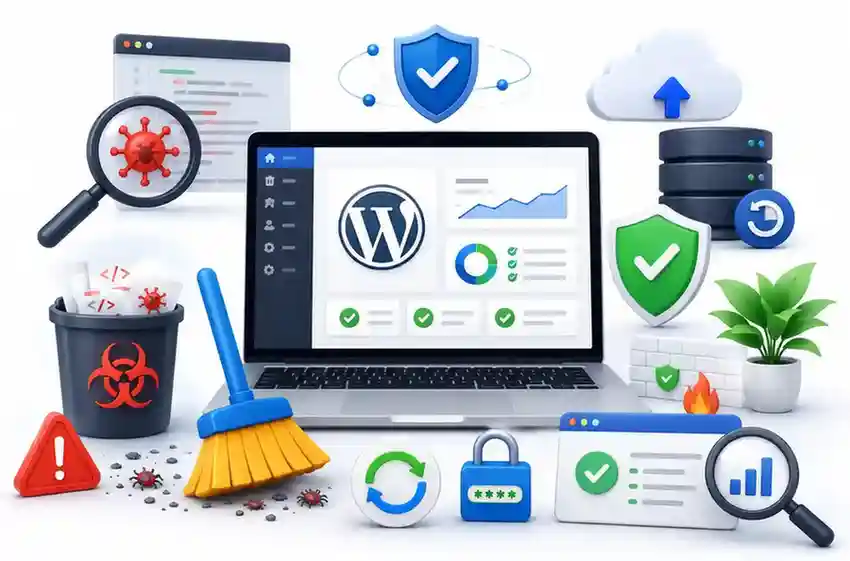
Infected websites also create poor user experience signals because visitors may encounter browser warnings, suspicious behavior, broken pages, or unstable website functionality. If the infection remains unresolved for too long, search engines may reduce crawl activity, blacklist infected pages, or remove pages from search results completely.
- Malware Weakens Crawlability and Indexing: Malware infections often prevent search engines from properly crawling and indexing important website pages.
- Spam Pages Reduce Search Engine Trust: Spam content and injected pages can damage website credibility and lower overall search visibility.
- Security Warnings Increase Bounce Rates: Browser warnings and unsafe website alerts cause visitors to leave the website quickly.
- Blacklisting Can Remove Pages From Search Results: Search engines may temporarily remove infected pages or entire websites from indexing.
- Slow Infected Websites Hurt Core Web Vitals: Malware scripts often overload servers, slowing websites and affecting SEO performance and user experience.
Best Tools to Scan and Remove WordPress Malware
Using reliable malware-scanning and cleanup tools helps businesses identify infected files, suspicious scripts, spam injections, and security vulnerabilities much more quickly. Strong security tools also improve proactive monitoring, malware prevention, and long-term website protection after cleanup.
- Wordfence: Wordfence offers malware scanning, firewall protection, login security, and real-time threat detection for WordPress websites.
- Sucuri: Sucuri provides malware cleanup, website monitoring, blacklist removal support, and cloud-based firewall protection.
- MalCare: MalCare focuses on fast malware scanning and one-click cleanup, designed specifically for WordPress website recovery.
- SolidWP: SolidWP helps improve login protection, vulnerability monitoring, malware scanning, and website hardening.
How to Protect Your Website After Malware Removal?
Removing malware is only the first step in recovering a compromised website. Without stronger security protections and proactive monitoring, the same vulnerabilities can allow attackers to reinfect the website within a short time. Businesses should focus on strengthening website security immediately after cleanup to protect SEO rankings, website stability, and customer trust.
Improving login security, enabling firewall protection, updating plugins regularly, monitoring website activity, and maintaining reliable backups all help reduce future malware risks. Continuous malware scanning and proactive technical monitoring also make it easier to detect suspicious activity early, before it affects website performance or search visibility again.
Malware Removal Mistakes That Can Reinfect Your Website
Many businesses inadvertently create larger security and SEO problems during malware cleanup when important recovery steps are skipped. Incomplete cleanup, weak security practices, and poor monitoring often allow malware infections to return even after the website appears clean.
Avoiding these mistakes helps improve website stability, reduce reinfection risks, and protect long-term SEO performance after recovery.
- Removing Files Without Backups: Deleting infected files without verified backups can permanently damage website functionality and important data.
- Ignoring Hidden Backdoors: Malware often leaves hidden access points inside files or databases that can reactivate infections later.
- Reusing Weak Passwords: Old or weak passwords increase the risk of attackers regaining unauthorized access after cleanup.
- Skipping Security Updates: Delayed plugin, theme, or WordPress updates leave known vulnerabilities exposed to future attacks.
- Failing to Monitor SEO Recovery: Rankings, indexing, crawlability, and security warnings should be monitored closely after malware removal.
Conclusion: Website malware
A WordPress virus can quickly damage SEO rankings, website security, customer trust, and overall business performance if malware infections are not removed early. Spam pages, malicious redirects, slow website performance, and security warnings often continue affecting search visibility long after the initial infection.
Fast malware cleanup, proactive monitoring, stronger login security, reliable backups, and ongoing technical support all play an important role in protecting your website from future attacks. The faster businesses identify and remove malware, the easier it becomes to restore website stability, recover SEO performance, and prevent recurring infections.
FAQs
How do I know if my WordPress website has a virus?
Common warning signs include spam redirects, Google security warnings, sudden traffic drops, suspicious admin accounts, slow website performance, and spam pages appearing in search results.
Can a WordPress virus affect SEO rankings?
Yes, malware infections can damage crawlability, indexing, Core Web Vitals, and search engine trust, leading to ranking drops and reduced search visibility.
What is the fastest way to remove malware from a WordPress website?
The fastest recovery usually involves malware scanning, cleaning infected files, restoring backups if needed, password resets, security patching, and ongoing monitoring.
Should businesses restore backups after a malware infection?
Yes, restoring a clean backup can help recover website functionality faster, especially if the infection is severe or spread across multiple files and databases.
How can businesses prevent future WordPress website virus infections?
Businesses can reduce future malware risks through proactive monitoring, regular updates, strong passwords, firewall protection, malware scanning, and ongoing website security support.
What tools help remove malware from WordPress websites?
Popular malware removal tools include Wordfence, Sucuri, MalCare, Solid Security, and VirusTotal for scanning infected files and improving website security.



