
Enterprise websites carry enormous responsibility. They serve millions of users, drive business revenue, and represent a brand on the global stage. When they slow down, the consequences are immediate and measurable. Today, enterprise web performance is not a technical detail; it is a business priority.
This guide covers every critical dimension of performance optimization. From auditing your baseline to integrating performance into your DevOps pipeline, you will find actionable, proven strategies that work at scale.
TL;DR: Performance and Speed are Strategic Business Assets
- Slow websites lose rankings, revenue, and users; fast ones win all three.
- Core Web Vitals directly influence how Google ranks your pages.
- Caching, CDNs, and compressed assets deliver the fastest performance gains.
- Treat speed as an ongoing engineering discipline, not a one-time fix.
Why Performance Optimization is Critical for Enterprise Websites?
Enterprise web performance optimization directly influences search visibility, customer retention, operational efficiency, and long-term revenue growth for large-scale digital platforms.
The Business and SEO Value of Web Speed
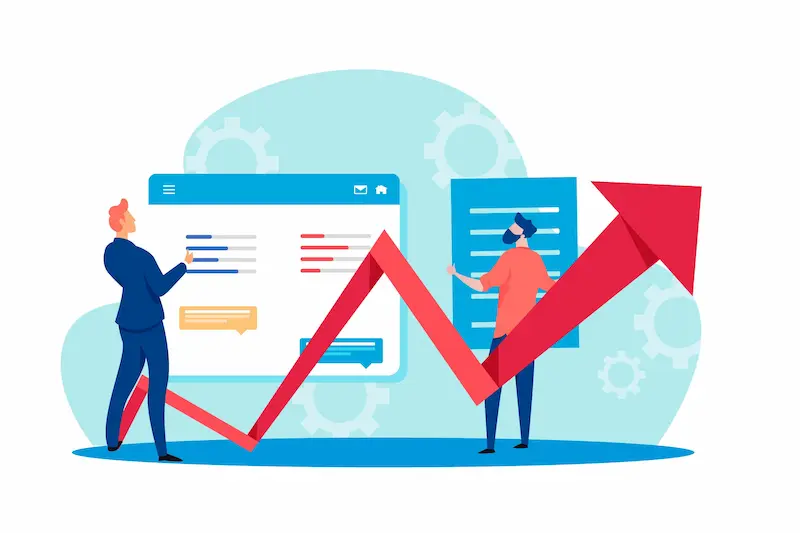
Speed directly impacts revenue. Amazon’s internal research showed that every 100ms of additional latency reduced sales by 1%. At enterprise scale, even micro-delays compound into significant financial losses.
From an SEO standpoint, Google uses page experience signals, including Core Web Vitals, as ranking factors. Slower pages earn fewer impressions, lower click-through rates, and reduced organic traffic.
When you consider that most enterprises manage thousands of pages, the aggregate SEO cost of poor performance is enormous.
A comprehensive enterprise SEO strategy is built on performance optimization. Technical speed is not just about user satisfaction. It is a prerequisite for competitive visibility in search results.
Fast-loading pages reduce bounce rates, increase session depth, and improve conversion rates across the entire funnel.
Technical Challenges Unique to Enterprise Scale
Enterprise sites face performance challenges that smaller websites do not encounter. These include:
- Massive page counts: Thousands or millions of URLs make global optimization complex.
- Diverse tech stacks: Multiple CMS platforms, microservices, and APIs create integration friction.
- Third-party dependency sprawl: Analytics, advertising, CRM, and chat tools all add latency.
- Global audiences: Serving users across multiple continents requires a distributed infrastructure.
- Organizational silos: Performance work often spans multiple teams with competing priorities.
These challenges demand a structured, systematic approach rather than ad-hoc fixes.
Understanding enterprise WordPress architecture gives you a strong model for how performance governance, DevOps alignment, and technical oversight come together at scale.
Is Slow Site Speed Costing You Rankings and Revenue?
Let Seahawk’s WordPress experts audit, fix, and future-proof your site’s performance, from Core Web Vitals to database tuning.
Getting Started: Audit and Benchmark Enterprise Web Performance
Before optimizing anything, you need a clear picture of where you stand. A performance audit establishes your baseline and reveals the highest-impact opportunities.

Use these tools to collect data:
- Google PageSpeed Insights: Combines lab data with real-world field data from the Chrome User Experience Report (CrUX).
- Google Lighthouse: Provides detailed performance scores across LCP, INP, CLS, and other metrics.
- GTmetrix: Delivers waterfall analysis, identifies render-blocking resources, and scores performance over time.
- WebPageTest: Enables testing from multiple global locations using real browsers.
- Chrome DevTools Performance Panel: Useful for deep dives into individual page rendering behavior.
Benchmark your top-traffic URLs first. Prioritize landing pages, category pages, and checkout flows where speed has the greatest commercial impact.
Use Seahawk’s free Core Web Vitals checker to quickly assess your current scores across desktop and mobile before beginning remediation work.
Document everything. Establish a written performance baseline that your team can compare against after each optimization sprint. Without benchmarks, you cannot measure progress.
Core Web Performance Optimization Techniques for Enterprise Websites
These enterprise web performance optimization techniques focus on improving speed, scalability, reliability, and user experience across high-traffic and complex digital ecosystems.
Optimize Core Web Vitals for Enterprise SEO and User Experience
Core Web Vitals are Google’s standardized user experience metrics. They measure three things:
- Largest Contentful Paint (LCP): How quickly the largest visible content element loads. Target: under 2.5 seconds.
- Interaction to Next Paint (INP): How fast the page responds to user interactions. Target: under 200ms.
- Cumulative Layout Shift (CLS): Visual stability of content as the page loads. Target: under 0.1.
Improving these scores requires targeted interventions across frontend, backend, and infrastructure layers. Issues such as unoptimized images, excessive JavaScript, and slow server response times all degrade Core Web Vitals.
Detailed guidance on fixing Core Web Vitals failures covers each metric’s root causes and remediation steps in depth.
Working with a professional Core Web Vitals optimization service is often the fastest path to measurable gains for enterprise teams that lack dedicated performance engineers.
Implement Advanced Browser, Server, and Edge Caching Strategies
Caching is one of the highest-leverage optimizations available. It reduces server load, improves Time to First Byte (TTFB), and dramatically speeds up page delivery.

A complete enterprise caching strategy includes:
- Browser caching: Instructs browsers to store static assets locally using
Cache-ControlExpiresheaders. Returning visitors benefit most.
- Server-side caching: Stores rendered HTML, database query results, or computed objects on the server to eliminate redundant processing.
- Object caching: Uses tools like Redis or Memcached to cache database objects in memory for high-traffic applications.
- Edge caching: Caches responses at CDN edge nodes so that requests never reach the origin server.
Server-side caching is especially powerful for WordPress-based enterprise sites. Serving cached pages rather than generating them dynamically on every request significantly reduces database load and improves response times during peak traffic.
Leverage CDNs and Edge Computing for Global Performance
A Content Delivery Network (CDN) distributes your static assets, images, JavaScript, CSS, and fonts across a global network of servers. When a user in Tokyo requests your website, which is hosted in New York, a CDN delivers assets from a nearby edge location instead.
Modern CDNs like Cloudflare, Fastly, and Akamai offer more than asset distribution. They support:
- Edge computing: Run logic at the edge to personalize responses without hitting the origin.
- DDoS protection and WAF: Improve security without adding latency.
- Automatic image optimization: Resize and convert images at the edge based on device capabilities.
- HTTP/3 and QUIC support: Faster connection establishment for mobile and high-latency networks.
Enterprises managing global audiences should prioritize CDN configuration as one of their first major performance investments.
Minify, Defer, and Optimize JavaScript and CSS for Faster Rendering
JavaScript is the single largest performance bottleneck on most modern websites. Large JS bundles block rendering and delay interactivity. For enterprise sites built on complex frameworks, unmanaged JS is a serious risk.
Key techniques include:
- Minification: Remove whitespace, comments, and redundant characters from JS and CSS files.
- Code splitting: Break large bundles into smaller chunks that load on demand rather than all at once.
- Tree shaking: Eliminate unused code from JavaScript bundles during the build process.
- Deferred loading: Use
deferandasyncattributes to prevent scripts from blocking HTML parsing.
- Critical CSS inlining: Inline only the CSS required to render above-the-fold content. Load the rest asynchronously.
These techniques are foundational to page speed optimization and apply equally to any enterprise web stack.
Enable Gzip and Brotli Compression for Efficient Resource Delivery
Compression reduces the file size of text-based resources, HTML, CSS, JavaScript, and JSON before they travel over the network. Smaller files transfer faster, especially on slower mobile connections.
- Gzip compresses files by 60–80%. It is supported universally across servers and browsers.
- Brotli achieves 15–25% better compression than Gzip. Modern browsers and CDNs support it natively.
Enable Brotli as your primary compression method and fall back to Gzip for older clients. Configure compression at the server level (NGINX or Apache) or let your CDN handle it automatically.
Reduce HTTP Requests and Eliminate Render-Blocking Resources
Every HTTP request adds latency. Enterprise pages often make hundreds of requests for scripts, stylesheets, fonts, and API calls. Reducing this count improves LCP and overall load time.
Strategies to reduce requests:
- Combine CSS files where practical.
- Use SVG sprites instead of individual icon requests.
- Lazy-load below-the-fold images and components.
- Preconnect and DNS-prefetch to third-party domains.
- Eliminate unnecessary font variants, load only the weights and styles you use.
Render-blocking resources are scripts and stylesheets that prevent the browser from rendering content until they finish loading. Audit your critical rendering path and defer or async everything that is not needed for initial paint.
Optimize Images, Video, and Modern Media Formats for Speed
Images typically account for 50-80% of a page’s total weight on enterprise sites. Unoptimized media is one of the fastest ways to destroy performance and one of the easiest wins to capture.

Best practices for media optimization:
- Use modern formats: WebP delivers files that are 25-35% smaller than JPEG or PNG at comparable quality. AVIF offers even greater compression for supporting browsers.
- Resize images: Never serve a 4000px image in a 400px container. Serve correctly sized images for each breakpoint.
- Enable lazy loading: Use the native
loading="lazy"attribute on all below-the-fold images.
- Set explicit dimensions: Declaring width and height on image elements prevents layout shifts (CLS).
- Optimize video delivery: Host videos externally (YouTube, Vimeo) or use adaptive streaming formats. Avoid autoplay with audio on mobile.
Boosting site speed through regular image maintenance ensures that newly uploaded media does not gradually erode your performance scores over time.
Improve Backend Infrastructure, APIs, and Database Performance
Frontend optimizations only go so far. If your server takes 3 seconds to respond, no amount of CDN or caching will fix the user experience. Backend performance is the foundation.
Focus areas for backend performance:
- Server response time (TTFB): Target under 200ms. Slow TTFB is often caused by unoptimized database queries, heavy PHP execution, or underpowered hosting.
- Hosting infrastructure: Enterprise sites should run on dedicated or cloud infrastructure with auto-scaling. Shared hosting is never appropriate at scale.
- API optimization: Minimize payload size, paginate responses, and cache API results wherever possible.
WordPress database performance optimization is especially important for content-heavy enterprise sites. Cleaning transients, optimizing tables, adding appropriate indexes, and limiting post-revisions significantly reduce query times.
Optimize Microservices Architecture for Low Latency Responses
Modern enterprise applications often use microservices, small, independent services that communicate over APIs. This architecture improves scalability but can introduce latency if not carefully managed.
Performance considerations for microservices:
- Minimize service-to-service calls: Consolidate API calls where possible to reduce round-trip overhead.
- Use asynchronous communication: Non-blocking message queues (Kafka, RabbitMQ) prevent bottlenecks in high-throughput workflows.
- Implement response caching at the service level: Cache frequently requested data close to the services that need them.
- Monitor latency per service: Distributed tracing tools (Jaeger, Zipkin) help identify which services add the most latency.
A WordPress decoupled architecture demonstrates how separating the CMS backend from the frontend delivery layer can dramatically improve response times and scalability.
Apply Mobile-First Performance Optimization Techniques
Mobile users now account for the majority of global web traffic. Google’s mobile-first indexing means your mobile performance directly determines your search rankings, not your desktop performance.
Mobile-specific optimization techniques include:
- Compress and resize images for smaller mobile screens.
- Reduce JavaScript execution time, which is slower on mobile CPUs.
- Use
preloadhints for critical fonts and above-the-fold images. - Ensure touch targets are at least 48px to avoid accidental taps and layout recalculations.
- Test performance on real mid-range Android devices, not just high-end flagships.
Speeding up WordPress page load times for mobile visitors requires a distinct set of priorities compared to desktop. Treat mobile performance as a first-class concern in every sprint.
Manage Third-Party Scripts Without Compromising Site Speed
Third-party scripts, analytics, tag managers, live chat, advertising pixels, and A/B testing tools are among the most common sources of performance degradation on enterprise websites. They run code you do not control, which blocks rendering and increases page weight.
Strategies for managing third-party impact:
- Audit all third-party tags quarterly. Remove anything that is no longer actively used.
- Load scripts asynchronously so they do not block critical content.
- Use a tag manager (such as Google Tag Manager) to consolidate and control script loading.
- Delay non-critical scripts until after the page becomes interactive.
- Monitor third-party impact using WebPageTest’s blocking feature to isolate each script’s contribution to load time.
Use Performance Budgets, Real User Monitoring, and Continuous Testing
A performance budget sets quantitative limits on key metrics: maximum page weight, maximum number of JS requests, and maximum LCP time. Budgets create accountability and prevent regressions as teams add new features.
Real User Monitoring (RUM) captures actual performance data from your users’ browsers across different devices, network conditions, and geographies. Unlike synthetic lab tests, RUM reflects what real users experience.
Tools to implement:
- Google Search Console: Field data from real Chrome users, segmented by URL.
- SpeedCurve: Performance monitoring with budget alerts and competitive benchmarking.
- Datadog, New Relic, Dynatrace: Full-stack observability including RUM, backend tracing, and error tracking.
Understanding the key pillars of website performance provides teams with a structured mental model for budget allocation and continuous monitoring.
Integrate Performance Optimization into DevOps and CI/CD Pipelines
Performance regressions are easiest to catch before code ships to production. Integrating performance testing into your CI/CD pipeline ensures that every deployment is evaluated against your defined standards.
Practical integration steps:
- Add Lighthouse CI to your GitHub Actions or GitLab CI workflow to audit every pull request.
- Set automated fail thresholds for Core Web Vitals scores. Block deploys that would degrade performance below the target.
- Run load testing (k6, Gatling, Apache JMeter) against staging environments before major releases.
- Use feature flags to gradually roll out new features and monitor their performance impact.
This approach makes performance a shared responsibility across engineering teams, not just a post-launch firefight.
Strengthen Security Protocols Without Affecting Website Performance
Security and performance are not opposing forces. In fact, many security best practices improve performance simultaneously. The key is implementing them correctly.

Consider these security-performance synergies:
- HTTP/2 and HTTP/3: These modern protocols improve performance and require HTTPS. Enabling them simultaneously addresses both concerns.
- HSTS (HTTP Strict Transport Security): Eliminates the overhead of redirects for repeat visitors while enforcing HTTPS.
- CDN-based WAF: A Web Application Firewall at the edge blocks malicious traffic before it reaches your origin, reducing server load.
- Bot filtering: Filtering crawlers and bot traffic reduces server resource consumption.
The relationship among security, speed, and user experience is well established. Choosing the right protocols and configurations lets enterprises strengthen both simultaneously without trade-offs.
Measuring Success: KPIs and Reporting for Enterprise Web Performance
Optimization without measurement is guesswork. Define clear KPIs aligned with both technical benchmarks and business outcomes.

Technical KPIs:
- LCP (target: under 2.5s)
- INP (target: under 200ms)
- CLS (target: under 0.1)
- TTFB (target: under 200ms)
- Total page weight (set budget per page type)
Business KPIs:
- Bounce rate by page speed segment
- Conversion rate for fast vs. slow users
- Revenue per session correlated with load time
- Organic search rankings for performance-sensitive pages
Build a shared reporting dashboard that bridges technical and business metrics. This helps justify ongoing performance investment to stakeholders who care about revenue, not milliseconds.
A professional managed SEO service typically includes regular Core Web Vitals audits and performance reporting as part of its ongoing deliverables, which is valuable for enterprise teams managing large page inventories.
Common Performance Pitfalls and How to Avoid Them
Even experienced teams fall into predictable traps. Knowing these in advance saves significant time and rework.
- Over-relying on plugins: Too many plugins, each adding scripts and database queries, compound performance problems. Audit plugin load regularly as part of your WordPress admin optimization process.
- Optimizing only for desktop: Mobile performance often lags desktop by a significant margin. Always explicitly test and optimize for mobile.
- Ignoring third-party script growth: Tag managers make it easy to add scripts without engineering review. Establish a governance process for approving new third-party tools.
- Treating performance as a project, not a practice: One-time optimization efforts decay quickly as new features ship. Build ongoing website maintenance practices into your development culture to sustain long-term performance gains.
- Skipping post-deployment testing: Performance changes after deployments. Always run performance tests immediately after major releases.
Future Trends in Enterprise Web Performance Optimization
The performance landscape continues to evolve rapidly. Enterprise teams should stay ahead of these emerging developments.
- HTTP/3 adoption: Based on the QUIC protocol, HTTP/3 reduces connection establishment time and handles packet loss more efficiently, improving performance on mobile and unreliable networks.
- Edge-native applications: More application logic is moving to CDN edge networks, enabling sub-millisecond response times for personalized content delivery.
- AI-driven performance optimization: Machine learning tools can now predict user behavior and preload resources proactively, reducing perceived latency without increasing actual download size.
- INP as a core metric: Google’s replacement of FID (First Input Delay) with INP (Interaction to Next Paint) raises the bar for JavaScript responsiveness. Enterprise sites with complex interactive interfaces need to audit long-running tasks and main-thread-blocking code.
- Privacy-first analytics: As third-party cookies phase out, enterprises must migrate to first-party RUM solutions that respect user privacy without sacrificing observability.
Staying current with Core Web Vitals optimization best practices means revisiting your strategy as Google refines its metrics and ranking signals over time.
Conclusion: Building Sustainable Enterprise Web Performance
Enterprise web performance optimization is not a one-time project. It is a continuous discipline that requires investment, governance, and cultural alignment across engineering, product, and business teams.
Start with a rigorous audit. Prioritize the changes that move the needle on business-critical metrics. Integrate performance testing into your deployment pipeline. Monitor real users constantly. And treat performance budgets as enforceable standards, not suggestions.
The payoff is significant. Faster pages rank higher, convert more, and retain users longer. At enterprise scale, marginal improvements in performance translate into meaningful revenue gains.
Whether you are building on a complex microservices stack or managing a large enterprise WordPress platform, the principles in this guide apply universally.
Consistent application of these best practices, combined with the right technical SEO services and site optimization support, gives enterprise websites the performance foundation they need to compete and win.
Performance is not a feature. It is the prerequisite for every other feature to matter.
FAQS About Enterprise Web Performance Optimization
What are Core Web Vitals, and why do they matter for enterprise websites?
Core Web Vitals are Google’s three key performance metrics: LCP, INP, and CLS. They measure loading speed, interactivity, and visual stability. Google uses them as direct ranking factors. Poor scores hurt your search visibility and damage user experience at scale.
How often should enterprise teams audit web performance?
Run automated audits on every deployment using CI/CD pipelines. Conduct full manual audits quarterly. Monitor real user data continuously. Frequent auditing catches regressions before they impact rankings or revenue.
Which single optimization delivers the biggest performance improvement?
It depends on your site’s specific bottlenecks. For most enterprise websites, enabling a CDN combined with server-side caching delivers the fastest and most measurable gains. Always audit first to identify your highest-impact opportunity.
Do third-party scripts really slow down enterprise websites that much?
Yes, significantly. Analytics tools, chat widgets, and ad pixels add blocking scripts that delay rendering. Each script adds latency you cannot directly control. Audit third-party tags regularly, load them asynchronously, and remove any unused tags.
How do you sustain performance gains at enterprise scale over the long term?
Embed performance into your development culture. Set and enforce performance budgets. Integrate Lighthouse CI into your deployment pipeline. Use real user monitoring to catch gradual decay. Treat performance as an ongoing practice, not a one-time project.


