
Migrating from SilkStart to WordPress is not a simple platform transfer. It is a complete rebuild, and organizations that treat it like a standard migration run into expensive problems within the first few weeks.
SilkStart does one thing well. It gives associations a single login, a single bill, and a single system that handles membership, events, donations, and a basic website without requiring technical skills. For small-to-midsize associations with limited IT resources, that simplicity is genuinely valuable.
However, the same closed architecture that makes SilkStart easy to use also makes it difficult to leave. The platform has no open API, no website export function, and limited data portability. When your association outgrows SilkStart, or when you need integrations it cannot support, there is no clean path out.
At Seahawk Media, we work with associations and nonprofits making this move. This guide reflects what actually happens during a SilkStart to WordPress migration, what the costly mistakes look like, and how to avoid them.
TL;DR: SilkStart Site to WordPress Migration
- SilkStart is a closed SaaS platform. There is no export button for website content, page designs, or email templates.
- Everything on SilkStart must be rebuilt manually in WordPress. There is no automated migration path.
- Member data can be exported via CSV with a 40,000-row limit. Export it before your contract ends.
- 301 redirects are critical to protecting SEO rankings when you switch platforms.
- WordPress replaces every SilkStart feature with a more flexible, fully owned alternative.
- The six steps below reflect what Seahawk Media has learned handling association migrations firsthand.
What Makes SilkStart Migration Different From Other Platform Moves?
Most website migration guides assume you are moving a file system from one server to another. SilkStart migration does not work that way. Before planning any step, every organization needs to understand exactly what can and cannot be left on the platform.
Here is what SilkStart allows you to export:
- Member data via CSV with a maximum of 40,000 rows per export
- Financial reports and transaction data
- GDPR data upon formal request
Here is what SilkStart does not allow you to export:
- Website page content and copy
- Page designs and templates
- Navigation structure and menus
- Email templates
- Event history and registration records
- Member portal configuration and custom fields
- Job board listings
- SEO metadata, including page titles and meta descriptions
The website lives entirely inside SilkStart’s infrastructure. There is no file system access, no CMS export tool, and no staging environment you can hand to a developer.
As one organization that completed this migration put it, there was nothing to migrate. It was a complete rebuild from the start. Knowing this before you begin is what prevents the most costly mistakes.
SilkStart also has no open API. It does not connect with Zapier, Salesforce, HubSpot, Blackbaud, or any external CRM. When your association decides it needs a dedicated donor management or membership system alongside its website, the closed architecture forces a complete platform departure rather than a phased transition.
Ready to Leave SilkStart for WordPress?
We handle your complete migration including content rebuild, member data import, SEO redirects, and provide go-live support.
SilkStart Features Mapped to WordPress Equivalents
Before rebuilding begins, every association should know exactly which WordPress tools replace which SilkStart features. Every plugin in the table below is actively maintained, well-supported, and widely used by associations and nonprofits on WordPress.
| SilkStart Feature | WordPress Equivalent |
|---|---|
| Website CMS and page builder | WordPress with Kadence or Astra theme |
| Membership plans and dues collection | MemberPress |
| Member directory and portal | MemberPress |
| Event management and ticket sales | The Events Calendar |
| Donation campaigns (one-time and recurring) | GiveWP |
| Job board | WP Job Manager |
| Email newsletters and member communications | Jetpack or Mailchimp integration |
| SEO tools and metadata management | AIOSEO or Rank Math |
| Analytics and traffic reporting | MonsterInsights |
| Multi-chapter site management | WordPress Multisite |
| Security and malware protection | SolidWP |
| Site maintenance and uptime monitoring | WP Umbrella |
The 6-Step SilkStart to WordPress Migration Guide
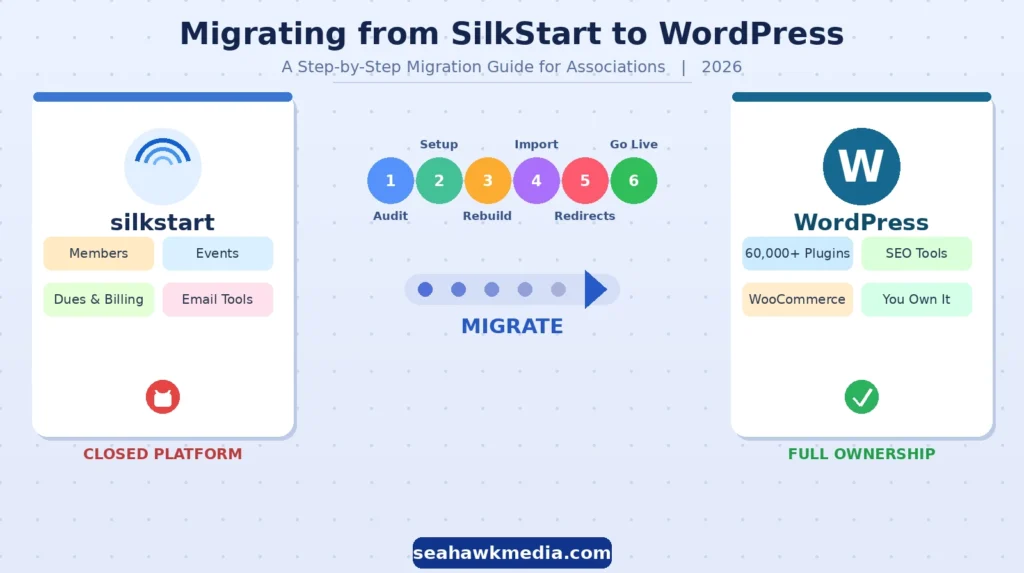
The table below summarises the full SilkStart to WordPress migration process, before each step is covered in detail. Use this as a reference checklist throughout your project.
| Step | Action | Priority |
|---|---|---|
| Step 1 | Audit all URLs, content, and member data before touching anything | Critical |
| Step 2 | Set up WordPress on the right managed hosting foundation | Critical |
| Step 3 | Rebuild all website content and association functionality in WordPress | High |
| Step 4 | Import member data carefully with proper field mapping | High |
| Step 5 | Implement 301 redirects and configure Google Search Console | Critical |
| Step 6 | Go live on a tested environment and monitor for 30 days | Critical |
Step 1: Audit Everything Before You Touch Anything
This is the step most associations skip or rush, and it is where the costly mistakes begin. Once your SilkStart contract ends, you will lose access to the platform. Any content, URL, or data you did not capture before that date is gone.
- Start with your URLs. Use Google Search Console to export every page Google has indexed from your SilkStart site. This list becomes your redirect map in Step 5. Every URL on this list needs a corresponding destination on your new WordPress site.
- Next, document your content. Take screenshots or copy the text from every page, every event description, every membership plan description, and every job listing you plan to recreate. SilkStart does not give you an export, so your own documentation is the only source of truth.
- Export your member data immediately. Do not wait until the final week of your contract. The CSV export has a limit of 40,000 rows. Associations with large databases need to be exported in batches across multiple sessions to capture everything. Export financial records at the same time.
- Record your current SEO metadata. Note the page title and meta description for every high-traffic page. AIOSEO or Rank Math on WordPress will need this data to recreate your search presence correctly.
Your audit checklist for Step 1:
- All indexed URLs exported from Google Search Console
- Content and copy saved for every page, event, and membership plan
- Member data CSV exported (in batches if over 40,000 rows)
- Financial records exported
- Page titles and meta descriptions documented for all key pages
- Navigation structure and internal linking documented
- Current Google Analytics traffic benchmarks noted for post-migration comparison
Step 2: Set Up WordPress on the Right Hosting Foundation
Associations migrating from SilkStart need managed WordPress hosting that provides reliable uptime, automated backups, staging environments, and strong server-level security.
- A staging environment is non-negotiable. All content rebuilding, plugin configuration, and member data testing happen on staging before the live domain is ever touched.
- For associations moving from SilkStart, recommended managed hosting options include DreamHost, WP Engine, Kinsta, or Liquid Web. Each provides one-click WordPress installation, automatic backups, and staging functionality that associations need for a safe migration process.
- Once hosting is configured, select and install a lightweight, accessible theme suited to association websites. Kadence and Astra are both excellent choices. They are fast, accessible, fully customizable without coding knowledge, and maintained by active development teams. Neither will slow down your site the way heavier commercial themes often do.
Install your core plugin stack before any content rebuild begins. This ensures SEO metadata, security settings, and analytics are all in place from the first page you create:
- SolidWP for security hardening and login protection
- WP Umbrella for maintenance monitoring, backup management, and uptime alerts
- MonsterInsights for Google Analytics integration
Do not point your live domain to WordPress yet. All work through Steps 2, 3, and 4 is done in the staging environment.
Your hosting setup checklist:
- Managed WordPress hosting selected and provisioned
- SSL certificate active
- Staging environment created and accessible
- Theme installed and base configuration complete
- Core SEO, security, and monitoring plugins installed and configured
- Admin user roles are assigned correctly
Step 3: Rebuild Your Website Content in WordPress
This is the most time-intensive phase of the migration. A single association website with moderate content typically takes one to two weeks to rebuild and test.
Multi-chapter networks migrating dozens of sites simultaneously require months of structured work. Plan the timeline honestly before committing to a contract end date with SilkStart.
Work through pages in priority order. Start with the homepage and primary navigation pages, then move to membership and event pages, and finally to supporting content. The member-facing functionality is the most complex to rebuild and should never be left until the final days.
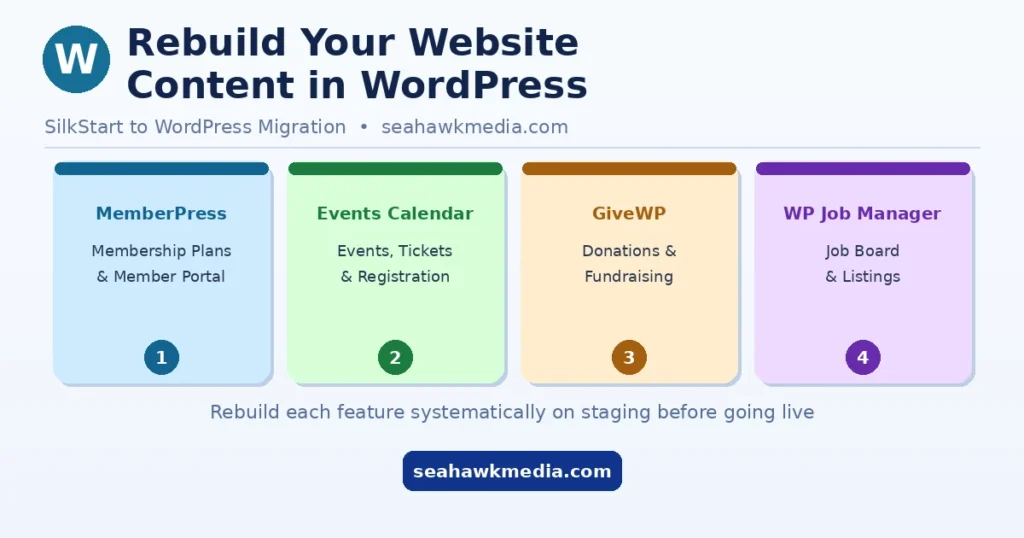
For membership functionality, WordPress membership plugins like MemberPress handle everything SilkStart provided: membership plan creation, dues collection, automated renewal reminders, member portal access, and membership tier management.
Configure MemberPress in Step 4 before migrating member data, so the import destination is ready. For events, event calendar plugins like The Events Calendar offer greater flexibility than SilkStart’s event management.
Associations can manage free and ticketed events, display event archives, and handle online registration within the same WordPress environment.
For donations, WordPress donation plugins like GiveWP handle both one-time and recurring donation campaigns with reporting, campaign management, and payment gateway integration that matches and often exceeds what SilkStart provided.
For job boards, WP Job Manager provides a clean, functional job listing system that integrates naturally with the rest of the WordPress site.
For multi-chapter associations, configure WordPress Multisite before rebuilding any individual chapter site. Multisite allows a single WordPress installation to manage hundreds of independent chapter websites with shared user management, centralized updates, and consistent branding across every property.
This is the architectural equivalent of what SilkStart’s multi-chapter system provided, but with full data ownership and unlimited customization.
Your content rebuild checklist:
- Homepage and all primary navigation pages rebuilt
- MemberPress is configured with all membership plans and dues
- The Events Calendar is set up with current events recreated
- GiveWP donation campaigns are live
- WP Job Manager job board rebuilt
- Member directory configured and accessible to appropriate membership tiers
- All media files and images are uploaded to the WordPress media library
- Mobile responsiveness tested on all rebuilt pages
Step 4: Migrate Member Data Carefully
The CSV export from SilkStart contains member names, contact details, membership status, custom fields, and renewal dates, depending on how your organization configured the platform.
- Before importing this into MemberPress, review the CSV structure carefully and map each SilkStart field to its corresponding MemberPress field.
- Run the import on your staging environment first. Verify that member profiles appear correctly, that membership tiers are assigned properly, and that renewal dates are accurate before touching the live site. A failed import on a live site with active members causes immediate trust damage and renewal disruption.
One change every member needs to understand before the new site goes live concerns how they log in.
- On SilkStart, members log in directly to the website to access all member functions: renewals, event registration, donations, and directory access.
- On WordPress, the member portal is a separate section of the site powered by MemberPress. The login experience and URL are different.
Do not assume members will figure this out. Draft a clear member communication explaining what is changing, why, and how they can access their account on the new platform. Send this communication at least two weeks before go-live, and send a reminder on launch day.
For associations using or planning to integrate a dedicated CRM such as Salesforce, HubSpot, or Blackbaud alongside WordPress, the WordPress integration occurs via an open API. This is the connection that SilkStart’s closed architecture could never support, and for many associations, it is the primary reason they are migrating.
Your member data checklist:
- Member CSV exported from SilkStart in full (batch exports if over 40,000 rows)
- CSV fields mapped to MemberPress import format
- Test import completed and verified on the staging environment
- Membership tiers, renewal dates, and custom fields confirmed accurate
- Member communication drafted explaining the login change
- Communication scheduled for at least two weeks before go-live
- New account access instructions prepared and tested
Step 5: Protect Your SEO with 301 Redirects and Search Console Setup
SilkStart uses its own URL patterns. Your new WordPress site will use different URL structures unless you manually match them.
- Every page that has inbound links, organic search rankings, or traffic from external sources needs a 301 redirect pointing from the old SilkStart URL to the correct WordPress page.
- Use the redirect map spreadsheet you built in Step 1. Open AIOSEO’s redirect manager or install the Redirection plugin, and enter each mapping: the old URL in the source field and the new WordPress URL in the destination field.
For associations with fewer than 100 pages, AIOSEO handles this cleanly from the dashboard without additional plugins.
After implementing redirects on staging, test every one before going live using a redirect checker tool. A redirect that fails silently on staging will cause a 404 error in production and damage the SEO equity that the page had accumulated.
Beyond redirects, your SEO setup checklist for go-live includes:
- All 301 redirects implemented and tested in AIOSEO or the Redirection plugin
- Page titles and meta descriptions recreated from Step 1 audit in AIOSEO or Rank Math
- XML sitemap generated and ready for submission
- Google Search Console verified and ready for sitemap submission
- MonsterInsights is connected to Google Analytics for traffic monitoring
- If the domain is also changing, the Google Search Console Change of Address tool is queued
Within 24 hours of go-live, submit your XML sitemap to Google Search Console. Monitor the Coverage and Pages reports daily for the first two weeks. Any URL returning a 404 that has inbound links or traffic needs a redirect added immediately.
Keep all redirects active for at least 12 months. Removing them before search engines have fully transferred ranking signals to the new URLs destroys the SEO equity those redirects were preserving.
Step 6: Go Live, Test Everything, and Monitor for 30 Days
In a nutshell: Going live is not the end of the migration. It is the start of the verification phase. Every broken link, missing redirect, and failed member login that surfaces in the first 30 days costs member trust and search rankings.
Lower your domain’s DNS TTL to 300 seconds (24 to 48 hours) before your planned go-live. This ensures that when you update the DNS to point to WordPress, propagation happens in minutes rather than up to 48 hours, minimizing the window during which members may hit the old SilkStart site.
Before switching DNS, complete a full pre-launch test on staging:
- All pages load correctly on desktop and mobile
- MemberPress member login works and routes to the correct portal
- Event registration completes successfully
- Donation forms process correctly
- Job board listings display, and applications are submitted
- All internal links resolve to the correct pages
- SSL is active, and all pages load over HTTPS
- Redirect tests pass for all mapped URLs
After switching DNS, confirm propagation from multiple global locations using a DNS checker tool before announcing go-live to members. Submit your XML sitemap to Google Search Console. Check SolidWP or WP Umbrella for any security alerts in the first 48 hours.
Monitor MonsterInsights daily for the first two weeks to verify traffic is recovering or growing. Track Google Search Console for 404 errors and add redirects immediately for any URL receiving traffic that returns an error.
Do not cancel your SilkStart contract until the new WordPress site has operated stably for at least 30 days and your first membership renewal cycle has processed successfully. Once the SilkStart contract ends, access to the platform closes permanently, and any data not already exported cannot be recovered.
Your post-launch monitoring checklist:
- All redirects are resolving correctly, confirmed via the redirect checker
- Member logins are working, and renewal emails are delivering
- Event registrations and donation forms processing
- 404 errors in Google Search Console monitored and resolved
- Traffic trends are stable or improving in MonsterInsights
- SolidWP security monitoring is active with no unresolved alerts
- WP Umbrella uptime monitoring is active
- SilkStart contract cancellation is scheduled after 30 days of stable operation
Common Mistakes That Make SilkStart Migrations Costly
Every mistake below comes from a real pattern Seahawk Media and other migration teams see repeatedly. Each one is entirely avoidable with the right preparation.
- Canceling the SilkStart contract before completing the member data export. Once access closes, the data is gone permanently.
- Not building the URL redirect map before go-live. Without it, inbound links and search rankings disappear overnight.
- Choosing shared hosting instead of managed WordPress hosting. Shared hosting creates performance and security problems that compound as membership activity grows.
- Failing to communicate the member login change before launch. Members who cannot log in at renewal time cancel rather than troubleshoot.
- Starting a multi-chapter rebuild without configuring WordPress Multisite first. Retrofitting Multisite after individual sites are built is exponentially more complex than starting with it.
- Rushing the content rebuild phase to meet an artificial deadline. Launching with incomplete pages or broken member functionality damages credibility that takes months to rebuild.
Conclusion
SilkStart migration is a rebuild, not a transfer. The organizations that complete it successfully treat it as a structured project with a clear sequence, not as a task that can be rushed in the final week before a contract expires.
The six steps above reflect the real sequence that protects content, member data, and search rankings throughout the process. Audit before you act. Build on the right foundation.
Rebuild content systematically. Import member data with care. Protect your SEO with proper redirects. Go live on a tested environment and monitor closely.
The reward on the other side is full data ownership, unlimited platform integrations, a member and event management stack that grows with the organization, and no vendor pricing risk. WordPress does not lock associations in. It opens every door SilkStart kept closed.
Frequently Asked Questions
Can you export content from SilkStart?
No. SilkStart does not allow exporting website content. Page copy, designs, navigation, email templates, and event history cannot be exported. Only member data via CSV (with a 40,000-row limit), financial data, and GDPR data (on request) are exportable. All website content must be manually rebuilt on WordPress.
How long does a SilkStart to WordPress migration take?
The timeline depends on content volume, the size of the member database, and the complexity of the association features being rebuilt.
What WordPress plugins replace SilkStart features?
MemberPress replaces membership management and the member portal. The Events Calendar replaces event management. GiveWP replaces donation tools. WP Job Manager replaces the job board. AIOSEO handles SEO metadata. MonsterInsights handles analytics. WordPress Multisite replaces SilkStart’s multi-chapter architecture.
Will I lose SEO rankings when migrating from SilkStart to WordPress?
Not if 301 redirects are implemented correctly. Map every old SilkStart URL to its WordPress equivalent before go-live, submit the new XML sitemap to Google Search Console within 24 hours of launch, and monitor for 404 errors in the first two weeks. Skipping the redirect step is the most common cause of ranking loss in SilkStart migrations.
Does SilkStart have an API for WordPress integration?
No. SilkStart has no open API and does not connect with Zapier, Salesforce, HubSpot, or any external CRM. This closed architecture is one of the primary reasons associations migrate to WordPress, which connects to any external system via an open API.
How do members log in after migrating from SilkStart to WordPress?
On SilkStart, members log in directly to the website for all member functions. On WordPress, the member portal is a separate section powered by MemberPress. Members receive new login credentials and need clear communication before go-live that explains what has changed and how to access their accounts.
What is the SilkStart member data export limit?
SilkStart exports member data via CSV with a maximum of 40,000 rows per export. Associations with larger databases must export in batches. Always complete member data exports well before the contract end date. Once SilkStart access closes, the data cannot be recovered.
Should I use WordPress.org or WordPress.com when migrating from SilkStart?
Always WordPress.org, the self-hosted version. WordPress.org gives complete data ownership, full plugin access (including MemberPress, GiveWP, and The Events Calendar), and no platform restrictions. WordPress.com imposes limitations on lower-tier plans that prevent rebuilding the full membership and event functionality associations need.


