

Your WordPress site can still break even when you pay for “support.” That happens when your WordPress maintenance and support provider only steps in after something fails. You stay exposed to security risks, slowdowns, and surprise issues without realizing it.
As such, you do not need support that reacts late, but protection that works every day. The right provider keeps your site stable, secure, and running smoothly so problems never reach you in the first place.
TL;DR: How to Choose a WordPress Site Maintenance Provider
- You need protection, not just fixes after something breaks.
- A reliable provider prevents issues through regular updates, monitoring, and security checks.
- Fast, WordPress-specific support matters when problems appear.
- Clear service scope and accountability reduce long-term risk.
- Proactive maintenance costs less than repeated emergencies over time.
What a WordPress Support Provider Actually Does?
A WP maintenance provider takes care of your site after it goes live. They handle a range of maintenance services and support services to ensure your site remains secure, updated, and running smoothly. You do not have to watch for issues or fix things yourself.
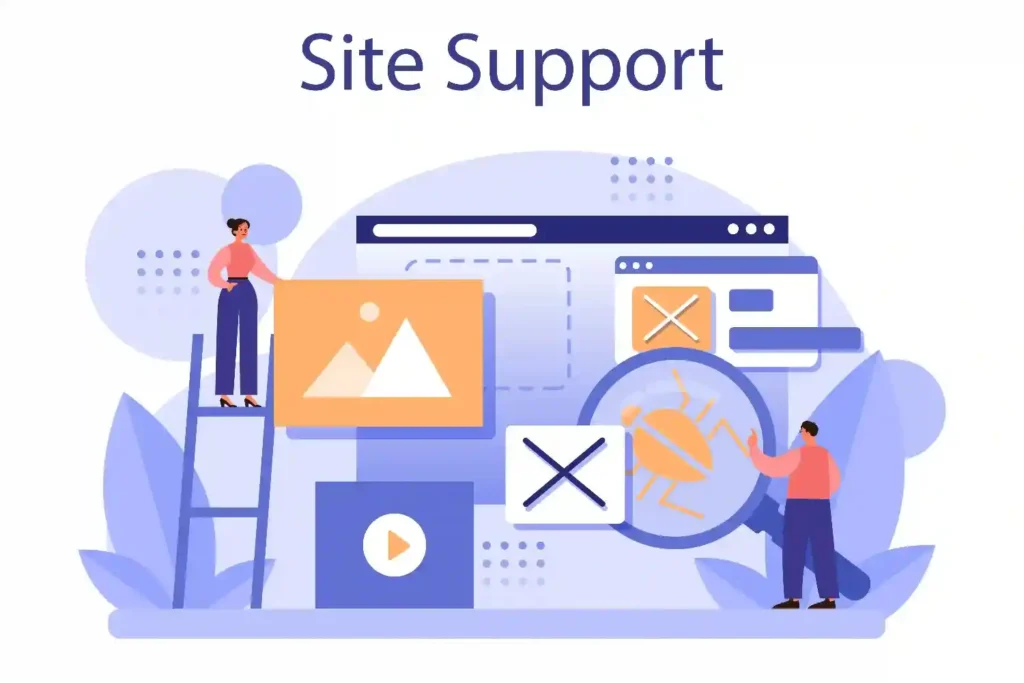
They handle updates, security checks, and backups as part of their ongoing service. These services include website backups, plugin updates, and updates to WordPress themes and plugins. This ensures your WordPress plugins and WordPress theme are always current and secure.
The real difference comes down to approach. Reactive providers fix problems only after your site breaks. Proactive providers prevent issues before they affect your visitors, data, or revenue.
You should expect regular maintenance, clear communication, and protection that runs quietly in the background.
Technical support is often included in WordPress site maintenance services, and regular updates for themes and plugins are standard to eliminate security risks and compatibility issues.
Need a WordPress Maintenance Partner That You Can Completely Rely On?
Protect your site with maintenance and support designed for long-term security, performance, and peace of mind.
Why Choosing the Wrong Provider Puts Your Site at Risk?
When you choose the wrong provider, small issues get ignored. Updates get skipped, security gaps stay open, and response times slow down when something goes wrong. You end up discovering problems after your site is already affected.
Poor security practices and unclear responsibility make things worse. If no one owns the problem, fixes take longer and risks grow. Warning signs include delayed replies, vague service promises, and support that only reacts when you complain.
Key Factors That Separate a Reliable Provider From the Rest
Not every provider protects your site in a meaningful way. The right one works quietly in the background to prevent issues, while the wrong one waits for things to break.
Top WordPress support agencies stand out by offering reliable support, responsive support, and teams of WordPress experts dedicated to keeping your site running smoothly.
These factors determine whether your site stays stable long term or keeps facing repeat problems.
Proactive Security and Threat Prevention
A reliable provider does not wait for an attack to happen. They actively monitor your site, track unusual activity, and close security gaps early. This includes keeping WordPress core, themes, and plugins secure, scanning for malware, hardening weak entry points, and prioritizing WordPress security as a key focus.
You stay protected because risks get handled before they escalate. Instead of dealing with hacked pages or blacklisted domains, your site remains clean, trusted, and online without constant worry.
Many WordPress maintening services include malware scanning and protection as part of their offerings.
Consistent Updates and Preventive Maintenance
Updates are one of the biggest sources of WordPress issues when handled poorly. A good provider applies updates regularly and carefully, making sure everything stays compatible.
As part of a comprehensive WordPress website maintenance plan or maintenance package, they keep your site, themes, and plugins up to date to ensure optimal security and performance.
They do not let updates pile up or push changes blindly. WPmaintenance packages typically include scheduled updates to keep themes and plugins current.
Preventive maintenance keeps small issues from turning into bigger failures. When updates run on schedule and get tested properly, your site avoids plugin conflicts, broken features, and unexpected downtime.
Regular updates to themes and plugins are a common feature in WordPress site care plans to ensure security and performance.
Fast, WordPress-Specific Support Response
When something breaks, waiting hours or days for help costs you traffic and trust. A reliable provider responds quickly and understands WordPress deeply.
You do not waste time explaining basic issues or waiting for tickets to move between teams. Comprehensive support plans often include emergency support for urgent issues, ensuring your site is protected and downtime is minimized.
Generic hosting support often handles many platforms and lacks WordPress expertise. WordPress-focused support fixes problems faster because they know where to look and what to fix without guesswork.
24/7 support is a valuable feature of many WordPress website maintenance services, ensuring help is available whenever needed.
Performance Monitoring and Uptime Protection
Performance problems rarely appear all at once. Speed slowly drops as content grows, plugins increase, and traffic changes.
A good WordPress support provider tracks performance continuously and fixes issues before visitors notice.
Ongoing maintenance should include regular performance optimizations and speed optimization to keep your site’s performance and website’s performance at their best.
Uptime matters just as much. If your site goes down, users blame you, not your hosting or support team. Reliable uptime monitoring ensures your site stays fast, stable, and available, protecting your reputation and revenue every day.
Site speed is a critical ranking factor in 2026, impacting user experience and search engine visibility.
Questions to Ask Before Hiring a WordPress Support Provider
Before you trust someone with your website, you need clear answers. When evaluating a WordPress support agency, consider their:
- Expertise in WordPress management
- The breadth of their WordPress services
This includes website support, custom development, backups, uptime monitoring, updates, and dedicated account management.

These questions help you understand how a provider actually works and whether they can protect your site long term, not just react when problems show up.
When choosing a maintenance provider for WordPress, focus on core services such as updates, backups, security, and performance.
How Quickly Do You Respond When Something Goes Wrong?
Response time matters when your site is down or under attack. You should know how fast the team reacts and whether support runs during critical hours. Slow responses often turn small issues into serious problems.
What Exactly Is Included in Your Maintenance and Support Scope?
You need clear boundaries. Ask what they handle daily, weekly, and monthly, and what counts as extra work. A reliable provider explains this upfront so you are never surprised when an issue appears.
Make sure you understand the details of the maintenance services and maintenance plan they offer, including what is covered and how it benefits your website.
WordPress services often provide 24/7 support to address issues as they arise.
How Do You Prevent Security Issues Before They Happen?
Security should not be reactive. Ask how they monitor threats, apply updates, and protect your site from attacks. A reliable WordPress service provider should also emphasize WordPress security by including malware protection as a core part of their service. The right provider explains prevention clearly instead of focusing only on cleanup after a breach.
Malware protection and scans are essential features of WordPress site maintenance services to safeguard against security threats.
How Do You Communicate Updates, Issues, and Fixes?
You should not guess what is happening with your site. Ask how they report work, share alerts, and keep you informed. Clear communication builds trust and helps you stay confident in their support.
Do You Work Only With WordPress or Multiple Platforms?
WordPress-specific experience matters. Providers who focus on WordPress understand its risks and behavior better.
This leads to faster fixes and fewer mistakes during maintenance and updates. Working with dedicated WordPress developers and experts ensures your site benefits from tailored development, advanced functionality, and enhanced security and performance.
Many organizations entrust website maintenance and support to outside experts.
Red Flags That Signal a Provider Cannot Protect Your Site
Not every provider that offers “maintenance” actually protects your site. Some only react after damage is done, which leaves you exposed to repeat issues. These red flags help you spot support that creates more risk instead of reducing it.
- Unclear or Vague Service Scope: If the provider cannot clearly explain what they monitor, update, or secure, you will not know who is responsible when something breaks. This often leads to delays and finger-pointing during critical issues.
- No Active Monitoring inn Place: Without uptime, security, and performance monitoring, problems stay hidden. You only find out when your site goes down, traffic drops, or users start complaining.
- Slow Or Unreliable Response Times: Delayed responses turn small issues into bigger failures. When support takes hours or days to reply, your site stays broken longer than it should.
- Reactive “Fix After It Breaks” Approach: Providers who only act after failures allow risks to build silently. This model leads to repeated downtime, security incidents, and emergency fixes.
- No Clear Ownership or Accountability: If no one clearly owns your site’s health, issues get passed around instead of resolved. This creates confusion, missed fixes, and long recovery times.
How Proactive WP Maintenance Providers Prevent Issues Before They Happen?
Reliable providers protect your site through consistent, proactive workflows. Instead of waiting for problems, they focus on prevention so your site stays stable without constant attention from you.
Ongoing maintenance is a key part of this prevention, ensuring your website remains updated, secure, and performing optimally.
- Continuous Site Monitoring: They watch uptime, errors, traffic patterns, and security activity in real time. This allows them to act early, often before you notice anything wrong.
- Safe Testing Before Updates: Updates get tested in a controlled environment before going live. This prevents plugin conflicts, broken layouts, and surprise errors after updates.
- Regular And Reliable Backups: WordPress backups, including daily backups, run automatically and get stored securely. Regular, secure backups allow for quick restoration of data after crashes or attacks. Many professional services ensure that backups are stored on separate, secure servers to maintain data safety. If something goes wrong, your site can be restored quickly without panic or data loss.
- Preventive Maintenance Routines: Small issues like warnings, outdated plugins, or performance slowdowns get fixed early. This stops them from turning into major failures later.
- Early Intervention Based On Signals: When performance drops or security risks appear, action happens immediately. This keeps your site fast, secure, and available without downtime.
WP Maintenance Provider vs On-Demand Fixes
At first, on-demand fixes may seem cheaper and easier. You only pay when something breaks. But this approach increases risk over time because problems build quietly between fixes.

With one-time fixes, updates get delayed, security gaps stay open, and performance slowly drops. Each issue gets handled in isolation, without looking at the overall health of your site. This leads to repeated emergencies, more downtime, and higher long-term costs.
A WordPress website maintenance provider works differently. They prevent issues through regular updates, monitoring, and maintenance.
Instead of reacting to failures, they protect your site continuously. This reduces downtime, lowers security risks, and keeps costs predictable, making long-term site management safer and more reliable.
Who Needs a Dedicated WP Maintenance and Support Provider?
If your website plays an active role in your business, relying on occasional fixes is risky. A dedicated provider makes sense when stability, security, and performance directly affect your results.
- Business Websites: Website owners use their site to represent their brand, share information, and build trust. Regular maintenance keeps the site reliable so visitors do not lose confidence. Providers offering unlimited website edits make it easy for website owners to request frequent updates and changes as their business evolves.
- eCommerce Stores: Your site processes payments and customer data. Ongoing support protects against security risks, prevents checkout issues, and reduces revenue loss from downtime.
- Agencies Managing Client Sites: You handle multiple websites and manage client websites at once. With white-label WP maintenance, agencies can present these services as part of their own brand and service suite, helping you avoid emergencies, meet client expectations, and scale without burnout.
- High-Traffic Blogs and Content Sites: You depend on speed and uptime to keep traffic and rankings strong. Continuous monitoring prevents performance drops that hurt visibility.
- Lead-Driven Websites: Your site generates inquiries and sales opportunities. Maintenance ensures forms, pages, and tracking work correctly so leads are never lost.
How the Right Provider Improves Security, Performance, and Peace of Mind?
The right provider does more than fix issues. They remove daily stress by keeping your site protected and stable without constant input from you.
- Stronger Security Without Constant Worry: Threats get monitored and handled early, so you are not reacting to hacks or alerts at the last minute. For advanced needs, the right provider can deliver custom solutions and develop custom plugins to enhance security and functionality.
- Consistent Performance That Users Trust: Speed and uptime stay steady, which protects user experience, rankings, and conversions. Custom development and WordPress development are included as part of tailored support, ensuring your site is optimized for your unique requirements.
- Fewer Emergencies and Surprises: Problems get addressed early, reducing downtime and urgent fixes that disrupt your work.
- Confidence That Your Site is Handled Properly: You know someone is watching your site every day, which lets you focus on your business instead of technical risks.
Many WordPress support services offer tailored solutions to meet the specific needs of businesses.
Conclusion
Protecting your WordPress site is not about quick fixes or convenience. It depends on consistent care, real expertise, and prevention. When maintenance runs in the background and issues get handled early, your site stays secure, fast, and reliable.
Choosing the right WordPress support provider means choosing long-term site health. With proactive protection in place, you avoid emergencies, reduce risk, and focus on growing your business instead of worrying about what might break next.
FAQs About WordPress Support and Maintenance Provider
What does a WordPress maintenance provider do?
A WordPress service provider manages updates, security checks, backups, performance monitoring, and ongoing site care. This ensures the website stays stable, secure, and functional over time.
Is proactive maintenance better than on-demand fixes?
Yes. Proactive maintenance focuses on preventing issues before they cause downtime or damage. On-demand fixes respond after problems appear and often lead to higher long-term costs.
How often should WordPress service be done?
WordPress site care should run continuously. Regular updates, security monitoring, and performance checks are required to keep risks low and prevent unexpected failures.
Can small business sites benefit from a maintenance provider?
Yes. Small business websites face the same security and performance risks as larger sites. Consistent maintenance helps prevent downtime, data loss, and damage to customer trust.
What should you avoid when choosing a provider?
Avoid providers with unclear service scope, slow response times, or a reactive approach that only fixes issues after something breaks.
How can you tell if a provider actually protects your site?
A reliable provider explains the maintenance process clearly, monitors the site actively, and resolves issues early before they affect users or business operations.


