

Are you tired of scrolling through endless Elementor themes and templates that don’t quite fit your brand or design vision? Look no further!
Elementor, a popular page builder plugin for WordPress, has revolutionized how we approach website design. With its drag-and-drop interface and customizable widgets, Elementor makes it easy to create stunning websites in no time.
TL;DR: Elementor Compatible Themes for Fast and Easy WordPress Design
- Elementor makes website building simple with drag-and-drop editing, responsive layouts, and no coding required. It suits beginners and professionals alike.
- Pre-designed Elementor templates save time and help maintain a consistent look across pages, posts, and sections. They are budget-friendly and easy to customize.
- This article covers dozens of Elementor themes and template kits for blogs, ecommerce, portfolios, startups, healthcare, education, and niche businesses.
- With the right Elementor template, you can launch faster, improve design quality, and focus more on content, branding, and business growth.
What is Elementor?
Elementor is a WordPress page builder plugin that lets you create beautiful, responsive websites with drag-and-drop.
You can customize your website without having to code, add new pages, sections, and elements to your website without any coding knowledge.
It is the perfect solution for those who want to create a website without learning to code. It is also great for those who want to be able to customize their website without having to hire a WordPress developer.
Learn: Elementor Stuck-on Loading Screen
Benefits of Using Best Elementor Templates for WordPress
Elementor templates are pre-designed layouts that can be imported into your WordPress site and used as the basis for your page or post layout.
There are many benefits to using the best Elementor template for your WordPress site, such as:
- It can save you a lot of time. With a template, you don’t have to start from scratch when creating a new page or post. Import the template into Elementor and then add your content.
- An Elementor template can help you achieve a consistent look and feel for your site. If you’re using multiple plugins or themes on your site, it can be challenging to keep everything looking cohesive. But with an Elementor template, everything is already designed to work together.
- Templates can be a great way to learn how to use Elementor. If you’re new to the plugin, working with a pre-designed template can help you get comfortable with its features and options. And if you’re an experienced user, trying out different templates can give you some fresh ideas for your projects.
- Templates are often less expensive than hiring a designer to create a custom page or post layout. Using an Elementor template can help you stretch your dollars further if budget is a concern.
Build Your Perfect Elementor Website Today
Get a custom Elementor theme designed for speed performance and brand impact by our expert WordPress team.
Best Elementor Templates for WordPress
With thousands of Elementor templates available, finding the right one can be overwhelming. Here are the top Elementor templates for WordPress, offering stunning designs and user-friendly features.
Astra: Best for Speed and Starter Templates
Astra is arguably the most popular theme for Elementor users, and for good reason. It is built with a “performance-first” philosophy, weighing in at less than 50KB on the frontend.

Astra’s standout feature is its “Smart Elementor Integration,” which automatically detects when you are editing a page with Elementor and sets the best options for you, such as disabling the page title or sidebar, saving you repetitive clicks.
Beyond the code, Astra offers an immense library of Starter Templates built specifically with Elementor. Whether you are building a freelancer portfolio or a WooCommerce store, you can import a professionally designed site in seconds and customize it using the native Elementor interface.
It allows you to disable the header and footer easily, giving Elementor full control over the canvas without complex coding.
- Smart Integration: Automatically disables page titles and sidebars when Elementor is active.
- Global Styling: Controls typography and colors globally, ensuring your Elementor designs stay consistent.
- Header & Footer Builder: robust drag-and-drop builder that integrates seamlessly with Elementor pages.
- Lightweight Core: Vanilla JavaScript ensures no jQuery render-blocking, keeping your PageSpeed scores high.
Bonus Read: How to add custom CSS in Elementor
Page Builder Framework: Best for Developers and Custom Builds
As the name suggests, Page Builder Framework (PBF) was designed from the ground up specifically to work with page builders like Elementor.

It acts as a lightweight, minimalist “shell” that doesn’t bloat your site with unnecessary features you’ll likely override with Elementor anyway. This makes it an exceptional choice for agencies and developers who want a clean slate to build complex custom designs without fighting against an opinionated theme.
PBF offers granular control over responsive breakpoints, ensuring your Elementor designs translate perfectly to mobile and tablet devices.
Its “No-Sidebar” layout and “Full-Width” options are native, preventing the dreaded “boxed” look that often breaks full-screen Elementor sections. It is arguably the most developer-friendly canvas for those who want to use Elementor Pro to its full potential.
- Page Builder Specific: Stripped of bloat to let Elementor handle the heavy lifting.
- Hooks API: extensive hooks allow developers to insert code or Elementor templates anywhere in the theme.
- GDPR Compliant: Built with privacy in mind, hosting Google Fonts locally by default.
- White Label: The premium version lets you rebrand the theme, making it perfect for client handoffs.
Kalium Theme: Best for Creative Portfolios and Agencies
Kalium is a visually stunning theme that has evolved to become a powerhouse for creative professionals using Elementor.

While originally known for its WPBakery integration, the latest versions have fully embraced Elementor, offering a unique set of custom widgets that bring Kalium’s award-winning design aesthetic to the Elementor editor.
It is particularly strong for typography enthusiasts and agencies needing a high-end “look and feel” out of the box. The theme excels in handling portfolio items and gallery layouts, which can sometimes be rigid in standard Elementor setups.
Kalium provides specialized portfolio skins that work harmoniously with Elementor pages, allowing you to build intricate case studies.
Its typography management is superior to most, offering Adobe Fonts (Typekit) support that syncs directly with the editor.
- Custom Elementor Widgets: Includes specialized widgets for portfolios, text sliders, and team members.
- Adaptive Images: Smart image handling ensures your visually heavy portfolios load fast.
- Typography Handler: deeply integrated font management that overrides Elementor’s defaults for consistent branding.
- Pre-made Demos: High-quality, niche-specific demos that are fully editable with Elementor.
GeneratePress: Best for Stability and Performance
GeneratePress is often cited as the “gold standard” for stability in the WordPress ecosystem. For Elementor users, it provides a rock-solid foundation that rarely breaks during updates. Its modular approach means you only activate the features you need.

The standout feature for Elementor users is the “Elements” module (available in GP Premium), which lets you design custom headers, footers, or hero sections in Elementor and conditionally “hook” them into any part of the website.
This “Hooks” system bridges the gap between a standard theme and a full site builder. You can create a specific Elementor layout and assign it to appear only on blog posts, 404 pages, or specific product categories.
This gives you the power of Elementor Pro’s Theme Builder while maintaining the lightweight, SEO-friendly architecture of GeneratePress.
- Elements Module: Hook Elementor-built sections into headers, footers, or post content areas.
- Layout Controls: Per-page settings to disable elements (nav, footer, title) directly from the editor.
- Micro-Optimization: No dependencies; the theme is less than 10KB gzipped.
- Accessibility Ready: Follows WCAG 2.0 standards, ensuring your Elementor site is accessible to all users.
WPZoom (Inspiro/Foodica): Best for Video and Niche Blogs
WPZoom is a developer known for highly specific niche themes, such as Inspiro (video) and Foodica (food blogging), which are now fully compatible with Elementor.
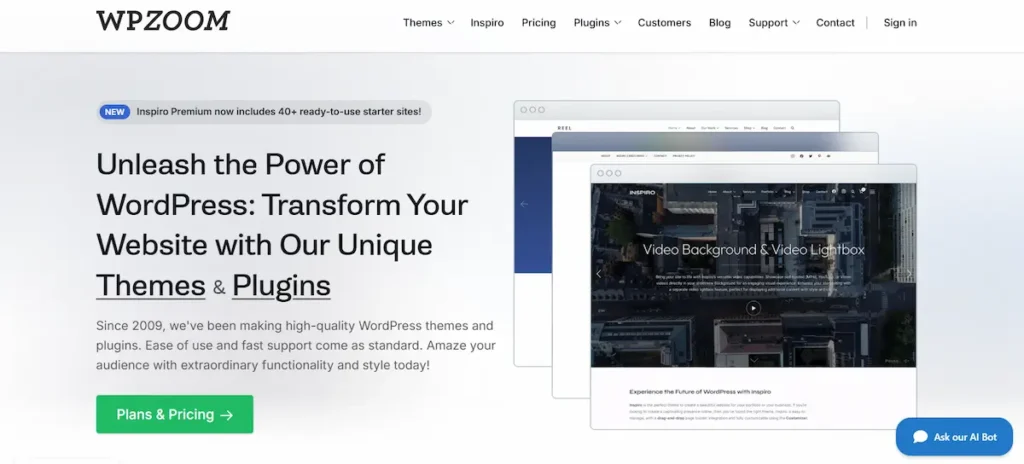
Unlike generic multipurpose themes, WPZoom themes come with their own “WPZoom Elementor Addons.” This integration is crucial because it adds niche-specific functionality, like video lightboxes, recipe indexes, or portfolio grids, directly into the Elementor widget panel.
For example, if you use the Inspiro theme, you gain access to advanced video background capabilities that Elementor’s native video widget struggles to match.
These themes respect Elementor’s layout controls but add a layer of specialized design “flavor” that is hard to build from scratch.
They are perfect for users who want the flexibility of Elementor but need a head start on complex features like video headers or recipe cards.
- WPZoom Elementor Addons: A dedicated plugin included that adds 30+ unique widgets.
- Video Integration: Superior handling of self-hosted and YouTube video backgrounds.
- Recipe & Directory Widgets: Specialized blocks for food and directory sites.
- 1-Click Demo Import: Imports full Elementor layouts, including widgets and settings.
Kadence: Best for Header/Footer Customization and Typography
Kadence has quickly become a favorite among Elementor users due to its advanced Header and Footer builder which is available even in the free version.

While Elementor Pro allows you to build headers, Kadence allows you to build complex, three-row headers with drag-and-drop ease without needing the Pro version of Elementor.
The integration is deep; you can set global color palettes in Kadence that automatically sync with Elementor’s global colors, ensuring a unified design system.
Performance is another key metric where Kadence shines. It loads CSS continuously only for the blocks you use. For Elementor users, the “Global Palette” is a game-changer.
If you change a brand color in the Customizer, it updates across all your Elementor pages instantly. It strikes a perfect balance between the ease of a theme and the flexibility of a page builder.
- Global Color Sync: Theme customizer changes are reflected instantly in Elementor.
- Advanced Header Builder: Create transparent, sticky, and mobile-responsive headers easily.
- Layout Settings: granular control over page width and sidebars on a per-post basis.
- Performance: Uses intelligent loading so unused CSS is not injected into the page.
ThemeREX: Best for Niche and Industry-Specific Designs
ThemeREX is not just a single theme but a framework used across a vast collection of highly specific industry themes (like Reign, Hobo, or Jacqueline).
These themes are distinct because they are often “Elementor-first,” meaning the demo content is built entirely with Elementor widgets rather than shortcodes.
ThemeREX bundles its own “ThemeREX Addons” plugin, which extends Elementor with unique post types for Services, Testimonials, and Team Members.
If you are building a website for a specific industry, say, a spa or a construction company, ThemeREX themes save you hours of design time.
They provide complex, industry-appropriate layouts (like appointment booking forms or project showcases) pre-built in Elementor. You don’t have to design these from scratch; you just tweak the existing Elementor templates.
- Industry-Specific Skins: Pre-designed Elementor kits for niches like Medical, Construction, and Beauty.
- ThemeREX Addons: Adds custom post types (Services, Team) accessible as Elementor widgets.
- Header & Footer Builder: robust builder integrated into the theme framework.
- Flexible Color Schemes: One-click color changes that apply across complex Elementor layouts.
MH Magazine: Best for Editorial and News Sites
MH Magazine is a classic choice for editorial sites that has adapted well to the page builder era. While traditionally widget-based, the modern versions of MH Magazine are compatible with Elementor, allowing you to build custom news layouts that go beyond the standard “blog roll.”

It is ideal for content-heavy sites that need to display dozens of articles on the homepage without overwhelming users or slowing down servers.
The theme allows you to use Elementor to design the core pages while retaining the structured, SEO-friendly schema of a magazine theme for the single posts.
This prevents the common issue where Elementor-built archives look messy. You get the structure of a news site with the design flexibility of Elementor for your landing pages and category headers.
- Widget Areas: Multiple widgetized areas that can accept Elementor templates.
- Editorial Layouts: Specialized typography and spacing optimized for long-form reading.
- SEO Schema: Native news schema markup that works alongside Elementor content.
- Custom Widgets: Includes news tickers and category sliders compatible with the builder.
Nexter WP: Best for “Pro” Features in a Free Package
Nexter WP is a hidden gem developed by POSIMYTH, the team behind “The Plus Addons for Elementor.” Its biggest selling point is that it includes a Theme Builder (Header, Footer, Single Post, Archive) effectively for free, features that usually require Elementor Pro.

It is designed as a bare-bones, high-performance framework that relies on its deep integration with the developer’s addon ecosystem to provide functionality.
For Elementor users on a budget, Nexter is revolutionary. It allows you to hook Elementor templates into the header and footer slots without writing code.
It also includes advanced security and performance features built in, such as code snippet management and disabling unused WordPress bloat, ensuring your Elementor site runs at peak efficiency.
- Free Theme Builder: Build Headers, Footers, and 404 pages using Elementor Free.
- Performance Tuner: Built-in tools to disable unused scripts and harden security.
- Container Support: Fully optimized for Elementor’s Flexbox Container layouts.
- Deep Integration: Designed specifically to host “The Plus Addons” for maximum creative freedom.
Blocksy Companion: Best for eCommerce and Modern Design
Blocksy is a lightning-fast theme that has gained a cult following for its modern design stack. The “Blocksy Companion” plugin acts as the bridge, unlocking powerful extensions that integrate with Elementor.

Blocksy’s greatest strength is its eCommerce integration; it offers product quick views, floating carts, and gallery styles that look premium instantly, which you can then wrap in Elementor designs.
Like Kadence, Blocksy features a content block system (Content Blocks) that allows you to design sections in Elementor and hook them into different areas of your site.
The design language of Blocksy is incredibly modern and clean, making it a favorite for startups and SaaS companies. It handles “Dynamic Data” exceptionally well, making it a strong candidate for dynamic sites.
- Content Blocks: Create hooks and custom template parts using Elementor.
- WooCommerce Extra: Features like “Off-Canvas Cart” and “Quick View” built-in.
- Header Builder: One of the most intuitive drag-and-drop header builders on the market.
- Dark Mode: Native support for Dark Mode, which can be toggled on the frontend.
Related: Best Photography WordPress Themes
How to Use an Elementor Template?
If you’re new to Elementor, you might wonder how to use an Elementor template. Here’s a quick overview:
- Step 1: Install and activate the Elementor plugin. Then, navigate to Templates → Add New in your WordPress dashboard.
- Step 2: From there, you can either choose a pre-made template or start from scratch. If you choose a pre-made template, click the template, then click “Insert.” The template will be imported into your WordPress site, and you can then edit it using the Elementor editor.
- Step 3: You can create a custom layout using the drag-and-drop editor from scratch. Add the elements you want to include in your design and then rearrange them however you like.
- Step 4: Once you’re happy with your layout, click “Publish” to publish your changes.
How to Customize Your Elementor Template?
If you’re looking to get the most out of your Elementor template, there are a few ways to customize it to better suit your needs. Here are some tips:
- Start by changing the colors to match your brand or website. You can do this by going to the “Style” tab in the Elementor editor and choosing your desired colors from the color picker.
- Next, add some custom fonts to make your template stand out. Again, go to the “Style” tab and click the “Typography” option. Select which fonts you’d like to use from the drop-down menu.
- If you want to change the layout of your template, click on the “Layout” tab and select your preferred option from the drop-down menu. You can also choose to have a full-width or boxed layout.
Finally, remember to save your changes! Click on the “Save” button in the top right corner of the Elementor editor and give your template a name. That’s it, you’re now ready to start using your custom Elementor template!
Conclusion
Elementor is an excellent tool for creating WordPress websites with ease. We hope our list of the best Elementor templates for WordPress has helped you find the perfect template for your website.
With these high-quality Elementor templates, you can create stunning websites quickly and easily, giving you more time to focus on what truly matters: creating awesome content!
FAQs About Elementor Themes for WordPress
Are free Elementor themes good for beginners and blogging?
Yes. A free Elementor theme is a great option for beginners and personal blog creators. It works well with the Elementor builder and the WordPress block editor. You get clean page layouts, fast speed, and simple design options. Many themes include demo content to help you launch faster. You can download and start without cost.
What is the difference between the free version and the premium version?
The free version covers basic needs like layouts, theme colors, and a footer. The premium version adds more options. You get premium templates, premium plugins, premium extensions, animations, and custom widgets. Pro versions also unlock advanced design options and better sales-focused layouts.
Is Hello Theme a good choice for Elementor users?
Hello Theme is a popular choice among creators. It is lightweight and optimized for speed. It pairs perfectly with the Elementor builder. You can easily build a header, a sticky header, and a footer layout. It suits articles, blogging, and ecommerce websites.
Do Elementor themes support ecommerce websites?
Yes. Many Elementor themes support ecommerce websites out of the box. They work well with premium plugins and offer dozens of page layouts. You can customize product pages, add custom widgets, and use theme demo imports for quick launch.
Can I upgrade later and keep my design?
Yes. You can upgrade anytime from the free version to the pro version. Your content, page layouts, and theme colors stay intact. The upgrade unlocks more options, premium templates, and advanced footer controls. It is beginner-friendly and market-ready.


