

Enterprise website redesigns are complex projects that impact multiple business functions, from marketing and sales to product visibility and customer experience.
Without a structured audit beforehand, organizations risk losing valuable search rankings, breaking critical SEO signals, and disrupting existing conversion paths that currently drive leads or revenue.
Even small changes to URL structures, internal links, or tracking setups can significantly affect organic traffic and the accuracy of analytics.
A comprehensive audit helps teams understand what is working, what needs improvement, and which assets must be preserved during the redesign process.
By evaluating technical performance, SEO foundations, content quality, user experience, and analytics tracking, businesses can make data-driven decisions rather than rely on assumptions.
This guide outlines a practical audit framework for enterprise teams to assess their current website and build a clear, prioritized roadmap for a successful, risk-free redesign.
TL;DR: Quick Summary for Enterprise Site Audit
- Conduct a complete audit before starting a redesign to understand how the current site performs and identify SEO, technical, and content risks.
- Preserve high-performing key pages, valuable backlinks, and existing site structure to prevent traffic or ranking losses.
- Evaluate technical factors such as slow load times, technical errors, and mobile usability affecting real users.
- Use a structured redesign checklist to control scope, avoid scope creep, and align changes with business goals.
- After launch, prioritize ongoing optimization to ensure the new site performs well and continues meeting evolving user needs.
Why an Enterprise Website Audit is Critical Before Redesign?
Redesigning an enterprise website without first understanding its current performance can create significant risks. A structured audit provides clarity on what is working, what must be preserved, and what needs improvement.

More importantly, it ensures that the redesign strengthens SEO performance, maintains traffic stability, and supports measurable business outcomes.
Therefore, conducting a comprehensive audit helps teams make informed decisions and reduce migration-related risks.
Protect Existing SEO Equity
First and foremost, an audit helps identify pages that already perform well in search engines. These pages often carry valuable SEO signals such as rankings, backlinks, and internal link authority.
By documenting them early, teams can preserve URL structures, metadata, and linking patterns during the redesign process.
Avoid Traffic and Conversion Loss
Additionally, redesigns can unintentionally disrupt traffic flows and conversion paths. For example, broken redirects, removed pages, or misconfigured analytics can reduce visibility and lead generation. An audit highlights these risks in advance, allowing them to be mitigated before launch.
Align Redesign with Business Goals
Finally, an audit ensures the redesign aligns with strategic objectives. By mapping existing content and performance data to business KPIs, such as lead generation or demo requests, organizations can prioritize improvements that directly support growth.
Planning an Enterprise Website Redesign?
Our experts perform a complete website audit to uncover issues, protect SEO value, and guide your redesign with a clear, data-driven roadmap.
Checklist for Enterprise Website Audit Before Redesign
Before starting a redesign, enterprise teams need a structured checklist to evaluate the current website and document critical assets. The following steps establish the foundation for a data-driven redesign strategy.
Step 1: Define Audit Purpose, Business Goals, and Current Website Snapshot
The first step in an audit is defining the purpose of the website redesign and documenting the website’s current performance.
This step provides a clear baseline for measuring improvements after launch. Moreover, it ensures that the redesign focuses on business priorities rather than purely visual changes.
- Identify Business Objectives and KPIs: Start by outlining the primary objectives the redesigned website must support. These may include increasing qualified leads, improving demo requests, or driving product sign-ups. Once defined, translate these objectives into measurable KPIs such as conversion rate, organic traffic growth, or form completions.
- Capture Current Website Baseline: Document the current performance of the website. Record metrics such as total traffic, organic search visits, top-performing landing pages, and conversion rates. This baseline allows teams to compare performance before and after the redesign.
- Identify High-Value Pages That Must Be Protected: Lastly, identify pages that contribute significantly to traffic, rankings, or revenue. These may include high-ranking organic pages, pages with strong backlinks, and core product or service pages. Protecting these assets during migration is essential to avoid SEO and revenue losses.
Step 2: Enterprise Website Audit Methodology
A structured audit methodology ensures that enterprise websites are evaluated across technical performance, SEO health, content quality, user experience, and analytics accuracy before redesign decisions are made.
- Combine Multiple Audit Layers: First, conduct a multi-layered audit that includes technical SEO, content performance, UX evaluation, and analytics validation. This combined approach helps uncover both structural issues and content gaps. As a result, teams gain a comprehensive view of how the website supports search visibility and conversions.
- Use Automated Crawls and Manual Review: Next, run automated crawls with tools such as Screaming Frog or Sitebulb to detect large-scale issues, including broken links, duplicate pages, and missing metadata. However, complement these findings with manual reviews to identify page-level problems that tools may overlook.
- Analyze Historical Performance Trends: Finally, review historical traffic and ranking data. This analysis helps distinguish temporary fluctuations from long-term declines caused by technical issues, content decay, or structural changes.
Step 3: Technical Audit: Performance, Core Web Vitals, and Mobile UX
A technical audit evaluates website speed, user experience, and mobile performance.
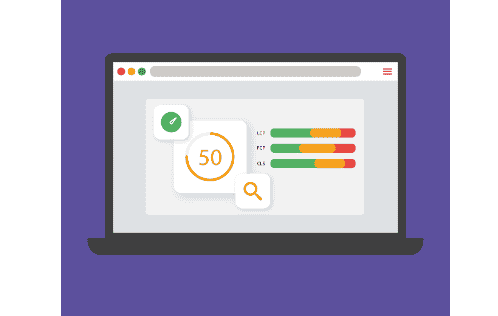
It identifies factors that directly affect Core Web Vitals, responsiveness, and resource loading, which in turn influence SEO and conversions.
- Analyze Core Web Vitals Using Real User Data: Measure LCP, INP, and CLS using real-user monitoring tools. This approach reveals the actual performance issues visitors experience.
- Evaluate Mobile Responsiveness: Assess mobile usability by reviewing responsive layouts, viewport configuration, and touch targets. This ensures pages function smoothly across devices.
- Identify Third-Party Scripts Affecting Performance: Audit external scripts like chat widgets, analytics tags, and marketing tools that may delay rendering or interactivity.
- Desktop vs Mobile Resource Loading: Compare resource loading across devices to prioritize optimizations for the platform driving the most conversions.
Step 4: Content Audit: Inventory and ROT Analysis
A content audit evaluates existing pages to determine their relevance, performance, and strategic value. It helps identify content to keep, improve, consolidate, or remove before redesign.
- Create a Complete Content Inventory: Compile a detailed inventory of all website pages. Include key data such as URL, traffic, backlinks, word count, and last updated date to support migration decisions.
- Conduct ROT Analysis: This will help to categorize content as redundant, outdated, or trivial. Consequently, pages can be tagged for keeping, merging, rewriting, or removal.
- High-Authority Pages: Identify pages with strong backlinks or high organic traffic. Preserving these pages or redirecting them properly helps maintain SEO authority during a site redesign.
Step 5: Content Strategy Alignment with Business Goals
Content strategy should support measurable business outcomes. Aligning content with buyer intent, search demand, and conversion paths ensures the redesigned website drives meaningful engagement and growth.
- Map Content to Buyer Journey Stages: Categorize existing and planned content based on buyer journey stages: awareness, consideration, and decision. This approach ensures users receive relevant information that gradually guides them toward conversion.
- Build Topic Clusters and Pillar Pages: Organize content into topic clusters supported by pillar pages. Consequently, this structure strengthens internal linking, improves topical authority, and increases the chances of ranking for strategic keywords.
- Define Content Lifecycle Management: Establish content governance rules, including update schedules, content ownership, and performance metrics that trigger reviews, updates, or consolidation over time.
Step 6: Internal Linking and Site Architecture Audit
A structured site architecture improves crawlability, user navigation, and the distribution of authority across important pages. Auditing internal links ensures search engines can efficiently discover and prioritize key content.
- Analyze Crawl Depth: Evaluate how deeply important pages are placed within the website structure. Ideally, high-priority pages should be accessible within three clicks from the homepage or major hub pages.
- Strengthen Internal Link Distribution: Review internal links on high-traffic, high-authority pages. Strategically linking these pages to conversion or strategic pages helps distribute link equity and improve their search visibility.
- Detect and Fix Orphan Pages: Identify orphan pages that lack internal links pointing to them. Adding contextual links from relevant pages ensures these pages can be crawled, indexed, and discovered by users.
Step 7: CMS and Platform Evaluation
Choosing the right CMS and infrastructure is critical for enterprise websites. A platform audit ensures the system supports scalability, integrations, performance optimization, and secure content workflows.
- Evaluate CMS Capabilities for Enterprise Needs: Assess whether the CMS meets enterprise requirements, including role-based access control, content workflows, multisite management, and integration with marketing or CRM platforms.
- WordPress-Specific Considerations: Review the WordPress environment, including theme architecture, plugin inventory, and update compatibility. This step helps identify performance risks, plugin conflicts, and long-term maintenance challenges.
- Define Infrastructure Requirements: Evaluate infrastructure needs, including staging environments, automated backups, version control, and deployment processes. Establishing these elements ensures safe development, testing, and reliable website launches.
Step 8: Conversion Paths, Analytics, and User Behavior
Analyzing conversion paths and user behavior helps identify friction points affecting lead generation. A thorough audit ensures analytics accuracy and reveals opportunities to improve user journeys.
- Audit Existing Conversion Funnels: Review current conversion funnels to understand how users move from landing pages to key actions such as form submissions or demo requests. This analysis highlights drop-off points that may require UX improvements.
- Validate Analytics Tracking: Verify the accuracy of analytics setups, including event tracking, goal configurations, and tag management systems. Consequently, reliable data ensures teams can measure performance correctly after the redesign.
- User Behavior Data: Analyze user behavior through heatmaps, session recordings, and scroll tracking. These insights reveal how visitors interact with pages and help identify design elements that support or hinder conversions.
Step 9: Technical SEO and URL Mapping
Technical SEO plays a crucial role during website redesigns, especially when URL structures or page hierarchies change. A proper audit helps preserve search visibility and prevents indexing issues.

- Complete URL Mapping Plan: Create a detailed URL mapping document that records existing URLs alongside their new destinations. Implementing accurate 301 redirects ensures search engines and users are guided to the correct pages without losing SEO value.
- Duplicate Content and Canonical Issues: Review the website for duplicate pages and incorrect canonical tags. Resolving these issues helps search engines understand the preferred version of each page and prevents ranking dilution.
- Indexation Controls: Check indexation settings, including robots.txt directives, XML sitemaps, and meta robots tags. Proper configuration ensures that only the intended pages are crawled and indexed after the redesign.
Step 10: Backup, Data Export, and Access Control
Before beginning a redesign or migration, enterprises must secure website assets and administrative access. Proper backups and data exports reduce operational risks and ensure quick recovery in the event of issues.
- Website Backup: Generate a complete backup of the website, including the database, media files, configuration settings, and theme or plugin files. This backup acts as a recovery point in case unexpected errors occur during development or migration.
- Business Data: Export essential business data such as leads, orders, subscriptions, or customer records in accessible formats. Consequently, teams can restore or audit critical information if a system disruption occurs.
- Centralize Access: Document and centralize access credentials for systems such as hosting, DNS, CMS, and analytics platforms. Using a secure credential vault helps maintain controlled access and reduces security risks.
Step 11: Accessibility, Compliance, and Security Audit
An enterprise audit must also evaluate accessibility standards, security practices, and legal compliance to reduce operational risks and ensure the redesigned website meets regulatory and usability requirements.
- WCAG Accessibility Compliance: Review the website for accessibility issues such as missing alt text, poor color contrast, and keyboard navigation barriers. This ensures inclusive access for all users.
- Website Security: Assess security measures, including SSL configuration, firewall protection, and regular plugin or system updates to reduce vulnerabilities.
- Legal Compliance: Verify privacy policies, cookie consent mechanisms, and data protection practices to ensure compliance with applicable regulations.
Step 12: Prioritization and Redesign Roadmap
After completing the audit, teams must prioritize findings and translate them into an actionable roadmap that balances business impact, technical feasibility, and realistic implementation timelines.
- Rank Issues by Impact vs Effort: Evaluate audit findings using an impact-versus-effort framework. This approach helps prioritize fixes that deliver the greatest business and SEO improvements with manageable implementation effort.
- Ownership and Acceptance Criteria: Assign responsible teams or stakeholders for each task. Clearly defined acceptance criteria ensure accountability and measurable outcomes.
- Migration and Launch Windows: Schedule migration phases, content freeze periods, and launch windows to minimize disruptions to traffic, operations, and ongoing marketing activities.
Step 13: Testing and Post-Launch Safeguards
Comprehensive testing and monitoring are essential to ensure a smooth website launch. These safeguards help detect issues early and protect traffic, SEO visibility, and conversions.
- Pre-Launch Testing: Conduct thorough testing of redirects, analytics tracking, page speed, and critical conversion paths. This step ensures that essential functions operate correctly before the website goes live.
- Monitor Performance After Launch: Track key metrics such as traffic, rankings, and user behavior immediately after launch. Continuous monitoring helps identify unexpected performance drops.
- Quick-Fix Response Plans: Establish response plans for common issues like broken links, missing metadata, or tracking errors to enable rapid resolution.
Tip for Ongoing Optimization After Website Redesign
A successful redesign does not end at launch. Continuous optimization ensures the website redesign project delivers long-term results by improving performance, maintaining SEO health, and supporting evolving business goals.
Schedule Regular Website Audits
First, conduct a complete website audit periodically to evaluate the current site performance. This review should follow a website redesign checklist to assess site structure, detect broken internal links, and identify broken links affecting key pages.
In addition, update outdated content and ensure relevant keywords remain aligned with the target audience. Regular reviews also help confirm that the content management system continues supporting essential workflows and integrations.
Track Leading SEO and Conversion Indicators
Next, use Google Analytics and Google Search Console to monitor performance closely. These tools reveal how the site appears in search results and how site visitors, especially mobile users on mobile devices, interact with pages.
Furthermore, analyze user feedback, validate improvements, and track metrics like site speed, conversions, and engagement across your own site.
Maintain Plugin and Dependency Updates
Finally, maintain technical stability during the site redesign project by updating plugins and dependencies. Ensure site functions operate correctly, implement schema markup where needed, and verify that integrations, such as marketing automation tools, continue to run smoothly.
Conclusion
A successful website redesign begins with a clear understanding of the existing site’s strengths, weaknesses, and performance drivers.
Conducting a structured enterprise website audit helps organizations protect valuable SEO assets, maintain traffic stability, and improve conversion opportunities during the transition.
By evaluating technical performance, content quality, site architecture, analytics accuracy, and user behavior, teams can identify risks before they impact search visibility or business outcomes.
More importantly, a well-documented audit creates a data-driven roadmap that guides the redesign process from planning to launch.
When enterprises follow this approach, they can redesign their websites with confidence while ensuring long-term performance, scalability, and measurable growth.
FAQs About Enterprise Website Audit
What role does a complete audit play in a website redesign?
A complete audit evaluates technical performance, content quality, and SEO health before changes begin. It helps detect technical errors, slow load times, and structural issues that affect how the site performs.
Additionally, the audit identifies key templates, high-value pages, and opportunities to improve quality content. This process ensures that critical assets are protected during the redesign.
How can teams prevent scope creep during a redesign project?
Scope creep often occurs when redesign goals are not clearly defined. Therefore, teams should establish a clear redesign checklist that outlines priorities, timelines, and deliverables.
For complex sites, documenting the required features and technical improvements early helps prevent unnecessary additions during development.
Why is user research important before redesigning a website?
User research helps organizations understand user needs, behaviors, and expectations before building a new site. By analyzing feedback from real users, teams can identify usability issues, navigation problems, and content gaps. This insight ensures the visual design, structure, and features align with how visitors actually interact with the website.
In addition, understanding how the current site performs helps teams preserve effective elements while improving weaker areas. Ultimately, user research lays the foundation for a successful redesign that improves engagement and usability.
Why is ongoing optimization necessary after launching a new site?
Even after launch, ongoing optimization is essential to maintain performance and improve results. Monitoring analytics, testing usability with real users, and fixing technical errors help ensure the new site continues meeting user needs. Continuous updates to quality content and performance improvements also help sustain long-term growth.


