

Knowing how to rank higher on Google is one of the most valuable skills a WordPress website owner can develop. Search engine optimization determines whether your site attracts consistent organic traffic or remains invisible to potential visitors.
The competition for Google’s first page is fiercer than ever, but the right strategy gives you a clear edge.
TL;DR: Quick Wins for Better Google Rankings
- Conduct thorough keyword research and create content that genuinely matches search intent.
- Fix technical issues such as page speed, mobile-friendliness, broken links, and duplicate content.
- Build topical authority through topic clusters, internal linking, and a long-term content strategy.
- Monitor performance regularly using tools like Google Search Console and Google Analytics.
Why Ranking Higher on Google Matters for WordPress Websites?
Appearing on Google’s first page is not just a vanity metric; it directly drives business outcomes. Studies consistently show that the top three organic results receive the vast majority of all clicks. Websites that rank on page two or beyond are practically invisible to most users.
For WordPress site owners, higher search rankings translate into more organic traffic, reduced dependency on paid ads, and improved brand credibility. Organic traffic is cost-effective, sustainable, and highly targeted because it reaches people who are already searching for exactly what you offer.
WordPress is inherently SEO-friendly, but the platform alone will not guarantee strong rankings. You need to combine technical excellence, quality content, and a smart WordPress SEO strategy to consistently outperform competitors in search results.
Improve Your Google Rankings With Expert SEO
Drive more traffic and conversions with fully managed SEO services designed to help your WordPress website rank higher on Google.
How Google Search Works (Google Search Fundamentals)
Before applying any optimization tactics, it helps to understand how Google actually evaluates and ranks web pages. Google’s process involves three distinct stages.
Crawling, Indexing, and Ranking Explained
Google uses automated programs called crawlers (or spiders) to discover web pages. When Google crawls a page, it follows links to find new content. After crawling, Google stores information about each page in its index, a massive database of web content.
Ranking happens when a user submits a search query. Google retrieves relevant indexed pages and sorts them based on hundreds of signals to deliver the most helpful results.
Your goal is to ensure your site is crawlable, indexed correctly, and signals strong relevance and authority to the algorithm.
How Google Evaluates Relevance, Authority, and User Experience?
Google scores pages on three core dimensions. Relevance means how well your content matches what a user is searching for.
Authority reflects how trustworthy and credible your site is, often measured through backlinks from other reputable websites.
User experience encompasses factors such as page speed, mobile-friendliness, and how easily visitors can navigate and interact with your content.
The Role of Search Intent in Google Rankings
Search intent is the underlying reason behind a user’s query. Google categorizes intent as informational (seeking knowledge), navigational (looking for a specific site), commercial (researching before buying), or transactional (ready to make a purchase).
Matching your content to the right intent is critical. A page optimized for a transactional keyword but written as a general explainer will struggle to rank because it misaligns with what the searcher actually needs.
Understanding SERP Features Like Featured Snippets and People Also Ask
Google’s search engine results pages (SERPs) include more than just the classic ten blue links. Featured Snippets display a direct answer at the top of the page, often in a box format.
“People Also Ask” sections expand on related queries. Knowledge Panels, image packs, and local results also appear depending on the query.
Optimizing for these features can dramatically increase your visibility even without holding the number-one organic position.
Structured answers, clear headings, and properly implemented structured data give your content the best chance of appearing in these rich formats.
User Engagement Signals That Influence Rankings
Google pays attention to how users interact with search results. Click-through rate (CTR), time on page, bounce rate, and pogo-sticking (when users quickly return to the SERP after clicking a result) all signal whether your content is satisfying user needs.
A high CTR indicates your title and meta description are compelling. Low bounce rates suggest your content is genuinely useful and engaging.
Proven Tips to Rank Higher on Google for WordPress Websites
Below are proven SEO strategies and WordPress optimization techniques that can help improve your website’s visibility, attract organic traffic, and rank higher on Google search results.
Tip 1: Perform Strategic Keyword Research to Target the Right Search Queries
Keyword research is the foundation of every effective SEO strategy. Start by identifying terms your target audience actually uses when searching for your products, services, or content. Tools like Google Keyword Planner help you discover search volumes, competition levels, and related keyword ideas.
Focus on a mix of short-tail keywords (broad, high-volume) and long-tail keywords (specific, lower competition).
Long-tail keywords often have stronger purchase intent and are easier to rank for. Avoid keyword stuffing, overloading a page with repeated phrases, as Google penalizes this practice, and it makes the content unreadable.
Group your target keywords by topic and search intent before assigning them to specific pages.
Tip 2: Optimize Content for AI-Driven Search and Generative Results
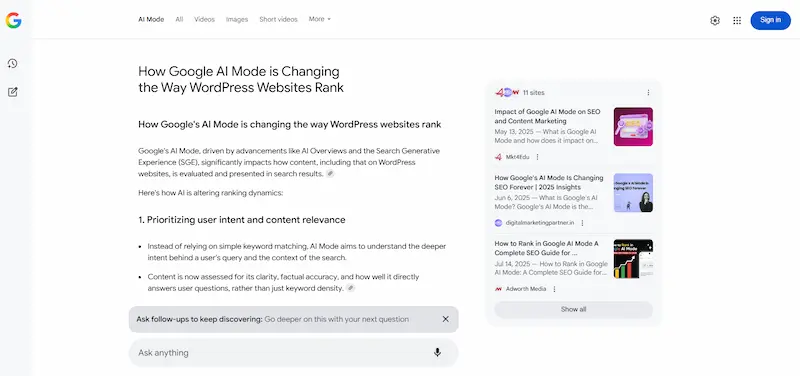
Google’s AI-powered features, including AI Overviews, increasingly summarize content directly in the SERP. To appear in these AI-generated results, your content must be clear, well-structured, and authoritative.
Write in a direct, question-and-answer style where appropriate. Define terms clearly. Use structured data to help search engines understand your content.
Pages that demonstrate genuine expertise and provide comprehensive answers are more likely to be cited by AI search features.
AI tools can assist with content ideation and drafting, but all content must be reviewed, fact-checked, and written to genuinely serve users rather than just satisfy algorithms.
Tip 3: Update Title Tags and Meta Descriptions for Higher Click-Through Rates
Your title tag and meta description are what users see on the SERP before they click. They function as an advertisement for your page. An optimized title tag should naturally include your target keyword, stay within 50–60 characters, and clearly communicate the page’s value.
Meta descriptions should be 150–160 characters, action-oriented, and compelling. While meta descriptions are not a direct ranking factor, they significantly influence CTR, and a higher CTR sends positive signals to Google.
Regularly audit and update these elements for pages with high impressions but low click-through rates. Tools like Google Search Console make this straightforward.
If you have duplicate title tags across multiple pages, fix them immediately. Duplicate titles confuse search engines and dilute your ranking potential.
Tip 4: Create High-Quality Content That Matches Search Intent
Quality content is the single most important factor for sustainable rankings. Google’s Helpful Content system rewards content that genuinely informs, educates, or helps users, not content written purely to manipulate rankings.
To create quality content:
- Answer the exact question the user is asking based on their search intent.
- Go deeper than competitors by covering related subtopics that matter to users.
- Keep content up to date by refreshing old posts with new information.
- Use credible sources and cite data to build trust.
- Write in a clear, readable style with short sentences and paragraphs.
Thin content, pages with little substance, actively harm rankings. Every page on your WordPress site should serve a clear purpose and provide genuine value.
Tip 5: Use Proper Heading Structure With H1, H2, and H3 Tags
Heading tags (H1, H2, H3) help both users and search engines understand the structure and hierarchy of your content.
Each page should have exactly one H1 that includes the primary keyword. Use H2s for main sections and H3s for subsections within those sections.
Good heading structure improves readability, reduces bounce rates, and helps Google extract information for featured snippets. Never use heading tags purely for visual styling; maintain semantic meaning throughout.
Tip 6: Build Topic Clusters and Internal Links to Strengthen Topical Authority
Topic clusters are a powerful way to organize your WordPress content. A pillar page covers a broad topic in depth, while cluster pages address specific subtopics and link back to the pillar. This interconnected structure signals to Google that your site has deep expertise in a given area.
Understanding what internal link building is and how it benefits your SEO is essential. Internal links distribute page authority across your site, improve crawlability, and guide users to related content. Use descriptive, keyword-rich anchor text for internal links. Avoid generic phrases like “click here.”
Regularly audit your internal link structure to ensure all important pages receive enough link equity.
Tip 7: Improve Website Speed and Core Web Vitals on WordPress
Page speed is a confirmed Google ranking factor. Slow-loading sites frustrate users and lead to higher bounce rates, both of which hurt rankings.
Google measures page experience through Core Web Vitals: Largest Contentful Paint (LCP), Interaction to Next Paint (INP), and Cumulative Layout Shift (CLS).
Use comprehensive page speed optimization steps to systematically address performance issues. Key actions include:
- Enable caching using plugins like WP Rocket or FastPixel.
- Minify CSS and JavaScript files to reduce file sizes.
- Use a Content Delivery Network (CDN) to serve content from servers close to the user.
- Choose a fast theme built with lightweight code; refer to the fastest WordPress themes for options.
Aim for a Google PageSpeed Insights score of 90 or above on both desktop and mobile. If you need expert assistance, consider professional WordPress speed optimization services to tackle deeper performance issues.
Tip 8: Ensure Your WordPress Website Is Mobile-Friendly
Google uses mobile-first indexing, meaning it primarily uses the mobile version of your site for ranking decisions. A website that looks great on desktop but performs poorly on mobile will rank significantly lower.
Use responsive WordPress themes that automatically adjust layouts for different screen sizes. Test your site on multiple devices and screen sizes. Buttons should be large enough to tap easily. Text should be readable without zooming.
Google’s Mobile-Friendly Test tool provides a quick assessment. For particularly performance-intensive mobile pages, implementing Accelerated Mobile Pages can further reduce load times and improve the experience for smartphone users.
Tip 9: Optimize Images and Media for SEO and Performance
Unoptimized images are one of the leading causes of slow WordPress sites. Large image files increase page load time, which directly hurts both user experience and rankings.

Best practices for image optimization include:
- Compress images before uploading using tools like ShortPixel.
- Use modern formats like WebP for smaller file sizes with minimal quality loss.
- Add descriptive alt text for the image that includes relevant keywords. This helps search engines understand the image and improves accessibility.
- Enable lazy loading so images load only when they appear in the user’s viewport.
- Use descriptive file names (e.g., wordpress-seo-tips.jpg) instead of generic ones like IMG_0034.jpg.
Installing WordPress speed-optimization plugins can automate much of the image compression and lazy-loading process.
Tip 10: Fix Broken Links and Improve Site Health
Broken links, both internal and external, create a poor user experience and waste crawl budget. When Google’s crawlers encounter broken links, they cannot follow those paths, which can prevent important pages from being indexed.
Regularly audit your site using Google Search Console or a plugin like Broken Link Checker. Fix or redirect any 404 errors. Ensure that internal links point to live, relevant pages.
Also, review links without a discernible name, as they cause accessibility and SEO issues by failing to describe where they lead.
Clean site health is a critical technical SEO element that many WordPress site owners overlook.
Tip 11: Resolve Duplicate Content Issues on WordPress
Duplicate content confuses search engines. When multiple pages contain the same or very similar content, Google struggles to determine which version to rank.
WordPress commonly generates duplicate content through tag pages, category archives, author archives, and paginated URLs.
Common fixes include:
- Using canonical tags to point to the preferred version of a page.
- Noindexing thin pages, such as tag archives and author pages, that add little SEO value.
- Consolidating similar content into a single, comprehensive page.
- Setting up 301 redirects when merging or removing pages.
Audit for duplicate content using tools like Screaming Frog or Google Search Console. Addressing these issues helps consolidate your authority and signals a clearer intent to Google.
Tip 12: Implement Structured Data and Schema Markup
Structured data (Schema markup) is code that tells search engines exactly what your content means, not just what it says.
Implementing schema helps Google generate rich snippets in the SERP, such as star ratings, FAQs, how-to steps, product details, and event dates.
Understanding the reasons why schema markup is important for SEO: it improves CTR, increases visibility, enhances indexing, boosts local SEO, and supports AI-driven results.
WordPress plugins like Rank Math make it easy to add structured data without writing code manually. Always test your markup using Google’s Rich Results Test tool before publishing.
Tip 13: Earn High-Quality Backlinks and Build Domain Authority
Backlinks from reputable websites remain one of Google’s most important ranking signals. A link from an authoritative, relevant site acts as a “vote of confidence” that signals your content is trustworthy and valuable.
Understanding the fundamentals of backlinks and link building is the first step. Strategies for earning quality backlinks include:
- Creating link-worthy content like data studies, guides, and original research.
- Guest posting on reputable sites in your niche.
- Broken link building by identifying dead links on other sites and offering your content as a replacement.
- Building relationships with journalists and industry publications.
Avoid buying links or participating in link schemes; these tactics violate Google’s guidelines and can result in manual penalties. Focus on earning external links naturally by consistently producing high-value content.
Tip 14: Optimize for Local SEO and Google Maps Visibility
If your business serves a specific geographic area, local SEO is essential. Local search results appear when users include location terms or when Google infers local intent from queries like “plumber near me.”
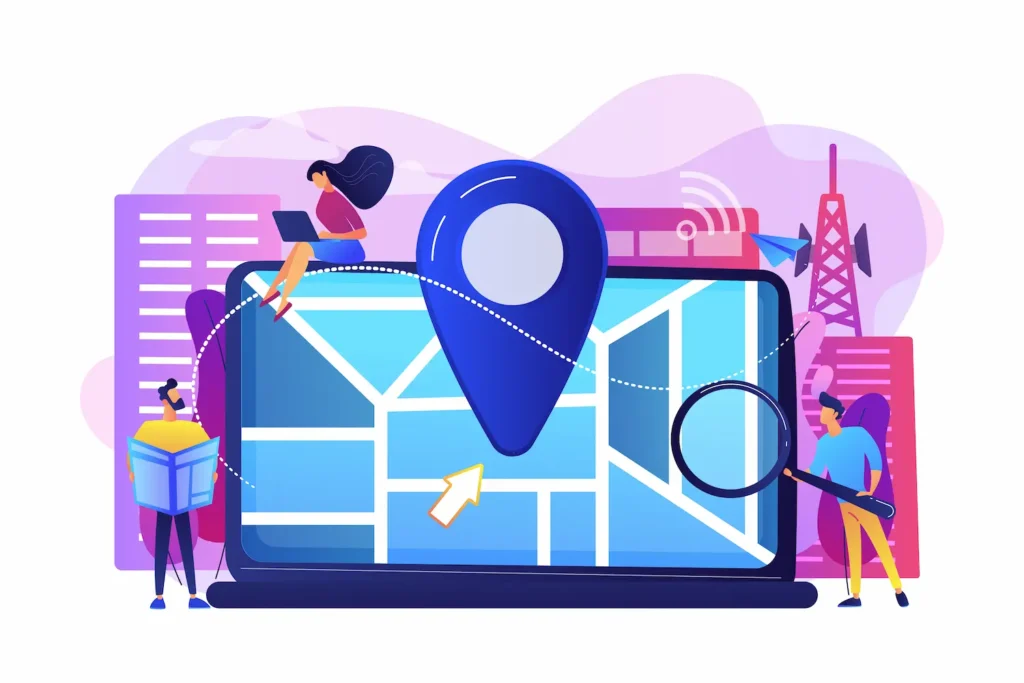
Key local SEO tactics for WordPress sites include:
- Adding your business name, address, and phone number (NAP) consistently across your site and all online directories.
- Creating location-specific pages with content tailored to each geographic area you serve.
- Embedding a Google Maps widget on your contact page.
- Building local citations in directories like Yelp, Yellow Pages, and industry-specific platforms.
Local intent queries are highly commercial. Ranking well in local search results drives immediate, high-quality leads.
Tip 15: Claim and Optimize Your Google Business Profile Listing
Your Google Business Profile (formerly Google My Business) controls how your business appears in Google Maps and local search results.
A fully optimized profile significantly increases your chances of appearing in the coveted “Local Pack,” the map and listing results that appear at the top of local search queries.
Optimization steps include:
- Completing every field: Business name, category, address, phone number, website, and business hours.
- Uploading high-quality images of your business, products, or services.
- Actively collecting and responding to reviews: More positive reviews improve both rankings and credibility.
- Publishing regular Google Posts to signal activity and share updates.
- Adding your business to the correct category to match relevant local search queries.
Consistent activity on your Google Business Profile tells Google that your listing is current and trustworthy.
Tip 16: Use SEO Plugins and WordPress Tools to Improve Optimization
WordPress offers a powerful ecosystem of plugins that streamline SEO tasks that would otherwise require significant technical expertise. The most popular choices include Rank Math, Yoast SEO and more. These plugins allow you to:
- Set unique title tags and meta descriptions for each page.
- Generate XML sitemaps automatically.
- Analyze content for keyword optimization and readability.
- Implement schema markup without code.
- Monitor redirect chains and canonical tags.
Beyond SEO plugins, tools such as Google Search Console, Google Analytics, and Semrush provide data-driven insights to guide your optimization decisions.
If managing all of these tasks in-house is overwhelming, professional managed SEO service providers can handle strategy and execution while you focus on your business.
Tip 17: Monitor SEO Performance and Continuously Improve Rankings
SEO is not a one-time project; it requires ongoing monitoring and refinement. Google Search Console is a free tool that reveals which queries drive traffic to your site, which pages have crawl errors, and where your performance can improve.
Google Analytics shows how users behave on your site after arriving from organic search.
Track the following metrics consistently:
- Keyword rankings for your target queries.
- Organic traffic trends month over month.
- Click-through rates for high-impression, low-click pages.
- Core Web Vitals scores for all key pages.
- Backlink growth and new referring domains.
Use these insights to update underperforming content, fix emerging technical issues, and double down on what is working. Learning how to improve your Google PageSpeed Insights score on an ongoing basis is one of the most impactful technical habits to build.
Tip 18: Build Topical Authority With a Long-Term Content Strategy
Short-term tactics may generate temporary ranking boosts, but long-term SEO success comes from consistently establishing your site as the most authoritative resource in your niche.
Topical authority means covering a subject so comprehensively that Google recognizes your site as the go-to destination for that topic.
Building topical authority requires:
- Publishing a consistent volume of high-quality content that covers every relevant angle of your niche.
- Updating and refreshing existing content regularly to keep it accurate and relevant.
- Targeting competitive keywords strategically, learn how to rank for difficult keywords by building topic depth before targeting high-competition terms.
- Developing a content calendar that maps planned posts to keyword clusters and business goals.
Sites that demonstrate depth and consistency signal expertise to both users and Google’s algorithm. A long-term content strategy is what separates websites that occasionally rank from those that dominate their niche for years.
Conclusion
Achieving strong Google rankings for your WordPress website is a multi-layered process that requires attention to technical performance, content quality, user experience, and off-page authority.
There are no shortcuts to lasting results, but consistent effort across all 18 areas covered in this guide creates compounding gains over time.
Start with the foundations: conduct thorough keyword research, ensure your site is fast and mobile-friendly, fix technical errors, and create genuinely useful content for every page.
Then build progressively, earning backlinks, implementing structured data, expanding into local SEO, and deepening topical authority through a long-term content strategy.
WordPress is an exceptionally capable platform for SEO when used correctly. With the right strategy, the right tools, and a commitment to continuous improvement, your WordPress website can earn the visibility it deserves in Google search results, driving consistent, high-quality organic traffic that supports your business goals for years to come.
FAQs About Ranking Your WordPress Site Higher on Google
How can I rank higher on Google search results with on-page SEO?
Focus on clear on-page SEO practices. Use optimized meta tags, header tags, and relevant content that matches user intent. Write helpful blog posts that answer what people search for. Avoid stuffing keywords into a single page. Instead, organize the page’s content logically so both users and search engines can easily understand it.
Why is user intent important for ranking higher on Google?
Google prioritizes content that satisfies user intent. When people search, they expect clear answers and useful information. If your writing content directly addresses relevant searches, Google is more likely to show your page in search results. Matching intent also keeps users engaged and improves their browser experience.
Do backlinks from other websites help improve rankings?
Yes. Valuable backlinks from other websites signal trust and authority to Google. When reputable websites link to your content, search engines view your site as more credible. Focus on earning natural website link placements through high-quality blog posts, research, and relevant content.
How does mobile optimization affect Google rankings?
Google uses mobile-first indexing, so mobile-friendly pages are essential. Your website should load fast and work smoothly on mobile devices. This improves the mobile experience and increases the likelihood of ranking higher in Google search results.
How can local businesses improve visibility in local search?
Local businesses should optimize their business listing and keep information accurate. Add high-quality images, collect more reviews, and update your business listing regularly.
These actions help Google understand your business better and improve your chances of appearing in local search results. AI tools and insights from the Google Search Central Blog can also guide improvements.


