

Self hosting is gaining attention again as businesses rethink how much control they truly have over their digital infrastructure.
For years, shared and managed hosting platforms dominated the market because they offered convenience and low entry costs.
However, recent changes have forced companies to look deeper. Hosting prices continue to rise. Traffic demands are unpredictable. Data privacy laws are stricter than ever.
Businesses now realize that a website is not just a marketing tool but a core operational asset.
Performance control is a major driver behind this shift. Slower websites lead to lost customers and lower search engine rankings.
Many businesses want the freedom to configure their servers exactly as needed without restrictions from third party providers.
At the same time, concerns about data ownership are reshaping hosting decisions. Companies want to know where their data lives and who truly controls it.
Self hosting offers a sense of ownership that modern businesses crave. Instead of renting space inside restrictive platforms, brands regain authority over their digital foundation.
This guide is designed to help beginners, growing businesses, and website owners understand what self hosting really involves, how it works, what it costs, and when it makes sense to choose it over managed hosting.
What is Self Hosting and How it Works?
Self hosting means running your website on a server that you fully control rather than relying on a traditional hosting provider to manage everything for you.
In simple terms, you become responsible for the environment where your website lives. This includes how the server is configured, how databases are managed, and how data is protected.
At its core, a server is a powerful computer that stays connected to the internet at all times. It stores your website files, images, databases, and applications.
When someone visits your website, the server sends those files to their browser. In a self hosted setup, you decide how this server is built and maintained.
Self hosting works through a combination of operating systems, storage, and web software. Most servers run on Linux because it is stable and secure.
Website files are stored on the server’s hard drive or cloud based storage system.
Web server software like Apache or Nginx delivers these files to visitors. A database system such as MySQL stores your website’s dynamic content.
The key difference between self hosting and shared hosting is control. In shared hosting, resources are divided among many websites. In self hosting, the entire environment is dedicated to your project.
Unlike cloud platforms that often abstract infrastructure, self hosting gives direct access to server level settings without technical overload when managed correctly.
Common Types of Self Hosting Setup
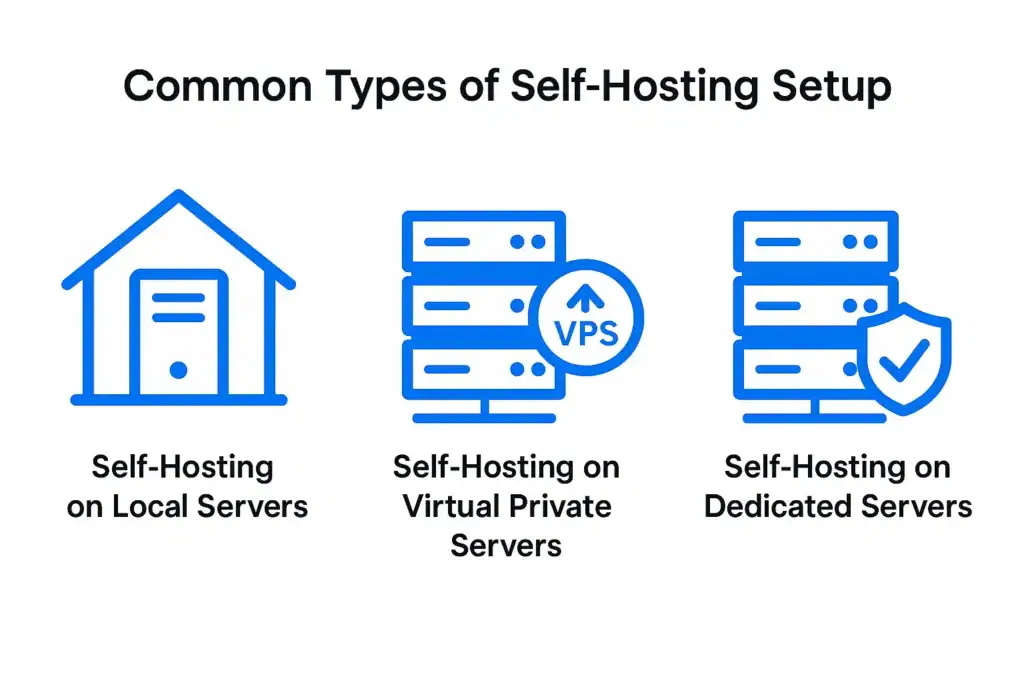
Self hosting can be implemented in several ways depending on budget, technical ability, and performance needs. Each setup offers a different balance of control, cost, and scalability.
Self Hosting on Local Servers
Local self hosting involves running your website on physical servers located within your office or private facility. These setups are often called on premise servers.
Businesses in highly regulated industries such as healthcare, government, and finance commonly choose this approach because they must strictly control how data is stored and accessed.
Local servers give maximum physical security and full compliance visibility.
However, they require continuous power, cooling systems, hardware upgrades, and dedicated IT staff. Internet outages can also cause total downtime if backup connectivity is not planned properly.
Self Hosting on Virtual Private Servers
VPS based self hosting is the most common modern approach. A VPS is a virtual environment created inside a larger physical server at a data center.
You still get full control over your operating system and software, but hardware maintenance is handled by the provider.
This setup works well for startups, growing businesses, and development teams that need flexibility without owning physical machines.
VPS self hosting is scalable and cost effective while still allowing deep customization.
Self Hosting on Dedicated Servers
Dedicated servers give businesses full ownership of hardware without sharing resources with other websites.
Large enterprises, SaaS platforms, and high traffic ecommerce stores commonly use this setup to support heavy workloads.
Dedicated servers deliver strong performance and large storage capacity, but they also demand advanced server management skills and higher operational costs.
This option works best when consistent performance matters more than infrastructure expenses.
Benefits of Self Hosting for Business Websites
Self hosting gives businesses long term infrastructure control that few managed environments can match.
Below are the core advantages that make it an attractive option for serious digital operations.
- Full data ownership allows businesses to manage customer information, transactions, and internal content without third party interference. This is critical for compliance driven industries and brands dealing with sensitive data.
- Deeper customization enables companies to configure server resources based on exact workload needs. This helps improve speed, database performance, and application integrations.
- Higher performance potential becomes achievable because dedicated computing power is no longer shared with unrelated websites. Ecommerce platforms experience faster checkout flows and reduced load times.
- Advanced security control allows custom firewall rules, intrusion detection systems, and encryption policies. Businesses can design their own security strategies instead of relying on generic provider settings.
- Long term infrastructure flexibility supports business growth without switching providers frequently. Server resources can be upgraded, scaled horizontally, or migrated internally.
Self hosting also benefits revenue driven platforms. Membership websites gain stability during peak logins.
Ecommerce stores manage traffic surges during sales campaigns. Enterprise portals serve global teams consistently.
These use cases show how self hosting moves beyond basic website functionality and becomes a scalable business foundation.
Hidden Challenges and Risks of Self Hosting
While self hosting offers strong control, it also introduces risks that businesses must manage carefully.
These challenges often surprise beginners who focus only on performance benefits.
- Server management complexity increases daily operational responsibility. Monitoring disk usage, memory allocation, and network stability becomes a routine task rather than a one time setup.
- Security responsibilities expand significantly because updates, patches, malware protection, and firewall rules are fully managed by your team. Any negligence can lead to serious breaches.
- Scaling challenges arise when traffic grows faster than infrastructure planning. Without proper forecasting, servers can become overloaded and cause service interruptions.
- Downtime risks increase when backup systems and redundancy are poorly designed. Hardware failure or software conflicts can take websites offline unexpectedly.
- Compliance challenges surface for businesses handling regulated data. Meeting regional security and privacy regulations requires continuous audits.
- Higher learning curve affects teams without server administration experience. Even with modern tools, misconfigurations remain common among beginners.
These risks do not mean self hosting is unsafe. They simply highlight the importance of realistic planning, technical guidance, and structured maintenance processes before committing fully.
Self Hosting vs Managed Hosting: What is the Real Difference
Self hosting and managed hosting may look similar on the surface, but they operate on completely different responsibility models.
This comparison helps you understand where control ends, where support begins, and which approach truly fits your business goals.
Control and Customization
Self hosting gives full control over server configuration, software versions, and optimization techniques. Managed hosting restricts many of these settings for stability and platform consistency.
Cost Structure
Self hosting can be economical over time for high traffic platforms, but initial setup and ongoing maintenance add hidden expenses. Managed hosting offers predictable monthly pricing with support included.
Performance and Scalability
Self hosting supports deep performance tuning with caching systems, load balancers, and resource allocation. Managed hosting scales automatically within platform limits.
Security Management
In self hosting, businesses implement their own security frameworks. Managed hosting providers handle most security operations with centralized monitoring.
Maintenance and Support
Self hosting requires in house technical talent or external technical services. Managed hosting includes expert server management and rapid issue resolution.
Both approaches serve different business objectives. Self hosting works best when control outweighs convenience. Managed hosting is ideal when reliability and support are top priorities.
What You Need Before You Start Self Hosting
Preparation is critical before launching a self hosted environment. Clear planning prevents costly configuration errors and downtime.
- A registered domain name connected to DNS records
- Server hardware or reliable VPS provider
- Operating system such as Linux or Windows
- Web server software like Apache or Nginx
- Database system such as MySQL or MariaDB
- SSL certificates for encrypted communication
- Firewall and intrusion prevention tools
- Backup software and off site storage system
- Monitoring tools for uptime and performance tracking
These elements form the basic structure of every self hosted website. Without proper preparation in each of these areas, long term stability becomes difficult to maintain.
Step by Step Overview of How Self Hosting is Set Up
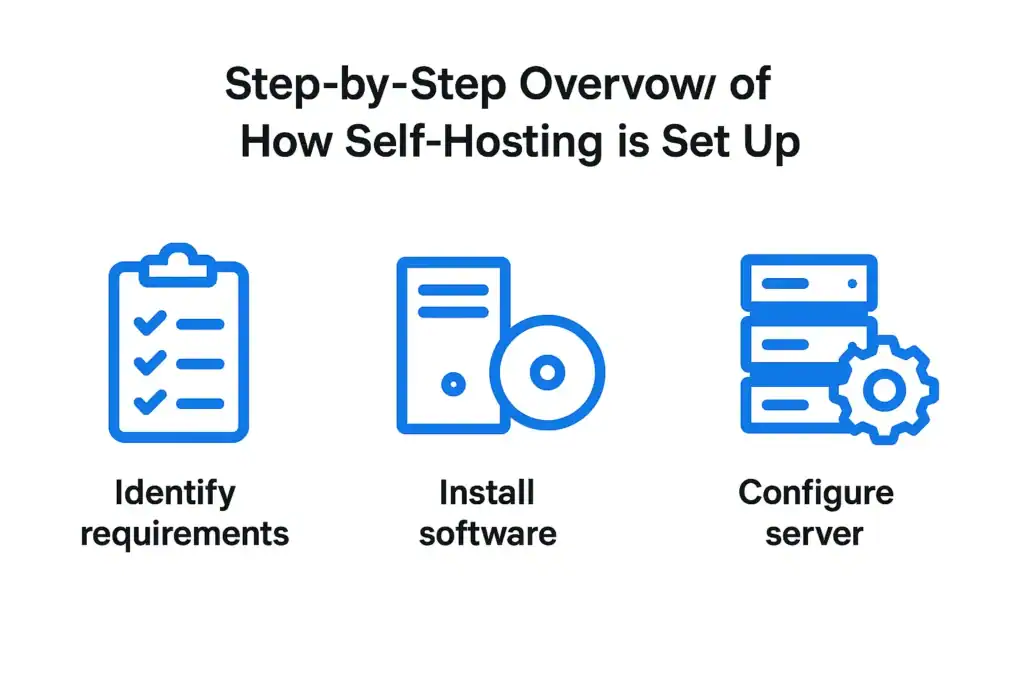
Self hosting follows a clear sequence of decisions, tools, and configuration steps that turn a raw server into a live website.
When you understand this high level flow, the process feels structured and predictable instead of overwhelming.
Choosing the Right Server Environment
The first decision involves selecting Linux or Windows as your operating system. Linux is widely used because it offers stability, flexibility, and lower licensing costs.
Windows servers are typically used for specific applications that depend on Microsoft frameworks.
Installing Web Server and Database
Once the operating system is installed, the web server software is configured. Apache and Nginx are the most widely adopted options.
After that, a database system is installed to store website content and user information.
Securing the Server
Security is applied at multiple levels. Firewalls restrict unauthorized network access. SSL certificates protect data transmission.
Administrative access is controlled using secure authentication methods.
Deploying Your Website
Website files are transferred using secure connections. The domain name is connected through DNS settings. Once network routing is complete, the site becomes publicly accessible online.
Ongoing Maintenance
Self hosted environments require continuous updates, plugin compatibility checks, log monitoring, malware scanning, and backup verification.
Maintenance is an ongoing process that directly affects website health and reliability.
Is Self Hosting Right for WordPress Websites?
WordPress works exceptionally well in self hosted environments when configured correctly.
Full control over PHP versions, caching layers, and database optimization allows WordPress websites to achieve enterprise grade performance.
Developers can fine tune object caching, page caching, and memory usage without restrictions imposed by managed platforms.
However, WordPress also requires regular core updates, plugin compatibility checks, and active security monitoring.
In a self hosted setup, these responsibilities fall entirely on the website owner. Without proper maintenance, vulnerabilities can emerge quickly.
Self hosting benefits WordPress websites that run complex ecommerce systems, high traffic content platforms, and custom integrations. It allows deeper optimization than most managed WordPress solutions.
On the other hand, managed WordPress hosting remains the smarter option for most businesses that prefer simplicity and guaranteed performance.
It removes the burden of server administration while delivering stability and expert support.
When Self Hosting Makes Sense for Businesses
Self hosting is an ideal solution for SaaS platforms that require custom infrastructure and continuous performance tuning.
High compliance industries such as healthcare and fintech benefit from strict data control and regulatory visibility. Government projects often require in house infrastructure for confidentiality and security.
Large enterprises running internal portals also gain from self hosting because of centralized access control and custom system integrations.
Businesses with dedicated IT teams can scale infrastructure efficiently while maintaining internal governance.
Self hosting also works well for agencies managing multiple high traffic platforms where server configuration plays a direct role in performance delivery.
When Managed Hosting is the Smarter Choice
Startups benefit greatly from managed hosting because it reduces technical overhead during early growth.
Ecommerce brands depend on uptime and security, making managed support valuable during high transaction volumes.
Service businesses prefer focusing on customer experience rather than server maintenance.
Agencies managing multiple client websites often choose managed hosting to ensure predictable performance and simplified maintenance workflows.
Growing WordPress sites gain security updates, optimization, and backups without requiring in house technical teams.
Managed hosting balances speed, safety, and operational ease while allowing businesses to allocate resources toward marketing and development rather than infrastructure.
Cost Breakdown of Self Hosting
Self hosting involves multiple cost layers. Hardware purchase or VPS rental forms the base expense. Bandwidth costs depend on traffic volume.
Backup systems require off site storage subscriptions. Security tools often involve annual licensing fees.
Additional indirect costs include technical labor for setup, troubleshooting, security audits, and performance tuning. As infrastructure scales, server upgrades increase monthly spending.
While self hosting may appear cheaper initially, long term ownership costs often exceed managed hosting once maintenance and technical staffing are included.
Security Responsibilities in Self Hosting
Security in self hosting is a continuous obligation rather than a one time setup. Website owners must implement malware protection, active firewall rules, and intrusion detection systems. Operating systems and installed applications must be patched regularly.
SSL encryption ensures secure communication between users and servers. Backup policies protect against data loss from hacking, hardware failure, or accidental deletion.
Disaster recovery planning enables restoration during emergencies.
Without constant vigilance, self hosted environments become easy targets for cyber attacks. Security requires daily attention, clear protocols, and expert oversight to remain effective.
Common Mistakes Beginners Make in Self Hosting
Many beginners underestimate the importance of monitoring. Servers fail silently when health checks are ignored. Weak passwords and outdated software remain leading causes of successful breaches.
Poor backup planning often results in permanent data loss after incidents. Some businesses delay scaling until performance degrades noticeably, damaging user experience and search rankings.
Avoiding these mistakes requires proactive planning, technical audits, and structured maintenance from the beginning of the self hosting journey.
How Seahawk Helps Businesses That Want Server Level Control Without the Headache?
Seahawk supports businesses that want the flexibility of self hosting without the daily operational burden.

Our experts handle WordPress maintenance, server optimization, security monitoring, and hosting alignment with precision.
We manage technical migrations, performance audits, backup strategies, and real time monitoring to ensure stable operations.
Businesses stay in control of their infrastructure while our team handles the complexity behind the scenes.
From improving site speed to strengthening server security and ensuring uptime reliability, Seahawk acts as a technical extension of your digital operations without locking you into rigid hosting platforms.
Final Thoughts on Choosing the Right Hosting Path
Self hosting delivers freedom, performance control, and digital ownership. Managed hosting delivers convenience, support, and operational simplicity. The better choice depends on your technical capability, business size, compliance needs, and growth strategy.
A website is not just an online brochure. It is a living business system that must remain fast, secure, and reliable every day. Infrastructure decisions should always support long term stability rather than short term savings.
Whether you choose self hosting or managed hosting, the most important factor is continuous care.
Scalable infrastructure, strong security, and expert maintenance protect your digital investment and ensure your website remains an asset that fuels business growth.
FAQs About Self Hosting
Is self hosting suitable for small businesses?
Self hosting can work for small businesses that have technical expertise in house or access to reliable technical support.
However, for most small businesses, managed hosting is often the safer and more cost effective choice because it reduces maintenance effort and security risks.
Do I need a technical team to manage a self hosted server?
Yes, either an internal technical team or an external support partner is essential for self hosting.
Server updates, security patches, backups, and performance monitoring must be handled consistently to keep the website stable and secure.
Can I switch from self hosting to managed hosting later?
Yes, websites can be migrated from self hosting to managed hosting at any time. With proper planning and expert support, the transition can be smooth and does not require rebuilding the website from scratch.



