
Enterprise CMS migration has become a strategic priority for organizations struggling with outdated systems and operational inefficiencies. Legacy platforms often demand high maintenance costs, offer limited flexibility, and fail to meet modern SEO standards, ultimately restricting growth. As a result, marketing and development teams face constant roadblocks in scaling digital experiences.
To overcome these challenges, enterprises are increasingly shifting toward more agile and future-ready solutions. WordPress stands out in this transition, offering a flexible, cost-effective, and scalable platform that aligns with evolving business needs while supporting long-term digital success.
TL;DR: Enterprise CMS to WordPress Migration in a Nutshell
- Enterprise CMS migration to WordPress helps reduce costs while improving flexibility and scalability.
- WordPress offers robust SEO capabilities and seamless integrations to meet modern business needs.
- You can choose between expert-led migration for speed and safety or a manual approach for greater control.
- Additionally, a solid pre-migration checklist ensures data integrity and smooth execution.
- Following best practices also helps preserve SEO and performance.
Why Enterprises Are Migrating to WordPress?
Enterprises are increasingly adopting WordPress to overcome the limitations of legacy CMSs and achieve greater agility. Its cost-efficiency, flexibility, and scalability make it a future-ready solution for evolving digital and business demands.
- Lower Total Cost of Ownership: WordPress eliminates expensive licensing fees. Moreover, it reduces development and maintenance costs, making it a budget-friendly option for enterprises.
- Flexibility & Custom Development: WordPress supports extensive customization. With themes, plugins, and APIs, businesses can tailor functionalities to meet specific enterprise requirements.
- Enterprise-Grade Scalability: WordPress scales efficiently. It can handle high traffic volumes and complex architectures when paired with robust hosting and site optimization strategies.
- Built-in SEO & Marketing Advantages: WordPress is SEO-friendly. It simplifies content optimization and integrates easily with marketing tools, improving visibility and engagement.
- Seamless Integrations: WordPress enables smooth integrations. It seamlessly integrates with CRM, ERP, and third-party APIs and systems, enabling streamlined enterprise operations.
Enterprise CMS Migration Methods: Choose the Right Approach
Selecting the right migration method is critical for ensuring a smooth transition. Depending on your enterprise size, complexity, and resources, you can choose between expert-led migration or a manual approach.
Method 1: Partnering with Experts of Enterprise CMS Migration (Recommended)
Working with professionals, like Seahawk Media, is the safest and fastest way to handle enterprise CMS migration, especially for complex, large-scale websites that require precision and minimal disruption.

What full-service migration includes:
- Content and database migration
- SEO preservation and URL mapping
- Design and functionality replication
Benefits: Minimal to zero downtime, reduced risk of errors or data loss, and a faster way to migrate sites.
Ideal for: Large enterprises, complex website architectures, and mission-critical platforms.
Get Your Free Migration Audit Today
Let Seahawk Media assess your current CMS and provide a tailored, risk-free migration strategy aligned with your business goals.
Method 2: Manual (DIY) Enterprise CMS Migration
Alternatively, manual migration offers more control but requires technical expertise and careful execution to avoid potential setbacks. The process includes:
- Exporting, mapping, and importing content
- Rebuilding design and functionalities
DIY migration makes sense for small teams with in-house technical expertise and less complex websites. However, manual migration is a time-intensive process, and there is a higher chance of SEO loss or data errors.
Pre-Migration Checklist for DIY Method
Before starting a manual migration, a structured checklist helps ensure accuracy and minimize risks. Proper planning not only streamlines the process but also helps preserve performance, SEO value, and data integrity. You can get started with:
- Content Audit & Cleanup: Review all existing content. Remove outdated, duplicate, or irrelevant pages to ensure only valuable and optimized content is migrated.
- SEO Benchmarking: Next, analyze current traffic, keyword rankings, and backlinks. This provides a baseline for measuring post-migration SEO performance effectively.
- Full Backup of Current CMS: Create a complete backup of your database and files. This acts as a safety net in case of unexpected issues.
- Define Scope: Clearly outline content types, functionalities, and integrations to avoid confusion during migration.
- Hosting Selection: Choose a reliable hosting provider optimized for WordPress performance and scalability.
- KPI Definition: Finally, define success metrics such as traffic, load speed, and conversions to evaluate migration outcomes.
Step-by-Step Manual Enterprise CMS to WordPress Migration Process
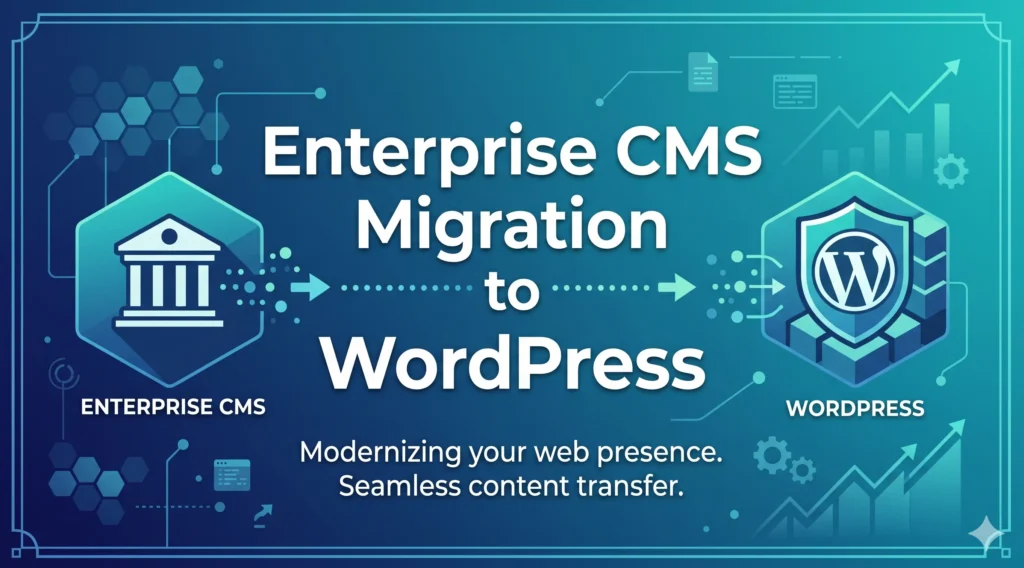
A structured manual migration process ensures accuracy, minimizes risks, and preserves SEO value. By following clear steps and using the right tools, enterprises can transition to WordPress smoothly without disruption.
Step 1: Set Up WordPress Environment
Firstly, install WordPress on your chosen hosting environment. Then, configure essential settings such as permalinks, user roles, and security protocols.
Additionally, select a suitable theme or framework, such as Astra or GeneratePress, for greater flexibility. To enhance functionality, install essential plugins such as Rank Math for SEO and Wordfence for security.
Step 2: Export Data From Existing CMS
Next, export your content, including pages, posts, media, and databases, from the existing CMS. Depending on the platform, use built-in export tools or APIs.
For structured data, formats like XML, CSV, or JSON are commonly used. Moreover, ensure all metadata, categories, and tags are included to avoid data gaps during migration.
Step 3: Data Mapping and Structuring
After exporting, align your existing data with WordPress architecture. Map content types to posts, pages, or custom post types. Additionally, organize categories, tags, and taxonomies for consistency. Tools like Advanced Custom Fields help create custom fields, while Custom Post Type UI simplifies creating custom content structures.
Step 4: Import Content
Import your data into WordPress using built-in tools or plugins. For instance, WP All Import enables bulk imports with custom mapping. Similarly, the WordPress Importer handles XML files efficiently. During this step, validate content accuracy, formatting, and media attachments to ensure everything transfers correctly.
Step 5: Design Migration
Subsequently, replicate or redesign your website’s UI/UX. You can either rebuild the design using a theme or use page builders like Elementor or WPBakery Page Builder to speed up development.
Ensure responsiveness across devices and maintain brand consistency. Moreover, optimize layouts for performance and user experience.
Step 6: URL Mapping and Redirects
Preserving SEO is critical. Map old URLs to new WordPress URLs to maintain rankings. Implement 301 redirects using plugins such as Redirection or server configuration. Additionally, retain metadata such as title tags and meta descriptions using SEO plugins to prevent traffic loss.
Step 7: Plugin and Integration Setup
Next, configure essential plugins and integrations to match the functionality of your previous CMS. For performance, use caching plugins like WP Rocket or W3 Total Cache. Integrate analytics tools such as Google Analytics. Furthermore, connect CRM, ERP, or marketing tools via APIs or plugins to ensure seamless workflows.
Step 8: Testing and QA
Before launch, thoroughly test your website. Check content accuracy, broken links, forms, and integrations. In addition, perform cross-browser and mobile responsiveness testing. Tools like Google PageSpeed Insights help evaluate speed and performance. Fix any issues to ensure a smooth user experience.
Step 9: Launch and Monitoring
Finally, deploy your website to the live environment. After launch, continuously monitor performance, traffic, and errors. Use tools like Google Search Console to track indexing and SEO performance. Moreover, keep plugins and themes up to date while optimizing performance to ensure long-term stability and growth.
By following these steps systematically, enterprises can execute a successful manual migration while maintaining performance, SEO rankings, and overall site integrity.
Enterprise CMS Migration: Common Challenges & Proven Solutions
Enterprise CMS migration often presents technical and operational challenges. However, with proactive planning and the right strategies, businesses can mitigate risks, ensure continuity, and achieve a smooth transition.
| Challenge | Solution |
|---|---|
| Data loss or corruption can occur during migration if processes are not properly managed. | To prevent this, always create full backups and validate data after each migration phase. |
| SEO rankings may drop due to changes in URL structures or missing metadata. | This can be avoided by implementing proper 301 redirects and preserving all SEO elements. |
| Website downtime can impact user experience and business operations. | Using a staging environment and phased deployment helps minimize or eliminate downtime. |
| Complex data structures may not align easily with WordPress architecture. | You can resolve this by using custom post types, taxonomies, and structured data mapping. |
| Integration issues may arise with CRM, ERP, or third-party tools. | These can be addressed through API-based integrations and thorough pre-launch testing. |
| Performance issues may occur after migration due to improper optimization. | Optimize hosting, enable caching, and use CDNs to ensure fast load times and stability. |
Best Practices for Enterprise CMS Migration
Following proven best practices ensures a smooth enterprise CMS migration while minimizing risks. A strategic approach not only protects SEO performance but also enhances security, scalability, and long-term operational efficiency.
- Maintain SEO Equity: Preserve existing rankings by implementing 301 redirects and retaining metadata, including titles and descriptions. This ensures continuity in search visibility and organic traffic.
- Use Staging Environments: Perform all migration activities in a staging environment. This allows thorough testing without affecting the live website, reducing the risk of disruptions.
- Optimize Performance: Improve site speed with CDNs and caching. Faster load times enhance user experience and SEO performance.
- Strengthen Security Protocols: Implement robust security measures like firewalls, SSL certificates, and regular updates to safeguard data.
- Document Workflows: Maintain clear documentation of processes, configurations, and dependencies for future reference.
Finally, equip teams with proper training to manage and scale the new WordPress environment efficiently.
Wrap-Up
Enterprise CMS migration to WordPress is more than a technical shift; it’s a strategic move toward scalability, flexibility, and long-term growth. By choosing the right migration method, following best practices, and proactively addressing challenges, enterprises can ensure a smooth and successful transition.
However, execution plays a critical role in preserving SEO, performance, and user experience. Whether you opt for a manual approach or expert assistance, having a clear roadmap is essential.
If you want to minimize risks and accelerate results, partnering with professionals like Seahawk Media can make all the difference. So, take the next step and start your migration journey with confidence today.
FAQs: Enterprise CMS Migration to WordPress
How long does an enterprise CMS migration to WordPress take?
The timeline depends on website size, complexity, and data volume, but typically ranges from a few days to a few weeks.
Will migration affect my SEO rankings?
If executed properly with 301 redirects and metadata preservation, SEO impact can be minimized, and rankings often recover or improve over time.
Is WordPress secure for enterprise websites?
Yes, WordPress is secure when combined with proper security practices, regular updates, and reliable hosting infrastructure.
Can I migrate my existing design to WordPress?
Yes, your current design can be replicated or improved during the migration process using custom themes or page builders.
Should I choose manual migration or expert services?
Manual migration is suitable for smaller projects with technical expertise, whereas expert services are recommended for complex, large-scale enterprise websites.


