
Most websites lose visitors in under 15 seconds. The reason is almost always poor web design. Mastering user experience basics is what separates sites that convert from sites that frustrate.
UX is not about making things look pretty; it is about making them work.
Every click, every load time, every label on every button shapes how users feel. Get it right, and they stay, engage, and come back. Get it wrong, and they leave, permanently.
TL;DR: What Every Designer Should Know About UX?
- Good design removes friction; users should reach their goals without having to think too hard.
- Research, wireframing, and usability testing prevent costly mistakes before launch.
- Speed, accessibility, and mobile performance are design decisions, not technical afterthoughts.
- Measure what matters: bounce rate, task completion, and Core Web Vitals, then iterate continuously.
Why User Experience Matters in WordPress Web Design?
With that scale comes enormous variation in quality. Some WordPress sites are intuitive, fast, and satisfying to use. Others frustrate visitors within seconds, leading them to look elsewhere. The difference, almost always, comes down to user experience.

What is User Experience and How Does It Work?
User experience, commonly shortened to UX, refers to the complete journey a person takes when interacting with a digital product. In web design, that means everything from the moment a page starts loading to the moment a user achieves, or abandons, their goal.
UX is not the same as visual design. UI design addresses the look and feel of an interface, the buttons, colors, typography, and layout.
UX operates at a deeper level. It asks whether those visual elements actually help users accomplish what they came to do. Good UX is often invisible; users only notice it when something goes wrong.
UX works through a cycle of research, design, testing, and refinement.
Designers observe how real people use a product, identify where they struggle, propose improvements, and test those improvements against real user behavior. This loop never truly ends.
How Good UX Improves Engagement and Conversions?
A well-designed user experience removes friction. When users can find what they need quickly, navigate without confusion, and complete tasks without effort, they engage more deeply.
They read more content, spend more time on the site, and are far more likely to take the actions you want them to take.
Every measurable business outcome, sign-ups, purchases, enquiries, downloads, improves when UX improves. Even small changes, such as simplifying a form or clarifying a button label, can produce meaningful lifts in conversion rates.
Knowing how to improve WordPress user experience is one of the highest-leverage skills any site owner can develop.
The reverse is equally true. Poor design costs you real revenue. Slow, cluttered, or hard-to-navigate sites drive visitors away, often permanently.
Elevate Your WordPress User Experience
Turn user experience basics into a powerful, conversion focused WordPress website designed for performance, accessibility, and growth.
UX Influence on User Retention and Loyalty
Acquiring a new visitor is harder than retaining one who already trusts you. UX plays a central role in retention. When a site feels reliable and consistent visit after visit, users develop familiarity, then trust, then loyalty.
Loyal users return without prompting, recommend your site to others, and forgive the occasional problem because the overall experience has earned their goodwill.
User Experience Basics You Need to Know
There are several core principles that underpin every well-designed digital product. Master these, and you will have a strong foundation for every design decision you make.

User-Centred Design and Empathy in UX
User-centred design (UCD) is the philosophy that every design decision should begin and end with the user’s needs. It sounds straightforward, but in practice, it requires active discipline.
Designers naturally default to their own preferences and assumptions. UCD demands they set those aside and genuinely investigate how their target audience thinks, behaves, and feels.
Empathy is the mechanism through which UCD operates. It means suspending your own perspective long enough to inhabit someone else’s.
When you truly understand a user’s frustrations, goals, and context, you design with precision rather than guesswork.
User Research Methods and Persona Creation
Good UX is always grounded in evidence. User research gathers direct insight from people who use or will use your product. Common methods include:
- Interviews: One-on-one conversations that reveal motivations and pain points.
- Surveys: Scalable tools for collecting quantitative data on preferences and behaviour.
- Usability tests: Structured sessions where users attempt real tasks while you observe.
- Heatmaps and session recordings: Visual tools showing where users click, scroll, and leave.
- Analytics review: Quantitative data that reveals what users do, though not always why.
From this research, designers build user personas, detailed, fictional representations of real user types.
A persona captures demographics, goals, frustrations, and browsing habits, giving the entire team a shared reference point for every design decision.
Usability and Navigation Simplicity in Interface Design
Usability is the degree to which users can complete specific tasks on your site. A usable interface is predictable, consistent, and forgiving of mistakes. It does not require users to read instructions before they can proceed.
Navigation is one of the most critical usability factors. Users need to know where they are, how they got there, and where they can go next.
Clear labelling, logical menu structures, and well-implemented breadcrumb navigation all reduce the cognitive effort required to move through a site. The simpler the navigation, the lower the chance of users getting lost and leaving.
Information Architecture and Visual Hierarchy Fundamentals
Information architecture (IA) is the discipline of organising and labelling content so it is easy to find and understand.
Good IA means users can move through a site intuitively, not because they memorised the layout, but because the structure itself makes sense.
Visual hierarchy translates IA into a visual language. By varying size, weight, contrast, and position, designers guide the user’s eye toward the most important elements first, primary headlines before supporting copy, main calls to action before secondary links.
Without hierarchy, every element competes for attention, and none of them wins.
Interaction Design and Microinteractions
Interaction design focuses on how users engage with individual interface components, buttons, forms, toggles, sliders, and menus. Every interaction should feel natural, immediate, and informative.
Microinteractions are the small moments that make up that response: the animation when a button is pressed, the colour change on hover, the checkmark confirming a form submission.
These details provide critical feedback. They confirm that an action has been registered and guide what should happen next. Without them, interfaces feel static and cold.
Accessibility and Inclusive User Experience Design
Accessibility is the practice of designing for all users, including those with visual, auditory, cognitive, or motor disabilities. In many countries, website accessibility is a legal requirement under regulations that reference the Web Content Accessibility Guidelines (WCAG).
Core accessibility practices include:
- Sufficient color contrast between text and its background so all users can read it clearly.
- Descriptive alt text on all images for screen reader compatibility.
- Full keyboard navigability for users who cannot use a mouse or touchscreen.
- Logical heading hierarchy (H1, H2, H3) to support screen reader navigation.
- Plain, clear language understandable to users with cognitive differences.
Accessible design is not a niche concern. It improves the experience for everyone.
A site built to the custom WordPress web design standard, and that also meets accessibility requirements, performs better for every visitor.
Responsive and Mobile-First Design Principles
More than half of all global web traffic now comes from mobile devices. Google’s mobile-first indexing means search engines evaluate the mobile version of your site as the primary version.
Building for desktop first and adapting for mobile is no longer an acceptable approach.

Mobile-first design inverts that logic. You design for the smallest screen first, including only the most essential content and functionality.
As screen size increases, you progressively add complexity. This constraint-driven process results in sharper, more purposeful designs across every device.
Running a thorough mobile usability audit on WordPress helps identify where your current mobile experience is falling short.
Consistency in Visual and Interaction Design Systems
Consistency is one of the most powerful trust signals in interface design. When buttons look the same on every page, when the navigation never shifts position, and when interactive elements behave predictably, users feel in control.
A design system formalises that consistency. It documents every reusable component, colour palettes, typography scales, button styles, form elements, and spacing rules, and specifies exactly how each one should be used.
Teams working from a shared design system produce more coherent products faster, with fewer inconsistencies slipping through to users.
Wireframing and Prototyping Fundamentals
Before any visual design begins, designers work through the product’s structure using wireframes. A wireframe in web design is a simplified, low-fidelity representation of a page.
It shows where elements will be placed, the header, navigation, content areas, and calls to action- without any color, imagery, or final typography. Its sole purpose is to answer: “Does this layout make sense?”
From there, prototypes add interactivity. A prototype simulates the real product; users can click through pages, fill in forms, and experience transitions, without a single line of production code being written.
Learning how to create WordPress website wireframes is a foundational skill that prevents expensive design mistakes from reaching the development stage.
UX Writing and Clear Microcopy
The words inside an interface are part of the design. UX writing covers every piece of text a user encounters while using a product: button labels, form placeholders, error messages, tooltips, empty states, and confirmation copy. This short, functional text is called microcopy.
Effective microcopy is:
- Precise: It tells users exactly what to expect or what to do.
- Concise: It communicates in the fewest words necessary.
- Consistent: It uses the same terminology across the entire product.
- Human: It sounds like a person, not a machine.
The choice between “Submit” and “Send My Request” is a UX writing decision. The second version sets clearer expectations and typically outperforms the first.
Small word choices, compounded across an entire site, significantly affect overall usability.
Performance and Speed as a UX Factor
Speed is not purely a technical concern. It is a direct component of user experience. A slow page is frustrating, and a frustrated user leaves.
Research shows that a 1-second delay in page load time can reduce conversions by up to 7%. Google’s mobile research found that more than half of users abandon a page that takes longer than three seconds to load.
Following a thorough page speed optimization guide is essential for any WordPress site owner who takes UX seriously.
Using website speed test tools regularly gives you objective data on where performance is lagging and what to prioritise. Every millisecond saved translates directly into a better user experience.
The UX Design Process Step-by-Step for Beginners
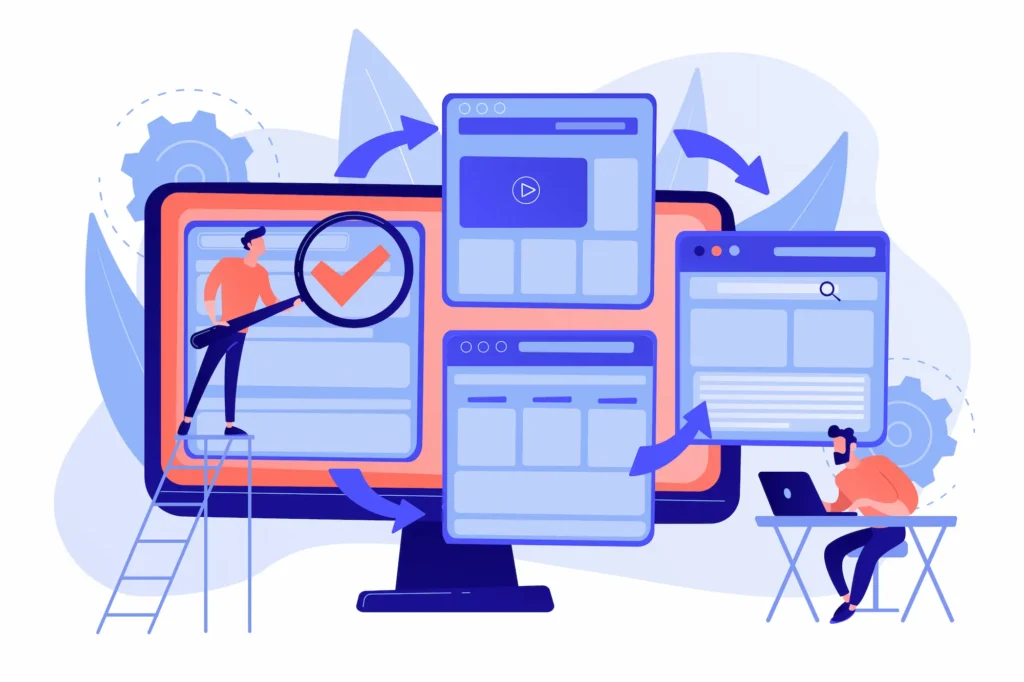
UX design follows a structured, repeatable process. It is iterative by nature, each cycle produces improvements that are validated and then improved again. Here is how that process unfolds.
Step 1: Empathise Through User Research Methods
The first step is understanding the people you are designing for. This means setting aside assumptions and going directly to users.
- Conduct interviews. Run surveys. Observe users interacting with existing products. Review analytics data for patterns in how real people behave.
- Tools like empathy maps and customer journey maps help you synthesise what you learn into a clear picture of the user’s world, their goals, frustrations, environment, and context.
The depth of your empathy work at this stage determines the quality of every decision that follows.
Step 2: Define User Problems and Experience Goals Clearly
Research reveals problems. The define phase transforms raw findings into precise, actionable problem statements.
- A well-formed problem statement describes a specific user, a specific frustration, and the context in which it occurs. For example: “First-time visitors on mobile cannot find the pricing page because the navigation menu requires too many taps to reach.”
- Problem statements prevent teams from jumping to solutions prematurely. They also serve as the benchmark against which every proposed solution is later evaluated.
Alongside problem statements, define your UX goals, specific, measurable outcomes that will confirm whether the design is working.
Step 3: Ideation and User-Focused Design Solutions
With problems clearly defined, ideation generates potential solutions. This is the most creative stage.
- Designers sketch rapidly, map ideas, challenge assumptions, and explore different approaches before narrowing down. No idea should be dismissed too early; volume comes before quality.
- Studying the best WordPress websites and successful interface patterns provides useful inspiration.
Understanding the full web design process helps beginners see ideation as one structured phase within a larger system.
Step 4: Prototyping and Usability Testing Techniques
The strongest ideas from ideation are developed into prototypes.
Prototypes can range from simple paper sketches to high-fidelity interactive mockups built in tools like Figma.
The fidelity should match the stage: low-fidelity for early structural testing, higher fidelity for detailed interaction testing.
Prototypes are then presented to real users in structured usability tests. Testers are given specific tasks to complete while the designer observes.
Where do they hesitate? Where do they click incorrectly? What questions do they ask out loud?
These observations are the most valuable feedback available. Knowing how to convert a design prototype to WordPress efficiently is what turns validated designs into live, production-ready sites.
Step 5: Iterative Improvement and Continuous UX Optimisation
After launch, the process continues. Real-world data from analytics, heatmaps, session recordings, and user feedback reveals new friction points and opportunities.
The best UX teams treat every release as a hypothesis and rigorously measure results. When a change improves a key metric, lower bounce rate, and higher task completion, it is validated and built upon.
When it does not perform as expected, the team learns and iterates again. This culture of continuous improvement is what separates excellent digital products from average ones.
Common UX Design Mistakes and How to Avoid Them
Even experienced designers make recurring mistakes. Awareness of these patterns is the first line of defence.
- Designing for yourself instead of your users. Designer preferences are not user preferences. Always validate assumptions with research before acting on them.
- Ignoring mobile. A site designed desktop-first and retrofitted for mobile rarely satisfies users on either device. Design mobile-first and scale up.
- Overloading pages with content. Clutter obscures what matters most. Prioritise ruthlessly and remove anything that does not serve the user’s primary goal.
- Vague microcopy. “Click here” and “Submit” communicate nothing useful. Every label should tell users exactly what will happen when they act.
- Skipping usability testing. Internal review cannot replace watching real users interact with your product. Others will always find problems you cannot see from the inside.
- Neglecting accessibility. Designing only for able-bodied users excludes a legally protected segment of your audience. Inclusive design improves the experience for everyone.
- Ignoring performance. A visually impressive design that loads slowly is still a poor user experience. Speed is a design variable, not a technical afterthought.
Teams that partner with experienced WordPress web design agencies or a dedicated web design agency benefit from outside expertise that spots and corrects these patterns before they compound.
How to Measure and Improve User Experience Effectively?
Improvement requires measurement. UX measurement combines quantitative metrics, what is happening, with qualitative research, why it is happening.
Key metrics to track:
- Bounce rate: The percentage of users who leave after one page. High rates often signal a mismatch between user expectations and page content.
- Task completion rate: The proportion of users who successfully finish a defined goal, such as a purchase or form submission.
- Time on task: How long users take to complete a specific action. Unusually high times signal confusion or navigation difficulty.
- Error rate: How frequently users make mistakes during key interactions such as multi-step forms or checkout flows.
- Net Promoter Score (NPS): A survey-based measure of overall satisfaction and likelihood to recommend.
- Core Web Vitals: Google’s performance metrics, Largest Contentful Paint (LCP), Cumulative Layout Shift (CLS), and Interaction to Next Paint (INP), which affect both user satisfaction and search rankings directly.
Understanding what Google PageSpeed Insights measures gives you direct insight into how performance gaps affect both UX and SEO simultaneously.
To systematically improve UX:
- Audit your site regularly. Review heatmaps and scroll maps to understand where users focus and disengage.
- Watch session recordings to observe real user journeys.
- Run A/B tests on high-traffic pages.
- Conduct fresh usability testing every time a significant change is made.
Choosing one of the fastest WordPress themes provides a strong performance baseline before additional optimisation is applied.
Pairing that with a thorough quality assurance checklist before launch catches usability, accessibility, and performance issues before real users encounter them.
For businesses that need both strong design and strong search performance, professional WordPress website design services combine UX best practices with technical SEO from the outset.
Growing businesses especially benefit from small business website development and design built to convert from day one.
Conclusion: Mastering User Experience Basics
A great user experience does not happen by accident. It is the result of deliberate research, principled design, honest testing, and a commitment to continuous improvement.
Every choice, how a page is structured, how fast it loads, what a button says, how it behaves when pressed, contributes to the overall impression a visitor forms.
The principles covered in this guide, give you a complete starting framework. It includes: user-centred design, research-driven personas, usability, information architecture, accessibility, mobile-first principles, consistency, wireframing, UX writing, performance, and iterative measurement, .
These are not advanced concepts reserved for specialists. They are the basics that every designer, developer, and site owner should understand and apply.
Start by picking one area where your current site falls short. Research the problem. Test a solution. Measure the result. Then do it again. That cycle, repeated consistently, is how good digital experiences are built and how they stay good over time.
FAQs About User Experience Basics
What is user experience in simple terms?
User experience (UX) describes how a person feels when using a website or app. It covers how easy the site is to navigate, how fast it loads, and whether users can complete their goals without frustration.
Why is UX important for a WordPress website?
Good UX keeps visitors on your site longer, reduces bounce rates, and increases conversions. A poorly designed site loses users quickly, often to a competitor. WordPress sites with strong UX consistently perform better in both engagement and search rankings.
What are the most important UX design principles for beginners?
Start with these five fundamentals: user-centred design, clear navigation, mobile-first layout, fast page speed, and consistent visual design. Master these before adding complexity.
How do I test user experience on my website?
Run usability tests with real users, review heatmaps, watch session recordings, and track metrics like bounce rate and task completion rate. Tools like Google PageSpeed Insights also highlight performance issues that directly affect UX.
How does UX design affect SEO?
Google uses Core Web Vitals, which measure page speed, visual stability, and interactivity, as ranking signals. A site that loads fast, navigates clearly, and works well on mobile earns better rankings. Strong UX and strong SEO reinforce each other directly.


