If you’ve been exploring WordPress page builders lately, you’ve likely come across WPBakery. It’s been around for years and now powers more than 6 million websites, and with the release of WPBakery 9.0, it just had its biggest update in years. So is it still the right tool for your next project?
In this WPBakery review, we’ll break down its key features, updated 9.0 improvements, pricing, and performance insights to help you decide if it’s a good fit for your website-building needs.
Whether you’re a beginner looking for a drag-and-drop solution, a WordPress enthusiast curious about alternatives, or a designer trying to streamline client projects, this post is for you. We’ll walk you through everything you need to know, without the fluff.
Let’s dive into this WPBakery review and see how it stacks up in today’s fast-paced WordPress ecosystem.
What’s New in WPBakery 9.0
Released in 2026, WPBakery 9.0 is the plugin’s biggest editor update in years. It focuses on a cleaner interface, faster performance, and a more intuitive building experience, all while keeping full backward compatibility with existing sites. Here is what stands out:
Redesigned Editing Experience: More than 40 redesigned attribute types and over 70 updated content elements give the editor a cleaner, more consistent feel.
Improved Frontend Controls: The frontend editor puts the controls you use most exactly where you need them, making visual editing faster.
Updated Navigation Bar: A modernized main navigation bar gives quicker access to your most-used tools.
Performance Gains: Smarter CSS loading delivers roughly 50% faster Time to First Byte, around 40% improvements in Largest Contentful Paint and First Contentful Paint, and up to 20% smaller frontend assets.
New Developer Knowledge Base: Documentation, implementation guides, and code resources now live in one place at the WPBakery knowledge base.
Deeper AI Support: WPBakery 9.0 works with ChatGPT, Claude, and Gemini, and its built-in AI tools help generate content, CSS, and JavaScript inside the builder.
Altogether, the release brings more than 200 improvements shaped by customer feedback, compatibility updates, and bug fixes. Best of all, upgrading does not require rebuilding your pages. Your existing content, layouts, and shortcodes carry over, and the plugin stays fully compatible with WordPress block themes.
WPBakery 9.0 Launch Offer: Get 10% off all WPBakery licenses and Support Plus plans with code WPB9LAUNCH10OFF through August 31, 2026.
What is WPBakery Page Builder?
WPBakery Page Builder is one of the most popular and widely used drag-and-drop page builder plugins for WordPress.
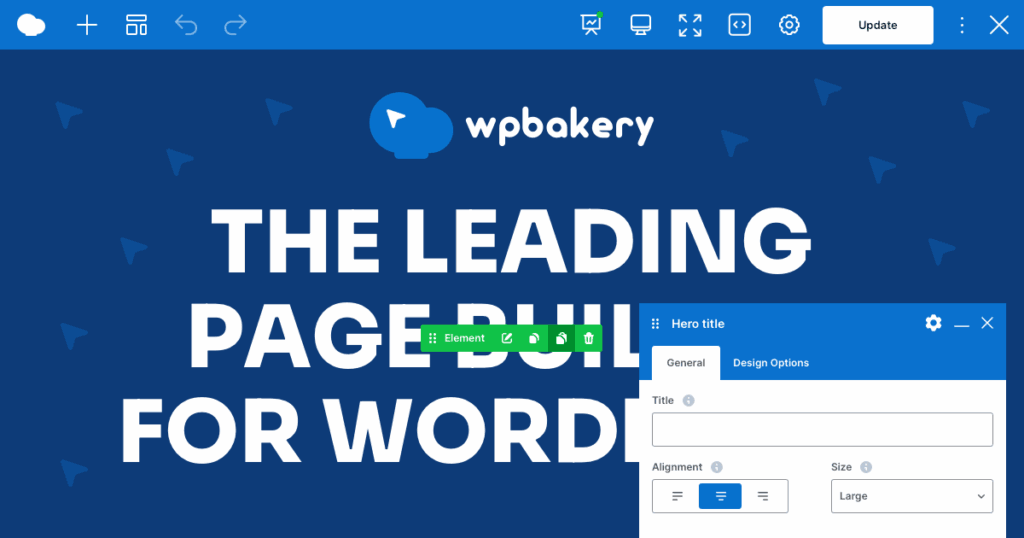
Launched in early 2011, it quickly gained popularity among non-coders and developers alike for making website creation more visual and intuitive.
WPBakery allows users to design responsive pages directly within the WordPress backend (and optionally on the frontend), without touching a single line of code.
With a user-friendly interface, a wide range of content elements, and compatibility with virtually any WordPress theme, WPBakery has become a staple in the WordPress plugin ecosystem, especially for premium themes on marketplaces like ThemeForest, where it often comes bundled for free.
WPBakery vs Visual Composer: What’s the Difference?
Many people confuse WPBakery with Visual Composer, and it’s easy to see why. Originally, WPBakery Page Builder was called Visual Composer. However, after a major product shift and rebranding, the two became separate tools:
- WPBakery Page Builder continues as a powerful plugin used specifically within WordPress.
- Visual Composer Website Builder, on the other hand, became a standalone website builder with its own ecosystem, compatible with but not limited to WordPress.
In short:
- WPBakery: WordPress-only, plugin-based, focused on backend/frontend page building.
- Visual Composer: All-in-one website builder with header/footer editor, theme builder, and more.
If you’re using a WordPress theme that mentions “Visual Composer,” it’s most likely referring to WPBakery Page Builder, especially in older themes. Always double-check the actual plugin in your dashboard to avoid confusion.
Who Should Use WPBakery Page Builder?
WPBakery is best suited for users who want more visual control over their website content without writing custom code. Ideal use cases include:
- Landing Pages: Quickly build conversion-focused landing pages using ready-made templates and design elements.
- Marketing Sites: Add testimonials, sliders, CTAs, and pricing tables with ease.
- Content–Heavy Pages: Structure long-form content with columns, toggles, and tabs to improve readability.
- Client Websites: Agencies and freelancers can use WPBakery to hand off easy-to-edit sites to non-technical clients.
- Theme–Integrated Layouts: WPBakery works especially well with premium WordPress themes that include custom elements built for it.
It’s a solid option if you’re looking for a reliable, widely-supported, and theme-friendly page builder that doesn’t require a steep learning curve.
Interesting Read: Raitis Sevelis Reveals the Journey Behind WPBakery & Visual Composer on the WP Legends Podcast.
WPBakery Features: An Inside Look
WPBakery continues to be a go-to WordPress page builder thanks to its wide compatibility, simplicity, and feature-rich interface. Let’s dive into the key features that make it stand out.
Frontend and Backend Editor
One of WPBakery’s most notable features is its dual editor mode, which gives users the freedom to choose how they build.
- Frontend Editor: Ideal for visual learners and non-technical users, the frontend editor lets you build your page exactly as your visitors would see it. It features a clean, drag-and-drop interface where you can move blocks, customize colors, and adjust padding, all with a live preview. There’s no need to hit the preview button repeatedly, which speeds up the design process.
- Backend Editor: This structured editor is better suited for content-heavy sites or when working with long-form layouts. While it lacks real-time visuals, it’s faster and more precise when managing large page structures or editing multiple content blocks. You also get a better overview of the page layout, which some developers and advanced users prefer.
The flexibility between both modes makes WPBakery suitable for diverse workflows, whether you’re building landing pages visually or structuring articles and complex grids behind the scenes.
Building with a Theme vs From Scratch
WPBakery is known for exceptional theme compatibility, making it a favorite among users who work with premium WordPress themes.
- With a Theme: Many premium themes (especially on platforms like ThemeForest) bundle WPBakery as their default builder. When used with these themes, WPBakery automatically integrates custom modules and styles unique to that theme. This gives you prebuilt design sections tailored to your site’s style and branding. Plus, it drastically reduces setup time and removes the need to install extra plugins.
- From Scratch: WPBakery is built to work on top of your existing theme, as an improvement rather than a replacement. Your theme controls the header, footer, and global structure while WPBakery handles the content area. This separation keeps your project clean and lets you optimize each layer independently. For agencies managing long-term client sites, that separation is a genuine advantage because you are not locked into one builder’s design system but can bring WPBakery into any properly coded WordPress theme without touching what is already working underneath it.
Check out this quick video walkthrough and discover how easily you can build stunning pages with its drag-and-drop editor.
Templates and Library
The WPBakery Template Library is a time-saving feature that benefits users across all skill levels.
- You can choose from a variety of professionally designed page templates, such as homepage layouts, service pages, contact forms, and portfolios. These are especially helpful when you need to launch a website quickly or need inspiration.
- WPBakery also allows you to save custom templates. Let’s say you’ve designed a perfect call-to-action section or pricing table, you can save it and reuse it on any other page within your site or export it to another project. This is invaluable for agencies and freelancers managing multiple client sites with consistent branding.
Content Elements and Widgets –
At the core of WPBakery’s flexibility is its comprehensive library of 50+ content elements and over 100 ready-made page templates, all accessible from within the editor. The plugin also includes an advanced grid builder, custom CSS controls, and RTL language support out of the box.
These elements include:
- Structural components: rows, columns, dividers
- Interactive elements: accordions, tabs, sliders
- Multimedia tools: image carousels, video backgrounds
- Conversion components: buttons, forms, CTAs
You can drag and drop these elements onto your page and adjust their design via simple controls for padding, colors, alignment, and more. Many themes also add custom modules to this list, expanding your toolkit even further.
WPBakery also supports default WordPress widgets and works well with third-party plugins, allowing you to embed WooCommerce products, contact forms, social feeds, and more directly into your layout.
SEO and AI Integration
In recent versions, WPBakery has stepped up its game by integrating basic SEO tools directly into the page builder.

- You can now edit essential SEO metadata, such as page titles, meta descriptions, and slugs, without needing to switch back and forth between a separate SEO plugin and the editor. While it’s not a full replacement for plugins like AIOSEO or Rank Math, it’s a great addition for quick edits and small sites.
- WPBakery’s AI integration goes further than most reviews give it credit for. The plugin includes built-in AI for generating content and custom code directly inside the editor. It also ships with free custom GPTs that let developers build new elements from text descriptions or uploaded images. The underlying reason it works so well is the PHP architecture based on shortcodes. Tools like ChatGPT, Claude, Gemini, and Cursor can read and generate WPBakery shortcodes cleanly. Block-based builders still struggle with this because their output is harder for AI tools to parse and extend. If your team works with AI in any part of the development workflow, this difference matters.
Design Controls and Responsiveness
A great website must look good on all screen sizes, and WPBakery offers solid tools to help achieve that.
- You can control spacing (margins, padding), element visibility (hide/show on mobile/tablet/desktop), and preview your design across various screen sizes.
- This level of control ensures your layout remains consistent and visually appealing regardless of the device your visitors use.
WPBakery might not offer advanced flexbox/grid controls like modern tools, but for most users, its responsive settings are more than enough.
Advanced Developer Options
While WPBakery caters to beginners, it doesn’t leave out developers and power users.
- You can add custom CSS and JavaScript at both the global and element levels.
- The role manager feature is especially useful for agencies, it allows you to control what editing access different user roles have. For example, you can allow clients to edit content without breaking layouts.
Additionally, WPBakery includes auto-save and undo/redo functionalities, which help prevent accidental data loss while working on a page.
WPBakery Pricing
One of WPBakery’s biggest advantages is its one-time pricing model.
A regular license costs $82 and includes:
- Lifetime access to the plugin
- Free updates forever
- 12 months of customer support
This one-time payment model appeals to freelancers, small businesses, and anyone who wants to avoid the ongoing subscription fees that come with tools like Elementor Pro or Divi.
WPBakery is also bundled with many premium WordPress themes, especially on ThemeForest. So if you’ve already purchased a theme, there’s a good chance WPBakery is included, saving you even more upfront.
User Experience: Beginner to Pro
WPBakery’s learning curve depends on your background:

- Beginners: For most, the frontend editor is the easiest place to start because you can see the page as you build it. Pick a template, replace the demo content with your own, move things around, and you’ll quickly understand how rows, columns, and elements work together. When the page gets more complex, the backend editor gives you a cleaner map of what’s going on. It is less visual, but easier to scan when you need to manage a bigger layout, adjust sections, or work through a client page without getting distracted by the design.
- Intermediate Users: Bloggers, entrepreneurs, and small business owners love the balance of flexibility and control. You can create conversion-focused pages, sales funnels, and content hubs using templates and reusable blocks, without hiring a WordPress developer.
- Advanced Users and Agencies: For those managing multiple sites or clients, WPBakery shines with its role management tools, custom styling options, and reliable theme integrations. It’s not as flashy as some newer builders, but it gets the job done, especially for fast prototyping or scaling multiple WordPress sites.
That is also why WPBakery still makes sense for agency and freelance work, as it gives different users different ways to work, stays compatible with a wide range of themes, and does not force you to rebuild a site just because the builder changes. You can keep the project stable and still have enough flexibility to build the pages you need.
Discover: Figma to WPBakery Conversion
Performance Insights: Is WPBakery Fast?
WPBakery often surprises users with how efficiently it can perform, especially when paired with a lightweight, performance-optimized theme like Astra or GeneratePress. The front-end builder remains snappy during editing, and the resulting pages tend to load quickly if you follow performance best practices.
The core of WPBakery is not inherently bloated. The performance largely depends on how it’s used. For instance, building simple landing pages with streamlined content blocks results in fast-loading pages. However, excessive nesting of rows, overuse of animations, or loading multiple third-party add-ons can lead to longer load times.
That said, there are a few trade-offs worth noting:
- The editor is focused, not flashy: WPBakery’s interface prioritizes stability and familiarity over visual trend-chasing. For users managing long-term client projects, that is not a downside. The layout has not changed drastically across versions, so clients and developers do not have to relearn the tool after every update.
- Design flexibility on your terms: Custom CSS access is built directly into the editor, at both the element and global level. For users who want more control over buttons, icons, or form fields, it is right there without needing a separate plugin or workaround.
- Built to work with your theme: WPBakery is a page content builder. It works within your theme’s structure rather than replacing it. Headers, footers, and archive templates are handled by the theme, which is how WordPress was designed to work. For most projects, this is exactly what you want. Your theme controls the global structure. WPBakery handles the pages.
WPBakery performs well on all types of sites, content-heavy sites, blogs, business pages, and service portfolios. If you’re focused on performance and use the builder efficiently, avoiding unnecessary widgets or bloated design, it delivers reliable speed without overwhelming your hosting server.
Pros and Cons
WPBakery has built a loyal user base over the years, thanks to its mix of practical features and simplicity. While it may not be the flashiest builder out there, it still holds strong appeal, especially for those looking for a dependable page builder with a one-time payment model.

Pros
- One-Time Payment Model: Unlike Elementor Pro or Divi, WPBakery offers a straightforward pricing structure, just $82 for lifetime use. Lifetime updates for the product. It’s a budget-friendly solution for freelancers, solopreneurs, or agencies that want to avoid recurring costs.
- AI & SEO Tools Built-In: WPBakery now includes AI-assisted writing features and an SEO panel to optimize content for search engines. You can tweak meta titles, slugs, and descriptions without relying on third-party plugins. The AI tool also helps generate and rephrase copy in different tones, useful for streamlining content creation.
- Template Saving and Reuse: Design once, reuse everywhere. WPBakery lets you save custom templates and insert them across different pages. This is a major time-saver for agencies and creators who need design consistency across large websites or client projects.
- Full Front-End Control: The drag-and-drop front-end editor gives you a live preview of your changes. No switching between backend and front-end. It’s intuitive, visual, and ideal for users who want to build without writing code.
- Custom CSS & JS Support: Advanced users can fine-tune layouts and interactions with custom CSS and JavaScript directly within the builder. This adds flexibility for developers looking to go beyond standard settings.
Cons
- Styling Flexibility on Some Elements: Certain modules, such as buttons or forms, offer fewer design options than newer builders. While functional, they may require some custom CSS if you’re aiming for pixel-perfect styling.
- No Built-In Header/Footer Builder: WPBakery focuses on content area design. Headers and footers are handled by your WordPress theme or paired plugins, which works well for most projects.
- No Free Version, Try Before You Buy: WPBakery does not have a free version, but you can test it fully before purchasing. The live demo gives you a personal sandbox to build with, so you get a real feel for the editor, the elements, and the templates before spending anything.
Are You Ready to Build a Stunning WordPress Website with WPBakery?
Let Seahawk’s expert WordPress team help you design, optimize, and maintain your website for peak performance.
Who Should Use WPBakery?
WPBakery is best suited for small business owners, freelancers, agencies, and marketers who want a no-fuss, visual way to build pages inside WordPress. If you’re someone who prefers drag-and-drop simplicity without having to touch a single line of code, WPBakery can be your go-to solution.
Its one-time payment model makes it especially attractive for users who don’t want to deal with recurring costs. Whether you’re launching a business website, a landing page for a product, or managing multiple client projects, WPBakery gives you enough control to get the job done.
That said, it’s important to understand that WPBakery focuses primarily on page content design. It is a strong fit for agencies, freelancers, and developers who build on existing WordPress themes and want predictable licensing costs. It is especially well-suited for long-term client projects where stability and backward compatibility matter more than switching to the newest builder every two years.
Final Verdict
WPBakery is a dependable page builder for WordPress for anyone who values stability, broad theme compatibility, and a one-time payment model. The dual editor gives you a live frontend view and a structured backend view. The template library, 50+ content elements, built-in SEO fields, and custom CSS options cover what most projects actually need.
The AI integration is worth calling out specifically. Built-in content and code generation and free custom GPTs for building elements from a description or an image make it one of the more practically useful builders for teams already working with AI tools like ChatGPT, Claude, or Cursor.
The core license is a lifetime purchase at $82 with no recurring fees. For agencies managing multiple client sites, that pricing structure makes long-term planning straightforward.
If you want a page builder that works with your existing theme, plays well with AI tools, and does not force a rebuild every time something updates, WPBakery is worth a serious look.