
Websites today are not static assets. They are active business platforms that support sales, marketing, customer communication, and brand credibility. When a WordPress website goes down or breaks unexpectedly, the impact is immediate and often expensive. Visitors cannot access information, leads stop coming in, and trust begins to erode within minutes.
Emergency WordPress support exists to protect websites during these critical moments. It is not just about fixing a technical problem. It is about restoring stability, protecting data, and keeping the business operational when something goes wrong.
Many site owners assume emergencies are rare or only affect large companies. In reality, WordPress websites of all sizes face sudden issues caused by updates, security threats, server problems, or human error. Without fast and knowledgeable support, small problems can quickly turn into major disruptions.
This guide explains what emergency WordPress support really involves, why it matters for long term website success, and how the right response can make the difference between a quick recovery and lasting damage.
Understanding Emergency WordPress Support in Practical Terms
Emergency WordPress support refers to immediate technical assistance provided when a website experiences a critical issue that affects functionality, security, or availability. These situations demand rapid diagnosis and action, often under time pressure.
What Makes an Issue an Emergency
An issue becomes an emergency when it prevents users from accessing the site, compromises sensitive data, or disrupts essential business functions. This could include a site going offline, checkout failures, security breaches, or major errors that block key pages.
Unlike routine support, emergency response prioritizes speed and impact. The goal is to stabilize the website first, then investigate the root cause and apply a secure long term fix.
How Emergency Support Differs From Regular Troubleshooting
Regular troubleshooting focuses on scheduled improvements, minor bug fixes, and optimization tasks. Emergency support is reactive by nature but requires advanced expertise. It often involves server level access, security containment, backup restoration, and careful testing under pressure.
Emergency WordPress support is not something that can be improvised. It requires experience, clear processes, and an understanding of how WordPress behaves in high risk scenarios.
Be Ready Before the Next WordPress Emergency
Website issues rarely come with a warning. Seahawk helps you stay prepared with expert WordPress support that protects your site during critical moments and keeps it running smoothly as you grow.
Real World WordPress Emergencies That Put Websites at Risk
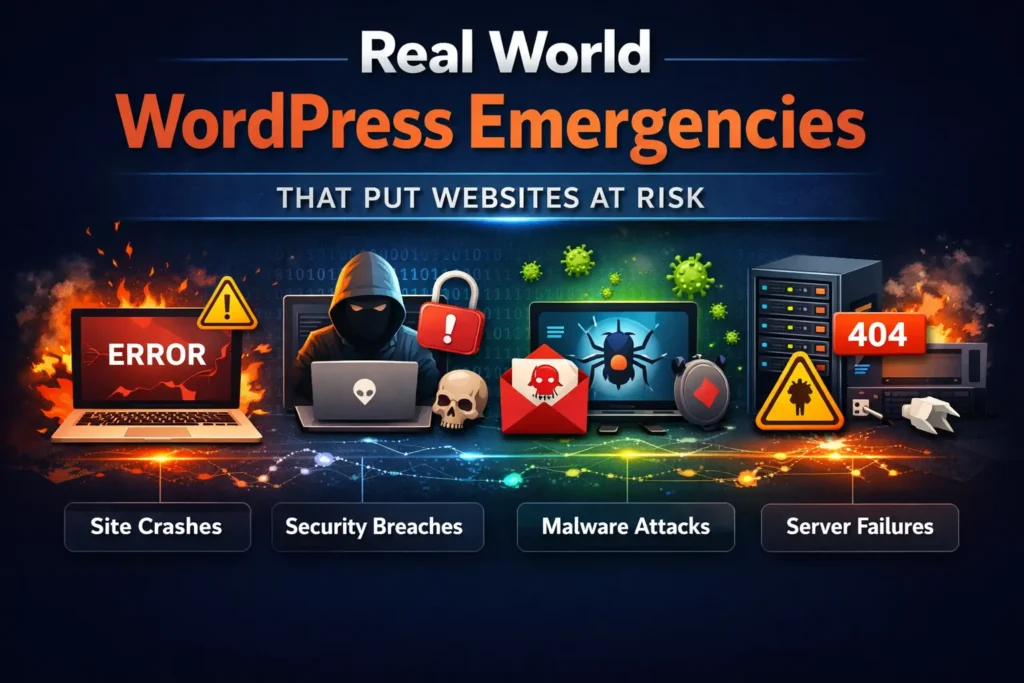
WordPress emergencies can take many forms. Some issues strike without warning, while others grow from small problems that teams overlooked.
Website Downtime or Server Failure
A website that refuses to load or shows server errors is one of the most visible emergencies. Downtime affects users immediately and can lead to lost sales, missed leads, and frustrated visitors. Search engines may also reduce crawl activity if downtime persists.
Malware Infections and Hacked Websites
Security breaches rank among the most damaging WordPress emergencies. Malware redirects users, steals data, injects spam, and can block access entirely. Hackers can also trigger browser and search engine blacklisting, which causes long term damage to your website’s reputation.
Failed Updates Breaking Site Functionality
WordPress core, plugin, or theme updates sometimes introduce compatibility issues. A failed update can result in a white screen, broken layouts, or disabled features. Emergency support safely rolls back updates and restores site functionality.
Payment and Form Submission Failures
When contact forms stop working or checkout pages fail, businesses lose opportunities silently. These issues often go unnoticed until revenue or inquiries drop. Emergency support helps identify and fix the underlying problem before losses grow.
Data Loss and Backup Corruption
Accidental deletions, server crashes, or faulty migrations can lead to partial or complete data loss. Emergency WordPress support focuses on secure backup recovery and validation to restore critical content.
Plugin and Theme Conflicts
Conflicts between plugins or themes can cause unpredictable behavior across the site. Identifying the source of the conflict requires experience and a structured approach, especially when the site is already unstable.
The Hidden Business Impact of Ignoring WordPress Emergencies
Technical problems rarely stay isolated. When WordPress emergencies are ignored or delayed, the consequences extend far beyond the website itself.
Loss of Revenue and Leads
Even a short period of downtime can interrupt sales funnels and lead generation. For ecommerce and service based websites, every minute offline translates into lost income.
Damage to Search Visibility
Search engines favor reliable websites. Prolonged downtime, malware warnings, or slow performance can hurt rankings. Recovery can take weeks or months after the issue is resolved.
Erosion of User Trust
Visitors expect websites to work consistently. Errors, security warnings, or broken pages create doubt. Once trust is lost, users are less likely to return or recommend the brand.
Increased Recovery Costs
Problems that are addressed late often require more extensive fixes. Malware spreads deeper, data becomes harder to recover, and cleanup becomes more complex. Acting quickly reduces long term costs.
Emergency WordPress Support Versus Ongoing Website Maintenance
Emergency support and ongoing maintenance serve different roles, but both are essential for website success.
The Role of Ongoing Maintenance
Maintenance focuses on prevention. It includes updates, performance monitoring, backups, and security checks. A well maintained website is less likely to experience emergencies, but it is never completely immune.
The Role of Emergency Support
Emergency support exists for the unexpected. It addresses issues that occur despite preventive measures. When something goes wrong, emergency support ensures fast response and damage control.
Why You Need Both
Maintenance reduces risk, while emergency support manages impact. Together, they create a safety net that protects the website from both predictable and unforeseen challenges.
Key Elements of a Reliable Emergency WordPress Support Process
Professional emergency WordPress support follows a structured process designed to restore stability without introducing new risks.
Rapid Issue Assessment
The first step is identifying what went wrong. This includes reviewing error logs, server responses, and recent changes. Quick diagnosis prevents unnecessary trial and error.
Secure Access and Containment
Emergency response begins by securing the site. This may involve restricting access, isolating infected files, or disabling vulnerable components to prevent further damage.
Backup Validation and Restoration
Reliable backups are critical during emergencies. Support teams verify backup integrity before restoring data to avoid reintroducing issues or outdated content.
Malware Cleanup and Security Hardening
For security incidents, thorough cleanup is essential. This includes removing malicious code, closing entry points, and strengthening security measures to prevent reinfection.
Server and Hosting Level Troubleshooting
Some emergencies originate at the server level. Memory limits, PHP errors, or hosting misconfigurations require deeper technical expertise beyond the WordPress dashboard.
Post Fix Testing and Monitoring
Once the site is restored, testing ensures all functionality works as expected. Ongoing monitoring helps catch any residual issues early.
When to Seek Emergency WordPress Support Without Delay
Knowing when to call for help can prevent minor issues from escalating.
Clear Warning Signs
If your site shows errors, stops loading, redirects users unexpectedly, or triggers security warnings, immediate action is needed. Sudden drops in traffic or conversions can also indicate hidden problems.
Avoiding Hesitation During Critical Moments
Waiting too long often worsens the situation. Emergency WordPress support exists to help during stressful situations. Reaching out early leads to faster and safer recovery.
How Seahawk Provides Reliable Emergency WordPress Support

Seahawk approaches WordPress emergencies with structure, clarity, and experience. The focus is always on stabilizing the site first and protecting long term performance.
Experienced WordPress Specialists
Seahawk’s team understands WordPress at every level, from core files to server environments. This expertise allows for faster diagnosis and confident decision making during emergencies.
Clear Response Workflows
Emergencies are handled through defined processes. Issues are assessed, contained, resolved, and tested systematically. This reduces risk and ensures nothing is overlooked.
Security Focused Recovery
For hacked or compromised websites, Seahawk prioritizes security alongside restoration. Cleanup is followed by hardening measures to reduce future vulnerabilities.
Transparent Communication
During emergencies, clear communication matters. Seahawk keeps site owners informed about what is happening, what actions are being taken, and what to expect next.
Why Proactive Emergency Support Planning Strengthens Website Success
Waiting for a WordPress emergency to happen before planning support often leads to rushed decisions, higher costs, and unnecessary stress. Proactive emergency support planning creates a safety net that protects your website, your team, and your business outcomes long before something goes wrong.
Faster Recovery and Less Stress
When emergency support is already in place, response time improves dramatically. Instead of searching for help during a crisis, the right team can step in immediately with full context and access. This shortens downtime and prevents issues from escalating further.
For business owners and internal teams, this preparedness removes panic from the equation. There is no scrambling for credentials, no uncertainty about who to contact, and no delays caused by onboarding a new provider mid crisis. Teams address problems calmly and efficiently, making recovery faster and far less disruptive.
Better Long Term Stability
Proactive planning shifts the mindset from reaction to prevention. Teams with emergency support arrangements are more likely to implement stronger backups, access controls, and monitoring practices. These measures reduce the frequency and severity of emergencies over time.
Instead of constantly fixing urgent issues, teams can focus on improving performance, refining user experience, and supporting growth goals. The website becomes more stable, predictable, and easier to manage, even as complexity increases.
Business Continuity Confidence
Knowing that expert help is available during critical moments provides confidence. Businesses can launch campaigns, process payments, and scale traffic without constantly worrying about what might break.
Proactive emergency support planning allows decision makers to focus on growth, not damage control. That confidence directly contributes to stronger long term website success.
Choosing the Right Emergency WordPress Support Partner
Not all WordPress support providers are equipped to handle emergencies effectively. Choosing the right partner plays a major role in how quickly and safely your website recovers during critical situations.
What to Look For
A reliable emergency WordPress support partner should have deep WordPress expertise and a proven ability to respond quickly under pressure. Fast response times matter, but so does the quality of the response. The team should follow clear processes for diagnosis, containment, and recovery.
Transparency is equally important. During emergencies, you need clear communication about what went wrong, what actions are being taken, and what risks remain. Experience with security incidents, backup restoration, and server level troubleshooting is essential, since many emergencies extend beyond basic plugin issues.
Why Specialization Matters
WordPress is a complex ecosystem that includes core files, themes, plugins, databases, and hosting environments. Specialists who work with WordPress daily understand how these components interact during failures.
General support providers may rely on trial and error or surface level fixes, which can introduce new risks or leave vulnerabilities unresolved. WordPress specific expertise reduces guesswork and ensures issues are fixed correctly the first time.
Choosing a specialized emergency WordPress support partner means fewer mistakes, faster recovery, and greater confidence during the moments that matter most.
Final Thoughts
Emergency WordPress support is not an optional service reserved for worst case scenarios. It is a core pillar of website success in an environment where technical risks are constant and unpredictable.
Websites power business operations, customer experiences, and brand credibility. When something goes wrong, the ability to respond quickly and correctly determines how much damage is done.
By understanding what emergency WordPress support involves and planning for it proactively, businesses protect not just their websites but their growth and reputation. With the right support partner in place, emergencies become manageable events rather than business threatening disasters.
FAQs
Can emergency WordPress support prevent future issues?
Emergency support focuses on resolving critical issues, but it also plays an important role in prevention. After recovery, experienced support teams identify root causes, close security gaps, and recommend improvements such as better backups, updates, and monitoring. This helps reduce the likelihood of similar emergencies happening again.
How fast should emergency WordPress support respond?
Emergency WordPress support should respond as quickly as possible, ideally within minutes or hours, not days. Fast response helps contain damage, reduce downtime, and restore normal operations sooner. Delayed response often leads to more complex problems, higher recovery costs, and greater impact on users and search visibility.
What qualifies as a WordPress emergency?
A WordPress emergency occurs when your website becomes inaccessible, insecure, or unable to perform critical functions. Common examples include website downtime, hacked or malware infected sites, failed updates that break functionality, checkout or form failures, and unexpected data loss. These issues require immediate action to prevent business disruption, revenue loss, and long term damage to your website’s reputation.


