
A WooCommerce store going down during a sale, a checkout that silently fails on every customer, a payment gateway that has stopped processing. These are not regular WordPress problems. They are revenue emergencies that compound by the minute. The average mid-size eCommerce store loses $15,000 per hour of checkout downtime. The average self-resolved WooCommerce emergency takes 6.3 hours to fix. The math is unforgiving, and the response window is narrow.
This guide explains exactly how WooCommerce emergency support works, what to do in the first 5 minutes when something breaks, how experienced support teams diagnose the most common emergencies, and what to expect in terms of cost and resolution time when you call for professional help.
WooCommerce emergency support is on-demand technical assistance for WordPress stores running WooCommerce that have stopped functioning correctly, with a focus on checkout failures, payment gateway errors, cart issues, and complete site outages.
Professional emergency support typically delivers under 60 minute response times for critical issues, with most single-issue WooCommerce emergencies resolving within 1 to 3 hours.
Pricing usually ranges from $39 to $200 per hour for hourly billing, or $99 to $599 per month for subscription plans that include emergency response and proactive checkout monitoring.
TL;DR: WooCommerce Emergency Support
- WooCommerce emergencies cost a mid-size store an average of $15,000 per hour of checkout downtime
- The three most common WooCommerce emergencies are checkout errors (34%), plugin conflicts affecting cart and orders (28%), and performance failures under load (22%)
- The fastest path to resolution is leaving the site exactly as you found it, documenting what changed before the issue started, and contacting professional support immediately
- Most single-issue WooCommerce emergencies resolve in 1 to 3 hours when handled by an experienced team
- Seahawk’s WooCommerce emergency support is billed at $39 per hour with no retainer required, and WooCommerce maintenance plans starting at $99 per month include checkout testing as a standard preventive measure
What Counts as a WooCommerce Emergency?
Not every WooCommerce issue is an emergency. A misaligned product image is annoying. A broken checkout is a revenue stoppage. The distinction matters because emergency support is structured for genuinely time-sensitive situations.
A WooCommerce emergency is any issue that affects a customer’s ability to complete a purchase or that exposes the store to security or compliance risk. The five most common categories:
Complete checkout failure. The customer reaches the checkout page but cannot complete the purchase. The submit button does not respond; the page returns an error; the payment fails after submission; or the order completes, but no confirmation email or order record is created.
Payment gateway errors. Stripe, PayPal, WooPayments, or another gateway has stopped processing transactions. Cards that previously worked are declined. Webhooks are firing incorrectly, causing orders to complete on the gateway side but not to sync with WooCommerce.
Cart and order plugin conflicts. Items disappear from the cart between page loads, prices calculate incorrectly, coupon codes stop applying, or the shopping cart icon shows the wrong count. This often appears immediately after a routine plugin update was applied without staging tests.
Site outage with WooCommerce data at risk. White screen, 500 error, database connection failure, or a complete site outage, where customer accounts, order history, and product data are at risk if not handled carefully.
Hacked WooCommerce store. Suspicious admin accounts, redirect attacks, payment skimming code injection, or unauthorized modifications to checkout or product files. WooCommerce stores are higher-value targets than standard WordPress sites because they handle payment data.
If your situation matches any of the above, it is an emergency. Standard support response times are not appropriate. The clock is running every minute the store remains in this state.
The First 5 Minutes: What to Do Before Calling WooCommerce Support
Before reaching for emergency help, do these five things. They take less than 5 minutes and often resolve the issue without professional intervention. They also dramatically speed up resolution if you do need to escalate.

Step 1: Check Hosting Status
Visit your hosting provider’s status page. DreamHost, Kinsta, Cloudways, and most managed hosts publish real-time status pages showing infrastructure incidents. If your host reports an active outage, the issue is server-side, and emergency support cannot fix it. You wait for the host to resolve it.
Step 2: Test in Incognito
Open the store in an incognito window or a different browser. Place a test order with a real test card. The exact step where the issue appears tells you which layer is failing. Cart loads, but checkout does not? Probably checkout-specific code. Check out loads, but payment fails? Probably gateway. Order completes on the gateway, but not in WooCommerce? Probably a webhook issue.
Step 3: Review Logs & Status
In WordPress admin, go to WooCommerce → Status. Take a screenshot of any flagged issues. Then check the WordPress error log via your hosting control panel. Timestamps around when the issue started are the most valuable diagnostic information you can hand to support.
Step 4: List Recent Changes
Plugin & theme updates, server-side configuration changes, and WooCommerce updates in the last two weeks are the highest-probability cause of new emergencies. List every change. This single document often reduces support diagnosis time by 50% or more.
Step 5: Don’t Make Changes
Do not start disabling plugins, switching themes, running updates, or making any other changes to try to fix the issue yourself. Each change you make adds variables that emergency support has to untangle later. Leave the site exactly as you found it. The team will reproduce, diagnose, and fix it more accurately if they see the original failure state.
Stop Losing Revenue to WooCommerce Emergencies.
Seahawk’s WooCommerce maintenance plans include staged plugin updates, weekly checkout testing, daily backups, payment gateway monitoring, and 24/7 emergency response on VIP. Plans from $99/mo for stores that cannot afford downtime.
How does Emergency Support Diagnose Checkout Failures?
Checkout failures are the most common and most expensive WooCommerce emergency category. Here is the exact 8-step diagnostic process an experienced team follows, in order.
Step 1: Confirm the customer’s experience. A “broken checkout” can mean many different things. The team replicates the exact issue first to understand which layer is failing.
Step 2: Test from a clean session. A test order in an incognito window with a test card reproduces the customer experience and identifies exactly where the breakage occurs.
Step 3: Review error logs comprehensively. WordPress error logs, server-level logs, WooCommerce status reports, and payment gateway dashboards each capture different signals. The team reviews all four for any errors timestamped around the failure.
Step 4: Audit recent changes. Plugin updates, theme updates, hosting configuration changes, and WooCommerce updates in the last 14 days. The team checks the update history.
Step 5: Test with plugins disabled on staging. Using a staging environment, the team systematically disables non-essential plugins to identify whether a third-party plugin is interfering with checkout. Never done on production.
Step 6: Test with a default theme. If plugins are not the cause, switching to a default theme like Twenty Twenty-Four temporarily isolates whether the active theme is breaking checkout templates.
Step 7: Test the payment gateway directly. If the issue is at the payment step, the team verifies gateway credentials, webhook configuration, and gateway-side error reports independently of the WooCommerce side.
Step 8: Repair the root cause and verify. Once identified, the team fixes the underlying issue, deploys the fix to production, runs a verification test, and documents what was found and what was fixed.
The full process takes 30 minutes to 3 hours, depending on complexity. Stores with staging environments resolve faster because each diagnostic step can be tested without further disrupting the live site.
Payment Gateway Emergency Patterns: Stripe, PayPal, and WooPayments
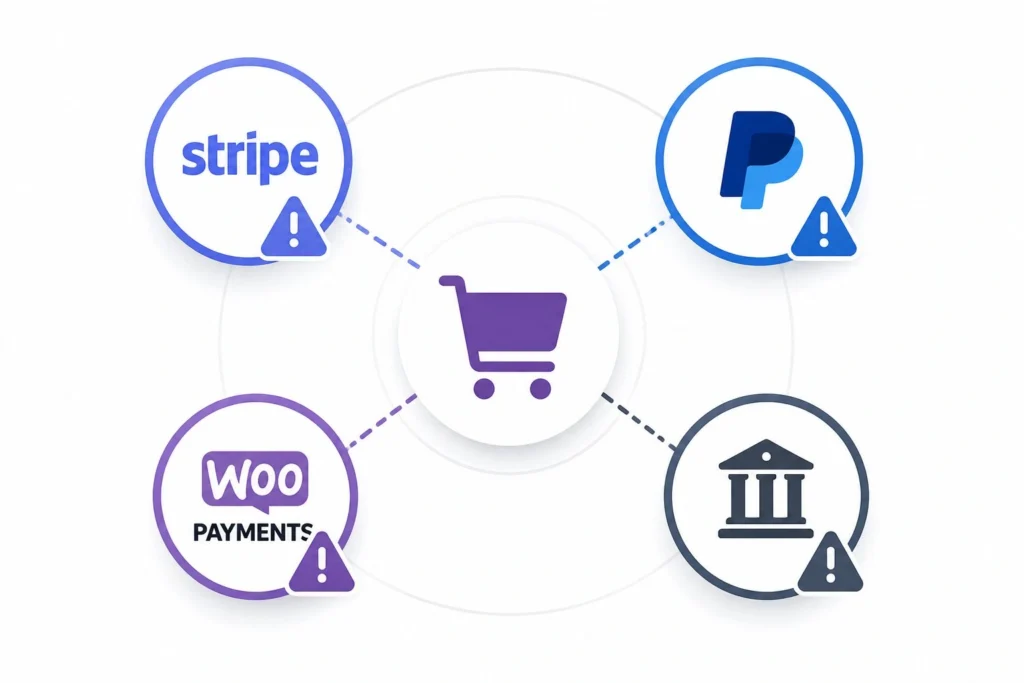
Payment gateway issues are a specialized subset of checkout problems and deserve their own diagnostic framework because each gateway has known patterns.
Stripe Emergency Patterns
Common Stripe failures include declined cards that reach Stripe but are declined by the issuer (often due to address mismatches or fraud rules), webhook configuration errors that cause orders to complete in WooCommerce but never sync to Stripe, and SCA (Strong Customer Authentication) compliance issues for European customers. A specialist checks Stripe’s dashboard for the actual decline reason rather than relying solely on the WooCommerce error message.
PayPal Emergency Patterns
The most common PayPal failures involve PayPal IPN (Instant Payment Notification) configuration, where orders complete on PayPal’s side but never update in WooCommerce. PayPal also has region-specific account requirements that can cause checkout to fail for customers in countries the store has not verified. Support teams check both the PayPal merchant dashboard and the WooCommerce payment settings.
WooPayments Emergency Patterns
WooPayments (Stripe-powered, integrated with WooCommerce.com) has tighter native integration but introduces dependency on the WooCommerce.com connection. If the WooCommerce.com connection drops, WooPayments stops processing. A specialist checks the connection status as a first step.
Authorize.net and Other Legacy Gateways
Older payment gateways often require credential rotation, which can cause checkout to silently fail when credentials expire. Support teams maintain checklists of gateway-specific failure modes that generalist providers do not have ready access to.
For any gateway, the fastest resolution path is having a support team that has worked with the specific gateway across multiple stores and has documented troubleshooting procedures rather than working from first principles each time.
Plugin Conflict Emergencies: Why Updates Break WooCommerce?
Plugin conflicts are the second-most-common WooCommerce emergency category, accounting for 28% of support tickets. They almost always follow the same pattern: a plugin is updated, the update introduces a conflict, and the conflict breaks something in the cart-to-checkout flow.
Common scenarios:
Cart fragments break after a caching plugin update. WooCommerce uses an AJAX call, wc_fragments, to update the cart icon and mini-cart. Caching plugins that handle this incorrectly cause the cart count to lag, items to disappear visually, or cart pages to display stale data. Most resolutions involve adjusting the caching plugin’s WooCommerce-specific settings or excluding cart cookies from caching.
Tax plugins fail after a WooCommerce core update. Tax calculation hooks change between WooCommerce versions. A tax plugin built for an older version may calculate incorrectly or fail entirely after WooCommerce updates. Resolution typically involves updating the tax plugin to a compatible version or temporarily reverting the WooCommerce update on a staging environment.
The shipping calculator stops working after a theme update. Themes that hook into shipping rate display can break shipping options after a routine theme update. Resolution involves identifying the theme’s shipping integration code and either rolling back the theme or applying a compatibility fix.
Subscription billing fails after a payment gateway plugin update. WooCommerce Subscriptions has tight integration with payment gateways. A gateway plugin update that changes its integration interface can cause subscription billing to fail silently for existing customers. Resolution requires testing each gateway’s subscription handling individually.
The common thread across all four scenarios is that the conflict was preventable. A plugin update tested on a staging environment before going live would have surfaced the conflict in a safe environment. This is why WooCommerce maintenance plans that include staged updates as standard practice prevent the majority of plugin conflict emergencies before they ever affect customers.
Performance Emergencies Under Load
Performance issues qualify as emergencies when they actively prevent customers from completing purchases, even if the site is technically online.
Product pages are timing out under traffic. A campaign drives a traffic spike. Product pages that loaded in 2 seconds during low traffic now take 12 seconds to load or fail to load at all. Customers see broken pages and bounce. Resolution typically involves emergency caching configuration, CDN activation, or temporary database connection pooling.
Cart pages are crashing during peak shopping windows. Friday afternoons, Black Friday, and product launch windows put unique pressure on the cart and checkout pages because they cannot be cached the same way as static product pages. Server resource exhaustion during these windows requires an emergency upgrade to hosting or temporary scaling.
Database query bottlenecks on large catalogs. Stores with 5,000 plus products often hit database query limits during traffic spikes. Resolution involves emergency database indexing, query optimization, and removing inefficient queries from theme or plugin code.
Third-party script blocking critical rendering. Marketing pixels, chat widgets, review platforms, and analytics scripts can block the main thread during checkout, causing the page to appear frozen to customers. Resolution involves identifying which third-party script is blocking and either deferring it or removing it from the checkout page entirely.
The cost calculation for performance emergencies is significant. Research by Baymard Institute shows that a 1-second delay in page load time reduces conversions by 7%. For a store doing $50,000 in monthly revenue, that is $3,500 in lost monthly sales from a problem that targeted performance optimization can resolve.
What WooCommerce Emergency Support Costs?
WooCommerce Emergency support pricing is structured into three tiers. Which one is right depends on how often you expect to need it.
Hourly billing. Pay an hourly rate for the time the team spends resolving the issue. Typical rates range from $39 to $200 per hour. Most single-issue WooCommerce emergencies resolve in 1 to 3 hours, putting the typical total cost between $39 and $600. This is the most cost-effective option for stores with rare emergencies.
Per-incident flat fee. Pay a fixed price to resolve a specific incident, regardless of how long it takes. Typical fees range from $79 to $499 per incident. Predictable cost, but less efficient for fast-resolving issues, where you pay the same flat fee for a 30-minute fix as for a 3-hour fix.
Subscription with emergency coverage. Monthly plans that include priority emergency response. Typical pricing ranges from $99 to $599 per month for WooCommerce-specific maintenance plans. Best long-term value if emergencies happen more than once or twice per year, because the subscription also includes proactive maintenance that prevents most emergencies.
Seahawk’s pricing for WooCommerce emergencies:
Seahawk’s WooCommerce emergency support is billed at $39 per hour with no retainer required and no after-hours surcharges. The $39 rate applies 24/7. Most single-issue WooCommerce emergencies resolve in 1 to 3 hours, putting the typical total cost between $39 and $117.
For stores that prefer included emergency coverage, WooCommerce maintenance plans start at $99 per month for the Pro tier, $299 per month for the Business tier, and $599 per month for the VIP tier, with 24/7 triage included. Each tier includes staged plugin updates, daily backups, checkout testing after every update cycle, and security scanning as standard.
The math on subscription versus hourly is straightforward. If you have one emergency every 6 to 12 months, hourly pricing is the most cost-effective option. If you have multiple emergencies per year, the subscription plan delivers better value because the included proactive work prevents most emergencies in the first place.
What to Expect During an Active WooCommerce Emergency?
Knowing what a professional support engagement actually looks like helps you evaluate whether the team is working effectively or stalling.
Acknowledgment within 60 minutes. A human responds, confirming they have received the request and started triage. For Critical severity issues, such as complete checkout failures, this should happen within 30 minutes.
Initial diagnosis within 15 minutes of acknowledgment. The team has accessed the site, reproduced the issue, and identified the likely cause or the next diagnostic step.
Status updates every 30 to 60 minutes during active work. Long silences during a crisis are unacceptable. A professional team communicates progress regularly, even when the work is technical and not yet resolved.
Resolution within 1 to 3 hours for single-issue emergencies. Complex multi-layer situations can take longer, but the team should give an updated estimate before continuing past the original window.
Post-incident report. After the fix, a clear write-up of what happened, what was fixed, and what to do next to prevent recurrence. Without this, the same issue can happen again because the underlying cause was not understood.
Follow-up monitoring. For 24 to 48 hours after resolution, the support team monitors for any signs that the issue is recurring or that related issues are surfacing. This is the difference between a quick patch and a real fix.
How to Prevent the Next WooCommerce Emergency?
Most WooCommerce emergencies are preventable. They happen because something that should have been done regularly was not. Here are the five practices that prevent the most common emergencies.
Use a staging environment for every plugin update. Never push updates directly to a live store. A staging environment is a duplicate of your live site where you test updates before deploying them to the live site. If something breaks in staging, you fix it there. The live store stays unaffected. Most failed update emergencies happen in stores without staging environments.
Run weekly checkout testing. Place a real test order through the checkout flow at least once per week. This catches issues before customers do. Many WooCommerce emergencies went unnoticed for days because no one was regularly testing checkout.
Monitor payment gateway webhooks separately. Set up alerts for webhook failures on Stripe, PayPal, or your gateway. A webhook that has stopped firing is an ongoing emergency that may not appear in WooCommerce until customers complain.
Automate daily off-site backups. WooCommerce stores need daily or near-real-time backups because every hour of new orders is data that cannot be reconstructed from older backups. Off-site storage means a server failure does not also destroy your backups.
Run weekly malware scans on critical files. WooCommerce stores are higher-value attack targets than standard WordPress sites. File integrity monitoring on payment-related files (theme checkout templates, payment gateway plugins, and wp-config.php) catches injection attacks before they affect customers.
A WooCommerce maintenance plan that includes all five of these practices as standard prevents 80-90% of issues that lead to emergency support calls. The cost of one prevented emergency typically exceeds the cost of an entire year of maintenance plan fees.
Final Thoughts
A WooCommerce emergency is not a regular WordPress problem. The revenue clock is running, customer trust is at stake, and the resolution window is narrow. Every minute the store remains broken incurs a measurable financial cost.
The fastest path to resolution is to have a known relationship with an experienced WooCommerce support team before the emergency occurs. Searching for help during a crisis wastes the most expensive minutes of the engagement. Whether you choose hourly emergency support or a subscription plan with emergency coverage included, the relationship needs to be in place before you need it.
The cheapest emergency support, by far, is the emergency that never happens. A maintenance plan starting at $99 per month for WooCommerce-specific coverage prevents the majority of issues that lead to emergency calls. The math is unambiguous for any store generating meaningful revenue: prevention costs less than recovery, and the prevention costs are predictable while emergency costs are not.
Store Down Right Now? Get Help in the Next Hour.
Seahawk’s WordPress emergency support is billed at $39 per hour with no retainer required and no after-hours surcharges. Checkout failures, payment gateway errors, cart issues, and hacked stores handled by WooCommerce specialists 24/7.
Frequently Asked Questions
How fast can a support team fix a broken WooCommerce checkout?
Most single-issue WooCommerce checkout emergencies resolve within 1 to 3 hours when handled by an experienced team. Simple gateway configuration issues can be fixed in 30 to 60 minutes. Complex situations involving multiple plugin conflicts, theme issues, or sophisticated malware infections can take 4 to 8 hours. Seahawk’s emergency support typically responds within 60 minutes for critical issues like complete checkout failures.
What is the difference between WooCommerce support and WooCommerce maintenance?
WooCommerce maintenance is proactive and recurring. It covers scheduled updates, backups, security scans, checkout testing, and performance monitoring on a regular cycle. WooCommerce support is reactive. It covers emergency fixes and troubleshooting after issues happen. Most professional plans bundle both. Maintenance work prevents most emergencies. The support response handles the rare situations that maintenance cannot prevent.
How much does WooCommerce emergency support cost?
WooCommerce emergency support costs $39 to $200 per hour for hourly billing or $79 to $499 per incident for flat-fee pricing. Most single-issue emergencies resolve in 1 to 3 hours, putting the typical out-of-pocket cost between $39 and $600 for hourly billing. Subscription-based emergency coverage as part of a WooCommerce maintenance plan ranges from $99 to $599 per month, with emergency response included.
Should I disable plugins before calling emergency support?
No. Resist the urge to start changing things in the store before support arrives. Each change you make creates additional variables that the support team has to untangle. The fastest path to resolution is to leave the site exactly as you found it, document what happened just before the issue started (plugin update, hosting change, etc.), and provide that information during intake.
Can WooCommerce emergency support recover a hacked store?
Yes. Hacked store recovery is one of the most common WooCommerce emergency engagements. The process includes identifying the malware infection, removing all malicious code from theme files, plugin files, and the database, removing unauthorized admin accounts, hardening the store against re-infection, and submitting the store for review by Google Safe Browsing if it has been flagged. Most hacked store recoveries take 2 to 6 hours, depending on the depth of the infection. WooCommerce stores often require additional review of payment-related files because attackers commonly inject card-skimming code into checkout templates.
What if my hosting caused the WooCommerce outage?
If the issue is on the hosting side (server outage, network issue, data center issue), emergency WooCommerce support cannot fix it because the problem lies outside the WordPress and WooCommerce application layers. The team can help confirm the issue is host-side, assist you in communicating with the host’s support team, and stand by to verify the store comes back up correctly once the host has resolved the underlying infrastructure issue.
Can I get emergency WooCommerce support without a maintenance plan?
Yes. Seahawk’s emergency support is available at $39 per hour with no retainer required and no ongoing commitment. You pay only for the time spent resolving your specific issue. Many one-time emergency clients become maintenance plan customers afterward because the cost of preventing future emergencies is significantly lower than the cost of fixing them after they happen.
How do I know if I need emergency support or standard support?
If your store is fully online and you have a non-urgent issue (display bug, minor pricing question, content change), standard support is appropriate. If checkout is failing, payments are not processing, the store is partially or fully down, the cart is broken, or customer-facing functionality is impaired in any way that affects sales, treat it as an emergency and contact emergency support immediately.
Does emergency support include preventing the next emergency?
Reputable emergency support engagements include a post-incident report that explains what caused the issue and how to prevent recurrence. Many emergency support providers also offer the option to convert a one-time emergency engagement into an ongoing maintenance relationship after the immediate fix. This is often the smartest move because the underlying conditions that caused one emergency typically remain in place and can cause another without ongoing attention.


