
Web users no longer settle for static, one-size-fits-all pages. Ambient design in WordPress is emerging as the answer to that demand. It combines AI, behavioral intelligence, and context-aware systems to build digital experiences that feel intuitive, adaptive, and almost effortless for every visitor.
Ambient design quietly reads user signals, device type, location, browsing history, and time, and adjusts the site experience accordingly. This guide breaks down what it is, why it matters, and exactly how to bring it to your WordPress site.
TL;DR: Quiet Revolution in Web UX
- Ambient UX transforms websites from passive displays into intelligent, context-aware systems.
- It uses AI, IoT, and behavioral data to anticipate user needs before they act.
- WordPress supports ambient design through the right themes, personalization plugins, and dynamic content tools.
- Successful implementation demands fast performance, smart automation, and continuous behavioral tracking.
What is Ambient Design in UX and WordPress: Definition and Concepts
Ambient design is a UX philosophy built around invisibility. It aims to reduce the effort users spend navigating a site. Instead of asking users to search and click, the site adapts to them automatically and in real time.
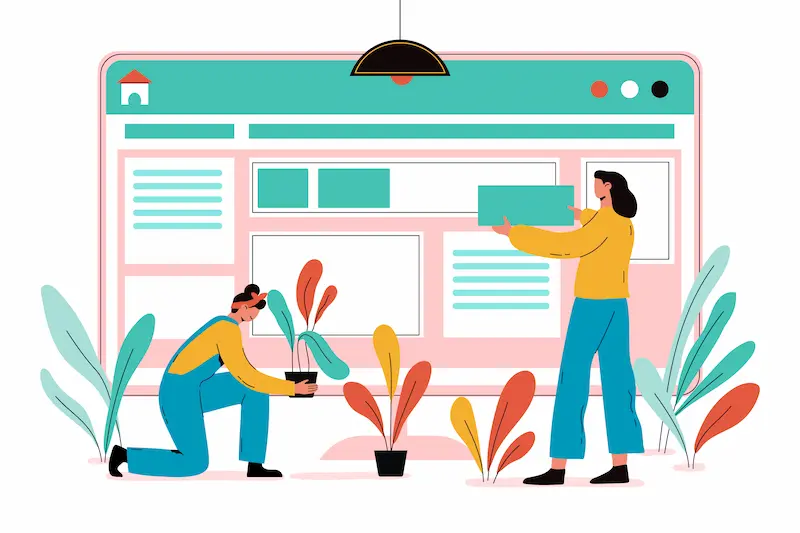
In a conventional website, users must scroll, filter, and hunt for what they need. In an ambient experience, the site reads context and delivers the right content at the right moment, with no prompting required.
Ambient Design and Ambient UX Explained for Beginners
Ambient UX creates a silent intelligence layer beneath the surface of a website. This layer collects behavioral signals and adjusts the experience without asking users to do anything differently.
Think of a smart thermostat that learns your daily routines and adjusts the temperature before you feel cold or hot. Ambient UX works the same way on the web. It removes the need for explicit input by predicting what comes next.
In WordPress, this looks like personalized content blocks, behavior-triggered navigation elements, dynamic CTAs, and layouts that shift based on real-time visitor data.
Difference Between Traditional UI, Zero UI, and Ambient UI
Traditional UI relies on fixed visual elements. Buttons, menus, and forms stay the same for every visitor. Users interact with them manually. The design does not change based on context or individual behavior.
Zero UI removes visual elements entirely and uses voice or gesture instead. Think voice assistants or motion-controlled mobile apps.
Ambient UI is the next step. It is not simply voice or touch and uses the full context of a user, location, behavior, preferences, and time to deliver the most relevant experience possible. It is proactive rather than reactive.
Understanding these distinctions matters especially when you are trying to fix common WordPress UX issues that silently hurt engagement and conversions.
How Ambient Design Uses AI, IoT, and Context-Aware Systems?
Ambient design depends on three core technologies working together.
- Artificial Intelligence (AI) processes user data and recognizes behavioral patterns. It predicts what a visitor needs next and adjusts the page in real time.
- IoT (Internet of Things) connects physical environments to digital systems. A retailer, for example, could surface location-specific deals based on a user’s proximity to a store.
- Context-aware systems monitor signals like screen size, referral source, time of day, and interaction depth. They use these signals to serve hyper-relevant, personalized experiences.
These technologies are already shaping the top AI design trends that define modern web development today.
Upgrade to Ambient WordPress User Experience
Create AI driven, context aware WordPress websites that engage users effortlessly and boost conversions.
Why Ambient Design is the Future of WordPress UX and Web Design?
User expectations are rising sharply. Visitors abandon sites within seconds when content feels generic or irrelevant. Personalization is no longer optional; it is expected.
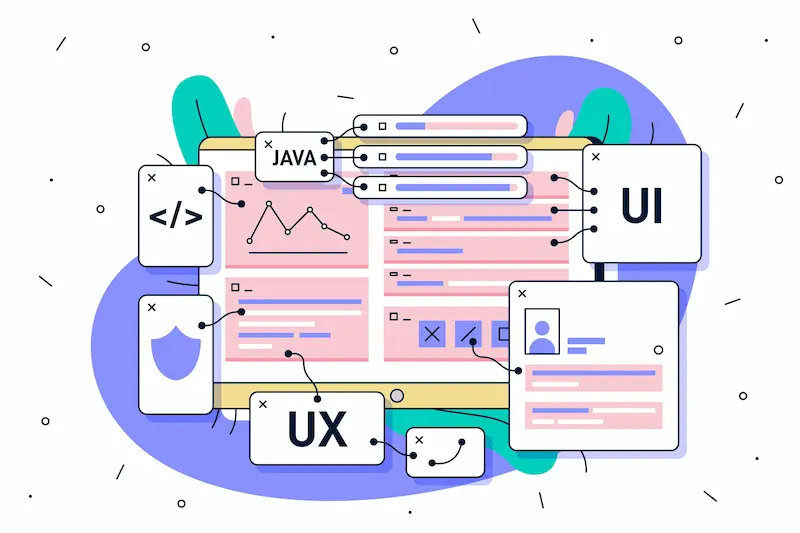
Traditional UX, static layouts, fixed navigation, and one-size-fits-all content cannot meet this demand. Bad UX design directly leads to higher bounce rates, lower conversions, and lasting damage to brand credibility.
Ambient design resolves this. It makes websites feel alive and intelligent without overwhelming users with options or inputs.
WordPress is uniquely suited to adopt an ambient design approach. Its open ecosystem of plugins, themes, and APIs enables layering behavioral intelligence and dynamic content on top of existing sites, without a complete rebuild.
The growth of AI tools for web design means building ambient experiences in WordPress is now more accessible and practical than ever before.
Key Principles and Core Elements of Ambient Design in WordPress
Ambient design follows a clear set of guiding principles.
- Context awareness sits at the foundation. Every design decision should respond to user context, device, location, time of day, and behavioral history.
- Minimal friction is the second principle. The fewer decisions a user must make, the better. Ambient design removes unnecessary steps and reduces cognitive load.
- Adaptive content means the page does not look the same for every visitor. Content shifts based on who is reading, what they have engaged with before, and where they are in the buyer’s journey.
- Passive intelligence powers the system in the background. Users should not feel tracked. They should simply feel understood and served well.
- Performance underpins all of it. A personalized experience that loads slowly defeats its own purpose. Staying aligned with sustainable web design principles ensures speed and efficiency do not suffer as complexity grows.
Real-World Examples of Ambient Design in Websites and Apps
Ambient design is not theoretical. It already powers some of the most widely used digital products in the world.
- Netflix adapts its homepage in real time based on each user’s viewing history. It predicts what you want to watch before you even type anything into the search bar.
- Spotify’s Discover Weekly uses behavioral pattern recognition to generate personalized playlists. It learns from your listening habits and the habits of millions of similar users.
- Amazon surfaces product recommendations dynamically using browsing history, purchase data, and time-on-page signals, all without the user asking for suggestions.
For WordPress, similar principles apply at scale. Ecommerce stores can surface recently viewed products.
Blogs can recommend related articles based on reading behavior. Service pages can adapt their CTAs based on a visitor’s traffic source or device.
The best WordPress websites already incorporate adaptive content strategies to improve engagement and conversion, even if they do not explicitly call it ambient design.
Steps to Implement Ambient Design in WordPress
Building ambient design into WordPress is a layered process. Each step builds meaningfully on the one before it.

Step 1: Choose a Fast and AI-Ready WordPress Theme
Everything begins with your theme. A slow, bloated theme makes it impossible to add behavioral intelligence without crushing performance.
Select a lightweight theme optimized for speed and API flexibility. Look for support for Full Site Editing (FSE), Gutenberg blocks, and third-party integrations. These features provide the structural foundation for adding dynamic, AI-powered content layers.
The fastest WordPress themes, including Astra, GeneratePress, and Nexter, are excellent starting points. They are lean, fast, and highly customizable.
Also consider exploring AI-integrated WordPress themes that include built-in adaptive layouts and personalization capabilities.
Step 2: Use Personalization and Automation Plugins
Personalization plugins allow your site to serve different content to different users based on behavioral rules. Tools like If-So, Jetpack Personalize, and Uncanny Automator handle this without requiring custom development.
These plugins use visitor signals, login status, geographic location, referral source, and device to trigger the most relevant content at the right moment.
Adding ChatGPT to WordPress via AI-powered plugins adds a conversational intelligence layer that helps users find answers faster and with far less manual effort.
Step 3: Implement Dynamic Content and Conditional Logic
Dynamic content is the engine that powers ambient design. It allows your pages to display different information to different users without creating entirely separate pages for each scenario.
A returning visitor can see a personalized welcome message. A user from a specific country sees a localized offer. A logged-in member accesses exclusive content automatically.
For deep dynamic content control, review the capabilities of the JetEngine plugin, a powerful tool for conditional content, custom field queries, and rule-based displays across complex WordPress sites.
You can also read a foundational guide to dynamic WordPress content to understand how to plan and build smarter, context-responsive pages from the ground up.
The native block editor already supports conditional visibility. You can hide or show block content in WordPress based on user role, device, login status, or geographic location, all without a single line of custom code.
Step 4: Optimize for Voice Search and Conversational Interfaces
Ambient UX naturally extends into voice interaction. Voice search is growing rapidly across mobile devices, smart speakers, and AI assistants. Users increasingly interact with digital content through conversational queries.
Optimizing for voice means structuring content in natural language, using question-and-answer formats, and writing concise, direct answers. Short sentences and plain vocabulary perform best.
Follow proven voice search optimization strategies to ensure your WordPress content surfaces in voice-driven results and AI-powered query responses.
Step 5: Add Microinteractions and Behavioral Triggers
Microinteractions are small, precise animations or feedback moments that respond to user actions. A button that changes color on hover.
A progress indicator that fills as a user scrolls. A contextual tooltip that appears when a user pauses on an unfamiliar term.
These subtle moments make a site feel alive. They are critical to the ambient experience because they provide feedback without interrupting the user’s flow.
Use lightweight CSS animations and minimal JavaScript to build these interactions. Avoid heavy animation libraries that slow page loads.
Explore WordPress tools and plugins for web designers to find lean, performance-friendly animation and interaction solutions.
Step 6: Track User Behavior with Analytics and Heatmaps
Ambient design is not a one-time setup. It evolves as you learn more about how real users interact with your site.
Use heatmaps and session replay tools to see where users click, how far they scroll, and exactly where they exit. Pair this behavioral data with conversion metrics to identify meaningful patterns and gaps.
Tools like Hotjar and Microsoft Clarity bring rich behavioral data directly into your workflow.
For privacy-first analytics that still deliver behavioral intelligence, explore Google Analytics alternatives that reduce compliance risk without sacrificing insight.
Best Tools and Plugins for Ambient Design in WordPress
Several tools make ambient design genuinely achievable in WordPress without extensive custom development.
- If-So enables powerful personalization using a drag-and-drop rule builder. No coding is required to set up visitor-specific content variations.
- JetEngine handles dynamic content queries, custom field logic, and conditional display rules across complex site structures.
- Elementor Pro supports dynamic content tokens, behavioral animations, and custom conditions directly in its visual builder.
- Hotjar / Microsoft Clarity deliver heatmaps, scroll maps, and session recordings to surface real user behavior patterns.
- WP Rocket keeps the entire user experience fast by enabling advanced caching, script deferral, and asset optimization.
Pair these tools with the best WordPress speed optimization plugins to ensure performance remains strong as your site’s behavioral intelligence grows more sophisticated.
Benefits of Ambient Design for WordPress Websites and Businesses
The benefits of ambient design are concrete and measurable.

- Higher engagement: When content adapts to the individual user, visitors spend more time on the site and interact with more pages per session.
- Better conversion rates: Personalized CTAs and contextually relevant offers convert far better than static, generic ones.
- Lower bounce rates: Visitors stay longer when they encounter content that feels relevant to their needs and intent from the start.
- Improved organic visibility: Behavioral signals, dwell time, return visits, low bounce rates, and send positive ranking signals to search engines.
- Stronger brand loyalty: Users trust brands that feel attentive and intuitive. Ambient design builds that trust passively, over time, without intrusion.
Technical and UX Challenges in Ambient Design for WordPress
Ambient design introduces real technical challenges that must be managed carefully.
- Performance overhead: Personalization scripts, dynamic queries, and behavioral tracking all add page weight. Without disciplined optimization, they significantly harm load times.
- Privacy and data compliance: Behavioral data collection must comply with the GDPR, the CCPA, and applicable regional regulations. Always be transparent with users about how their data is used. Always offer opt-out controls.
- Complexity of implementation: Conditional logic, dynamic content rules, and AI plugin integrations require careful planning. Working with the right types of WordPress experts, including UX designers, developers, and performance engineers, ensures you build on a stable foundation.
- Content governance overhead: Personalized experiences require more content variants. This places greater demands on editorial planning, approval workflows, and ongoing content maintenance.
Ambient Design vs Traditional UX in WordPress: Key Differences
Traditional WordPress UX is inherently static. Every visitor sees the same layout, the same navigation order, and the same calls to action. The burden of finding relevant content rests entirely on the user.
Ambient design reverses that dynamic. The site takes ownership of relevance. It reads context signals and adapts before the user needs to ask for anything.
Traditional UX is also reactive; it waits for clicks and inputs. Ambient UX is proactive; it responds to passive signals that users may not even consciously generate.
For teams moving from traditional to ambient UX, the shift typically starts with small, targeted changes. Replacing a static homepage hero with a dynamic content block.
Adding a personalized sidebar widget. These incremental steps reflect the broader future of WordPress theme development and the platform’s evolution to support richer, more intelligent interfaces.
Future of Ambient Design in WordPress and Web Development
The future of ambient design tracks directly alongside the trajectory of AI.
- As artificial intelligence becomes embedded in every layer of WordPress, from content generation to layout decisions to search, ambient experiences will become both easier to build and harder to distinguish from the site itself.
- Headless WordPress architectures will accelerate this shift. Fully decoupled front-end interfaces can deliver real-time, context-driven experiences across web, mobile, voice, and wearable channels simultaneously.
- Voice, augmented reality, and sensor-based interactions will push ambient UX well beyond the screen. The future of WordPress will likely treat ambient design as a baseline expectation, a standard, not a differentiator.
- Tracking web design trends gives WordPress designers and developers the foresight they need to stay ahead as these technologies mature and converge.
Emerging ideas in holographic website design illustrate how far forward-thinking teams are already pushing the boundaries of immersive, ambient UX.
Best Practices to Optimize Ambient Design UX in WordPress
Start with deep user research. Understand your audience before you automate a single element.
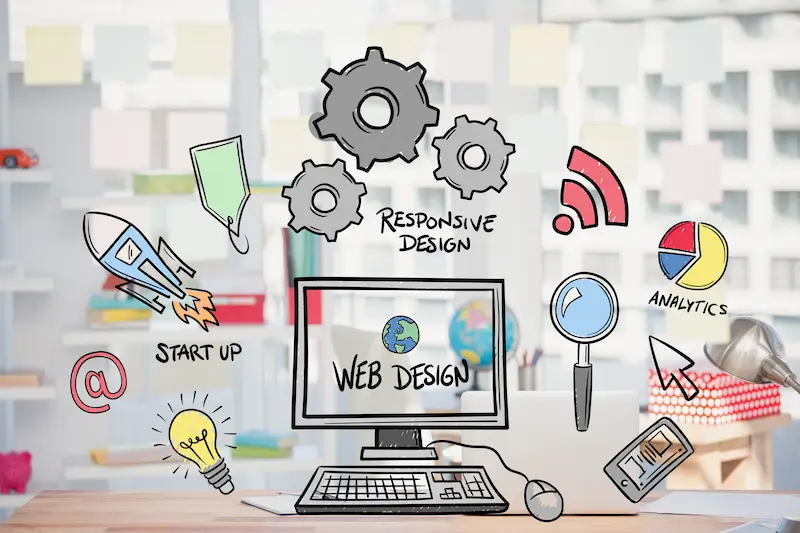
Know which behavioral signals are meaningful and which content variations would genuinely improve the experience for distinct user segments.
- Build incrementally: Do not attempt to personalize everything at once. Add one layer of ambient intelligence at a time. Test it, analyze it, then refine before adding the next.
- Protect page speed at every stage: A personalized page that loads slowly is far worse than a fast, static page.
- Test every variation: Behavioral triggers, dynamic CTAs, and personalized blocks should all go through A/B testing before scaling across the site.
- Document your conditional logic: As ambient systems grow, they become increasingly complex. Clear documentation prevents conflicts when rules overlap or contradict each other.
- Stay privacy-first by design: Be upfront with users about personalization. Offer opt-out options where applicable. Transparency builds trust, not just compliance.
Common Mistakes to Avoid in Ambient Design for WordPress
Avoid these common pitfalls to ensure your ambient design enhances the user experience rather than creating confusion or friction.
- Over-personalizing too quickly: Ambient design works best when changes are subtle and gradual. Dramatic shifts in layout or content across visits can feel invasive. Introduce adaptations gently over time.
- Ignoring mobile context: Ambient UX must account for mobile user behavior, which differs significantly from desktop behavior patterns. Design, test, and refine across all major device types.
- Neglecting site speed: Every plugin and tracking script added for personalization must be evaluated for its performance impact. Speed is non-negotiable in ambient design; it is what makes the experience feel effortless rather than sluggish.
- Treating personalization as a one-time setup: Behavioral rules and content variants need regular review. User behavior shifts seasonally, culturally, and in response to market changes.
- Skipping prototype validation: Before going fully live, convert your design prototype to WordPress in a staging environment to validate that your ambient UX works as intended before it reaches real users.
- Stacking too many plugins: Each plugin adds overhead, potential conflicts, and maintenance burden. Choose multi-functional tools over single-purpose ones to keep your stack lean, stable, and manageable.
Conclusion
Ambient design in WordPress marks a fundamental shift in how websites relate to the people who use them. It moves us from static, passive interfaces to living, responsive digital environments that learn, adapt, and improve with every interaction.
This is not simply a design trend. It is a rising expectation. Users increasingly want websites that feel intelligent, ones that understand their needs without feeling intrusive.
WordPress, with its powerful plugin ecosystem, growing AI integrations, and flexible architecture, is exceptionally well-positioned to lead this shift.
The path to ambient UX does not require a complete rebuild. It starts with the right theme, a few well-chosen behavioral plugins, and a disciplined commitment to testing and iteration. Layer by layer, WordPress sites can become more intuitive, more personal, and meaningfully more powerful.
Brands that embrace ambient design today will define the standard for everyone else tomorrow. The experience your visitors expect already exists elsewhere; the question is whether your WordPress site will deliver it.
FAQs About Ambient Design in WordPress
What is ambient design in WordPress?
Ambient design in WordPress creates user experiences that work in the background. It uses context, behavior, and data to deliver content automatically. Users do not need to actively click or search. The interface adapts based on their needs in real time.
How is ambient UX different from traditional UX design?
Traditional UX relies on user actions like clicks and navigation. Ambient UX predicts user intent and responds proactively. It reduces effort and makes interactions feel seamless and natural.
Can WordPress support ambient and AI-driven experiences?
Yes, WordPress can support ambient design using plugins, APIs, and integrations. You can add AI tools, personalization engines, and automation features. Headless WordPress also helps build advanced ambient experiences.
What are the key features of ambient design in WordPress?
Ambient design includes personalization, predictive content, and context-aware interfaces. It also uses voice search, smart recommendations, and subtle microinteractions to improve UX.
Is ambient design suitable for all WordPress websites?
Ambient design works best for content-heavy, ecommerce, and service-based websites. It may not suit very simple or static sites. You should apply it based on user needs and business goals.


