
Picking the right platform for your website is one of the most important decisions you will make. The Webflow vs WordPress debate is more relevant than ever in 2026, as both tools have matured and expanded their feature sets significantly.
Whether you are launching a portfolio, a business site, or a full-scale ecommerce store, your CMS choice will shape how you build, grow, and manage your digital presence.
This guide breaks down both platforms across every dimension that matters, from design and SEO to pricing and scalability, so you can make a confident, informed decision.
TL;DR: Which Platform to Choose Between WordPress and Webflow?
- WordPress runs over 43.4% of all websites and delivers unmatched flexibility through its vast plugin ecosystem.
- Webflow is a design-first platform best suited for visually polished, moderately sized sites.
- For content management, SEO depth, and long-term scalability, the open-source option has a consistent edge.
- The right pick depends on your team’s skills, your site’s complexity, and your long-term growth plans.
Webflow vs WordPress Overview: Understanding the Core Differences
Get a clear understanding of how Webflow and WordPress differ in structure, flexibility, and overall approach to website building.
What is Webflow: Features, Use Cases, and Benefits
Webflow is a visual web design platform that launched in 2013. It targets designers who want full creative control without writing code. Webflow bundles a visual editor, a built-in CMS, and managed hosting into a single subscription.
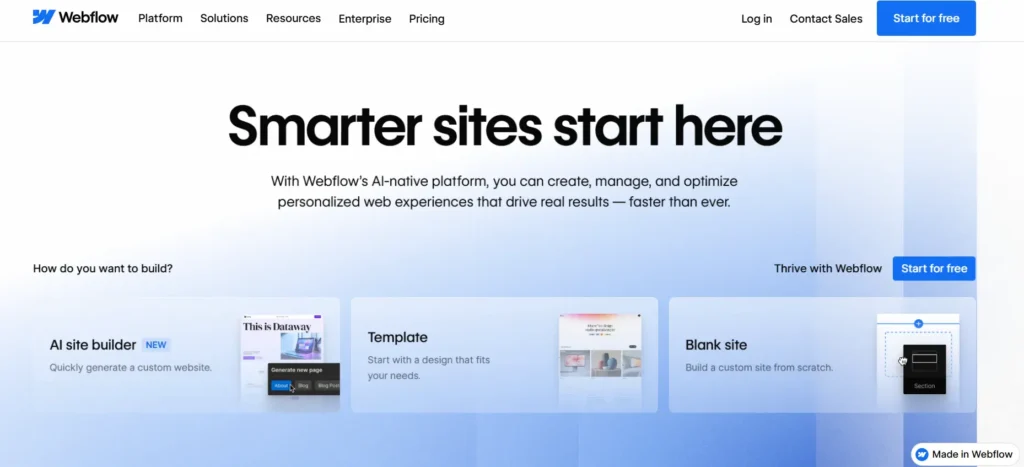
You build sites in Webflow using a drag-and-drop canvas. The platform generates clean HTML, CSS, and JavaScript beneath the surface. You do not need to touch code to produce complex, responsive layouts.
Key Webflow features include a powerful visual editor with responsive controls, a built-in CMS for structured content, Webflow Interactions for animations, and a global CDN for fast load times.
Webflow suits freelance designers, creative agencies, and SaaS teams building marketing sites. It works best for sites with defined content types and moderate traffic demands.
What is WordPress: Open Source CMS Explained
WordPress is an open-source content management system that launched in 2003 as a blogging platform. It has grown into the world’s most widely used CMS, powering 61.4% market share among content management systems.
It comes in two forms: WordPress.com, which is hosted, and WordPress.org, the self-hosted, open-source version. Most businesses choose WordPress.org for its complete control and extensibility.
Core features include the Gutenberg block editor, over 60,000 free plugins, thousands of themes, WooCommerce for ecommerce, and a massive global developer community.
To understand the future of WordPress and where the platform is heading, it helps to know that its open-source foundation keeps it continuously evolving with contributions from developers worldwide.
WordPress serves everyone from solo bloggers to enterprise media companies. Its flexibility is virtually limitless with the right configuration.
Migrate From Webflow to WordPress Website with Expert Help
Move your site with zero downtime and unlock full control, scalability, and performance with expert WordPress migration services.
Webflow vs WordPress: Comparison for Better Decision Making
Explore a detailed comparison of key features to help you choose the right platform for your goals.
Ease of Use and Learning Curve
Webflow has a steeper-than-expected learning curve. The interface is intuitive for designers who understand CSS flexbox, grid layouts, and div-based structures. Non-designers often find the terminology confusing at first.
WordPress is more accessible for beginners. The Gutenberg block editor lets anyone build pages visually. Popular page builders like Elementor make it even easier to achieve polished designs. Most users feel comfortable managing WordPress content within a few days of getting started.
Verdict: WordPress wins for beginners, while Webflow suits designers with technical knowledge.
Design Flexibility and Customization
Webflow offers exceptional design freedom. It gives you pixel-level control over every element, spacing, animations, hover effects, and scroll-triggered transitions, all of which are native. For designers, this is a genuine strength.
WordPress also offers excellent design customization. You can start with a pre-built theme or build a completely custom design.
There are even blank WordPress themes you can use as a clean starting point for fully bespoke builds. Page builders add visual design tools comparable to Webflow, while developers can go deeper using PHP templates and custom CSS.
The core distinction is that Webflow embeds design tools into its platform, while WordPress draws on a rich ecosystem of themes and builders to achieve similar results.
Verdict: Webflow leads for pixel-perfect visual design, but WordPress wins overall with deeper flexibility and scalability.
SEO Capabilities Comparison
Both platforms support strong SEO. But WordPress delivers far greater depth and control.
Webflow includes clean code output, editable meta titles, descriptions, alt text, and canonical tags. This covers the basics well.
For teams building a comprehensive WordPress SEO strategy, plugins like Rank Math go much further. They provide schema markup, XML sitemaps, readability scoring, breadcrumb navigation, and granular redirect management.
WordPress also lets you control your hosting environment directly. This matters for Core Web Vitals performance on enterprise websites, where server response time and configuration directly affect ranking signals.
Verdict: WordPress is the clear winner for advanced SEO control and long-term growth.
Performance and Page Speed
Webflow delivers solid baseline performance. Sites hosted on Webflow’s Amazon CloudFront CDN load quickly without extra configuration. This is a genuine convenience for teams who want speed out of the box.
WordPress performance depends on your choices. A neglected WordPress site can be sluggish. Understanding why your WordPress site is slow is the first step to fixing it.
With a fast host, a caching layer, image optimization, and a lean theme, WordPress can match or exceed Webflow’s load times. Choosing one of the fastest WordPress themes available also gives you a strong performance baseline from the start.
Verdict: Webflow wins for out-of-the-box speed, but WordPress can outperform with proper optimization.
Content Management and Blogging
WordPress was born as a blogging platform. That heritage is still evident. It handles posts, pages, custom post types, categories, tags, and complex content taxonomies with ease. Editorial workflows, scheduled publishing, revision history, and multi-author management are all built in.
Webflow’s CMS supports structured content but has plan-based limits on collection items. Multi-author editorial tools are less mature than those in WordPress.
For content-heavy operations, publishers, newsrooms, and content marketing teams, WordPress is the clear choice.
Verdict: WordPress is the undisputed winner for content-heavy websites and publishing workflows.
Plugins, Integrations, and Extensibility
WordPress’s plugin directory contains over 60,000 plugins covering almost every conceivable need. CRM integrations, membership platforms, LMS systems, advanced forms, analytics, and security tools are all available.
However, it is worth learning how to fix WordPress plugin bloat, as installing too many plugins without a strategy can hurt performance.
Webflow connects with third-party tools through Zapier, Make, and direct embeds. It does not have a native plugin ecosystem.
Complex custom functionality typically requires external tools or custom JavaScript. WordPress wins on extensibility, especially for businesses with evolving or complex requirements.
Verdict: WordPress dominates with unmatched extensibility and integration capabilities.
Hosting, Security, and Maintenance
Webflow bundles hosting into every plan. Sites run on a fast, managed CDN. Security patches and platform updates happen automatically. This is a real advantage for teams that do not want to manage infrastructure.

WordPress is self-hosted by default. You select and manage your own hosting environment. This adds responsibility, but also control.
For those who need guidance, understanding the difference between DIY and professional website management helps clarify what is involved.
Managed WordPress hosting services from providers like WP Engine or Kinsta automate updates, backups, and security scans, significantly reducing the manual workload.
Security is also an active area for WordPress users. Knowing how to protect your WordPress site from AI-powered cyberattacks is increasingly important as threats become more sophisticated.
Verdict: Webflow is better for simplicity, while WordPress is better for control and customization.
Pricing and Total Cost of Ownership
Webflow’s free plan covers basic prototype sites. The Basic plan for personal sites and landing pages starts at $14 per month. CMS plans start at approximately $23 per month. Ecommerce plans are priced higher. Costs scale with your traffic and content needs.
WordPress itself is free. You pay for hosting, premium themes, and plugins. A well-configured WordPress site on managed hosting typically costs $30–$100 per month for small to mid-sized businesses.
At scale, WordPress is often more cost-effective than Webflow because you control your infrastructure and avoid per-seat or per-feature pricing.
You also retain full ownership of your data and content on WordPress, something that matters more as your site becomes a core business asset.
Verdict: WordPress is more cost-effective and scalable in the long run.
Ecommerce Capabilities
Webflow Ecommerce supports simple to mid-level online stores. You can manage product variants, custom checkout experiences, discount codes, and basic order management. It is a good fit for design-driven brands with focused product catalogs.
WooCommerce, the WordPress ecommerce plugin, powers over 30% of all online stores worldwide. It supports complex product catalogs, subscriptions, wholesale pricing, multi-currency, and thousands of payment gateways.
Businesses that have migrated from Magento to WordPress often cite WooCommerce’s extensibility as a key driver.
For serious ecommerce operations, WooCommerce’s depth is difficult to rival. You can also find guidance on protecting your ecommerce site from hacking to keep your store and customer data secure.
Verdict: WordPress with WooCommerce is the stronger choice for serious and scalable ecommerce.
Scalability and Flexibility
Webflow scales well for design-first sites within its hosting environment. Large editorial teams, millions of content items, or heavily custom architectures can run into constraints at higher usage levels.
WordPress scales from a personal blog to a global enterprise platform. WordPress VIP serves some of the world’s highest-traffic publishers.
Its REST API and headless architecture capabilities, including Next.js headless WordPress setups, enable modern, decoupled front-ends that separate content management from presentation.
For teams exploring the broader headless landscape, comparing Directus vs WordPress headless approaches can also be informative.
Verdict: WordPress clearly wins for large-scale and enterprise-level websites.
AI Features and Automation
Webflow has begun integrating AI tools for content writing and design suggestions. This is a growing area of the platform that continues to mature.

WordPress benefits from an open ecosystem that rapidly adopts AI tools. Plugins like Jetpack AI, along with third-party integrations, bring AI writing assistance, image generation, and smart SEO recommendations directly into the editor workflow.
Exploring the range of available AI web design templates for WordPress shows how quickly this space is evolving. Because WordPress is open-source, new AI capabilities integrate faster and more deeply than on closed platforms.
Verdict: WordPress leads due to its fast-evolving and flexible AI ecosystem.
Collaboration and Workflow Management
Webflow includes role-based access and an Editor mode that lets non-technical team members update content without touching the designer’s workspace.
It works well for small, design-led teams. However, it lacks advanced editorial workflows such as multi-level approval queues, content staging, and deep revision tracking.
WordPress supports granular user roles and permissions for multi-user teams. Editorial plugins extend workflow capabilities significantly. WordPress Multisite lets agencies and enterprises manage multiple sites from a single installation, an advantage for organizations that operate networks of related properties.
For large editorial teams or agency environments, it is also worth comparing the pros and cons of in-house teams versus working with a WordPress development company to determine the right support model.
Verdict: WordPress is better for large teams and complex workflows, while Webflow is better suited to smaller teams.
Multilingual and Localization Features
Webflow supports multilingual sites, but with notable limitations. Full translation workflows often require workarounds or paid third-party integrations, depending on your plan and setup.
WordPress has a robust multilingual ecosystem. Plugins like WPML and Weglot handle complex translation needs across large content libraries.
Before building a multilingual site, it is worth reviewing the most common multilingual SEO myths to avoid costly mistakes. WordPress also natively supports right-to-left languages and localized SEO configurations, making it a stronger platform for global publishing.
Verdict: WordPress is the better choice for multilingual websites and global SEO.
Webflow vs WordPress Comparison Table: Quick Snapshot
Scan a side-by-side table that highlights the most important differences at a glance.
| Feature | Webflow | WordPress |
|---|---|---|
| Ease of Use | Moderate learning curve | Beginner-friendly |
| Design Flexibility | Excellent (native) | Excellent (via themes/builders) |
| SEO Tools | Basic built-in | Advanced via plugins |
| Blogging & CMS | Good | Excellent |
| Plugin Ecosystem | Limited | 60,000+ plugins |
| Hosting | Bundled (managed) | Self-managed or managed |
| Ecommerce | Good | Excellent (WooCommerce) |
| Scalability | Moderate | Excellent |
| Pricing at Scale | Higher | More cost-effective |
| Multilingual | Limited | Excellent |
| Open Source | No | Yes |
| AI Integration | Growing | Extensive via plugins |
Webflow vs WordPress for SEO: Which Platform is Better for Ranking?
Both platforms generate clean, crawlable output. But their SEO depth differs meaningfully.
Webflow produces semantic HTML with good structure. It handles basic on-page SEO fields, meta tags, image alt text, and canonical URLs through a simple interface. For sites with modest SEO requirements, this is sufficient.
WordPress dominates for serious organic search strategies. Its plugin ecosystem provides full control over technical SEO, on-page optimization, and schema markup.
Dedicated SEO plugins give you XML sitemap management, breadcrumb trails, structured data, and real-time content analysis. You can also use content pruning to recover lost traffic after Google updates, a common practice among active WordPress-powered publications.
Content-heavy SEO strategies strongly favor WordPress. Managing thousands of pages, implementing hreflang for international targeting, building topic clusters, and running A/B tests on landing pages are all more manageable in WordPress’s environment.
Webflow vs WordPress for Different Use Cases
Discover which platform best suits your needs, from blogging to business websites to ecommerce and more.
- Portfolio and Creative Sites: Webflow is a strong choice here. Designers love its visual precision and the clean code it outputs. For individual creatives showcasing work, Webflow feels native.
- Agency Websites: Both platforms work well. Webflow handles the visual needs of agency marketing sites with ease. WordPress offers more flexibility for client handoff, content training, and long-term management. Teams should consider the range of Elementor SaaS WordPress themes available for quickly building polished agency and SaaS sites.
- Business Blogs and Content Marketing: WordPress is the clear choice. Its editorial tools, scheduling, categories, and SEO plugins make it the strongest platform for content-led growth strategies.
- SaaS Marketing Sites: Webflow performs well here. It is fast to build, visually polished, and easy for marketing teams to update without engineering support.
- Ecommerce Stores: WordPress with WooCommerce is the winner for most store configurations. Stores looking to migrate from existing platforms, including those migrating from PrestaShop to WooCommerce; gain access to one of the most powerful ecommerce ecosystems available.
- Enterprise and Large-Scale Platforms: WordPress, especially through headless or WordPress enterprise DXP solutions, better meet enterprise requirements. The open-source model eliminates vendor lock-in and gives engineering teams full control.
- News and Publishing: WordPress powers many of the world’s largest editorial platforms. Its content management depth, user roles, and publishing tools are built for high-volume teams.
- Nonprofits and Budget-Conscious Projects: WordPress’s extensive library of free themes and plugins makes it a more accessible platform for organizations working with limited budgets. WordPress also meets WCAG accessibility standards, which nonprofits and public sector organizations often must comply with by law.
Final Verdict
Webflow and WordPress are both excellent platforms. The right choice depends entirely on your goals, your team’s skills, and your plans for growth.
WordPress’s open-source nature means you are never locked into a vendor’s pricing structure or roadmap. Its global community, deep plugin ecosystem, and constant innovation make it a more future-proof platform for the vast majority of businesses. Webflow is a brilliantly designed tool for the right use case, particularly for design-led teams with focused content needs.
But for long-term scalability, SEO depth, content power, ecommerce capability, and total flexibility, WordPress continues to stand out as the world’s most trusted and widely deployed CMS, and the numbers speak for themselves.
FAQs About Webflow vs WordPress
Is Webflow better than WordPress for SEO?
Webflow offers built-in SEO tools and clean code. It works well for small to medium sites. WordPress gives deeper control with SEO plugins. It is better suited to advanced, content-heavy SEO strategies.
Which is easier to use: Webflow or WordPress?
Webflow uses a visual builder, but it has a learning curve. WordPress is easier to start with, especially for beginners. Its dashboard and plugins simplify most tasks.
Can Webflow replace WordPress completely?
Webflow can replace WordPress for simple websites and portfolios. However, WordPress remains stronger for large-scale, complex, and content-driven websites.
Which platform is more cost-effective?
Webflow has fixed monthly pricing. WordPress costs vary based on hosting, themes, and plugins. WordPress can be cheaper or more expensive depending on your setup.
Is WordPress still relevant in 2026?
Yes, WordPress remains highly relevant. It powers a large share of the web and continues to evolve. Its flexibility and ecosystem keep it a top choice for businesses and developers.


