
WordPress user enumeration is a technique for identifying valid usernames on a website. In simple terms, it allows attackers to figure out which accounts exist before attempting to break into them. While it may seem minor, this issue has become a growing concern in website security because usernames act as the first layer of authentication.
Once exposed, attackers can launch targeted brute-force attacks or use leaked credentials from other platforms to gain access.
In real-world scenarios, this often leads to unauthorized logins, data breaches, or compromised admin accounts. Understanding how it works is the first step to securing your site.
TL;DR: Hackers Love Usernames More Than You Think
- WordPress user enumeration exposes valid usernames, making targeted attacks easier.
- Attackers exploit endpoints such as author archives, REST APIs, and login errors. This increases the risk of brute-force attacks, credential stuffing, and phishing.
- Detection involves manual checks, log analysis, and tools like WPScan.
- Fixes include disabling author pages, restricting APIs, and masking login errors.
- Prevention requires strong usernames, limited login attempts, 2FA, and security plugins.
What is WordPress User Enumeration?
WordPress user enumeration is the process of identifying valid usernames on a website. Attackers use this information to prepare targeted attacks and increase their chances of unauthorized access.
Usernames act as the first layer of authentication. Therefore, once identified, attackers can focus solely on cracking passwords instead of guessing both credentials.
Common Endpoints Exploited
- Author Archives (/author/username): Attackers exploit predictable URL patterns to access author pages and reveal usernames.
- REST API (/wp-json/wp/v2/users): The WordPress REST API may expose user data, making it easier to extract usernames.
- Login Error Messages: Detailed login errors can confirm whether a username exists.
Now that we know what it is, let’s see how attackers actually do it.
How User Enumeration Works?
User enumeration in WordPress typically follows a structured and automated approach. Attackers rely on bots and scripts to quickly and at scale identify valid usernames, making the process efficient and difficult to detect.
- Automated Bots Scanning URLs: Initially, attackers deploy bots to scan common WordPress endpoints. These bots systematically check URLs such as author pages or API routes to detect user-related responses.
- Extracting Usernames via Predictable Patterns: Next, they analyze URL structures like /author/username or query parameters (e.g., ?author=1). As a result, usernames can often be revealed through redirects or page metadata.
- Using Tools and Scripts to Validate Users: Attackers then use tools or custom scripts to verify which usernames are valid. This step helps refine their target list for further attacks.
For instance, a bot identifies “admin” as a valid username through an author archive. It then attempts multiple password combinations via automated login requests.
This seemingly harmless information can lead to serious consequences.
Know more: How to Master WordPress REST API Development
Risks of WordPress User Enumeration
Although user enumeration may appear minor, it significantly increases a website’s attack surface. Once valid usernames are exposed, attackers can execute more focused and effective attacks.
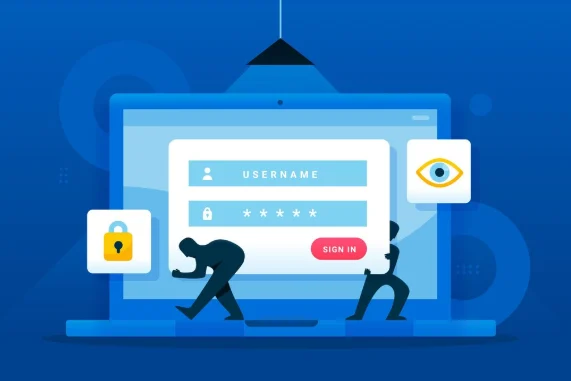
- Brute-Force Attacks: Attackers use identified usernames to run automated password-guessing attempts. Since the username is already known, the attack becomes faster and more efficient.
- Credential Stuffing: Attackers may use leaked username-password combinations from previous data breaches. If users reuse credentials, this can quickly lead to unauthorized access.
- Targeted Phishing Attacks: With valid usernames, attackers can craft personalized phishing emails. As a result, these messages appear more credible, increasing the likelihood that users will reveal sensitive information.
- Privilege Escalation Risks: In some cases, attackers identify high-privilege accounts, such as admin accounts. Consequently, they focus efforts on these accounts to gain deeper control over the website.
- Data Privacy Concerns: Finally, exposing usernames can reveal author identities or linked information. This may lead to privacy issues, especially for sites handling sensitive or personal data.
Explore: How to Remove Malware From a WordPress Site
Seacare by Seahawk Media: The Ultimate Solution for WordPress Website Security and Maintenance
Seacare by Seahawk Media offers a comprehensive approach to WordPress security and maintenance.

We ensure your website remains secure, up to date, and optimized without constant manual intervention.
- Proactive Security Monitoring: We continuously monitor your website for vulnerabilities and suspicious activity. As a result, potential threats are identified and mitigated before they escalate into serious issues.
- Regular Updates and Maintenance: We handle core, theme, and plugin updates. This ensures your site stays compatible, secure, and free from vulnerabilities caused by outdated components.
- Malware Scanning and Removal: Our team performs routine malware scans and provides quick cleanup. Consequently, your website remains protected from harmful code and security breaches.
- Performance Optimization: Beyond security, we also enhance website speed and performance. Therefore, users experience faster load times and improved overall functionality.
- Backup and Recovery: Automated Cloud backups are scheduled regularly. In case of any failure, your site can be restored quickly with minimal downtime.
- Expert Support: Finally, you gain access to WordPress experts for ongoing support. This ensures any technical issues are resolved efficiently and professionally.
Secure Your WordPress Site Before It’s Too Late
Don’t leave your website exposed to preventable threats. Get started with SeaCare today and ensure continuous protection and expert maintenance for your WordPress site.
How to Detect User Enumeration Vulnerabilities?
Detecting user enumeration vulnerabilities is essential for strengthening your WordPress security posture. By combining manual checks with automated tools, you can quickly identify exposure points and take corrective action.
Step 1: Manual Testing
Start by testing common entry points. For example, access URLs such as/author=1 or /author/username and check whether they redirect to a valid username. Additionally, check the REST API endpoint (/wp-json/wp/v2/users) to see if user data is publicly accessible.
Step 2: Security Scanners
Next, use automated tools such as WPScan to detect enumeration vulnerabilities. These scanners can quickly identify exposed endpoints and highlight potential risks without requiring deep technical expertise.
Step 3: Log Analysis
Review server and access logs to identify suspicious patterns. Repeated requests to author pages or API endpoints often indicate attempts to enumerate. Therefore, monitoring logs helps detect malicious activity early.
Step 4: Plugin-Based Monitoring
You can also rely on security plugins like Wordfence or Sucuri Security. These tools provide real-time alerts and block suspicious requests, making detection more proactive.
Once identified, the next step is fixing the issue.
Troubleshooting and Fixing WordPress User Enumeration
Once user enumeration vulnerabilities are identified, the next step is to implement targeted fixes. A layered approach ensures that even if one vector is exposed, others remain protected.
Disable Author Archives
First, prevent attackers from accessing the author archive pages. You can either redirect these URLs to the homepage or block them entirely using server rules or plugins. This removes a common enumeration pathway.
Restrict REST API Access
Next, limit exposure of user data via the REST API (/wp-json/wp/v2/users). Disable unnecessary endpoints or restrict access to authenticated users only. As a result, attackers cannot easily extract usernames.
Use WordPress Security Plugins
Additionally, install trusted website security plugins. These tools help block suspicious requests, monitor activity, and provide firewall-level protection.
Customize Login Error Messages
By default, WordPress reveals whether a username exists during login attempts. Therefore, modify error messages to display generic responses (e.g., “Invalid credentials”) to avoid giving attackers useful hints.
Change Default Username
Avoid using predictable usernames such as “admin.” Instead, create unique and hard-to-guess usernames, especially for administrator accounts. This significantly reduces attack success rates.
Implement Rate Limiting and CAPTCHA
To further strengthen security, enable rate limiting and CAPTCHA on login pages. This prevents automated bots from making repeated login attempts, thereby reducing the risk of brute-force attacks.
Web Application Firewall (WAF)
Finally, deploy a Web Application Firewall (WAF) to filter and block malicious traffic patterns. A WAF acts as a protective layer between your website and incoming requests, stopping enumeration attempts before they reach your server.
Beyond fixes, prevention is key for long-term security.
Find out: The Real Cost of WordPress Security Mistakes
Best Practices to Prevent User Enumeration
Preventing user enumeration requires a proactive and consistent security approach.
By following best practices, you can significantly reduce exposure and strengthen overall site protection.
- First, keep your WordPress core, themes, and plugins up to date. Regular updates patch known vulnerabilities, thereby minimizing the risk of exploitation through outdated components.
- Next, enforce strong username policies. Avoid predictable usernames such as “admin” and encourage unique, hard-to-guess identifiers. This makes it more difficult for attackers to identify valid accounts.
- Additionally, limit login attempts to prevent repeated guessing. By restricting the number of failed login tries, you reduce the effectiveness of brute-force attacks.
- Enabling two-factor authentication (2FA) adds another critical layer of security. Even if a username and password are compromised, unauthorized access is still blocked without the second verification step.
- Finally, conduct regular security audits using tools like Wordfence. These audits help identify vulnerabilities early and ensure your defenses remain up to date.
Together, these practices create a robust defense against user enumeration and related threats.
To Sum Up
WordPress user enumeration may seem like a minor issue. However, it can expose valid usernames and open the door to serious threats such as brute-force attacks, credential stuffing, and targeted phishing. As discussed, attackers exploit common endpoints to gather this information, making it critical to address these vulnerabilities early.
Fortunately, by disabling author archives, restricting REST API access, and using security tools, you can effectively reduce these risks.
A proactive approach is essential. Regularly audit your website, strengthen login security, and implement best security practices to stay ahead of threats. So, start by evaluating your site today to ensure your WordPress environment is secure.
FAQs About WP User Enumeration
Can WordPress user enumeration be completely prevented?
While it cannot always be eliminated entirely, it can be significantly reduced by blocking common endpoints and using security tools.
Is user enumeration a vulnerability or a misconfiguration?
It is generally considered a security misconfiguration, as it often results from default WordPress behavior rather than a core flaw.
How do attackers find usernames on WordPress sites?
Attackers use automated bots, predictable URLs, REST API endpoints, and login responses to identify valid usernames.
Does user enumeration only affect admin accounts?
No, it can expose all registered usernames. However, admin accounts are typically the primary targets due to higher privileges.
Which tools help prevent user enumeration?
Security plugins like Wordfence and Sucuri Security help detect and block such attempts.


