

Ever tried opening your website only to find it offline or behaving strangely while your heart sinks?
For WordPress site owners, that moment is more common than it should be. With WordPress powering a massive share of the web, it is also one of the most targeted platforms, facing billions of attack attempts every year. Most successful hacks are not the result of advanced exploits but simple security mistakes that go unnoticed.
This guide uncovers the real cost of those mistakes and shows how to prevent them before they damage your business.
Key Takeaways
- WordPress security failures impact revenue, SEO, trust, and operations
- Many attacks succeed because of basic and preventable mistakes
- The true cost of a hack goes far beyond fixing files or restoring backups
- Proactive security is significantly cheaper than emergency recovery
- Even small changes can dramatically reduce your risk exposure
Why WordPress Security Is a Business Issue Not Just a Technical One
WordPress Website security is often treated as a technical chore rather than a business priority. That mindset is where most problems begin.
A compromised website does not just affect code. It affects customers, leads, partnerships, and brand perception. When visitors encounter malware warnings, spam content, or downtime, they do not think about technical reasons. They think your business is unreliable.
Search engines treat insecure websites harshly. Malware flags, phishing warnings, and suspicious activity can push your site out of search results almost overnight. Recovering those rankings can take months, even after the issue is resolved.
There is also the financial side that often gets underestimated. Emergency cleanups, developer fees, lost sales during downtime, and internal disruption all add up quickly. According to cybersecurity research, global cybercrime costs are expected to reach trillions annually, and small to medium websites are not exempt.
WordPress security is not about paranoia. It is about protecting the systems that support your business growth.
Prevent Costly WordPress Security Issues Before They Start
Most security problems build quietly over time. Seahawk provides ongoing WordPress care to help prevent breaches, reduce risk, and keep your site stable as it grows.
The Hidden Costs Most Website Owners Do Not See Coming
Most security issues do not cause immediate harm. They quietly create damage that compounds over time, reducing revenue, visibility, and trust long after teams fix the initial incident. What starts as a small technical issue often grows into a costly business setback.
Financial Loss Beyond the Hack
When a site is hacked, the obvious cost is cleanup. But that is rarely the full picture.
Emergency fixes usually happen under pressure. Developers charge rush rates. Hosting support escalations consume hours. Marketing campaigns get paused. Sales funnels break silently in the background.
What starts as a security issue quickly becomes a cash flow problem.
SEO Damage That Takes Months to Fix
Search engines do not wait for explanations.
When search engines flag a site for malware or phishing, traffic can collapse overnight. Even after teams clean up the issue, trust signals take time to recover. Rankings rarely return on their own, and lost visibility often continues to drain revenue long after the hack is resolved.
Brand Trust and Customer Confidence
Trust is fragile online.
A hacked website signals carelessness to customers, even if the reality is more complex. Email spam incidents, defaced pages, or redirected traffic can permanently damage confidence. Many visitors never return after a bad experience.
Common WordPress Security Mistakes That Quietly Put Your Site at Risk
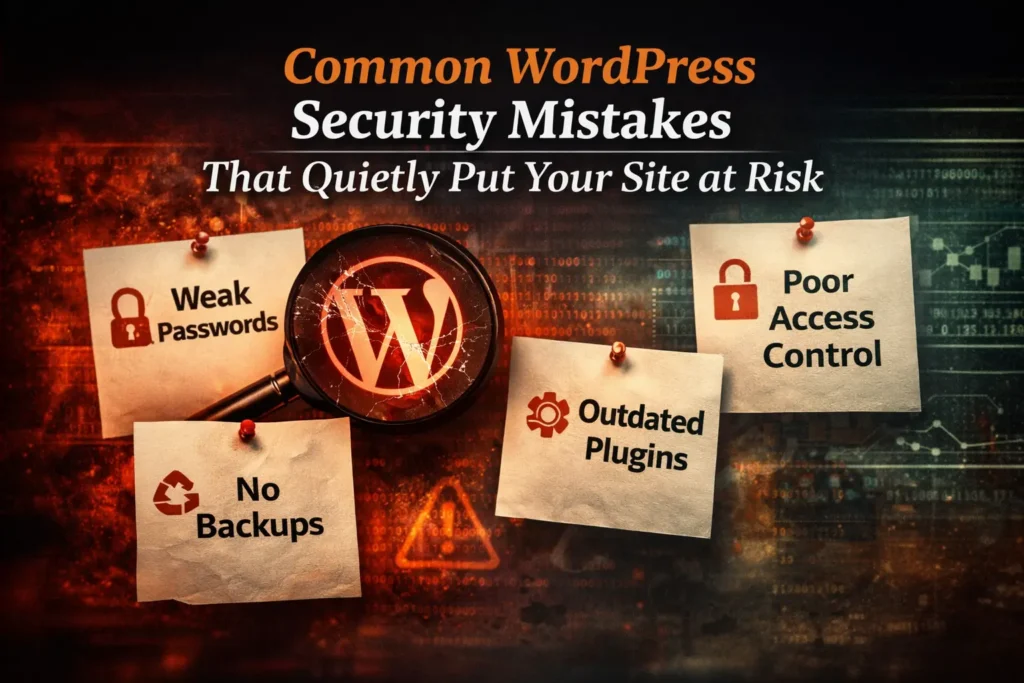
Most WordPress security failures do not come from sophisticated attacks. They result from small oversights that seem harmless until attackers exploit them. These mistakes often remain invisible until they cause real damage.
Using Weak Passwords and Predictable Usernames
This is one of the most common and easiest mistakes to fix, yet it continues to be responsible for a significant percentage of WordPress breaches.
Weak passwords are an open invitation for automated attacks. Bots do not guess once or twice. They try thousands of combinations per second. Simple passwords or reused credentials fall quickly under that pressure.
Using default usernames like admin makes things even worse. Attackers already know half of the login details before they even start.
Strong passwords are not about complexity for the sake of it. They are about reducing predictability. Long, unique, and randomly generated passwords dramatically lower the success rate of brute force attempts.
Security starts with access control, and passwords are still the front line.
No Protection Against Brute Force Login Attacks
Brute force attacks are rarely manual today. They are automated, relentless, and constantly scanning the web for vulnerable login pages.
Attackers do not need to know who you are. They only need to know your site exists.
Without login attempt limits or monitoring in place, bots can try endless combinations without resistance. Even strong passwords can eventually be compromised when no barriers slow attackers down.
Protection against brute force attacks is not about stopping every attempt. It is about making attacks impractical and visible. Rate limiting, lockouts, and login alerts drastically reduce risk and surface suspicious behavior early.
Ignoring this layer leaves your login page exposed around the clock.
Skipping WordPress Core Theme and Plugin Updates
Outdated software is one of the most common reasons WordPress sites get compromised.
Updates are not just about features. They often include patches for known vulnerabilities. When updates are ignored, attackers already know exactly which weaknesses exist and how to exploit them.
A majority of hacked WordPress sites were running outdated versions of core files, themes, or plugins at the time of the attack. This is not coincidence. It is opportunity.
Delaying updates because of fear or inconvenience creates far more risk than keeping your site current. Updates close doors that attackers are actively trying to open.
Choosing Cheap or Insecure Hosting
Your hosting environment is the foundation your website is built on. If that foundation is weak, everything above it becomes vulnerable.
Low cost hosting often means shared servers with minimal isolation. When one site on that server is compromised, others can be affected as well. This cross site contamination happens more often than many site owners realize.
Security focused hosting providers invest in firewalls, monitoring, backups, and server hardening. Cheap hosting rarely does.
Saving money on hosting often leads to higher costs later in the form of downtime, cleanup, and lost trust. Hosting is not just storage. It is a security decision.
Missing HTTPS and Basic Security Headers
Having an SSL certificate is no longer optional, but it is also not enough on its own.
HTTPS encrypts data in transit, but additional security headers help control how browsers interact with your site. These headers protect against attacks like clickjacking and cross site scripting by limiting what can load, embed, or execute.
Without these protections, browsers are allowed to make assumptions that attackers can exploit.
This layer of security is often overlooked because it operates quietly in the background. When configured correctly, it reduces risk without affecting user experience. When ignored, it leaves unnecessary exposure.
Not Using Two Factor Authentication for Admin Access
Passwords alone are no longer enough to protect WordPress admin access.
Even strong credentials can be exposed through phishing, data breaches, or compromised devices. Two factor authentication adds a second verification step that stops attackers even when passwords are leaked.
This extra layer typically involves a temporary code sent to a phone or generated through an authentication app. Without that code, login attempts fail.
What makes two factor authentication so effective is its simplicity. It dramatically reduces successful account takeovers with minimal effort from users. Yet many WordPress sites still operate without it.
When admin access controls the entire website, relying on a single layer of protection is an unnecessary risk.
Not Using a Content Delivery Network for DDoS Protection
Many people think of a content delivery network as a performance tool. In reality, it is also a critical security layer.
Distributed denial of service attacks attempt to overwhelm your site with traffic until it becomes unavailable. Without protection, even legitimate visitors get locked out.
A CDN absorbs and distributes traffic across multiple servers, preventing overload at the origin. This allows real users to continue accessing your site even during attack spikes.
For business websites, uptime matters. Every minute offline impacts credibility, conversions, and customer trust. DDoS protection helps ensure availability when traffic patterns suddenly change for the wrong reasons.
Web Application Firewall Not Configured Properly
Installing a firewall plugin or service does not automatically make a site secure.
A web application firewall needs proper configuration to be effective. Default settings may not block common attack patterns or newly discovered threats. In some cases, poorly configured firewalls create a false sense of safety.
A properly managed firewall filters malicious requests before they reach WordPress. It blocks known exploits, suspicious behavior, and unauthorized access attempts.
Security tools require oversight. Without monitoring and tuning, they become passive rather than protective. Firewalls should evolve alongside threats, not remain static.
Leaving Unnecessary Services and Access Points Enabled
Every enabled service increases your attack surface.
Features like XML RPC and unused API endpoints are often left active even when they are not needed. Attackers know this and frequently target them for amplification attacks or credential abuse.
Reducing exposure means disabling what you do not actively use. Fewer entry points make your site harder to exploit and easier to defend.
Security is not only about adding layers. It is also about removing unnecessary complexity that creates risk without delivering value.
Not Removing Old Users and Forgotten Access
WordPress sites often accumulate users over time.
Contractors, agencies, temporary contributors, and former employees may retain access long after their involvement ends. These accounts are rarely monitored and often use outdated credentials.
Forgotten users become silent vulnerabilities. If an old account is compromised, attackers gain legitimate access without triggering alarms.
Regular access audits are a simple but powerful security habit. Only active contributors should have access, and permissions should match current responsibilities.
Not Backing Up Your Website Properly
Backups are your last line of defense when everything else fails.
Many site owners assume backups exist without verifying them. Others rely on incomplete or infrequent backups that do not include databases, uploads, or configuration files.
When a site is compromised, a clean and recent backup can mean the difference between a quick recovery and weeks of downtime.
Backups should be automated, stored off site, and tested regularly. Confidence in recovery comes from knowing restoration actually works, not from assumptions.
How Preventing These Mistakes Saves Money Time and Stress
Preventive security costs far less than emergency response.
When systems are protected, issues are detected early or avoided entirely. There are fewer late night panics, fewer urgent support tickets, and fewer disruptions to business operations.
Strong security also brings clarity. Teams know what is protected, what is monitored, and what happens if something goes wrong. That predictability reduces stress and allows focus on growth instead of damage control.
Security is not about eliminating risk completely. It is about reducing it to a manageable and predictable level.
When WordPress Security Becomes Too Much to Handle Alone
At a certain point, managing WordPress security becomes time consuming.
As websites grow, updates increase, plugins multiply, traffic scales, and attack attempts rise. What once felt manageable starts demanding constant attention.
This is where structured maintenance becomes valuable. Not because site owners are incapable, but because consistency matters more than intention.
Having experts monitor updates, backups, uptime, and threats ensures security does not depend on memory or spare time. It becomes part of the system instead of a recurring worry.
Final Thoughts Protecting Your Website Is Protecting Your Business
WordPress security mistakes are rarely dramatic at first.
They are small oversights that quietly accumulate until something breaks. By the time the damage is visible, the cost is already higher than it needed to be.
Protecting your website means protecting your reputation, revenue, and customer trust. Most attacks succeed not because sites are valuable targets, but because they are easy ones.
Prevention does not require perfection. It requires awareness, consistency, and the willingness to treat security as part of your business foundation rather than an afterthought.
If your site matters to your business, its security should too.
Frequently Asked Questions
What is the fastest way to recover from a hacked WordPress site?
The fastest recovery comes from having a clean and recent backup. Restoring from a verified backup, removing malicious files, updating all components, and securing access points helps bring the site back online quickly and safely.
How often should I update my WordPress site for security?
WordPress core, themes, and plugins should be updated as soon as stable updates are released. Delaying updates leaves known vulnerabilities open for attackers. Regular updates combined with backups ensure your site stays secure without risking data loss.
Is WordPress secure by default?
WordPress is built with security in mind, but it is not fully secure out of the box. Most security issues happen due to weak passwords, outdated plugins, poor hosting, or missing configurations. A secure WordPress site requires ongoing updates, monitoring, and basic security practices to stay protected.


