
Project management for website development is the process of planning, organizing, tracking, and managing website projects from initial requirements to final launch, ensuring tasks, timelines, budgets, and team collaboration stay aligned throughout the development lifecycle.
Project management for website development is the backbone of every successful web project. Without it, teams miss deadlines, budgets spiral out of control, and launches are repeatedly pushed back.
A structured process keeps everyone aligned from day one. It transforms complex builds into clear, manageable workflows that actually ship on time.
TL;DR: Launch Your Website Faster with Expert WordPress Development
- Map every phase before writing a single line of code.
- Pick a methodology that fits your team’s size and workflow.
- Use the right tools to track tasks, sprints, and feedback in one place.
- Keep the site healthy after launch with ongoing monitoring and upkeep.
What is Project Management for Website Development?
Effective project management for website development helps teams streamline workflows, improve collaboration, and launch websites faster without compromising quality.

Understanding Website Development Project Management
Website development project management is the process of planning, organizing, and controlling all tasks involved in building a website. It spans from the first stakeholder meeting to post-launch maintenance.
It applies structure to what can otherwise become a chaotic process. Teams define scope, set timelines, assign responsibilities, and track progress at each stage.
A well-managed web project uses documented workflows. It divides work into phases. Each phase has specific goals, deliverables, and a clear deadline.
Why Website Project Management Matters for Faster Launches?
Poor planning is the leading cause of delayed web projects. When tasks are undefined, teams waste time on rework, miscommunication, and last-minute scope changes.
Good project management removes that guesswork. Everyone knows what to build, who owns each task, and when it must be ready. That clarity speeds up every phase.
Understanding the end-to-end web design process helps project managers set accurate timelines and avoid bottlenecks before they occur.
Faster launches also mean faster returns. When a site goes live on schedule, businesses start generating leads and revenue sooner.
Key Stakeholders in a Website Development Project
Every website project involves multiple people with different responsibilities. Identifying them early prevents confusion and conflicts later.
Key stakeholders typically include:
- Project Manager: Oversees timelines, tasks, and team communication
- Client or Product Owner: Provides requirements and approves deliverables
- Web Designer: Handles visual design and user experience
- Web Developer: Writes code and implements features
- QA Tester: Tests the site for bugs and performance issues
- Content Strategist: Plans and creates written or visual content
- SEO Specialist: Ensures the site is optimized for search visibility
A RACI matrix (Responsible, Accountable, Consulted, Informed) is a practical tool for defining ownership for each role.
Common Website Project Management Challenges
Website projects face unique challenges. Recognizing them early helps teams build contingency into the plan.
Knowing the most common web design challenges helps project managers create buffer time and set realistic expectations with clients.
The most frequent challenges include:
- Scope creep: New features added mid-project without adjusting timelines or budgets
- Unclear requirements: Vague briefs that lead to multiple rounds of rework
- Miscommunication: Information siloed across tools, teams, or channels
- Resource conflicts: Developers or designers stretched across too many projects
- Missed deadlines: Poor time estimation cascading into delayed launches
Addressing these requires proactive planning, frequent check-ins, and a formal change management process.
Need Expert WordPress Development Services?
Build faster, scalable, and SEO friendly WordPress websites with custom development and dedicated expert support.
Website Development Project Lifecycle Explained
Understanding each stage of the website development lifecycle helps businesses manage timelines, resources, and deliverables more efficiently.
Discovery and Requirement Gathering Phase
The discovery phase sets the foundation for everything that follows. A weak discovery phase almost always leads to problems in later stages.
During this phase, the team collects business goals, target audience data, and technical requirements. Stakeholder interviews, competitor research, and user surveys are common sources of input.
Using the right keyword research tools during discovery helps shape the site’s content strategy before design or development begins.
The output of discovery is usually a detailed project brief or a functional specification document that the whole team signs off on.
Website Planning and Project Roadmap
Once requirements are clear, the team builds a project roadmap. This document outlines every major milestone, task, and deadline from kickoff to launch.
The roadmap divides the project into phases. Each phase has a defined start and end date, as well as a list of deliverables. Teams use Gantt charts or Kanban boards to make the roadmap visual and trackable.
A realistic roadmap accounts for review cycles, approval times, and buffer periods. Plan for at least two to three revision rounds on major deliverables to avoid timeline shocks.
UI/UX Design and Content Planning
With requirements and a roadmap in place, the design phase begins. Designers create wireframes, mockups, and prototypes before a single line of code is written.
Understanding the differences between Figma and Sketch helps teams choose the right design tool for collaborative prototyping and developer handoff.
Content planning must run alongside design, not after it. Content shapes layout decisions. Writing copy in parallel with design prevents delays once development is ready to begin.
Strong content relevance at this stage ensures each page serves a specific audience intent and avoids thin, unfocused page content that hurts both UX and SEO.
Web Development and Sprint Execution
The development phase turns approved designs into a working website. Most modern teams run this phase in two-week sprints.
Each sprint has a defined scope. Developers commit to a set of tasks and deliver them by the sprint’s end. Daily standups keep the team synchronized and surface blockers early.
Using full site editing in WordPress can speed up development by allowing designers and developers to work on layouts and templates simultaneously.
Avoiding common development mistakes during this phase, like skipping version control or hardcoding values, saves significant debugging time later in the project.
Website Testing, QA, and Pre-Launch Checklist
Testing ensures the site works correctly before it reaches real users. QA covers functionality, performance, responsiveness, and cross-browser compatibility.
Ensuring accessibility compliance with WCAG standards is a critical part of the QA phase. Accessibility is both a legal requirement and a core user experience standard.
After any major build or migration, teams must also fix broken links before launch to protect SEO rankings and user experience.
A solid pre-launch test covers:
- All forms, buttons, and interactive elements
- Page load speed on mobile and desktop
- Correct display across major browsers
- 404 errors, redirect chains, and missing canonical tags
- Meta titles, descriptions, and structured data markup
Website Launch and Post Launch Maintenance
The launch phase moves the site from a staging environment to production. A documented launch checklist reduces the risk of errors during this critical step.
After launch, maintenance keeps the site secure, fast, and functional. Plugin updates, backups, uptime monitoring, and performance reviews are all part of a solid maintenance plan.
Working with a WordPress maintenance agency ensures consistent upkeep, especially for teams without a dedicated in-house developer on retainer.
Post-launch, use analytics tools to monitor traffic, conversions, and user behavior. That data informs future content updates and feature improvements.
Best Project Management Methodologies for Website Development
Choosing the right project management methodology can improve productivity, reduce delays, and ensure smoother website development processes.
Agile Project Management for Web Development
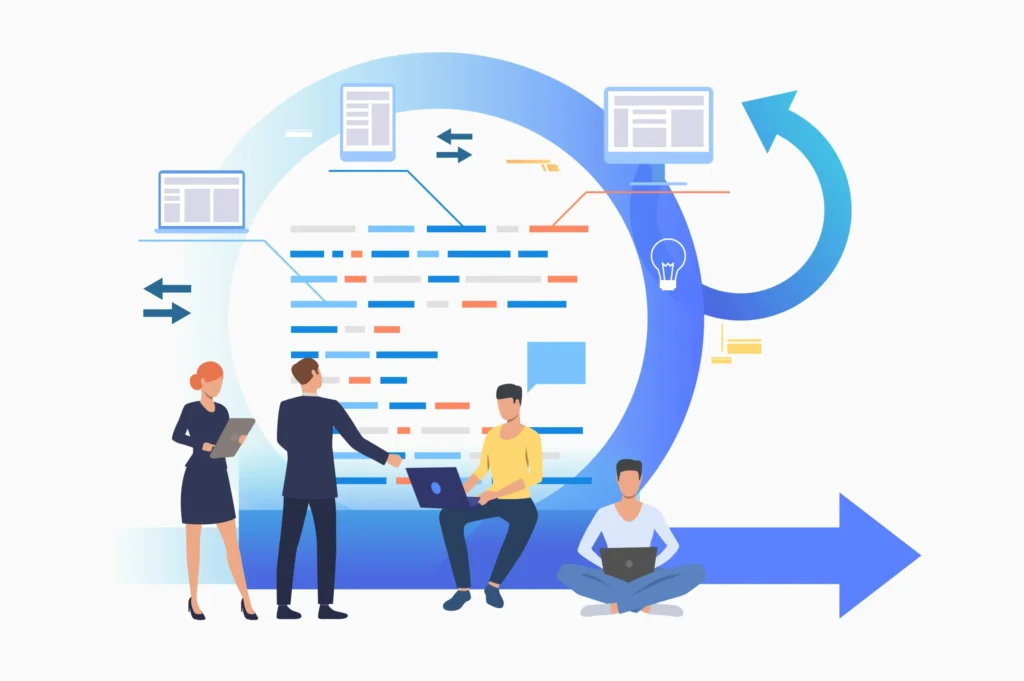
Agile is the most widely used methodology for web development projects. It emphasizes flexibility, collaboration, and iterative delivery over rigid upfront planning.
Instead of planning the entire project before work starts, Agile teams deliver in short cycles. At the end of each cycle, they review progress, gather feedback, and adjust priorities for the next round.
Agile works best for websites with evolving requirements or multiple stakeholders who need to review and approve work at regular intervals.
Scrum Framework for Website Teams
Scrum is the most popular Agile framework for web development teams. It uses fixed-length sprints, daily standups, and three defined team roles.
The three Scrum roles are:
- Product Owner: Prioritizes the backlog and represents stakeholder interests
- Scrum Master: Facilitates sprint ceremonies and removes team blockers
- Development Team: Delivers the sprint commitments
Sprint retrospectives at the end of each cycle help teams identify what worked, what didn’t, and how to improve continuously.
Kanban Workflow for Website Management
Kanban is a visual workflow system. It uses columns to represent stages of work, typically “To Do,” “In Progress,” and “Done.”
Unlike Scrum, Kanban does not use fixed-length sprints. Work moves through the board continuously. Teams cap the number of in-progress tasks to reduce bottlenecks and improve flow.
Kanban is especially useful for website maintenance teams and content pipelines where work is ongoing rather than project-based with a fixed end date.
Waterfall Methodology for Website Projects
Waterfall is a linear, sequential methodology. Each phase must be fully completed before the next one begins. Revisiting a previous phase requires significant rework.
Waterfall works best for projects with well-defined, stable requirements. Government sites, enterprise intranets, and heavily regulated industries often follow this approach.
Waterfall makes it easier to plan budgets and timelines upfront. The trade-off is reduced flexibility when requirements change mid-project.
How to Choose the Right Website Project Management Method?
Choosing the right methodology depends on project type, team size, and client expectations.
Use Agile or Scrum when requirements are likely to evolve, or the client wants frequent check-ins. Use Waterfall when requirements are fixed, and stakeholder approval cycles are long. Use Kanban for ongoing maintenance or content-heavy sites.
Many teams combine approaches. They plan with Waterfall-style milestones but execute work in Agile sprints. This gives both structure and flexibility without sacrificing either.
Working with a fractional AI consultant during the methodology selection phase can help teams identify the right framework based on project complexity and team maturity.
Essential Website Project Management Tools and Software
Using the right project management tools for website projects helps teams organize tasks, improve communication, and accelerate website delivery.
Best Project Management Tools for Website Development
The right tools keep tasks organized, timelines visible, and teams accountable. Several platforms serve web development teams particularly well.
Popular choices include:
- Jira: Powerful for Agile and Scrum teams with sprint tracking and backlog management
- Asanal: Strong for task management, timelines, and cross-team visibility
- Trello: Simple, visual Kanban-style boards suited to smaller teams
- Monday.com: Flexible dashboards with built-in workflow automation
- ClickUp: Combines docs, tasks, goals, and time tracking in one platform
Choose the tool that matches your team’s actual workflow. Adopting the most popular platform by default often leads to low adoption and abandoned processes.
Collaboration and Communication Tools for Web Teams
Communication breakdowns cause most project delays. Dedicated tools reduce friction and keep information centralized.
Tools like Fireflies vs Otter AI help web teams automatically transcribe and summarize meetings, reducing the manual effort required to keep distributed team members aligned.
Other essential communication tools include:
- Slack: Structured team messaging with channels and file sharing
- Loom: Asynchronous video for design reviews and async feedback
- Notion: Documentation, wikis, and shared project notes
- Google Meet: Video calls for sprint reviews and client meetings
- Confluence: Technical documentation alongside Jira-based projects
Keep communication centralized in as few tools as possible. Scattered conversations across email, chat, and video calls create information gaps and missed opportunities for decision-making.
Website Development Workflow Automation Tools
Automation removes repetitive manual work from the team’s day. This frees developers and designers to focus on higher-value tasks rather than on administrative overhead.
Modern AI workflows for web creators can automate tasks like content generation, image resizing, code review suggestions, and deployment triggers without manual intervention.
Common automation tools for web development teams include:
- GitHub Actions: Automates testing and deployment pipelines
- Zapier: Connects apps and automates repetitive data transfers
- Make (formerly Integromat): Multi-step automation for complex workflows
- Netlify: Continuous deployment for front-end projects
Even simple automations, like Slack notifications when a task status changes, save meaningful cumulative time across a full project.
Choosing the Right Tech Stack for Faster Website Delivery
The tech stack affects how quickly a team can build, test, and deploy. A mismatched stack slows every development phase and creates technical debt.
Understanding the difference between a mobile and responsive site is an important front-end consideration when planning your approach. Responsive design is almost always the right choice for modern web projects.
For CMS-based builds, deciding between Shopify vs WordPress early in the planning phase prevents costly platform migrations later. Each has distinct strengths, ecosystems, and development workflows.
Consider your team’s existing skills before finalizing the stack. A team proficient in WordPress will build faster and with fewer bugs on WordPress than on an unfamiliar headless CMS.
Best Practices for Successful Project Management in Website Development
Strong habits make the difference between an on-time, on-budget launch and a costly overrun.
- Define scope before kickoff. Document every feature and deliverable before work begins. Use a signed scope-of-work document to protect against scope creep.
- Set realistic timelines. Add buffer for client review cycles, unexpected bugs, and third-party integrations. Under-promise and over-deliver on timelines rather than the reverse.
- Hold regular standups. Daily or three-times-a-week standups keep the team aligned and surface blockers early. Keep them short, 15 minutes or less.
- Document every decision. Meeting notes, design choices, and change requests must be recorded. A shared project wiki prevents knowledge loss when team members change.
- Use version control. Every developer must commit code to a system like Git. Version control protects against data loss and enables safe rollbacks when something goes wrong.
- Communicate changes immediately. When the scope, timeline, or requirements shift, notify all stakeholders at once. Late surprises damage trust and delay approvals.
- Review and improve with every project. Sprint retrospectives and post-launch reviews help teams refine their process. Small process improvements compound significantly over time.
Pricing services correctly also protects project health. Underpricing forces teams to cut corners, compromising quality and creating post-launch issues.
Website Project Management Checklist for Faster Launches
A structured website project management checklist helps ensure every development stage is completed accurately before launch.
Pre-Development
- Define project goals and measurable success metrics
- Complete stakeholder interviews and document all requirements
- Create and get sign-off on a written scope-of-work document
- Build a project roadmap with milestones, deadlines, and owners
- Assign roles and responsibilities using a RACI matrix
- Select the right project management methodology for the project type
- Set up the project management tool and communication channels
- Plan dynamic landing pages for key conversion and campaign pages
- Finalize the tech stack, hosting environment, and domain configuration
- Complete a design system and brand asset review before design begins
Development Phase
- Get sign-off on all wireframes and mockups before development starts
- Set up the staging environment and version control repository
- Run sprint planning for the first development sprint
- Conduct daily standups to track progress and surface blockers
- Complete content creation in parallel with development, not after
- Review and test each sprint deliverable before the next sprint begins
- Document all decisions and any design changes with reasons
- Integrate WordPress CRM plugins early to support lead capture from day one
Website Launch
- Complete full QA testing across all major browsers and devices
- Validate all forms, buttons, interactive elements, and payment flows
- Check all pages for missing meta titles, descriptions, and image alt text
- Set up 301 redirects for any URLs that changed during the build
- Confirm SSL certificate and HTTPS are active and enforced
- Test site speed using Google PageSpeed Insights and Core Web Vitals
- Verify WordPress accessibility compliance before go-live
- Back up the staging environment before pushing to production
- Conduct a soft launch with a limited audience when possible
- Confirm all third-party integrations function correctly in production
Post-Launch Website Maintenance
- Monitor uptime and server performance on a weekly basis
- Schedule regular plugin, theme, and CMS core updates
- Use Google Analytics alternatives to track traffic and conversions accurately
- Set up automated backups for daily or weekly site snapshots
- Conduct monthly content audits and performance reviews
- Address user-reported bugs within a defined service level agreement
- Run quarterly security scans and vulnerability checks
- Use SEO tools to track keyword rankings and identify new content opportunities
- Follow AI SEO trends to keep your content strategy current in evolving search environments
Final Thoughts on Project Management for Website Development
Strong website project management is not a nice-to-have. It is the system that turns goals into shipped, performing products.
The right combination of methodology, tools, and team discipline separates a chaotic build from a smooth, on-time launch. Whether you run Agile sprints, use a Kanban board, or follow a Waterfall plan, consistency in execution is what delivers results.
Start with a clear scope. Build a realistic roadmap. Communicate often and document everything. And keep refining your process with every project you complete.
Teams that invest in structured project management launch faster, stay under budget, and face fewer post-launch emergencies. That investment pays back on every single project.
FAQs About Project Management for Website Development
What is project management for website development?
Project management for website development involves planning, organizing, and managing tasks, teams, budgets, and timelines to launch websites efficiently and without delays.
Which project management methodology is best for website development?
Agile is the most popular method for website development because it improves flexibility, team collaboration, and faster delivery through continuous feedback and iterative development.
How long does a website development project usually take?
A website development project can take anywhere from a few weeks to several months, depending on project complexity, features, content requirements, and the speed of client feedback.
What tools are commonly used for website project management?
Teams commonly use tools like Jira, Trello, Asana, ClickUp, and Monday.com to manage tasks, track progress, improve communication, and streamline website development workflows.
How can you avoid delays in website development projects?
You can avoid delays by clearly defining project scope, setting realistic timelines, improving communication, tracking milestones regularly, and reviewing feedback promptly throughout development.


