
Investing in strategic mobile UX improvements for headless CMS architecture is no longer optional; it is a competitive necessity.
As organizations adopt headless CMS platforms to power their digital experiences, how they deliver content to mobile users directly affects retention, conversion, and search visibility.
Headless architecture unlocks powerful flexibility. However, that flexibility demands deliberate mobile-first thinking at every layer, from API design to content structure to rendering strategy.
This guide covers every proven technique for delivering fast, accessible, and engaging mobile experiences on a headless CMS stack.
TL;DR: Mobile UX Optimization in Headless Environments
- Decoupled architecture separates the backend from the frontend presentation layer, giving teams full control over mobile rendering and performance.
- Optimizing API payloads, adopting edge caching, and using modern image formats are the fastest paths to better mobile load speed.
- Mobile-first content modeling and scalable design systems ensure consistent brand messaging across all digital touchpoints.
- Measuring Core Web Vitals and real user metrics validates every optimization and future-proofs your digital ecosystem.
Understanding Headless CMS and Its Role in Mobile UX Optimization
Headless CMS architecture separates content management from the frontend, allowing developers to deliver faster, more flexible, and highly optimized mobile experiences across websites, apps, and digital channels.
What Does a Headless CMS Architecture Mean for Mobile-First Development?
A traditional CMS bundles the backend and frontend into a single monolithic system. A headless CMS removes the presentation layer entirely.
The backend becomes a pure content repository, and content is delivered via APIs to any frontend, web pages, mobile applications, digital kiosks, or smart devices.
This decoupling of content management from the display layer gives frontend developers complete freedom.
They can build mobile interfaces using React, Next.js, or Vue.js without being limited by CMS-specific templates. This freedom is the foundation of every mobile UX improvement discussed in this guide.
How Decoupled Architecture Improves Mobile Performance and Flexibility?
In a decoupled architecture, the frontend and backend scale independently. Development teams can optimize mobile rendering without touching backend code.
The same content flows to multiple channels simultaneously, web pages, mobile apps, and digital kiosks, from a single content management system.
The API-first approach allows developers to request only the data a mobile screen needs, reducing payload size and improving load times.
Why Mobile UX Optimization Matters in Headless CMS Environments?
Headless CMS platforms eliminate many traditional bottlenecks that slow mobile experiences. However, they introduce new complexity.
Without deliberate optimization, an API-first system can still deliver bloated payloads and slow render times on mobile devices.
A one-second delay in page load time can reduce conversions by up to 7%. In a competitive digital age, that margin is unacceptable.
Build a High Performance Headless CMS Website
Launch faster, scalable digital experiences with our expert headless CMS development services.
Why Mobile User Experience is Critical for Headless CMS Driven Websites?
Mobile users expect instant access, frictionless navigation, and content that adapts to their screen.
Headless CMS solutions serve content across multiple platforms, but the mobile channel is where that content is most frequently consumed.
Google’s ranking algorithms heavily weigh mobile experience. Core Web Vitals, Largest Contentful Paint, Interaction to Next Paint, and Cumulative Layout Shift are all measured on mobile.
Poor scores hurt organic visibility. Brands that invest in Core Web Vitals optimization protect both search rankings and revenue simultaneously.
Beyond SEO, mobile UX affects consistent brand messaging. When users interact with a brand across digital touchpoints, website, app, and in-store kiosk, the experience must feel cohesive.
Headless content management makes this consistency achievable, but only when the content model and delivery strategy are built with mobile in mind from day one.
Proven Mobile UX Improvement Strategies for Headless CMS Architecture
These strategies improve mobile performance, usability, and content delivery in headless CMS environments, ensuring faster, more engaging user experiences across mobile devices.
Strategy 1: Optimize API Payloads and Data Fetching for Better Performance
Every API call to a headless CMS carries a cost. Large payloads slow mobile rendering. Trim each request to only the fields the frontend actually needs.
Use field-level projection in your API queries. Return lean responses that map exactly to the component requesting the data. This keeps the frontend presentation layer lightweight and fast.
Strategy 2: Use GraphQL or Efficient REST APIs to Reduce Data Requests
WordPress GraphQL development solves one of the biggest pain points in headless CMS mobile delivery, overfetching. With GraphQL, frontend developers declare exactly which fields they need.
The server returns only those fields. No wasted bandwidth, no extra parsing. GraphQL also supports batching multiple requests into a single call, reducing round-trip times on high-latency mobile networks.
Strategy 3: Implement Edge Caching and CDN Delivery for Faster Content
Content delivery networks distribute cached content across global edge servers. A mobile user in Mumbai receives assets from a nearby node rather than a distant origin server, cutting latency dramatically.
For headless CMS projects, combine CDN delivery with edge caching of API responses. This is central to enterprise web performance optimization and delivers consistent results at a global scale.
Strategy 4: Optimize the Critical Rendering Path for Mobile
Eliminate unused CSS and defer non-critical JavaScript. Load only what is needed for the initial view. Use resource hints, such as <link rel=”preload”>, for key fonts and images.
Structure your semantic HTML so the browser can begin rendering content before all scripts are downloaded. This measurably improves First Contentful Paint on mobile devices.
Strategy 5: Use Responsive Images with Modern Formats
Serve images in WebP or AVIF formats. These deliver the same visual quality at 30-50% smaller file sizes compared to JPEG. Use the HTML <picture> element with the srcset attribute to deliver the correct resolution for each device.
A mobile user on a 375px screen does not need a 1,600px image. Serving the right size reduces bandwidth and speeds up load time, as outlined in the website performance pillars best practices.
Strategy 6: Implement Lazy Loading for Images and Media
Lazy loading defers images and media below the fold. The browser loads only what is visible on the initial screen. As the user scrolls, additional assets load on demand.
Use the native loading=”lazy” attribute on all below-the-fold images. Combine it with Intersection Observer for custom component-level lazy loading.
Strategy 7: Reduce JavaScript and Use Component-Level Hydration
JavaScript is the heaviest resource on most web pages. On mobile, parsing large bundles delays interactivity. Audit your bundle and aggressively eliminate unused code.
Component-level hydration loads JavaScript only for interactive elements, not the entire page. Frameworks like Next.js and Astro support this pattern natively, delivering a faster interactive experience on mid-range mobile devices.
Strategy 8: Adopt Mobile-First Content Modeling in Headless CMS
A content model defines the structure of your digital content inside a headless CMS. Design your content model from the smallest screen up.
Define compact field sets for each content type. Ensure every field has a clear mobile use case before adding it. Mobile-first content modeling produces leaner API payloads and simpler frontend components by default.
Strategy 9: Design Mobile-Optimized Content Structures and Components
Review your existing content models and identify fields that bloat mobile API responses without improving user experience.
Break monolithic page templates into modular components. Each component should be independently renderable and independently cacheable.
This content-structure approach enables frontend developers to compose pages from small, fast-loading components rather than rendering an entire page at once.
Strategy 10: Implement Mobile Editorial Preview for Content Teams
In a headless environment, the default CMS preview may not reflect the mobile experience. Content creation teams often publish content without seeing how it renders on a phone.
Setting up a headless WordPress instance on a dedicated preview server solves this. Build a preview API endpoint that renders content inside the real mobile frontend so editors can review mobile output before publishing.
Strategy 11: Build a Scalable Mobile Design System
A design system is a collection of reusable components, standards, and guidelines that govern product design.
For headless CMS projects serving multiple platforms, a shared design system ensures consistent user interfaces and reduces duplicated development effort.
Define mobile-first tokens for spacing, typography, and layout. Document touch target sizes and interaction patterns so development teams draw from the system rather than reinventing components.
Strategy 12: Improve Touch Targets and Mobile Navigation
Buttons, links, and interactive elements must be large enough for a finger to tap accurately. Apple and Google both recommend a minimum touch target of 44×44 logical pixels.
Review your mobile navigation for depth and complexity. Favor flat hierarchies over deep nested menus. Use bottom navigation bars for primary actions, placing the most important controls within natural thumb reach.
Strategy 13: Use Progressive Web App Features for Offline Access
Service workers cache essential assets locally, enabling your site to load without a network connection. For headless CMS teams, PWA features integrate naturally with the decoupled frontend.
Cache static assets and recent content at install time. Use background sync to queue API requests when users are offline. This dramatically improves the mobile user experience in low-connectivity environments, a key trend in modern reactive website design.
Strategy 14: Implement Smart Content Prefetching for Faster Navigation
Prefetching loads the next likely page in the background before the user clicks. In a headless CMS, prefetch API responses for linked pages, not just HTML.
Use <link rel=”prefetch”> tags for probable next pages. Next.js includes automatic route prefetching for links in the viewport. This turns multi-page navigation into a near-instant experience on mobile, directly reducing bounce rates.
Strategy 15: Optimize Mobile Personalization Without Extra API Calls
Enhancing content personalization for mobile users adds engagement value but often adds API overhead.
Use edge computing capabilities within your CDN to evaluate user segments and return personalized content without hitting the origin server.
Alternatively, embed user preferences and segmentation data in the initial API response and handle rendering logic on the client. This delivers tailored digital content without multiplying API calls.
Strategy 16: Use Server-Side Rendering or Static Generation
Server-Side Rendering generates HTML on the server for each request, delivering fully rendered pages to mobile browsers.
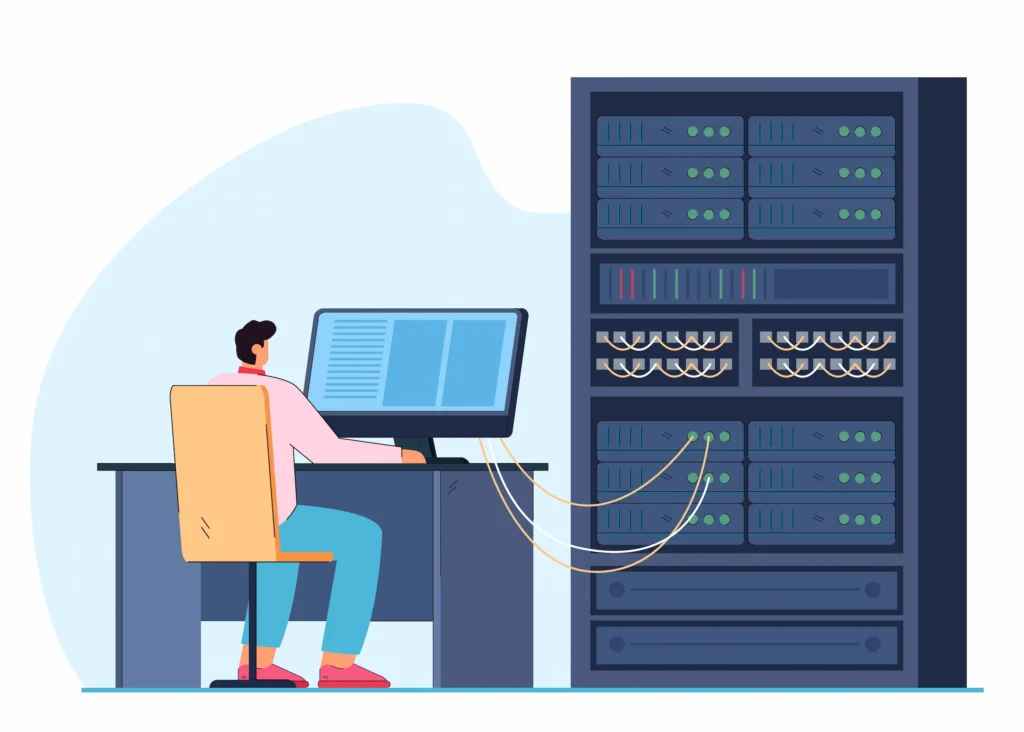
Static Site Generation pre-builds pages at deploy time. Both strategies outperform client-side rendering for mobile performance.
WordPress with Next.js combines both approaches through Incremental Static Regeneration, keeping content fresh without sacrificing mobile speed.
Strategy 17: Improve Mobile Accessibility and Usability Standards
On mobile, accessibility means sufficient color contrast, large readable fonts, keyboard-accessible interactions, and properly labeled form fields.
Use semantic HTML throughout your headless frontend. Implement ARIA roles where native HTML semantics are insufficient.
Test with VoiceOver on iOS and TalkBack on Android. ADA-compliant website design practices improve usability for every user, not just those with disabilities.
Strategy 18: Use Localization and Regional Content Delivery
Headless CMS platforms excel at multi-locale content delivery because content and presentation are already separated.
Store localized content variants in your content repository and serve the appropriate version via API. Combine localization with CDN geo-routing to direct users to the nearest edge node.
Regional delivery reduces latency and ensures compliance with local data regulations, enabling brands to manage content across multiple channels at scale.
Content Delivery and Performance Optimization for Headless CMS Mobile UX
Consistent content delivery at scale requires a layered infrastructure. Choose a CDN that supports edge caching of API responses, not just static assets. Modern content delivery networks can cache GraphQL responses, dramatically reducing origin load.

Implement HTTP/2 or HTTP/3 on all endpoints. These protocols multiplex requests over a single connection, reducing mobile network round-trip times.
Compress all API responses with Brotli. Enable resource hints, dns-prefetch, preconnect, and preload for third-party domains your headless frontend depends on.
Use Real User Monitoring (RUM) tools to track mobile performance in production. Synthetic monitoring catches regressions before they reach users.
The combination of both gives a complete picture of how mobile users experience your digital products.
Measuring Mobile UX Performance in Headless CMS Projects
You cannot improve what you do not measure. Track these key metrics for mobile UX in headless CMS environments:
- Largest Contentful Paint (LCP): Time for the largest visible element to load. Target: under 2.5 seconds.
- Interaction to Next Paint (INP): Latency between user input and visual response. Target: under 200 milliseconds.
- Cumulative Layout Shift (CLS): Visual stability as the page loads. Target: under 0.1.
- Time to First Byte (TTFB): Server response time. Target: under 200 milliseconds.
Use Google Search Console, Lighthouse, and WordPress maintenance to consistently monitor Core Web Vitals. Establish performance budgets and enforce them in your CI/CD pipeline.
Collect user feedback through in-app surveys and session heatmaps. Quantitative data shows what is happening. Qualitative feedback explains why.
Headless CMS Migration and Mobile Implementation Considerations
Migrating from a traditional CMS or monolithic CMS to a headless architecture is a significant undertaking. Mobile UX must be a primary consideration during migration, not an afterthought.
Begin with a thorough audit of your existing content models. Document which content types appear on mobile and what data each screen needs.
Engage website migration agencies with proven experience with headless CMS. Ensure your migration plan includes testing across real devices, not just browser emulators. Follow a structured SEO migration checklist to protect search rankings throughout the transition.
Coordinate closely with content teams during the switchover. Editors need training on new content management workflows.
Provide mobile editorial previews from day one. Performing a mobile usability audit before and after migration benchmarks the current experience and tracks every improvement you make.
Future Trends in Mobile UX for Headless CMS
Several trends are shaping the next generation of mobile experiences in headless CMS environments:
- AI-driven personalization is moving to the edge. Machine learning models will evaluate user context at the CDN level and serve dynamically assembled content in milliseconds, unlocking personalized mobile experiences without added API overhead.
- Composable architecture extends the headless model. Brands will assemble digital experience platforms from best-of-breed services, a headless CMS for content management, a commerce API for transactions, and personalization tools for targeting, all consumed by the mobile frontend through a unified API layer.
- AI in digital product design is reshaping how teams create and structure digital content. Top AI design trends show that AI tools now generate responsive layouts, auto-generate image alt text for accessibility, and personalize UI components based on real-time behavior analysis.
Organizations investing in headless CMS solutions today are future-proofing their digital ecosystems for tomorrow’s channels.
The core headless WordPress services available now already provide the architectural foundation for these emerging capabilities.
Conclusion
Mobile UX in a headless CMS environment demands intentional design at every layer.
From optimizing API payloads and adopting edge caching to building mobile-first content models and scalable design systems, each strategy in this guide contributes to a faster, more accessible, and more engaging mobile experience.
The headless CMS offers genuine flexibility. But flexibility without direction produces inconsistency. Teams that treat mobile as a first-class citizen in their headless architecture consistently achieve stronger user engagement, lower bounce rates, and better Core Web Vitals scores.
Start by auditing your current mobile performance, identifying your highest-impact bottlenecks, and applying these strategies incrementally. Measure the results. Iterate.
The brands that commit to continuous mobile optimization within their headless CMS architecture build digital products that users return to, recommend, and trust, and that is a direct investment in long-term digital growth.
FAQs About Mobile UX Improvements for Headless CMS
What makes headless content management systems different from traditional CMS platforms?
Traditional CMS platforms bundle content creation and presentation in a single place. Headless content management systems separate the two.
This decoupling of content management from the frontend lets teams use their preferred tools to build interfaces while the backend handles structured content delivery via APIs.
How does a headless CMS help businesses deliver content seamlessly across channels?
A headless CMS stores content in flexible data structures and exposes it through APIs. This lets teams deliver content seamlessly to websites, mobile apps, digital kiosks, and more from a single backend. It removes the need to duplicate content production across multiple platforms.
Can a headless CMS integrate with existing systems and tools?
Yes. Strong integration capabilities are a core strength. A Headless CMS focuses on cleanly integrating with existing systems, analytics platforms, ecommerce engines, personalization tools, and marketing stacks, without overhauling the entire system.
Is a headless CMS a cost-effective solution for growing businesses?
It depends on your business needs. A headless CMS offers flexibility that reduces long-term infrastructure costs as you scale. However, the upfront investment in a new CMS and custom development is higher than a traditional setup. Teams with complex requirements benefit the most.
How does a headless CMS support brand consistency across digital channels?
Teams can customize content components to precisely follow brand guidelines. Since all channels draw from a single content source, brand consistency remains intact. Access control features also ensure only approved editors can publish, protecting your content strategy at scale.


