
Starting a web design business used to require months of learning code and thousands of dollars in software. The landscape has shifted. You can now launch a professional remote WordPress design business from your living room using artificial intelligence. ZipWP AI is the primary tool driving this revolution. It allows you to build complete, client-ready websites in under a minute.
This WordPress design agency guide will show you exactly how to leverage this technology. We will cover everything from choosing a niche to delivering high-end projects.
If you want to start a home WordPress agency operations without the traditional overhead, this is your roadmap.
What is ZipWP AI, and Why is it Ideal for a Home-Based WordPress Design Agency?
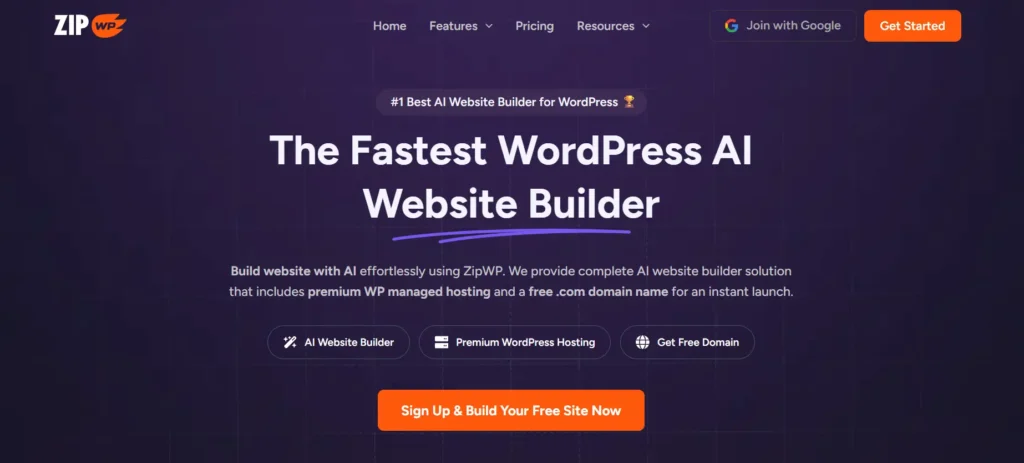
ZipWP AI is an AI WordPress design tool that automates the most tedious parts of web development.
Unlike traditional website builders that give you a blank page, ZipWP AI generates a complete website draft. It includes the layout, professional copy, and high-quality images.
This tool is a game-changer for home-based agencies for several reasons:
- Speed: You can generate a first draft in 60 seconds. This allows you to show clients a live demo during a discovery call.
- Accessibility: You do not need to be a master coder. The ZipWP AI WordPress builder handles the technical backend, allowing you to focus on strategy and branding.
- Cost-Efficiency: By reducing the time spent on a project from weeks to hours, your profit margins skyrocket.
- Standardization: It uses the Astra theme and Spectra blocks, ensuring your sites are fast, lightweight, and easy to maintain.
In short, ZipWP AI acts as your virtual design team. It handles the heavy lifting while you manage the client relationships and business growth.
Scale Your Design Agency With Expert Support
Partner with Seahawk to deliver reliable high quality WordPress services while you focus on growing clients and revenue.
Starting a Design Agency Using ZipWP AI
Building an agency is about more than just having a tool. You need a business structure that attracts high-paying clients.

Choosing a Profitable WordPress Design Niche
Trying to build websites for everyone is a recipe for burnout. To stand out, you need WordPress agency niche ideas that have high demand but manageable competition. Consider these categories:
- Local service providers, such as plumbers, electricians, and landscapers, often have outdated websites.
- Professional Services: Lawyers, accountants, and consultants need “authority-building” sites.
- Health and Wellness: Gyms, yoga studios, and therapists require appointment-based layouts.
- E-commerce: Use WooCommerce integration with AI to build storefronts for local boutiques.
By picking a niche, you become an expert. You can create “Blueprints” in ZipWP AI specifically for that industry, making your workflow even faster.
Setting Business Goals for a Home-Based WordPress Agency
Before you take your first client, define what success looks like. Are you looking for a side hustle or a full-time career?
- Short-term: Aim to land two clients in your first month to build your portfolio.
- Long-term: Focus on recurring revenue for WordPress agencies by offering maintenance and SEO.
- Quality over Quantity: Clients value speed and ROI. Set a goal to deliver a site within 7 days of the initial deposit.
Essential Tools and Requirements to Get Started
You don’t need a high-end office, but you do need a solid WordPress project management tools stack.
- ZipWP AI: Your core AI website builder for WordPress.
- Communication: Zoom or Google Meet for client calls.
- Organization: Notion or Trello to track project milestones.
- Billing: Stripe or PayPal for professional invoicing.
- Contracting: Tools like HelloSign to protect your business.
Watch the full video to see how ZipWP AI helps you build sellable WordPress websites, templates, and an AI-powered web design business from home with zero coding.
Steps for Creating Client Websites with ZipWP AI
This ZipWP AI tutorial breaks down the technical process of building a site from scratch.
Step 1: Create a ZipWP AI Account
Visit the ZipWP website and sign up for an account. The dashboard is intuitive and designed for high-volume work.
From here, you can manage multiple “staging sites” or “sandbox sites.” These are temporary environments where you build the site before it goes live on the client’s domain.
Step 2: Use ZipWP AI Site Planner to Generate Website Structure
The AI site planner WordPress feature is where the magic starts. Instead of guessing which pages a client needs, you describe the business to the AI.
- Click “Create New Site.”
- Select your website type (Business, Portfolio, etc.).
- Enter the business name and a detailed description.
- The AI site planner will suggest a sitemap including Home, About, Services, and Contact pages.
Step 3: Generate and Edit AI Written Content for Client Websites
One of the most significant delays in web design is waiting for the client to send text.
ZipWP AI solves this with AI WordPress content generation. It writes professional-grade copy based on the business description you provided.
Use these AI-written web copy tips to improve the results:
- Be specific in your initial prompt.
- Ask the AI to use a particular tone (e.g., “Professional yet friendly”).
- Optimize AI-generated content by incorporating local keywords to enhance local WordPress agency SEO.
Step 4: Customize WordPress Design Layouts and Visual Elements
Once the initial draft is ready, use the WordPress customization best practices. ZipWP AI allows you to instantly swap color palettes and font pairings.
Since it uses the Astra theme, you can use the WordPress Customizer or the Spectra page builder to drag and drop elements.
Enhance your content with high-quality visuals using the built-in library of royalty-free images. This ensures your WordPress branding for agencies looks premium right from the start.
Step 5: Add Forms, Ecommerce, and Core WordPress Features
A website needs to do more than look pretty; it needs to convert.
- Forms: Use WPForms or similar plugins to create contact forms and lead magnets.
- eCommerce: For retail clients, perform a WordPress eCommerce site setup using WooCommerce. ZipWP AI can even generate product descriptions for you.
- Features: Enhance the site’s value by adding live chat, booking calendars, or video backgrounds.
Step 6: Preview, Launch, and Deliver WordPress Websites
The final part of the client delivery workflow for WordPress is the hand-off.
- Send the client a secure preview link from the ZipWP dashboard.
- Handling client revisions in WordPress is easy; just click and edit in the visual builder.
- Once approved, use the “Go Live” feature to connect the site to the client’s domain.
- Provide a WordPress launch planning checklist to the client, including login details and basic training.
SEO and Marketing Strategies to Get Clients for Your WordPress Design Agency
You can build the best sites in the world, but you need WordPress client acquisition strategies to find people willing to pay for them.

Local SEO and Long-Tail Keywords
Don’t compete for “web designer.” Compete for low competition WordPress keywords like “WordPress designer for dentists in [City Name].”
Utilize WordPress SEO optimization techniques, such as optimizing meta titles and alt text, for every client site you build. This makes your service more valuable because the sites will actually rank.
Social Media and Content Marketing
Use social media promotion WordPress services on LinkedIn and Instagram.
Post “Before and After” shots or screen recordings of you using the ZipWP AI WordPress builder to create a site in 60 seconds. This “speed-to-value” is a massive selling point.
Portfolio Building
If you are new, create three high-quality demo sites in different niches.
These WordPress portfolio ideas demonstrate to potential clients that you can effectively handle their specific industry. Link to these on your agency website to build trust.
Scaling Your WordPress Design Agency With ZipWP AI
To grow, you must move away from trading hours for dollars. Scalable WordPress services are the key.

Reusable Blueprints
With ZipWP AI, you can create “Blueprints.” If you build a perfect site for a real estate agent, save it as a Blueprint.
When you get another real estate client, you can deploy that exact structure and style in seconds. This allows you to scale from 2 sites a month to 20 without increasing your workload.
Building Recurring Revenue
Every website needs maintenance. Offer WordPress maintenance plans that include:
- Monthly plugin and theme updates.
- Daily backups.
- Security monitoring.
- WordPress content SEO best practices updates.
Common Challenges When Using ZipWP AI and How to Solve Them
No tool is perfect. Understanding AI limitations in web design will make you a better agency owner.
- Generic Content: Sometimes AI-generated copy can sound a bit robotic. Solution: Always do a “human pass” to add brand voice and specific client stories.
- Design Overlap: If you use the same template too frequently, your sites may appear similar. Solution: Utilize WordPress customization best practices to adjust spacing, implement custom CSS, and incorporate unique imagery.
- Technical Glitches: WordPress updates can sometimes break layouts. Solution: Use the staging environment in ZipWP AI to test updates before pushing them to the live site.
- Client Expectations: Some clients think “AI” means “cheap.” Solution: Position yourself as an AI-powered strategist, not just a button-pusher. Emphasize that you use AI to spend more time on their marketing results and less on coding.
Final Thoughts
The future of AI WordPress development is here. Speed is the ultimate competitive advantage.
By using ZipWP AI, you remove the technical barriers that stop most people from starting a business. You can provide professional, high-performing websites at a fraction of the traditional cost and time.
Follow this WordPress design workflow with AI, stay consistent with your marketing, and focus on delivering real results for your clients. Your home-based agency isn’t just a dream; it’s a few clicks away.
FAQs About ZipWP AI for Design Agencies
What is ZipWP AI, and how does it help WordPress designers?
ZipWP AI is an AI-powered WordPress website builder. It creates complete websites with page content and design in minutes. This helps designers save time and deliver projects faster.
Can beginners start a WordPress design agency using ZipWP AI?
Yes. ZipWP AI is beginner-friendly. You do not need advanced coding or design skills. Basic WordPress knowledge is enough to start and grow an agency.
How fast can I build client websites with ZipWP AI?
Most websites can be created in under five minutes. Customization and final edits may require additional time, depending on the client’s needs.
Is ZipWP AI suitable for professional client projects?
Yes. ZipWP AI builds fully functional WordPress websites. You can customize layouts, content, and features to match professional standards.
Can I earn recurring income using ZipWP AI websites?
Yes. You can offer website maintenance, SEO updates, and hosting support. These services help generate a steady monthly income from clients.


