
Protect your e-commerce site from hacking by implementing strong security practices, including an SSL certificate, secure hosting, regular updates, and continuous monitoring. When you take these steps early, you protect customer data, prevent attacks, and keep your store running without disruption.
Your store handles sensitive information, such as payments and user details, making it a constant target for hackers. If you ignore security, even a small gap can lead to data loss, downtime, and lost trust. In this guide, you will learn proven methods to secure your store and stay ahead of threats.
TL;DR: Tips to Protect Online Stores
- Your online store is a prime target because it handles sensitive data and payments.
- Strong security practices like SSL, firewalls, and updates reduce hacking risks.
- Regular monitoring and malware scans help detect threats early.
- Backups ensure quick recovery if your site gets compromised.
- Weak passwords, outdated plugins, and poor security setups increase risk.
- A layered security approach keeps your store safe and stable.
How to Protect Your E-commerce Site From Hacking?
You can protect your ecommerce site by implementing strong security practices such as SSL encryption, firewalls, secure hosting, regular updates, and continuous monitoring.
Most platforms provide built-in tools to help implement these security measures, making it easier to safeguard your site. When you apply these methods consistently, you reduce vulnerabilities, block unauthorized access, and keep your customer data safe.
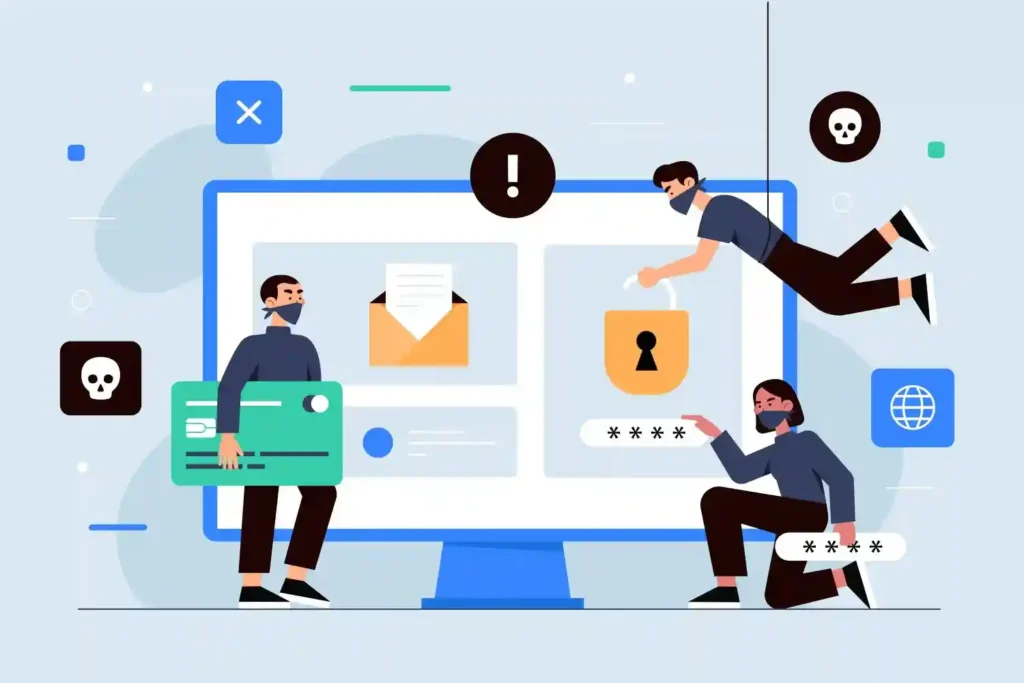
To further strengthen your protection, use strong authentication, limit access permissions, and regularly scan your site for threats. A layered security approach ensures your store stays protected against both basic and advanced attacks.
Keep Your Online Store Safe at All Times
Get expert eCommerce website care to strengthen security, prevent common threats, and keep your store running smoothly.
Why E-commerce Sites Are Common Targets for Hackers?
E-commerce websites attract hackers because they store valuable data and process real-time transactions. This makes them high-reward targets for cybercriminals looking to exploit weaknesses.
Hackers often look for easy entry points such as outdated software, weak passwords, or unsecured integrations. Once inside, they can access sensitive data, disrupt operations, or engage in malicious activities on your site.
- Customer Data (Emails, Payments): Your store collects personal details such as names, email addresses, and payment information, which attackers can steal for identity theft or sell on the dark web.
- Financial Transactions: Since your site processes payments, hackers may try to intercept transactions or exploit your checkout system to commit fraud.
- Weak Security Setups: Outdated plugins, poor configurations, or missing protections make it easier for attackers to gain unauthorized access.
- Popular Platforms: Widely used platforms are targeted more because attackers already know common vulnerabilities and exploit them at scale.
Common Ways E-commerce Websites Get Hacked
Most ecommerce hacks happen due to preventable security gaps. Understanding these attack methods helps you take the right steps to block them early.
Attackers often use automated tools and scripts to identify weaknesses, making even minor vulnerabilities a serious risk if left unaddressed.
- Brute Force Attacks: Attackers use automated tools to try thousands of password combinations until they gain access to admin or user accounts.
- Malware Injections: Malicious scripts are inserted into your site to steal data, redirect users to harmful pages, or damage your website’s functionality.
- SQL Injection: Hackers manipulate database queries to access, modify, or delete sensitive data stored in your website’s database.
- Phishing: Fake emails or login pages trick users into sharing login credentials, payment details, or sensitive information.
- Plugin Vulnerabilities: Outdated or poorly coded plugins create security gaps that attackers can exploit to access your website.
How to Secure Your E-commerce Website?
Protecting your online store requires a strong, layered approach that focuses on prevention, monitoring, and quick response. When you combine secure infrastructure with proper access control and regular maintenance, you significantly reduce the chances of successful attacks.
Using a full ecommerce solution can also simplify security management and provide integrated protection for your store.
Each method below helps you close common security gaps and build a more resilient system that protects your data, transactions, and customer trust.

Use Secure Hosting and SSL Encryption
Your hosting environment is the foundation of your site’s security, so you need a provider that offers built-in protection against threats like malware, DDoS attacks, and unauthorized access. A secure server setup reduces infrastructure-level vulnerabilities and keeps your website stable.
SSL encryption ensures that all data transferred between your website and users is protected. When you enable HTTPS, you secure sensitive information such as login credentials and payment details, thereby improving user trust and search visibility.
Enable Strong Authentication
Weak login systems are one of the easiest entry points for attackers, which is why you must strengthen authentication across your site. Using strong, unique passwords makes it harder for attackers to guess credentials and gain access.
Adding two-factor authentication provides an extra layer of protection by requiring a second verification step. This ensures that even if passwords are compromised, unauthorized users cannot easily access your system.
Keep Software, Themes, and Plugins Updated
Outdated software creates security gaps that attackers actively look for and exploit. Keeping your CMS, themes, and plugins up to date ensures that known vulnerabilities are patched and your system remains secure.
Regular updates also improve stability and compatibility, helping your website run smoothly while reducing the risk of malware injections or unauthorized access.
Install a Web Application Firewall (WAF) and Secure Payment Gateway
A Web Application Firewall acts as a protective barrier between your website and incoming traffic. It filters requests and blocks malicious activity before it reaches your server.
This helps prevent common attacks such as SQL injection, cross-site scripting, and automated bot attacks. With real-time monitoring, a WAF ensures your site remains protected against evolving threats.
Regularly Back Up Your Website
Backups are essential for recovering your website in case of hacking, data loss, or system failure.
Having recent backups allows you to restore your site quickly without losing important data. Automated backups ensure consistency, while secure storage protects your backup files. This gives you peace of mind knowing that your website can be recovered at any time.
Limit Login Attempts and Access
Limiting login attempts helps prevent brute-force attacks, in which attackers try multiple password combinations to gain access.
By restricting repeated attempts, you reduce the chances of unauthorized entry. Controlling user access through role-based permissions ensures that only authorized users can access sensitive areas. This minimizes risk and prevents accidental or malicious changes.
Scan Your E-commerce Site for Malware and Vulnerabilities
Regular scanning helps you detect threats before they cause serious damage to your website. Many attacks remain hidden until they impact performance or data security, so early detection is critical.
Using automated scans and monitoring tools allows you to identify malware, vulnerabilities, and suspicious activity in real time. This ensures you can respond quickly and keep your website secure.
Best Security Tools for E-commerce Websites
Using the right tools helps you monitor threats, block attacks, and better maintain your site’s security. These tools provide real-time protection and simplify security management.
- Wordfence: Offers firewall protection, malware scanning, and login security features, making it a strong all-in-one solution for WordPress sites.
- Sucuri: Provides continuous monitoring, malware cleanup, and a cloud-based firewall to protect your site from external threats.
- Cloudflare: Improves performance with CDN support while also protecting against DDoS attacks and filtering malicious traffic.
- Security Scanners: Regularly scan your site for vulnerabilities, malware, and suspicious changes to detect issues early and take action quickly.
Signs Your Ecommerce Websites May Be Hacked
Early detection is critical to minimizing damage and restoring your site quickly. Recognizing warning signs helps you take immediate action.
- Slow Performance: Sudden drops in speed or unusually high server load may indicate malicious scripts or unauthorized background activity.
- Unknown Files: Unexpected files or changes in your system may indicate malware injection or unauthorized access.
- Traffic Drop: A sharp decline in traffic may occur if your site is flagged by search engines or affected by security issues.
- Suspicious Activity: Unusual login attempts, unknown user accounts, or unexpected changes in content can indicate a security breach.
What to Do if Your Ecommerce Site is Hacked?
If your site gets hacked, you need to act immediately to limit damage and protect your customers. A quick response helps you regain control, secure your system, and prevent further attacks.
- Take Site Offline: Temporarily turn off your website or switch it to maintenance mode to prevent attackers from causing further damage and to prevent users from interacting with a compromised system.
- Restore Backup: Use a recent, clean backup to restore your website. Make sure the backup is not infected and verify all files before bringing the site back online.
- Remove Malware: Run a full security scan to detect malicious code, infected files, or unauthorized changes. Clean your site completely to ensure no hidden threats remain.
- Change Passwords: Reset all credentials, including admin accounts, hosting, database, FTP, and user accounts. Use strong, unique passwords and enable two-factor authentication.
- Notify Users: Inform your customers if sensitive data may be affected. Encourage them to update passwords and stay alert for suspicious activity.
To Sum Up
Protecting your e-commerce site is not a one-time task. It requires consistent effort, regular updates, and proactive monitoring to stay ahead of evolving threats. When you focus on strong security practices, you not only protect your data but also build trust with your customers.
Ignoring security can lead to serious consequences like data loss, downtime, and damage to your reputation. By following proven methods and avoiding common mistakes, you can create a secure environment that supports long-term growth and stability.
FAQs About eCommerce Hack Prevention
How can you secure your e-commerce website from hackers?
You can secure your site by using SSL, strong authentication, regular updates, firewalls, and continuous monitoring to block threats and protect data.
What are the most common threats to online stores?
Common threats include malware, phishing, SQL injection, brute-force attacks, and vulnerabilities in plugins or outdated software.
Can a small e-commerce website get hacked?
Yes, small websites are frequent targets because they often have weaker security, making them easier for attackers to exploit.
How often should you check your website security?
You should monitor your site daily and perform regular security scans to detect and fix issues early.
What should you do immediately after a website hack?
You should take your site offline, restore a clean backup, remove malware, change passwords, and secure all access points.
Do security plugins fully protect your website?
No, security plugins help, but you also need proper hosting, updates, strong passwords, and monitoring for complete protection.


