
DIY vs professional help for website migration depends on your site size and complexity. DIY works for small, simple websites, while professional help is the better choice for large, complex, or SEO-sensitive migrations.
Website migration can go wrong fast if handled incorrectly. A small mistake can lead to broken pages, data loss, or a drop in search rankings. This guide helps you understand both options clearly so you can choose the right approach based on your needs.
TL;DR
- DIY migration works best for small, simple websites with low risk.
- Professional help is ideal for complex, high-traffic, or business-critical sites.
- Cost is lower with DIY, but risks and time investment are higher.
- Experts reduce errors, protect SEO, and ensure a smooth transition.
- Poor migration can lead to data loss, downtime, and ranking drops.
- Choose based on your site size, technical skills, and growth goals.
What is DIY Website Migration?
DIY website migration is the process of moving your website manually without external help. You handle everything from transferring files and databases to setting up hosting and configuring your site using plugins, tools, or CSV imports.
Before starting, you should evaluate whether a DIY migration is suitable for your skill level and the complexity of your site.
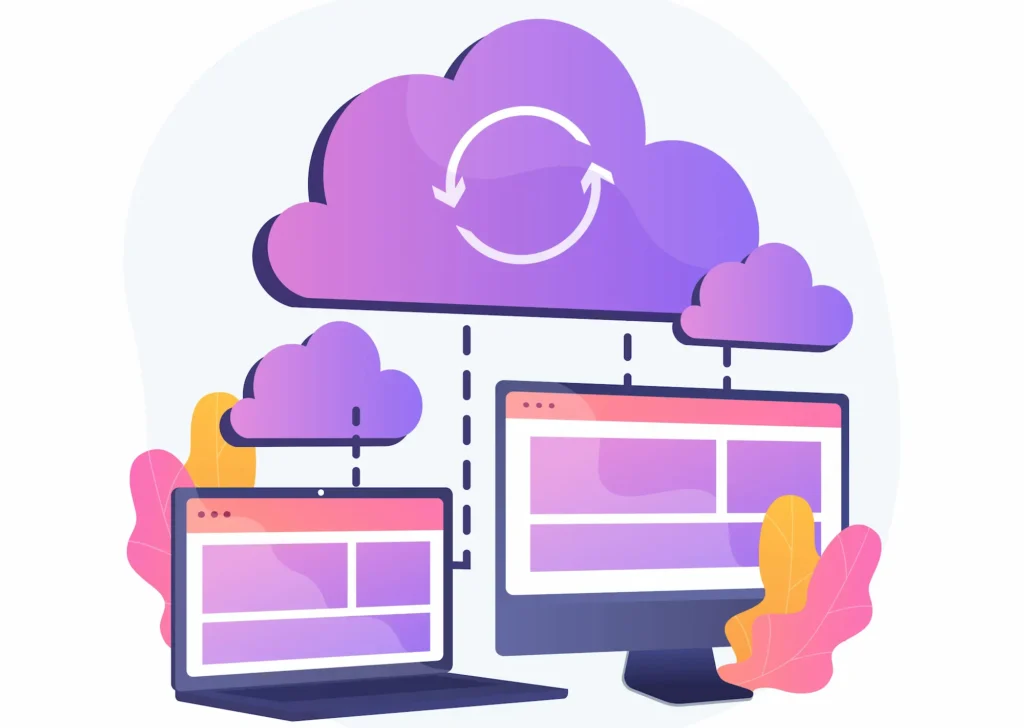
This approach gives you full control over the entire process, but it requires technical knowledge to manage data transfer, redirects, and post-migration setup. It’s important to perform the migration safely by following best practices to avoid errors, data loss, or SEO issues.
While DIY migration can save on labor costs, you should also consider the expense of purchasing or renting necessary tools and the risk of wasted resources if mistakes are made.
Advantages of DIY Migration
DIY migration is often chosen by users who want full control over their website and want to avoid service costs. It works best when you understand the process and have time to carefully manage each step.
- Lower Cost: You avoid paying for professional services and only spend on tools, plugins, or hosting, making it budget-friendly.
- Full Control: You manage every part of the migration, including data transfer, structure, and configurations based on your needs.
- Flexible Timeline: You can plan and execute the migration at your own pace without depending on external teams or deadlines.
- Tool Flexibility: You can choose from multiple plugins, scripts, or manual methods depending on what works best for your setup.
- Learning Opportunity: Handling migration yourself helps you better understand your website’s structure, hosting, and technical setup.
Disadvantages of DIY Migration
DIY migration can quickly become complex if you lack technical knowledge or experience. Even small mistakes can impact your site’s performance, functionality, and search visibility.
- High Risk of Errors: Issues like broken links, missing files, or incorrect configurations can affect how your website functions.
- Time-Consuming Process: Migration involves multiple steps, such as backups, transfers, testing, and troubleshooting, which can take significant time.
- Requires Technical Knowledge: You need to understand databases, hosting, file management, and SEO setup to avoid serious issues.
- SEO Risks: Incorrect redirects, URL changes, or missing metadata can lead to drops in search rankings and traffic.
- No Expert Support: If something goes wrong, you need to fix it yourself, which can delay the process and increase frustration.
When to Choose DIY Migration?
DIY migration works best when your website is simple, and the risk of errors is low. It is suitable when you have control over your setup and can handle technical tasks without major issues.
- Small Websites: Best for sites with limited pages and a simple structure, making the migration process easier to manage.
- Low Traffic Sites: Ideal when your site does not receive heavy traffic, so minor downtime or issues have minimal impact.
- Basic Structure: Suitable for websites without complex features, custom functionality, or large databases.
- Technical Knowledge Available: Works well if you understand hosting, databases, file transfers, and basic SEO setup.
- Limited Budget: A good option if you want to avoid service costs and can invest time instead of money.
What is Professional Website Migration?
Professional website migration is handled by experts or agencies that manage the entire process for you.
For complicated migrations, professional assistance from a contractor is especially valuable, as they have the expertise to handle complex requirements and potential risks.
They follow a structured approach that includes planning, data transfer, testing, and validation to ensure a smooth transition. This method focuses on accuracy, performance, and SEO preservation.
Professionals ensure that your data is transferred correctly, your site functions properly, and your search rankings remain stable after migration. Professionals bring years of experience, ensuring higher-quality work and long-lasting results.
Skip Migration Risks and Move Your Website the Right Way
Website migration can break your site if done wrong. Get expert help to ensure zero downtime, secure data transfer, and a smooth transition.
Advantages of Professional Help
Professional migration is handled by experts who follow a structured process to ensure everything works correctly. This approach reduces stress and helps you avoid costly mistakes during the transition.
- Faster and More Reliable: Experts use proven workflows and tools to complete migration quickly with minimal downtime.
- Reduced Risk: Backups, staging environments, and testing help prevent data loss, broken pages, and technical errors. Hiring a professional is necessary for projects that require specialized tools, permits, pose safety hazards, or involve structural changes.
- SEO Protection: Proper redirects, URL structure, and metadata handling ensure your search rankings remain stable.
- Expert Handling: Professionals understand hosting, databases, and integrations, ensuring everything is configured correctly.
- Post-Migration Support: Many services include testing, monitoring, and post-launch fixes to ensure your site runs smoothly.
For some projects, a hybrid approach works well: handle the preparation work yourself but hire professionals for technical or high-risk tasks.
Disadvantages of Professional Help
While professional migration offers many benefits, it also comes with certain trade-offs. Understanding these helps you make a more informed decision based on your needs and budget.
- Higher Cost: Professional services require upfront investment, which may not suit smaller budgets or simple websites.
- Less Direct Control: You rely on external teams to manage the process, which limits your direct involvement in decisions.
- Dependency on the Service Provider: The quality of the migration depends on the provider’s expertise. It’s important to select reputable contractors, as they ensure safety, quality, and accountability through insurance and warranties.
- Communication Delays: Coordinating with a team may take time, especially if requirements are not clearly defined.
- Limited Flexibility: Changes during the process may take longer compared to handling everything yourself.
When to Choose Professional Help for Site Migration?
Professional migration is the better choice when your website is complex, business-critical, or sensitive to performance and SEO changes. It ensures a smoother and safer transition.
- Large Websites: Recommended for sites with many pages, large databases, or complex structures that require careful handling.
- Ecommerce Stores: Essential for online stores where product data, orders, and customer information must be transferred accurately.
- SEO-Critical Sites: Important if your site depends on search rankings and cannot afford traffic loss during migration.
- Complex Integrations: Best for sites with third-party tools, APIs, or custom features that require expert handling.
- Business-Critical Websites: Ideal when downtime, errors, or performance issues can directly impact revenue or operations.
Key Differences Between DIY vs Professional Website Migration
Choosing between handling the transfer yourself and hiring experts depends on cost, time, technical ability, and long-term impact. It makes sense to evaluate how involved you want to be in the migration process, as your level of involvement can influence which option is best for your needs.
Each option affects your site’s performance, data accuracy, and search visibility differently.

Time Required
Time investment varies significantly depending on your experience and the complexity of your website. Migration involves planning, transferring data, testing, and fixing issues, all of which can take longer than expected.
DIY migration can take a lot of time, especially if you are unfamiliar with the process. You may spend hours handling data transfer, fixing issues, and testing functionality.
Professional services complete the process faster using structured workflows, reducing downtime and ensuring your site is live and stable sooner.
Technical Skills Needed for Website Migration
Technical expertise plays a critical role in the smoothness of your migration process. Tasks such as database management, hosting environment management, and redirect configuration require a solid understanding of how websites function.
Some migrations may require specialized knowledge, similar to projects that require permits or technical expertise, and are best handled by professionals.
DIY migration requires knowledge of hosting, databases, file transfers, and SEO configurations. Without these skills, troubleshooting issues can become difficult.
Professional migration removes this burden by relying on experienced experts who ensure everything is configured correctly.
Risk Level: Errors, Downtime, and Data Loss
Every migration carries some level of risk, but the impact depends on how well the process is planned and executed. Risks include data loss, broken functionality, and downtime.
DIY site migration carries a higher risk of problems such as data loss, broken links, or incorrect configurations. Even small mistakes can affect performance and usability.
Professional site migration reduces these risks through backups, staging environments, and thorough testing before launch.
SEO Impact: How Migration Affects Rankings
Search visibility is highly sensitive during migration. Even small mistakes in redirects, URL structure, or metadata can lead to ranking drops and traffic loss.
DIY migration can affect search visibility if redirects, metadata, and URL structures are not handled correctly.
Professional migration focuses on preserving SEO signals like redirects, internal linking, and structured data to maintain rankings.
Scalability After Website Migration
Scalability determines how well your website can grow after migration. This includes handling more traffic, adding features, and managing larger datasets.
DIY site migration works best for small websites with simple structures.
Professional site migration supports long-term growth by handling large data sets, integrations, and advanced configurations, ensuring your site is ready to scale.
Cost Comparison: DIY vs Professional Migration
Cost plays a major role in deciding whether to handle the process yourself or hire experts. It is important to look beyond upfront expenses and consider time, risk, and long-term impact on your site.

DIY Cost (Tools and Time Investment)
DIY migration may seem low-cost at first because you avoid service fees. However, you should also factor in the cost of materials when budgeting for a DIY migration, such as plugins, hosting upgrades, or tools needed to handle the transfer.
However, the highest cost is your time and effort. If issues arise, fixing errors, restoring backups, or correcting SEO problems can significantly increase overall costs.
Professional Cost (Service Fees)
Professional migration involves paying for expert services, often provided by a contractor, which can vary based on site size, complexity, and features. Larger or ecommerce websites usually require higher investment.
This cost covers planning, data transfer, testing, and optimization. You are paying for expertise, speed, and reduced risk, which ensure a smoother, more reliable migration.
Long-Term Cost Impact
DIY migration can become expensive in the long run if mistakes lead to downtime, lost traffic, or reduced search visibility. Fixing these issues later may cost more than the initial savings.
Professional migration often provides better long-term value by preventing errors, protecting performance, and maintaining stability. This helps avoid unexpected costs and supports consistent growth.
Risk Comparison: Data Loss, Downtime, SEO Impact
Risk is the most critical factor when choosing between DIY and professional migration. Even small mistakes during the process can lead to data loss, broken functionality, or a drop in search visibility that takes time to recover.
Understanding these risks helps you avoid costly errors and ensures your website remains stable, accessible, and optimized during and after the transition.
Data Loss Risk
Data loss can occur if backups are incomplete or if data is not transferred correctly. This includes missing products, pages, customer records, media files, or important configuration settings.
DIY migration carries a higher risk due to manual handling and a lack of validation checks. Professional migration reduces this risk by using automated tools, multiple backups, and data verification to ensure everything transfers accurately.
Broken Links
Broken links occur when URLs change without proper redirection, resulting in users being redirected to error pages. This disrupts navigation and negatively affects both user experience and crawlability.
In DIY migrations, missing or incorrect redirect configurations often cause broken links. Professional migration ensures proper URL mapping, internal link updates, and 301 redirects to maintain a seamless user journey.
SEO Ranking Drop
Search rankings can drop if key SEO elements like metadata, canonical tags, URL structure, and internal linking are not preserved during migration.
DIY migration increases the risk of SEO issues due to improper setup or missed steps. Professional migration focuses on maintaining SEO signals, ensuring proper indexing, and minimizing ranking fluctuations.
Downtime Impact
Downtime happens when your website becomes unavailable during migration. Even short downtime can impact user trust, conversions, and overall business performance.
DIY migration can lead to longer downtime if unexpected issues occur during transfer or setup. Professional migration minimizes downtime by using staging environments, pre-testing, and controlled deployment strategies.
Conclusion
Choosing between handling the process yourself or hiring experts comes down to risk, complexity, and long-term impact. If your website is small and manageable, doing it yourself can save money and give you control.
But if your site drives traffic, revenue, or relies on search visibility, expert help is the safer choice. A smooth transition protects your data, performance, and rankings, helping your website grow without disruption.
FAQs About Site Migration
Should you handle website migration yourself or hire experts?
You can handle it yourself if your site is small and simple. For larger or complex setups, expert help is the better choice to avoid risks.
Is DIY migration safe for your website?
It can be safe if you understand the process and follow best practices. Without proper knowledge, the risk of errors and data issues increases.
Will migration affect your search rankings?
Your rankings can drop if redirects, URLs, and metadata are not handled correctly. Proper setup helps maintain visibility.
How long does a typical website migration take?
It depends on the size and complexity. Small sites may take a few hours, while larger ones can take days.
What is the biggest risk during migration?
Data loss, broken links, and downtime are the most common risks if the process is not handled properly.
When should you choose expert migration services?
You should choose expert help when your site is large, has complex features, or depends heavily on traffic and conversions.


