
Enterprise teams invest enormous resources into their WordPress development services, yet many still struggle to prove tangible business value from those investments. Tracking the right WordPress enterprise web development KPIs turns raw platform activity into measurable evidence of growth, performance, and engineering efficiency.
TL;DR: Key Metrics to Evaluate Enterprise WordPress Performance
- The right metrics link technical decisions directly to business outcomes.
- Performance, SEO, and development metrics work together, not in silos.
- Avoid vanity metrics; prioritize KPIs tied to real user and revenue impact.
- Start with baselines, then measure continuously to drive meaningful improvement.
Why KPIs Matter for Enterprise WordPress Development?
Large-scale WordPress platforms serve complex audiences, handle significant traffic, and support critical business operations.
Without structured measurement, teams make decisions based on instinct rather than evidence. KPIs create the feedback loop that connects engineering effort to business results.

How Enterprise WordPress KPIs Connect Development to Business Outcomes?
Every technical decision in the development process has downstream effects on user behavior, search visibility, and revenue. A slow page load costs conversions. A poor security posture erodes user trust.
High failure rates during development delay product releases. KPIs close the gap between code and commercial impact, providing stakeholders with a shared language to evaluate investments and prioritize work.
The Role of Measurable Metrics in Large-Scale WordPress Ecosystems
Enterprise WordPress ecosystems often span multiple sites, teams, and integrations. Measurable metrics serve a coordination function.
They highlight bottlenecks, surface inconsistencies, and help leadership understand whether the platform supports or hinders growth.
They also prevent teams from fixating on vanity metrics that look impressive in reports but carry no real value.
Build a Scalable Enterprise WordPress Platform
Launch a secure, high-performance WordPress platform tailored for complex enterprise needs and long-term growth.
Aligning WordPress Enterprise KPIs with Business Objectives
Before tracking anything, align every KPI to a specific business goal. An enterprise platform built to generate leads requires different metrics than one designed for content publishing or eCommerce.
A structured approach works in tiers:
- Business-level KPIs: Revenue, customer lifetime value, customer satisfaction scores, net promoter score
- Marketing KPIs: Organic search traffic, keyword rankings, conversion rate, average order value
- Technical KPIs: Page load time, uptime, error rate, deployment frequency
- Content KPIs: Blog posts published, average session duration, bounce rate, content performance
Working with enterprise WordPress development companies that understand how these tiers connect helps ensure every sprint decision maps to a measurable outcome.
For a deeper overview of what these platforms require, reviewing enterprise solutions FAQs is a useful starting point.
Top WordPress Enterprise Web Development KPIs to Measure Success
These essential metrics help enterprises evaluate WordPress performance, development efficiency, user engagement, and overall business impact.
Page Load Time and Time to First Byte for WordPress Performance
Page load time measures how long it takes a page to render completely in a browser. Time to First Byte (TTFB) measures server responsiveness, specifically, how quickly the server delivers the first data packet after a request.

Both are foundational website KPIs. Google uses load speed as a ranking factor. Users abandon pages that take more than two to three seconds to load, especially on mobile devices.
To improve these metrics, implement server-level object caching, optimize database queries, serve static assets via a content delivery network (CDN), and minimize third-party scripts.
The page speed optimization guide for WordPress covers these strategies in depth.
Target benchmarks:
- Page load time: under 2.5 seconds
- TTFB: under 200ms
Core Web Vitals for Enterprise WordPress UX and SEO
Core Web Vitals are Google’s user experience metrics that directly affect search engine rankings. They measure:
- Largest Contentful Paint (LCP): How quickly the main content loads
- Interaction to Next Paint (INP): How fast the page responds to user input
- Cumulative Layout Shift (CLS): Visual stability, how much the page shifts during load
Cumulative Layout Shift is particularly disruptive on enterprise sites where dynamic content, banners, and ads are frequent. A high CLS score signals a quality problem for both users and search engines.
Investing in Core Web Vitals optimization for WordPress is a direct performance improvement investment.
If scores are already failing, the guide to fixing Core Web Vitals assessment failures provides targeted remediation steps.
Target benchmarks:
- LCP: under 2.5 seconds
- INP: under 200ms
- CLS: under 0.1
WordPress Website Uptime and Availability
Uptime percentage measures how often a website is accessible. For enterprise platforms, every minute of downtime has a direct cost, resulting in missed leads, interrupted transactions, and damaged customer satisfaction.
The standard enterprise target is 99.9% uptime, often called “three nines.” That translates to less than nine hours of downtime annually. Platforms handling transactional workflows should target 99.99%.
Monitoring this metric requires dedicated uptime monitoring services that check availability from multiple global locations and send real-time alerts. Reacting only after users report issues is not a strategy; it is a liability.
Error Rate and Reliability in Enterprise WordPress Applications
Error rate tracks the percentage of server requests that return errors, typically 4xx (client errors) or 5xx (server errors). A rising error rate is often the first signal of a deeper reliability problem.
In enterprise WordPress applications, common causes include plugin conflicts after updates, exhausted PHP memory limits, misconfigured server rules, or failed API integrations.
Setting up WordPress monitoring and emergency support ensures errors are caught and resolved before they affect a significant number of users.
Target benchmark: Error rate below 0.1% of total requests.
Deployment Frequency for WordPress Development Teams
Deployment frequency measures how often a team successfully releases code to production. It is a core DORA (DevOps Research and Assessment) metric and a reliable proxy for development team health and confidence.

High-performing enterprise WordPress teams deploy frequently, sometimes multiple times per day, using staging environments, automated tests, and version-controlled workflows.
Low deployment frequency often signals fear of breakage, code quality problems, or missing automated validation layers such as unit tests and integration checks.
Understanding and improving your WordPress development workflow is the clearest path to increasing deployment frequency without increasing risk.
Change Failure Rate in WordPress Releases
Change failure rate measures the percentage of deployments that result in degraded service, requiring a rollback or emergency fix. A great change failure rate indicates gaps in pre-release testing, code review, or staging fidelity.
For enterprise WordPress teams, reducing change failure rate involves enforcing automated tests before merges, maintaining clean source code practices, and running comprehensive test pages that mirror production conditions. Fix bugs in staging, not in production.
Target benchmark: Change failure rate below 5% for high-performing teams.
Mean Time to Recovery for WordPress Incident Response
Mean Time to Recovery (MTTR) measures the average time it takes to restore service after a failure.
In enterprise WordPress environments, where revenue and reputation are directly at stake, a long MTTR is unacceptable.
Shortening MTTR requires prepared incident response playbooks, fast rollback mechanisms, and access to expert support.
Enterprise WordPress support teams with defined Service Level Agreements (SLAs) are a structural way to reduce recovery time at scale.
Target benchmark: MTTR under 60 minutes for critical production incidents.
Development Cycle Time and Lead Time for Engineering Productivity
Development cycle time measures how long it takes a code change to move from writing to deployment. Lead time extends that window to include the original feature request.
These metrics help identify where engineering velocity slows down. Long cycle times often point to blocked code reviews, slow CI/CD pipelines, unclear requirements, or insufficient automated tests.
Tracking these metrics at the team level surfaces bottlenecks early in the development process and guides resourcing decisions for large WordPress platforms.
Organic Traffic Growth for Enterprise WordPress SEO Performance
Organic search traffic is one of the highest-quality traffic sources for enterprise websites. It compounds over time, arrives without ongoing paid spend, and typically converts better than many paid channels.
Measuring month-over-month and year-over-year organic search traffic growth helps teams determine whether their managed SEO efforts are gaining momentum or stalling.
Declines in organic traffic often indicate technical regressions, crawl errors, indexation issues, or failures in Core Web Vitals, rather than content problems alone.
Tools like Google Analytics and Google Search Console are the primary sources of truth here.
A well-structured analytics setup helps teams segment organic search traffic by page type, device, and geography to understand which marketing efforts are working across different user segments.
Keyword Rankings for Enterprise WordPress Search Visibility
Keyword rankings indicate how visible a WordPress site is for specific search queries. For enterprises, tracking rankings at scale requires monitoring hundreds or thousands of target terms, not just the top ten.
This metric helps teams track whether content investments are translating into search engine visibility.
Correlating keyword ranking improvements with organic traffic growth confirms that search engines are rewarding on-page and technical optimizations.
Conversion Rate for Enterprise WordPress Websites
Conversion rate measures the percentage of visitors who complete a desired action, such as a form submission, purchase, sign-up, or download. It is the metric that determines whether traffic actually generates business value.

For enterprise WordPress sites, conversion rates vary significantly by page type and audience segment.
Landing pages, product pages, and blog posts each serve different functions for different user segments and should each carry tailored conversion benchmarks.
Conversion rate optimization for WordPress developers shows how technical decisions, from page speed to clear calls to action, directly affect this number.
Even a 0.5% improvement in conversion rate can represent millions in revenue for high-traffic enterprise platforms.
Target benchmarks:
- B2B lead generation: 2-5%
- eCommerce: 1-3%
Funnel Drop-Off in WordPress Conversion Paths
Funnel drop-off tracks where potential customers abandon multi-step processes, checkout flows, signup sequences, or lead qualification forms.
Each step in a funnel represents a decision point where friction, confusion, or technical failure can interrupt the user journey.
Monitoring funnel drop-off in Google Analytics reveals exactly where users leave and why. Slow load times on step three of five, broken form validation, or missing calls to action can all explain sudden abandonment.
Regular analysis and testing of these paths reduces drop-off and protects revenue. WordPress maintenance has a direct impact on conversion rates, as technical failures often occur during these steps.
User Engagement, Including Average Session Duration and Bounce Rate
Average session duration measures how long visitors stay on a page and how engaged they are with the content.
Bounce rate measures the percentage of visitors who leave after viewing only one page. Together, these engagement metrics reveal whether content and design are meeting user expectations.
On enterprise WordPress sites with complex navigation and deep content hierarchies, high bounce rates on key landing pages often indicate a mismatch between search intent and page content.
Short average session durations may signal slow load times, poor content quality, or unclear next challenge steps that leave users without a path forward.
Both metrics benefit from regular analysis across different user segments, first-time visitors versus returning users, mobile versus desktop, and organic versus direct, to surface meaningful behavioral patterns.
Content Performance for Enterprise WordPress Publishing
Content performance KPIs track the effectiveness of editorial output at scale.
For enterprise content teams managing dozens of blog posts published per month, measuring performance prevents teams from scaling low-return content production.
Key related metrics include:
- Pages per session: How deeply users explore content
- Average time on page: Whether the content holds attention
- Social shares and backlinks: Indicators of authority and reach
- Assisted conversions: Whether blog content contributes to downstream revenue
An average number of visitors per article, tracked over time, helps content teams identify which topics and formats consistently drive the most business value. This informs editorial strategy and resource allocation.
Scalability for High-Traffic Enterprise WordPress Infrastructure
Scalability KPIs measure how performance holds up under increased load. On enterprise platforms, traffic spikes during product launches, promotions, or breaking news events can overwhelm infrastructure that isn’t designed to scale.
Key signals include server response time under load, concurrent user capacity, and error rates during peak traffic periods.
Platforms built on enterprise headless WordPress architecture have structural scalability advantages; decoupled frontends can be scaled independently of the CMS backend.
Proactively testing scalability through load testing and infrastructure review ensures the platform supports marketing efforts rather than failing at the worst possible moment.
Security Metrics for Enterprise WordPress Platforms
Security KPIs quantify the risk posture of an enterprise WordPress platform. Tracking these metrics goes beyond compliance; it actively informs risk reduction decisions.
Core security metrics include:
- Vulnerability scan frequency and findings: How often issues are discovered and how quickly they are resolved
- Failed login attempts: Indicators of brute force attack activity
- Time to patch critical vulnerabilities: Measures response agility
- Malware detection rate: Tracks whether defenses are functioning
- SSL certificate validity: Protects user trust and search engine rankings
Regularly audit security posture using automated scanning tools.
A routine WordPress site audit that covers security, technical SEO, and performance gives teams a comprehensive picture of platform health.
Integration Performance for WordPress Enterprise Systems and APIs
Enterprise WordPress platforms rarely operate in isolation. They connect to CRMs, ERPs, payment gateways, marketing automation platforms, and analytics platforms through APIs and middleware. Each integration point is a potential failure source.
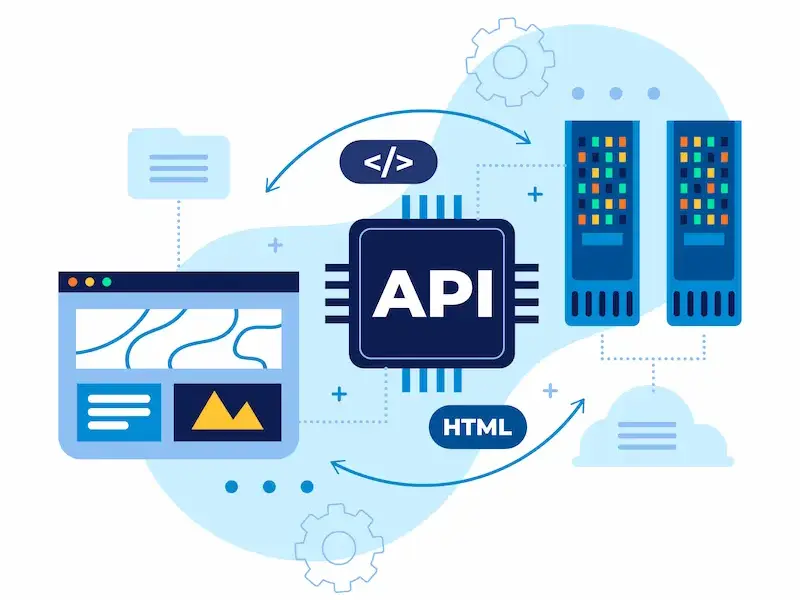
Integration performance KPIs measure:
- API response time: How quickly external services respond?
- Integration error rate: How often connections fail?
- Data sync latency: How quickly information moves between systems?
Degraded integration performance affects user-facing features, reporting accuracy, and business operations. Monitoring API health as a dedicated KPI layer protects the entire ecosystem, not just the WordPress frontend.
Tools to Track WordPress Enterprise Web Development KPIs
The right toolset makes KPI tracking systematic rather than manual. Key tools include:
- Google Analytics 4 (GA4): Primary analytics platform for traffic, engagement, conversion, and funnel analysis.
- Google Search Console: Tracks keyword rankings, crawl issues, and organic search performance.
- New Relic / Datadog: Application performance monitoring for error rates, response times, and infrastructure health.
- Uptime Robot / Pingdom: Dedicated uptime monitoring from multiple locations with instant alerting.
- Ahrefs / SEMrush: Keyword ranking tracking and competitive SEO analysis.
- GitHub / GitLab Insights: Deployment frequency, cycle time, and change failure rate reporting.
- WordPress SEO plugins like Rank Math: On-page optimization tracking inside the CMS. The WordPress SEO plugins surface technical signals at the content level.
- Google PageSpeed Insights: Measures real-world performance and flags Core Web Vitals issues. Use the free website speed test tool for rapid audits.
Website monitoring services combine uptime, security, and performance data into unified dashboards suited to enterprise reporting.
Best Practices for Implementing and Measuring WordPress Enterprise KPIs
Implementing KPIs effectively requires more than installing analytics tools. These practices ensure the right metrics generate real value:

- Start with business alignment. Every KPI must connect to a business objective. Resist adding metrics simply because they are easy to track.
- Set baselines before optimizing. You cannot measure performance improvement without a starting point. Establish baselines for each KPI before beginning optimization.
- Segment data by audience. Aggregate metrics hide problems. Segment by device, traffic source, user type, and geography to surface meaningful insights across different user segments.
- Regularly audit your measurement setup. Tracking configuration drifts over time. Regularly audit GA4 tags, conversion goals, and integration health to ensure data accuracy.
- Review KPIs in sprint cadence. Build KPI reviews into team rituals, not just quarterly business reviews. Catching a rising error rate or falling conversion rate during a two-week sprint prevents it from becoming a crisis.
- Avoid vanity metrics traps. Total page views without conversion context, social followers without engagement data, and raw session counts without bounce rate context all tell incomplete stories. Focus on metrics that connect to actual business results.
- Use Google PageSpeed Insights and the Core Web Vitals checker regularly. These tools measure what real users experience, not just synthetic lab scores. Both should be used to test pages before and after significant platform changes.
Conclusion
Tracking the right WordPress enterprise web development KPIs transforms a platform from a cost center into a measurable growth engine.
The metrics covered here, spanning performance, SEO, engineering, security, content, and integration, provide a comprehensive view of platform health and business contribution.
The next challenge for most teams is not knowing which KPIs exist, but committing to start measuring them consistently and using the data to drive decisions.
A structured KPI program built on this framework gives enterprise WordPress teams the clarity they need to deliver real value and prove it.
FAQs About Enterprise Web Development KPIs
What are the most important KPIs for enterprise WordPress websites?
The most important key performance indicators depend on your business goals. Most enterprises prioritize page load time, Core Web Vitals, uptime, conversion rate, and organic traffic.
Together, these cover performance optimization, user experience, and revenue impact, giving you a complete picture of website success.
How often should teams review WordPress enterprise KPIs?
Review technical KPIs weekly and business KPIs monthly. Continuous optimization requires consistent monitoring, not just quarterly check-ins.
Use a reliable monitoring stack that tracks performance, errors, and engagement KPIs in real time so issues surface before they impact users.
How do Core Web Vitals affect enterprise WordPress performance?
Core Web Vitals directly affect Google rankings and user experience. Poor scores signal a quality problem to both search engines and visitors.
Fixing them is a performance optimization priority that gives enterprises a measurable competitive advantage over slower competitors.
Should KPIs differ by device type?
Yes. Mobile and desktop users behave differently. Segment your engagement KPIs and conversion data by device type to understand the real story behind aggregate numbers. A conversion rate that looks healthy overall may be hiding poor performance on mobile.
Why do multi-step funnels need dedicated KPI tracking?
Multi-step funnels involve multiple steps where users can drop off at any point. Tracking each step separately reveals exactly where friction exists.
Without this, teams fix the wrong problems and miss the biggest opportunities to improve website success and revenue.


