
This GoDAM review covers a problem many WordPress site owners face. Video helps engagement, but it often slows your site down. Large files and third-party embeds hurt page speed and user experience.
Managing video hosting, performance, and security should not feel complicated. Most plugins handle only one part, which forces you to use multiple tools.
GoDAM simplifies everything. It brings video hosting, fast playback, and security into one WordPress tool. In this review, you’ll see how GoDAM works, where it fits best, and whether it delivers real value for your site.
What is GoDAM?
GoDAM is an all-in-one video tool built for WordPress. It handles video hosting, streaming, performance optimization, and security in one place.
Instead of juggling multiple plugins or external platforms, you manage everything directly from your WordPress dashboard.
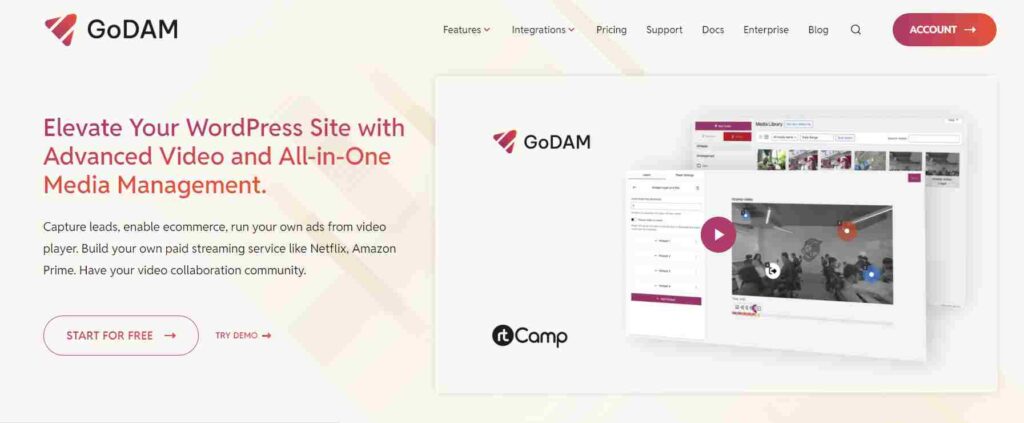
GoDAM is best for site owners, creators, course builders, and businesses that want fast, reliable, and secure video without slowing down their site. It helps deliver smooth playback while keeping control over access, performance, and user experience.
Try GoDAM and Add Fast, Secure Video to WordPress
GGoDAM helps you host, stream, and protect videos inside WordPress while keeping your site fast and clean. Explore the all-in-one video tool built for performance.
What is GoDAM and How Does it Work?
GoDAM is a WordPress video plugin that works directly inside your dashboard. You upload, manage, and display videos without leaving WordPress. There’s no need for external embeds or separate hosting tools.
The plugin integrates smoothly with your existing setup. Once installed, GoDAM manages video delivery, optimizes playback speed, and applies security controls automatically.
This keeps your site fast while giving you full control over how videos load and who can access them.
GoDAM focuses on simplicity. You upload a video, place it on your page, and let the tool handle performance and protection in the background.
The video below explains GoDAM’s workflow inside WordPress. It shows how videos stay fast, secure, and easy to manage.
Key Features of the GoDAM Video Tool
GoDAM is designed to simplify how WordPress sites handle video. Instead of relying on multiple plugins or external platforms, it combines hosting, performance, and security into one smooth workflow.
This makes video easier to manage while keeping your site fast and stable.

All-In-One Video Hosting for WordPress
It allows you to upload, manage, and stream videos directly from your WordPress site. You control where and how videos appear without using third-party embeds, which helps maintain branding and reduces external dependencies.
Fast Video Playback and Performance Optimization
It optimizes video delivery using efficient streaming and CDN support. Videos load quickly and play smoothly, reducing the impact on page speed and improving user experience across devices.
Video Security and Access Control
It includes built-in security features to protect your content. Hotlink protection and restricted access options prevent unauthorized use and ensure videos are only viewed by intended users.
Easy Video Management Inside WordPress
Everything runs inside your WordPress dashboard. The interface is simple and intuitive, allowing you to manage videos, adjust settings, and monitor performance without technical complexity.
How GoDAM Improves WordPress Site Performance?
Videos often slow WordPress sites because they rely on large files, third-party embeds, or poor delivery methods. These issues increase load time, hurt Core Web Vitals, and frustrate visitors.
GoDAM solves this by handling video delivery the right way. It optimizes streaming, uses efficient delivery methods, and reduces the load on your server. Videos play smoothly without dragging down page speed.
Better performance leads to real results. Faster pages improve user experience, keep visitors engaged longer, and support stronger SEO rankings. With GoDAM, you get video content without sacrificing site speed.
Benefits of Using GoDAM for WordPress Video Hosting
GoDAM makes video management simpler and more effective for WordPress users. Instead of juggling multiple tools, you manage everything from one place while keeping your site fast and secure.
- Centralized Video Management: Manage all your videos directly inside WordPress. This keeps workflows organized and eliminates the need for external platforms or separate dashboards.
- Better Performance Control: GoDAM optimizes video delivery to protect page speed. You stay in control of performance without videos slowing down your site.
- Improved Video Security: Built-in security features help prevent unauthorized access and misuse. Your video content stays protected without extra plugins.
- Cleaner WordPress Setup: With fewer plugins required, your WordPress site stays lightweight and easier to maintain. This reduces conflicts and long-term maintenance issues.
- Simpler Video Workflow: Everything works together in one system, making video easier to manage and more reliable across your site.
These benefits make GoDAM a practical choice for WordPress users who want video without complexity.
GoDAM for Content Creators, Course Sites, and Businesses
GoDAM works across different types of WordPress sites where video plays a key role. From creators to agencies, it supports real-world use cases that need performance, control, and reliability.

GoDAM for Online Courses and Membership Sites
Course creators and membership site owners rely heavily on video. GoDAM helps deliver lessons smoothly without slowing the site down. Secure streaming and access control make it easier to protect paid content and provide a better learning experience.
GoDAM for Marketing and Landing Pages
Video improves conversions, but only when it loads fast. GoDAM keeps marketing videos lightweight and performance-friendly, helping landing pages stay fast while engaging visitors. This makes it ideal for product demos, explainer videos, and sales funnels.
GoDAM for Agencies and Client Websites
Agencies manage multiple sites with different video needs. GoDAM simplifies video hosting and management across client projects.
It reduces plugin overload, improves site performance, and gives agencies a reliable video solution they can reuse for multiple clients.
It also benefits anyone who uses video regularly and needs speed, security, and control without extra complexity.
GoDAM Pricing and Value for WordPress Users
GoDAM offers straightforward plans that scale with your video needs on WordPress.
Every tier includes core features such as video hosting, fast streaming, security controls, and interactive options so you get solid value no matter your level.
Here’s a breakdown of the pricing structure:
- Free Plan (60 day trial): Start with a free trial that gives you access to basic video features and lets you explore GoDAM risk free.
- Starter Plan ($90 per year): Best for small sites and individual creators who want reliable video hosting without high costs.
- Bronze Plan ($19 per month or $190 per year): Great for growing blogs and businesses with regular video content.
- Silver Plan ($290 per year): Supports larger content volume and higher performance needs.
- Gold Plan ($490 per year): Designed for more demanding video workloads and higher storage requirements.
- Platinum Plan ($990 per year): Ideal for agencies, large platforms, and high-traffic sites with extensive video libraries.
All paid plans offer more storage, higher bandwidth, and advanced features compared to the free trial. Annual subscriptions come with savings compared to monthly billing.
Is GoDAM Worth it for WordPress Users?
GoDAM is a strong choice if you use video regularly or want better performance without technical complexity.
It works best for course creators, membership sites, marketing teams, and agencies that need reliable video delivery with security and speed.
GoDAM makes the most sense when your site performance matters and you want more control than basic embeds offer.
If you upload many videos, host premium content, or need access restrictions, GoDAM delivers more value than free or piecemeal solutions.
To decide, consider your site’s video volume, performance goals, and security needs. If you want fast playback, fewer plugins, and centralized management in WordPress, GoDAM is worth considering.
Conclusion
GoDAM makes video on WordPress simpler, faster, and more reliable. By bringing video hosting, performance optimization, and security into one tool, it removes the need for multiple plugins and complex setups.
If your site depends on video for courses, marketing, or client work, GoDAM gives you better control without slowing your site down.
With flexible pricing and WordPress-native features, it’s a practical choice for anyone who wants high-quality video delivery without the usual technical headaches.
FAQs About GoDAM Video Tool
What is GoDAM used for in WordPress?
GoDAM is used for hosting, streaming, and managing videos directly inside WordPress. It helps site owners deliver fast, secure video without relying on third-party platforms or multiple plugins.
Is GoDAM better than using YouTube or Vimeo embeds?
GoDAM gives you more control than YouTube or Vimeo embeds. It improves site performance, removes third-party branding, and offers better security and access control for video content on WordPress.
Does GoDAM affect WordPress site speed?
GoDAM is designed to improve site performance. It optimizes video delivery and reduces the load on your server, helping pages load faster compared to traditional video embeds.
Who should use the GoDAM WordPress video tool?
GoDAM is ideal for content creators, course sites, membership platforms, businesses, and agencies that rely on video and want better performance, security, and control inside WordPress.
Is GoDAM secure for hosting video content?
Yes. GoDAM includes built-in security features like access control and hotlink protection, helping prevent unauthorized use and protect premium or private video content.


