
WordPress development tools can make or break your next project. In a world where speed, performance, and user experience drive results, using the right tools is no longer optional.
Developers need smarter workflows, cleaner code, and faster deployment. The right setup boosts productivity, reduces bugs, and improves website performance.
From powerful IDE platforms to AI-powered assistants and staging environments, modern tools help you build better sites with less effort. Choose wisely, and you turn complex development tasks into a smooth, efficient process.
TL;DR: Choosing the Right Development Tools for WordPress
- The right WordPress development tools improve productivity, code quality, and website performance.
- IDE platforms, code editors, and AI tools streamline coding, debugging, and repetitive tasks.
- Tools like WP-CLI, staging environments, and development plugins strengthen workflows and reduce errors.
- Always choose tools based on your project needs, budget, and long-term growth goals.
Why Development Tools Matter for Modern Website Development?
WordPress development tools shape the speed, quality, and reliability of any WordPress web project.
In modern web development, teams rely on a mix of IDEs, such as JetBrains IDEs, and lightweight code editors, such as Sublime Text 4 or Atom, as well as AI tools like GitHub Copilot or Claude Code to streamline coding standards and reduce bugs.
These tools improve code completion, generate code snippets, and support custom code across PHP, JavaScript, and React components used in Gutenberg and the block editor.
Strong development plugins such as Query Monitor and WPCode help debug database queries, track performance issues, and manage snippets directly from the admin panel.
Command-line tools like WP CLI enhance the development workflow by automating repetitive tasks, migrations, and optimizations. A proper staging environment, whether via LocalWP or a hosting provider, ensures safe site changes before deployment.
AI-powered coding assistant systems and chatbot-style interfaces also support content generation, API requests, and testing themes.
They provide code suggestions, analyze context, and reduce effort during editing theme files or reviewing pull requests on GitHub repositories.
In short, the best WordPress development tools improve productivity, design quality, website performance, and user experience. They reduce overhead, prevent costly mistakes, and enable teams to ship reliable products faster in a competitive market.
Launch Your Custom WordPress Site Today
Turn your ideas into a pixel perfect, secure, and scalable WordPress site built by expert developers.
Top WordPress Development Tools to Use
Building a robust WordPress website requires the right set of tools in your arsenal. Here are the top WordPress development tools that can help you streamline workflows, boost performance, and deliver better results.
InstaWP
InstaWP is an innovative tool that lets users quickly set up temporary WordPress sites with a single click. It’s perfect for developers and businesses looking to test or build WordPress environments on the fly.
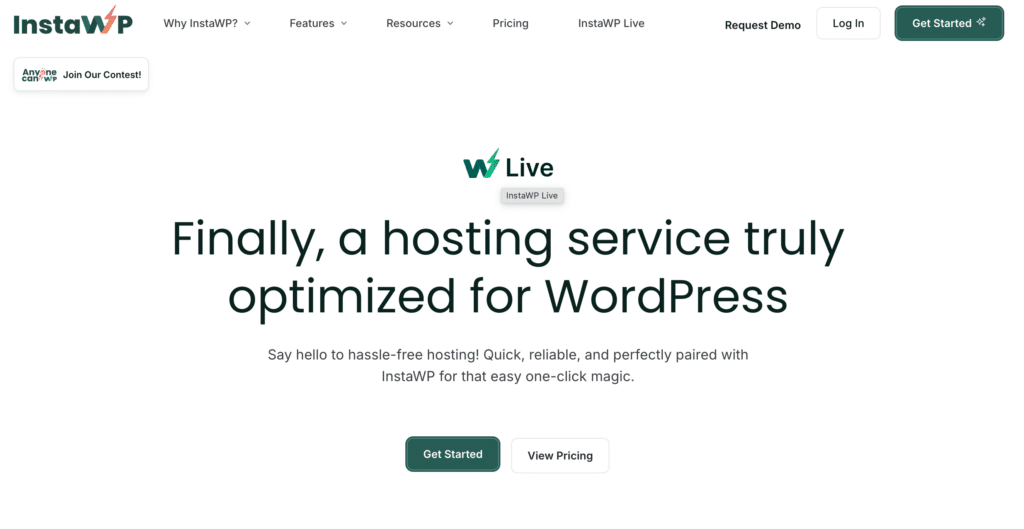
Whether you start from scratch or use a pre-designed template, InstaWP lets you get a WordPress site up and running in seconds.
Highlights
- One-click setup: Instantly create a WordPress site without any manual configuration
- Customizable environments: Choose the PHP and WordPress versions, and customize the setup to your needs
- Pre-designed templates: Start from scratch or use pre-built templates for faster setup
- Temporary sites: Build sandbox environments for testing, development, or demos
- Seamless deployment: Easily deploy websites when ready for production
- Management tools: Manage hundreds of WordPress sites from a single interface
- Sell pre-configured sites: Create and sell pre-built websites
Why InstaWP?
InstaWP removes the complexity of WordPress setup, enabling developers, agencies, and businesses to create test environments in seconds.
It’s a versatile tool for building, deploying, and managing WordPress sites without the need for traditional migration plugins, staging tools, or manual setups.
Whether you’re testing a plugin, demoing a theme, or building for clients, InstaWP simplifies the process and saves time, making it an essential tool for WordPress professionals.
WP Umbrella
WP Umbrella is an essential tool for anyone managing multiple WordPress websites. It simplifies the process of monitoring, updating, and maintaining WordPress sites, all from a single dashboard.
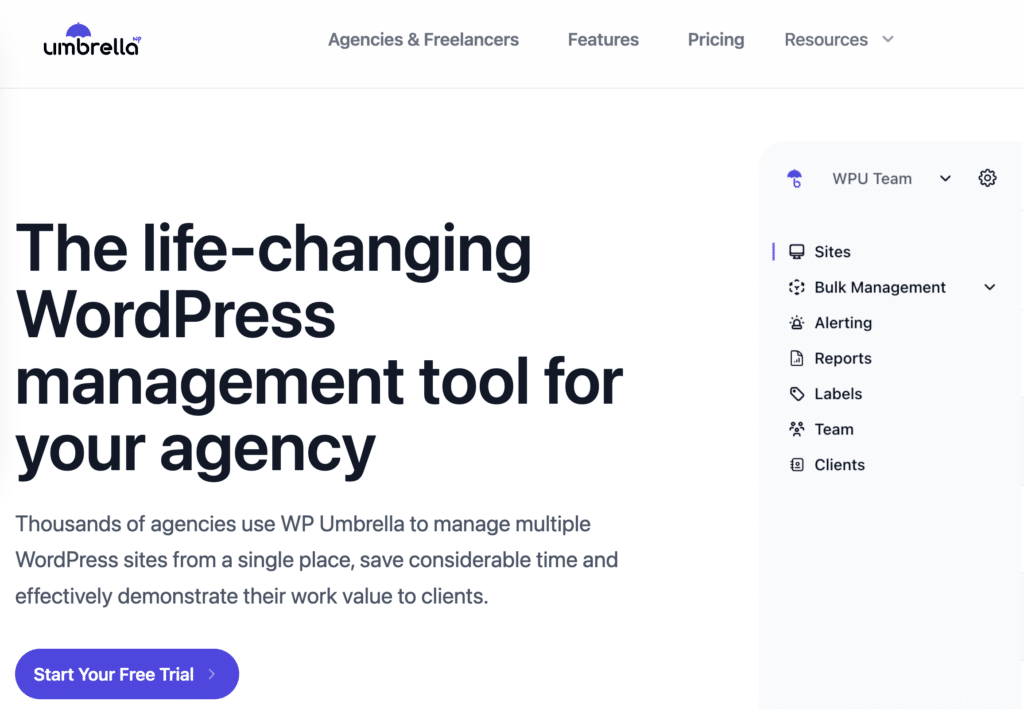
Designed to save time and simplify the management of WordPress sites, WP Umbrella offers a robust solution for agencies, freelancers, and site owners.
Highlights
- Centralized dashboard: Manage all your WordPress sites in one place
- Uptime monitoring: Get real-time alerts if your site goes down
- Automated updates: Schedule and automate plugin, theme, and WordPress core updates
- Performance monitoring: Track and optimize site speed and load times
- Error logging: Monitor PHP errors to identify and fix issues quickly
- Backups: Automated daily backups with easy restoration
- Client reports: Create professional reports for clients showcasing uptime, updates, and performance
- GDPR compliance: Tools to help ensure your site meets privacy regulations
Why WP Umbrella?
WP Umbrella is designed to make WordPress management effortless. Its centralized dashboard allows users to monitor multiple sites at once, streamlining updates, uptime tracking, and performance monitoring.
If any issues arise, such as downtime or PHP errors, WP Umbrella sends real-time notifications, allowing for quick action.
For agencies and freelancers, WP Umbrella’s client report feature is a standout. It provides detailed performance and maintenance reports, keeping clients informed and enhancing your professional image. WP Umbrella also ensures daily backups, so you can restore sites with just a click in case of emergencies.
By using WP Umbrella, you get a comprehensive tool that simplifies WordPress maintenance, giving you more time to focus on growing your business and less time worrying about technical details. It’s a must-have for anyone managing multiple WordPress sites.
Also Check: Top WordPress Development Agencies (Expert Picks)
JetEngine
JetEngine is a powerful plugin designed to help WordPress developers and site creators build dynamic website structures with ease.

You can use it to create custom post types, taxonomies, and meta fields, allowing you to build complex websites without writing any code. Whether you’re working on a custom directory, a listings website, or a membership platform, JetEngine provides the tools to manage and showcase dynamic content.
Highlights
- Custom post types & taxonomies: Сreate and manage custom content types and relationships for more control over your site’s structure.
- Dynamic content: Display dynamic fields and listings using intuitive widgets, making it easy to show relevant content across your website.
- Dynamic forms: Create forms to gather user data or submissions, all while dynamically connecting the form’s output with your custom post types.
- Flexible listing grids: Build visually appealing listing grids with custom query options to display content in various styles.
- Customizable meta boxes: Manage extra fields within custom post types using a simple interface for better data control.
- Dynamic visibility: Control what content is visible to which users based on dynamic conditions, allowing for personalized content delivery.
Why JetEngine?
JetEngine enhances your WordPress development process by providing advanced capabilities for creating and managing dynamic content structures without requiring custom coding.
It enables both developers and non-developers to build complex websites, such as directories and membership sites, using intuitive tools that simplify the process.
Whether you’re creating websites for clients or managing your own site, JetEngine offers the flexibility and control necessary to efficiently create custom solutions.
Docker
Docker is a software platform that helps you build, test, and deploy applications quickly. It works by packaging everything your software needs, like libraries, tools, code, and runtime, into containers.
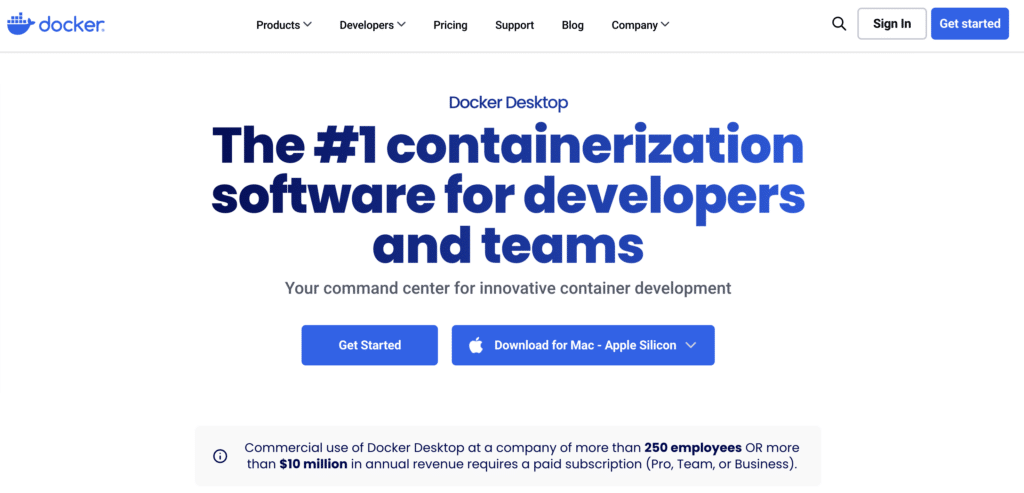
These containers make it easier to run applications in different environments without any issues. For WordPress developers, Docker can streamline development, ensuring your site runs smoothly across various setups.
Highlights
- The top containerization tool for developers and teams
- Simplifies the process of container development
- Ideal for local development and remote collaboration
- Available for Mac (Apple Silicon) and other platforms
- Free for personal use; requires a paid subscription for commercial use in larger organizations
What is Docker Desktop?
Docker Desktop is a tool that lets developers containerize applications quickly and securely. With everything set up out of the box, it offers a hybrid toolkit that’s ready for immediate use. It’s popular among WordPress developers for its ease of use and powerful features.
Why Developers Love Docker Desktop
- Fast setup: Install Docker Desktop and start building, sharing, and running containers in seconds.
- Easy to maintain: Monthly updates bring new features, security fixes, and bug patches.
- Secure from the start: Docker Desktop provides enterprise-grade security, monitoring, and managing patches as needed.
- Scalable: Works for small startups to large teams with 1,000+ developers, allowing you to grow confidently.
Docker simplifies the WordPress development process, making it a go-to tool for developers who want speed, security, and scalability.
Keep Reading: Common WordPress Development Mistakes and How to Avoid Them
XAMPP
XAMPP is a popular, free platform for PHP development. It’s an easy-to-install package that includes Apache, MariaDB, PHP, and Perl, giving developers everything they need to run and test web applications locally. XAMPP stands for Cross-Platform, Apache, MySQL, PHP, and Perl.
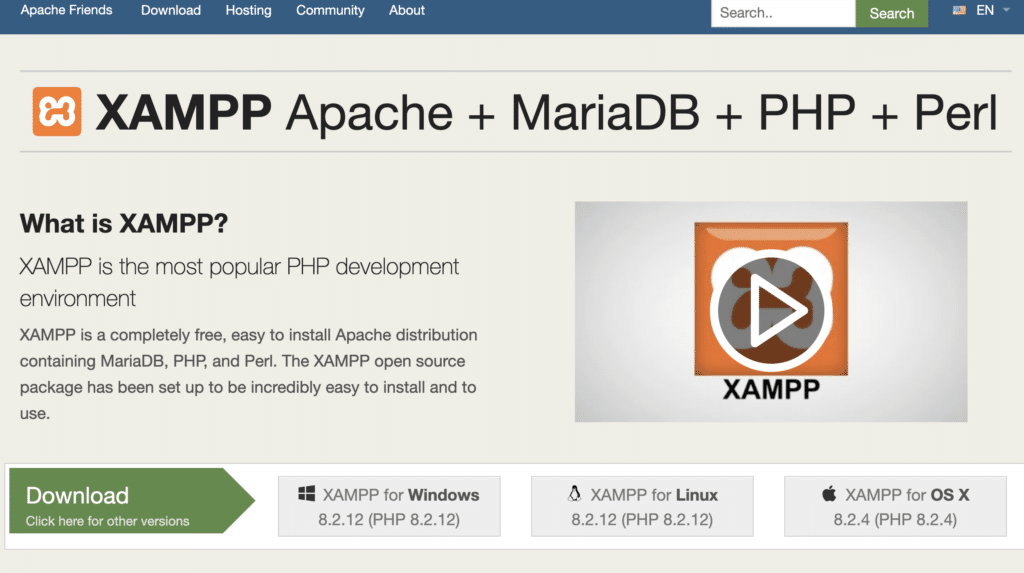
It’s compatible with Windows (WAMP) and Linux (LAMP), making it flexible for different operating systems. For WordPress developers, XAMPP provides a local environment that feels like a mini web server on your computer, perfect for testing changes before going live.
Highlights
- Free and open-source PHP development environment
- Includes Apache, MariaDB, PHP, and Perl in one package
- Supports both Windows and Linux systems
- Ideal for local testing and development
- Easy setup, perfect for beginners
Why Use XAMPP?
XAMPP makes setting up a web server simple and quick. You don’t need to handle complicated configurations or installations.
With everything bundled in one package, XAMPP is great for developers who want a local environment to test WordPress sites, experiment with code, or work on web applications without needing an online server.
Plus, beginners find it easy to use, making it a solid choice for anyone just starting with web development.
MAMP Pro
MAMP Pro is more than just a local server; it’s a complete toolset for web developers. It lets you create, manage, and deploy dynamic projects with ease, all through an intuitive interface.
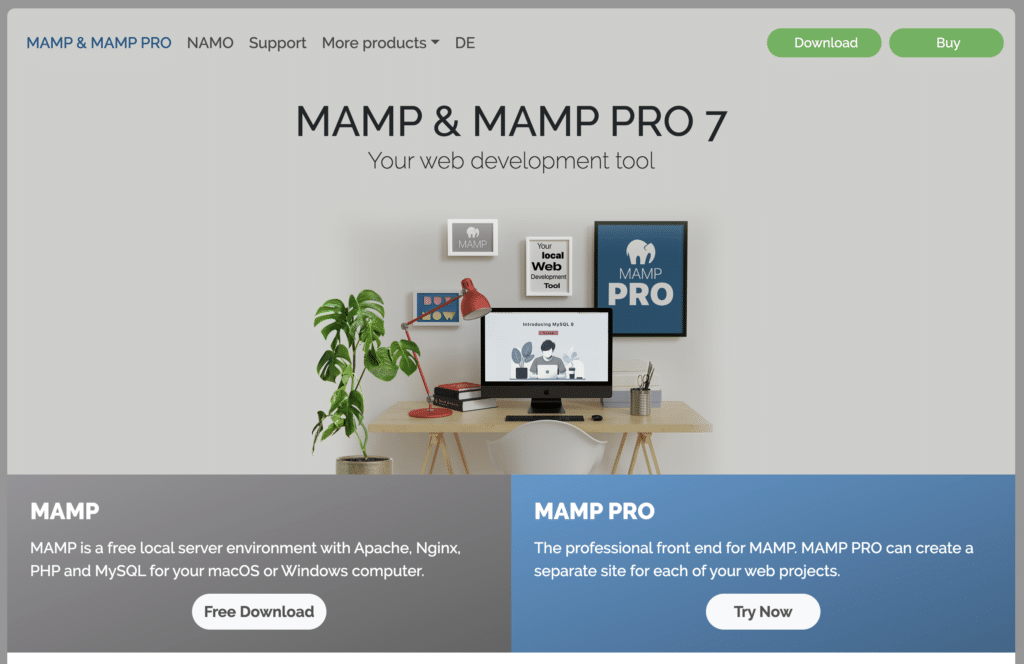
Whether you’re working on WordPress or PHP-based projects, MAMP Pro offers everything you need for development, testing, and deployment in one package.
Highlights
- All-in-one local server solution for PHP and WordPress projects
- Supports both Apache and Nginx web servers
- Multiple PHP versions available for each site
- Unlimited site creation with custom configurations for each project
- Snapshot feature for easy rollback to earlier versions
- Supports Google Drive, OneDrive, and Dropbox for cloud syncing
- Built-in image optimizer for faster site performance
- Automatic SSL certificate handling for secure development
- Includes Mailhog for email testing without complex configurations
Why MAMP Pro?
MAMP Pro takes the hassle out of managing local server environments. With flexible settings, you can set up each project to match your live server’s specs, making it easier to transition from local to live.
Whether you need Apache or Nginx, MySQL 8 or 5.7, or specific PHP versions, MAMP Pro offers full control. You can also clone sites, test on mobile devices, and deploy your projects with just a click.
Perfect for WordPress Development
For WordPress developers, MAMP Pro makes site migration simple, whether you’re moving from one server to another or presenting updates to clients. You can create website blueprints, complete with themes and plugins, making it easy to spin up new sites based on previous projects.
MAMP Pro’s simplicity, flexibility, and advanced features make it a solid choice for any web developer looking for a streamlined development process.
Vagrant
Vagrant is a tool that lets developers create and manage lightweight virtual environments. It works with platforms like VirtualBox and VMware, allowing you to set up “boxes” that act like virtual machines.
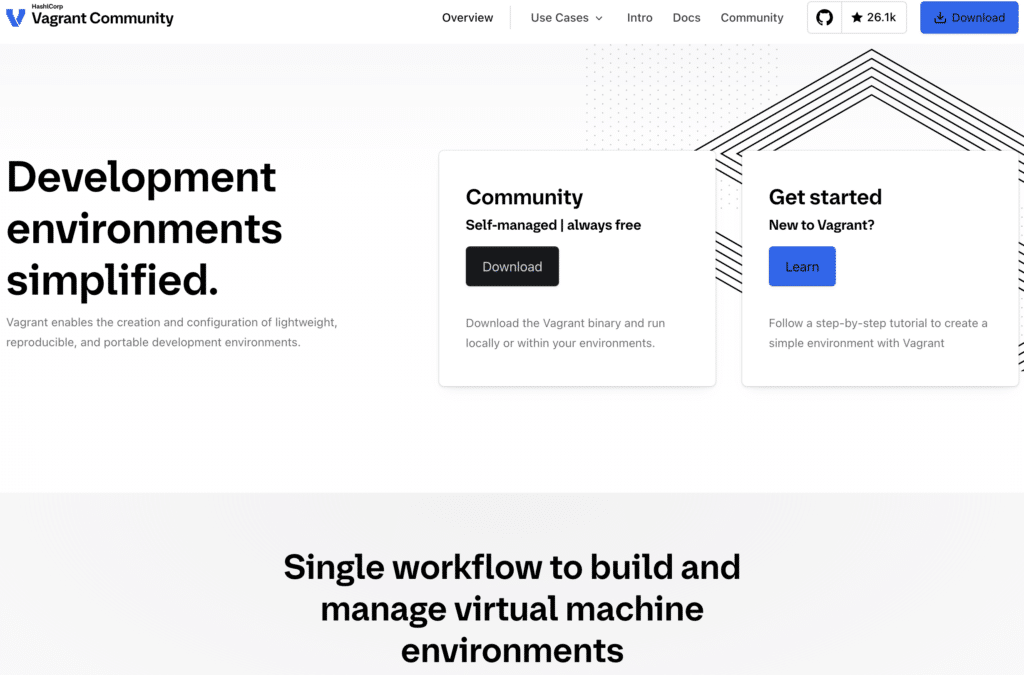
These environments are easy to configure and share, making them a great tool for teams working on WordPress development.
Highlights
- Lightweight virtual environments for local development
- Works across Linux, Mac, and Windows
- Pre-built Vagrant boxes for WordPress are available
- Easily share configurations with team members
- Replicable environments ensure consistency across setups
With Vagrant, WordPress developers can quickly set up and share consistent, portable development environments, streamlining collaboration and deployment.
Also Check: Custom Theme Development Vs Elementor: What’s Best for Your Business
Local by Flywheel
Local is an effortless way to build WordPress sites on your computer. It eliminates the hassle of debugging local environments, allowing developers to focus on launching sites.
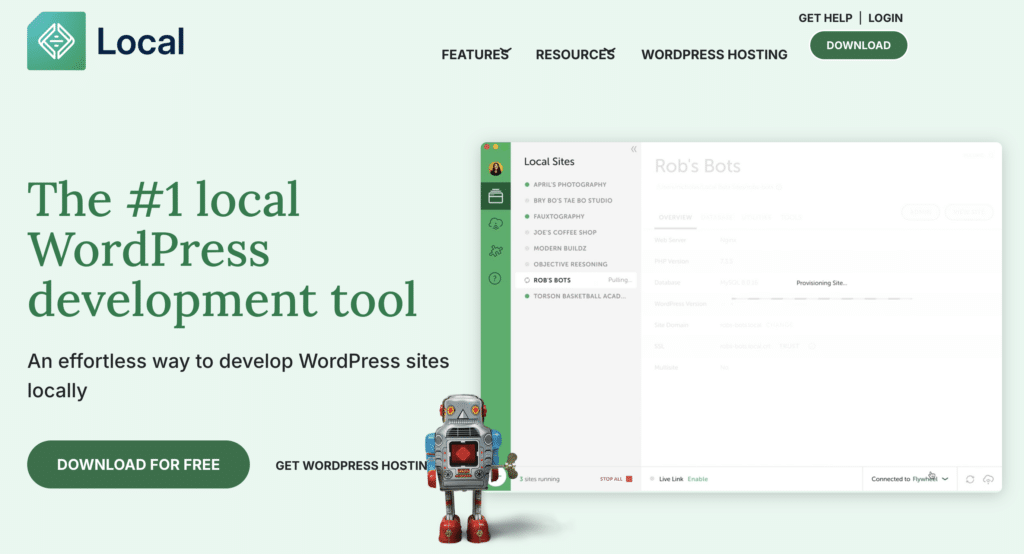
With advanced workflow features and automatic WordPress setup, it streamlines the entire development process.
Highlights
- One-click WordPress setup: Automatic installation with SSL included
- Advanced features: Root SSH access, WP-CLI, and PHP environment swapping
- Local Connect: Push and pull sites with Flywheel or WP Engine
- MagicSync: Smart file syncing for deployment
- Live Links: Share your local site with clients using persistent URLs
- One-click admin login: Skip username/password management
- Pre-launch tools: Link checker, image optimizer, and instant reload
- Cloud backups: Sync your site with Google Drive or Dropbox
With Local, WordPress developers get a fast, efficient, and reliable environment for building, testing, and deploying sites.
Read More: Best Website Development Proposal Templates to Fit Your Needs
ThemeCheck
ThemeCheck is a free service that helps WordPress developers and website owners verify the quality and security of themes.

It quickly checks themes for code quality, malware, and compliance with WordPress standards, making it easier to ensure safe, well-coded themes.
Highlights
- Free theme verification: Checks WordPress themes for code quality and malware
- For website owners: Verify themes before installing them on your site
- For developers: Ensure your themes meet WordPress standards and user needs
- Share scores: Display verification results with the ThemeCheck widget
- Over 34,000 themes verified: Trusted by many for secure theme development
ThemeCheck is an essential tool for anyone creating or using WordPress themes, helping to maintain high standards and security across WordPress websites.
Read More: Find the Best Website Development Companies in Singapore
Debug Bar
Debug Bar is a must-have tool for WordPress developers. It adds a debug menu to the admin bar, displaying essential information like query data, cache details, and more.
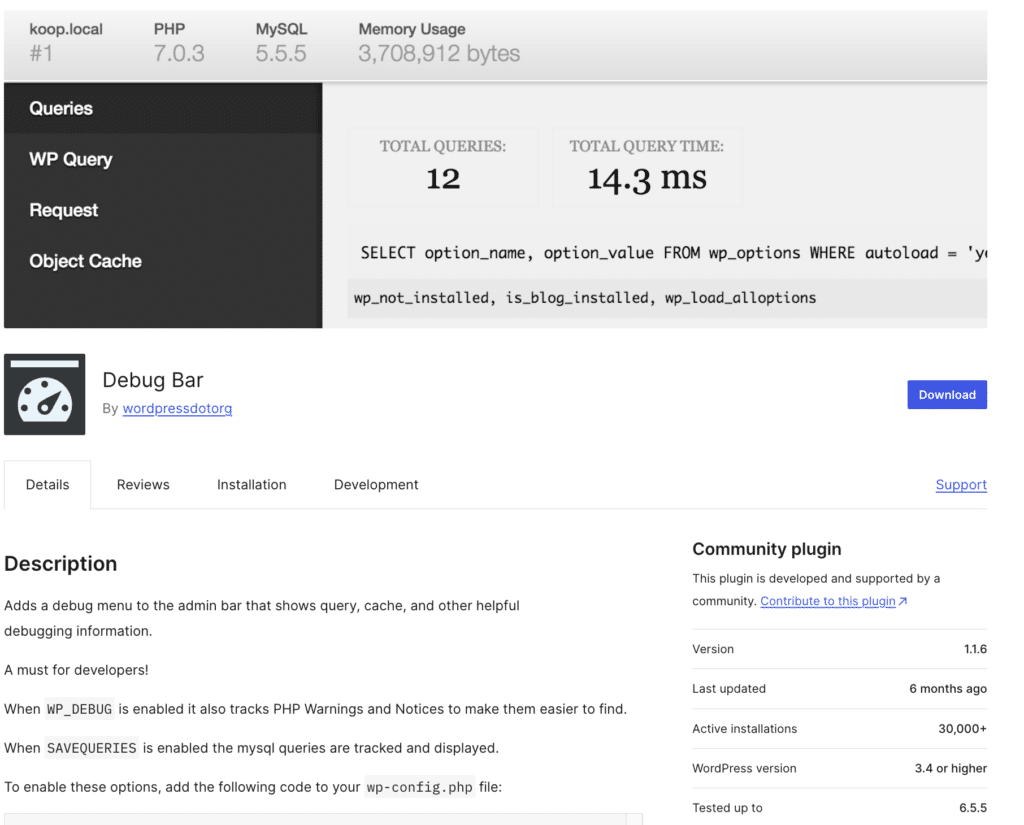
This tool is especially useful for troubleshooting and optimizing your WordPress site during development.
Highlights
- Debug menu in admin bar: Shows queries, cache, and other key data
- Tracks PHP warnings and notices: Makes debugging easier when WP_DEBUG is enabled
- Tracks MySQL queries: Displays query information when SAVEQUERIES is enabled
- Expandable with add-ons: Supports additional features like Post Types, WP Cron, Shortcodes, and more
Why Debug Bar?
Debug Bar simplifies the debugging process by offering a clear, centralized menu that shows critical development data. When you enable WP_DEBUG and SAVEQUERIES in your wp-config.php file, Debug Bar tracks and displays PHP warnings and MySQL queries, making troubleshooting fast and efficient.
You can also extend Debug Bar’s capabilities with add-ons for even more insights into WordPress functions like actions, filters, and language file loading.
For any WordPress developer, Debug Bar is an essential tool that helps track down issues, improve performance, and optimize your site’s functionality.
Read More: Client Retention Hacks
GenerateWP
GenerateWP is a powerful online code generator built specifically for WordPress developers who want to create clean, production ready code without writing everything from scratch.
It helps generate custom post types, taxonomies, shortcodes, hooks, options pages, and more through an intuitive interface.
Instead of manually referencing documentation for every function usage, developers can quickly configure fields and export properly structured PHP code that follows WordPress coding standards.
GenerateWP is especially useful for speeding up repetitive development tasks while reducing syntax errors and improving overall efficiency.
It supports both beginner and advanced developers by simplifying complex code structures into guided form based inputs.
Highlights
- Code generators: Create custom post types, taxonomies, sidebars, menus, shortcodes, and meta boxes in seconds.
- Hooks and filters builder: Generate properly formatted action and filter hooks with correct parameters.
- Clean and standards compliant output: Produces code that aligns with WordPress coding guidelines.
- Snippet export: Copy ready to use code snippets directly into theme files or custom plugins.
- Time saving workflow: Reduces repetitive tasks and minimizes common coding mistakes.
Why GenerateWP?
GenerateWP improves development workflow by eliminating guesswork and manual errors in core WordPress structures. It allows developers to focus on customization, logic, and functionality instead of boilerplate code.
For agencies and freelancers handling multiple projects, it saves time, improves consistency, and accelerates project delivery without compromising code quality.
Read More: Best Web Development Services for Membership Sites for Maximizing Revenue
ACF Plugin
Advanced Custom Fields (ACF) is a popular tool that makes it easy to edit and manage custom fields in WordPress.
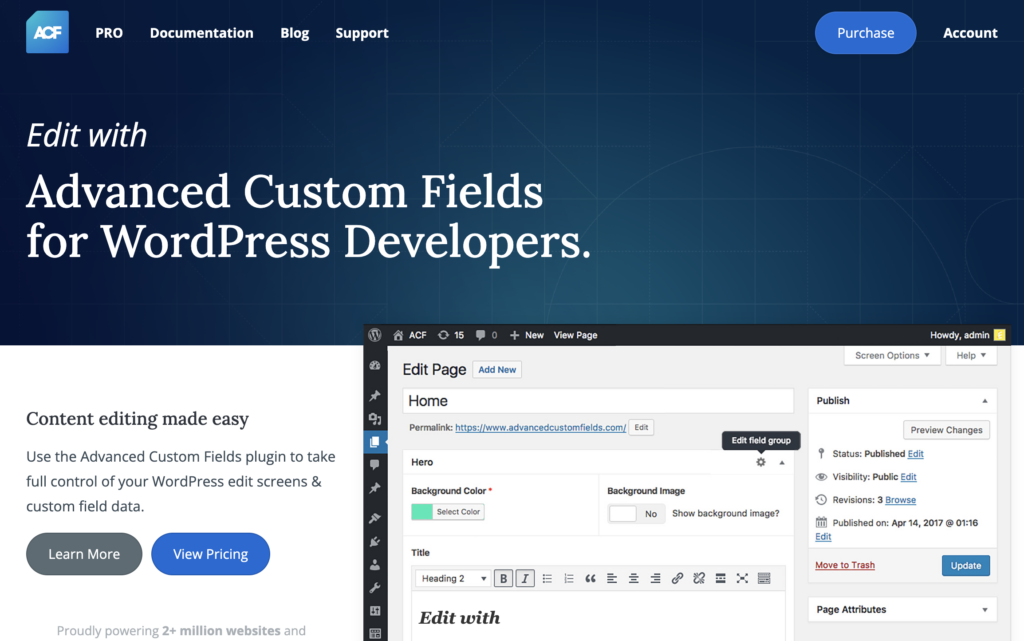
It allows developers to add fields anywhere in WordPress with just a few clicks, helping create custom content management solutions quickly.
Highlights
- Quick field builder: Easily add custom fields to posts, users, taxonomy terms, media, and more.
- Fields anywhere: Add fields to any part of WordPress, including custom options pages.
- Display fields in themes: Use simple functions like get_field() to load and display values in any theme template.
- 30+ field types: Includes a wide variety of field types to customize your content.
- Post Types & Taxonomies: Register custom post types and taxonomies directly in the ACF interface.
- Extensive documentation: Access tutorials, guides, and code examples for easy development.
- Free support: Get help from the growing ACF community or contact the support team.
Why Advanced Custom Fields?
ACF makes building custom WordPress sites easier by allowing developers to add, manage, and display custom fields without needing extensive coding.
It’s intuitive, flexible, and includes powerful features to help you create advanced WordPress templates.
For developers looking to save time, ACF also offers professional features such as reusable data, page builders, and custom admin pages, making it a must-have tool for WordPress development.
Read More: Offshore WordPress Development: All You Need to Know
Visual Studio Code
Visual Studio Code (VS Code) is a flexible and powerful code editor, ideal for WordPress development. It offers features such as IntelliSense and syntax highlighting that help developers write cleaner, faster code for WordPress websites.
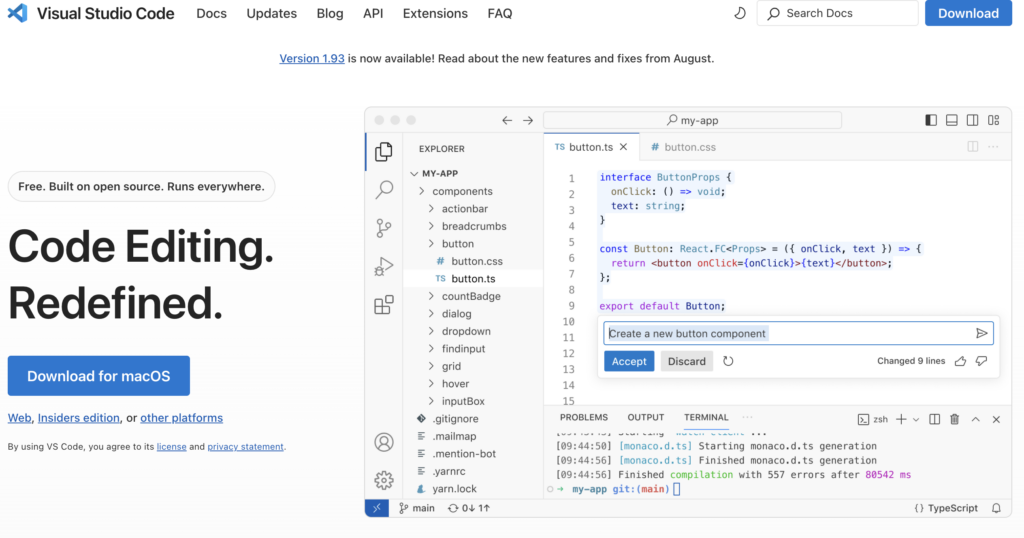
With excellent version control system integration, VS Code also enables seamless collaboration between developers and clients.
Highlights
- IntelliSense and syntax highlighting: Helps developers write code faster and more accurately.
- Version control integration: Smooth collaboration with version control systems like Git.
- WordPress Playground extension: Instantly run a WordPress server within VS Code for easier development.
- Automatic modes: Detects the type of WordPress project (plugin, theme, or wp-content) and sets up the environment accordingly.
- Lightweight and flexible: Ideal for both small and large WordPress projects.
Why Visual Studio Code?
VS Code is perfect for WordPress developers looking for a powerful yet lightweight editor. With its WordPress Playground extension, developers can instantly set up a local WordPress environment, making it easier to test themes and plugins.
It supports seamless version control, allowing teams to collaborate effectively on projects. VS Code’s flexibility, ease of use, and advanced features make it an essential tool for WordPress development.
Keep Reading: Benefits of White-Label WordPress Development for Agencies
Sublime Text
Sublime Text is a highly customizable, lightweight code editor perfect for WordPress development. It allows developers to write and edit PHP code in a clean and efficient environment, improving code readability and productivity.
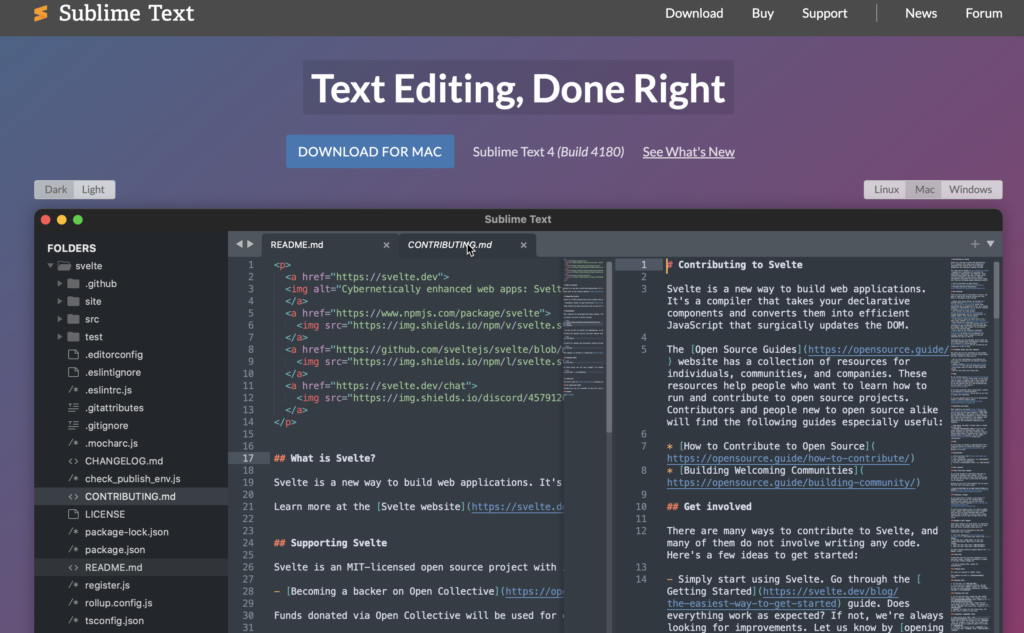
With cross-platform support for Linux, macOS, and Windows, Sublime Text offers a flexible solution for developers working on WordPress projects.
Highlights
- Customizable and lightweight: Tailor your editing experience with extensions to enhance functionality.
- Efficient code navigation: Easily find and modify code, even across large projects.
- Cross-platform: Works seamlessly on Linux, macOS, and Windows.
- GPU rendering: Smooth and power-efficient interface rendering up to 8K resolutions.
- Context-aware auto-complete: Provides smart completions based on existing project code.
- Multi-select tabs: Effortless split views and improved code navigation across tabs.
- Supports modern JavaScript: Built-in support for TypeScript, JSX, and TSX.
- Refreshed UI: Adaptive themes with dark mode and custom title bars for Windows and Linux.
Why Sublime Text?
Sublime Text is ideal for WordPress developers looking for a simple yet powerful editor. Its customizability through extensions makes it adaptable to any workflow, while features like context-aware auto-complete and superpowered syntax highlighting streamline the coding process.
With support for modern programming languages and an updated Python API, Sublime Text enhances the WordPress development experience with speed, flexibility, and precision.
Keep Reading: Best Custom Web Portal Development Companies
Other Plugins and Tools That Developers Use
Here are some of the other plugins and tools that a developer may use during a project as per client requirement.
Beaver Builder
Beaver Builder is a reliable and intuitive drag-and-drop page builder plugin that empowers WordPress developers to design professional layouts without writing a single line of code.

It comes with a front-end visual editor that lets you see changes in real time, speeding up and improving overall development efficiency.
From landing pages to full website builds, Beaver Builder offers a solid foundation for developers and designers working across projects of all sizes.
Highlights
- Drag-and-drop editor: Build and customize page layouts visually using a clean, front-end interface that updates in real time.
- Pre-built templates & modules: Access a wide library of ready-to-use templates and modules to speed up development.
- Responsive design controls: Fine-tune layouts for desktop, tablet, and mobile with dedicated responsive editing settings.
- Theme Builder: Design global headers, footers, and post layouts to maintain consistency across the entire website.
- WooCommerce compatibility: Build and customize WooCommerce product pages and shop layouts directly within the editor.
- Developer-friendly codebase: Clean, well-structured code output that developers can easily extend using hooks, filters, and custom modules.
Why Beaver Builder?
Beaver Builder stands out as a go-to WordPress development tool for its balance of simplicity and power. It allows developers to deliver polished, responsive websites efficiently while giving clients an easy-to-use post-launch editing experience.
Its stable, lightweight codebase ensures performance isn’t compromised, and its white-labeling options make it especially valuable for agencies managing multiple client projects.
Rank Math
Rank Math is a feature-rich SEO plugin for WordPress that provides developers and content creators with a comprehensive suite of tools to optimize websites for search engines.

It integrates directly into the WordPress dashboard, offering on-page SEO analysis, schema markup, sitemap generation, and keyword tracking, all within a single plugin.
Whether you’re building a blog, business site, or eCommerce store, Rank Math simplifies the technical and content side of SEO management.
Highlights
- On-page SEO analysis: Get real-time SEO scoring and actionable recommendations while creating or editing content.
- Schema markup generator: Add structured data to pages and posts easily using a built-in, no-code schema builder.
- Automated XML sitemaps: Automatically generate and manage XML sitemaps to improve crawlability for search engines.
- Multi-keyword optimization: Optimize a single post for multiple focus keywords simultaneously, unlike many competing plugins.
- Google Search Console integration: Connect directly to GSC to monitor impressions, clicks, and keyword performance from the dashboard.
- Redirection manager: Set up and manage 301/302 redirects with ease to maintain SEO equity during site restructuring.
Why Rank Math?
Rank Math consolidates a wide range of SEO functionality into a single lightweight, well-optimized plugin, reducing the need for multiple tools.
Its intuitive setup wizard, granular controls, and deep integration with Google’s ecosystem make it a smart choice for developers who want to deliver SEO-ready websites to clients.
The free version alone offers features that competing plugins reserve for premium tiers, making it exceptionally cost-effective.
WPForms
WPForms is a beginner-friendly yet powerful WordPress form builder plugin that lets developers create fully functional forms with a simple drag-and-drop interface.
It supports everything from basic contact forms to complex multi-page forms with conditional logic, payment integrations, and user registration fields.
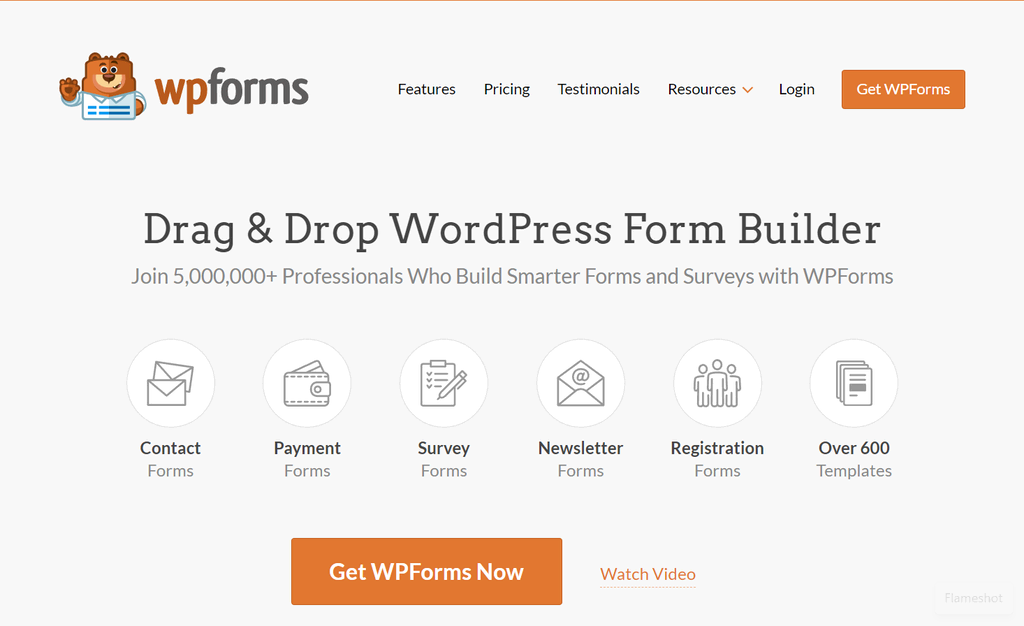
With its extensive template library and seamless third-party integrations, WPForms is a go-to solution for adding interactive form functionality to any WordPress site.
Highlights
- Drag-and-drop form builder: Design and customize forms visually without any coding knowledge, saving significant development time.
- Pre-built form templates: Choose from hundreds of ready-made templates for contact forms, surveys, registrations, and more.
- Conditional logic: Show or hide form fields dynamically based on user input to create smarter, more personalized form experiences.
- Payment integrations: Accept payments directly through forms via integrations with Stripe, PayPal, and Square.
- Entry management: View, filter, and manage form submissions directly within the WordPress dashboard.
- Spam protection: Built-in CAPTCHA, honeypot, and anti-spam features to keep form submissions clean and legitimate.
Why WPForms?
WPForms strikes the ideal balance between ease of use and advanced functionality, making it suitable for both beginners and experienced developers.
Its extensive integration ecosystem, which connects to email marketing platforms, CRMs, and payment gateways, makes it a versatile tool for building feature-rich websites.
The plugin’s performance-focused, lightweight design ensures it doesn’t slow down sites, which is critical when working on client projects with high performance standards.
Wordfence
Wordfence is one of the most widely used WordPress security plugins, offering developers a robust, end-to-end solution to protect websites from malware, brute-force attacks, and other cyber threats.

It includes a Web Application Firewall (WAF), malware scanner, live traffic monitoring, and login security tools, all accessible from a centralized dashboard.
Whether you’re managing a single site or an entire portfolio, Wordfence provides the security infrastructure needed to keep WordPress installations safe.
Highlights
- Web Application Firewall (WAF): Blocks malicious traffic and known attack patterns before they can reach your WordPress site.
- Malware scanner: Scans core files, themes, and plugins for malware, backdoors, and code injections with scheduled or on-demand scanning.
- Brute-force protection: Enforces login attempt limits and requires CAPTCHA to prevent unauthorized access to the WordPress admin.
- Live traffic monitoring: View real-time traffic, including bots and hackers, to identify and respond to threats immediately.
- Two-factor authentication (2FA): Add an extra layer of login security to admin and user accounts.
- IP blocking & country blocking: Manually block specific IPs or entire geographic regions to reduce exposure to malicious traffic sources.
Why Wordfence?
Wordfence provides developers with a comprehensive, reliable security layer that addresses both proactive protection and incident response.
Its deep integration with WordPress core makes it more effective than generic security solutions, and its frequent updates to firewall rules and malware signatures ensure protection against emerging threats.
For developers building or maintaining client websites, Wordfence offers the peace of mind that comes with enterprise-grade security in an accessible plugin format.
WP Rocket
WP Rocket is a premium WordPress caching and performance optimization plugin designed to significantly improve website speed and Core Web Vitals scores.

Unlike many performance tools that require technical expertise, WP Rocket activates best-practice optimizations automatically upon installation.
It covers everything from page caching and GZIP compression to database cleanup and lazy loading, making it an essential tool for developers focused on delivering fast, high-performing WordPress websites.
Highlights
- Page caching: Instantly generates cached versions of pages to reduce server load and dramatically improve load times for visitors.
- Lazy loading: Defers loading images and videos until they are visible in the viewport, improving initial page load speed.
- CSS & JavaScript optimization: Minify, combine, and defer CSS and JS files to reduce render-blocking resources and improve performance scores.
- Database optimization: Clean up post revisions, transients, and other unnecessary database entries to keep the database lean.
- CDN integration: Easily integrate with popular CDN providers to serve static assets faster to global audiences.
- Google Fonts optimization: Locally host or optimize Google Fonts loading to reduce external requests and improve performance.
Why WP Rocket?
WP Rocket is the benchmark for WordPress performance plugins, offering a powerful combination of ease of use and technical depth.
Its configuration requires minimal effort while delivering measurable improvements in Core Web Vitals, PageSpeed scores, and overall user experience.
For developers working on client sites or performance-sensitive projects, WP Rocket reduces the time spent on manual optimization while consistently producing outstanding results.
BlogVault
BlogVault is a dedicated WordPress backup and site management plugin that provides developers with a reliable, automated solution for protecting and managing their websites.

It offers real-time incremental backups, one-click restore functionality, staging environments, and site migration tools, all managed through a centralized external dashboard.
BlogVault is purpose-built for developers and agencies that need a dependable safety net and streamlined site management workflow across multiple WordPress installations.
Highlights
- Automated incremental backups: Continuously back up only the changed data rather than the entire site, ensuring backups are fast and storage-efficient.
- Off-site backup storage: All backups are stored on BlogVault’s secure external servers, independent of your hosting environment.
- One-click restore: Restore your entire website or specific files to any previous backup point quickly and without technical complexity.
- Staging environment: Create a full staging copy of your site with one click to safely test updates, changes, or new features before going live.
- Site migration: Migrate WordPress sites to new hosts or domains efficiently using the built-in migration tool.
- Multisite management: Manage, monitor, and maintain multiple WordPress sites from a single, unified external dashboard.
Why BlogVault?
BlogVault is a developer-first solution that addresses one of the most critical aspects of WordPress management: reliable, accessible backups with minimal overhead.
Its external storage model ensures backups remain safe even if the hosting environment is compromised, which is a significant advantage over host-dependent backup solutions.
For agencies and freelancers managing multiple client sites, BlogVault’s centralized management dashboard simplifies workflows and ensures consistent site protection across all projects.
WooCommerce
WooCommerce is the most widely adopted eCommerce plugin for WordPress, transforming any standard WordPress website into a fully functional online store.

Built and maintained by Automattic, it provides developers with an extensive, flexible framework for managing products, payments, shipping, taxes, and orders.
Its open-source architecture and vast ecosystem of extensions make it the default choice for building eCommerce solutions on WordPress at any scale.
Highlights
- Product management: Create and manage simple, variable, grouped, and downloadable products with detailed inventory and pricing controls.
- Payment gateway integrations: Accept payments via Stripe, PayPal, and dozens of other gateways through official and third-party extensions.
- Shipping configuration: Set up flexible shipping zones, rates, and methods, including integration with major carriers for real-time rates.
- Tax management: Automatically calculate and apply taxes based on location with support for complex regional tax rules.
- REST API: Access WooCommerce data programmatically via a comprehensive REST API for custom integrations and headless builds.
- Extensive extensions library: Extend core functionality with hundreds of official and third-party extensions for subscriptions, memberships, bookings, and more.
Why WooCommerce?
WooCommerce offers an unmatched combination of flexibility, scalability, and community support, making it the definitive eCommerce development tool for WordPress.
Its open-source nature means developers have complete control over customization, from front-end design to back-end logic, without being locked into proprietary systems.
Whether building a small boutique store or a large-scale marketplace, WooCommerce’s architecture supports growth while its massive extension ecosystem ensures virtually any feature requirement can be met.
MemberPress
MemberPress is a powerful WordPress membership and monetization plugin that enables developers to build fully functional subscription-based websites, online courses, and gated content platforms.

It provides comprehensive access control, allowing you to restrict content based on membership levels, user roles, or subscription status.
With its built-in payment processing and seamless integrations, MemberPress is the go-to plugin for developers building membership-driven business models on WordPress.
Highlights
- Content access control: Restrict access to specific pages, posts, categories, or custom post types based on membership rules and user permissions.
- Membership levels: Create unlimited membership tiers with individual pricing, billing cycles, and access permissions tailored to different user groups.
- Payment integrations: Process payments and manage subscriptions via Stripe, PayPal, and Authorize.net with support for one-time and recurring billing.
- MemberPress Courses: Build and sell structured online courses with lessons, quizzes, and progress tracking directly within the plugin.
- Automated drip content: Schedule content release over time to keep members engaged and reduce subscription cancellations.
- Developer-friendly hooks & API: Extensive action and filter hooks, along with a REST API, enable deep customization and third-party integrations.
Why MemberPress?
MemberPress simplifies the complex process of building and managing a membership-based website by combining access control, payment processing, and content management into a single, well-integrated plugin.
Its intuitive, rule-based access system gives developers precise control over who sees what, while its native course builder reduces the need for additional plugins.
For developers and agencies building client platforms focused on subscriptions, communities, or e-learning, MemberPress offers a robust, scalable foundation.
WPML
WPML (WordPress Multilingual Plugin) is the industry-leading solution for building multilingual WordPress websites.
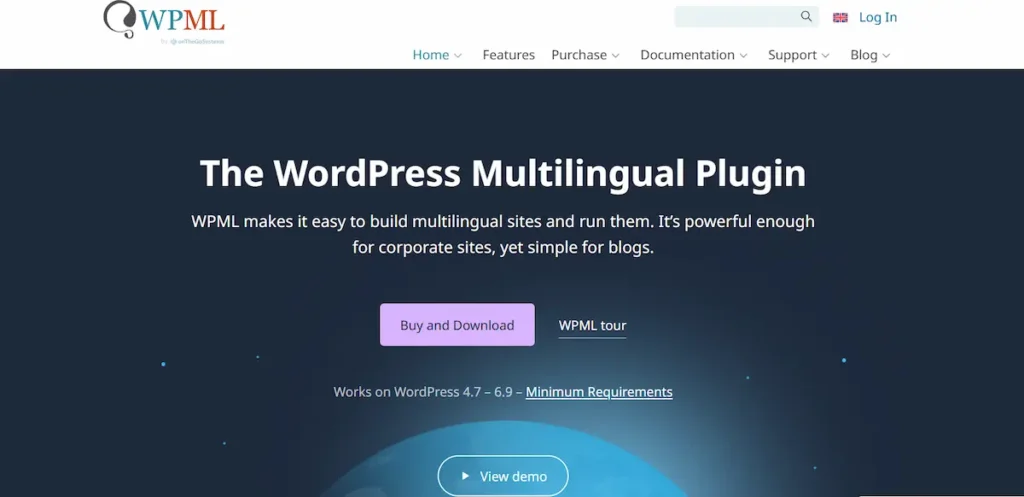
It enables developers to translate every aspect of a WordPress site, including pages, posts, custom post types, themes, and plugins, into multiple languages while maintaining full SEO optimization for each language version.
WPML is trusted by professional developers and agencies worldwide for delivering high-quality multilingual websites to global audiences.
Highlights
- Content translation: Translate pages, posts, custom post types, taxonomies, and metadata using a built-in translation editor or external translation services.
- Theme & plugin translation: Translate strings from themes and plugins directly within WPML without modifying source files.
- Multilingual SEO: Generate language-specific URLs, hreflang tags, and SEO metadata to ensure each language version ranks correctly in search engines.
- WooCommerce multilingual: Fully compatible with WooCommerce to create multilingual product catalogs, checkout flows, and order management.
- Translation management: Assign content to in-house translators or send directly to professional translation services via WPML’s integrated workflow.
- String translation: Translate non-post content such as navigation menus, widgets, and theme-specific text strings with ease.
Why WPML?
WPML is the most comprehensive and reliable multilingual solution for WordPress, offering developers a complete toolkit for building globally-accessible websites without compromising performance or SEO.
Its compatibility with virtually all major themes, page builders, and plugins, including Elementor, WooCommerce, and ACF, makes it the safest choice for complex, multilingual builds.
For developers delivering international websites, WPML removes the technical barriers of multilingual development while ensuring a seamless experience for both site managers and end users.
LearnDash
LearnDash is a premium WordPress LMS (Learning Management System) plugin that enables developers to build sophisticated e-learning platforms, online academies, and training portals.

It provides a comprehensive suite of tools for creating structured courses with lessons, topics, quizzes, assignments, and certificates, all within the familiar WordPress environment.
Trusted by major universities, corporations, and independent course creators, LearnDash is built for scalability and developer extensibility.
Highlights
- Course builder: Design multi-level course structures with sections, lessons, topics, and quizzes using an intuitive drag-and-drop course builder.
- Quiz & assessment engine: Create advanced quizzes with multiple question types, time limits, prerequisites, and detailed result reporting.
- Drip-feed content: Schedule lessons and topic availability over time to guide learners through structured learning paths.
- Certificates & badges: Automatically award custom-designed certificates and gamification badges upon course or quiz completion.
- Monetization options: Sell courses individually, as bundles, or via subscriptions with native integration for payment gateways and membership plugins.
- REST API & developer hooks: An extensive REST API, action hooks, and filters enable deep customization and integration with third-party platforms and tools.
Why LearnDash?
LearnDash combines the flexibility of WordPress with enterprise-grade LMS functionality, making it the preferred choice for developers building scalable e-learning platforms.
Its clean, extensible codebase allows for deep customization, while native integrations with tools like WooCommerce, MemberPress, and bbPress enable the creation of comprehensive learning ecosystems.
Whether building a client training portal or a full-scale online university, LearnDash delivers the power and reliability needed to support complex educational requirements.
How to Choose the Best Development Tool for WordPress?
Select tools that align with your technical expertise, project scope, and long-term goals. The right choice should simplify your workflow while improving code quality, performance, and collaboration.
Key Factors to Consider
- Define your requirements first. Identify whether you need a full-featured IDE with debugger support for a complex codebase, or a lightweight text editor that is free to use and easy to set up.
- Review core features carefully. Look for strong code completion, clear error messages, template hierarchy awareness, support for hooks, and compatibility with plugins such as WooCommerce, or Elementor.
- Check version control and automation support. Ensure integration with GitHub repositories, smooth pull request handling, and compatibility with WP CLI for command-line tasks.
- Evaluate AI capabilities. AI-powered coding assistant tools that understand prompts and generate contextual code suggestions can improve productivity, reduce repetitive tasks, and assist with data analysis or layout changes.
- Compare pricing plans and limitations. Consider subscription models, free trial options, and whether the feature set justifies the investment for your budget and growth plan.
- Prioritize reliability and performance. Choose tools that support staging environments, work well with hosting providers, and help detect performance issues before deployment.
- Ensure smooth workflow integration. The best option should enhance collaboration among team members, reduce conflicts, and fit naturally into your overall development workflow.
Conclusion
As we wrap up our journey through these WordPress development tools, remember that the right toolkit can transform your coding experience from a caffeine-fueled slog to a smooth, enjoyable process.
Whether you’re a seasoned pro or just starting out, there’s always room to refine your craft and streamline your workflow.
So why not give some of these tools a spin? Who knows – you might just find the missing piece that takes your WordPress development game to the next level. Happy coding, and may your sites be ever responsive and your debug sessions short!
WordPress Development Tools FAQs
What are the best WordPress development tools for beginners?
Beginners should start with user-friendly tools that simplify setup and reduce the learning curve. A lightweight code editor, a visual website builder, and essential development plugins such as Query Monitor can help. Tools that are free to use or offer a free trial are ideal for learning without high upfront costs.
Do I need an IDE for WordPress development?
You do not always need a full IDE, but it helps for complex projects. An IDE offers advanced code completion, debugging, and better codebase management. For small website development tasks, a simple text editor may be enough.
How do AI tools improve WordPress development?
AI tools speed up coding and reduce repetitive tasks. They provide code suggestions, assist with debugging, generate snippets, and even help with content generation. AI-powered coding assistants also improve productivity and support faster problem-solving.
Why is WP CLI important in a development workflow?
WP CLI lets you manage WordPress from the command line. You can update plugins, run database queries, and automate tasks quickly. It improves efficiency and reduces manual work in the admin panel.
How do I avoid performance issues while using development tools?
Choose tools that follow coding standards and support optimization. Use staging environments to test site changes before launch. Monitor website performance with debugging tools and fix errors early to prevent long-term issues.



