Running a successful online store is more than just listing products and processing orders. Behind every high-performing ecommerce website is a consistent, structured maintenance routine that keeps it fast, secure, and profitable. Ecommerce website maintenance is the ongoing process of monitoring, updating, and optimizing your online store to ensure it continues to deliver the best possible experience to shoppers.
This guide covers everything you need to know, from why maintenance matters to the exact strategies and best practices that keep your ecommerce site performing at its peak.
Ecommerce website maintenance involves ongoing updates and checks that keep an online store secure, functional, and optimized. It includes monitoring website performance, updating software, managing content, checking security, fixing technical issues, and reviewing customer facing features.
Regular maintenance reduces website errors, supports consistent performance, and helps ensure a smoother shopping experience for users.
Why Ecommerce Website Maintenance is Important for Online Store Growth?
Many store owners focus on marketing and product development. They often overlook the technical foundation that makes everything else work. Without regular maintenance, even the best-designed online store can deteriorate quickly, losing customers, rankings, and revenue.
Here is why ecommerce website maintenance is not optional. It is essential.
Improve Ecommerce Website Performance and Page Loading Speed
Page speed is directly tied to revenue. Research shows that conversion rates drop by 17% for every additional second of load time. Amazon found that every 100ms of page-load delay reduces sales by 1%. And 40% of users abandon a site that takes more than three seconds to load.
These numbers are not theoretical. They reflect what happens on real ecommerce platforms every day. Outsourcing website speed optimization to experienced professionals can make a significant difference when internal teams lack the bandwidth to consistently handle performance issues.
Regular maintenance keeps your site infrastructure lean. It removes unnecessary code bloat, optimizes images, clears caching layers, and ensures your server response times stay low. The result is a faster site, fewer abandoned carts, and more completed purchases.
Enhance Ecommerce Website Security and Prevent Cyber Threats
Security is a top priority for any online business. Hackers attack websites on average every 39 seconds. Outdated plugins, themes, and platforms create open doors for attackers to exploit. Applying security patches promptly closes those vulnerabilities before they become liabilities.
Data breaches can irreparably damage your brand’s reputation. Customers whose personal or payment information is compromised rarely return.
Maintaining an SSL certificate, enforcing two-factor authentication, and running regular security scans are all non-negotiable tasks for any ecommerce store. The growing role of AI and ecommerce website security also means that automated threat detection tools can now help you stay one step ahead of attackers.
Maintain Better User Experience and Customer Satisfaction
A poorly maintained website creates friction. Broken links, slow pages, confusing navigation, and outdated content all push shoppers toward your competitors.
Research shows that 88% of visitors will not return after a bad user experience. And 60% of shoppers abandon their carts due to poor website usability.
High-quality product images, informative descriptions, and a smooth checkout process all contribute to a positive user experience. These elements require consistent upkeep. They do not stay optimized on their own.
Protect SEO Rankings Through Regular Website Maintenance
Search engines reward fast, secure, technically sound websites. Regular maintenance directly supports your search engine optimization efforts.
Fixing crawl errors, removing broken links, updating metadata, and improving Core Web Vitals all signal to search engines that your site deserves higher placement in search results.
Outdated content can lead to a loss of customer trust and a drop in organic rankings. Regular content updates, on the other hand, drive organic traffic and improve your visibility across search engines.
Adding meta keywords properly and keeping your on-page SEO elements current are practical maintenance habits that compound over time.
Reduce Downtime and Improve Ecommerce Store Reliability
Site crashes can cost businesses over $300,000 per hour. Even a few minutes of unexpected downtime during peak shopping periods can result in significant revenue loss and lasting reputational damage. Consistent uptime monitoring helps retain customer confidence in your ecommerce site.
A proactive maintenance plan includes uptime monitoring, load testing, and contingency measures to catch and resolve issues before they become outages. Reliable website infrastructure is the foundation of a trustworthy online store.
Ensure Smooth Website Updates and Feature Improvements
As your business grows, so do your website requirements. New payment methods, integrations, design changes, and feature additions all need to be implemented carefully.
A site with a solid maintenance foundation handles updates more smoothly and with fewer conflicts. Without that foundation, even minor updates can cause unexpected breakage across the site.
Maintain Your Ecommerce Store With Expert Support
Get dedicated ecommerce website maintenance services to improve website performance, security, and customer experience.
Ecommerce Website Maintenance 101: Strategies for a High-Performing Online Store
Knowing why maintenance matters is the first step. Knowing exactly what to do is what separates high-performing stores from struggling ones. Below are the core strategies every ecommerce store owner or manager should follow.
Regular Ecommerce Backups and Data Recovery
Automated backups are your last line of defense against data loss. Whether it is a failed update, a hacking attempt, or a server failure, backups allow you to restore your store quickly and completely.
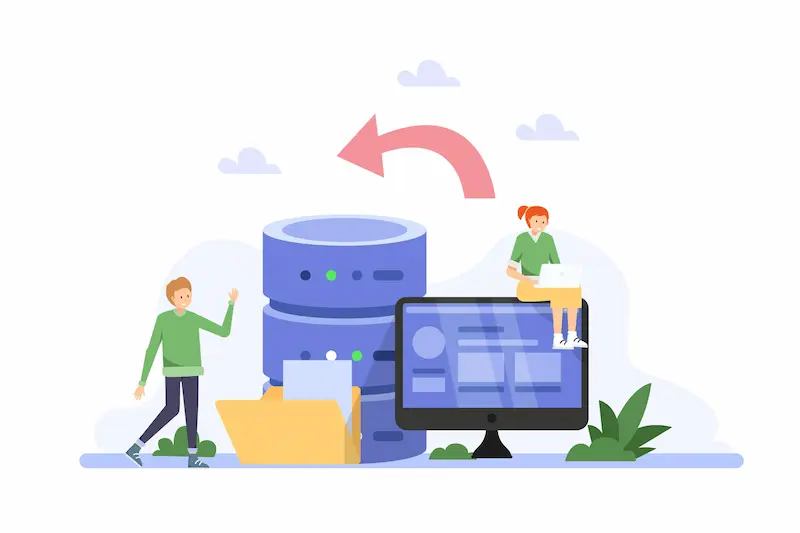
Schedule daily or weekly automated backups depending on how often your site changes. Store them in a secure, off-site location separate from your hosting environment. Disaster recovery planning should be part of your broader maintenance strategy, not an afterthought.
Update Ecommerce Platforms, Plugins, Themes, and Extensions
Regular software updates fix security vulnerabilities and add features that improve your store’s functionality. Outdated plugins and themes are among the most common entry points for attackers. Applying theme and platform updates on a regular schedule keeps your site compatible, secure, and up to date.
Before applying updates to a live site, test them in a staging environment. This prevents update-related errors from impacting your customers. Understanding deferred WordPress updates and when to hold off on certain updates can also protect your site from compatibility conflicts.
Monitor Ecommerce Security and Malware Protection
Routine security monitoring helps you identify threats before they escalate. Run weekly malware scans with tools like Sucuri, Wordfence, or MalCare.
Review login attempts for unusual activity. Implement Web Application Firewalls (WAF) to filter malicious traffic before it reaches your site.
If your site is ever compromised, acting fast is critical. Knowing how to instantly repair a hacked site can mean the difference between a minor incident and a full-scale breach. Security monitoring is not a one-time task; it is a continuous process that runs in the background around the clock.
Optimize Ecommerce Speed and Core Web Vitals
Core Web Vitals, including Largest Contentful Paint (LCP), First Input Delay (FID), and Cumulative Layout Shift (CLS), are now official Google ranking factors. Your ecommerce site must meet these benchmarks consistently, not just at launch.
Speed optimization tasks include compressing and lazy-loading images, minifying CSS and JavaScript, enabling browser caching, and using a content delivery network (CDN) to serve assets faster to users in different geographic locations.
A CDN reduces latency by distributing your content across multiple global servers, significantly improving load times for international shoppers.
Conduct SEO Audits and Fix Technical Issues
Regular SEO audits help you identify and fix technical issues that hurt your visibility on search engines. Crawl errors, duplicate content, missing meta descriptions, thin product pages, and poor internal linking structures are all common problems in ecommerce stores.
Understanding LSI keywords and incorporating semantically related terms into your product descriptions and blog content strengthens your search relevance over time.
Audits should be conducted at least quarterly and should include a full review of your site’s indexability, structured data, and canonical tags.
Manage Product Pages, Inventory, and Content Updates
Product pages are the heart of your ecommerce website. They need to stay accurate, current, and compelling. Regularly reviewing product data helps avoid stockouts, pricing errors, and customer frustration caused by outdated descriptions or unavailable items.
Creating effective product comparison tables in WooCommerce can enhance the shopping experience and help customers make faster, more confident decisions. Keep your site’s content fresh by adding new blog posts, updating existing product descriptions, and promptly removing discontinued items.
Test Website Functionality and Checkout Process
Checkout failures are silent killers of ecommerce revenue. Routine testing of the checkout process ensures that the payment gateway functionality remains intact.
Test every step of the purchase journey regularly, from adding items to the cart to applying discount codes and completing payment, through to receiving order confirmation emails.
Use tools like BrowserStack or manually test across different browsers and devices. Pay special attention to error messages, form validation, and post-purchase redirects. Even a single broken step in the checkout process can cause a dramatic spike in cart abandonment.
Improve Mobile Responsiveness and Shopping Experience
Mobile commerce accounted for 70% of all ecommerce sales in 2020, and that share has only grown since. Your online store must work flawlessly on mobile devices, not just adequately, but excellently.

Responsive design beyond mobile now extends to tablets, foldable devices, and varying screen resolutions. Cross-device testing ensures proper site functionality across all devices.
Check tap targets, menu behavior, image scaling, and checkout form usability on phones regularly. Mobile UX is not a launch deliverable; it is an ongoing maintenance responsibility.
Monitor Analytics and Customer Behavior Insights
Data should drive your maintenance decisions. Use Google Analytics, Google Search Console, and heatmapping tools like Hotjar to understand how users interact with your site.
Track bounce rates, exit pages, funnel drop-offs, and conversion rates to spot problems before they become costly patterns.
Performance monitoring tools give you a real-time view of your site’s health. Set up alerts for traffic anomalies, revenue dips, and page error spikes so you can investigate and respond quickly. The goal is to make decisions based on evidence, not assumptions.
Fix Broken Links, Errors, and Navigation Issues
Broken links damage both user experience and SEO rankings. A visitor who clicks a dead link and lands on a custom 404 page is at risk of leaving your site entirely.
While a well-designed 404 page can help redirect users, the best approach is to eliminate broken links in the first place.
Run regular broken-link checks with tools like Screaming Frog or Ahrefs. Fix internal broken links immediately and set up 301 redirects for any pages that have been permanently removed or moved.
Clear, logical navigation also reduces user frustration and supports better crawling by search engine bots.
Optimize Ecommerce Database Performance
Your ecommerce database stores everything: orders, customer data, product details, and session information. As your store grows, the database accumulates redundant data, such as post revisions, expired transients, spam comments, and abandoned cart records. This buildup slows down your site over time.
Automating database cleanup can significantly enhance ecommerce site performance. Schedule regular database optimization using tools like WP-Optimize or via direct queries to remove unnecessary records.
For complex setups, WordPress database migration procedures may be needed to move to a more scalable database infrastructure as your store scales.
Efficient database management reduces server response times and directly improves page load speed across your entire store.
Maintain Payment Gateway and Third-Party Integrations
Your payment gateway is the most critical integration on your ecommerce site. If it fails, you stop making money immediately. Routine testing and monitoring of your payment integrations prevent silent failures that go undetected until customers report checkout errors.
Integrating payment gateways correctly and keeping those integrations up to date with the latest API changes from providers like Stripe, PayPal, or Square is a core maintenance responsibility.
The same applies to all third-party integrations, shipping providers, tax calculators, CRM tools, and email marketing platforms. Any outdated integration can silently break workflows.
Review Website Accessibility and Compliance
Accessibility is both a legal requirement and a best practice. Your ecommerce website must be usable by people with disabilities, including those who rely on screen readers, keyboard navigation, or high-contrast display modes. ADA and WCAG 2.1 compliance standards provide the framework you need to follow.
Regular accessibility audits identify issues such as missing alt text on images, poor color contrast, unlabeled form fields, and non-keyboard-accessible menus.
Addressing these issues expands your potential customer base and reduces legal risk. It also signals to search engines that your site is well-structured and user-friendly.
Implement Ecommerce Conversion Rate Optimization (CRO)
Maintenance is not only about keeping things working, but also about making them work better. Conversion rate optimization (CRO) involves testing and improving elements of your site that influence whether visitors complete a purchase.
Run A/B tests on product page layouts, call-to-action buttons, checkout form designs, and trust signals like reviews and security badges.
Even small improvements to conversion rates compound significantly over time. Telltale signs your store needs a website redesign can also emerge from CRO data, patterns that show a structural problem rather than a fixable surface issue.
Keep Your Ecommerce Website Secure and Optimized
Get professional ecommerce website maintenance services to manage updates, security, backups, and performance improvements.
Best Practices for Effective Ecommerce Website Maintenance
Having the right strategies is essential. But execution requires structure, the right tools, and a clear approach. These best practices tie everything together.
Create a Proactive Ecommerce Website Maintenance Schedule
Reactive maintenance, fixing things only after they break, is costly. Proactive maintenance prevents problems before they affect your customers or your revenue. Build a maintenance schedule that defines daily, weekly, monthly, and quarterly tasks.

Daily tasks might include uptime monitoring and order processing checks. Weekly tasks could include security scans, broken link checks, and backup verification.
Monthly tasks should cover plugin and theme updates, SEO audits, and analytics reviews. Quarterly tasks should include full performance audits, accessibility reviews, and database optimization. A documented maintenance checklist ensures nothing falls through the cracks.
Use Ecommerce Monitoring Tools to Track Website Health
The right tools make maintenance faster and more reliable. Use a combination of tools to cover different aspects of your site’s health. For WordPress website health checks, WordPress’s built-in health screen provides a snapshot of critical issues. Supplement it with external monitoring services like UptimeRobot or Pingdom for uptime monitoring.
For security, use dedicated scanning and firewall tools. For SEO, rely on Google Search Console alongside third-party tools like Ahrefs or SEMrush.
For performance, run regular tests using Google PageSpeed Insights and GTmetrix. The combination of these tools gives you a complete picture of your site’s performance at all times.
Choose the Right Ecommerce Website Maintenance Approach
Every ecommerce business has different needs, budgets, and technical capabilities. The right maintenance approach depends on your team’s expertise and your site’s complexity.
Smaller stores might manage maintenance in-house with the right tools and documentation. Larger or more complex stores often benefit from professional ecommerce website maintenance services.
When deciding between custom vs. template ecommerce platforms, keep in mind that custom-built stores typically require more specialized expertise to maintain. Template-based platforms like WooCommerce or Shopify include built-in update mechanisms but still require ongoing monitoring and optimization.
A dedicated maintenance company or white-label agency can provide specialized expertise, priority support, and proactive monitoring that in-house teams may not consistently deliver.
Balance Manual Maintenance With Automated Website Management
Manual oversight and automation work best together. Automating routine tasks, like backups, security scans, database cleanups, and uptime checks, frees your team to focus on higher-value work.
However, automation alone is not sufficient. Manual review is necessary to catch edge cases, interpret data, and make judgment calls that tools cannot make on their own.
Automated backups protect against data loss, but someone still needs to verify that those backups are complete and restorable. Automated security scanners identify threats, but a human must evaluate their severity and take appropriate action.
Workflow automation with white-label WordPress services can help agencies and store owners strike that balance effectively, automating the repeatable while preserving human oversight for the critical.
Build your maintenance workflow so that automation handles the volume and humans handle the judgment. That combination scales well and keeps your store fast, reliable, and secure over the long term.
Conclusion: Why Ecommerce Website Maintenance is Essential
Your ecommerce website is not a one-time project. It is a living, evolving platform that requires consistent upkeep to remain competitive, secure, and profitable. Every day you delay maintenance is a day your site edges closer to poor performance, security vulnerabilities, or lost search rankings.
The good news is that a structured, proactive maintenance approach is entirely manageable. Whether you handle it internally or partner with professional ecommerce website maintenance services, the key is consistency.
Regular maintenance ensures fast page load times, a better user experience, and better search engine rankings. It protects customer data, reduces downtime risk, and builds the trust customers need to keep coming back to your store.
Online reputation management is partly built on technical reliability. A site that is always fast, always secure, and always accurate sends a powerful signal to both customers and search engines.
Treat the ecommerce website maintenance not as a cost center but as a growth driver. Because in a competitive online marketplace, the stores that invest in consistent upkeep are the ones that retain customers, rank higher, and scale faster.
FAQs About Ecommerce Website Maintenance
What is ecommerce website maintenance?
Ecommerce website maintenance involves regular tasks that keep an online store secure, up to date, fast, and functional. It includes backups, security checks, software updates, SEO monitoring, product updates, and performance optimization.
Why is ecommerce website maintenance important?
Ecommerce website maintenance helps prevent security issues, reduce downtime, improve user experience, maintain SEO rankings, and ensure customers can browse and complete purchases smoothly.
How often should an ecommerce website be maintained?
Ecommerce websites should be monitored regularly, with daily checks for critical issues, weekly updates for performance and security, and monthly reviews for SEO, content, and technical improvements.
What are the key ecommerce website maintenance tasks?
Common maintenance tasks include updating plugins and themes, checking website security, optimizing speed, fixing broken links, managing product information, testing checkout functionality, and reviewing analytics.
Can ecommerce website maintenance improve SEO performance?
Yes. Regular maintenance can support SEO by improving website speed, fixing technical errors, maintaining mobile performance, updating content, and ensuring search engines can properly crawl and index pages.