

AI chatbot has quickly moved from being a futuristic idea to becoming a practical tool that every modern website can use.
Whether you run an ecommerce store, a service business, an online course platform, or a WordPress blog, visitors expect answers right away.
They want quick guidance, instant support, and clear information without searching through pages. This is where no code AI chatbots change the experience.
You no longer need to write a single line of code to build a personalised chatbot for your website.
Today’s no code platforms let you design conversation flows, train the bot on your own content, connect AI models like GPT or Claude, and publish everything within minutes.
Anyone can build a smart assistant that feels natural, helpful, and perfectly matched to their brand.
But building the bot is only half the work. The real impact comes from hosting it correctly. Good hosting ensures that your chatbot loads fast, responds instantly, and handles traffic without breaking.
This guide walks you through the complete process of creating a no code AI chatbot and hosting it in a way that keeps it reliable and ready for your customers at all times.
If you want a chatbot that works smoothly on your WordPress site and matches your brand experience, this step by step guide has everything you need.
Why No Code AI Chatbots Are Transforming Modern Websites
AI chatbots are no longer just another feature on a website. They have become an essential part of how businesses communicate online.
Visitors expect instant answers, smooth guidance, and personalised help at any hour. A no code AI chatbot delivers all of this without requiring development skills or large engineering budgets.
Businesses across industries use these chatbots to improve customer support, qualify leads, assist shoppers, and provide information faster than traditional methods.
Ecommerce brands answer product questions in seconds. SaaS companies guide users through onboarding. Educators help students find the right resources.
Service providers simplify booking and support. Every business gains a faster and more efficient way to handle conversations.
The appeal grows even stronger because no code platforms remove the technical barriers that normally come with chatbot development.
You can create flows with simple drag and drop tools. You can train the bot using your documents, webpages, and FAQs.
Also, you can customise the tone, style, and personality to match your brand. And you can integrate powerful AI models to handle questions that do not fit your preset steps.
All of this works well only when the chatbot is hosted properly. Hosting gives your bot the speed, reliability, and uptime it needs to handle real world traffic. By pairing no-code chatbot platforms with robust artificial intelligence services, companies can scale smarter conversations while maintaining performance, security, and flexibility as demand grows.
A well hosted chatbot improves user experience, reduces bounce rates, and increases conversions. It becomes an always available assistant that supports your visitors from the moment they land on your website.
When you combine no code tools with strong hosting, you get a chatbot that feels modern, fast, and ready for every type of user interaction.
Launch a Fast and Reliable AI Chatbot on Your WordPress Site
Seahawk helps you set up, host, and optimise chatbots that enhance user experience and support your business around the clock.
Steps to Build Your No Code AI Chatbot
Creating an AI chatbot is simpler than ever because modern tools let you design, train, and deploy without learning programming.

Each step plays a role in shaping how your chatbot behaves, responds, and supports your users.
Below are the essential stages that guide you from idea to a fully functional bot ready to be hosted on your website.
Step 1. Choose the Right No Code AI Chatbot Builder
The first decision you make influences how easily you can build and maintain your chatbot.
No code platforms like Wotnot, Typebot, Tidio, HubSpot Chatbot Builder, Chatling, and others offer visual interfaces that allow you to create flows without technical skills.
Each tool is built with a different focus such as design flexibility, automation strength, or CRM integration.
You should look at features like AI model support, training options, channel integrations, and ease of embedding. Pick a platform that matches your use case.
For example, an ecommerce store may need templates and live support, while a course creator may want a bot that answers student questions.
Once you choose your tool, you are ready to start designing the core experience.
Step 2. Design the Purpose and Persona of Your Chatbot
A successful chatbot begins with clarity. Ask yourself why you are building it. Some businesses want a support assistant, while others want a sales helper or a simple FAQ responder.
Defining the aim helps you decide what information the bot must handle and what tone it should speak in. This purpose guides all the choices you make later in the setup.
Next, design the personality your chatbot will use while talking to users. The tone can be friendly, professional, playful, or instructional depending on your brand.
When your bot has a clear voice, users feel more connected and trust the conversation. This simple planning step shapes the entire user experience and prevents confusion during development.
Step 3. Build Conversation Flows and Fallback Logic
Once the purpose is clear, you can start creating the actual interactions. Most no code tools offer block based flow builders where you map out questions and responses.
These flows allow your chatbot to move users through steps such as product selection, troubleshooting, or booking. It is helpful to think about common questions and build clear answer paths for each one.
Even with perfect planning, users will ask unexpected things. This is where fallback logic helps. When a question does not match your predefined flow, the chatbot switches to an AI powered response using models like GPT or Claude.
This keeps the conversation smooth and prevents dead ends. A mix of structured flows and AI responses results in a more complete chatbot.
Step 4. Train Your Chatbot with Knowledge Sources
Training gives your chatbot context about your business so it can respond accurately. Most no code builders allow you to upload documents, URLs, PDFs, and text files.
These become the base knowledge that your bot uses to answer detailed questions. The more complete your training material is, the better the chatbot performs. This includes structuring and maintaining reliable AI chatbot training data sources so responses stay consistent, accurate, and aligned with real customer needs.
This training stage is important for support heavy brands such as ecommerce, education, coaching, and SaaS products.
When your bot understands your policies, services, pricing, and product details, it responds confidently and saves customers time.
Keep your training data updated so your chatbot continues to improve with your business growth.
Step 5. Prepare a Frontend Wrapper for Your Chatbot
Your chatbot needs a place to live on your website. This is where the frontend wrapper comes in.
Most tools provide an embed script that you paste into a simple HTML container or a WordPress block.
This wrapper determines how your chatbot appears, where it is positioned, and how users interact with it.
You can customise the layout with branding elements, colors, and placement options such as bottom corner widgets or full page layouts.
A clean wrapper ensures that visitors enjoy a smooth experience without distractions. Test the wrapper on mobile and desktop screens to confirm that the chatbot looks good everywhere.
Step 6. Publish and Host Your Chatbot on Your Website
After building the bot and preparing the wrapper, the next step is to host it. You can publish the chatbot as a standalone page or embed it inside your existing WordPress website.
Good hosting ensures faster loading times, stable performance, and minimal downtime. This is especially important for websites with global users or high traffic.
If you use Seahawk optimized WordPress setups, your chatbot benefits from faster content delivery and consistent uptime.
After publishing your bot, test it with real users and review analytics to understand how they interact with it. You can then refine flows, update training files, and adjust prompts to improve overall performance.
Best Practices for Hosting an AI Chatbot That Actually Works
Hosting an AI chatbot is not just about embedding a script. It requires the right structure, ongoing updates, and performance optimization.
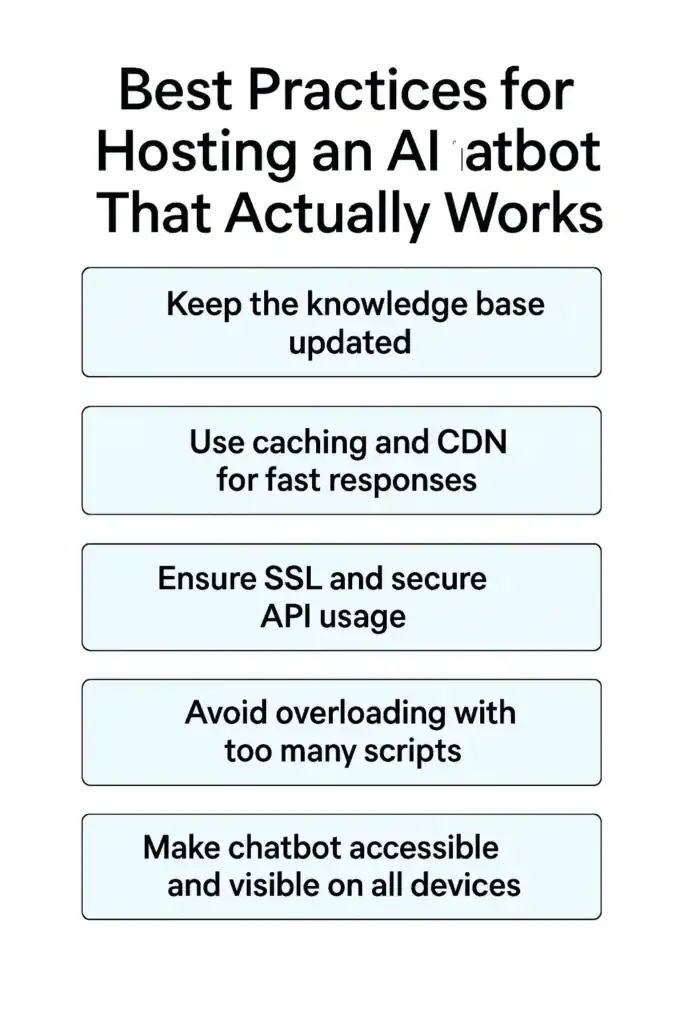
A chatbot works best when both the backend hosting environment and the content behind the bot are maintained with care.
When these elements come together, your website delivers fast responses, accurate answers, and a smooth experience for every user.
These best practices help you keep your chatbot reliable and ready for real conversations.
Keep the Knowledge Base Updated
Your chatbot learns from the information you provide. Update your documents, FAQs, product details, and policy content whenever something changes.
An updated knowledge base ensures your bot stays accurate and avoids outdated answers. This also builds trust with users who rely on your chatbot for quick information.
Use Caching and CDN for Fast Responses
Speed matters. Hosting your website with caching and a global CDN helps your chatbot load quickly for users across different locations.
Faster hosting reduces delays between messages, making the conversation feel more natural. This is especially important for busy websites with visitors from many regions.
Ensure SSL and Secure API Usage
Security is essential for any AI powered bot. Always use SSL to protect user data and secure all API calls used by your chatbot.
This prevents risks such as data leaks or unauthorised access. A secure setup also improves your website’s credibility and trustworthiness.
Avoid Overloading with Too Many Scripts
Websites slow down when too many scripts run at the same time. Use only the scripts you need to run your chatbot. Remove unused plugins or conflicting widgets.
A lighter site improves speed and ensures your chatbot opens without interruptions.
Make Chatbot Accessible and Visible on All Devices
A chatbot should work smoothly on mobile, tablet, and desktop screens. Test how it appears on different device sizes. Ensure the widget does not cover important buttons or content.
A well placed, accessible chatbot encourages users to interact more often and helps improve conversions.
Final Thoughts
Building a no code AI chatbot is no longer a technical challenge reserved for developers. Anyone can design a helpful, intelligent assistant with the right tools and a clear purpose.
The real difference comes from how well the chatbot is hosted and maintained. Strong hosting ensures fast replies, stable performance, and a smooth user experience for every visitor who interacts with your bot.
As your business grows, your chatbot becomes an active part of your customer journey. It supports users during decision making, reduces support load, and improves engagement on your website.
When paired with proper optimisation and a reliable WordPress setup, your AI chatbot feels natural and trustworthy.
If you want your chatbot to work at its full potential, focus on smart design, updated training, and quality hosting.
These simple steps help you build a chatbot that actually benefits your business and delivers real value to your users.
FAQs About No Code AI Chatbot Hosting
Can I add my chatbot to any WordPress theme?
Yes. Most no code chatbot builders provide an embed script that works with any modern WordPress theme. You only need to paste the script inside a block or template.
Does hosting affect chatbot speed?
Hosting plays an important role in response time. A slow server delays every message. Fast WordPress hosting improves the entire chatbot experience.
Can I host my chatbot on a custom domain?
Yes. You can map a subdomain such as chat.yoursite.com to host your bot as a standalone interface or testing page.
Is my chatbot secure when using APIs?
Your chatbot is secure when SSL is active and your API keys are stored safely. Good hosting adds extra protection through firewalls and server security.


