
Choosing the right CMS in 2026 defines how fast you publish, how well you rank, and how much your team spends. The WordPress vs Strapi debate captures two very different philosophies: one built for everyone, and one built for developers. This guide cuts through the noise and helps you make confident decisions.
Two powerful CMS platforms, two completely different philosophies. WordPress focuses on speed and usability, while Strapi is built for flexibility and custom development. The right choice depends on how you plan to scale.
TL;DR: Which CMS Wins for Your Use Case?
- WordPress is the world’s most popular CMS, easy to use, SEO-ready, and backed by a vast plugin ecosystem.
- Strapi is an open-source, headless CMS designed for developer teams who need full API control.
- WordPress is a stronger fit for content teams, marketers, small businesses, and enterprises with non-technical staff.
- Strapi excels at multi-channel, API-driven content delivery for projects with dedicated frontend developers.
Overview of WordPress and Strapi: Traditional vs Headless CMS
Understanding what each platform is built for makes every comparison downstream far clearer.
What is WordPress: Features, Use Cases, and Market Dominance
WordPress launched in 2003 as a blogging tool. Today, it powers everything from personal blogs to Fortune 500 corporate sites, news publishers, and WooCommerce storefronts.

Its block-based Gutenberg editor lets non-developers build and publish pages without touching code.
Core capabilities include:
- 60,000+ plugins covering SEO, analytics, membership, e-commerce, and more
- Thousands of themes for instant visual design
- Native REST API and GraphQL support for headless deployments
- WooCommerce for complete e-commerce functionality
- Full Site Editing (FSE) for code-free layout control
- A global community of millions of contributors and agencies
WordPress holds the largest share of any CMS on the web, more than the next ten platforms combined. The future of WordPress continues to expand with AI tools, headless support, and enterprise-grade DXP capabilities.
Build a Scalable Website with Expert WordPress Development
Get a custom WordPress site designed for flexibility, SEO, and long-term growth with our expert developers.
What is Strapi: Headless Architecture, API-First Approach, and Flexibility
Strapi launched in 2015 as a fully headless, open-source CMS. It decouples the content backend from the frontend entirely. Content is delivered via REST or GraphQL APIs to any destination, websites, mobile apps, digital kiosks, or voice interfaces.
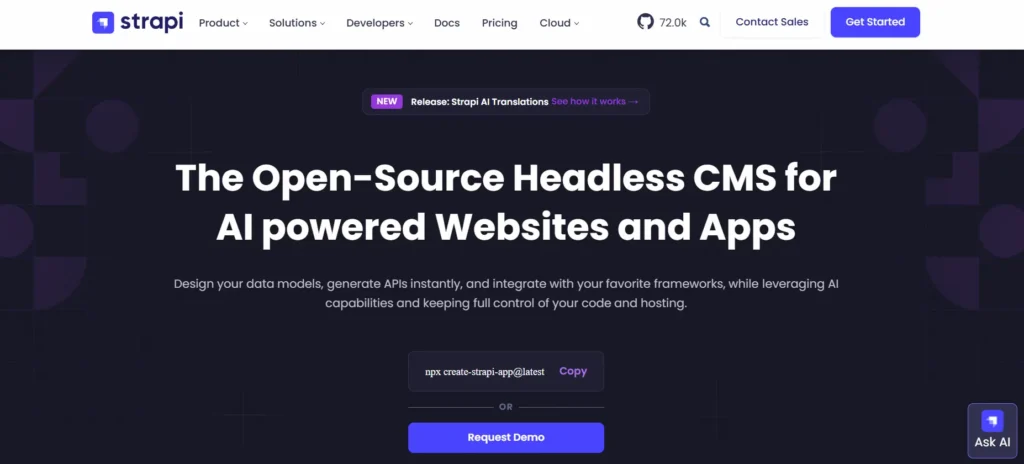
Core capabilities include:
- Drag-and-drop content type builder
- Role-based access control (RBAC) with granular permissions
- Self-hosted or Strapi Cloud deployment
- TypeScript and modern JavaScript support
- Plugin system for extending backend functionality
- Frontend-agnostic delivery to any JS framework
Strapi ships with no frontend of its own. Teams must build or connect one. This is intentional; Strapi treats the frontend as a separate concern. That makes it powerful for developer teams and complex for everyone else.
WordPress vs Strapi: Key Differences That Matter for Modern Websites
Understanding how WordPress and Strapi differ across architecture, SEO, performance, and usability will help you choose the right CMS for your goals.
CMS Architecture Comparison: WordPress vs Strapi
WordPress is a coupled CMS by default; the backend manages and renders content using PHP templates. However, it also works as a headless backend via its REST API or WPGraphQL.
Developers building Next.js headless WordPress setups get Strapi-like API flexibility while keeping WordPress’s editorial tools intact. If pure headless is the goal, headless CMS comparisons like Directus show just how many options exist in this space.
Strapi is headless-only. Content is stored, structured, and served exclusively through APIs. There is no frontend bundled in.
Bottom line: WordPress works in both modes. Strapi only works in one.
Ease of Use: Which CMS is More User-Friendly?
WordPress is built for everyone. Gutenberg provides a visual, drag-and-drop editorial experience. Content editors publish posts, manage media, and schedule pages without any developer involvement.
Strapi requires knowledge of Node.js for setup and administration. Even creating content types or deploying the admin interface demands technical expertise. Non-technical teams will need ongoing developer support to work comfortably.
Winner: WordPress, by a large margin for content teams.
Customization Capabilities: Plugins vs API Flexibility
WordPress provides white-label plugins for CRM, forms, SEO, and agency workflows, all of which can be installed in minutes.
The plugin marketplace is the largest in any CMS ecosystem. But more plugins mean more risk. Understanding WordPress plugin bloat and how to manage it is essential to maintaining high performance.
Strapi’s customization lives entirely in code. Developers define data models, custom API endpoints, and middleware directly. It offers greater architectural flexibility but demands far more development time per feature.
Winner: WordPress for speed; Strapi for deep, code-driven architectures.
SEO Capabilities: Which Platform Ranks Better?
WordPress dominates here. Plugins like Yoast SEO and Rank Math handle sitemaps, schema markup, canonical tags, and breadcrumb navigation without writing a single line of code.
Clean URL structures and metadata management are intuitive even for non-technical editors. Practices such as content pruning to recover from algorithm updates can also be managed directly in the WordPress dashboard.
Strapi depends entirely on the frontend for all SEO implementation. Server-side rendering with Next.js or Nuxt.js can produce fast, indexable pages, but every SEO feature must be manually built and maintained by a developer.
Winner: WordPress for most teams. Strapi can provide the right engineering support.
Performance and Speed: WordPress vs Strapi Load Times
WordPress performance scales with configuration. Fastest WordPress themes, optimized hosting, and caching plugins like WP Rocket or LiteSpeed Cache produce excellent Core Web Vitals scores.
If you’re wondering why your WordPress site is slow, the cause is almost always unoptimized plugins, bloated themes, or inadequate hosting, not the platform itself.
Strapi delivers raw JSON through APIs. Paired with a static site generator or CDN, load times can be exceptional. The frontend team controls every rendering decision, which raises the performance ceiling, but also the complexity.
Winner: Strapi has the performance ceiling; WordPress is faster to optimize in practice.
Scalability: Which CMS Handles Growth Better?
Both platforms scale, but through different mechanisms.
WordPress scales vertically through managed hosting platforms like BlueHost, Hostinger, WP Engine, and Kinsta. For large organizations, WordPress enterprise DXP solutions let brands manage content operations across business units.
For multi-site deployments, WordPress multisite support service providers make running hundreds of sites from a single install completely manageable.
Strapi scales horizontally across microservices and containerized architectures, making it ideal for distributed, high-traffic API systems serving multiple client applications.
Winner: Both scales. WordPress has the edge for content-heavy, multi-site organizations.
Security Features: WordPress vs Strapi Comparison
WordPress is the most targeted CMS globally due to its market share, not because of any inherent weakness. Neglected installations with outdated plugins are the primary vulnerability.

Steps to protect your WordPress site from AI-powered cyberattacks are well-documented. For regulated industries, HIPAA compliance for WordPress websites is achievable with the right hosting and plugin configuration.
Strapi’s headless architecture reduces the public attack surface by separating the admin backend from the public frontend. Its built-in RBAC system is more granular than WordPress defaults.
Winner: Strapi has a structural security advantage; WordPress is secure when properly maintained.
Content Management and Workflow: Editor Experience Compared
WordPress provides a fully visual WYSIWYG experience. Editorial workflows, drafts, scheduled publishing, revisions, and role-based access are all built in. Writers see their content as it will appear. Collaboration is straightforward.
Strapi’s admin panel is clean and functional, but data-entry-oriented. Editors do not see a live preview of rendered content. The disconnect between data input and visual output creates friction for non-technical writers.
Winner: WordPress, the clear choice for content-heavy teams and editorial operations.
Frontend Flexibility: Themes vs Headless Frameworks
WordPress ships with thousands of themes. Developers can also create a blank theme and build from scratch. For teams who want granular frontend control, micro-frontends in WordPress with Gutenberg blocks allow component-level architecture similar to modern JS frameworks.
Strapi’s frontend is entirely up to the developer. Next.js, Nuxt, SvelteKit, Astro, or any other framework connects through the API. This is Strapi’s strongest technical feature.
Winner: Strapi for maximum frontend freedom; WordPress for rapid, theme-based deployment.
Developer Experience: Ease of Development and Control
WordPress uses PHP, a language with one of the largest developer bases worldwide. Hooks, filters, and plugins make extension straightforward. Whether you go with the in-house team or a WordPress development company, the talent pool is vast and accessible worldwide.
Strapi uses Node.js and JavaScript/TypeScript. Teams fluent in modern JS will find Strapi’s API architecture intuitive and powerful. It offers more direct control over data modeling and middleware than WordPress’s plugin layer.
Winner: Strapi for JS-native teams; WordPress for broader developer availability and lower hiring cost.
Integrations and Ecosystem: Plugins vs API Integrations
WordPress integrates out of the box with virtually every major CRM, analytics tool, payment gateway, and marketing platform. Elementor SaaS WordPress themes and page builders extend integrations further without custom code.
Strapi integrates through webhooks, REST, and GraphQL. Every integration requires custom development. There is no plug-and-play marketplace. This offers flexibility but demands developer time for every third-party connection.
Winner: WordPress for out-of-the-box integrations and marketing stack compatibility.
Multisite and Multi-Channel Content Delivery Explained
WordPress Multisite allows a single install to run hundreds of websites simultaneously. It is the practical choice for managing regional sites, franchises, or multi-brand operations. Multilingual SEO strategies are also simpler to manage within WordPress’s editorial environment.
Strapi excels at omnichannel content delivery. One API feeds a website, mobile app, digital signage, smart TV, and voice assistant simultaneously. For organizations that need true multi-platform content distribution at scale, this is Strapi’s defining advantage.
Winner: WordPress for multisite management; Strapi for API-driven, multi-platform delivery.
Hosting and Deployment: Setup and Infrastructure Compared
WordPress runs on standard LAMP hosting (Linux, Apache/Nginx, MySQL, PHP). Most web hosts support it natively with one-click installs. Managed hosts like Kinsta or WP Engine handle updates, backups, and scaling automatically.
Strapi requires a Node.js environment, a supported database (PostgreSQL or MySQL), and CI/CD pipeline configuration. The DIY vs professional website migration question is especially important with Strapi, as self-management adds operational overhead that many teams underestimate.
Winner: WordPress, significantly easier to set up and maintain across hosting environments.
Cost Comparison: Total Cost of WordPress vs Strapi
Strapi and WordPress take very different approaches to content management, especially in pricing and usability. Strapi is an open-source, API-first CMS with a free Community plan that includes REST and GraphQL APIs, role-based access, and unlimited usage.
Paid plans start at about $45 per month and include features such as content history, live preview, and team collaboration, with enterprise pricing available for advanced security and support. However, Strapi requires a separate frontend and developer involvement.
WordPress, on the other hand, offers an all-in-one experience with hosting, themes, and plugins included. The plans typically range from about $4 to $45 per month, with higher-tier enterprise solutions available. It is easier to use, highly customizable, and ideal for faster website launches without heavy development.
Winner: WordPress for teams without dedicated engineering resources.
Community and Support: Which CMS Has Better Resources?
WordPress has one of the world’s largest open-source communities. Tutorials, YouTube channels, dedicated forums, WordCamps, and official documentation support users at every skill level. When something breaks, a solution is rarely more than one search away.
Strapi’s community is growing rapidly. Its GitHub repository is active, and the Discord server is responsive. But the ecosystem is younger, and niche problems may require deeper troubleshooting, with fewer publicly documented solutions.
Winner: WordPress, unmatched community depth and breadth.
WordPress vs Strapi Comparison Table
Here is a quick side-by-side comparison of WordPress and Strapi to highlight key features, strengths, and limitations.
| Feature | WordPress | Strapi |
|---|---|---|
| Architecture | Coupled / Headless-capable | Headless only |
| Ease of Use | Beginner-friendly | Developer-focused |
| SEO | Excellent (native plugins) | Manual setup required |
| Customization | 60,000+ plugins | Full code-level control |
| Performance | High (with optimization) | Very high (frontend-controlled) |
| Scalability | Excellent | Excellent |
| Security | Good (maintained installs) | Structurally stronger |
| Multi-channel | Multisite + REST API | Core strength |
| Cost (TCO) | Low to medium | Medium to high |
| Community | Massive | Growing |
| Hosting | Any LAMP host | Node.js environment required |
Use Cases: When to Choose WordPress vs Strapi?
Explore when to use WordPress for content-driven websites and when Strapi is better suited for custom, API first applications.
Choose WordPress when you:
- Run a blog, news portal, or content-heavy website
- Need non-technical editors to manage content without developer support
- Want strong SEO performance with minimal configuration
- Operate an online store using WooCommerce
- Manage multiple websites through a single Multisite install
Choose Strapi when you:
- Build products that deliver content to multiple frontends simultaneously
- Have a dedicated JavaScript engineering team
- Need fine-grained API control with no vendor lock-in
- Develop mobile apps, IoT integrations, or digital experience platforms
- Already outgrew your current headless CMS and need more flexibility
If you started with Strapi and find it too complex for your content operations, you can migrate from Strapi to WordPress without losing your structured content.
WordPress vs Strapi for SEO and Digital Marketing
WordPress is the natural home for digital marketing teams. Its plugin ecosystem covers on-page SEO, Core Web Vitals optimization, schema markup, XML sitemaps, A/B testing, and social sharing, often with zero code required.

Marketing teams can manage redirects, build landing pages, and connect email marketing tools entirely from the WordPress dashboard.
Building AI citations for generative search results is also easier in WordPress, where structured editorial metadata, schema markup, and well-organized content hierarchies are simple to maintain.
Strapi requires marketers to work closely with developers for every SEO change. A properly configured Strapi-powered site, whether SSR or SSG, can rank well in search, but the burden of implementation falls on engineering, not the marketing team.
For digital marketing teams with limited developer resources, WordPress delivers greater value per dollar, faster time-to-market, and greater day-to-day independence.
Developer vs Business Perspective: Which CMS Should You Choose?
Business perspective: WordPress wins. It costs less to launch, maintain, and scale. Non-technical staff can operate it independently. The hiring pool is deep. The plugin ecosystem meets most needs without custom development.
Developer perspective: The right choice depends on the project. Strapi is compelling for modern JavaScript teams building decoupled, API-driven systems.
It provides precise control over data models and content-delivery layers. But for standard web projects, WordPress’s maturity and flexibility, even on a PHP-based platform, are hard to argue with.
Accessibility compliance with WCAG standards and regulatory requirements is also far easier to satisfy within WordPress’s mature plugin ecosystem.
Many enterprises find success with a hybrid model, WordPress managing editorial content and operations, with a headless frontend consuming the REST API or WPGraphQL endpoint.
This approach gives content teams the tools they need and gives developers the architectural freedom they want. Compared to enterprise alternatives like Sitecore vs WordPress, this hybrid WordPress approach delivers significant value at far lower cost.
Final Verdict
Choose WordPress when your priorities are usability, SEO, cost efficiency, and community support. It fits solo creators, content teams, digital agencies, and enterprise organizations alike.
Starting with the Twenty Twenty-Five theme and adding targeted plugins, most businesses can launch a fast, SEO-optimized, fully functional website in a matter of days. WordPress continues to evolve with Full Site Editing, native headless support, and AI-powered features, keeping it at the center of the web.
Choose Strapi when you run a developer-first organization that needs pure API-driven content delivery across multiple frontends. Strapi is not a replacement for WordPress in most scenarios; it is the right tool for specific architectural requirements, and it does that job exceptionally well.
In 2026, for the vast majority of websites, businesses, and marketing teams, WordPress remains the most complete, accessible, and community-backed CMS. Both platforms are excellent in their lane. The decision comes down to knowing which lane your project belongs in.
FAQs About WordPress vs Strapi
Is WordPress better than Strapi for SEO?
Yes, for most teams. WordPress has native SEO plugins that handle on-page optimization, sitemaps, and schema markup without developer involvement. Strapi requires all SEO features to be implemented manually on the frontend, which increases complexity and development time.
Can Strapi replace WordPress?
Not for most use cases. Strapi is a developer-first, headless-only CMS best suited for API-driven architectures. WordPress serves a far broader range of users, budgets, and project types, including those who need an editorial interface and rapid deployment.
Is Strapi free?
Strapi’s Community edition is free and self-hostable under an open-source license. Strapi Growth plan starts at $45/month. The highest cost is the developer time required to build and maintain the frontend and API integrations.
Can WordPress function as a headless CMS?
Yes. WordPress supports headless deployment through its REST API and the WPGraphQL plugin. Developers can use WordPress solely as a content backend while building a custom frontend with Next.js, Nuxt, SvelteKit, or another framework.
Which CMS is easier to set up in 2026?
WordPress. Most web hosts offer one-click installs, and the admin interface is ready to use immediately after setup. Strapi requires Node.js hosting, database configuration, environment variables, and additional deployment steps, making it significantly more complex to provision.


