We deal with digital data every single day. From sending documents to a friend via email to downloading a software package from the Internet, managing files efficiently is crucial. One solution has stood the test of time and remains the industry standard for archiving and transferring data: the ZIP file format.
You have likely seen the ZIP file icon on your computer, a folder with a literal zipper. But what exactly goes on inside that folder?
This article provides a comprehensive deep dive into the ZIP file format, exploring its technical structures, history, and why it remains the number one choice for file compression across different operating systems.
TL;DR: ZIP File Format
- The ZIP file format is a lossless compression format that bundles multiple files into a single, smaller, and easier-to-share container.
- It uses efficient compression algorithms, structured metadata, and CRC checks to reduce size while preserving data integrity.
- With universal support across Windows, macOS, and Linux, ZIP remains the most compatible and widely used compression format today.
ZIP File Format Explained as a Compressed Archive Standard
The ZIP file format is an archive file format that supports lossless data compression. A ZIP file may contain one or more files, or even a directory of folders, that have been compressed to reduce their overall file size.
By placing files into a single ZIP archive, you reduce storage space and speed up data transfers. Whether you are using Windows, macOS, or Linux, the ZIP format allows data to be encapsulated in a convenient container. It acts as both a compressor and a packager.
What is a ZIP File Format in Simple Terms
Think of a ZIP file as a digital suitcase. If you try to carry twenty loose books, shirts, and shoes (representing your documents, images, and videos) in your arms, it is clumsy and inefficient.
However, if you fold the clothes (compression) and pack everything into a single suitcase (the ZIP archive), it becomes a single, manageable object.
In technical terms, the ZIP file format groups files and uses compression algorithms to remove redundant data. It then stores them in a container with a table of contents so the computer knows exactly how to unpack them later.
Read More: SVG Files: What They Are & How to Quickly Make One
History and Evolution of the ZIP File Format
The story of the ZIP file format begins in the late 1980s. Phil Katz, the founder of PKWARE, created it. At the time, the ARC compression format by System Enhancement Associates (SEA) was popular.
However, following a legal dispute with SEA, Katz developed a new, more efficient format.
In 1989, Katz released PKZIP, a DOS utility that introduced the ZIP format to the world. The compression method used was faster and more efficient than its predecessors.
Katz made the specification public, allowing other applications and libraries to support the format without paying royalties. This decision cemented the ZIP file format as the global standard.
Over the years, updates such as ZIP64 were added to remove limitations on data size and file counts, ensuring the format remained relevant for modern computing needs.
How the ZIP File Format Works for File Compression
The magic of the ZIP file format lies in its internal structure. Unlike a simple concatenation of files, a ZIP file is a highly structured database of compressed data.
The Role of Compression Algorithms
The ZIP format supports various compression methods. The most common one is DEFLATE, which combines LZ77 and Huffman coding.
- LZ77: This algorithm looks for repeated characters or patterns in the file data. If the word “compression” appears ten times, it replaces the subsequent occurrences with a reference (distance and length) to the first instance.
- Huffman Coding: This encodes the result by replacing frequently used characters with shorter bit sequences.
This process drastically improves the compression ratio, significantly reducing the size of text or program files. However, files that are already compressed, such as MP3s or JPEGs, may not see a significant size reduction.
Explore Further: Image Cropping In Web Design
Internal Structure: Headers and Directories
A ZIP file is not just a blob of data. It relies on specific metadata structures to function.
- Local File Header: This appears before the compressed data of each file. It contains vital information such as the file name, compression method, and the version required to extract it.
- Central Directory: Located at the end of the ZIP archive, this section is the most critical. It holds the Central Directory Record for every file in the archive. It serves as the master table of contents.
- End of Central Directory (EOCD): This record indicates the start of the Central Directory. When you open a ZIP file, the software reads this part first to understand the archive’s contents.
Key Features and Technical Characteristics of the ZIP File Format
The ZIP file format is robust because of its versatile technical features.
File Headers and Metadata
Every entry in a ZIP file includes a file header. This header stores specific attributes such as:
- CRC 32 (Cyclic Redundancy Check): A value calculated from the uncompressed data. Upon extraction, the system calculates this again to check for errors. If the values don’t match, the file is corrupt.
- File Name Length and Field Length: These define the lengths of the name and extra data fields.
- Time and Date Stamps: Preserves the original modification time of the files.
The Central Directory Record
The Central Directory Record stores file attributes, offsets (the exact location of the file header in the byte stream), and permissions.
By placing this directory at the end, the ZIP file format allows users to append new files to an archive without rewriting the entire file.
ZIP64 and Large Files
The original ZIP specification had limits. It could only handle files up to 4 GB and a maximum of 65,535 entries. The ZIP64 extension solved this issue.
It increases the field length for file sizes and entry counts to 8 bytes, effectively removing practical limits on storage size.
Spanning and Split Archives
The format supports splitting an archive into multiple pieces (e.g., z01, z02, .zip). This was initially designed for floppy disks but is now helpful for emailing extensive archives in smaller chunks.
Encryption Methods
Security is a key feature. Standard ZIP encryption (ZipCrypto) is weak, but the format now supports strong AES encryption algorithms (128-bit and 256-bit). This ensures that without the correct password, the data remains inaccessible.
Know More: Best WordPress Image Optimization Plugins
Benefits and Common Uses of the ZIP File Format
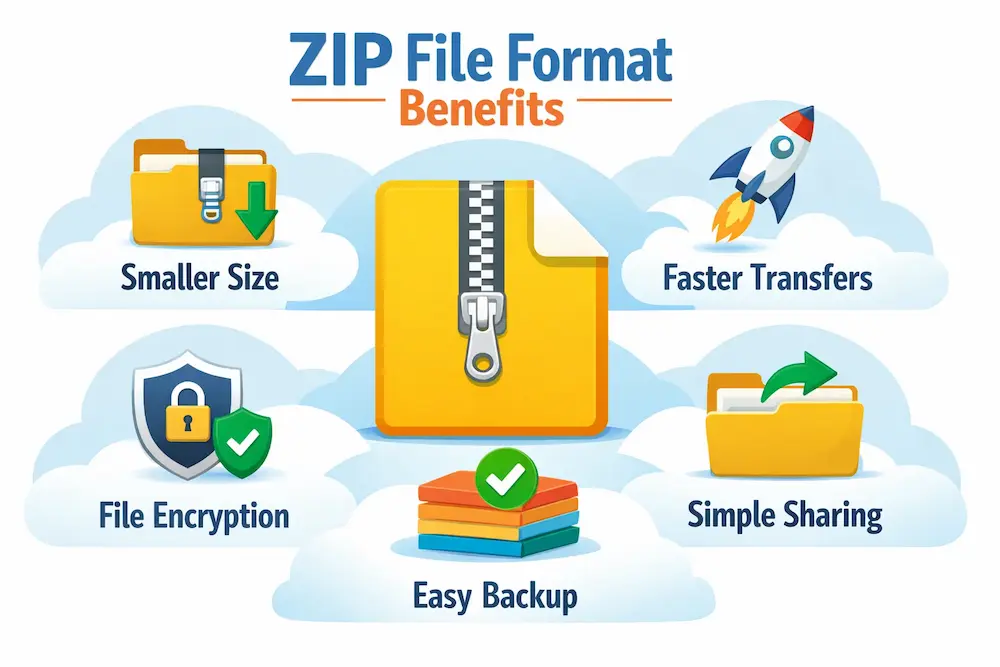
Why do we still use the ZIP file format after thirty years? The reason is its blend of versatility and universal support.
Efficient Storage Space Management
The primary advantage is saving disk space. By compressing data, you can keep older documents or resources without cluttering your hard drive.
Simpler File Transfer
Sending 50 separate documents via email is tedious for you and annoying for the recipient. A ZIP file groups them into a single file.
This ensures the order and folder structure are preserved. When the recipient performs the extraction, the files appear exactly as you organized them.
Universal Compatibility
You can send a ZIP file from a Windows machine to a friend using a Mac or a Unix system, and they can open it without installing extra software.
Microsoft integrated ZIP support directly into Windows (starting with the “Compressed Folders” feature), and Apple did the same with Archive Utility.
Data Integrity
Thanks to CRC-32, the ZIP file format ensures that the data you receive is precisely what was sent. If a download is interrupted, the CRC error will alert you that the file is incomplete.
Explore Further: EPS Files: Benefits, Creation, & Tips For Web Design
How to Create, Open, and Extract ZIP Files
Working with ZIP files is straightforward on modern operating systems.
On Windows
Windows includes built-in ZIP support that lets you easily create and extract compressed files without extra software.
To Create: You can compress files or folders into a ZIP archive directly from the right-click menu in File Explorer.
- Select the files or folders you want to compress.
- Right-click on the selection.
- Choose Send to → Compressed (zipped) folder.
- A new ZIP file will appear in the exact location. You can type a new name for it.
To Extract: ZIP files can be opened and extracted with a few simple clicks in File Explorer.
- Double-click the ZIP folder to view its contents.
- Click “Extract All” on the Explorer ribbon.
- Select a destination path and press “Extract.”
On macOS
macOS includes native ZIP support in Finder and Archive Utility.
To Create: Finder lets you quickly compress selected files or folders into a ZIP file.
- Select the items in Finder.
- Right-click (or Control-click) and select Compress.
- The system creates a file named.
Archive.zip.
To Extract: Double-clicking a ZIP file automatically extracts its contents using the Archive Utility.
- Double-click the ZIP file.
- The built-in Archive Utility automatically decompresses the file into a folder.
Third-Party Tools
For advanced features like AES encryption or creating self-extracting archives (.exe files), you might use tools like WinZip, 7-Zip, or PeaZip.
These applications offer a menu of advanced options, including splitting archives and adjusting the compression level.
Know More: WebP vs PNG: Which Image Format is Right for Your Website
ZIP File Format vs Other Compression Formats
While the ZIP file format is the most compatible, other extensions exist. How do they compare?
ZIP vs. RAR
RAR files generally offer a better compression ratio than ZIP files. However, RAR is a proprietary format. You need specific software (like WinRAR) to create RAR files, whereas ZIP is open and supported natively by almost every device.
RAR is often used to split large video files or pirated content due to its robust recovery record, but ZIP remains the standard for business and general sharing.
ZIP vs. 7z (7-Zip)
The 7z format uses the LZMA algorithm, which provides a significantly higher compression ratio than the standard Deflate used in ZIP.
However, 7z is not as universally supported as ZIP. If you send a 7z file to a client, they might not know how to open it. ZIP is the safer bet for sharing.
ZIP vs. GZIP
GZIP is common in Unix and Linux environments and on the web. Unlike ZIP, GZIP usually compresses a single file.
To compress multiple files, Linux users typically create a TAR archive first (combining files) and then compress it with GZIP (resulting in .tar.gz). The ZIP file format handles both archiving (grouping) and compression in one step.
| Feature | ZIP File Format | RAR | 7z |
| Compatibility | Universal (Windows, Mac, Linux) | Requires software | Requires software |
| Compression Ratio | Good | Better | Best |
| Speed | Fast | Moderate | Slow (on Ultra settings) |
| Encryption | ZipCrypto, AES | AES | AES |
| Open Source | Yes | No | Yes |
Conclusion
The ZIP file format is more than just a file extension; it is a fundamental pillar of modern data management. From its controversial history with PKZIP to its modern integration into every major OS, it has proven to be an essential tool for users worldwide.
Its ability to bundle multiple files, reduce file size, and ensure data integrity through CRC 32 makes it indispensable.
While newer formats like 7z or RAR may offer tighter compression, none match the sheer ubiquity and ease of access of the ZIP file format. Whether you are looking to save disk space, organize your documents, or share a large project with a colleague, the ZIP format is the most reliable way to get the job done.
FAQs About ZIP File Format
What is the ZIP file format used for?
The ZIP file format compresses and bundles multiple files into a single archive. It reduces file size, saves storage space, and makes sharing files faster and easier.
Is ZIP file compression lossless or lossy?
ZIP file compression is completely lossless. This means all original data remains intact, and files return to their original quality after extraction.
Can ZIP files be opened on all operating systems?
Yes, ZIP files are supported on Windows, macOS, and Linux. Most modern operating systems can open and extract ZIP files without third-party software.
Are ZIP files secure for storing sensitive data?
ZIP files can be password-protected, but basic ZIP encryption is not very strong. For sensitive data, it is better to use advanced encryption tools or secure archive formats.