
HIPAA compliance is a critical requirement for any WordPress website that handles patient data. A single unsecured form or vulnerable plugin can expose sensitive health information and lead to costly penalties.
Despite this, many healthcare businesses underestimate the complexity of complying with the Health Insurance Portability and Accountability Act.
This guide cuts through the noise to show what actually matters. You’ll learn how to secure your WordPress site, reduce compliance risks, and build a system that safeguards both patient trust and your organization.
TL;DR: HIPAA-Compliant WordPress Websites
- Compliance with HIPAA is essential if your WordPress site handles Protected Health Information (PHI) under the Health Insurance Portability and Accountability Act.
- Ensure compliant hosting, signed BAAs, and strong technical safeguards like encryption, MFA, and access controls.
- Avoid storing PHI directly in WordPress; use secure third-party solutions instead.
- Regularly monitor, audit, and update systems to reduce risks.
- Partner with experts like Seahawk Media to simplify compliance and maintain long-term security.
Why Make a HIPAA-Compliant WordPress Site?
Building a HIPAA-compliant WordPress site is essential when handling patient data online. It not only ensures legal adherence but also protects sensitive information, reduces risk exposure, and builds long-term user trust.
When a Website Handles PHI
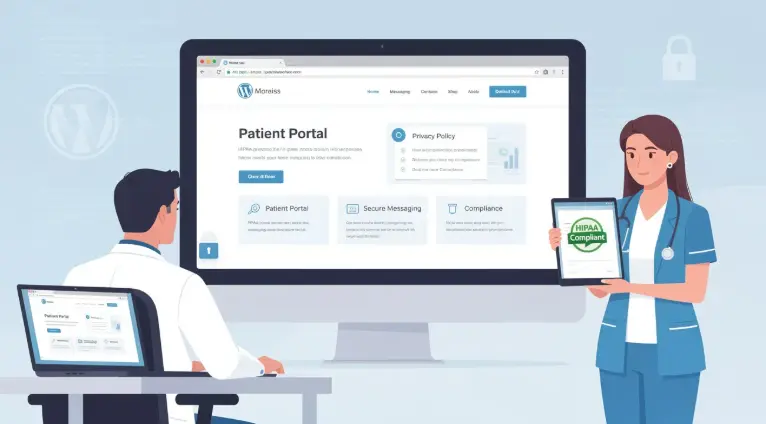
To begin with, Protected Health Information (PHI) includes any personally identifiable health data collected or transmitted digitally under the Health Insurance Portability and Accountability Act. This applies when users share medical details, appointment requests, or insurance information through your website.
For example, contact forms collecting symptoms, appointment booking systems, and patient portals that store or transmit health records all qualify as PHI touchpoints.
Risks of Non-Compliance
Failing to comply with HIPAA can lead to serious consequences. Financial penalties can be substantial, while legal actions may further strain resources.
In addition, data breaches can damage your brand reputation and erode patient trust. As a result, operational disruptions, such as system shutdowns or audits, can significantly impact business continuity.
High-Level HIPAA Compliance Requirements
Meeting HIPAA standards involves implementing administrative, physical, and technical safeguards. These collectively ensure data confidentiality, integrity, and availability.
Moreover, organizations must conduct regular risk assessments, maintain continuous monitoring, and ensure that all third-party vendors handling PHI are accountable through proper agreements and compliance measures.
Ensure Your WordPress Site Meets HIPAA Standards
Partner with experts to implement, manage, and scale HIPAA-ready solutions tailored to your healthcare needs.
Key Considerations for HIPAA Compliance for WordPress Websites
Ensuring HIPAA compliance for WordPress requires a structured approach that aligns legal requirements with technical implementation. It involves understanding regulations, securing infrastructure, managing vendors, and handling PHI responsibly across all touchpoints.
Understanding HIPAA Requirements
To start with, the Health Insurance Portability and Accountability Act Security Rule establishes the foundation for protecting electronic PHI. It focuses on ensuring the confidentiality, integrity, and availability of sensitive data.
HIPAA mandates three safeguard categories:
- Administrative (policies and training)
- Physical (facility and hardware security)
- Technical (encryption, access control, and monitoring).
In practice, these requirements must be mapped to WordPress functions. For instance, user roles align with access control, plugins introduce potential vulnerabilities, and hosting environments determine data security posture.
Hosting and Infrastructure Compliance
Equally important, your hosting provider plays a critical role in compliance. Choosing a HIPAA-compliant host ensures that infrastructure-level protections are in place.
Additionally, a signed Business Associate Agreement (BAA) is mandatory, as hosting providers handle PHI on your behalf. Without it, compliance cannot be established.
Moreover, verify that the provider offers encryption at rest, managed firewalls, and intrusion detection systems. At the same time, robust backup and disaster recovery capabilities are essential to maintain data availability during incidents.
Vetting Hosting Providers and BAAs
Before finalizing a provider, it is crucial to perform due diligence.
- First, request a signed BAA that clearly outlines responsibilities and liability.
- Next, review compliance certifications such as SOC 2 or HITRUST to validate their security posture. These reports provide insight into operational controls and risk management practices.
- In addition, confirm physical data center safeguards, including restricted access and surveillance systems.
Finally, ensure that detailed audit logs are accessible, enabling transparency and traceability for compliance audits.
Business Associate Agreements and Vendor Management
Beyond hosting, vendor management is equally critical. Any third party that processes or accesses PHI must sign a BAA. This includes form providers, CRMs, and analytics tools.
Importantly, key BAA clauses should define data protection obligations, breach notification timelines, and accountability measures. These elements reduce ambiguity during security incidents.
To streamline evaluation, maintain a vendor BAA review checklist. This should include agreement status, security controls, and compliance documentation, ensuring every partner meets HIPAA standards.
Data Handling and PHI Management
Finally, proper data handling practices are essential for minimizing risk.
- Start by identifying all PHI collection points across your website, such as forms, portals, and integrations.
- Then apply data minimization principles and collect only what is necessary to reduce exposure. This approach limits the impact of potential breaches.
Most importantly, avoid storing PHI directly in the WordPress database unless it is fully secured and compliant. Instead, route sensitive data to HIPAA-compliant third-party systems designed specifically for secure storage and processing.
Best Practices for HIPAA Compliance for WordPress Websites
Achieving HIPAA compliance on WordPress requires consistent execution of security, operational, and governance best practices. From technical safeguards to vendor oversight, each layer plays a critical role in protecting PHI effectively.
Implementing Technical Safeguards
Technical safeguards form the backbone of HIPAA compliance under the Health Insurance Portability and Accountability Act. These controls directly protect systems and data from unauthorized access.
- First, enforce TLS 1.2 or higher across the entire website to secure data in transit. This ensures encrypted communication between users and servers.
- Next, implement multi-factor authentication (MFA) for all user accounts, especially administrators, to prevent unauthorized access even if credentials are compromised.
- In addition, configure Role-Based Access Control (RBAC) to ensure users can access only the data necessary for their roles. This minimizes internal risk exposure.
Finally, enable automated patching and updates for WordPress core, plugins, and themes. Timely updates reduce vulnerabilities and protect against known exploits.
Securing Patient Portals and Forms
Equally important, patient portals and forms are primary entry points for PHI, making them high-risk areas that require strict controls.
- To start, always use HIPAA-compliant form providers that are designed to securely capture and transmit sensitive data. Avoid default WordPress forms for PHI collection.
- Moreover, implement field-level encryption for form submissions. This ensures that even if intercepted, the data remains unreadable.
At the same time, log all portal access events, including login attempts and user activity. These logs provide traceability and support compliance audits.
Plugins, Themes, and Development Best Practices
Since WordPress relies heavily on third-party components, maintaining a secure development environment is essential.
- Thoroughly vet plugins and themes for security standards, update frequency, and developer credibility. Outdated or poorly maintained tools introduce vulnerabilities.
- Additionally, remove all unused plugins and themes promptly. Even inactive components can serve as attack vectors if left unattended.
- Furthermore, enforce secure coding practices for any custom development. This includes code reviews, input validation, and adherence to WordPress security standards.
Before deployment, run dependency vulnerability scans to identify and fix risks early. This proactive approach significantly reduces exposure.
Monitoring, Logging, and Incident Response
Prevention alone is not sufficient; continuous monitoring is equally critical.
- Start by implementing centralized audit logging to capture all system activities, including user actions and configuration changes. This creates a reliable audit trail.
- In addition, enable continuous monitoring tools to detect suspicious behavior in real time. Early detection can prevent minor issues from escalating into major breaches.
Equally important, define clear breach-detection and incident-response workflows. This includes identifying incidents, containing threats, and notifying relevant stakeholders within defined timelines.
Risk Assessments and Compliance Testing
To maintain compliance over time, regular testing and evaluation are necessary.
- Begin with quarterly vulnerability scans to identify weaknesses in your WordPress environment. These scans help detect outdated software, misconfigurations, and potential threats.
- Furthermore, conduct annual third-party audits to validate your compliance posture. External assessments provide unbiased insights and highlight gaps that internal teams may overlook.
After each assessment, update mitigation strategies accordingly. Continuous improvement ensures that your security measures evolve alongside emerging threats.
Operational Compliance and Team Readiness
Beyond technology, human factors play a significant role in HIPAA compliance.
- First, provide regular staff training on PHI handling procedures. Employees must understand how to securely collect, process, and store sensitive data.
- Additionally, establish a well-documented incident response plan. Teams should know exactly how to act during a security event to minimize damage and ensure compliance.
Moreover, maintain detailed audit trails and change logs. These records document system updates, user actions, and security changes, supporting both internal reviews and regulatory audits.
BAA Management and Governance
At the governance level, managing Business Associate Agreements (BAAs) is essential for maintaining accountability across all vendors.
- Start by assigning a contract owner to track and manage all BAAs. This ensures nothing falls through the cracks.
- Next, schedule annual BAA reviews to verify that agreements remain up to date with current regulations and business practices.
Also, define clear breach notification timelines within each BAA. This ensures timely reporting and a coordinated response in the event of a data breach.
White-Label and Agency Considerations
Agencies and service providers must adopt additional measures when serving healthcare clients.
- First, ensure that all subcontractors involved in the project sign BAAs. This extends compliance across the entire service chain.
- Also, include HIPAA-specific deliverables in service agreements, such as security configurations, monitoring, and reporting. This sets clear expectations with clients.
- Further, offer managed maintenance services to maintain compliance continuity. Ongoing updates, monitoring, and audits are critical for long-term security.
For scalability, agencies can partner with Seahawk Media, which provides white-label WordPress solutions tailored for healthcare compliance. This enables agencies and hosting providers to deliver secure, compliant websites without expanding internal resources.
Checklist and Next Steps to Ensure HIPAA Compliance
Ensuring HIPAA compliance requires a clear action plan that prioritizes immediate fixes, strengthens technical safeguards, and aligns with long-term strategy. A structured checklist helps streamline implementation and maintain ongoing compliance effectively.
- Immediate Actions: Begin by identifying all vendors that handle Protected Health Information (PHI). Then, obtain signed Business Associate Agreements (BAAs) to establish accountability and ensure compliance with the Health Insurance Portability and Accountability Act (HIPAA) requirements.
- Technical Implementation: Next, deploy essential safeguards across your hosting and WordPress environment. This includes enabling encryption, configuring firewalls, enforcing access controls, and ensuring secure backups to protect data and maintain availability.
- Application Security: Secure all patient-facing features. Replace insecure forms with HIPAA-compliant solutions and ensure patient portals follow strict authentication, encryption, and logging practices.
Finally, for a streamlined approach, schedule a consultation with Seahawk Media to plan and implement a fully compliant WordPress solution.
Final Thoughts
Ensuring HIPAA compliance on WordPress is not a one-time setup but an ongoing process that demands vigilance across technology, operations, and vendor management.
From securing hosting environments to controlling data access and monitoring risks, every layer contributes to protecting sensitive patient information.
By aligning your website with Health Insurance Portability and Accountability Act standards, you not only reduce legal exposure but also strengthen user trust.
Ultimately, adopting these best practices positions your organization or agency to deliver secure, scalable, and compliant digital experiences in the evolving healthcare landscape.
FAQs About WordPress HIPAA Compliance
What is a HIPAA-compliant website?
A HIPAA WordPress website is designed to protect electronic protected health information using safeguards defined under HIPAA regulations, ensuring sensitive patient data remains secure.
Do healthcare providers need special hosting?
Yes, healthcare providers must choose a HIPAA-compliant hosting provider that offers secure data storage, data encryption, and that signs a Business Associate Agreement.
How does the HIPAA Security Rule apply to WordPress?
The HIPAA Security Rule requires technical, physical, and encryption and access controls to protect sensitive health information on healthcare websites.
What security features are essential?
Key security features include user authentication, user permissions, a web application firewall, and security plugins to prevent unauthorized access attempts.
How should data be handled on WordPress sites?
Proper data collection practices should minimize risk, while encryption ensures secure data transmission and protects medical records.
Are audits and monitoring necessary?
Yes, regular security audits help maintain HIPAA compliance, as healthcare organizations must conduct them and monitor systems for vulnerabilities.
Can agencies help achieve compliance?
A HIPAA-compliant service can help achieve HIPAA compliance by implementing robust security measures, comprehensive security features, and secure messaging for the healthcare sector.



