

Website attacks are no longer rare technical incidents that happen to a few unlucky sites. They are daily events affecting businesses of every size. From ecommerce stores and membership websites to agency portfolios and corporate platforms, no site is invisible anymore. Automated bots scan the web every second looking for outdated plugins, weak passwords, exposed APIs, and misconfigured servers. When they find one, they strike in seconds.
This is where firewalls become a critical line of defense. But most people assume that choosing a firewall is a simple decision. In reality, there are two very different types of firewalls that work in very different ways. These are cloud firewalls and endpoint firewalls. Many website owners choose one without fully understanding what it protects and what it does not. This comparison will help you understand both clearly so you can secure your website the right way.
What a Firewall Really Does for a Website?
A firewall acts as a security checkpoint between your website and incoming traffic. Every visit, every login attempt, every form submission, and every API request passes through a security inspection before it reaches your server or your application.
Modern firewalls no longer block only basic IP addresses. They inspect request patterns, headers, payloads, login behavior, known attack signatures, and abnormal usage patterns. Their job is to stop malicious traffic before it can exploit vulnerabilities that exist within your website software.
Website owners often confuse server firewalls, application firewalls, and network firewalls. Cloud firewalls protect traffic at the network edge before it reaches your server. Endpoint firewalls protect your web application after the traffic reaches your website environment. Both serve very different but complementary purposes.
Secure Your Website with Layered Firewall Protection
Protect your WordPress site with cloud and endpoint firewall setup, real time monitoring, updates, and ongoing security management through Seahawk’s website care plans.
What is a Cloud Firewall
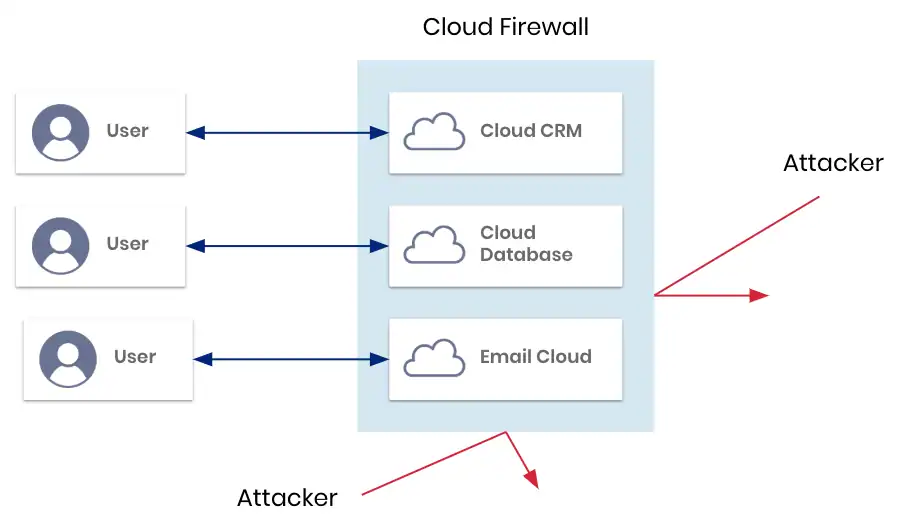
A cloud firewall operates between the visitor and your website server. When a user types your domain into their browser, the traffic is first routed through the cloud firewall provider network. The firewall inspects the traffic in real time. If the request appears legitimate, it is passed to your server or sometimes served directly from cached content. If the request is malicious, it is blocked before reaching your hosting environment.
Cloud firewalls rely heavily on global traffic analysis. They monitor massive volumes of requests across many websites at once. This allows them to detect large scale bot activity, brute force attacks, and distributed denial of service attacks very efficiently.
Most cloud firewalls also act as reverse proxies and content delivery layers. This means they can improve website speed while filtering traffic.
How Cloud Firewalls Inspect Traffic
Cloud firewalls analyze IP reputation, geographic origin, unusual request frequency, attack signatures, and abnormal browsing behavior. They also apply rate limiting and bot detection rules to prevent automated attacks from flooding your website.
Key Benefits of Using a Cloud Firewall
Cloud firewalls excel at protecting websites from high volume attacks that would otherwise overwhelm your server.
One of the biggest advantages is protection against large scale denial of service attacks. When thousands of malicious requests target your website at once, the cloud firewall absorbs the load before it ever touches your server.
Cloud firewalls also help reduce server resource usage. The cloud firewall filters bad traffic before it reaches your hosting environment, so your server uses fewer CPU and memory resources. This helps maintain uptime and performance even during attack attempts.
Another benefit is global caching and content delivery. Many cloud firewalls store cached versions of your website on servers around the world. Visitors receive content faster and your server handles fewer requests directly.
Cloud firewalls are also very easy to deploy. Most setups only require a DNS change. This makes them popular among site owners who want basic protection without altering their website code.
Limitations of Cloud Firewall Protection
Cloud firewalls lack visibility inside your actual website application. They only see incoming traffic patterns. They do not understand how your content management system, plugins, database, or user permissions work.
This becomes a problem when attacks target specific software vulnerabilities. For example, a malicious request may appear normal to a cloud firewall but exploit a known vulnerability in a WordPress plugin. The cloud firewall will often allow this request to pass because it does not understand the context of your website software.
Cloud firewalls can also be bypassed using direct IP access. If an attacker discovers your server IP address, they may access your site directly without passing through the firewall.
Another risk is dependency on the firewall provider uptime. If the cloud service experiences downtime, your website can become unreachable even if your hosting server is perfectly fine.
What is an Endpoint Firewall
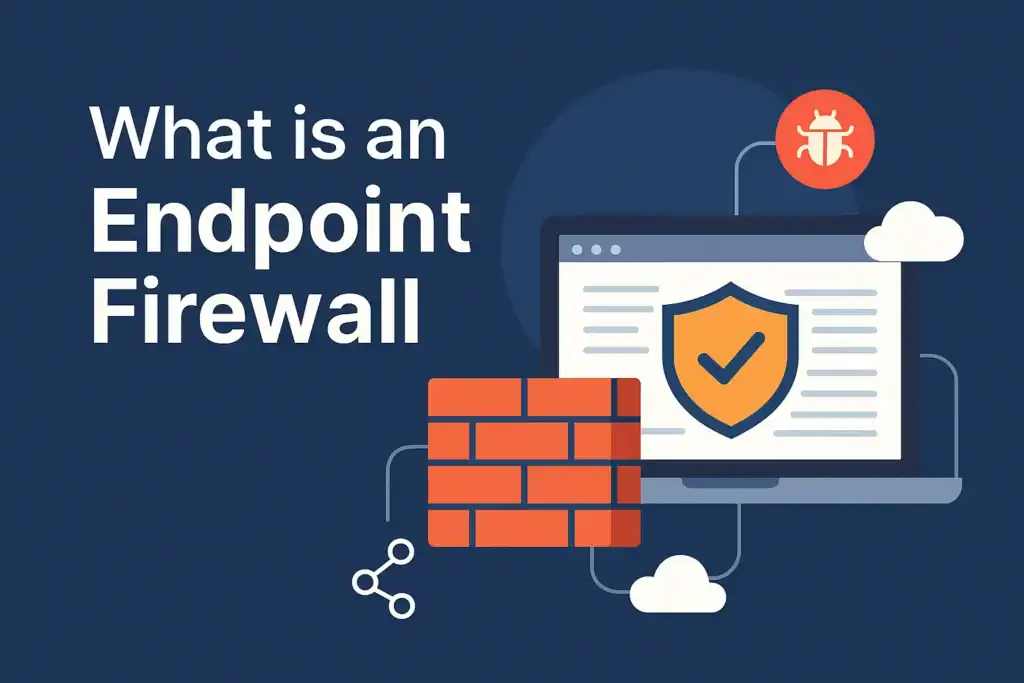
An endpoint firewall runs directly inside your website environment. It is installed at the application level and operates within your server and content management system. It understands how your website is built, how requests are handled, and how users interact with the system.
Because the endpoint firewall operates internally, it sees everything that happens after traffic reaches your website. It understands logged in users, user roles, plugin functions, file access attempts, and database queries.
This deep visibility allows it to block attacks that cannot be detected at the network level. Many advanced attacks only become visible once they reach application logic.
How Endpoint Firewalls Monitor Behavior
Endpoint firewalls inspect incoming requests against plugin vulnerabilities, monitor file changes, detect unauthorized code injections, and block suspicious behavior based on real time attack signatures and behavioral analysis.
Key Benefits of Using an Endpoint Firewall
Endpoint firewalls excel at protecting against targeted application level attacks. They are highly effective at blocking exploits that target vulnerable plugins, themes, and core files.
Because they understand user permissions, endpoint firewalls reduce false positives significantly. Legitimate admin activity is not accidentally blocked as often as with generic network rules.
Many endpoint firewalls also offer intrusion detection and intrusion prevention capabilities. They detect abnormal file modifications, backdoor creation, malware uploads, and privilege escalation attempts.
Endpoint firewalls continue protecting the site even if external services fail. They do not rely on global networks to function.
They also cannot be bypassed through direct IP access because they operate inside the website itself after all traffic has already arrived.
Limitations of Endpoint Firewall Protection
Endpoint firewalls use your own server resources. Every request that reaches your website must be analyzed locally. On high traffic sites, this inspection increases CPU and memory usage. Without proper optimization, this can impact website speed.
Endpoint firewalls are not designed to absorb large scale network floods. If your server is overwhelmed by millions of requests in a denial of service attack, the endpoint firewall will not prevent bandwidth exhaustion.
They also require proper configuration and regular updates to maintain effectiveness. If rules become outdated, new vulnerabilities may not be detected immediately.
Endpoint Firewall vs Cloud Firewall: Side By Side Comparison
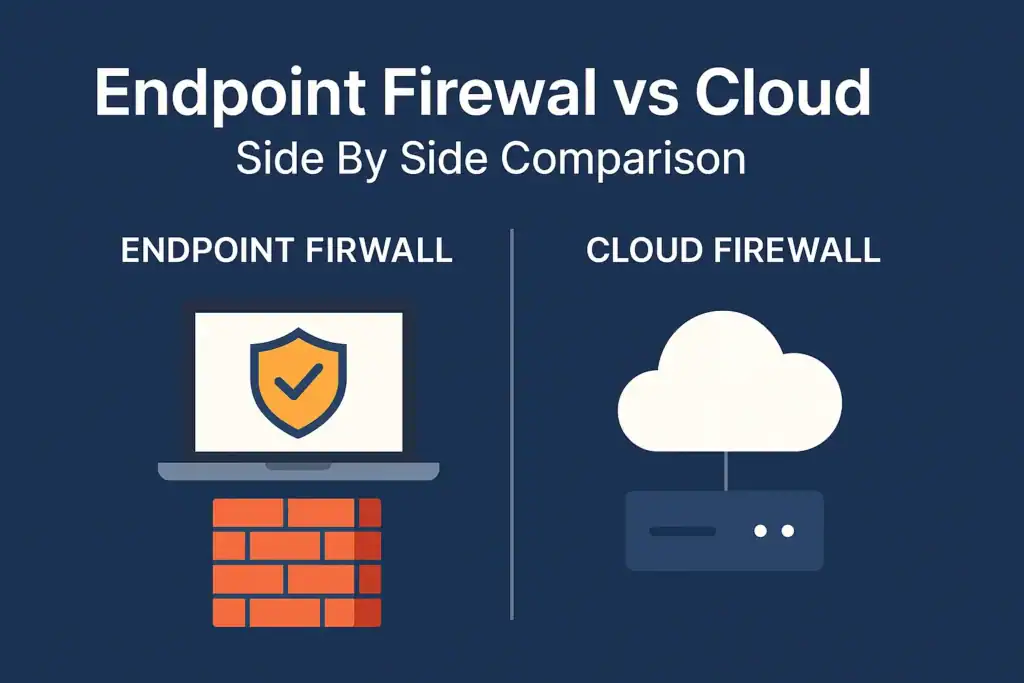
This side by side comparison breaks down how endpoint firewalls and cloud firewalls differ in traffic handling visibility attack coverage performance impact and reliability. It helps you quickly understand where each security layer excels and where it falls short.
Traffic Filtering Location
Cloud firewalls filter traffic before it reaches your server. They act as an external gatekeeper that blocks threats at the network edge. This means your hosting environment is never exposed to large volumes of malicious requests. It is especially effective for stopping automated scans and brute force attempts early.
Endpoint firewalls filter traffic after it reaches your website. They inspect requests inside your application environment. This allows them to analyze what users are actually trying to do within the site. They can detect attacks that only become visible once the application logic is engaged.
Visibility Into Website Behavior
Cloud firewalls have no understanding of how your website software works. They rely purely on traffic patterns. They cannot distinguish between a legitimate admin action and a malicious request if both look similar at the network level. This limits their ability to stop complex software driven attacks.
Endpoint firewalls understand how your CMS, plugins, users, and backend systems operate. They can see user roles, authentication status, and how requests interact with files and databases. This deep understanding allows them to stop attacks that bypass generic traffic rules.
Protection Against Plugin and Theme Vulnerabilities
Cloud firewalls provide limited protection against software specific vulnerabilities. They mainly block known attack signatures and suspicious traffic types. New zero day plugin exploits can often pass through unnoticed at the network level.
Endpoint firewalls directly monitor plugin behavior and block exploit attempts at the application layer. They detect abnormal file changes, malicious payloads, and unauthorized function calls in real time. This makes them far more effective against CMS specific attacks.
DDoS Mitigation Capability
Cloud firewalls are highly effective at stopping distributed denial of service attacks by absorbing massive traffic surges. Their global infrastructure is built to handle sudden spikes in traffic without impacting your server. They can rate limit and drop malicious connections before bandwidth is exhausted.
Endpoint firewalls are not designed to handle volumetric traffic floods. Since the traffic must first reach the server, bandwidth and system resources can be overwhelmed before the firewall can take action. This makes them unsuitable as the primary DDoS defense layer.
Server Resource Usage
Cloud firewalls reduce server load by blocking malicious requests before they reach your hosting environment. Your server processes only clean traffic, which improves stability during attack attempts. This also helps maintain consistent site performance during high traffic periods.
Endpoint firewalls increase server processing usage because each request is analyzed locally. This inspection consumes CPU and memory resources on your hosting server. On high traffic websites, performance optimization becomes critical to balance security and speed.
Bypass Risk
Attackers can bypass cloud firewalls through direct IP access when configurations expose DNS routing or the origin server. This allows malicious traffic to reach the server without passing through the firewall. This makes proper server hardening and IP restrictions essential.
Endpoint firewalls cannot be bypassed because they run inside the website environment. Every request that reaches the application must pass through the firewall logic regardless of how it arrives. This makes internal exploitation attempts much harder to avoid detection.
Dependency on Third Party Availability
Cloud firewalls depend completely on service provider uptime. If the provider experiences an outage or network issue, your website can become inaccessible even if your hosting server is running perfectly. Your availability is directly tied to the reliability of the firewall vendor.
Endpoint firewalls continue functioning even if external services are unavailable. Security rules remain active inside your server and your website stays online as long as your hosting infrastructure remains stable.
False Positive Handling
Cloud firewalls sometimes block legitimate traffic due to generic network rules. These rules are built for massive global traffic patterns and may misinterpret normal user behavior as suspicious. This can result in blocked customers or disrupted integrations.
Endpoint firewalls generate fewer false positives because they understand application context. They can distinguish between real attacks and normal admin actions user logins or plugin operations with much higher accuracy.
Installation and Setup Complexity
Cloud firewalls are easy to deploy using DNS settings. Most setups only involve changing nameservers and selecting security rules inside a dashboard. This makes them appealing for quick protection with minimal technical effort.
Endpoint firewalls require direct installation on the website, and administrators must configure them correctly. They integrate with the CMS environment and need proper optimization to maintain strong security without affecting performance.
Why Relying on Only One Firewall Creates Security Gaps
Modern cyber attacks rarely follow a single method. Attackers combine network scanning, brute force attempts, API abuse, plugin exploitation, and malware uploads in a single campaign. Using only one type of firewall leaves blind spots that attackers actively exploit.
A site protected only by a cloud firewall remains vulnerable to internal software vulnerabilities. A site protected only by an endpoint firewall remains vulnerable to traffic floods that can take servers offline before the firewall can respond.
Why Layered Firewall Security is the Best Strategy
Layered security applies the principle of defense in depth. A cloud firewall handles traffic filtering, bot mitigation, and denial of service protection. An endpoint firewall then inspects what reaches the application and blocks internal exploitation attempts.
This two layer approach ensures that no single failure point leaves your website exposed. It also reduces the chance of downtime during active attack campaigns.
Ideal Firewall Setup for WordPress Websites
WordPress powers millions of websites but also attracts the highest number of automated attacks. Plugin vulnerabilities, outdated themes, weak admin passwords, and exposed REST APIs make it a frequent target.
A cloud firewall protects WordPress from traffic floods and bot attacks. An endpoint firewall blocks malicious plugin exploitation, file modification attempts, and admin takeover attacks.
This combination provides full perimeter and internal protection.
When to Use Only a Cloud Firewall
Choosing only a cloud firewall is suitable in scenarios where performance and basic traffic filtering are the primary concerns and where the internal attack surface is minimal.
- Static websites with minimal backend functionality benefit from cloud firewalls because most threats come from automated bots rather than targeted exploits. Since there is no database interaction or admin activity, network level filtering is often sufficient.
- Early stage informational websites can rely on cloud firewalls to block common scanning and brute force attempts without the overhead of internal security tooling. This keeps security simple while the project is still evolving.
- Landing pages with no user authentication are ideal candidates since there are no login systems or sensitive backend processes to protect. Cloud firewalls efficiently stop bot traffic and fake form submissions at the edge.
- Low traffic projects with a small digital footprint can safely use cloud protection as a lightweight security layer while keeping costs and complexity low. These sites typically face opportunistic attacks rather than targeted breaches.
When to Use Only an Endpoint Firewall
Use only an endpoint firewall in controlled environments where restricted traffic sources and authenticated users limit external exposure.
- Private intranet systems operating within an organization benefit from endpoint firewalls because all users are already verified and traffic is internal. The main risk comes from misuse or compromised internal accounts rather than public attacks.
- Authenticated portals with restricted access require deep inspection of user behavior, which endpoint firewalls handle far better than network level filters. They can detect abnormal activity even from logged in users.
- Internal applications behind VPN remain hidden from public scanning, making internal application security the primary protection layer. Endpoint firewalls protect against privilege escalation and internal misuse.
- Low exposure websites with controlled traffic sources can rely on endpoint firewalls to block unauthorized actions while avoiding the need for external traffic filtering. These environments prioritize internal access control over public threat mitigation.
Why Most Growing Businesses Should Use Both
Growing businesses face both external traffic-based attacks and internal software-level threats as their digital footprint expands. Using both cloud and endpoint firewalls ensures complete protection at every stage of a cyber attack chain, while endpoint threat detection helps monitor and respond to suspicious activity on individual devices
- Ecommerce stores handling payments and personal data
- Membership websites with user generated content
- Agency managed client websites
- High traffic blogs and news platforms
These sites face both traffic based attacks and internal exploit attempts and therefore require dual protection.
Security Blind Spots Most Website Owners Overlook
Many breaches occur not through obvious attack methods but through small configuration mistakes.
- Unpatched plugins that silently expose vulnerabilities
- Weak admin credentials reused across multiple websites
- Publicly accessible staging environments
- Exposed API endpoints with no rate limiting
- Third party scripts injecting malicious code
Firewalls help but security also depends on consistent maintenance.
Final Verdict: Endpoint Firewall vs Cloud Firewall
The real answer is not choosing between endpoint or cloud firewall. The safest strategy is using both together. Cloud firewalls stop attackers before they impact your server. Endpoint firewalls stop the attacks that manage to slip through at the application level.
Relying on only one creates blind spots that skilled attackers actively exploit. A layered firewall approach creates overlapping defenses that drastically reduce breach risk, downtime, and data theft.
If your website supports revenue, customer data, or brand trust, layered firewall security is no longer optional. It is essential.
Frequently Asked Questions
What is the main difference between endpoint and cloud firewall?
Cloud firewalls work at the network level while endpoint firewalls work inside your website application.
Does a cloud firewall protect against plugin vulnerabilities?
Cloud firewalls offer limited protection for plugin exploits since they lack software context.
Does an endpoint firewall stop DDoS attacks?
Endpoint firewalls are not designed to absorb large scale traffic floods.
Is using both firewalls expensive?
Layered security usually costs far less than recovery from a successful hacking incident.
Which firewall is better for WordPress?
WordPress benefits the most from a combination of both cloud and endpoint firewalls.


