
Choosing the right CMS can make or break your website. CMS platforms decide how fast you publish, how well you rank, and how easily you grow. One wrong choice can limit SEO, design, and scalability. One smart choice can power your success for years.
This guide compares the best platforms used today. It cuts through the noise with clear insights. Whether you run a blog, business site, or ecommerce store, you will find the platform that truly fits your goals.
TL;DR: Best CMS Platforms at a Glance
- A CMS lets you build and manage websites without coding, saving time and money.
- WordPress leads in flexibility, SEO power, and long-term scalability.
- Shopify dominates ecommerce, while Wix and Squarespace focus on speed and design.
- The best CMS depends on your goals, skills, budget, and growth plans.
What is a Content Management System and Why is It Important?
A Content Management System (CMS) is a software application that enables users to create, manage, and modify website content without specialized technical knowledge.
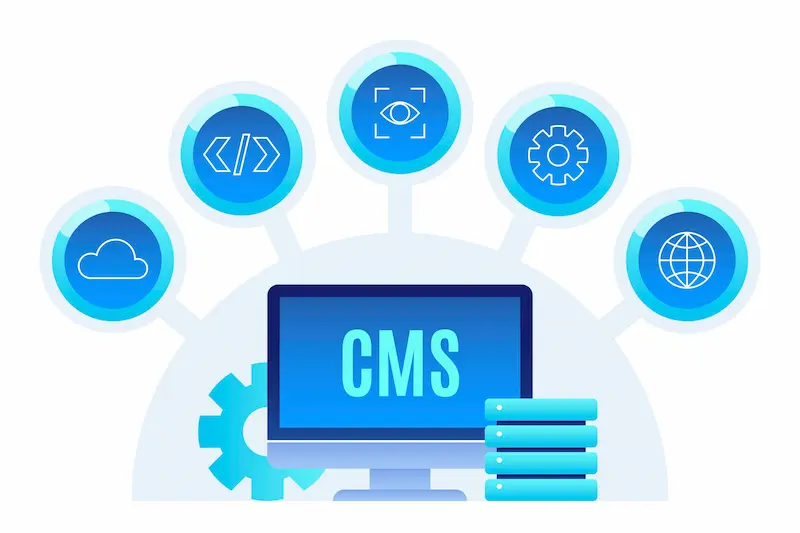
Instead of writing HTML, CSS, and PHP from scratch, you use a user-friendly interface to create pages, write blog posts, and upload images.
A CMS handles the basic infrastructure of your site. It manages your files, renders your pages for visitors, and helps you organize your content hierarchy.
This allows you to focus on the creative aspects of your website, such as design and messaging, rather than the backend code.
Benefits of Using a CMS for Modern Websites
Using a CMS offers distinct advantages over hand-coding a website or using a static site generator.
- User-Friendly Interfaces: Most modern platforms use drag-and-drop editors or block-based systems. This makes it easy to arrange content as if editing a document.
- Speed of Deployment: You can launch a professional-looking site in hours rather than weeks. Pre-made templates and themes kickstart the design process.
- Collaboration: A CMS allows multiple users to work on a site simultaneously. Editors can write posts while administrators manage plugins and security.
- SEO Capabilities: Platforms come equipped with built-in tools or plugins to help you rank on search engines like Google.
- Cost-Effectiveness: Many platforms are open source or offer affordable monthly plans, reducing the need for costly developer fees.
Types of Websites You Can Build Using a CMS
The versatility of modern CMS platforms is impressive. You are not limited to simple blogs.
- Ecommerce Stores: Sell physical or digital goods, manage inventory, and process payments globally.
- Portfolios: Showcase photography, design work, or videography with high-resolution galleries.
- Business Websites: Create professional pages for services, appointments, and company information.
- Membership Sites: Offer exclusive content to paying subscribers and manage user accounts.
- News and Magazines: Publish high volumes of content with complex categorization and author management.
List of the Best CMS Platforms Available Today
We have analyzed the top contenders in the market based on their features, reliability, and growth potential. Here is a detailed look at the leading platforms.
WordPress: Most Popular CMS Platform
WordPress powers a massive portion of the internet, and for good reason. It is arguably the most versatile platform available. It scales effortlessly from a personal blog to a global empire. The platform is designed to let you do “Everything. Every. Single. Thing.”

WordPress excels in design flexibility. You can kickstart your site with hundreds of professionally designed themes. The Block Editor allows you to use intuitive drag-and-drop tools to rearrange content.
You can insert elegant pre-built block patterns to create complex layouts instantly. For advanced users, there is total control over website CSS and typography.
Extensibility and Features: The true power of WordPress lies in its ecosystem.
- Plugins: Over 50,000 are available. If you can dream of a feature, there is a plugin for it.
- Monetization: You can accept payments for goods, services, and memberships. The WordAds program lets you earn revenue by connecting with top ad publishers.
- Marketing: Built-in social media tools automatically share new posts to platforms like LinkedIn and Tumblr.
- Performance: WordPress.com offers managed hosting optimized specifically for the platform. This includes a global CDN with data centers across six continents, ensuring your site loads lightning-fast.
- Security is paramount, with automated malware scanning, DDoS protection, and Akismet spam protection included to keep your site professional.
Why it stands out: It offers unmetered bandwidth, meaning your site can grow without limits. Whether you are a solo flier or a global enterprise, WordPress adapts to your needs.
Build a WordPress Website That Grows With You
Turn your CMS choice into an advantage with custom WordPress development focused on performance, SEO, and long term growth.
Shopify: CMS for Ecommerce Websites
Shopify is the dominant force in the ecommerce sector. It is a purpose-built platform designed to move products. Millions of merchants have collectively made over $1 trillion in sales using Shopify.
Sales-First Features: Shopify focuses heavily on conversion. Their data suggests their checkout converts 15% higher on average than other platforms. This is due to a streamlined, one-page checkout experience optimized for speed.
- Global Reach: Shopify Markets takes the complexity out of international selling. It helps manage localization and shipping for global customers.
- Multichannel Selling: You can sell online, in-person with Shopify POS, and across social media channels, keeping all inventory in sync.
Scalability: Shopify supports businesses of all sizes. Solo sellers can start fast, while enterprise brands like Mattel use Shopify to sell globally. The platform leverages high-performance infrastructure that can handle massive product drops without crashing.
Developer Ecosystem: For those needing custom solutions, Shopify offers Hydrogen, a headless commerce framework. This allows developers to build custom storefronts while utilizing Shopify’s backend power.
Wix: Beginner-Friendly Website Builder CMS
Wix is famous for its “creation without limits” approach. It is an excellent choice for users who want a visual, drag-and-drop experience without touching a line of code.
Visual building Wix offers an intuitive drag-and-drop editor. You can place elements anywhere on the screen. For those who want speed, the AI website builder can generate a unique, business-ready website based on a description of your needs.
All-in-One Dashboard: Wix aims to be a complete operating system for your business.
- Marketing: It includes built-in SEO tools, email marketing, and social media post creators.
- Management: You can accept payments, send invoices, and track analytics from a single dashboard.
- Reliability: Wix sites are hosted on multi-cloud infrastructure, ensuring 99.99% uptime.
Wix is particularly strong for creative portfolios, restaurants, and small businesses that need a polished look quickly.
Squarespace: Design Focused Content Management
Squarespace is synonymous with beautiful, high-end design. It is a favorite among creatives, consultants, and service-based businesses.
The templates are award-winning and visually striking. They are designed to showcase imagery and typography effectively. Beyond looks, Squarespace is a powerhouse for service businesses.
Service-Oriented Features
- Scheduling: The platform integrates powerful scheduling tools to manage appointments and classes.
- Invoicing: You can send branded invoices and collect payments directly through the platform.
- Memberships: Squarespace allows you to monetize content by creating exclusive areas for paying subscribers.
Ecommerce Integration: While known for services, Squarespace also handles physical products. It supports flexible payments, including “Buy Now, Pay Later” options, and offers tools to manage inventory and shipping.
Joomla: Flexible and Multilingual Websites
Joomla is a robust, open-source CMS that powers nearly 2 million active websites. It occupies a middle ground between the ease of WordPress and the complexity of Drupal.

Core Strengths:
- Multilingual Support: Joomla speaks your language. It has excellent support for building multilingual websites right out of the box.
- Flexibility: It is highly flexible and easy to extend. It is used by governments, non-profits, and large organizations.
- Code Quality: Known for its rock-solid codebase, Joomla is secure and provides a strong framework for developers to build powerful PHP applications.
Joomla is a strong candidate for complex directories or social networking sites where user management is critical.
Drupal: Enterprise-Level and Scalable Projects
Drupal is the platform of choice for ambitious digital experiences. It is used by top universities and global enterprises. Drupal prioritizes security, scalability, and complex data architecture.

Drupal CMS 2.0, the latest version, puts power in marketers’ hands. It features visual page building and a “recipes” system to set up site features in minutes.
Enterprise Capabilities:
- Security: Drupal meets strict privacy and security standards, making it ideal for government and large corporate sites.
- Scalability: It can handle millions of visitors and thousands of pages effortlessly.
- Headless Capability: Drupal is API-first, meaning it can serve content to mobile apps, kiosks, and other digital channels, not just websites.
Webflow: Visual CMS for Designers and Modern Websites
Webflow is revolutionizing how designers build for the web. It is a “visual code” editor that bridges the gap between design and development.

Visual Development in Webflow lets you design visually while the platform generates clean, semantic code in the background. It is an AI-native platform that helps you optimize and localize pages.
Key Features:
- Interactions: You can build complex animations and interactions without writing JavaScript.
- CMS Flexibility: Webflow’s CMS is highly visual and composable, making it easy for marketing teams to manage content without breaking the design.
- Hosting: It offers enterprise-grade hosting with global scalability.
Webflow is ideal for agencies and designers who want total control over the frontend experience.
How to Choose the Best CMS Platform for Your Needs?
With so many excellent options, the choice comes down to your specific goals and resources. Here is a framework to help you decide.
Identifying Your Website Goals and Content Requirements
First, define the primary purpose of your site.
- Content Publishing: If your goal is blogging, news, or media, WordPress is unmatched. Its editorial tools, including the block editor and VideoPress, are designed for creators. The ability to create paid newsletters and premium content blocks makes it ideal for monetization.
- Pure Retail: If you are building a massive online store with thousands of SKUs, Shopify is the specialist.
- Visual Portfolio: If you are a photographer or artist, Squarespace or Wix offers the quickest route to a stunning gallery.
Choosing a CMS Based on Skill Level and Resources
Consider who will build and maintain the site.
- No Technical Skills: Wix and Squarespace are true “what you see is what you get” builders. They handle all updates and security for you.
- Some Learning Curve, Maximum Reward: WordPress is user-friendly but offers deep customization. It grows with your skills. You can start with pre-built patterns and eventually move to advanced CSS customization.
- Developer Reliance: Drupal and custom Webflow builds often require a developer or a designer with technical knowledge to set up initially.
Matching CMS Strengths with SEO and Growth Goals
Growth is a critical factor. You don’t want to migrate your site a year from now because you have outgrown the platform.
- SEO: WordPress is widely considered the best for SEO. With plugins like Rank Math, plus a clean code structure, you get a head start. Webflow also offers excellent control over SEO/AEO.
- Scalability: WordPress and Drupal are king here. WordPress offers unmetered bandwidth and automated burst scaling to handle traffic spikes. Shopify is equally scalable for transaction volume.
Read More: AI-Powered CMS Migration
Checklist for Selecting the Right CMS Platform
Use this checklist before committing:
- Budget: Check not just the monthly fee, but also plugin, theme, and transaction fees.
- Support: Does the platform offer 24/7 support? (e.g., WordPress “Happiness Engineers”).
- Exportability: Can you move your content easily if you leave? Open-source platforms like WordPress and Joomla make this easier than closed builders.
- Integrations: Does it connect with your email marketing (e.g., Mailchimp) and analytics tools?
- Security: Does it offer built-in DDoS protection, backups, and two-factor authentication?
Also Read: LMS vs LCMS: Which System Is Right For Your E-Learning Needs?
Final Verdict
Selecting a CMS is about finding the right tool for your specific job.
For pure, high-volume ecommerce, Shopify is the industry standard. For designers who want pixel-perfect control without code, Webflow is a powerful modern choice. Wix and Squarespace are excellent for quickly and easily building a beautiful small-business site.
However, for the vast majority of users, from bloggers and small businesses to large publications and growing stores, WordPress remains the most compelling choice.
It offers a unique balance of freedom and support. With features like the Block Editor for easy design, unmetered bandwidth for growth, and thousands of plugins for extensibility, it ensures you never hit a “ceiling” on what your website can do.
Whether you need to earn ad revenue, sell memberships, or simply share your voice, WordPress provides a reliable, scalable foundation for your digital future.
FAQs About Best CMS Platforms Compared
Which CMS is the best for SEO?
Most platforms handle basic SEO tags. However, WordPress is widely considered the industry leader. Its clean code structure and powerful plugins, like Yoast and Rank Math, give you granular control over your content. This often helps sites rank higher and faster than those built on closed, drag-and-drop systems.
Do I need coding skills to build a professional website?
No. Platforms like Wix and Squarespace use visual editors. Similarly, the WordPress Block Editor allows you to arrange content, add video, and style pages using simple drag-and-drop tools. You get the ease of a website builder with the power of a full-scale CMS.
Can I migrate my website content to another platform later?
It depends on your choice. Closed platforms like Wix or Shopify can make exporting data difficult or incomplete. Open-source systems like WordPress give you full ownership of your data. This makes it easy to move or scale your site in the future without losing your hard work.
Which platform offers the best value for money?
Website builders usually charge monthly fees that increase as you unlock standard features. WordPress is often more cost-effective because the core software is free. You can start with affordable hosting and free plugins, then only pay for premium tools once your site starts generating revenue.
Is it better to use a dedicated ecommerce platform or a CMS?
For massive, pure-retail operations, Shopify is excellent. However, if you want to combine a store with a rich blog, portfolio, or membership area, a CMS is often a better choice. WordPress with WooCommerce lets you blend content and commerce seamlessly, rather than just having a standalone storefront.


