

If you are running a WordPress website or managing sites for clients, a WordPress maintenance contract checklist is not just a nice to have. It is a business safeguard.
A clear maintenance contract defines what the provider maintains, how quickly they handle issues, and who owns each responsibility. Without this clarity, small problems turn into expensive emergencies, and simple misunderstandings turn into strained relationships.
This guide walks you through a practical WordPress maintenance contract checklist that both agencies and clients can rely on.
You will learn what a proper maintenance contract should include, which clauses matter most, and how to spot gaps before signing anything.
Whether you offer WordPress maintenance services or are shopping for a provider, this checklist helps you make smarter decisions.
TL;DR: WordPress Maintenance Contract Checklist
A strong WordPress maintenance contract should include:
- Core, plugin, and theme updates
- Security monitoring and malware protection
- Automated & offsite backups and performance optimization
- Defined support scope and response times
- Transparent pricing and clear exit terms
If any of these are missing, the contract is incomplete.
What is a WordPress Maintenance Contract and Why it Exists?
A WordPress maintenance contract is a formal agreement where a service provider commits to ongoing tasks that keep a WordPress site secure, stable, and performing well.
It documents the scope of services, response times, responsibilities, and limitations in one place. Think of it as an operating manual for how your website is cared for after launch.
Websites constantly change as WordPress releases new versions, plugins ship updates, security vulnerabilities emerge, and traffic patterns evolve. A maintenance contract exists to manage all of that change in a predictable way.
- For agencies, a maintenance contract creates recurring revenue and protects internal resources from unlimited ad hoc work.
- For clients, it creates peace of mind and removes uncertainty about who to contact when something goes wrong.
Without a contract, expectations are usually assumed instead of agreed upon. That is when conflicts start. A well written maintenance contract prevents those issues by setting clear boundaries and outcomes from day one.
WordPress Maintenance Contract vs One Time Fixes
One time fixes solve a single problem. A maintenance contract prevents hundreds of future problems.
With one time fixes, the site gets attention only when something breaks, which leads to skipped updates, forgotten backups, and growing security gaps. Over time, the site becomes fragile and expensive to maintain.
With a maintenance contract, routine care happens in the background. Updates are applied consistently, backups run automatically, and monitoring catches issues early. The site stays healthy instead of slowly degrading.
This difference is why serious businesses and professional agencies move away from one off support and toward structured maintenance plans.
Who is This Checklist For?
This WordPress maintenance contract checklist is designed for:
- WordPress agencies offering care plans or retainers
- Freelancers transitioning into recurring service models
- Business owners evaluating maintenance providers
- Marketing and IT teams responsible for website uptime
If you fall into any of these groups, this checklist helps you avoid vague agreements and build or choose a maintenance contract that actually protects your website.
Why Seahawk Media WordPress Maintenance Plans Are Built Differently?
Seahawk Media approaches WordPress maintenance as an extension of professional development and support, not just automated tasks.

Every plan is backed by experienced WordPress developers who understand real world sites, custom functionality, and performance challenges. Seahawk Media focuses on:
- Proactive monitoring instead of reactive fixes
- Clear scopes and documented processes
- Scalable plans for growing businesses
- Fast response times and reliable communication
The goal is simple. Keep websites stable, secure, and continuously improving.
Stop Worrying About WordPress Maintenance
Seahawk Media helps businesses and agencies keep WordPress sites secure, fast, and fully supported with proactive monitoring, regular updates, and developer-led support.
Core WordPress Maintenance Services That Must Be Listed
Every WordPress maintenance contract should clearly list the core services included. If any of the items below are missing or vaguely described, that is a red flag. These services form the foundation of proper WordPress maintenance.
WordPress Core Updates
The contract should state that the provider applies WordPress core updates regularly, including security patches and minor releases. It should also mention compatibility checks before updates go live. Updates keep your site protected from known vulnerabilities. Skipping them increases the risk of hacks and data loss.
Plugin and Theme Updates
Plugins and themes introduce the largest attack surface on most WordPress sites. The contract should specify:
- How often plugins and themes are updated
- Whether updates are tested before deployment
- What happens if an update causes an issue
Clear language here prevents disputes later.
Security Monitoring and Malware Protection
A strong maintenance contract includes continuous security monitoring. This usually covers malware scanning, firewall protection, brute force attack prevention, and vulnerability detection. Security should be proactive, not reactive.
Automated and Manual Backups
Backups are your last line of defense. The contract should define:
- Backup frequency
- Where backups are stored?
- How long backups are retained?
- How restorations are handled?
You should never rely on a single backup location.
Uptime Monitoring
The provider should monitor your site availability and receive alerts when downtime occurs. The contract should clarify monitoring frequency, who responds to alerts, and expected response times. Downtime that goes unnoticed is downtime that lasts longer than necessary.
Performance and Optimization Responsibilities
Performance directly impacts user experience, SEO, and conversions. Maintenance contracts should treat performance as an ongoing responsibility, not a one time setup task.
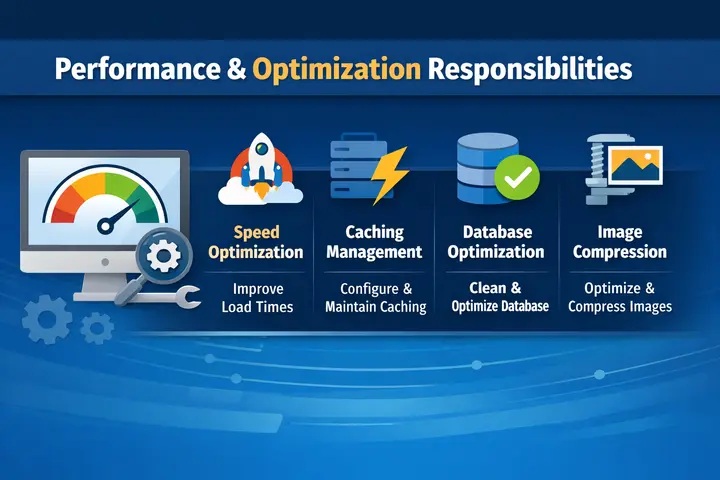
- Database Cleanup and Optimization: Over time, WordPress databases collect unused data such as revisions, transients, and orphaned tables. Regular cleanup keeps the database lean and improves query speed. The contract should mention periodic database optimization.
- Image and Asset Optimization: Large images slow down websites. Maintenance should include checks for oversized images and guidance or automation to optimize them. Some providers also compress existing media libraries over time.
- Caching and Speed Configuration: Caching layers reduce server load and improve page load times. The contract should state who configures and maintains caching and which tools or methods they use.
- Page Speed Benchmarks: While exact speeds vary by site, many contracts include target ranges for performance metrics or commitments to ongoing improvements. This creates accountability around speed.
Support Scope and Response Time Expectations
Support is often the most misunderstood part of a maintenance contract. Clear definitions here prevent frustration.
- What Counts as Included Support: The contract should specify that maintenance support covers items such as plugin conflicts, theme issues, broken functionality, minor layout problems, and security incidents. This defines what clients can request without extra charges.
- What is Excluded or Billed Separately: Not everything belongs inside a maintenance plan. Common exclusions include new feature development, major redesigns, large content entry projects, and third party plugin licenses. These exclusions should be clearly listed.
- Response Time by Issue Type: The contract should outline response times based on severity, for example critical site down issues, high priority broken functionality, and normal requests. This sets realistic expectations for both sides.
Security and Compliance Clauses to Look For
Security clauses should go beyond simple scanning.
- Malware Removal Process: The contract should explain how infections are detected, how quickly cleanup begins, and whether cleanup is included or billed. This avoids surprises after a hack.
- Firewall and Hardening: Hardening measures reduce attack surface. The contract should mention baseline security configurations and firewall usage.
- SSL and Basic Compliance Support: SSL monitoring and renewal reminders should be included. If the site handles sensitive data, the contract should also clarify what level of compliance assistance is provided.
Backup Ownership and Data Access Rights
A WordPress maintenance contract should clearly state who owns the website files, database, and backups. This sounds obvious, but many contracts skip this detail.
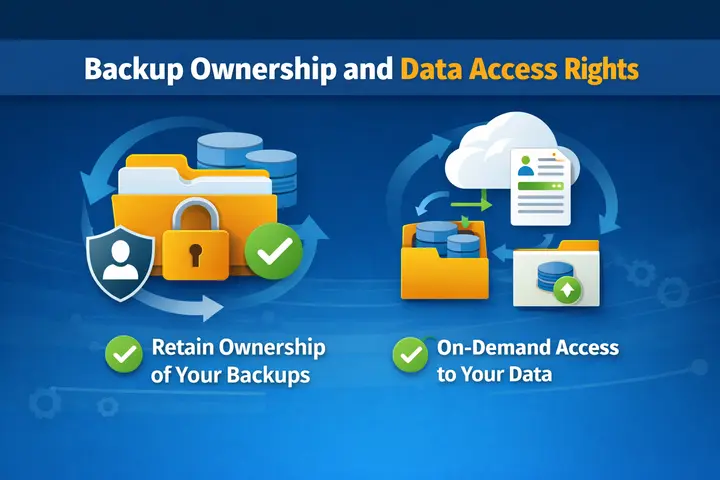
Clients should always retain full ownership of their website data. Agencies and maintenance providers are caretakers, not owners. The contract should confirm:
- The client can request a copy of backups at any time
- Backups are stored in at least one offsite location
- The client can access their files and database if the contract ends
This prevents providers from locking businesses in just because they cannot retrieve their own data.
Reporting and Communication Requirements
Transparency builds trust. A good maintenance contract explains how work is documented and shared.
- Maintenance Reports: The provider should supply regular reports that summarize updates applied, security scans and findings, backup status, and uptime and performance checks. Reports do not need to be long. They need to be clear. These reports help clients see the value of ongoing maintenance and give agencies proof of work.
- Communication Channels: The contract should list how clients submit requests, where support tickets are tracked, and who the main point of contact is. Clear communication paths prevent lost messages and slow resolutions.
Hosting and Infrastructure Responsibilities
Not all maintenance providers include hosting. Some work with third party hosts. Others bundle hosting with maintenance. The contract should explain:
- Whether hosting is included
- Who manages server updates
- Who contacts the host if issues occur
This avoids finger pointing when performance or downtime problems arise. If hosting is separate, the maintenance provider should still coordinate with the host on the client’s behalf.
Pricing Structure and Billing Terms
Money conversations should never feel confusing. So, its essential to set pricing structure and billing terms:
Monthly plans offer flexibility. Annual plans usually offer discounts. The contract should list both options if available. Clients should know exactly what they are committing to.
If work exceeds the included scope, the contract should explain:
- How additional work is quoted
- Hourly rates or fixed pricing
- Approval process
This prevents surprise invoices. The contract should also state when invoices are issued, payment due dates, and consequences for late payment. Clear billing terms protect both sides.
Termination, Exit, and Portability Terms
Every contract should include a clean exit path. The contract should specify:
- Required notice period
- What happens to backups and files
- How credentials are transferred
A professional provider never holds a site hostage. Clear exit terms signal confidence and integrity.
Red Flags Inside WordPress Maintenance Contracts
Watch out for these warning signs. They usually point to gaps that cause problems later.
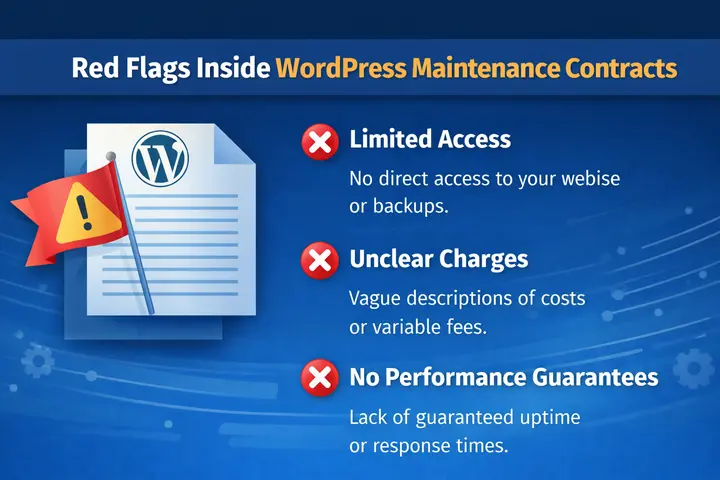
- Vague Service Descriptions: Phrases like “basic maintenance” or “standard support” without detail usually mean limited coverage. Always insist on a clearly itemized list of tasks and responsibilities.
- No SLAs: If response times are not documented, do not assume fast support. Lack of SLAs often leads to long delays when urgent issues arise.
- No Backup Access: You should never be denied access to your own backups. Ownership of your data must remain with you at all times.
- Locked Hosting: Be cautious if a provider forces you onto their hosting with high exit fees. You should have the freedom to change hosts without penalties.
- Unlimited Claims without Limits: True unlimited support does not exist. Honest providers define boundaries. Clear limits protect both the client and the agency from misunderstandings.
Agency Perspective: How to Use This Checklist to Build Better Plans?
For agencies, this checklist becomes a blueprint. Clear contracts:
- Reduce scope creep
- Protect developer time
- Create predictable revenue
Documented expectations make relationships easier to manage. Maintenance plans stop feeling like favors and start functioning like products.
Client Perspective: How to Evaluate a Maintenance Proposal?
When reviewing a proposal, compare it against this checklist. Ask:
- Are all core services listed?
- Are response times documented?
- Is pricing transparent?
- Are backups and security explained?
If multiple items are missing, keep looking.
Final Thoughts
A WordPress maintenance contract is not just paperwork. It is the foundation of a healthy, reliable website.
For agencies, a clear contract protects your team, time, and revenue. For clients, it protects your business from downtime, security issues, and costly surprises. When both sides document and align expectations, partnerships run smoother and results improve.
Use this WordPress maintenance contract checklist as a practical reference. Compare it against existing agreements. Share it with prospects. Refine your own plans around it.
Strong contracts lead to stronger websites. And stronger websites support long term growth.
If you want your WordPress site maintained by a team that treats stability, security, and performance as non negotiable, Seahawk Media is ready to help.
Frequently Asked Questions
How much should WordPress maintenance cost?
Professional WordPress maintenance usually ranges from mid double digit to several hundred dollars per month depending on site complexity and support level. Extremely cheap plans often skip important protections.
Can I maintain my site myself?
Basic maintenance is possible for technical users. Most businesses choose professional maintenance to reduce risk and free up internal time.
How often should WordPress updates happen?
Apply security updates as soon as they are released. Review plugin and theme updates weekly or biweekly to avoid compatibility issues.
What happens if an update breaks my site?
A proper maintenance provider restores from backup and resolves the issue without additional cost.
Do small websites need maintenance?
Yes. Small sites are often targeted because they are poorly maintained.


