
This guide will walk you through how to convert Lovable to Elementor step by step, without losing design intent or momentum. It is written for founders, marketers, and agencies who want the best of both worlds. AI speed at the start, and WordPress flexibility for the long run.
AI website builders have changed how fast ideas come to life. With tools like Lovable, you can describe what you want and watch a polished website appear in minutes. For early stage products, quick experiments, and internal demos, that speed feels almost unreal.
But once the excitement settles, most teams hit the same realization. A fast build does not always mean a sustainable website. Content needs to grow. SEO starts to matter. Clients want ownership. Marketing teams want control. That is usually when WordPress and Elementor enter the picture.
TL;DR: Lovable to WordPress Conversion
- Lovable is excellent for creating fast AI driven website designs during early stages, MVPs, and idea validation.
- Elementor becomes the better choice once content growth, SEO, client ownership, and long term control start to matter.
- Converting from Lovable to Elementor is about translating layout structure and design intent, not copying code.
- The process works best when the Lovable design is finalized before rebuilding sections inside Elementor.
- Native Elementor containers and widgets create cleaner, more maintainable WordPress pages than external scripts or embeds.
- Mobile and tablet optimization should be handled intentionally after desktop layouts are complete.
- Images and media should always be uploaded to the WordPress media library for better performance and reliability.
- This workflow helps agencies and teams combine AI speed with WordPress scalability without platform lock-in.
- Using Lovable for ideation and Elementor for execution results in faster delivery and stronger long-term websites.
Why So Many Teams Start with Lovable?
Lovable removes early friction. It helps teams move from concept to something visible without technical overhead or long setup cycles.
Speed Wins When Ideas Are Still Taking Shape
When you are validating an idea, speed matters more than polish. Lovable lets teams generate layouts quickly and respond to real visuals rather than wireframes or mockups.
This is especially useful for MVPs, early demos, and internal alignment where momentum matters more than perfection.
Why AI Builders Feel Effortless in the Beginning?
AI builders handle many design decisions automatically. Layouts, spacing, and hierarchy are generated from prompts, relieving the pressure of starting from scratch.
That effortlessness is why Lovable feels productive immediately. You spend time refining ideas instead of configuring tools.
What Lovable is Actually Optimized for?
Lovable is built for fast design output, not long-term website management. It excels at short-cycle projects such as landing pages, early-stage products, and concept validation.
It is not designed to handle complex content systems, ongoing SEO strategies, or client-managed publishing at scale.
Convert Lovable Designs into Elementor without Rebuilding
Seahawk helps teams convert Lovable designs into clean, scalable Elementor builds without losing structure, performance, or momentum.
Where Lovable Starts to Feel Limiting?
As websites evolve from experiments into real business assets, priorities shift. Flexibility, ownership, and scalability start to matter more than speed alone.
When SEO Becomes a Priority?
Early traffic often comes from ads or direct links. Over time, organic search becomes a major acquisition channel. This requires deeper control over metadata, page structure, and content relationships. Compared to WordPress, SEO customization inside AI builders can feel restrictive once content volume grows.
Content Growth Gets Harder Over Time
A single page is easy to manage anywhere. Multiple pages with blogs, resources, and updates quickly expose platform limitations. Teams begin to need reusable sections, consistent layouts, and structured navigation. These are areas where WordPress and Elementor perform better in the long term.
Client Ownership and Platform Dependency Issues
For agencies, client expectations often drive platform decisions. Clients want familiar systems. They want access without risk. They want flexibility without lock-in. WordPress remains widely trusted, and Elementor gives clients visual control without complexity. This makes handoff smoother and reduces long-term dependency concerns.
Why Elementor Becomes the Natural Next Step?
Elementor bridges the gap between visual design and scalable website management. It gives teams control without sacrificing ease of use.
Elementor as a Builder Clients Can Actually Manage
Elementor allows clients to update content visually while preserving structure. Text edits, image swaps, and layout adjustments feel intuitive rather than intimidating. This reduces support requests and increases confidence after launch.
Why WordPress Still Wins for Long-Term Growth?
WordPress supports content-heavy websites, integrates with nearly every marketing tool, and allows full control over hosting and performance. As businesses grow, these capabilities become essential rather than optional.
Elementor Versus Staying Inside an AI Builder
AI builders accelerate ideation. Elementor supports execution at scale. They serve different stages of the same journey. Teams that understand this use Lovable to move fast early, then shift to Elementor when growth demands stability and control.
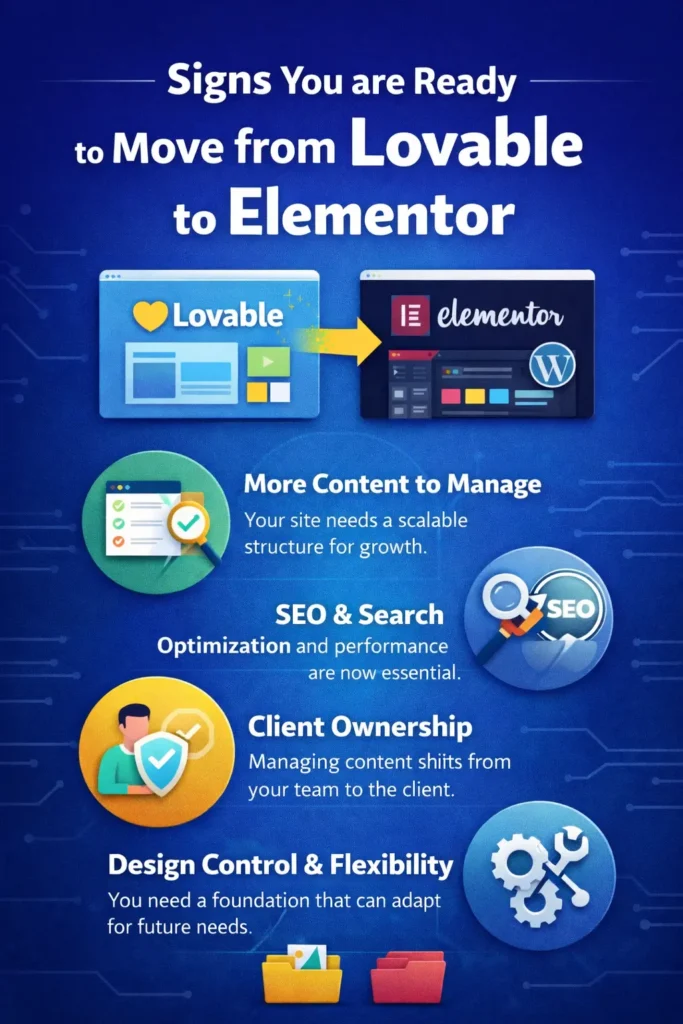
Signs You are Ready to Move from Lovable to Elementor
The need to migrate usually appears gradually. Certain signals make the decision clearer.
Your MVP is Turning into a Real Product
When your site starts supporting real users, real content, and real revenue, structure becomes more important than speed. Design decisions now affect scalability, not just appearance.
You Need More than a Single Landing Page
Blogs, case studies, resources, and documentation require a system that cleanly handles relationships between pages. Elementor and WordPress are built for this type of content expansion.
Performance, Analytics, and Control Start Mattering
Marketing teams need analytics flexibility. Developers want performance tuning. Founders want ownership. These requirements often push teams toward WordPress as the foundation.
What You Need Before You Begin the Conversion?
A smooth conversion depends on preparation. Treat Lovable as a design reference, not a halfway implementation.
Preparing Your Lovable Project the Right Way
Finalize layouts, copy, and structure before starting. Confirm that sections and spacing reflect what you want to carry forward. The more clarity you have here, the less cleanup you will need later.
Setting Up WordPress and Elementor Correctly
Install WordPress on a reliable hosting provider and set up basic Elementor early. Set global fonts, colors, and layout preferences upfront. Enable modern layout features, such as Flexbox containers, to avoid rebuilding sections later.
Free vs Pro Elementor Considerations
Elementor Free works well for basic layouts and static pages. Elementor Pro becomes valuable when your design includes forms, sliders, or advanced components. Choose based on your Lovable design complexity, not assumptions.
How Lovable to Elementor Conversion Actually Works?
This process is about translating structure, not copying code. Understanding that early avoids frustration.
Why This is About Structure, Not Code Exporting?
Lovable outputs modern frontend code that does not map directly to WordPress themes. Attempting to reuse it usually creates maintenance issues. Instead, Elementor recreates layouts using native containers and widgets that remain editable and scalable.
How Elementor Recreates Layouts Cleanly?
Elementor focuses on hierarchy, spacing, and responsiveness. You rebuild layouts visually while maintaining logical structure. This approach keeps the site flexible and easy to manage in the long term.
What Transfers Well and What Needs Rebuilding?
Static sections translate easily. Interactive elements like forms, sliders, and animations usually require native Elementor replacements. This is expected and results in a cleaner, more reliable site.
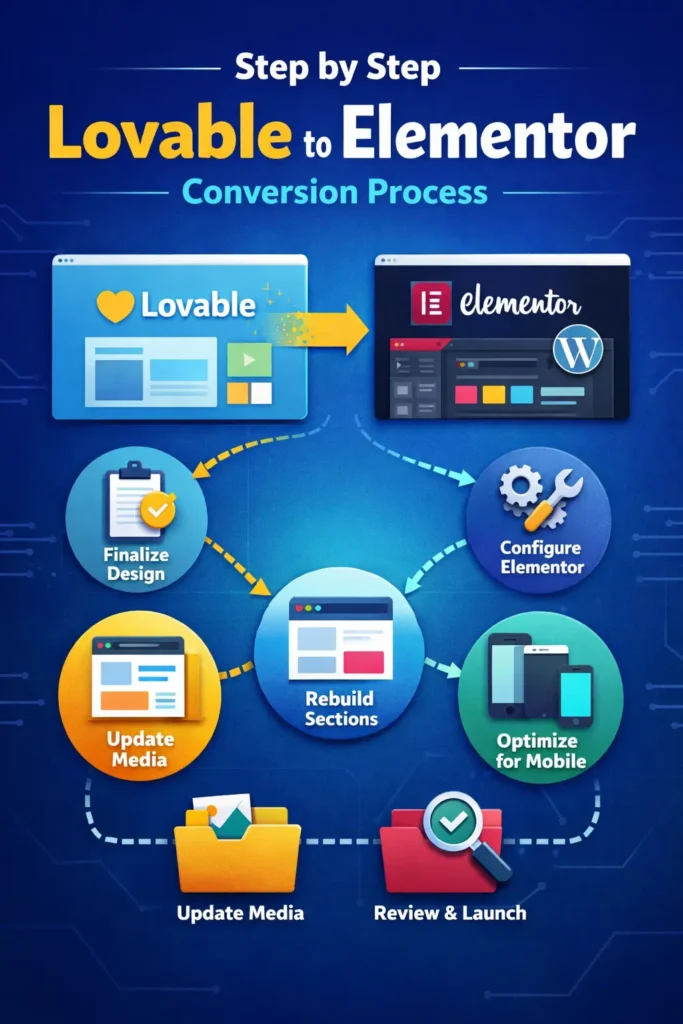
Step-by-Step Lovable to Elementor Conversion Process
This conversion works best when treated as a structured workflow, not a rushed copy exercise. Each step builds on the previous one, so skipping ahead usually creates more cleanup later.
Step 1: Lock the Final Lovable Design
Before opening WordPress, finalize everything inside Lovable. Treat it as your approved design reference, not a flexible draft.
Review the page from top to bottom and confirm section order, spacing, typography, and color usage. You are not aiming for pixel perfection. You are confirming intent. Every section should have a clear purpose and flow logically into the next.
Switch between desktop, tablet, and mobile views inside Lovable. Note where spacing feels tight or where elements stack awkwardly. These observations will guide better layout decisions inside Elementor.
Confirm all copy is final. Headlines, body text, and CTAs should be approved. Frequent content changes during conversion slow the process and introduce inconsistencies.
Once this step is complete, consider the Lovable project frozen.
Step 2: Configure Elementor for Clean Layouts
Start by preparing Elementor correctly. Go to Elementor settings and ensure Flexbox containers are enabled. This is essential for modern layouts and responsive control.
Set global fonts, colors, and button styles to match the Lovable design. Doing this early prevents repetitive adjustments and keeps visual consistency across the page.
Create a blank page using a lightweight theme and disable default padding or page titles if they interfere with the layout. The goal is a clean canvas that behaves predictably.
Taking ten minutes to configure Elementor here can save hours of fixes later.
Step 3: Rebuild Sections Inside Elementor
Begin rebuilding the page one section at a time, starting with the header and hero. These sections define hierarchy and spacing for everything that follows.
Use containers instead of legacy sections. Focus on alignment, spacing, and content flow rather than copying exact measurements. Elementor gives enough control to preserve the look and feel without over-engineering.
Work from top to bottom and complete each section before moving on. Avoid jumping between sections, as this often leads to inconsistent spacing and layout conflicts.
If something does not look identical at first, move forward. Fine tuning happens later.
Step 4: Replace Interactive Elements Properly
Lovable often displays interactions visually, but these elements need functional equivalents in WordPress.
Replace static form layouts with Elementor form widgets so submissions are captured correctly. Swap sliders, carousels, and counters with native Elementor widgets that support real interaction.
Avoid embedding custom scripts unless absolutely necessary. Native Elementor components are easier to manage, update, and troubleshoot over time.
This step ensures the site works correctly, not just looks correct.
Step 5: Reconnect Images and Media
Images from Lovable should never remain externally linked. Download all images and upload them to the WordPress media library.
Replace background images and inline visuals with local uploads. This improves load times, avoids broken assets, and gives you full control over optimization.
While doing this, check image dimensions and compression. Large images are one of the most common causes of poor performance after migration.
Step 6: Fine Tune Tablet and Mobile Views
Once the desktop layout is complete, switch immediately to tablet and mobile views.
Adjust font sizes, spacing, and container widths using Elementor responsive controls. Convert fixed pixel values into flexible units where needed to improve adaptability across screen sizes.
Pay attention to content order and readability on smaller screens. A layout that looks great on desktop can feel overwhelming on mobile if not adjusted intentionally.
This step is where the site starts feeling professionally built rather than auto generated.
Step 7: Final Review and Cleanup
Walk through the entire page as a user would. Click buttons, test forms, and scroll slowly.
Check heading hierarchy, spacing consistency, and visual rhythm. Small refinements here make a noticeable difference in perceived quality.
Regenerate Elementor files and clear caches to ensure styles load correctly. This also helps catch any lingering layout issues before launch.
At this point, the Lovable design has successfully been translated into a clean, editable Elementor page inside WordPress.
Common Issues Teams Face During Conversion
No conversion is perfect on the first pass. Knowing what to expect keeps teams confident and productive.
Spacing and Layout Mismatches
Padding and margins rarely translate exactly from AI-generated designs. This is normal. Focus on visual balance rather than exact measurements. Elementor spacing controls make these adjustments quick once you stop chasing pixel perfection.
Fonts, Icons, and Media Handling
Custom fonts may need to be reconnected through Elementor settings. Icons usually transfer well, but should still be reviewed for consistency.
Images should always be uploaded to the WordPress media library rather than linked externally. This improves performance, SEO, and long-term reliability.
Why are these issues normal and Fixable?
AI builders prioritize output speed. WordPress prioritizes structure and ownership. The small fixes required during conversion are not setbacks. They are part of turning a fast prototype into a stable website.
SEO and Performance Checks After Moving to Elementor
Conversion is complete only when the site is ready to perform well in search and load efficiently for users.
Structuring Pages for Search Visibility
Confirm heading hierarchy is logical and consistent. Use one clear H1 per page and organize sections meaningfully.
Review URLs, internal links, and content flow to support discoverability. WordPress makes these adjustments easier than most AI platforms.
Image Optimization and Media Cleanup
Compress images and serve properly sized files. Large, unoptimized images are one of the most common performance issues after migration.
Replace any externally hosted media with local uploads to maintain control and avoid broken assets.
Why WordPress Gives You Better Performance Control?
WordPress provides greater control over caching, hosting, and optimization. This flexibility becomes critical as traffic grows and performance expectations rise.
How Agencies Use This Workflow at Scale?
For agencies, this process is not just about delivery. It is about efficiency, margins, and client satisfaction.
Faster Client Approvals with AI First Design
Designing in Lovable allows agencies to present polished concepts early. Clients respond to visuals faster than static mockups. Once approved, converting to Elementor avoids rework and keeps timelines tight.
White Label Delivery Using Elementor
Elementor enables a clean handoff under the agency brand. Clients receive a familiar WordPress dashboard without exposure to experimental tools. This builds trust and supports long-term client relationships.
Turning One Design into Repeatable Sections
Agencies often reuse high-performing sections across projects. Elementor makes it easy to save and adapt these layouts. Over time, this creates a scalable system rather than one-off builds.
Should You Ever Stay on Lovable Long-Term?
Not every project needs to move immediately. The decision depends on goals, not trends.
When Lovable Still Makes Sense?
Short-lived campaigns, internal tools, and early validation projects can live comfortably inside Lovable. Speed and simplicity are the priority in these cases.
When Elementor Becomes the Better Investment?
When content grows, SEO matters, or clients need control, Elementor becomes a stronger foundation. The earlier this transition happens, the cleaner the long-term structure becomes.
Using Both Tools Without Locking Yourself In
The most effective teams use Lovable for ideation and Elementor for execution. This approach preserves speed while avoiding long-term platform dependency.
Final Thoughts on Moving from Lovable to Elementor
Lovable makes it incredibly easy to move fast when ideas are still forming. It removes friction, speeds up experimentation, and helps teams see something real rather than just imagine it. That speed is valuable, especially in the early stages of a product or campaign.
Elementor becomes important when speed alone is no longer enough. As websites grow, structure, content ownership, SEO, and long term flexibility start to matter more.
WordPress and Elementor provide a foundation that supports those needs without forcing teams to sacrifice visual control.
Moving from Lovable to Elementor is not a step backward. It is a natural progression. One tool helps you explore possibilities. The other helps you build something that lasts.
Teams that treat Lovable as a design accelerator and Elementor as a growth platform avoid platform lock-in and unnecessary rework. They keep momentum early and stability later. When used together, both tools play their role in a smarter, more sustainable website workflow.
FAQs about Lovable to Elementor Conversion
Does this work with Elementor free?
Yes. Elementor Free supports most layout conversions. Elementor Pro is recommended if your design includes forms, sliders, or advanced widgets.
How long does a typical conversion take?
Simple pages can be converted in a few hours. More complex layouts may take a full day depending on interaction complexity and content volume.
Will my site performance be affected?
Not negatively if best practices are followed. Proper image handling, clean structure, and native Elementor widgets result in strong performance.
Is this safe for client projects?
Yes. Many agencies use this workflow specifically for client delivery. It provides speed without sacrificing ownership or maintainability.


