Website malware is no longer a rare or technical problem reserved for large platforms. It affects small business sites, ecommerce stores, blogs, and enterprise websites alike. A single malware infection can quietly redirect visitors, inject spam links, slow down performance, or expose sensitive user data without any obvious warning. Many site owners only discover the issue after search rankings drop, browsers display security warnings, or customers report suspicious behavior.
This is why malware protection has become a core part of responsible website management. It is not just about cleaning up after an attack. It is about preventing infections before they spread, identifying threats early, and keeping your website stable, trustworthy, and accessible at all times. Modern malware protection tools work continuously in the background, scanning files, monitoring activity, and blocking malicious behavior before it causes damage.
In this guide, we will explain how malware protection works, why it matters for long term website health, and how to use it effectively as part of a broader security strategy. Whether you manage a single website or multiple client sites, understanding malware protection is essential for keeping your online presence safe and resilient.
What Malware Really Means for Website Owners
Malware is often misunderstood as a dramatic event where a website suddenly crashes or displays obvious warnings. In reality, most malware infections are subtle, quiet, and damaging over time. Malware refers to any malicious code that is designed to exploit your website for unauthorized purposes. This can include redirecting visitors to spam pages, injecting hidden links, stealing user data, or using your server resources for harmful activities.
For website owners, the real danger lies in how long malware can remain undetected. An infected site may continue to look normal on the surface while search engines flag it as unsafe, email providers block messages sent from it, or browsers display security warnings to visitors. These issues directly impact traffic, credibility, and revenue.
Malware also puts customer trust at risk. If personal information, login credentials, or payment data are exposed, the damage extends beyond technical cleanup. Reputation loss can be difficult and expensive to recover from. In some cases, businesses may even face legal or compliance consequences depending on the data involved.
Understanding malware as an ongoing operational risk rather than a one time incident helps website owners take security seriously. Effective malware protection reduces exposure, limits damage, and ensures your website remains a safe and reliable platform for users and customers alike.
Think Your Website May Be Infected?
Malware can hide deep inside files and databases, quietly damaging performance, SEO, and user trust. Seahawk’s hacked site repair service helps detect, clean, and secure your website quickly, so you can recover with confidence.
Common Ways Websites Get Infected With Malware
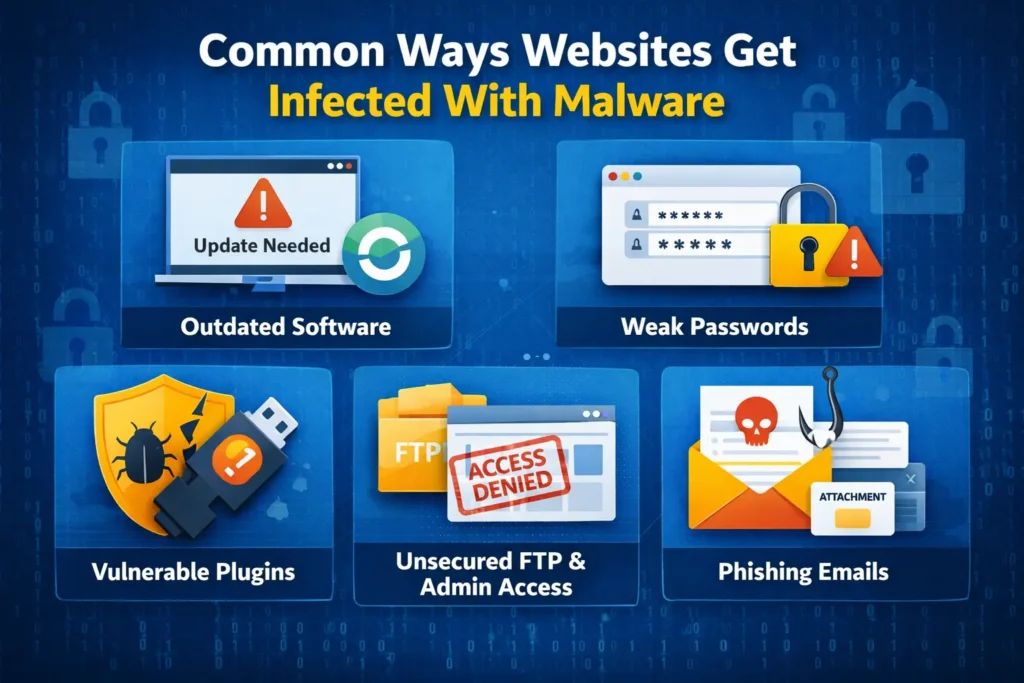
Most website malware infections do not happen randomly. They exploit small gaps in updates, access control, or configuration that often go unnoticed. Understanding these common entry points helps prevent infections before they take hold.
Outdated Plugins Themes and Core Software
One of the most common entry points for malware is outdated software. Plugins, themes, and core website files regularly receive security patches. When updates are ignored, known vulnerabilities remain open and attackers actively scan for them. Even a single outdated plugin can compromise an entire website.
Weak Passwords and Poor Access Control
Simple or reused passwords make it easy for attackers to gain access through brute force attacks. Shared admin credentials, inactive user accounts, and lack of role based permissions further increase risk. Once access is gained, malware can be injected quickly and quietly.
Insecure Hosting and Server Configuration
Poorly configured hosting environments expose websites to cross site contamination and server level attacks. Lack of isolation, outdated server software, and missing firewalls allow malware to spread between sites hosted on the same infrastructure.
Vulnerable Forms and User Input Fields
Contact forms, search fields, and file uploads are frequent targets for malicious scripts. Without proper validation and sanitization, attackers can inject harmful code directly into your website or database.
Pirated Themes and Plugins
Unofficial downloads often contain hidden backdoors and malicious scripts. These files may appear functional but introduce malware that is difficult to detect and remove.
Lack of Ongoing Monitoring
Without continuous monitoring, malware infections can persist unnoticed. Regular scans and alerts are essential for identifying threats before they escalate into serious damage.
What is Malware Protection & How it Works?
Malware protection is a security layer designed to safeguard websites from malicious code, unauthorized access, and hidden threats that can compromise performance and trust. It focuses on identifying risks early and stopping attacks before they impact users, data, or search visibility. Unlike basic security measures that only react after damage occurs, malware protection is built to operate continuously in the background.
Modern websites face constant automated attacks. Hackers scan the internet for vulnerabilities in plugins, themes, forms, and server configurations. Malware protection exists to close these gaps by monitoring website activity, files, and databases in real time. It helps website owners stay protected without needing to manually inspect code or track every security update themselves.
Effective malware protection also reduces recovery costs. By detecting and addressing threats early, it prevents widespread infections that require emergency cleanup, downtime, or complete site restoration. This makes it an essential part of long term website management rather than a one time security fix.
How Malware Protection Works
Malware protection works by continuously scanning website files, scripts, and databases for known malware signatures and suspicious behavior. When malicious activity is detected, the system responds automatically by blocking execution, cleaning infected code, or isolating affected files through quarantine.
Many solutions also monitor incoming requests and user interactions, stopping harmful scripts before they run. Scheduled scans and real time monitoring ensure that threats are identified quickly, while detailed logs and alerts help site owners understand what was blocked and why. Together, these processes create a proactive defense that keeps websites secure and stable over time.
Key Components of an Effective Malware Protection System
A strong malware protection system is built on multiple layers working together rather than a single security feature. Each component plays a specific role in detecting threats, limiting damage, and maintaining continuous protection across your website environment.
Real Time Malware Scanning
Real time scanning continuously monitors your website for malicious activity as it happens. Instead of waiting for scheduled checks, the system analyzes file changes, script execution, and suspicious behavior instantly. This allows threats to be detected and stopped before they spread or cause visible damage.
Scheduled and On Demand Scans
Scheduled scans run at regular intervals to review your entire website environment. These scans help catch dormant or slow moving malware that may not trigger real time alerts. On demand scans give website owners the ability to manually initiate a full check whenever they suspect an issue or after updates and deployments.
File Integrity Monitoring
File integrity monitoring tracks changes to core files, plugins, and themes. If a file is altered unexpectedly, the system flags it for review. This helps identify injected code, backdoors, or unauthorized modifications that often go unnoticed during normal site operation.
Database Malware Detection
Malware does not always live in files. Databases are a common hiding place for malicious scripts, spam links, and redirect logic. Effective malware protection scans database fields to detect injected code and cleans infected entries without breaking site functionality.
URL and Link Scanning
Malicious links can harm visitors and damage search rankings. URL scanning checks outgoing and incoming links to ensure they are safe. If a harmful or suspicious link is detected, it can be blocked or sanitized automatically to protect users.
Automated Cleanup and Quarantine
When malware is found, automated cleanup removes or repairs infected code without manual intervention. High risk files can be quarantined to isolate them from the rest of the site. This prevents reinfection while allowing safe recovery if needed.
Activity Logs and Alerts
Detailed logs and alerts provide visibility into threats and actions taken. Website owners can review what was detected, how it was handled, and when it occurred. This transparency helps maintain control and confidence in the security process.
How to Use Malware Protection the Right Way
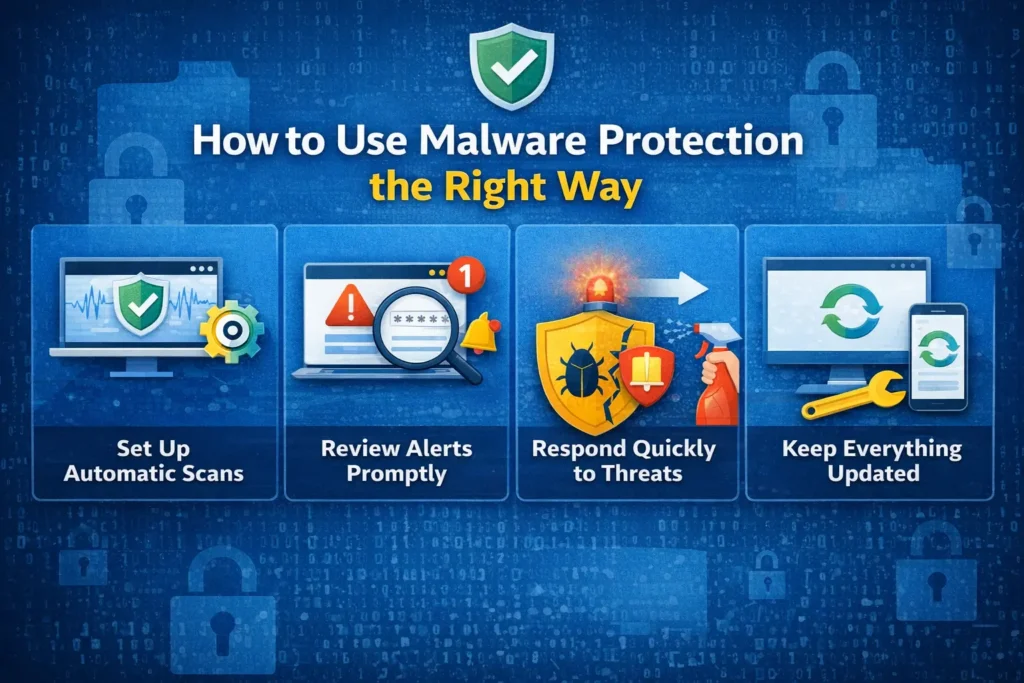
Malware protection delivers the most value when it is used proactively rather than reactively. Knowing when to scan, how to review alerts, and how to respond correctly ensures threats are handled early and security efforts remain effective over time.
Enable Protection Before Problems Appear
Malware protection is most effective when it is active before an attack occurs. Waiting until a website is already infected increases recovery time and risk. Enabling protection early ensures that monitoring and scanning are already in place when threats arise.
Run an Initial Full Scan
Once malware protection is enabled, start with a full website scan. This establishes a clean baseline and helps identify any existing issues that may have gone unnoticed. Initial scans often reveal hidden vulnerabilities or legacy infections from outdated files.
Monitor Alerts and Scan Results Regularly
Malware protection works quietly in the background, but alerts and reports should not be ignored. Reviewing scan results helps you understand what types of threats are being blocked and whether further action is needed. This habit prevents small issues from turning into major incidents.
Understand Reports Before Taking Action
Not every alert requires immediate removal or restoration. Some detections may be low risk or false positives. Reviewing details carefully or consulting an expert before restoring files helps avoid accidental damage to site functionality.
Use On Demand Scans After Updates and Changes
Major updates, plugin installations, or code changes can introduce vulnerabilities. Running an on demand scan after these changes ensures that new files and configurations remain secure.
Combine Automation With Human Oversight
Automated malware protection handles most threats efficiently, but human oversight adds an extra layer of safety. Periodic reviews by experienced professionals help catch complex issues, improve security rules, and ensure long term protection remains effective.
Real Time Malware Scanning vs Manual Security Checks
Manual security checks rely on periodic reviews and visible warning signs, which often appear after damage has already occurred. Real time malware scanning provides continuous protection by detecting and stopping threats the moment they emerge, closing the gaps that manual checks cannot cover.
Why Manual Security Checks Fall Short
Manual security checks rely on periodic reviews, visual inspections, or reacting to visible issues. This approach often misses hidden malware that operates quietly in the background. By the time a problem is discovered, the damage may already be done through data leaks, SEO penalties, or blacklisting.
Speed and Accuracy of Real Time Scanning
Real time malware scanning monitors website activity continuously. It detects suspicious behavior the moment it occurs, not days or weeks later. This speed allows threats to be blocked before malicious code executes or spreads across files and databases.
Continuous Protection Without Human Delay
Unlike manual checks, real time scanning does not depend on availability or attention. It runs constantly, including during off hours when many attacks happen. This eliminates gaps in coverage and reduces response time during critical moments.
Reduced Risk of Downtime and Data Loss
By stopping malware early, real time scanning minimizes the need for emergency fixes, restores, or extended downtime. Websites remain stable, and sensitive data stays protected.
When Manual Checks Still Add Value
Manual reviews are still useful for audits, compliance checks, and understanding long term security trends. However, they should complement automated malware protection rather than replace it.
How Malware Protection Supports Website Performance and SEO
Malware infections do more than compromise security. They quietly damage website speed, search visibility, and user trust. Effective malware protection helps prevent these hidden impacts by keeping your site clean, stable, and accessible for both visitors and search engines.
Preventing Search Engine Warnings and Blacklisting
Search engines actively monitor websites for malicious behavior. When malware is detected, sites may be flagged with security warnings or removed from search results entirely. Malware protection helps prevent these penalties by stopping infections before they are discovered by search engines.
Maintaining Website Speed and Stability
Malware often consumes server resources, injects unnecessary scripts, or creates redirect loops that slow down websites. By blocking and removing malicious code early, malware protection helps maintain fast load times and stable performance.
Protecting User Trust and Engagement
Visitors are more likely to leave a website if they encounter security warnings, unexpected redirects, or broken pages. A secure website builds confidence, keeps users engaged, and supports higher conversion rates.
Supporting Long Term SEO Health
Clean websites are easier for search engines to crawl and index. Malware protection ensures that hidden spam links, injected content, and unauthorized redirects do not undermine your SEO efforts over time.
Reducing Recovery and Ranking Loss
Recovering from a malware related SEO penalty can take weeks or months. Preventive protection avoids ranking drops and preserves the visibility you have worked hard to build.
Who Should Use Malware Protection
Malware protection is not limited to large or high profile websites. Any site that is accessible on the internet can become a target. Automated attacks do not discriminate based on business size, industry, or traffic volume. If a website stores data, processes user input, or relies on online visibility, malware protection is essential.
Business and Service Websites
Websites that represent businesses depend on trust and availability. Malware infections can damage credibility, disrupt lead generation, and impact customer confidence.
Ecommerce Stores
Online stores handle sensitive customer data, including payment and account information. Malware protection helps prevent data theft, fraudulent transactions, and checkout disruptions.
Agencies Managing Multiple Websites
Agencies responsible for multiple client sites face higher risk exposure. Centralized malware protection reduces workload and helps maintain consistent security standards across projects.
Content Platforms and Publishers
Blogs, news sites, and membership platforms rely on search traffic and user trust. Malware can quickly undermine both, making protection critical for long term growth.
Any Website Handling User Data
If users can log in, submit forms, or share information, malware protection is a necessary safeguard to protect both the website and its audience.
Malware Protection vs Security Plugins
Malware protection and security plugins are often confused, but they serve different roles in website security. Understanding how they differ helps website owners choose the right combination and avoid relying on tools that may not provide complete or reliable protection on their own.
How Security Plugins Typically Work
Security plugins operate at the application level. They monitor login attempts, block suspicious IP addresses, and scan files based on predefined rules. While they add a useful layer of defense, they rely heavily on the website itself to function properly.
Limitations of Plugin Based Security
Plugins share the same environment as the rest of your website. If the site is already compromised, plugins can be disabled, bypassed, or manipulated. They also consume server resources, which can affect performance on high traffic or resource constrained sites.
Server Level and System Level Protection
Malware protection that operates beyond the plugin layer provides stronger coverage. It can intercept malicious requests before they reach the application, preventing code execution altogether. This reduces the attack surface and improves response speed.
Performance and Reliability Differences
Heavy security plugins can slow down websites due to constant background processes. Server based malware protection is designed to operate efficiently without affecting page load times or user experience.
When Plugins Still Make Sense
Security plugins can still play a supporting role for features like login protection or activity logging. However, they should complement a robust malware protection system rather than serve as the primary defense.
Best Practices to Strengthen Malware Protection

Malware protection works best when it is supported by strong security habits and consistent website management. Small oversights often create the gaps attackers rely on, which is why reinforcing protection with the right practices is just as important as enabling the tool itself.
Keep Software Updated Consistently
Regular updates for plugins, themes, and core files close known security gaps. Delayed updates leave vulnerabilities exposed and make it easier for attackers to inject malware.
Use Strong Password and Access Policies
Enforce strong passwords for all user accounts and limit admin access to only those who truly need it. Removing inactive users and applying role based permissions reduces the risk of unauthorized access.
Monitor Security Alerts and Logs
Malware protection tools generate alerts and activity logs for a reason. Reviewing them regularly helps you spot patterns, repeated attacks, or potential weaknesses before they escalate.
Combine Malware Protection With Reliable Backups
Backups provide a safety net when recovery is needed. When used alongside malware protection, they allow safe restoration without reintroducing infected files.
Limit Third Party Integrations
Only install trusted plugins and extensions from reliable sources. Unnecessary third party tools increase attack surfaces and complicate security management.
Schedule Periodic Security Reviews
Technology and threats evolve constantly. Periodic reviews by security professionals help ensure your protection strategy remains effective and aligned with current risks.
How Professional Website Care Enhances Malware Protection
Malware protection WordPress tools handle detection and automated response efficiently, but they are most effective when combined with professional oversight. Experienced website care teams add context, judgment, and long term planning that automated systems cannot provide on their own.
Professional malware monitoring ensures that alerts are reviewed promptly and correctly. This reduces the risk of false positives being acted on incorrectly or real threats being overlooked. Experts can also identify patterns that indicate deeper security issues, such as recurring infections or targeted attacks.
Website care professionals help prevent reinfection by addressing root causes. This includes fixing vulnerable configurations, cleaning unused files, tightening access controls, and improving update workflows. These proactive steps reduce dependency on emergency fixes.
For businesses and agencies, professional website care provides peace of mind. Instead of reacting to security incidents under pressure, site owners can rely on ongoing protection, regular audits, and expert response when needed. This approach turns malware protection into a stable, predictable process rather than a stressful disruption.
When combined with consistent maintenance and expert support, malware protection becomes a long term safeguard that supports website growth, reliability, and trust.
Final Thoughts
Malware protection is no longer an optional add on for modern websites. It is a fundamental part of keeping your site accessible, trustworthy, and resilient in an environment where automated attacks are constant. Waiting for visible problems often means the damage has already been done, whether through lost rankings, compromised data, or broken user trust.
Using malware protection the right way means treating it as an ongoing process rather than a one time setup. Continuous scanning, proactive monitoring, and informed response work together to reduce risk and prevent costly recovery efforts. When combined with regular updates, backups, and professional oversight, malware protection becomes a reliable safeguard instead of a reactive fix.
For website owners and agencies alike, investing in proper malware protection supports long term performance, security, and growth. A secure website not only protects data and users but also protects the reputation and momentum you have worked hard to build.
Frequently Asked Questions
What is malware protection and why is it important?
Malware protection is a security system that detects, blocks, and removes malicious code from websites. It is important because malware can harm visitors, damage search rankings, expose sensitive data, and disrupt website functionality. Proactive protection helps prevent these issues before they escalate.
How often should malware scans run?
Real time monitoring should be active at all times, with scheduled scans running regularly. On demand scans are recommended after updates, plugin installations, or any unusual activity to ensure new changes remain secure.
Can malware protection prevent all attacks?
No security solution can guarantee complete protection. However, malware protection significantly reduces risk by detecting threats early, blocking malicious behavior, and limiting damage when attacks occur. It is most effective when combined with updates, backups, and good security practices.
Will malware protection slow down my website?
Well designed malware protection operates efficiently and has minimal impact on performance. In many cases, it improves site stability by preventing malicious scripts from consuming server resources or causing downtime.
Is malware protection enough on its own?
Malware protection is a critical layer, but it works best as part of a broader website care strategy. Regular maintenance, strong access control, reliable backups, and professional monitoring together create a more complete and sustainable security approach.