Cart abandonment costs WooCommerce stores billions in lost revenue every year. One of the biggest contributors is friction in the shopping journey itself. When a customer adds a product and is redirected to a separate cart page, the browsing session is interrupted, and a significant percentage of customers never return.
Sliding side cart plugins solve that problem. They let customers view, update, and manage their cart without ever leaving the page they are on. This guide covers how side carts improve UX, which features matter most, and which plugins deliver the best results in 2026.
Sliding side cart plugins improve WooCommerce UX by allowing shoppers to view, update, and manage their cart without leaving the current page. This removes the interruption of a separate cart page redirect, creates a smoother shopping flow, reduces friction, and increases the likelihood of completing a purchase.
What is a WooCommerce Sliding Side Cart?
A WooCommerce sliding side cart is a panel that slides in from the side of the screen when a customer adds a product. Instead of redirecting to a separate cart page, the cart appears as an overlay while the product page stays visible and interactive in the background.
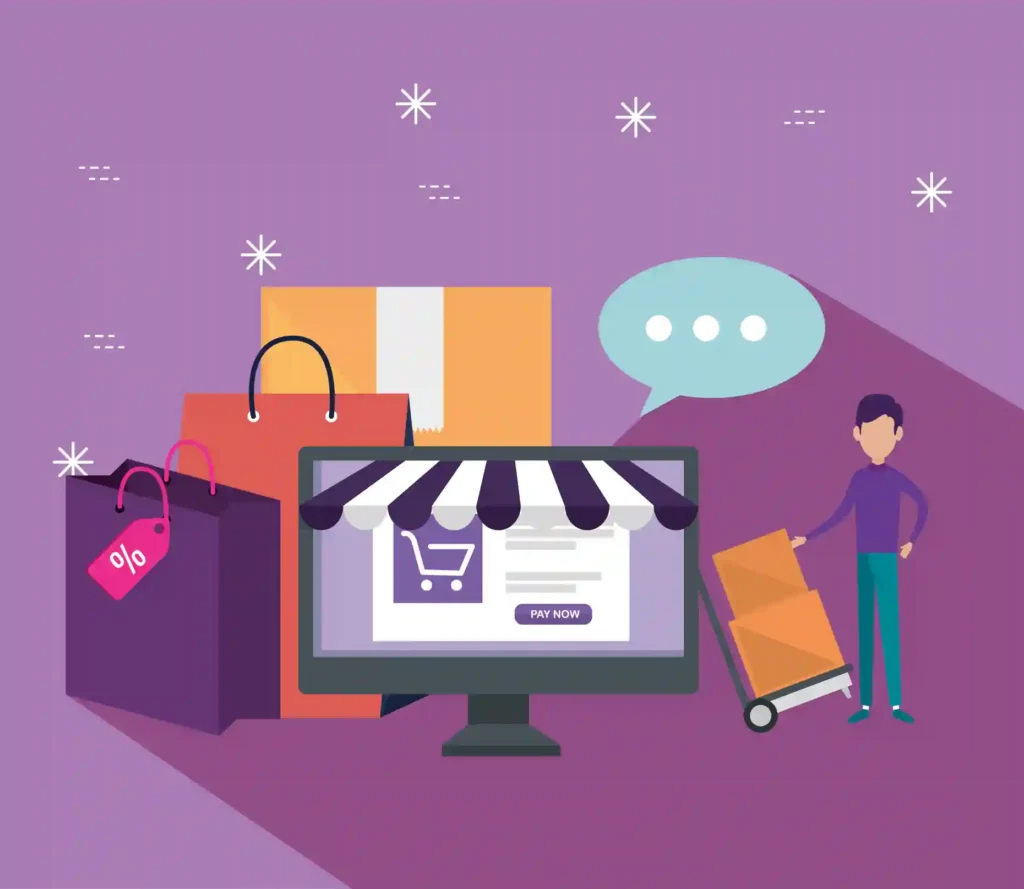
Customers can review items, adjust quantities, apply coupons, and proceed to checkout without ever leaving the page they’re on. This cart drawer approach has become the standard UX pattern for modern ecommerce stores because it removes one of the most common friction points between product discovery and purchase completion.
Why Traditional Cart Pages Create Friction?
Traditional WooCommerce cart pages were designed when ecommerce was simpler. In 2026, they create unnecessary interruptions that cost stores real revenue.
When a customer clicks Add to Cart and gets redirected to a separate page, the browsing session ends. Product discovery stops. The shopper either proceeds to checkout or returns to browsing with more navigation steps than necessary. Each of those steps is an opportunity for them to abandon the purchase entirely.
- Separate cart pages force users to leave product pages mid-browse.
- They interrupt product discovery at the moment engagement is highest.
- They add unnecessary steps to the navigation between intent and checkout.
- They increase checkout abandonment risk, especially on mobile, where every extra page transition costs you attention.
- They create slower shopping experiences for customers who want to add multiple products before checking out.
How Sliding Side Carts Improve the Customer Journey?
Side carts remove the interruption that traditional cart pages create and replace it with a frictionless interaction that keeps the shopping momentum going. Here is how each area of the customer journey improves.
Faster Add-to-Cart Experience
A sliding side cart eliminates the page reload that happens with a traditional add-to-cart action. The cart updates instantly via AJAX, and the panel slides in to confirm the addition without taking the customer away from the product they were looking at.
This speed difference is particularly noticeable on mobile, where page transitions are slower, and any friction is amplified. Customers who can add products quickly without losing their place in the catalog are significantly more likely to continue adding items before checking out.
Better Product Discovery
One of the most undervalued benefits of a side cart is that it keeps product pages visible while the cart is open. Customers can review what they have added and immediately continue browsing without navigating back.
This is especially valuable for stores with large product catalogs. A customer building an outfit, a gift bundle, or a supply order can manage their cart and browse simultaneously, without switching back and forth between the cart and product pages.
Improved Mobile Shopping UX
Mobile shopping already involves smaller screens and less precise navigation. Redirecting mobile shoppers to a separate cart page after every product addition creates a frustrating experience that desktop shoppers might tolerate, but mobile shoppers often abandon.
A slide-in cart panel that appears without a page transition, shows the cart clearly on a smaller screen, and offers a quick checkout button, delivers a significantly better mobile experience. Ecommerce stores across the US, UK, Australia, and globally consistently see stronger mobile engagement and conversion rates after implementing side cart functionality.
Want a Faster, Higher-Converting WooCommerce Store?
Seahawk’s WooCommerce development service covers side cart setup, plugin configuration, performance optimisation, and checkout improvements so your store reduces friction and converts more visitors into buyers.
Key UX Benefits of WooCommerce Side Cart Plugins
Side cart plugins deliver multiple UX improvements simultaneously. These are the benefits that have the most direct impact on your store’s performance.
- Reduced Cart Abandonment: Removing the cart page redirect eliminates one of the most common triggers of cart abandonment.
- Faster Shopping Experiences: AJAX updates mean no waiting for pages to load when adding products or reviewing the cart.
- Better Mobile Usability: Slide-in panels work naturally on touch screens without the navigation friction of separate pages.
- Increased Customer Engagement: Keeping shoppers on product pages while managing their cart increases session depth and product views.
- Improved Checkout Flow: Quick checkout buttons inside the cart panel reduce the steps between decision and purchase completion.
- Higher Conversion Potential: Every friction point you remove between product discovery and checkout increases the percentage of sessions that end in a completed order.
How Sliding Side Carts Increase Conversions?
Customers complete purchases more often when the path from product discovery to checkout feels simple and uninterrupted. Side carts remove the steps that interrupt that path and keep the shopping session moving forward rather than backward.
The conversion benefits go beyond just reducing abandonment. Side cart plugins with built-in upsell suggestions, cross-sell recommendations, and free shipping progress bars actively increase average order value by presenting relevant offers when a customer is already in buying mode.
Conversion Features That Matter Most
Free shipping progress bars are one of the highest-converting features in any side cart implementation. Showing a customer they are $10 away from free shipping directly motivates additional product purchases and increases average order value without any manual intervention.
Upsell and cross-sell suggestions inside the cart panel catch customers at the right moment. They have already committed to a purchase and are open to complementary additions. Quick checkout buttons and visible discount code fields reduce the number of remaining steps to completion and eliminate the final objections that cause customers to hesitate before buying.
Best Features to Look for in a WooCommerce Side Cart Plugin
Before choosing a side cart plugin, confirm it includes features that actually drive conversion metrics rather than just look good in a demo.
- AJAX Cart Updates: The cart should update instantly without any page reload. This is the baseline feature every side cart plugin must have.
- Mobile Responsiveness: The cart panel needs to work correctly on real mobile devices, not just desktop browsers. Test on actual phones before committing.
- Upsell and Cross-Sell Support: The ability to show relevant product recommendations inside the cart is one of the most direct ways to increase average order value.
- Free Shipping Notifications: A progress bar showing how close a customer is to the free shipping threshold consistently increases order value.
- Custom Cart Design Options: The cart panel should match your store’s branding without requiring extensive custom CSS.
- Quick Checkout Buttons: A direct checkout button inside the cart panel removes a navigation step and reduces abandonment at the final decision point.
- Fast Loading Performance: A cart plugin that loads heavy scripts on every page slows down your store. Confirm the plugin loads assets conditionally rather than globally.
Best WooCommerce Sliding Side Cart Plugins
These are the most reliable and conversion-focused WooCommerce side cart plugins in 2026. Here is how they compare.
| Plugin | Best For | Key Advantage |
|---|---|---|
| FunnelKit Cart | Conversion-focused stores | Upsells, milestone rewards, and checkout optimisation |
| XT Floating Cart | Flexible cart customisation | Advanced design controls with Customizer preview |
| Side Cart WooCommerce | Simplicity and budget | Free, lightweight, 60,000 active installs |
| WooCommerce Menu Cart | Navigation integration | Easy cart access from the menu bar |
| CartPops | Fast checkout flows | Conversion-focused UX with express checkout |
Common Mistakes When Using Side Cart Plugins
These mistakes consistently reduce the effectiveness of side cart implementations and some actively hurt conversion rates.
- Overloading Carts With Too Many Offers: One or two relevant upsell suggestions inside the cart increase order value. Five competing offers create decision paralysis and abandonment.
- Ignoring Mobile Usability: Always test your cart implementation on real mobile devices. A cart panel that works perfectly on a desktop often has tap target, overflow, or animation issues on smaller screens.
- Using Slow Cart Plugins: Some side cart plugins load scripts on every page by default. This adds unnecessary weight to pages where no cart interaction is happening and hurts Core Web Vitals scores.
- Adding Distracting Animations: Subtle slide-in animations improve the experience. Heavy or slow animations delay the cart appearing and frustrate customers who want to act quickly.
- Hiding Checkout Buttons: The checkout button is the most important element in your cart panel. It should be visible immediately without scrolling, regardless of how many items are in the cart.
- Failing to Test Cart Performance: Plugin updates can change cart behavior. Test your cart implementation after every major plugin or WooCommerce update to catch regressions before customers do.
How Side Cart Plugins Affect SEO and Website Performance?
Side cart plugins primarily improve user experience signals rather than directly affecting search rankings. However, the downstream effects are real. Lower bounce rates, higher session engagement, and more pages per visit all signal stronger organic performance over time.
The performance risk is plugin weight. A sidecart plugin that loads scripts and stylesheets on every page of your store adds page weight, particularly LCP and INP, that affects Core Web Vitals scores. Choose a plugin that loads assets conditionally only on pages where cart interaction is possible, and confirm your hosting can deliver fast AJAX response times before going live.
Are Sliding Side Carts Right for Every WooCommerce Store?
Most WooCommerce stores benefit from reducing shopping friction, and a side cart is one of the most direct ways to do that. The biggest improvements typically come from stores with large product catalogs, where customers add multiple items before checking out, and mobile-first stores, where page transitions cause the most friction.
Stores with very small catalogs or single-product checkout flows may see less measurable impact. The best way to evaluate the impact for your specific store is to implement a side cart on a staging environment and run a simple A/B test comparing conversion rates before and after. The data from your own store will always be more reliable than general industry benchmarks.
Conclusion
Sliding side carts remove one of the most common friction points in the WooCommerce shopping journey. By keeping customers on product pages while they manage their cart, they reduce abandonment, increase engagement, and create a shopping experience that converts better across both desktop and mobile.
Choose a plugin that matches your store’s specific needs, configure conversion features like free shipping bars and upsells thoughtfully, and test on mobile before launching. The right implementation consistently improves the metrics that matter most.
Frequently Asked Questions About WooCommerce Sliding Side Cart Plugins
What is a WooCommerce sliding side cart?
A WooCommerce sliding side cart is a cart panel that slides in from the side of the screen when a customer adds a product. Instead of redirecting to a separate cart page, the cart appears as an overlay while the product page remains visible and interactive. Customers can manage their cart and proceed to checkout without navigating to a new page.
Do side cart plugins improve conversions?
Yes directly. Side cart plugins reduce the friction caused by separate cart page redirects, keeping customers engaged in the shopping session. Combined with conversion features like free shipping progress bars, upsell suggestions, and quick checkout buttons, they consistently improve both conversion rates and average order value.
Are sliding side carts mobile-friendly?
They should be, but not all implementations are equal. The best side cart plugins deliver a responsive panel that works correctly on touch screens without overflow or navigation issues. Always test your specific cart implementation on real mobile devices before launching, as desktop testing consistently misses mobile-specific issues.
Which WooCommerce side cart plugin is best?
FunnelKit Cart is the strongest overall option for conversion-focused stores, thanks to its upsell capability, milestone reward system, and direct checkout functionality. Side Cart WooCommerce by Xootix is the best free option with over 60,000 active installs and a reliable implementation that works out of the box.
Can side carts reduce cart abandonment?
Yes. Cart abandonment is often triggered by a redirect from a separate cart page. A side cart removes that interruption and keeps the shopping session unbroken. Stores that switch from traditional cart pages to sliding side carts typically see measurable reductions in abandonment rates, particularly on mobile.
Do side cart plugins affect website speed?
Yes, depending on implementation. Plugins that load scripts and stylesheets on every page add unnecessary weight, affecting Core Web Vitals scores. Choose a plugin that loads assets conditionally and test your page speed scores after installation. A well-configured lightweight side cart should have minimal impact on your store’s performance.